

How to Join the Seller Shipping Protection
What is the Seller Shipping Protection Program?
The Seller Shipping Protection Program is operated by third-party protection providers("Seel" or "Route") for eligible US sellers using third-party logistics providers (3PL) to fulfill orders. After enrollment, eligible seller-shipped packages are automatically covered from carrier pickup against lostloss in transit, damage, and delivered-but-not-received (DNR). The initial service fee is 1.2% of the package’s pre-tax item value, with a minimum fee of $0.01, and eligible reimbursements are capped at $15,000 per package. The service fee is charged per eligible package after carrier pickup and is automatically deducted from your seller balance; the fee will appear on your Seller Center invoices. For full program details and final terms, click here.
How to Enroll?
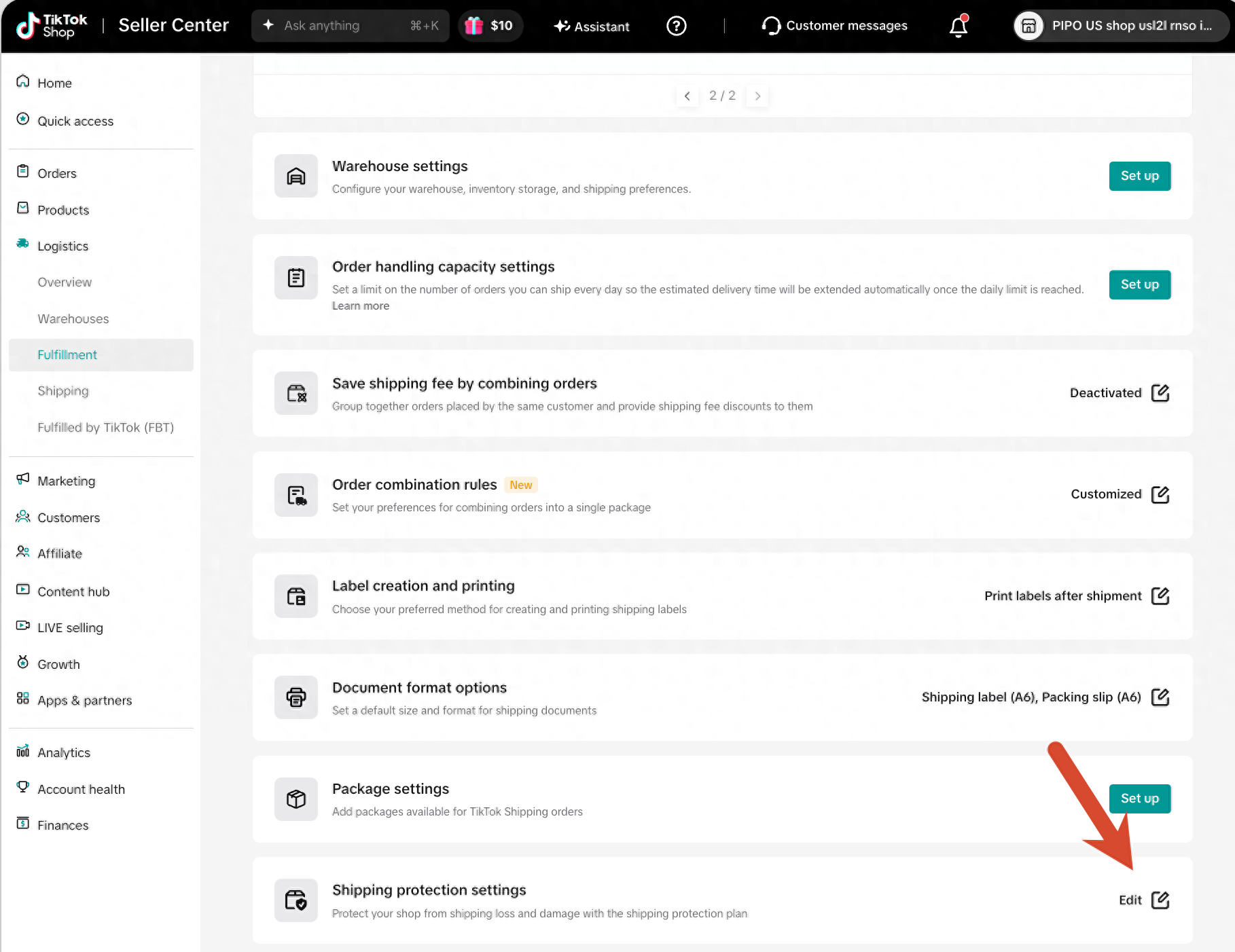
- In the Seller Center, go to Logistics —> Fulfillment, and find "Shipping Protection Settings", then click "Edit".
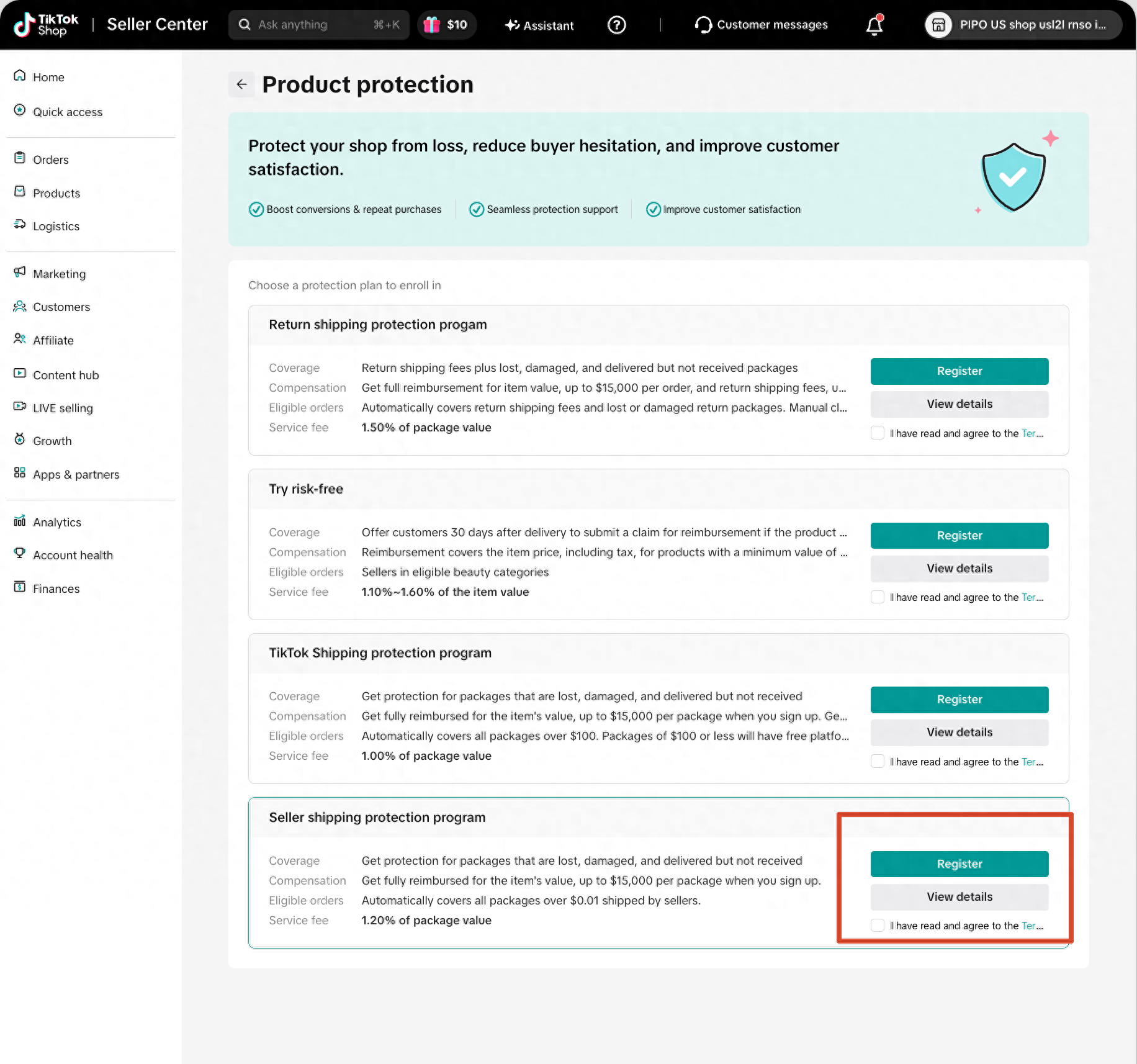
- Find the Seller Shipping Protection Program, hover over the program card, and click View Details. Review the program introduction and Terms & Conditions, then click Register to enroll. By clicking Register, you agree to the Terms & Conditions, including the service fee, automatic per-package deduction from your seller balance, and the third-party provider's claims-review process.
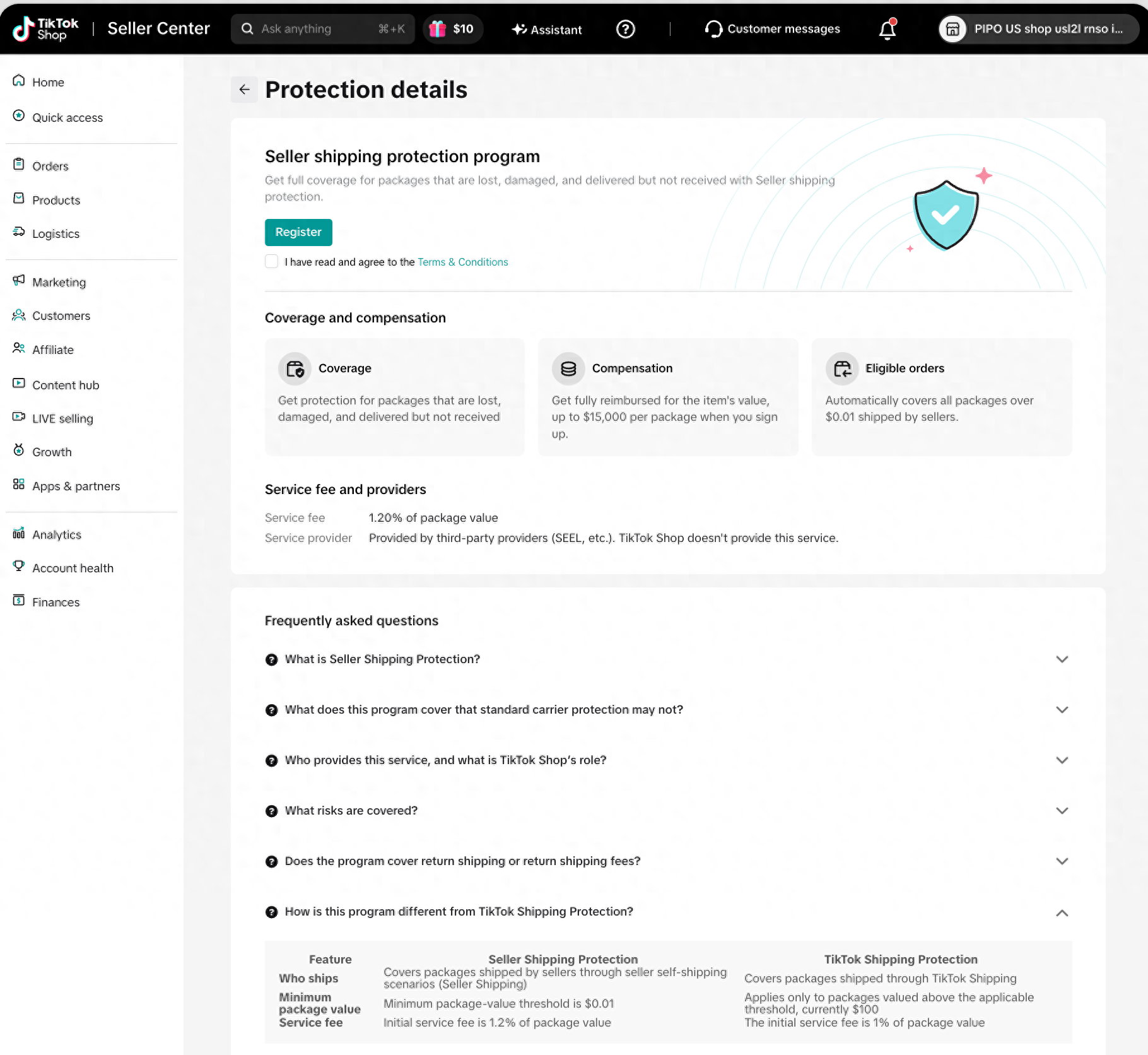
- The page of "View details"
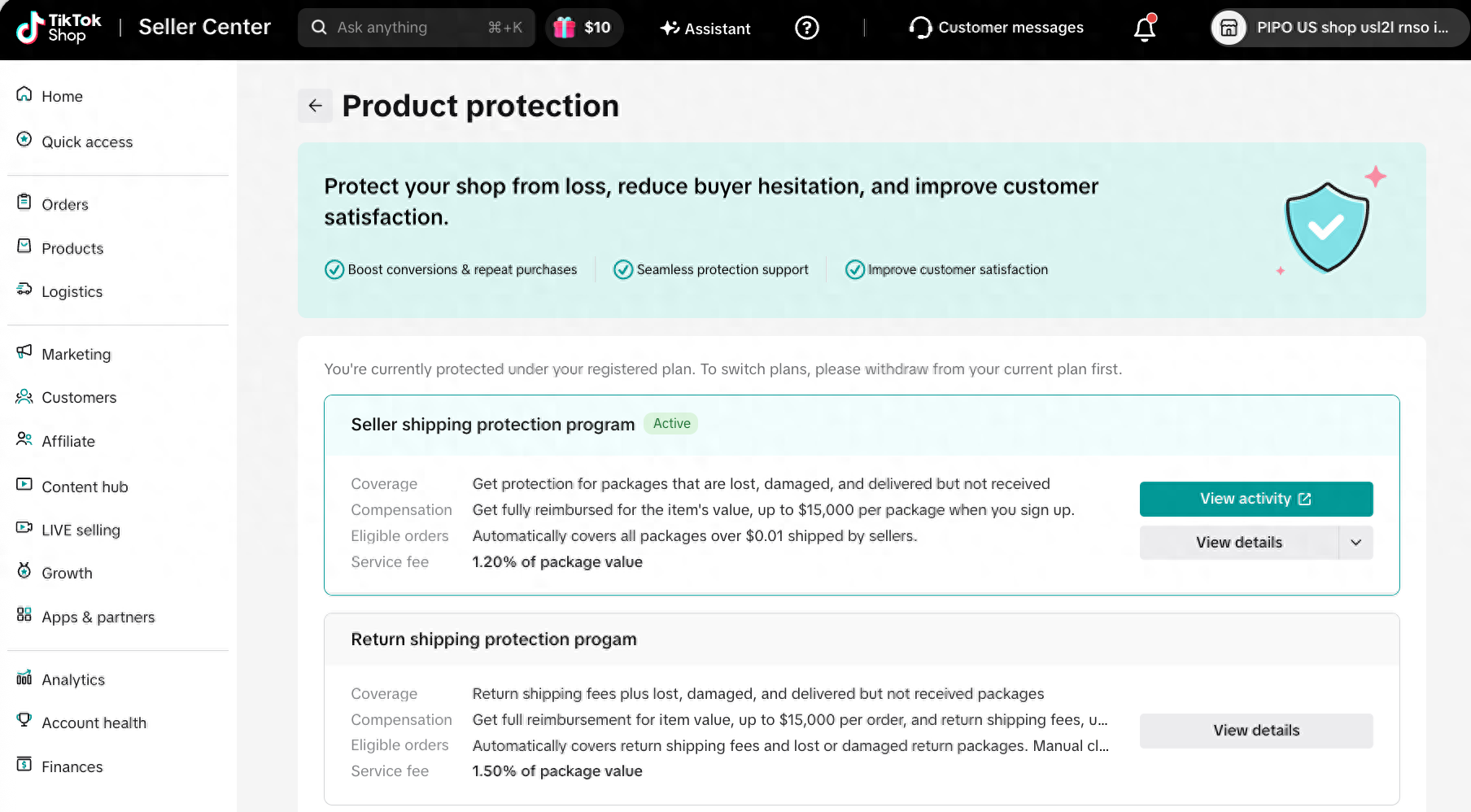
- Once the program shows as Active, eligible 3PL merchant-fulfilled packages will be covered automatically after carrier pickup.
Coverage and claims
Eligible packages are protected against lostloss in transit, damage, and delivered-but-not-received (DNR) during outbound delivery. Claims and reimbursements are subject to the final program terms and review results. TikTok Shop provides the enrollment channel and integration for this program. Protection is provided, and claims are reviewed and paid, by "Seel" or "Route" under the program terms.
- In the Seller Shipping Protection Program section, click View Activity to access covered orders and reimbursement requests.
- Order Claim Detail(Eligible Orders + Reimbursement Requests)
Eligible Orders | Reimbursement Requests |
 |  |
How to submit a claim?
After the related after-sales case is approved, submit the claim through Seller Center and provide the supporting evidence requested on the claim page. Eligible losses may include packages lost in transit, damaged goods, or delivered-but-not-received (DNR). Final eligibility and reimbursement amounts are determined under the program terms.
- Open the relevant after-sales order in Seller Center. If the order is marked Claim Eligible, click Claim to start the request.
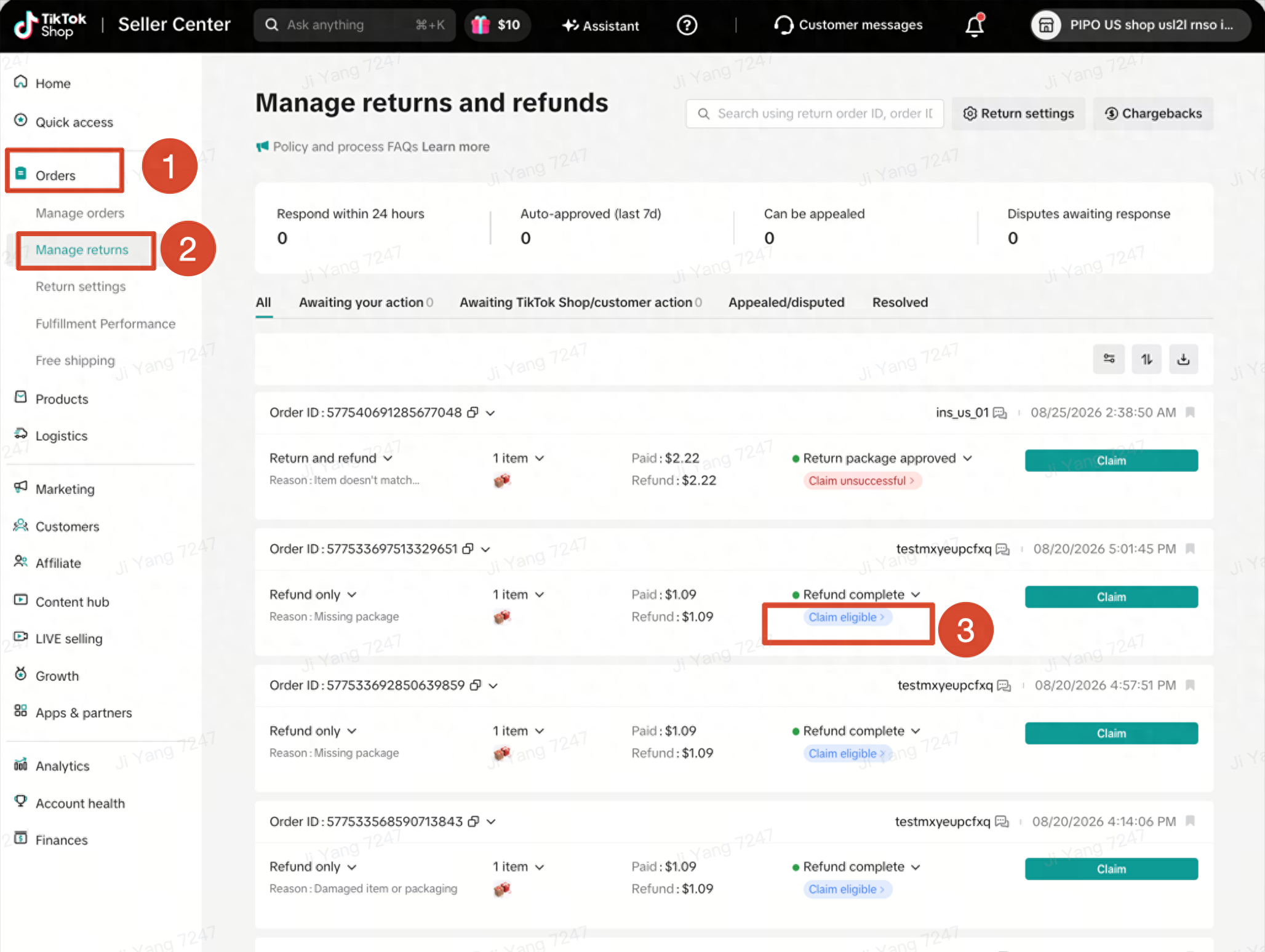
- Upload supporting evidence (e.g., photos, police reports for theft) and provide the reason for your claim

- Click Submit. The protection provider will review the request, and you can track the result in Seller Center. Processing time and the final decision are subject to the program terms.
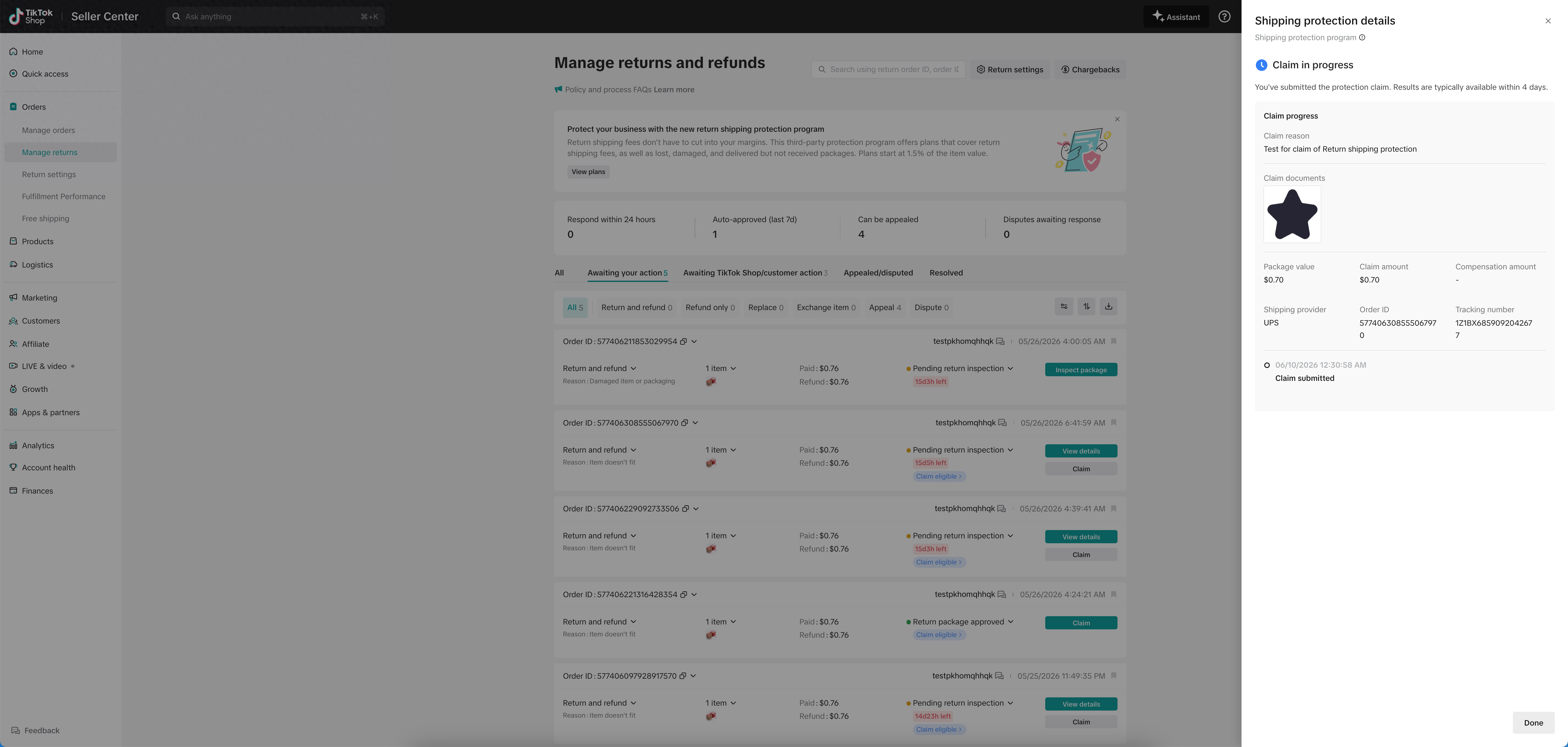
- View claims results
Success | Unsuccessful & In process |
 | 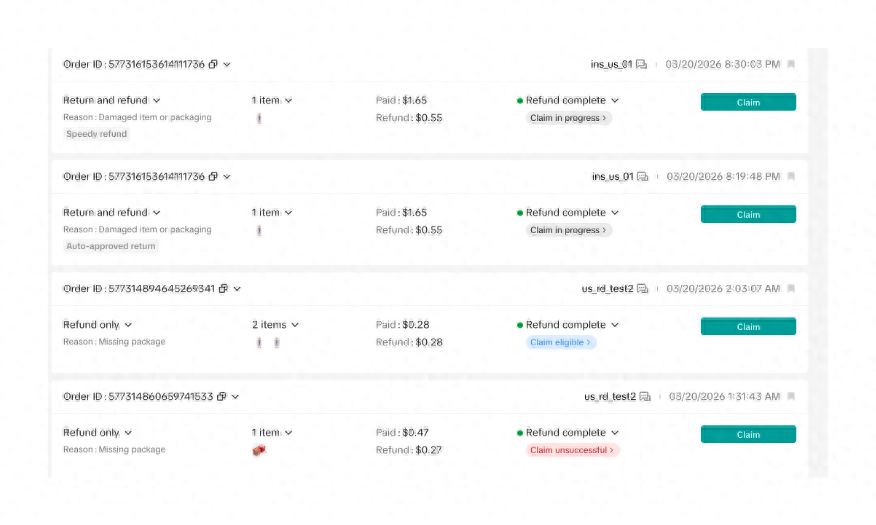 |
Withdraw from the program
- Go to "Shipping Protection Settings" and find the program you want to withdraw from.
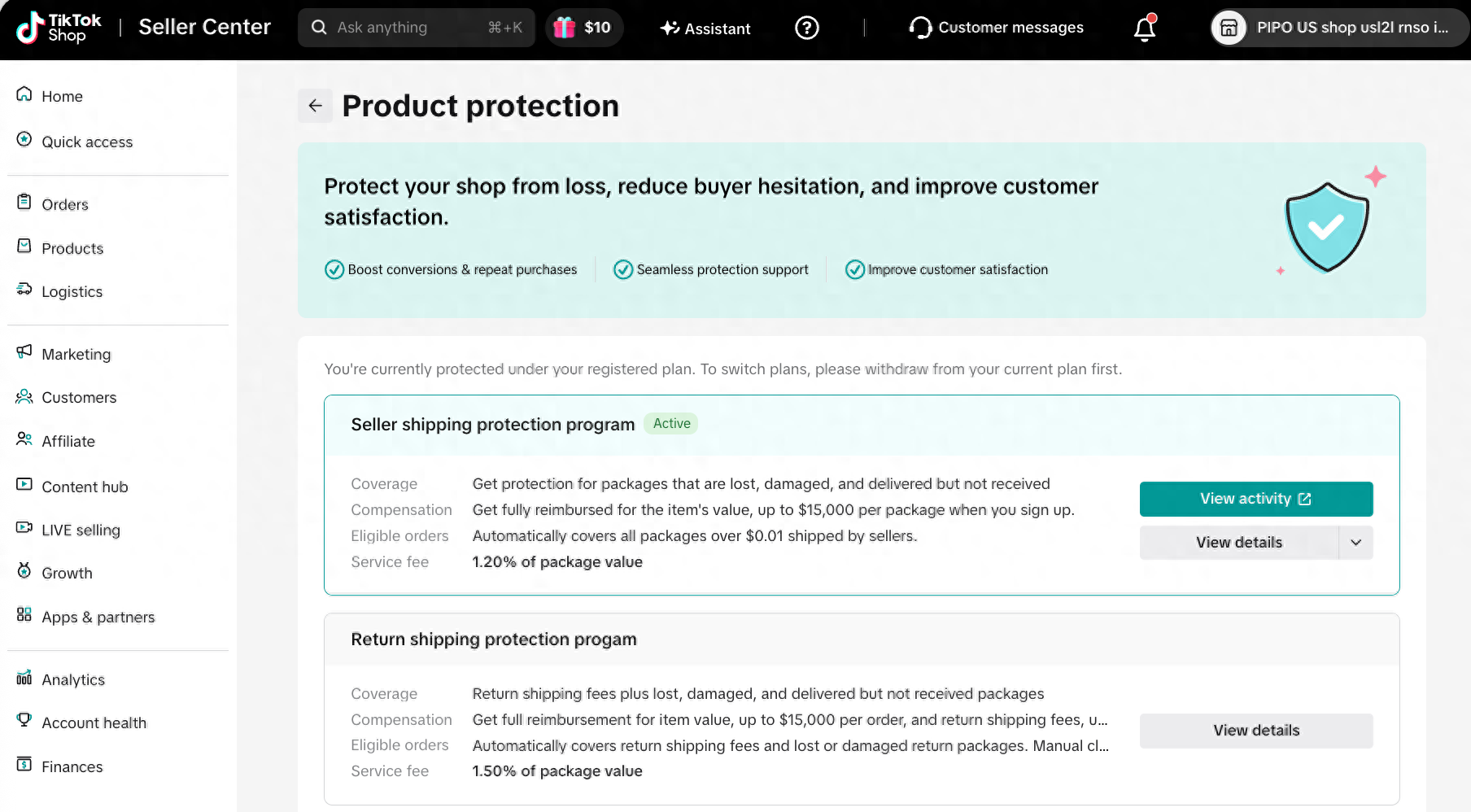
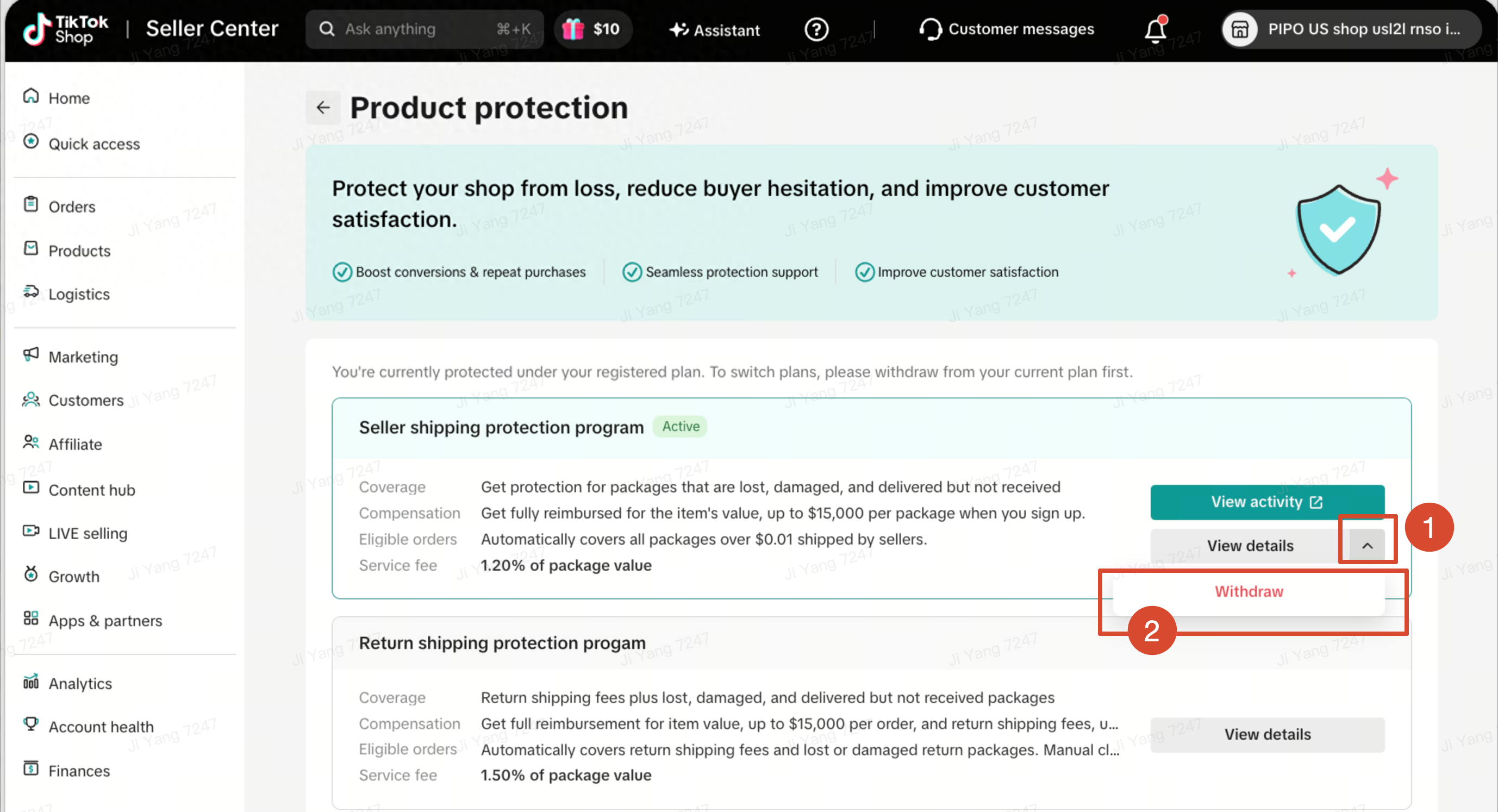
- Click the arrow next to "View Details" and select Withdraw.
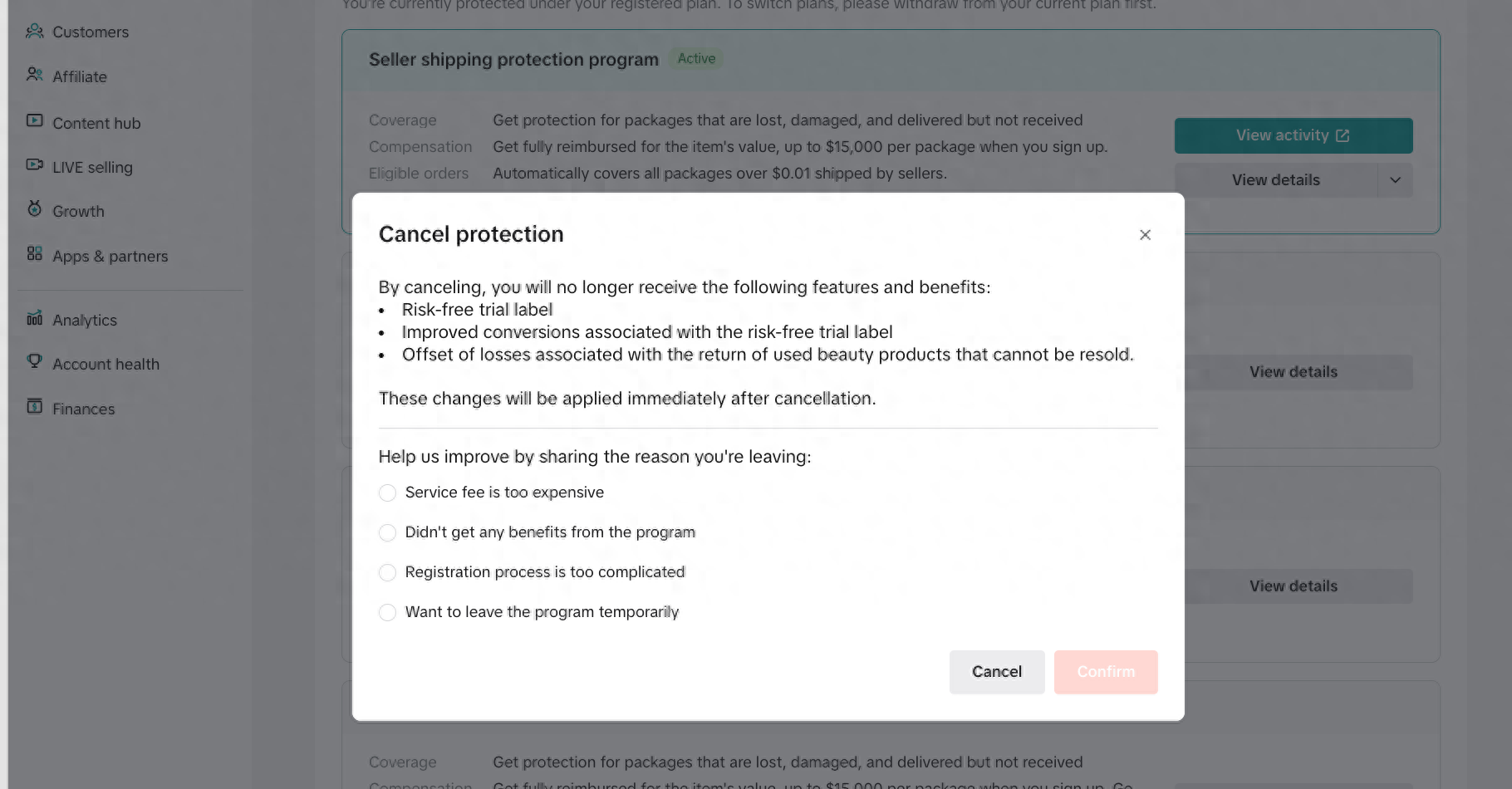
- Select a reason for withdrawal and click Confirm.
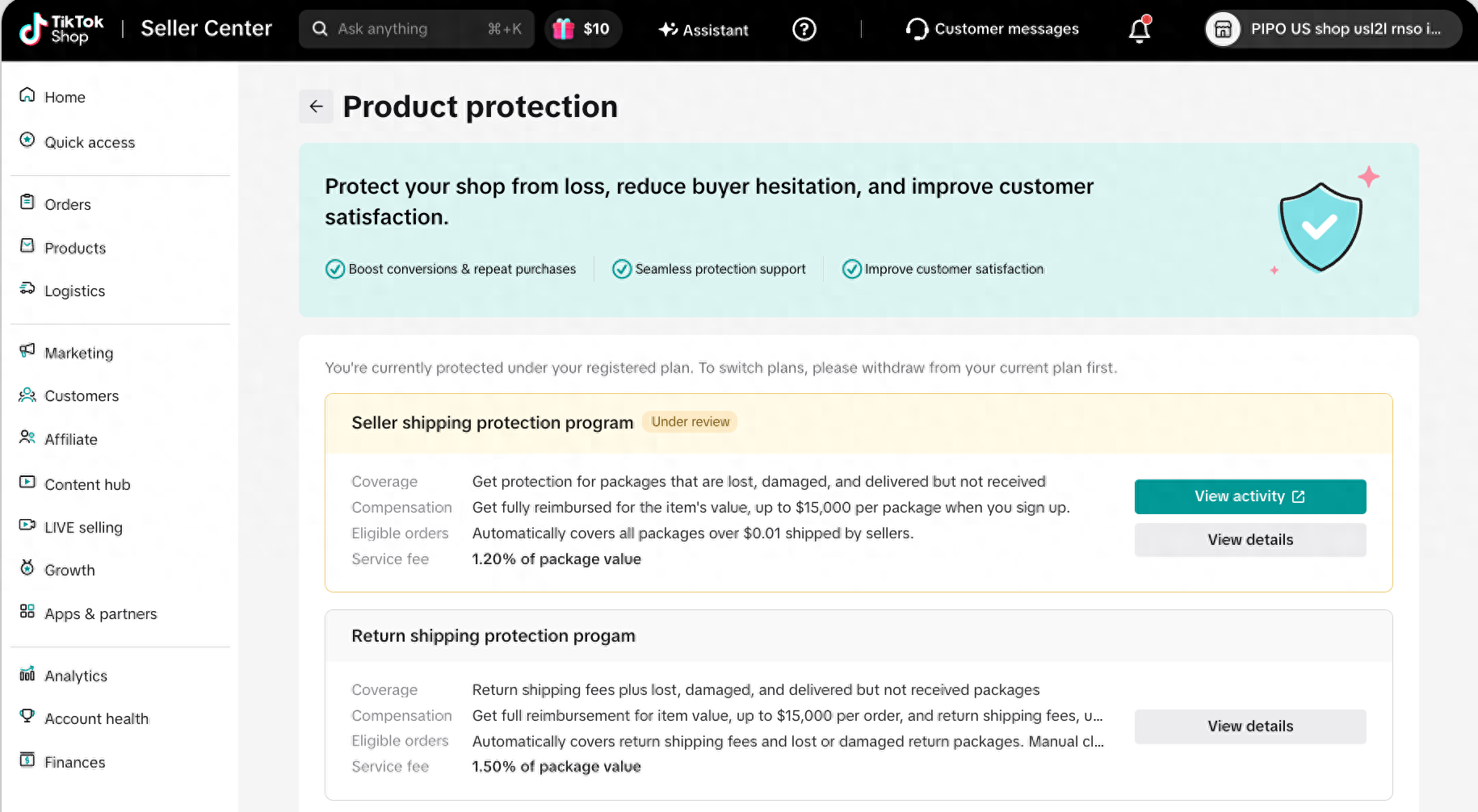
- Your withdrawal request has been submitted and is under review(Normally takes 5 seconds)
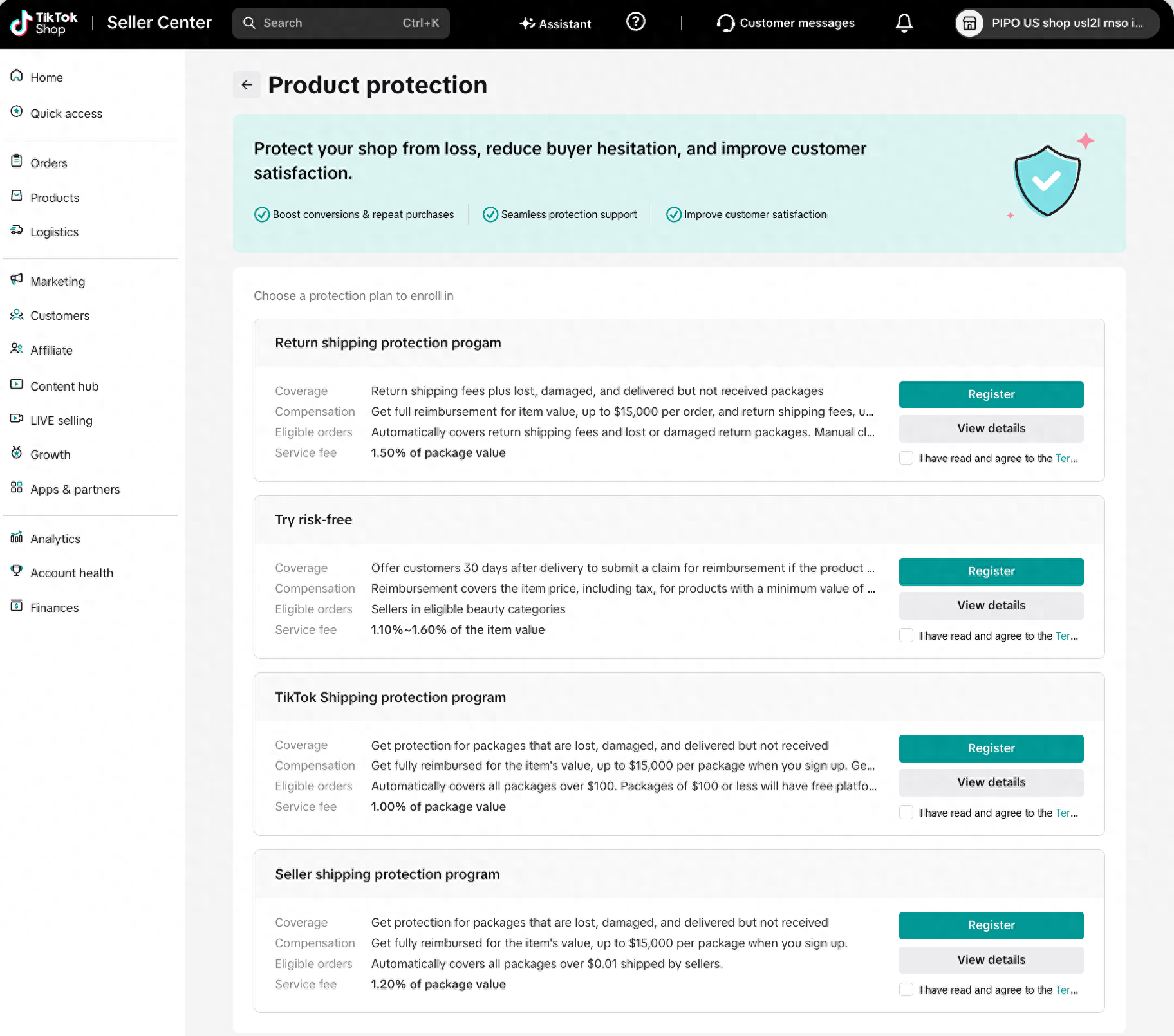
- Withdrawal complete.(to re-enroll, follow the same registration steps above.)
FAQ
Q: Which packages are covered automatically?
A: After enrollment, eligible US 3PL seller-shipped packages with a pre-tax item value above $0.01 are covered automatically after carrier pickup. Final eligibility is subject to the program page and risk-control rules.
Q: In which cases do I need to submit a claim manually?
A:For cases involving DNR, theft, or damaged items, you will need to manually submit a claim to third-party vendors ("Seel" or "Route") via Seller Center with supporting evidence (e.g., photos, police reports for theft).
Q: How long does claim processing take?
A:All claims will be reviewed by third-party vendors("Seel" or "Route"). Manual claims are reviewed and finalized within 1 business day.
Q: Where can I check my reimbursement status?A: You can view reimbursement status on the Manage Returns page, or click View Activity on the Program Settings page to see all claim records.Q: When does coverage take effect after enrollment?
A: Coverage applies to eligible packages after carrier pickup once enrollment is active. Packages shipped before enrollment are not covered retroactively.
Q : How do I obtain billing and tax invoices for the shipping protection program?A:You can get billing invoices and tax invoices with the Administration Fee, Service Fee, and Seller Payment Fee for the period you're enrolled in the Shipping Protection Program in the Seller Center Invoices, under platform fees. Please note that the reimbursement itself will not be included in invoices, and only shown in transaction details.