[2026 BFCM] Better Price Rewards Registration Guide


AI Summary
BFCM registration is now unified: register a product once with one submitted price, and TikTok Shop auto-assigns the eligible benefit tier, including brand benefits where applicable. Sellers can register by product/SKU via online, bulk, or Excel upload, then adjust prices later to unlock more exposure or subsidies. If SKUs under one product fall into different tiers, the lowest benefit tier applies to the whole product. Inventory reservation is not supported.
How to Register: One Registration, Unlock Tiered Benefits
Registration Links:
During BFCM there will be a single unified campaign registration flow:
- Enter one price, register once, and the system will automatically place products into the corresponding tier based on eligibility — no need to duplicate operations across multiple campaigns. (Eligible Brand Campaign sellers will register their product recruitment through this same entry and enjoy brand-exclusive benefits.)
- Product-level registration: Sellers can register by product; sellers can choose different discount tiers for different products (by SKU), and benefits unlock according to the registered price. Inventory reservation is not supported.
If SKUs under the same product are assigned different price tiers, the lowest benefit tier will apply at the PID level.Example: If SKU 1 under Product A is assigned to Advanced and SKU 2 is assigned to Better Price Rewards Tier 2, Advanced-tier benefits will apply to Product A as a whole.
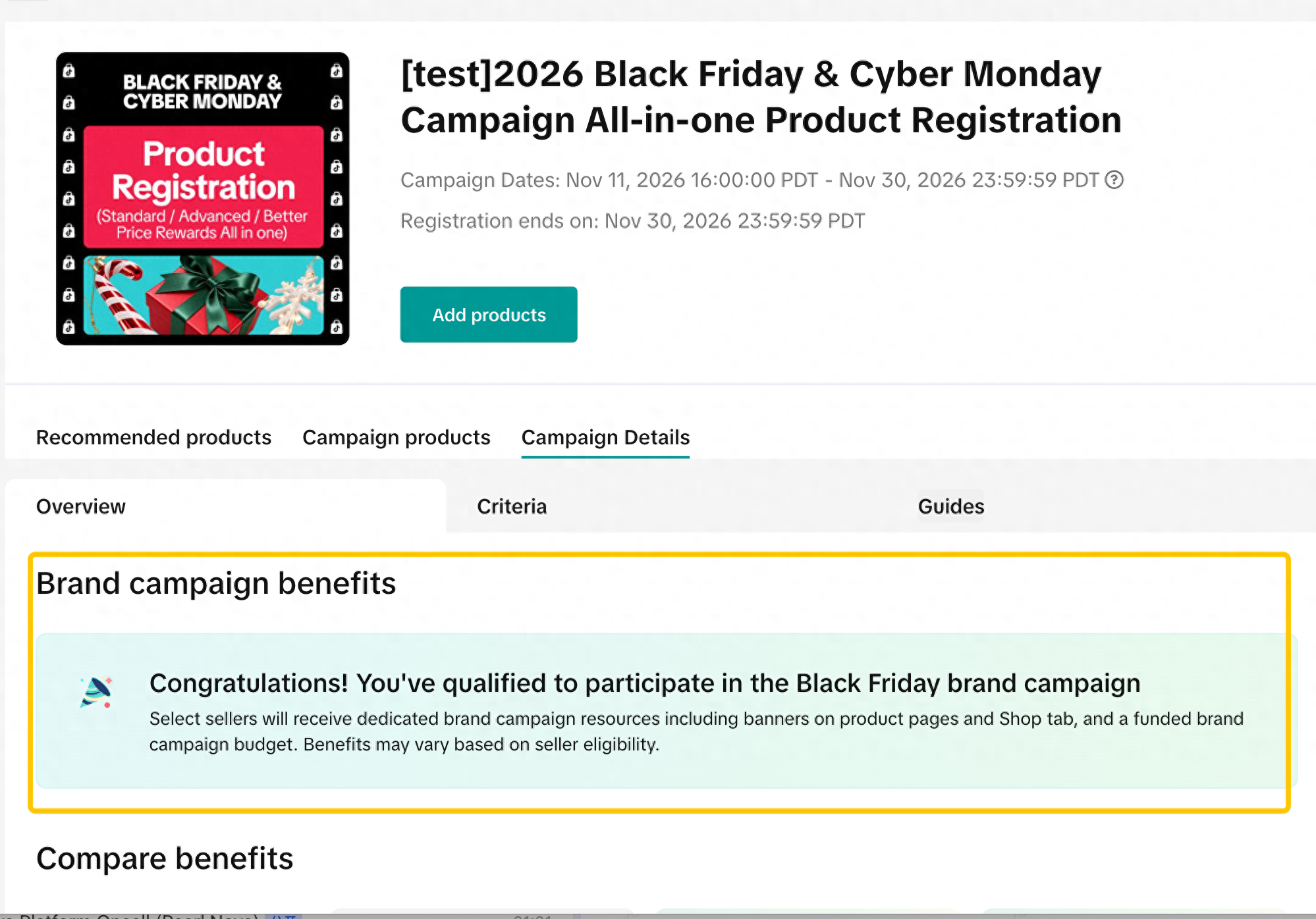
- New+Brand product registration——Brand product registration will be integrated into BFCM registration. Brand benefits will be displayed on the campaign entry page, sub-campaign details page, and registration details page.
Brand product registration | ||
entry | sub-campaign details | registration details |
 |  |  |
- New+Price recommendations:You can adjust the price according to the suggested price to unlock more benefits. If no modification is made, the product will remain in the campaign based on the current submitted price.
Step 1: Go to the Campaigns Page and Start Registration
- In Seller Center, go to the Campaigns page
- Find the Black Friday campaign and click Register
Step 2: Review Campaign Details
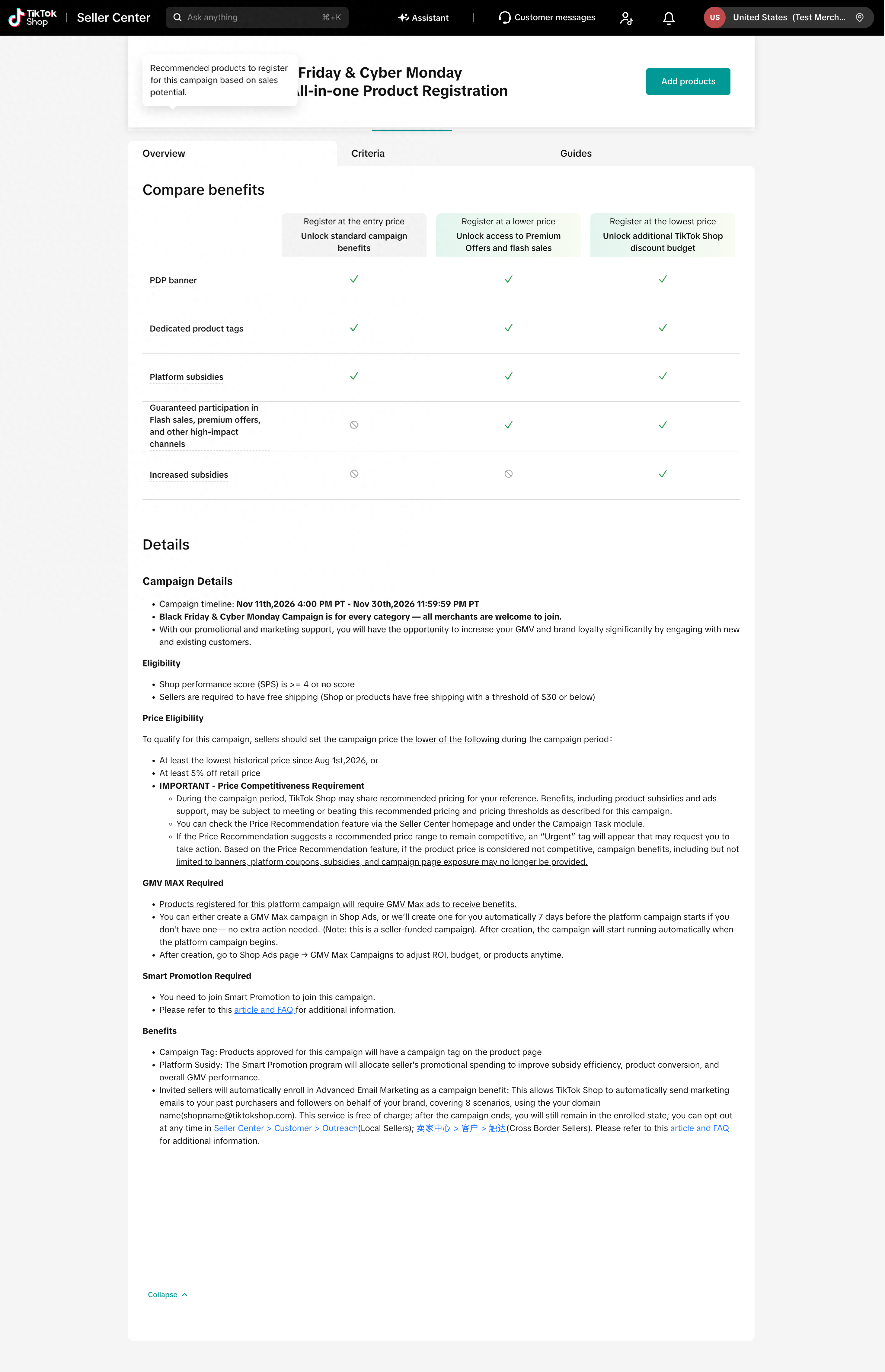
- On the campaign details page, review the campaign information and product price tiers. Each tier unlocks the corresponding Black Friday campaign benefits:
- Register at the entry price: Unlock standard benefits
- Register at a lower price: Unlock the Flash Sale & Premium Offers channel
- Register at the lowest price: Unlock additional TikTok Shop subsidies
Note: Invited products from brand sellers may display additional benefit information
Step 3: Register Products
- Click Register to open the registration page. You can register products in any of the following three ways; choose the option that best fits your needs.
- Online registration
- Online bulk registration
- Upload file registration
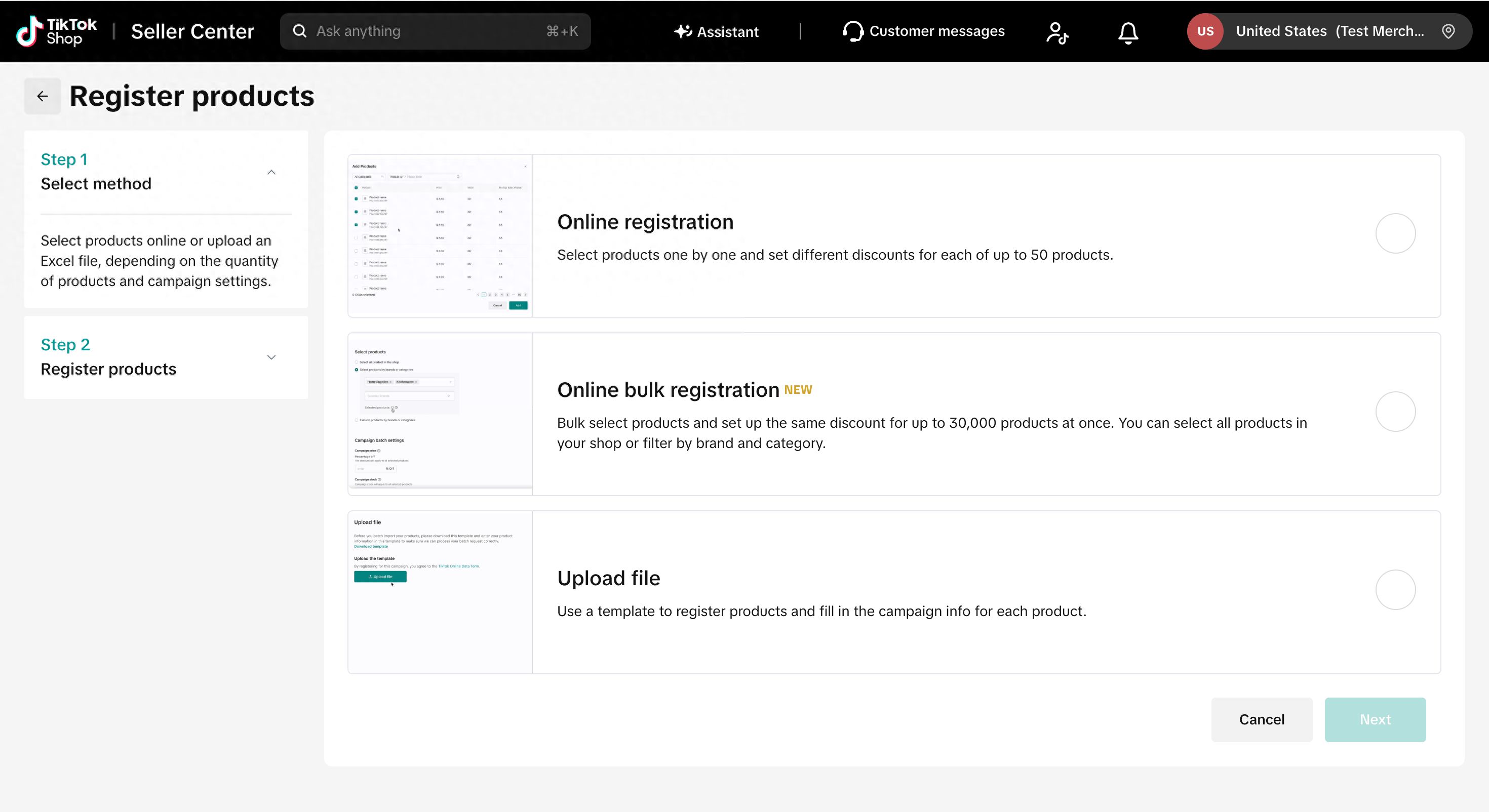
3.1 Online Registration
- Select this registration method and click it
- Select the products you want to register
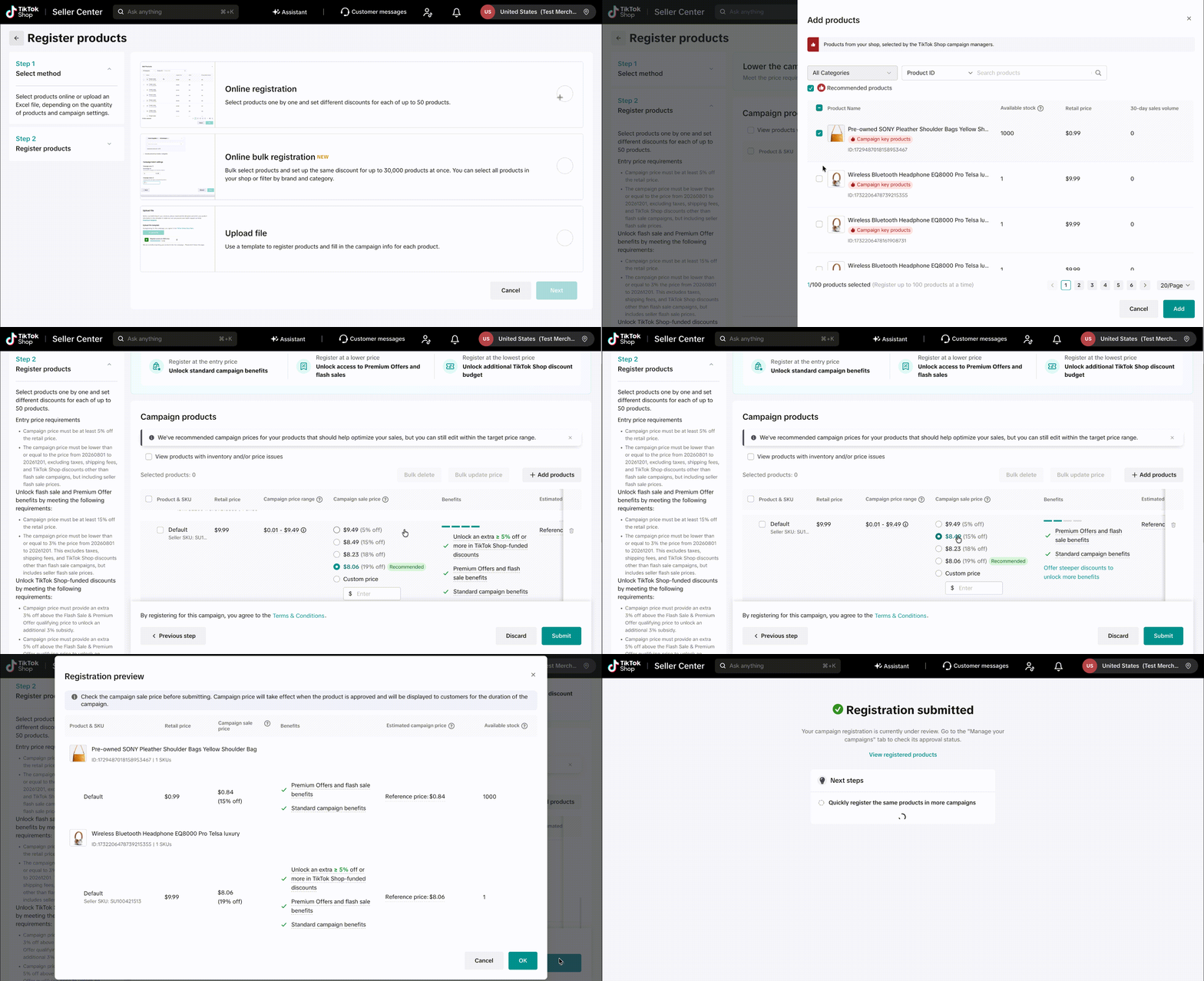
- Enter product prices
- Each product SKU displays multiple price tiers and corresponding benefits
- Standard tier: Price threshold is the lowest price in the past 90 days
- Advanced tier: Price threshold is the lowest price in the past 90 days plus an additional 3% off
- 3% tier: The 3% discount tier of Better Price Rewards, which requires an additional 3% discount on top of the price under the Advance tier.
- 5% tier: The 5% discount tier under Better Price Rewards, which requires an additional 5% discount off the product price based on the Advance tier
- The Recommended tier is selected by default, and merchants can choose the price tier as needed
- You can also select Custom Price. The custom price must meet the price threshold of the campaign.
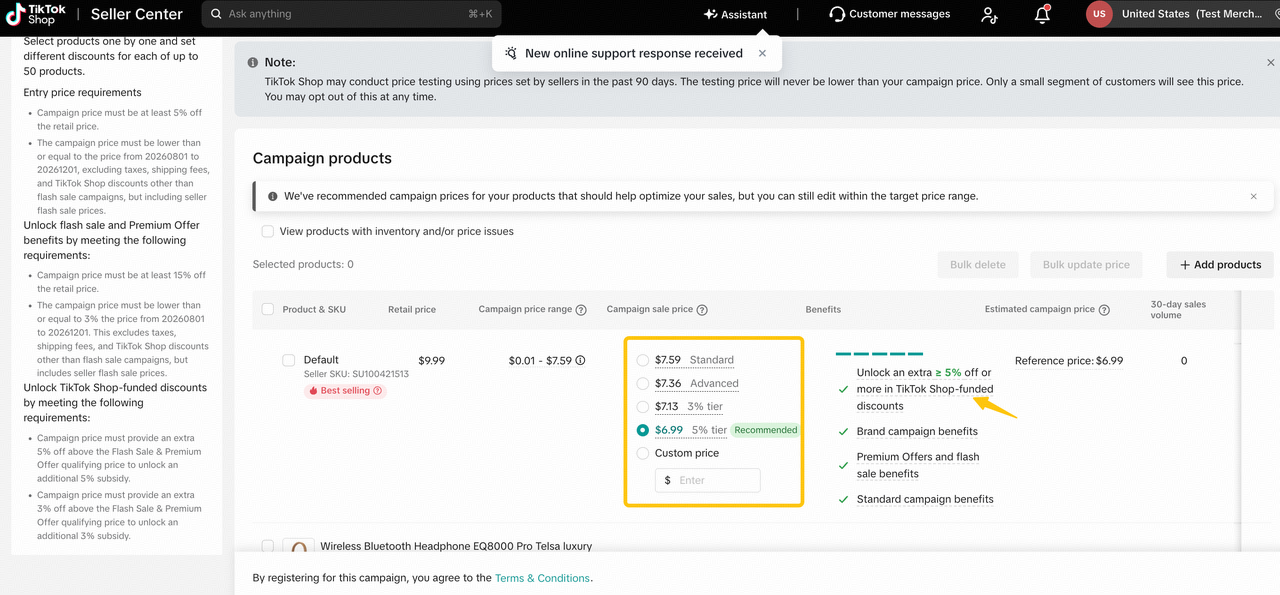
Merchants can hover their mouse over the tier (the dashed underlined section in the figure) to view the calculation logic for the price of that tier.

- After submitting, review the information, preview it, and complete registration.
- If SKU price tiers differ, the following prompt will appear under the product: If SKUs of the same product qualify for TikTok Shop-funded discount tiers, the lowest discount tier will apply to the entire product.
- The following prompt will also appear under the SKU: All SKUs will use the lowest TikTok Shop-funded discount rate. Your SKUs will receive a 3% TikTok Shop-funded discount.

3.2 Online Bulk Registration
- Select the product range
- Choose how to set prices:
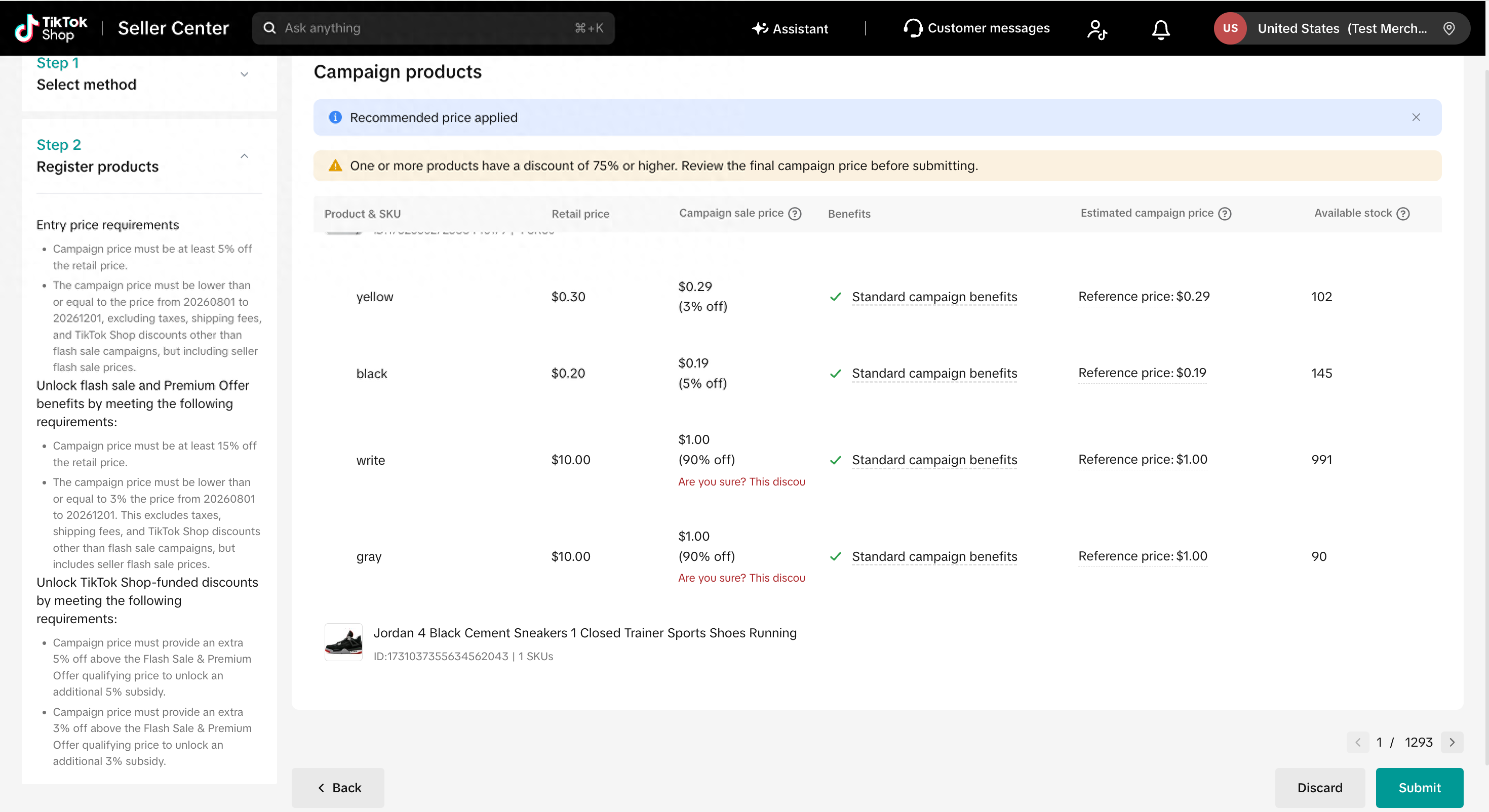
- Sellers can apply the platform's Recommended price to all selected products with one click. The benefits for that price will be displayed.
- If you choose Percentage off to set prices in bulk, the benefits shown will correspond to the tier of each discounted price
- Click Submit
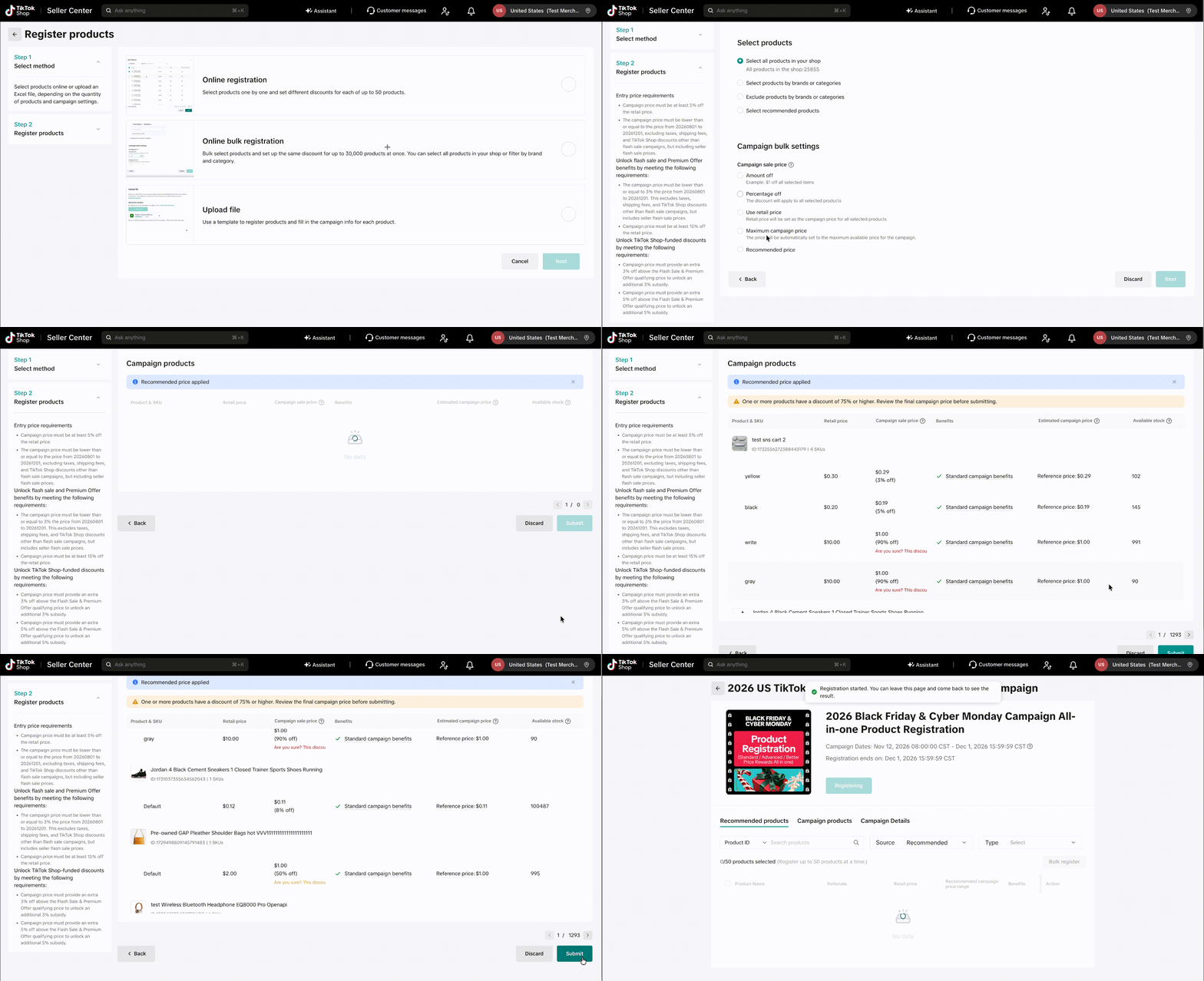

3.3 Excel Bulk Upload
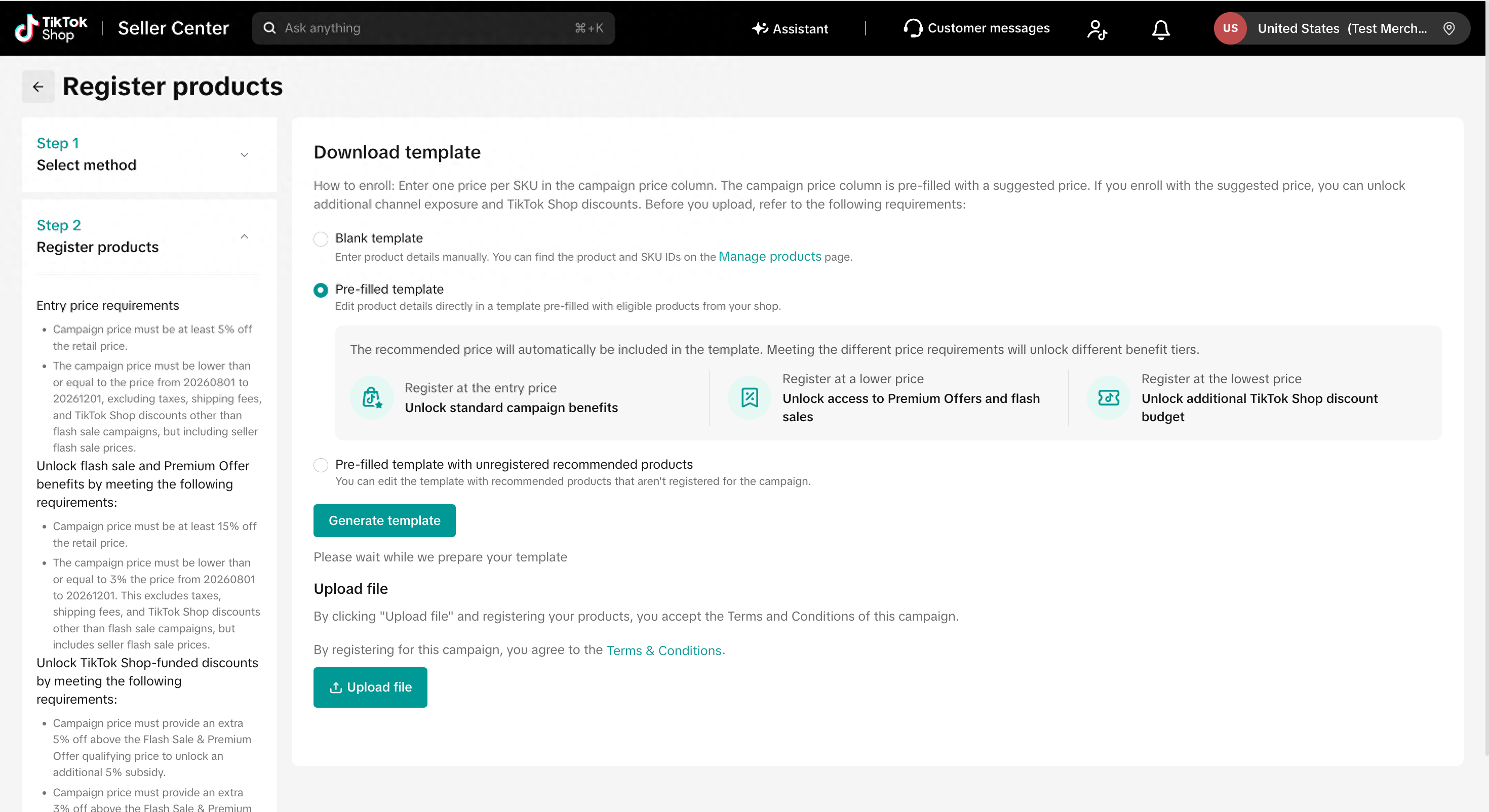
- Select Pre-filled template to view the benefits for all three tiers
- Click Generate template to download the template
- Enter your desired prices in the template, then upload it

Step 4: Unlock More Benefits
New+ Price recommendationsYou can view suggested bargaining options below:- Price recommendations at the top of the Campaign page

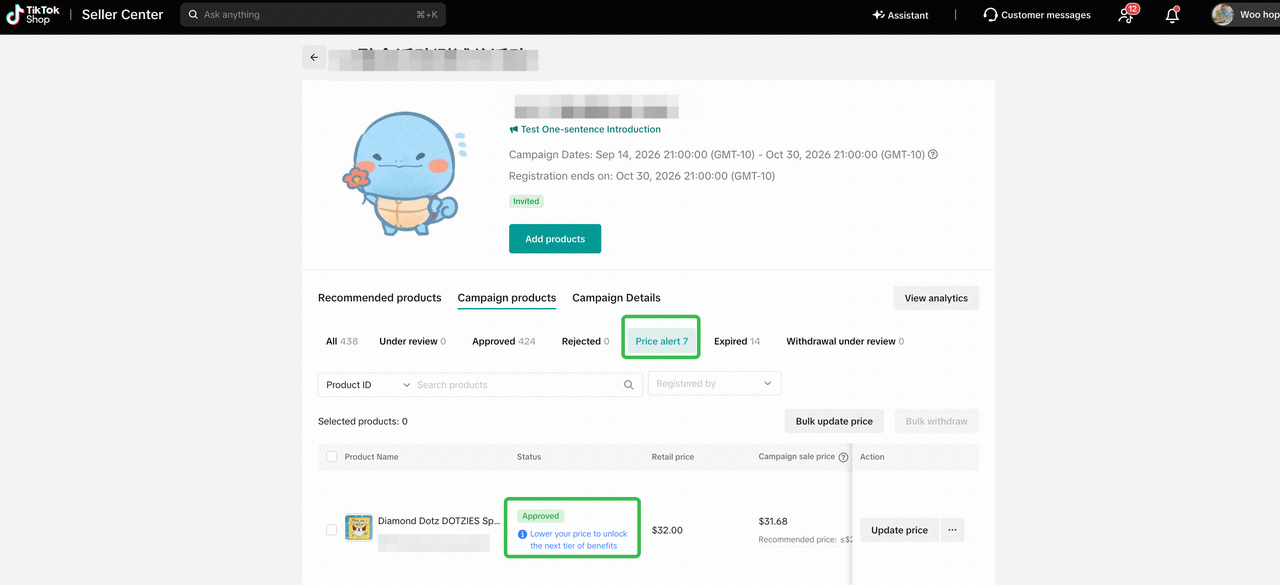
- Price alert in the registered Product Management list
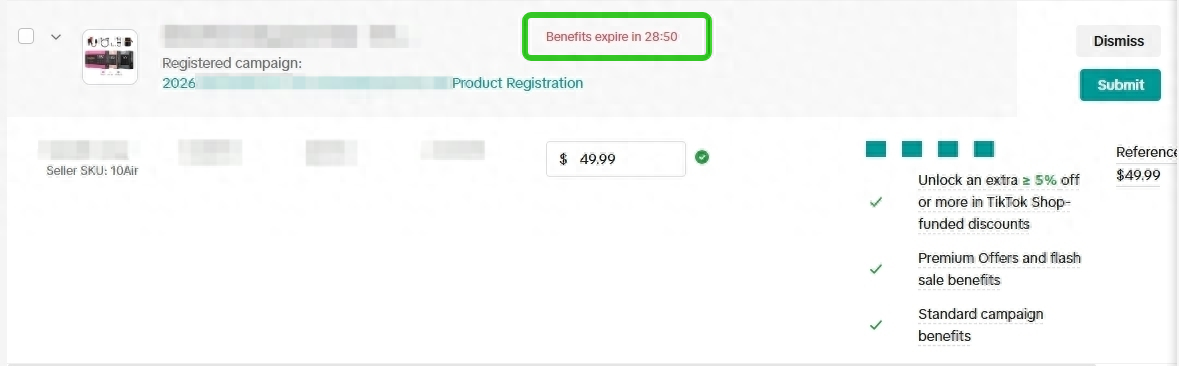
【Mandatory Price】:You will see "Benefits expire in xx",you can edit the price to meet the threshold within the specified time to maintain the benefits.
- On the Recommended Registration list, find products that can unlock additional benefits and click Register to enroll them
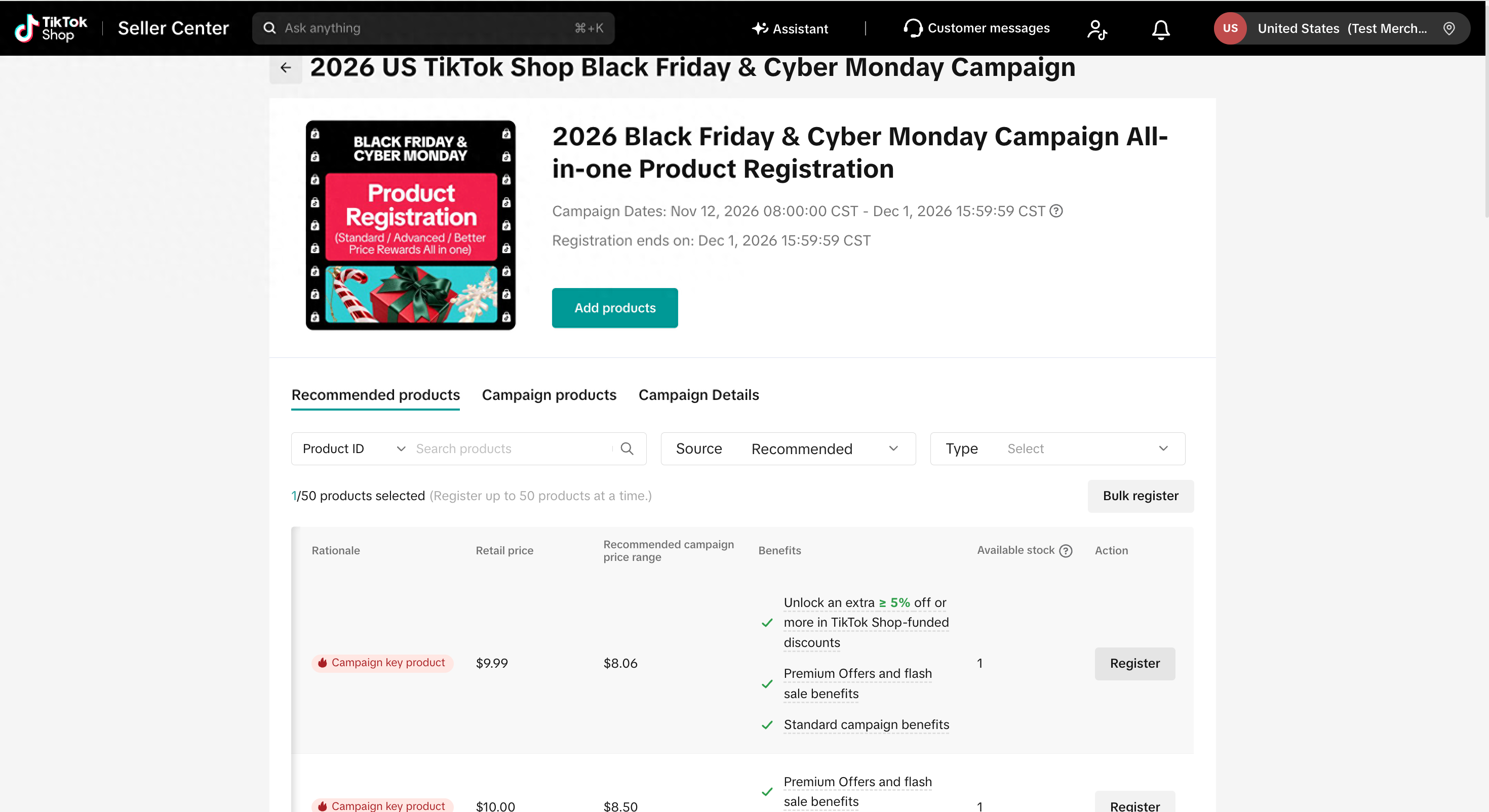
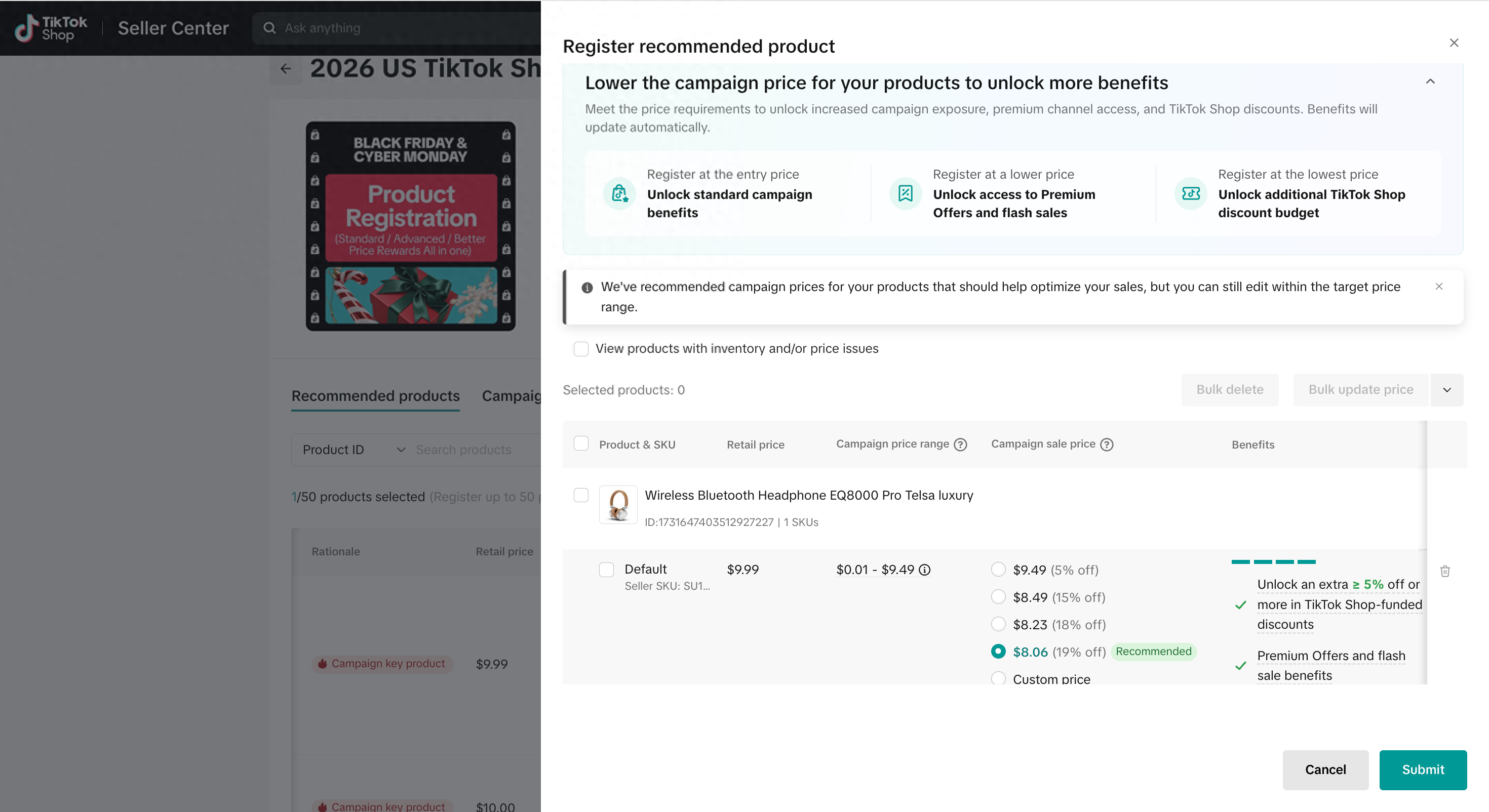
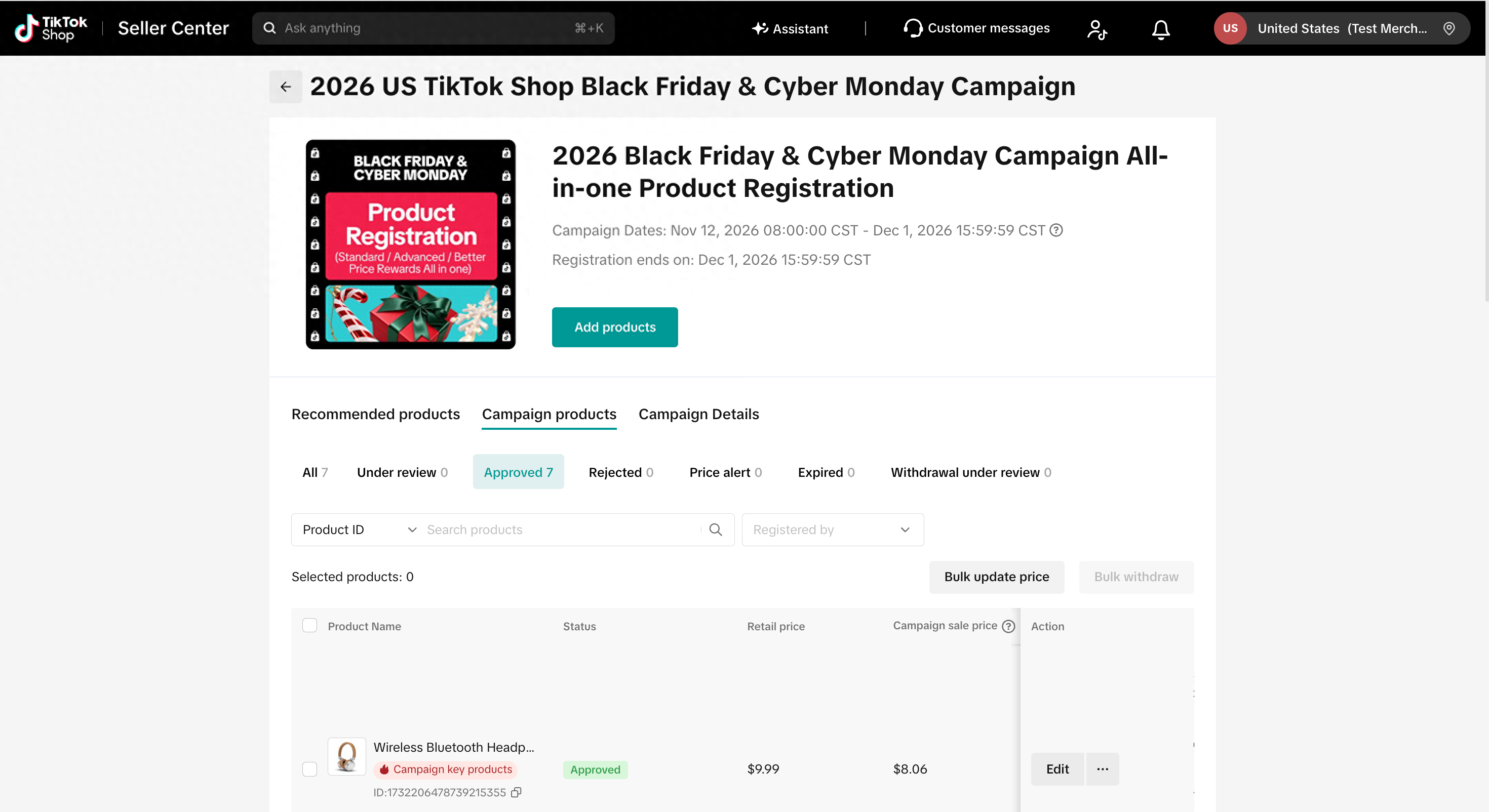
- On the Registered Products Management list, review products eligible for higher-tier benefits and click Edit to change their prices
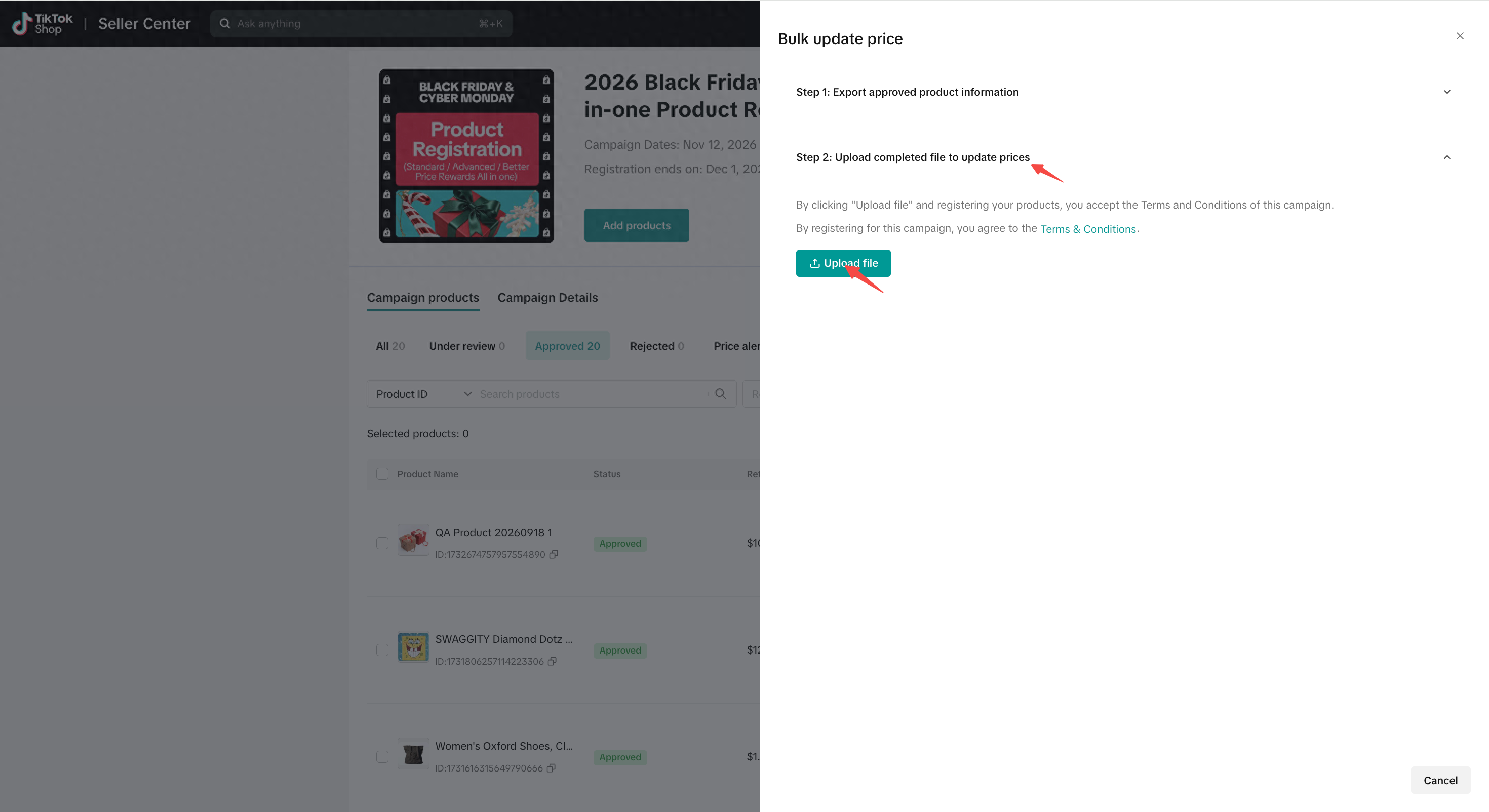
- If a seller has a large number of SKUs, they can 【Bulk update price】: Only the prices of approved products support bulk update.
- Click【export】in the pop-up drawer to download all approved products.
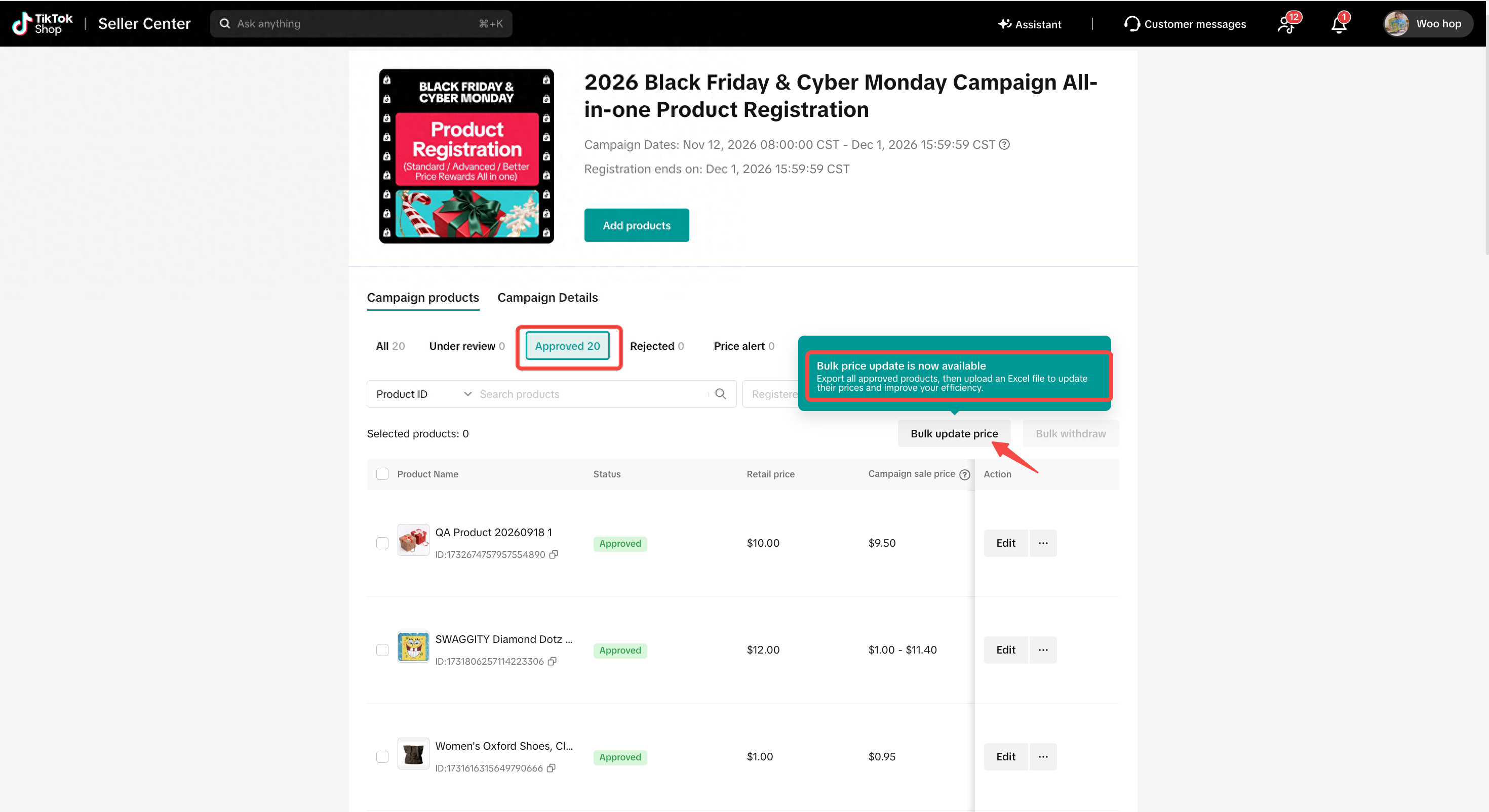
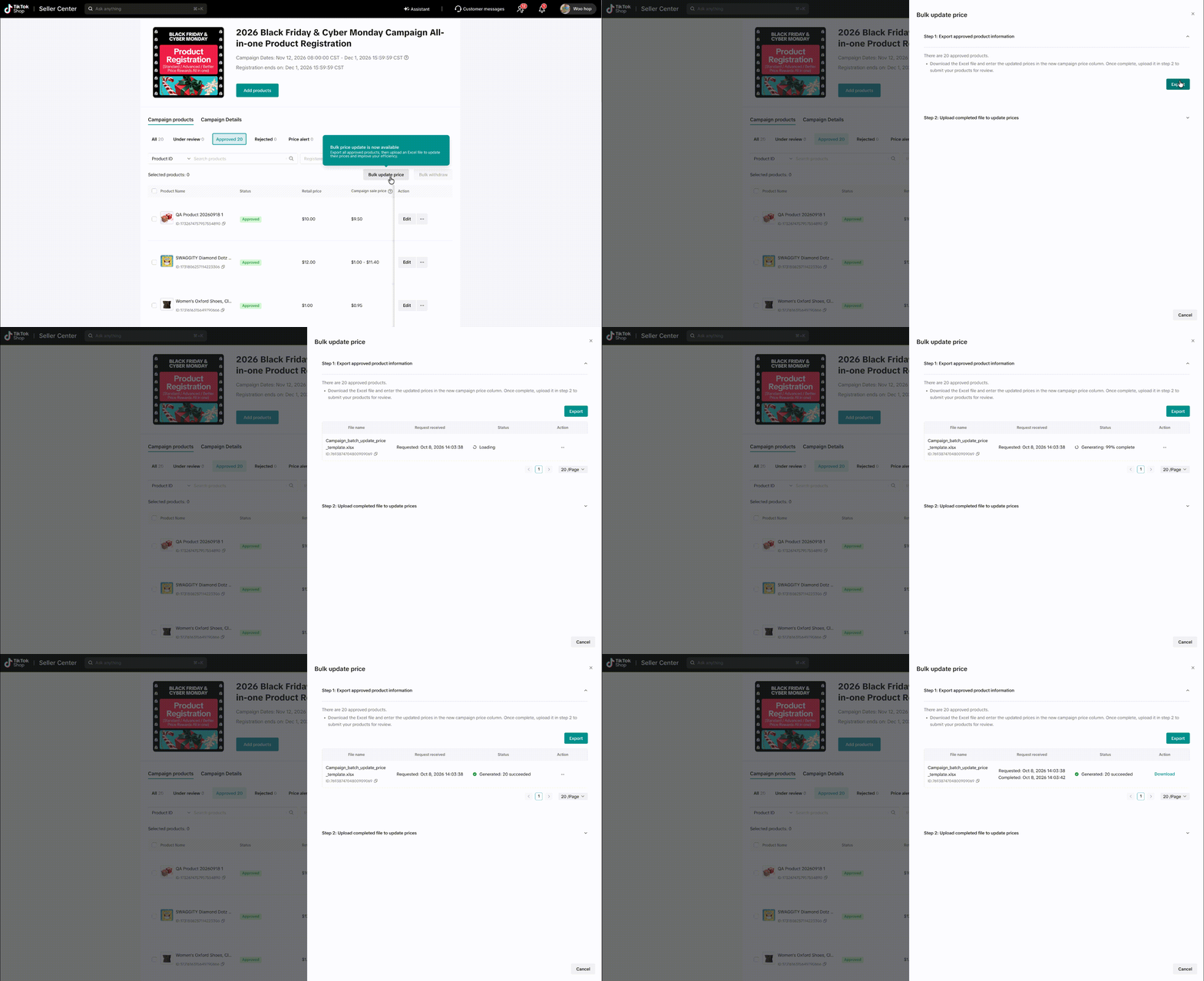
- Click【export】in the pop-up drawer to download all approved products.
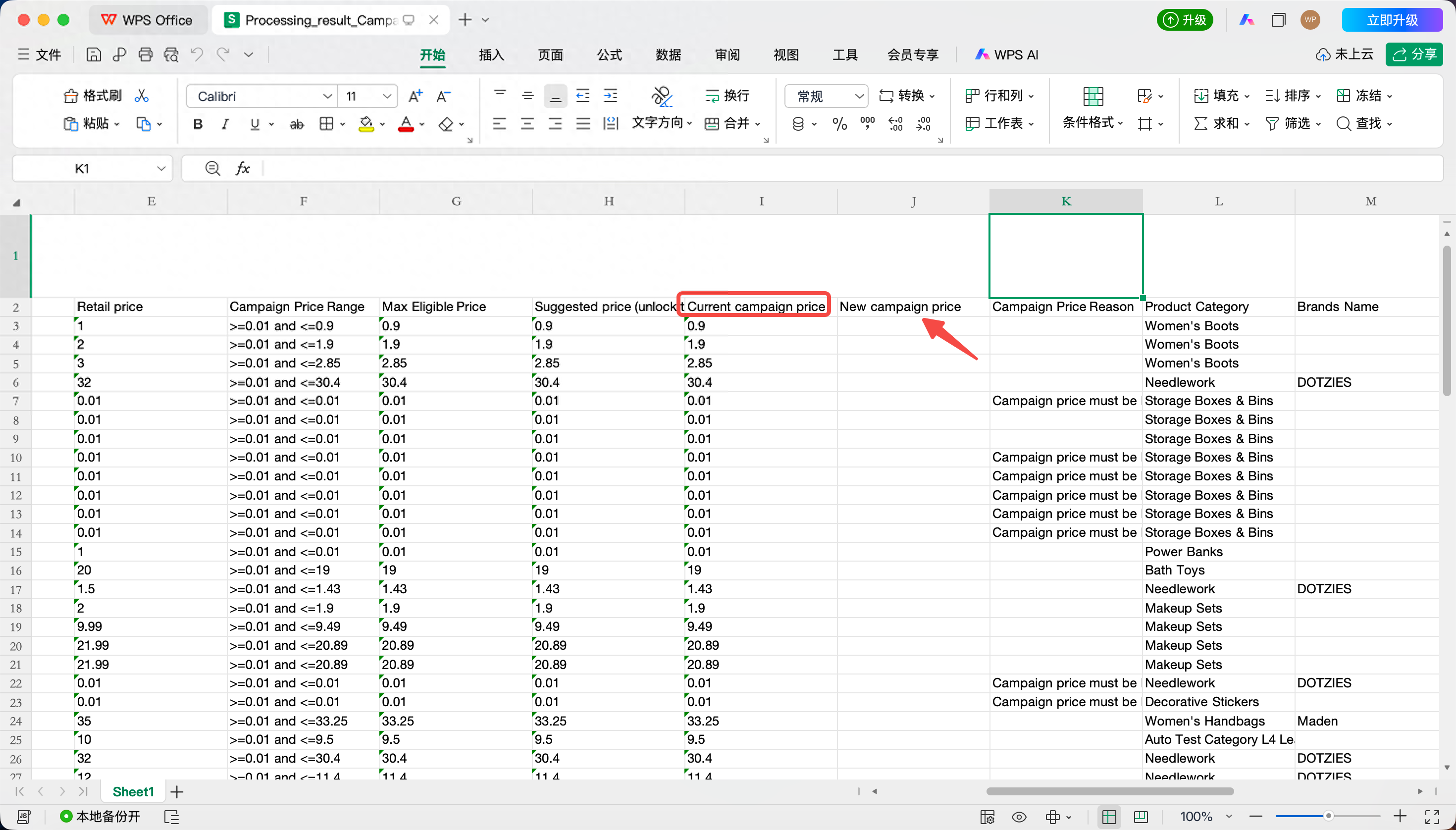
- Sellers can update the new prices in the 【New campaign price】 column and then upload the file.
The downloaded sheet will contain the full rollout of approved products, and sellers can only edit the prices of those items that require price adjustments.