

How Seller Assistant Works
09/11/2025
Summary
What is TikTok Shop’s Seller Assistant and how does it enhance the seller experience?
- Seller Assistant is an AI-powered expert embedded in TikTok Shop Seller Center that provides real-time, tailored guidance and interactive support to help sellers navigate tasks quickly and efficiently.
- It offers instant answers, personalized recommendations, and performance insights, reducing time spent searching for information and enabling sellers to act faster and smarter.
How does Seller Assistant help sellers understand and improve their shop’s performance?
- Sellers can ask for performance summaries like sales, traffic, and order breakdowns, receiving clear, digestible data without needing analytics expertise.
- This data-driven insight empowers sellers to make informed decisions, optimize their shops, and build shopper trust.
In what ways does Seller Assistant provide personalized recommendations to sellers?
- It uses AI to analyze each shop’s activity and delivers context-aware advice, such as trend insights relevant to launching new products.
- This strategic support goes beyond generic tips, helping sellers tailor their approach to maximize growth.
How is Seller Assistant integrated into the TikTok Shop Seller Center to support seller workflow?
- The tool is embedded directly within Seller Center, providing expert help without requiring sellers to open new tabs or wait for responses.
- This seamless integration ensures sellers receive timely, actionable assistance exactly when and where they need it.
What are the broader implications of Seller Assistant for the future of selling on TikTok Shop?
- By enabling sellers to optimize their shops effortlessly, Seller Assistant represents a shift toward smarter, more competitive e-commerce management.
- Although some features are currently limited to the US, this AI-driven tool signals TikTok Shop’s commitment to evolving seller support and innovation.
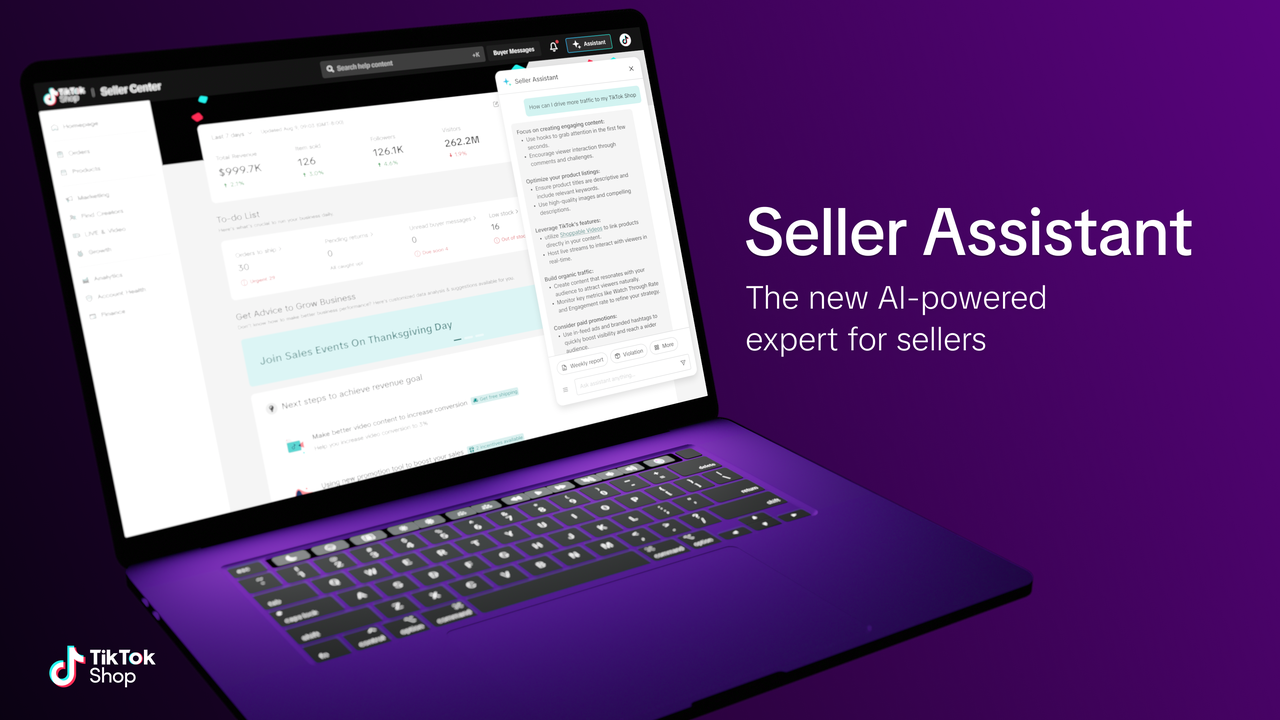
Seller Assistant isn't just a chatbot. It's a leap forward in how TikTok Shop is supporting its seller community. Designed as an intelligent, self-solving tool, it provides real-time guidance, tailored recommendations, and interactive support that enables sellers to complete time-sensitive tasks with ease.
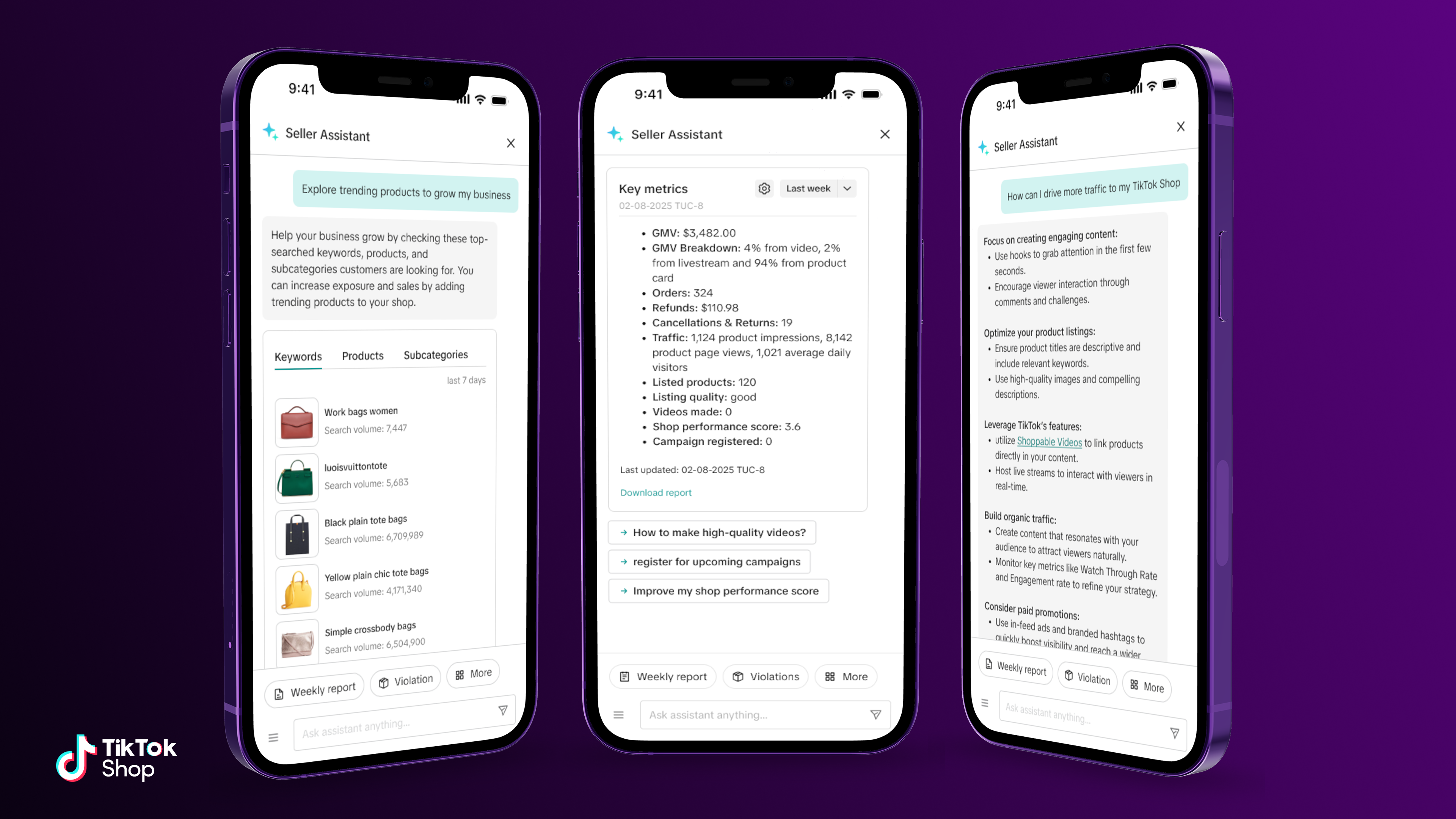
Instant answers at your fingertips
Sellers often have urgent questions, but not always the time to dig through help articles or forums. Whether it's "How do I improve product visibility?" or "What's the best way to handle returns?", Seller Assistant seeks to deliver accurate, actionable insights in seconds.By tapping into a rich knowledge base, including TikTok Shop Academy, it provides clear, concise answers to both tactical and strategic queries, turning uncertainty into action.
A real-time window into your shop's performance
Understanding performance should never be a guessing game. With Seller Assistant, all a seller has to do is ask: "How did my shop perform last week?" and they'll instantly see a digestible snapshot of their key metrics, including sales, traffic, order breakdowns, and more.By surfacing the right data at the right time, we're empowering sellers to be more data-driven in their day-to-day decisions, without needing to become analytics experts. This helps sellers perform at their best, build trust with shoppers, and keep their shops safe.
Smart recommendations that move business forward
One-size-fits-all advice doesn't cut it in e-commerce. That's why Seller Assistant uses AI to surface personalized, context-aware recommendations based on each seller's shop activity. For instance, when it comes to launching new products, sellers receive tailored insights into current trends and why they're relevant to their business. It's more than support. It's strategy, built-in.
Designed for speed, built for sellers
At TikTok Shop, we believe great tools shouldn't get in your way. Instead, they should get you on your way. By integrating Seller Assistant directly into Seller Center, we've ensured that sellers have expert guidance wherever they are in their workflow. No extra tabs. No wait times. Just actionable help, right when it's needed most.The future of selling is smarter
As e-commerce becomes more competitive, sellers need tools that do more than inform; they need tools that enable. With Seller Assistant, we're taking a bold step toward a future where sellers don't just manage their shops — they optimize them effortlessly.And this is just the beginning.
Some features are only available in the US