

Livestreaming Dashboard Overview
12/24/2025
What is it?
The Livestreaming Dashboard is a tool that enables creators to manage their LIVE content in real-time and see what the hot performing products are, plus have access to their analytics and LIVE performance, all via their Desktop!What are the benefits of using the Livestreaming Dashboard?
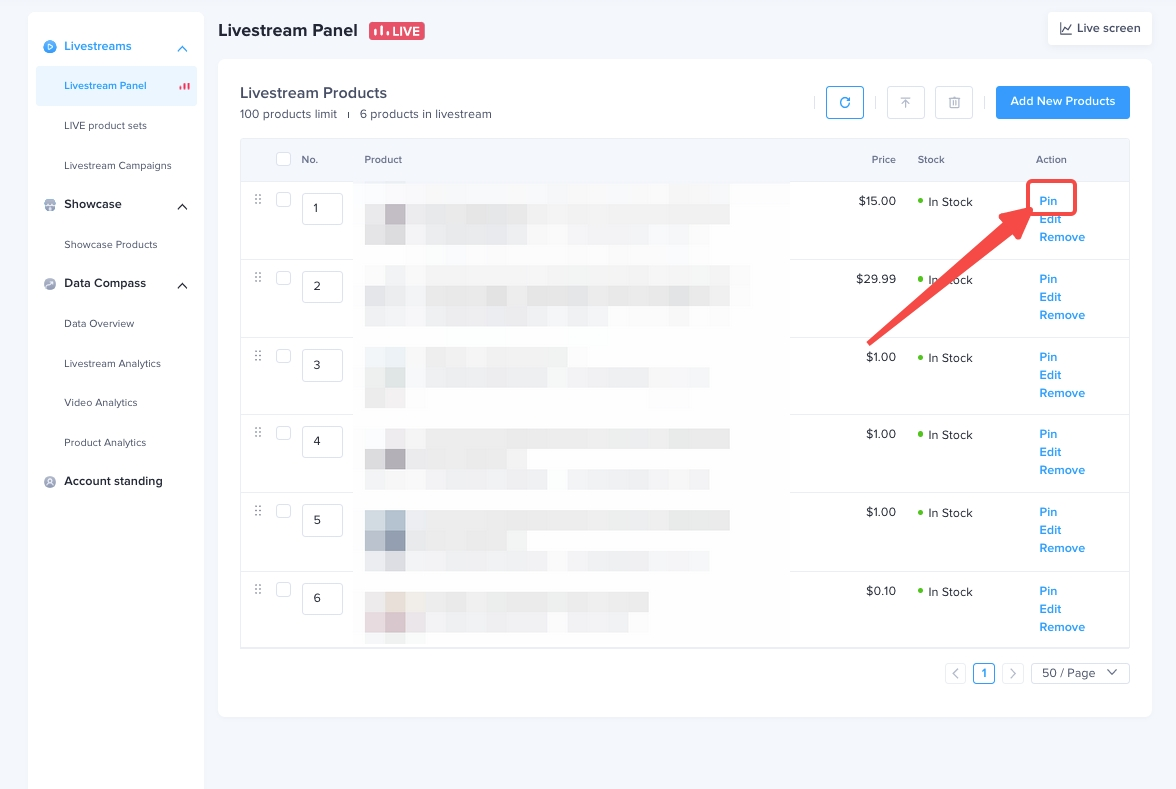
With the Livestreaming Dashboard you can improve the efficiency of shoppable LIVEs by being able to conduct the following moves on your Desktop.- Easily manage your Showcase and add products before and during your LIVE: (drag-switch product sequence, move to top, delete, hide, Edit the cover of the product)
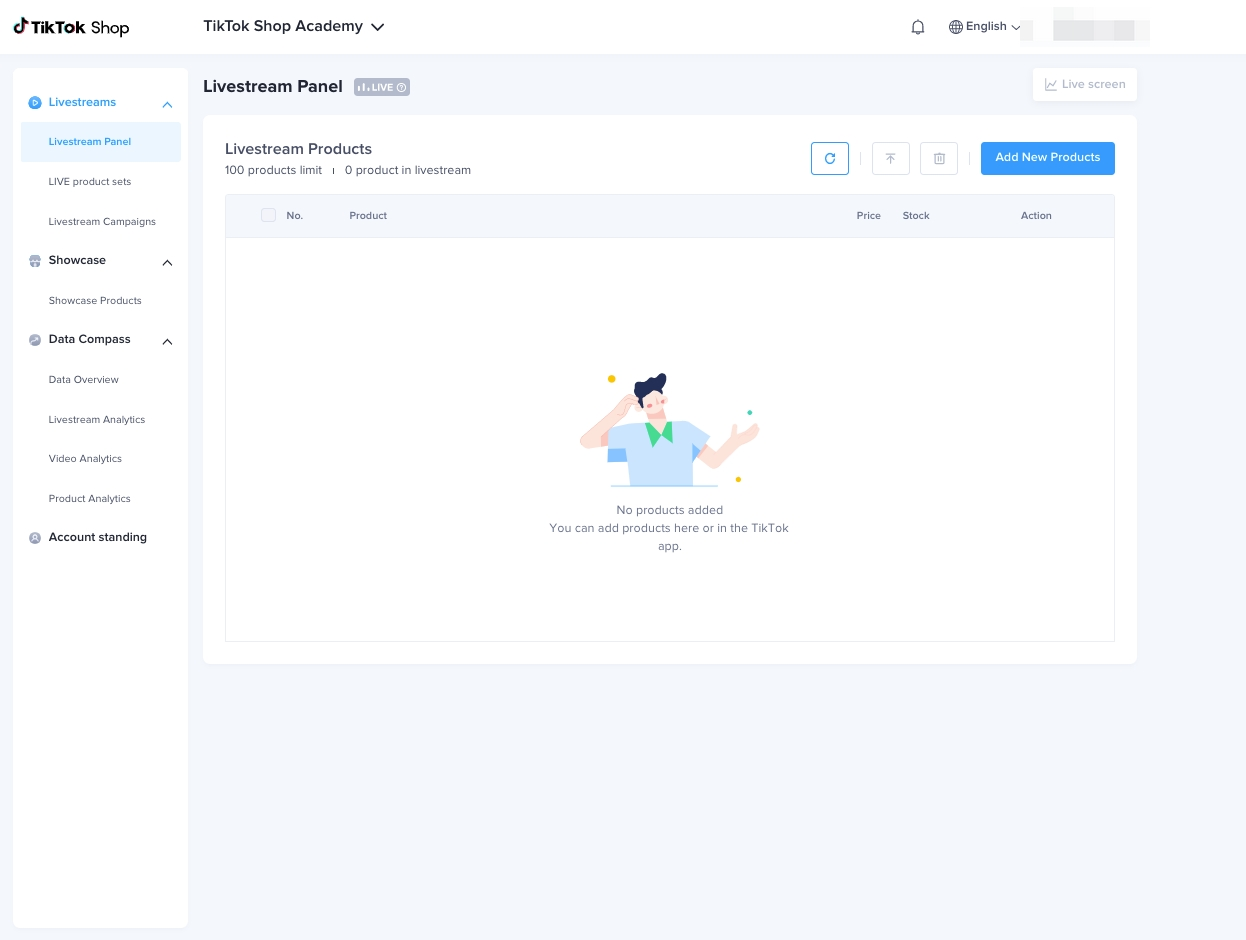
- LIVE product management (pin, move to top, delete, add) and adding products to LIVE
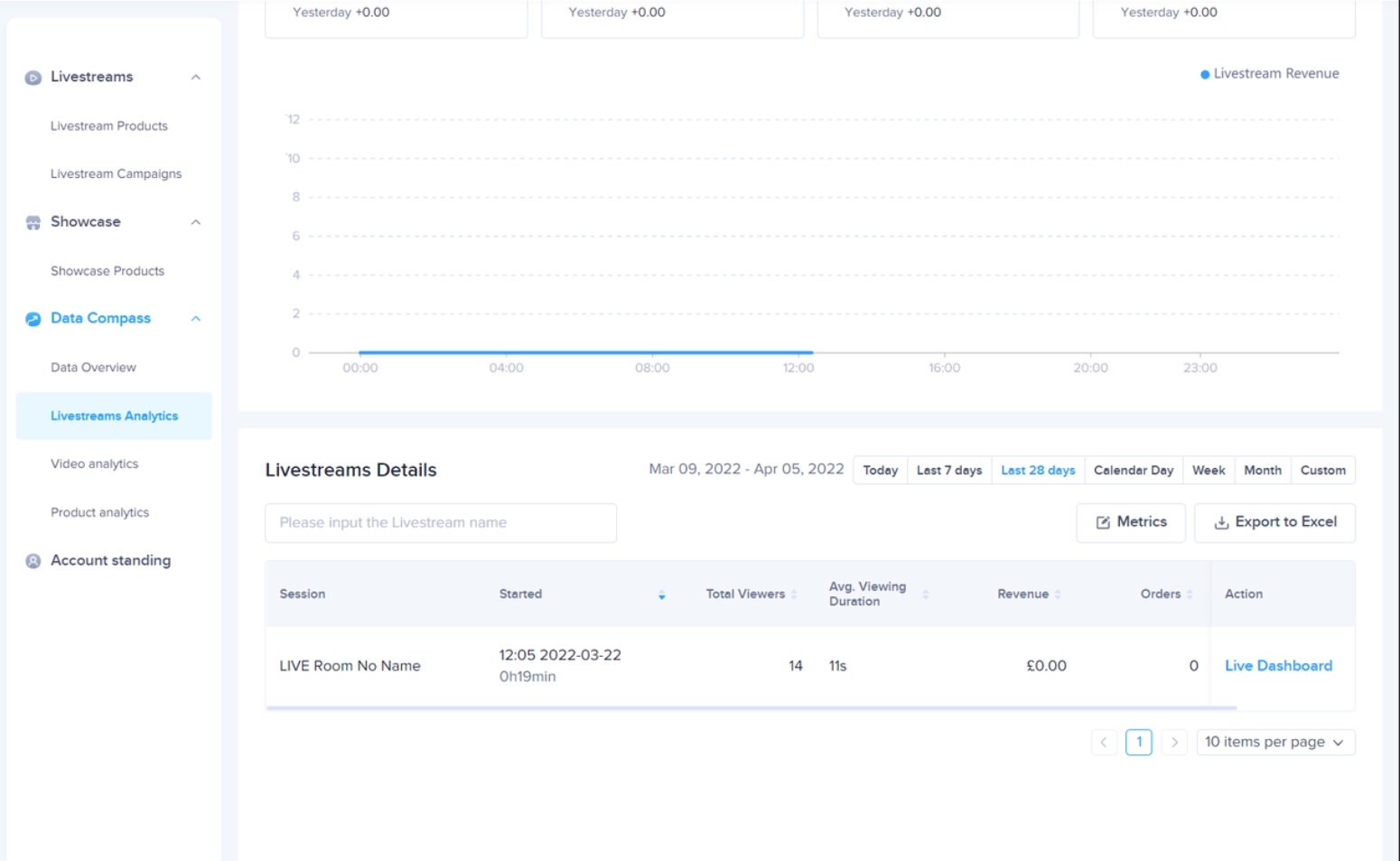
- Check your performance data (including core data, LIVE analysis, live dashboard, etc.)
How to add products to your LIVE using the Livestreaming Dashboard:
There are 3 ways in which you can add products via Livestreaming Dashboard.- Click on the "Add Products" button in the top right hand corner
- Choose to add products directly from your Showcase, using Product URL or from Seller invites via Targeted Plans
- Select the products you want to add and click "Add Product" to add these products to your LIVE
You may also be interested in

Building + Nurturing a Loyal Community
Learn how to enhance your TikTok Shop experience by selecting products that align with your communit…
Understanding your customers
Discover how to build an effective content strategy for TikTok Shop by understanding your audience,…

Creating a Content Strategy
Learn to craft your content strategy for your TikTok Shop content, focusing on what to create, who i…
Content Pillars
Learn to define and express your unique brand identity on TikTok Shop by analyzing your most popular…
Introduction to Promoting Products on TikTok Shop
Learn to elevate your TikTok Shop as a creator with a blrend of authenticity and engagement, choosin…
Tips for High-Quality TikTok Shop Live Sessions

Start Here!
Please Note: This is the mobile-optimized version. If you are viewing on your PC web-browser, clic…
Diagnose your LIVE performance with Suggested LIVE Improveme…
High level overview Are you trying to analyze the different aspects of your LIVE performance in deta…
Top LIVE agencies for Creator
What's Top LIVE agencies? Top LIVE agencies are creator agencies with strong LIVE-streaming capabili…