

Data insights in Creator Compass
11/26/2025
Summary
What is the purpose of TikTok Shop’s Data Insights in Creator Compass and who benefits from it?
- It provides personalized, data-driven analytics to help both new and seasoned creators optimize e-commerce performance, offering insights on product trends, video and LIVE content, inspiration, and competitor benchmarking.
- The tool tailors insights based on each creator’s performance, content frequency, and product categories, ensuring relevance and actionable recommendations.
How does Data Insights help creators improve their product recommendations and showcase?
- Creators receive prompts to add trending products aligned with their followers’ preferences, including category breakdowns and top product recommendations with commission and rating details.
- It alerts creators to product mismatches, enabling them to adjust their showcase to better match follower interests and boost sales potential.
What video and LIVE content diagnostic features does Data Insights offer to enhance creator performance?
- For videos, it encourages posting frequency, provides advanced performance insights, and flags content policy issues with specific reasons and remediation suggestions.
- For LIVE content, it offers performance analysis over time, identifies content issues, and recommends actions to improve engagement and GMV conversion.
How can creators leverage inspirational content and competitor insights through Data Insights?
- Creators can access trending videos, music, hashtags, and topics tailored to their category and followers to inspire content creation.
- They can also view and benchmark against similar creators based on e-commerce and content metrics, gaining ideas to optimize their own strategies.
Where and how can creators access Data Insights, and why might some insights not be visible?
- US creators with e-commerce permissions can access Data Insights via the TikTok Shop Data Analytics app or Creator Compass landing page without special permissions.
- The algorithm selectively displays the most relevant insights based on each creator’s unique needs and performance, so not all prompts appear simultaneously.
Introduction to Data Insight on TikTok Shop
TikTok Shop's Data Analytics is intended to provide creators with best-in-class analytical insights and toolkits to optimize their e-commerce operations.These analytics help provide insights to not only seasoned creators, but new creators as well to help set themselves up for success as they embark on their e-commerce platform. Data Insights in Creator Compass offers personalized data-driven insights across a multitude of dimensions to help newer creators boost their e-commerce performance. Creators who are familiar with the platform will also benefit from these insights and better streamline their e-commerce operations and performance.
Check out the use cases below to learn more about the benefits of using Data Insights in Creator Compass:
Use case 1: I want to get better product recommendations and insights
- You'll receive prompts encouraging you to add trending products (that are consistent with your product affiliations) to your Showcase.
- You can view a breakdown of each category level for the products that are trending the most with your followers — this allows you to prioritize key categories of interest.
- You can see your followers' and buyers' product preferences when customizing product recommendations to get an understanding of ideal recommendation distribution.
Use case 2: I want to get better diagnostic insights on my video content
- Depending on how many videos you post, you'll receive prompts encouraging you to either post your first video or increase your posting frequency. You also have the option to see suggestions on how to effectively boost video content and performance.
- If you've already posted video content, you'll see advanced insights along with any content policy issues associated with these videos. You'll be able to see specific policy issue reasons and suggestions on how to resolve them.
- Creators with high video volume will still be able to use Video Diagnostics for more specific video performance data.
Use case 3: I want to get better insights on my LIVE content
- Similar to video content, you can view diagnostic insights for your posted LIVEs. These metrics include but are not limited to:
- Analysis of LIVE performance over flexible time ranges
- Breakdown of content issues associated with posted LIVEs and action items to resolve these issues.
Use case 4: I want more tailored inspirational content that would appeal to my followers and overall market insights
- You can use our inspiration prompts to leverage content that would resonate with your followers.
- This content will include videos posted by other creators that your followers may like or are specific to your category and will include trending music, hashtags, and topics.
- Prompts will be available for trending inspirational LIVE content from other creators and can be filtered for category relevance.
Use case 5: I want visibility into creators similar to me so that I can learn from them and assess my performance against theirs
- You'll receive prompts to view other similar creators so that you can analyze their content patterns and use your findings to optimize outcomes for your own e-commerce content.
Access and data scope
All US creators with e-commerce permissions will be able to view Data Insights in Creator compass in the app version. No special permission or action is required.Keep in mind, however, that not all prompts (e.g. products, videos, similar creators) will be visible at the same time. The algorithm carefully crafts the most relevant prompt for each particular creator based on their e-commerce performance, content posting frequency, product category affiliations, and more. Therefore, you'll see a personal view of the insights that are most relevant to you.
Data Insights interface
Presented below is the interface for the Data Insights functionality in Creator Compass.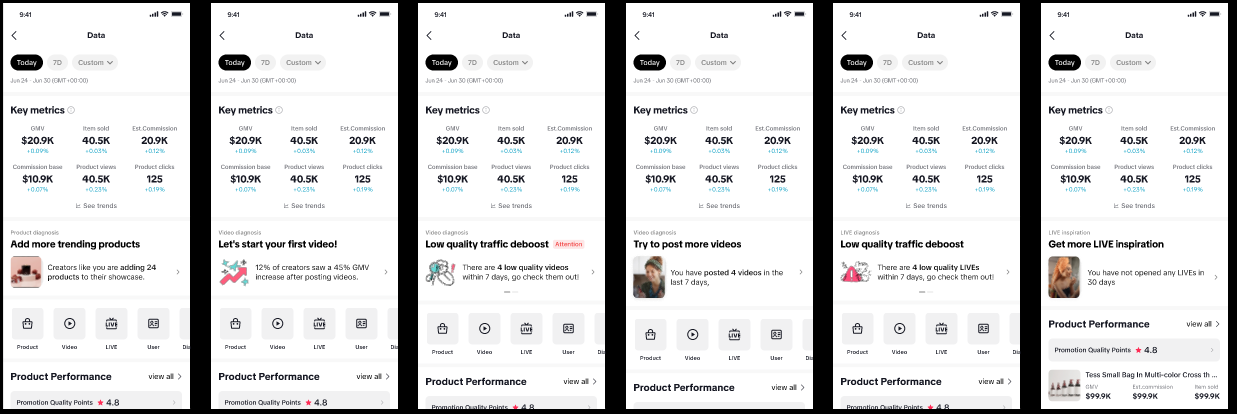
Entrance
Creators can access Data Insights from the landing page of Creator Compass PC. The different prompts of the functionality will be visible after the key metrics section in the creator app.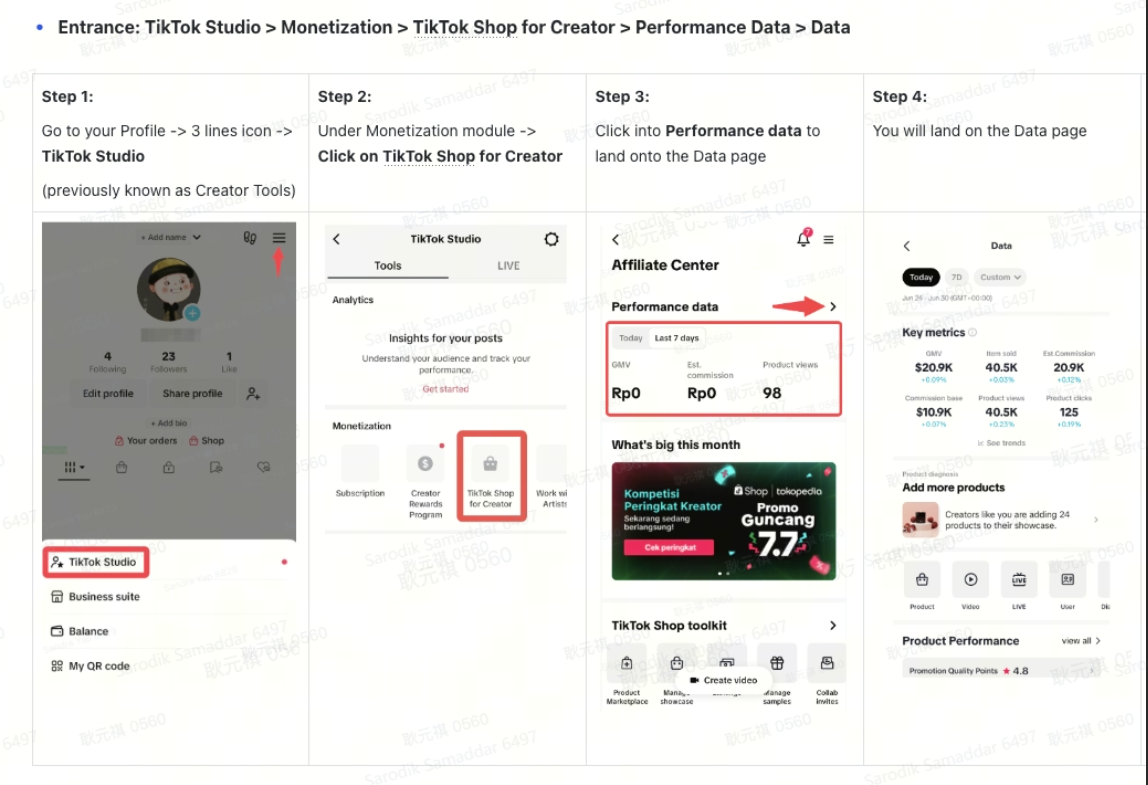
Feature walkthrough
Trending product insights and recommendations
| Functionality/Component | UI interface | Key functionalities/capabilities |
| New trending product recommendations | 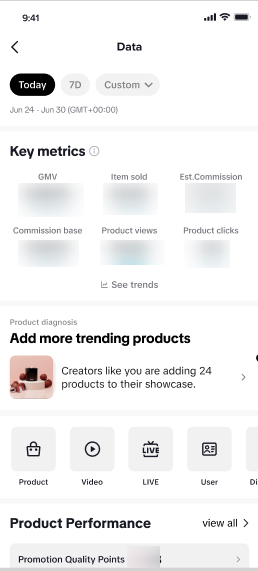 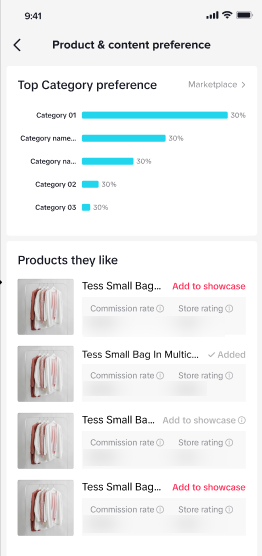 |
|
| Product recommendation preferences | 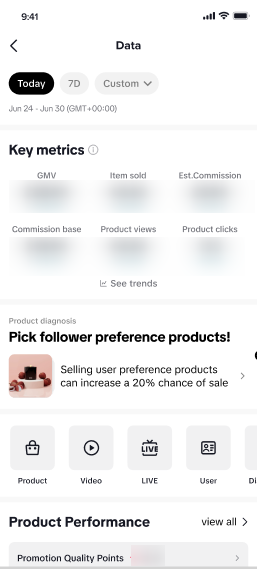 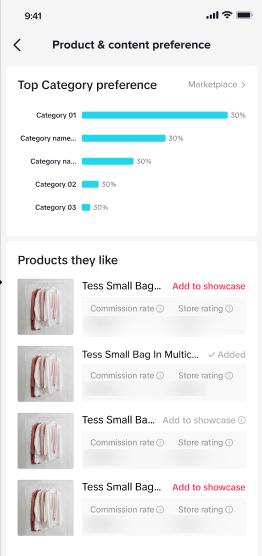 |
|
Video insights and diagnosis
| Functionality/Component | UI interface | Key functionalities/capabilities |
| Prompts for creators with zero video postings | 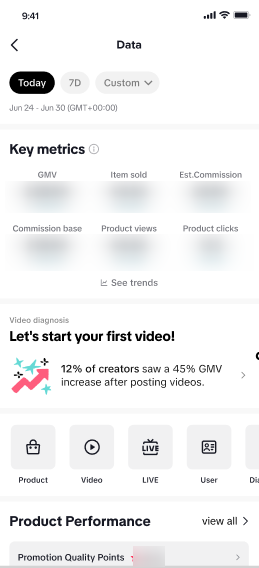 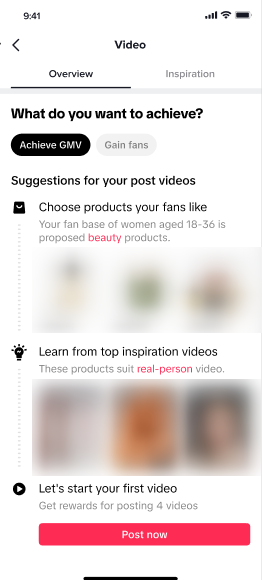 |
|
| Prompts for creators with low video content | 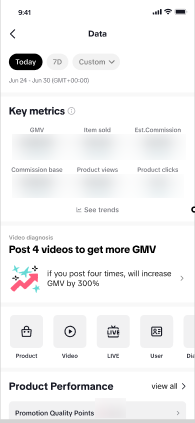 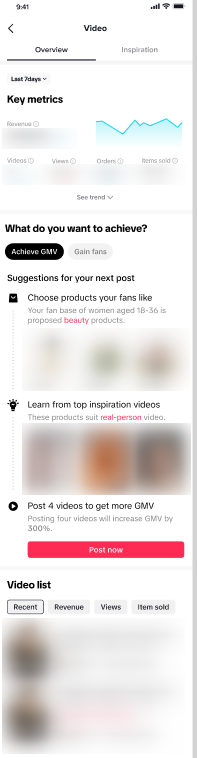 |
|
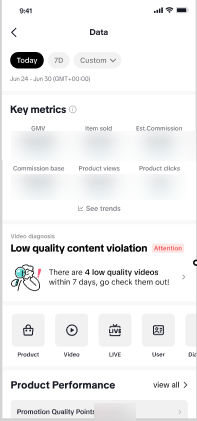 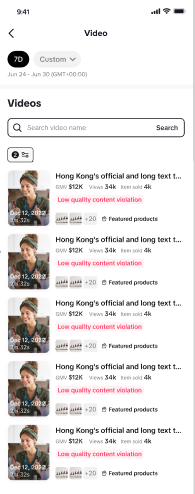 |
|
LIVE insights and diagnosis
| Functionality/Component | UI interface | Key functionalities/capabilities |
| LIVE diagnosis for video traffic and performance issues despite optimal posting frequency | 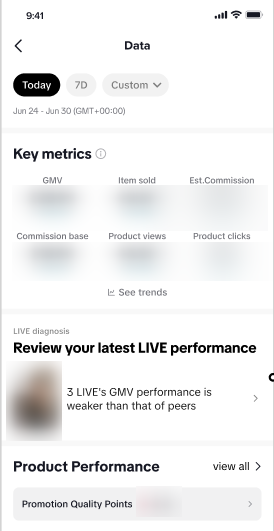 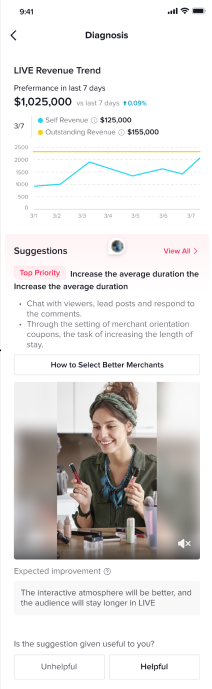 |
|
Inspiration and Market insights
| Functionality/Component | UI interface | Key functionalities/capabilities |
| Get inspirational content and market insights for video content | 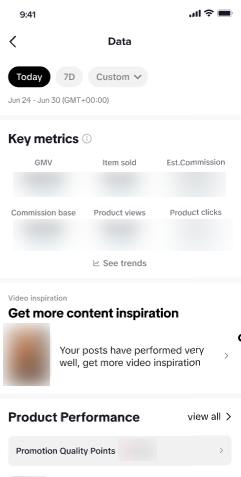 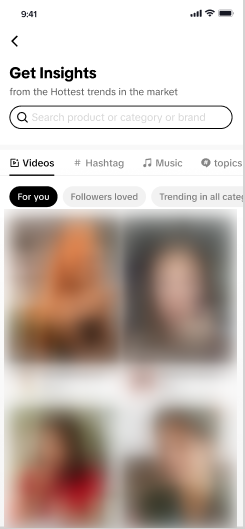 |
|
Similar Creators insights
| Functionality/Component | UI interface | Key functionalities/capabilities |
| Get insights on similar creators | 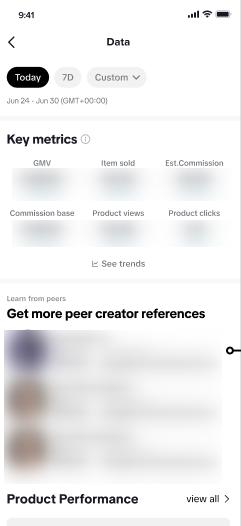 |
|
Frequently Asked Questions (FAQs)
- Where can I view Data Insights in Creator Compass?
- Why can't I see certain insights?