

Set Up Tax Information
Add Tax Information
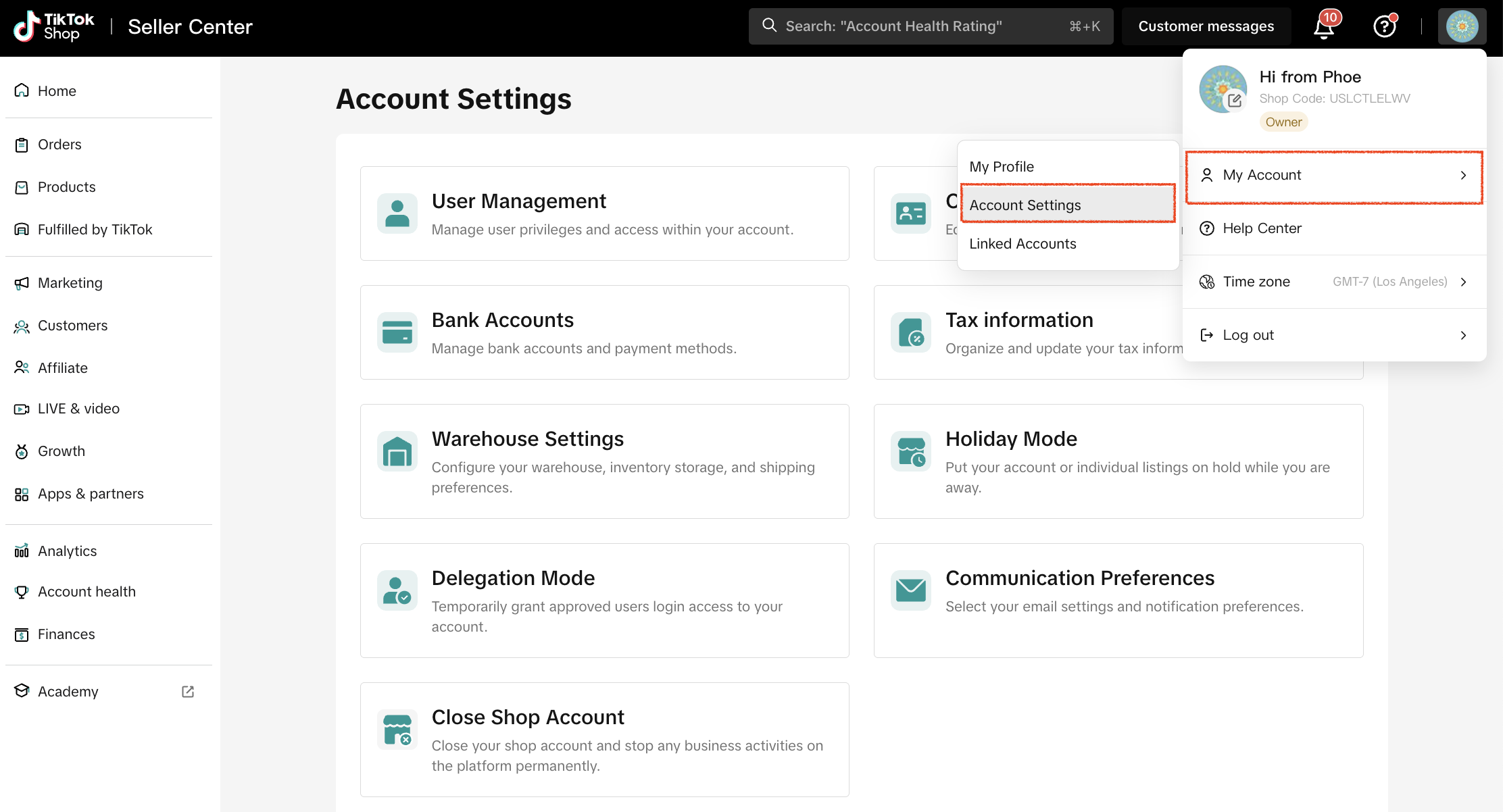
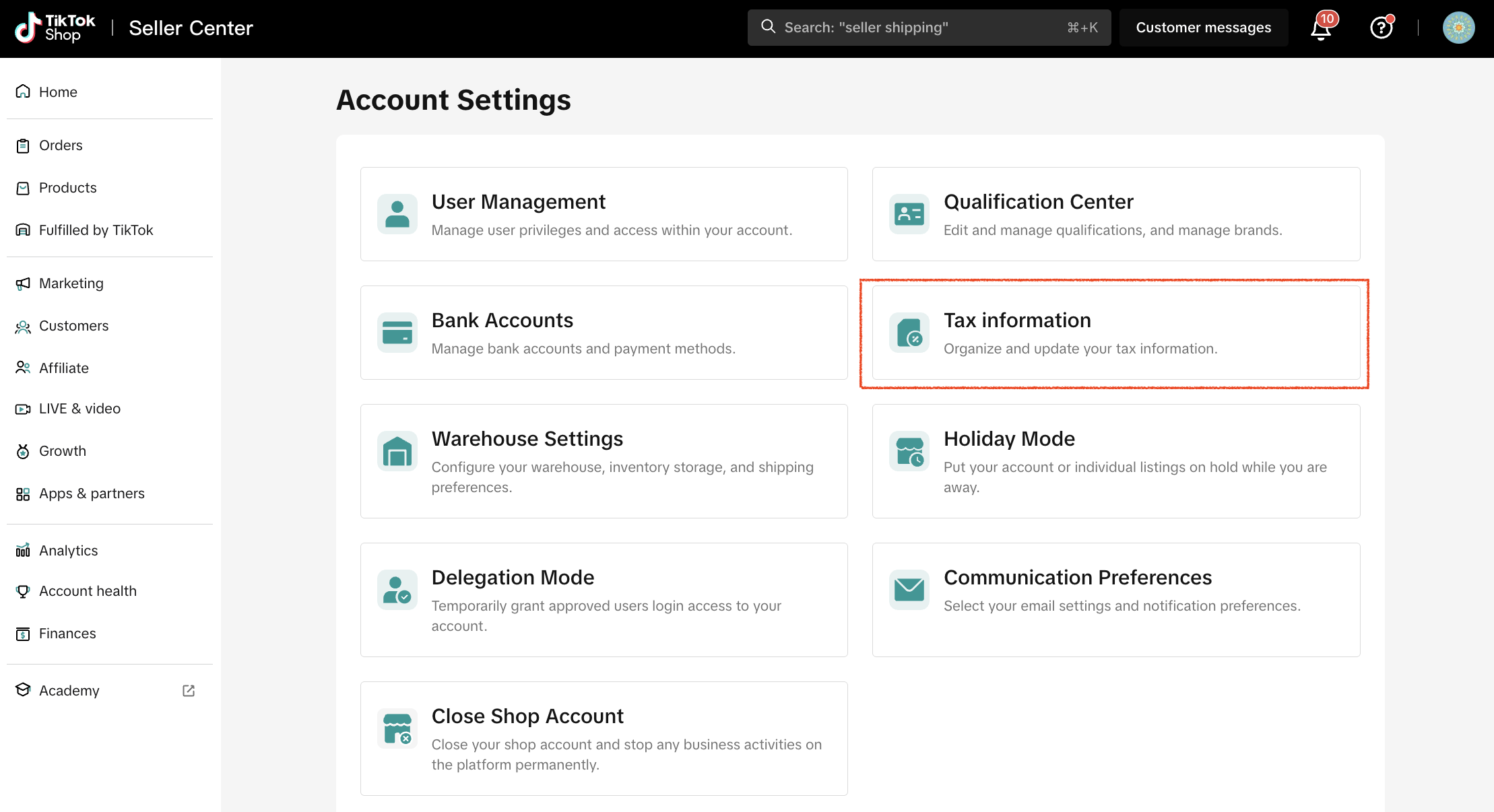
You will need to complete a Form W-9 when entering your tax information. This can be done via My Account > Account Settings > Taxes.Please ensure that all information is accurate and electronically certified.
FAQs
Where can I find my tax information?
For individuals, your social security number (SSN) is required and can be found on your social security card or prior tax forms such as a W2 or 1099-K.For businesses, the EIN can be found on your IRS notice with assigned EIN, or prior tax forms such as a 1099-K.
How is my tax information reviewed?
The tax information provided to complete the tax interview is compared to the information you provided when originally creating the account. Please ensure that the tax information provided matches with the information provided upon onboarding.If the tax information is valid, a W9 is created per IRS requirements.If TikTok is unable to verify your information, you may be asked to provide additional documentation to confirm the accuracy of your tax information (to be eligible to participate in TikTok Shop) such as a document, notice, or letter issued by the IRS stating your organization name and Tax ID.
Why do I need to provide my Taxpayer Identification Number (TIN)?
The IRS requires TikTok to obtain your tax information prior to making any payments to you. Failure to provide required information triggers mandatory withholding at a rate of 24% on such payments (and may make you ineligible to participate in TikTok Shop).
How do I provide my tax information?
Your tax information is furnished by completing a Form W-9. To complete your Form W-9, please go to Account Settling-Tax. You will be directed to a page where you can enter and electronically certify your business tax information.
What tax information do I need to provide?
As a seller of goods or services, you provide the legal name of your business and corresponding TIN. If you are an individual or an entity disregarded for US tax purposes, you provide the name and TIN of the individual owner. You must additionally provide your address and federal tax classification. For additional guidance, refer to the specific instructions for Form W-9.
When must I update my tax information?
You must update your tax information when the information previously provided is no longer correct such as a change in name, change in TIN, or change in status as a U.S. person. Additionally, you must update your tax information if you detect an error in in the information initially provided.
How do I make an update to my tax information?
If you need to make a change to your tax information, please go to Account Settling-Tax. You will be directed to a page to securely enter and electronically certify your corrected information.
What if my tax document receives a rejection?
Please verify EIN/SSN, Tax Payer Name, & Tax Number all match the documentation that you provide. If you are rejected, you may submit your information for review again.
You may also be interested in
- 8 lessons
Setting up Your Shop
This module equips sellers with the essential knowledge to establish their TikTok Shop and manage th…
- 4 lessons
Getting Support
FAQs, answered!

Help Center Chat Assistant
Why use Help Center Chat Assistant? The Chat Assistant is designed to make managing your TikTok Shop…

How to register as a Corporation or Partnership
*Easy Guide to Kick-Start Your Business on TikTok Shop - Business Entity *What are the Requirements?…

How to register as a Sole Proprietorship
*Easy Guide to Kick-Start Your Business on TikTok Shop - Sole Proprietorship *What are the Requireme…

Logistics & Fulfillment: Shipping Options, Policies, and Bes…
🎬 Start here: Watch the Order Fulfillment Edu Video for a visual walkthrough before reading this ar…

Weekly Seller Training (Webinar) All-in-One
See Attach Link for Weekly Webinar Schedule & Past Recordings! https://bytedance.larkoffice.com/wik…

How to register as an Individual
*Easy Guide to Kick-Start Your Business on TikTok Shop - Individual Sellers *What are the Requiremen…