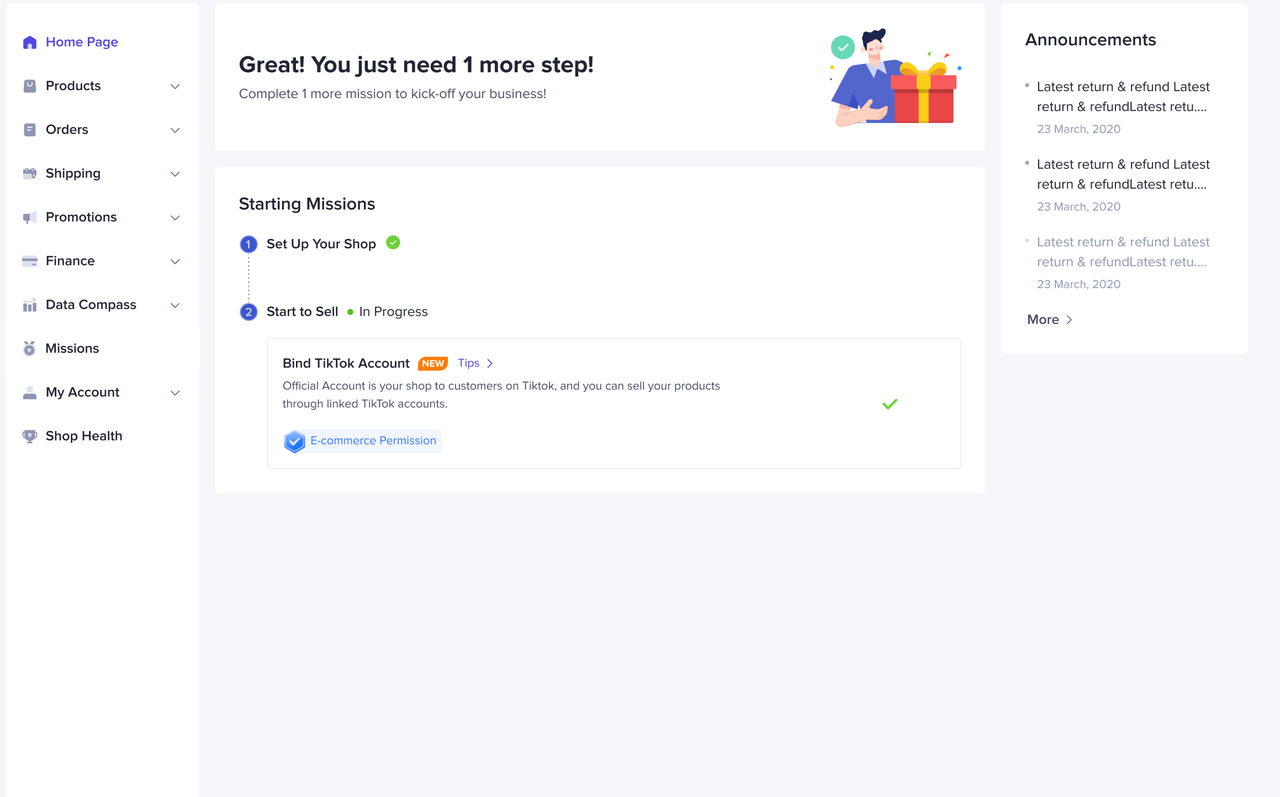
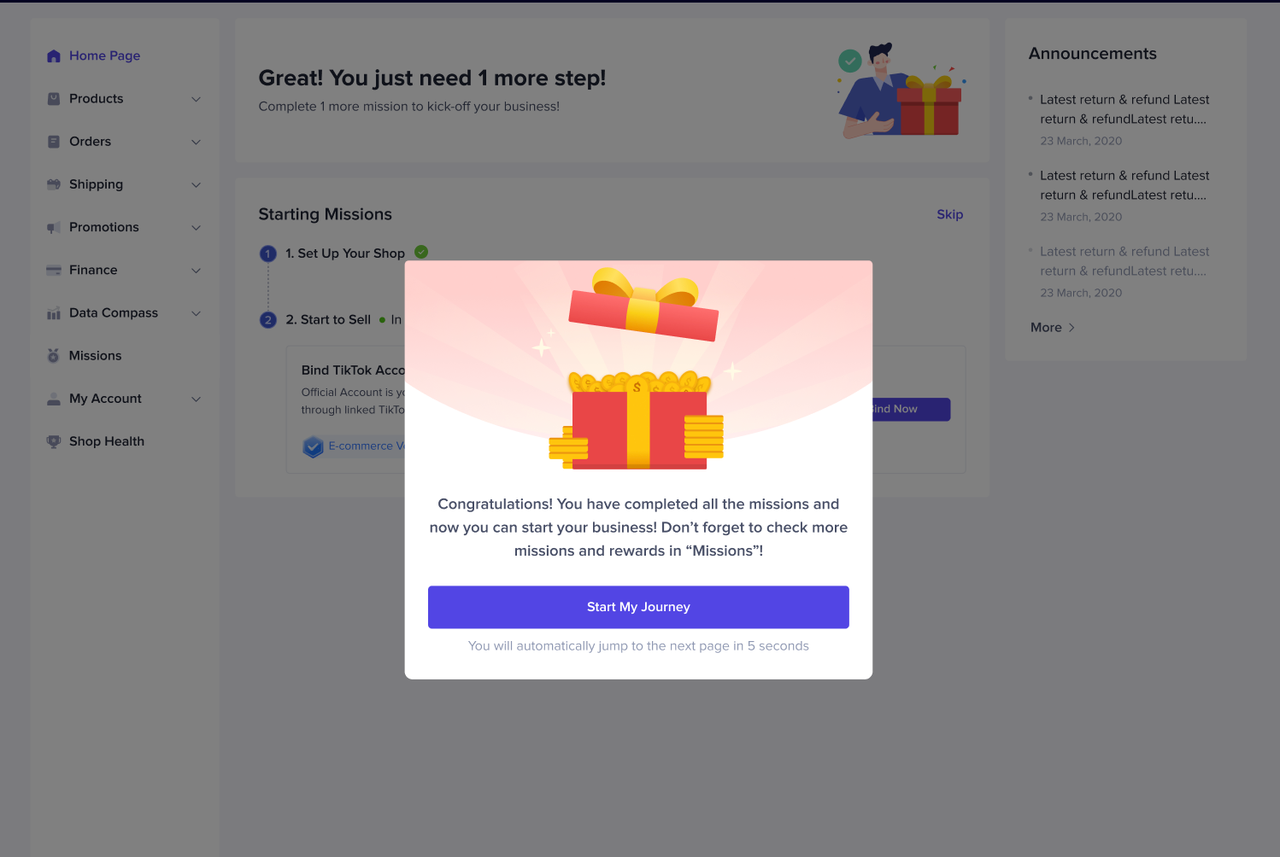
[Video] Easy steps to kick-start your business in TikTok Shop
Reading this article, you can learn the basic process of registering for TikTok Shop, the requirements to become a seller and the documents you need to be verified.
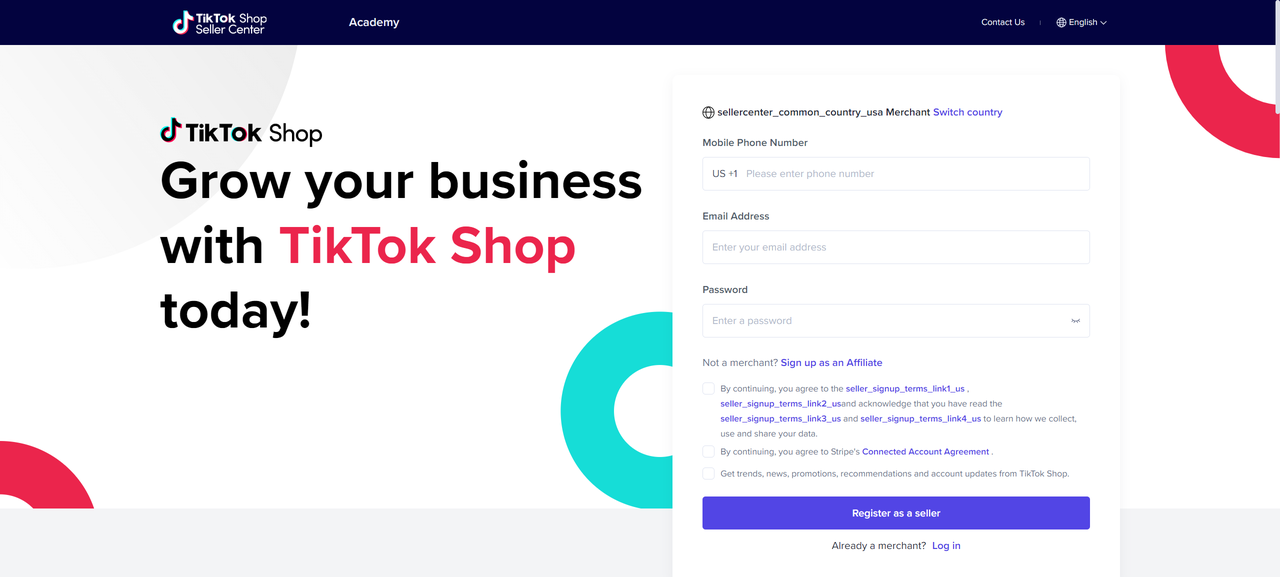
Registration Page
Firstly, you will need to sign up with Phone Number & Email for an account.- Navigate to TikTok Shop Seller Center (https://seller-us.tiktok.com) to register your account.
- Please ensure your region is US
- Once you have signed up, the account will be verified as operated in your region only.
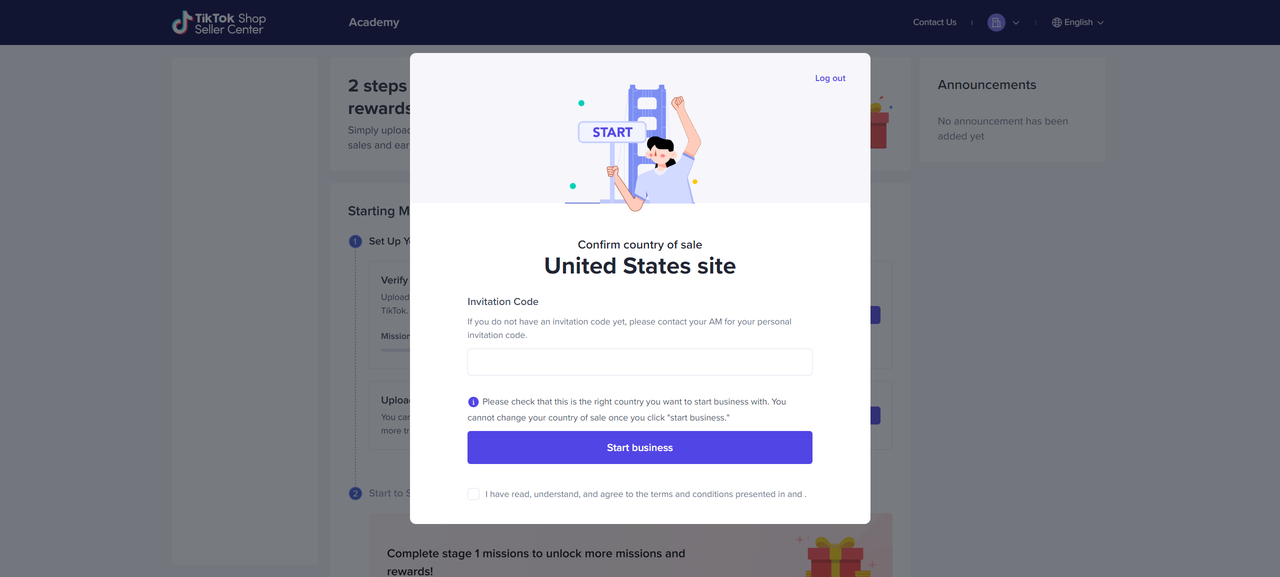
2 steps to set up your shop !
Step 1 - Verify your documents
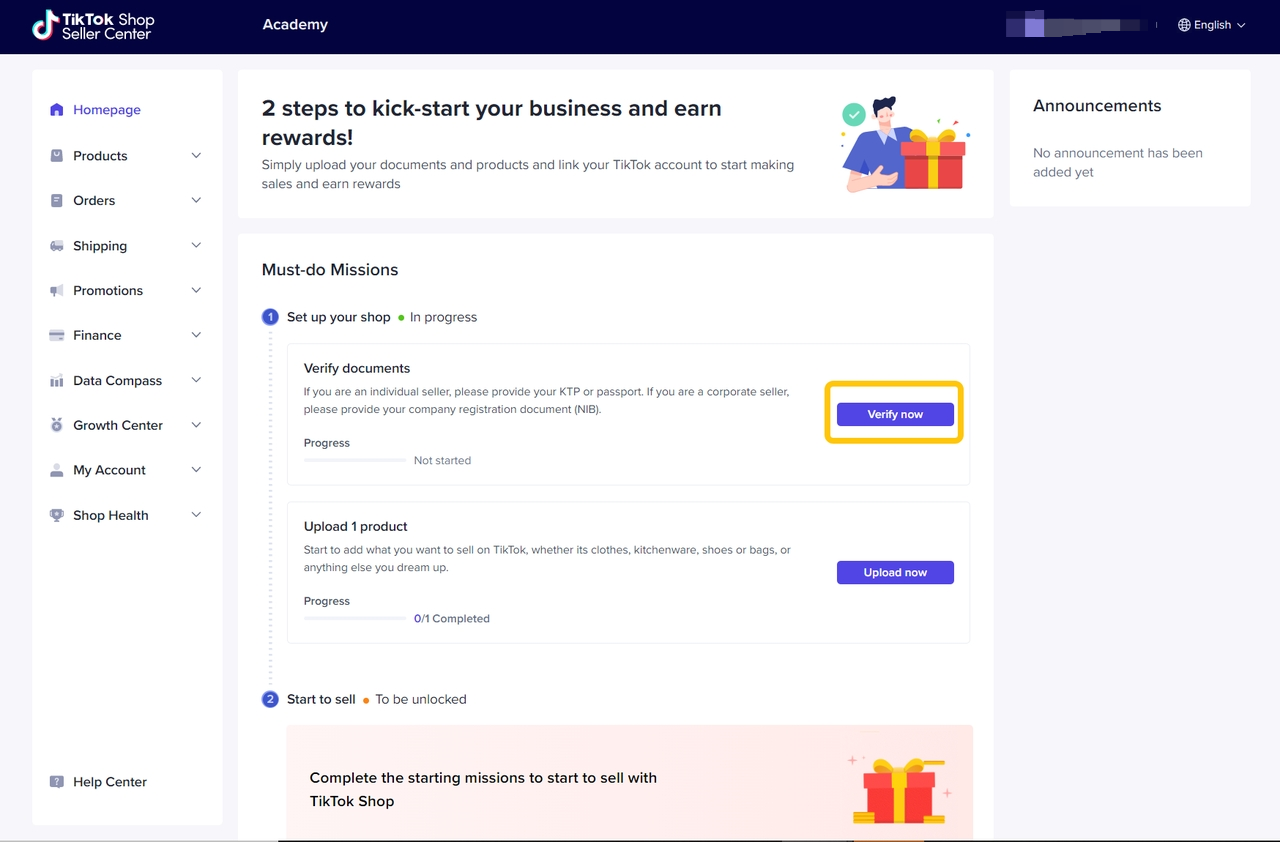
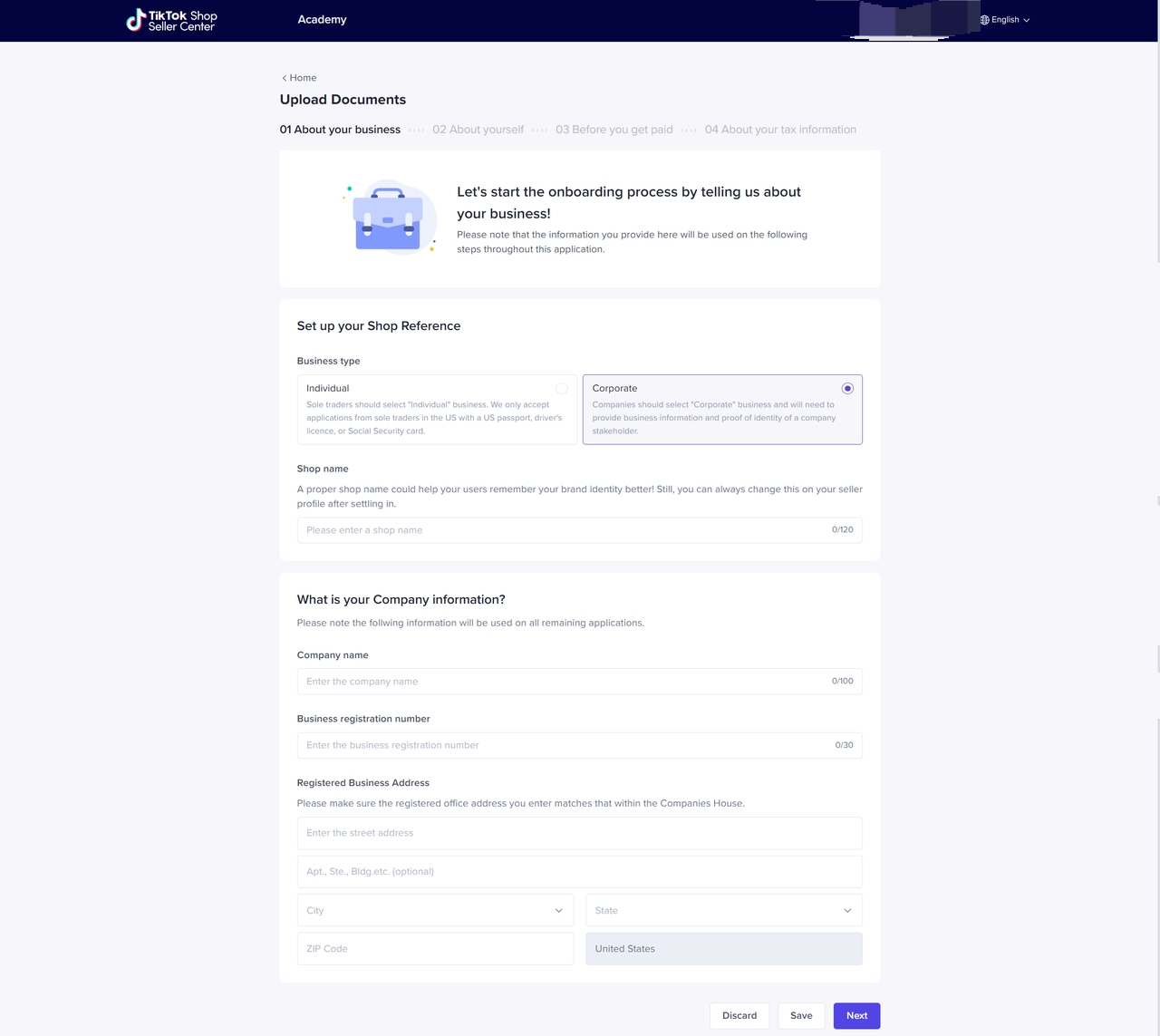
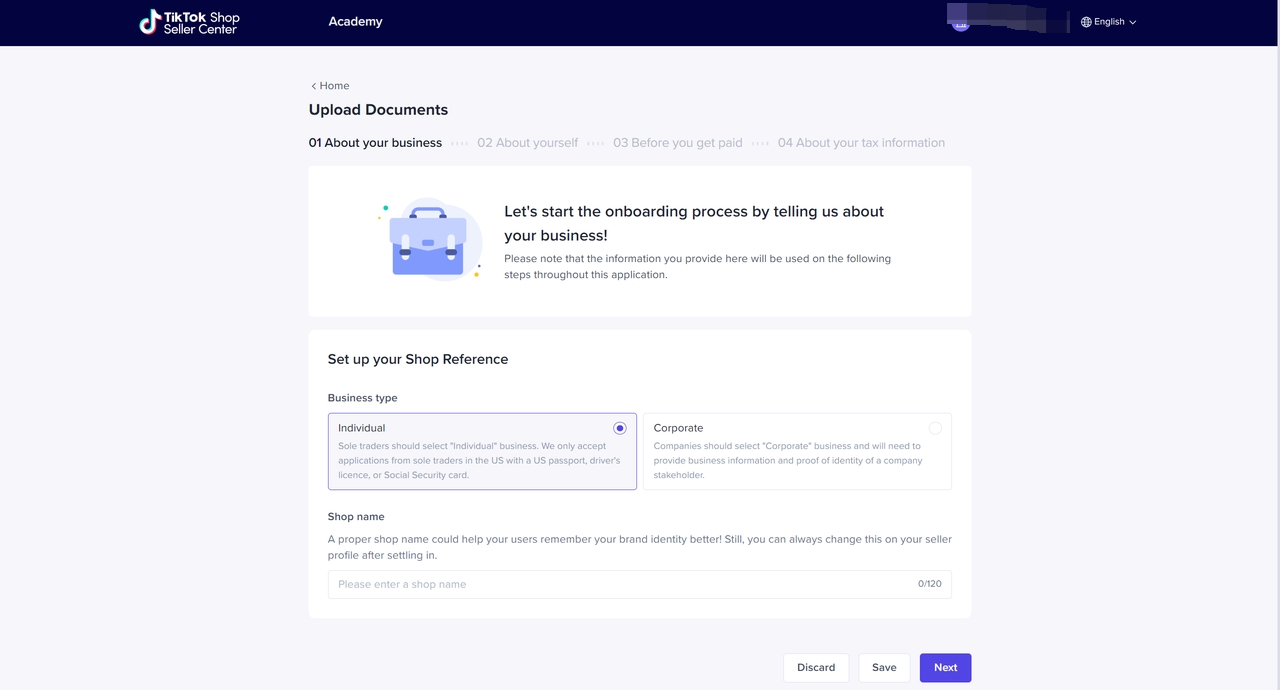
Fill in your business information
Choose a business type and set your shop reference, such as shop nameCorporation | Individually-owned Business |
 |  |
| |
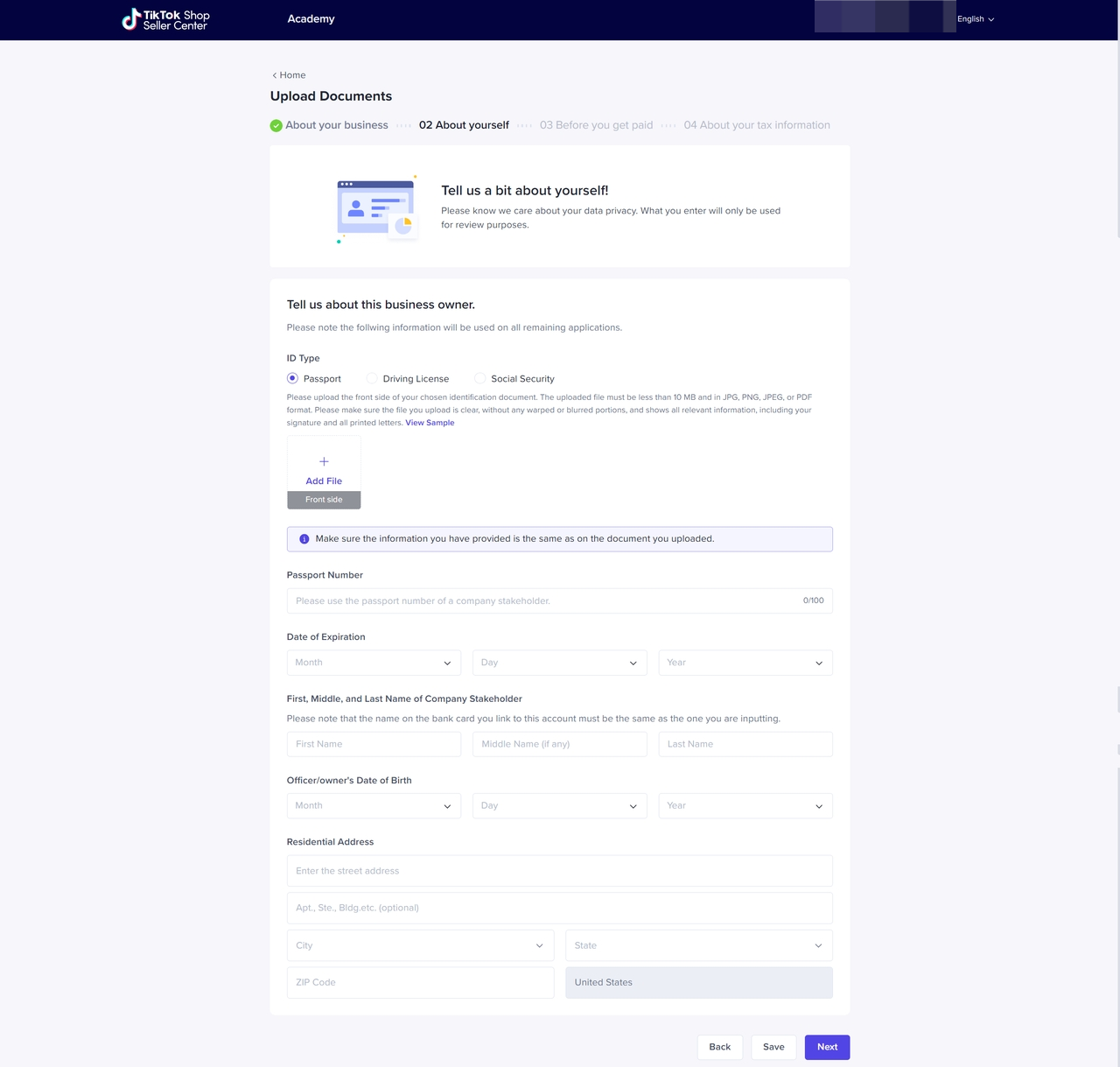
Upload your Identification files
Every corporation or individual who wants to conduct business on TikTok Shop must have their personal information verified. Document needed is scanned copy of Passport or Driver License or Social SecurityPassport | Driver License | Social Security |
 | 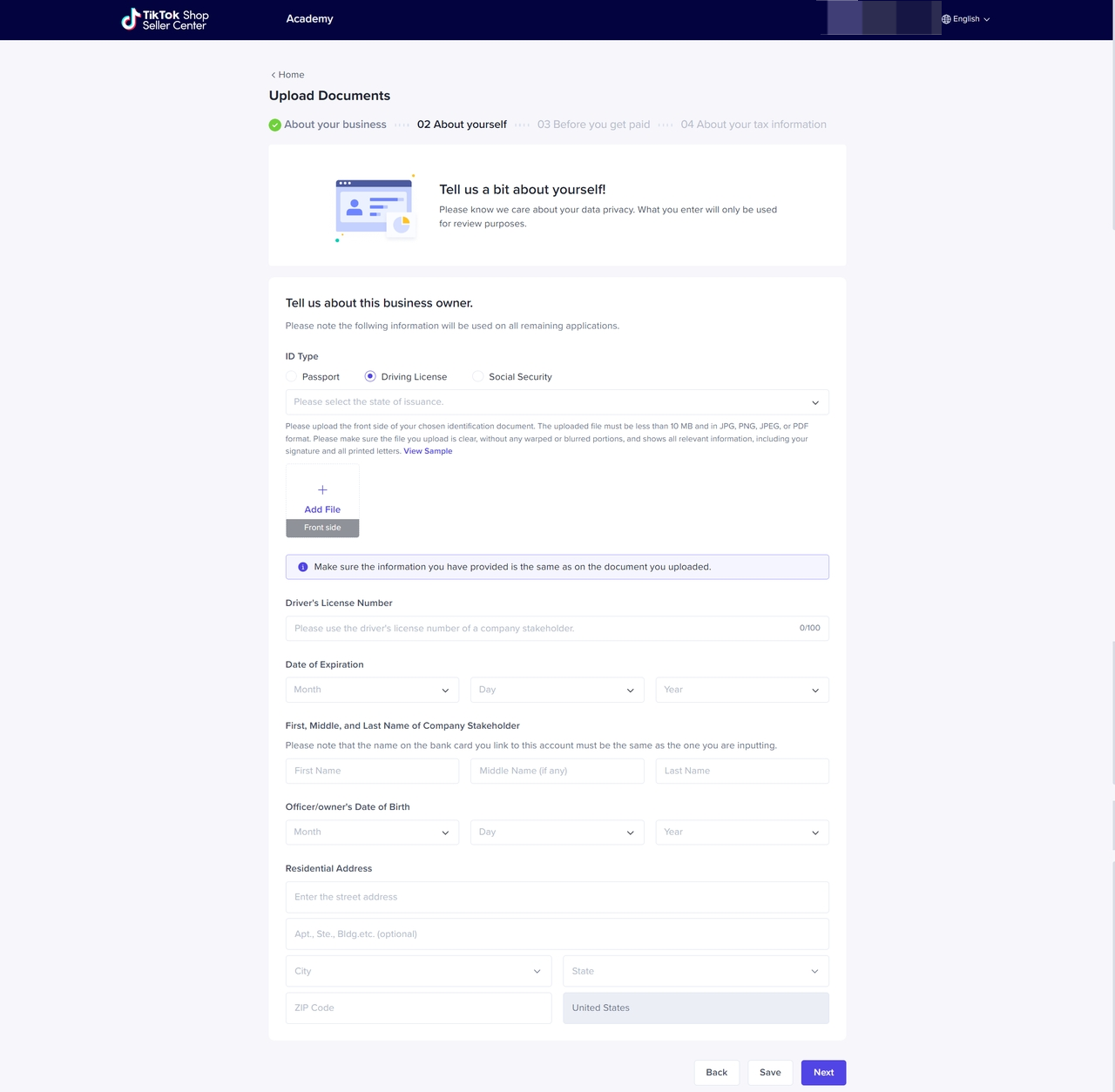 | 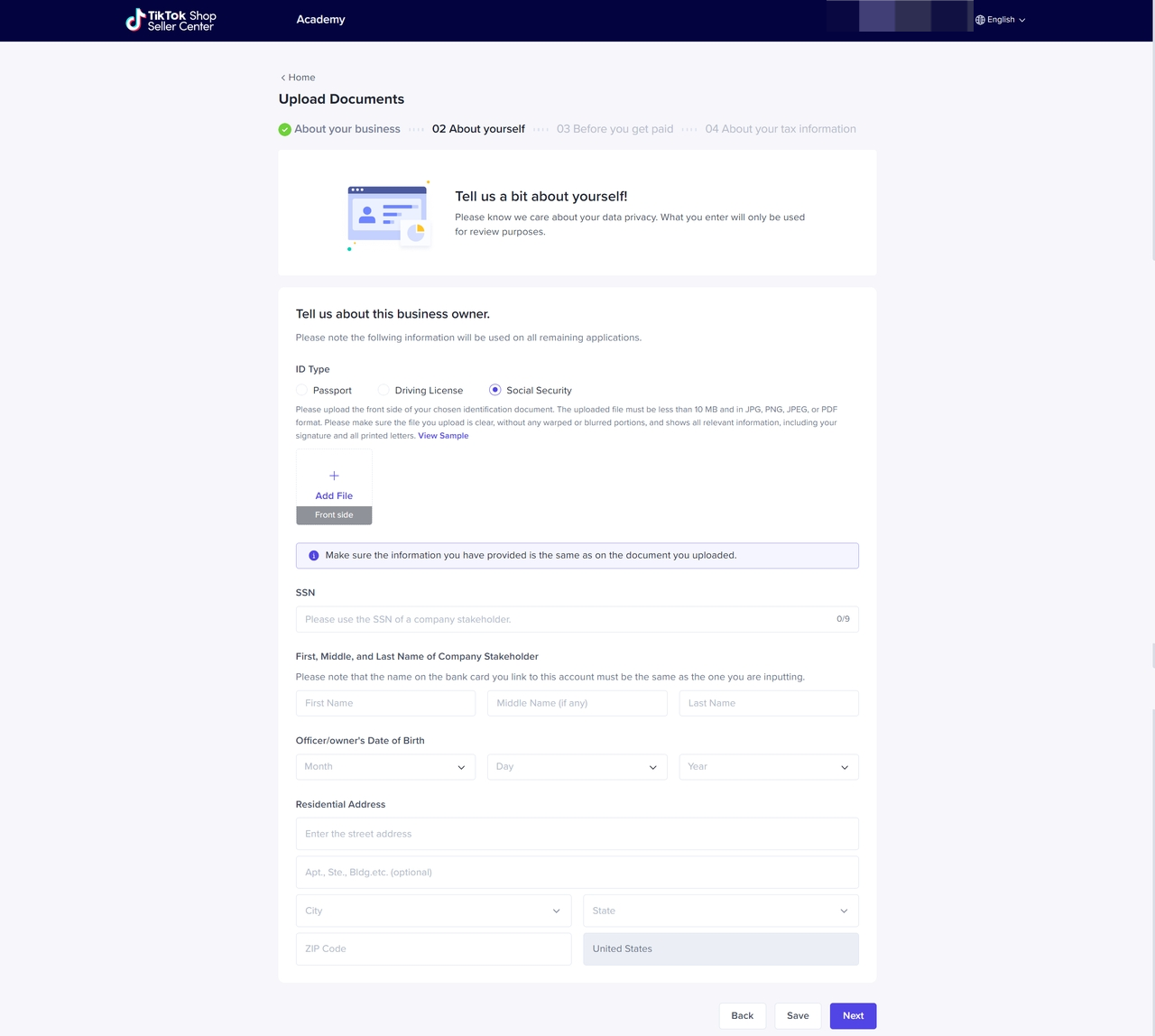 |
- Company or personal information cannot be changed after submission. Please make sure the documents are filled and uploaded correctly.
- Company or personal information submitted will be shown on your TikTok Shop Seller profile.
Before you get paid
TikTok Shop will collect your payment information according to sellers' business type.Corporation | Individual |
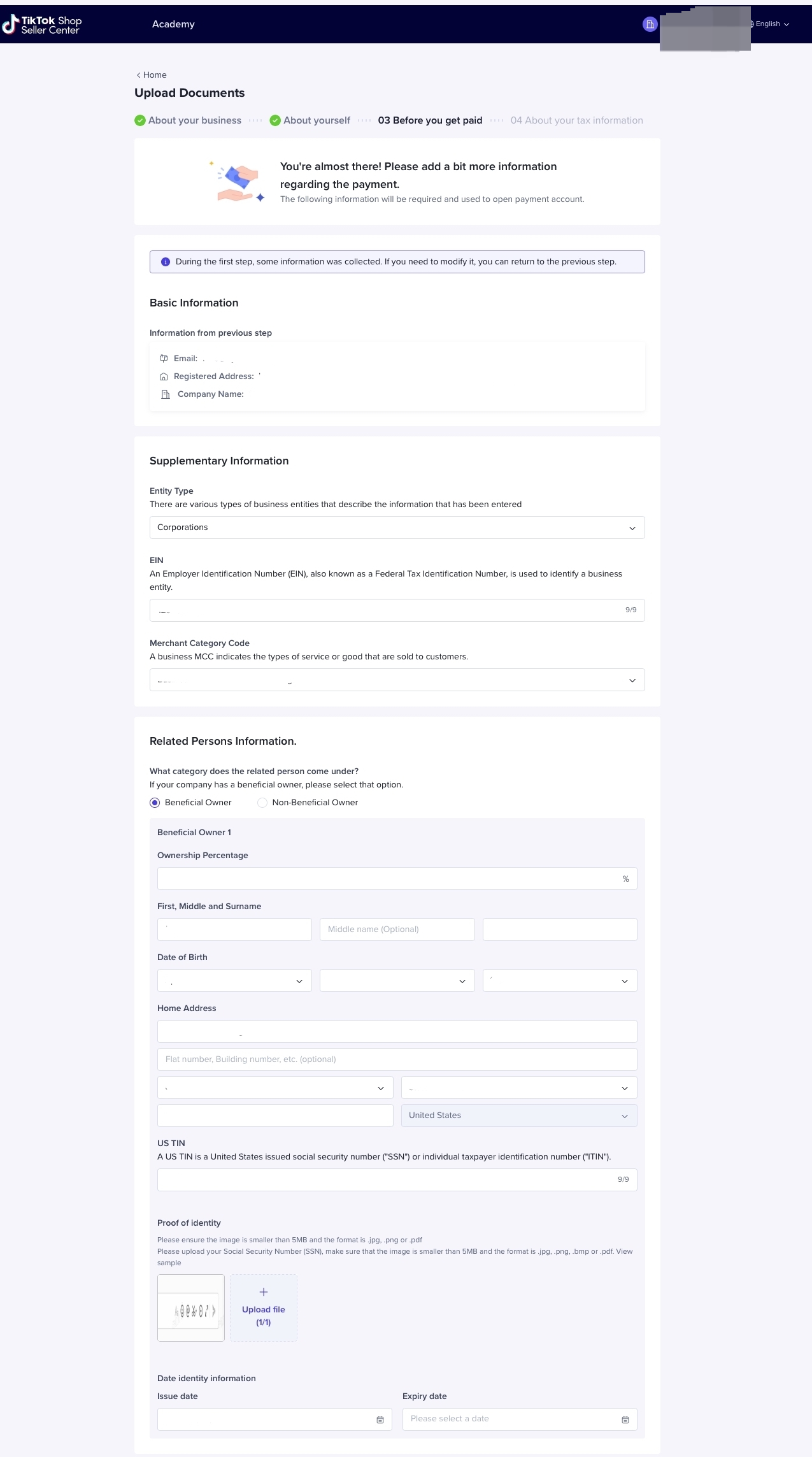 | 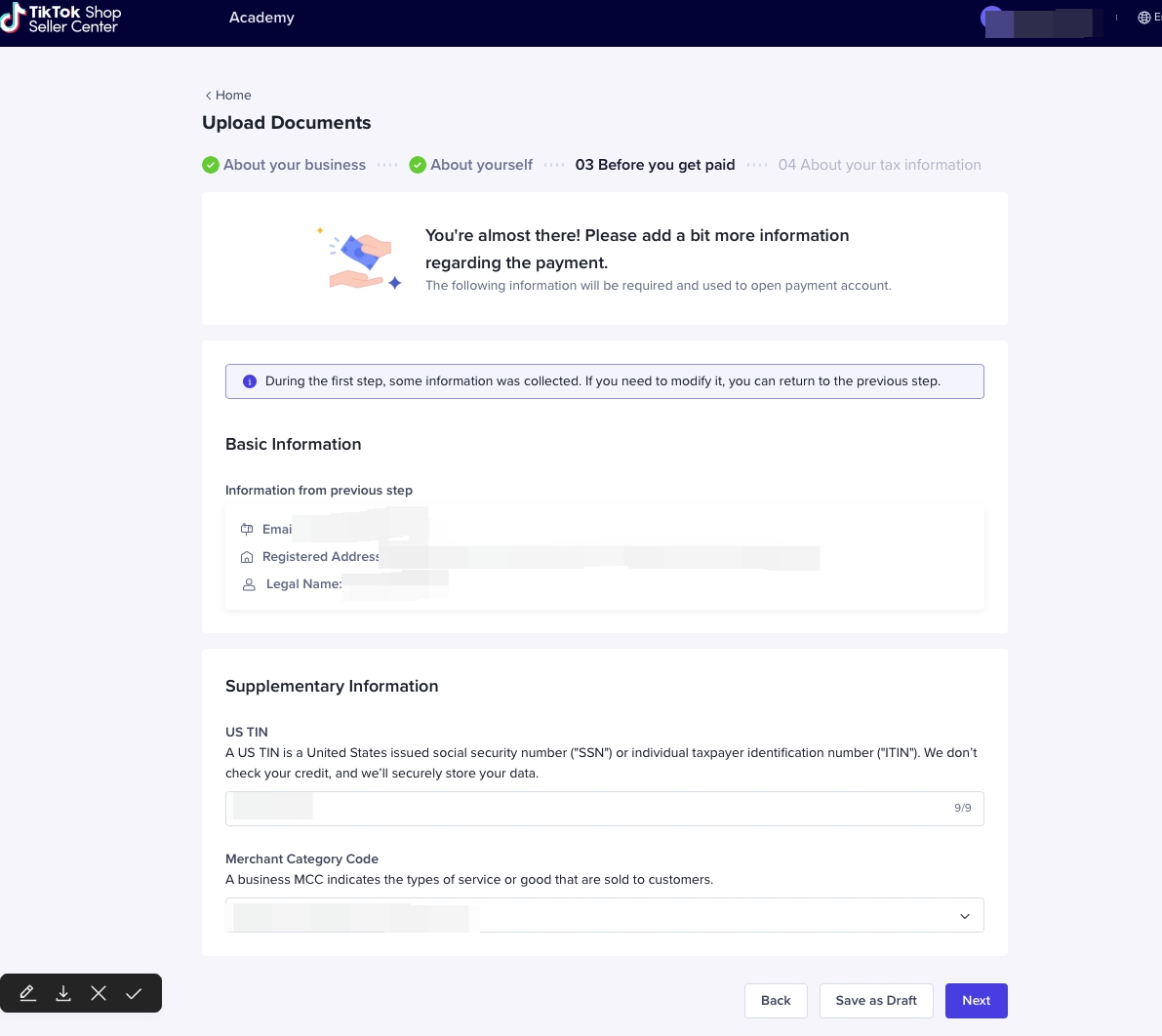 |
About your Tax information
TikTok Shop requires that all sellers complete the U.S. Tax Identity Information Interview. US businesses/individuals need to fill in W9 Form, and non-US businesses/individuals need to fill in W8 Form information. TikTok Shop will collect your tax information according to your business type.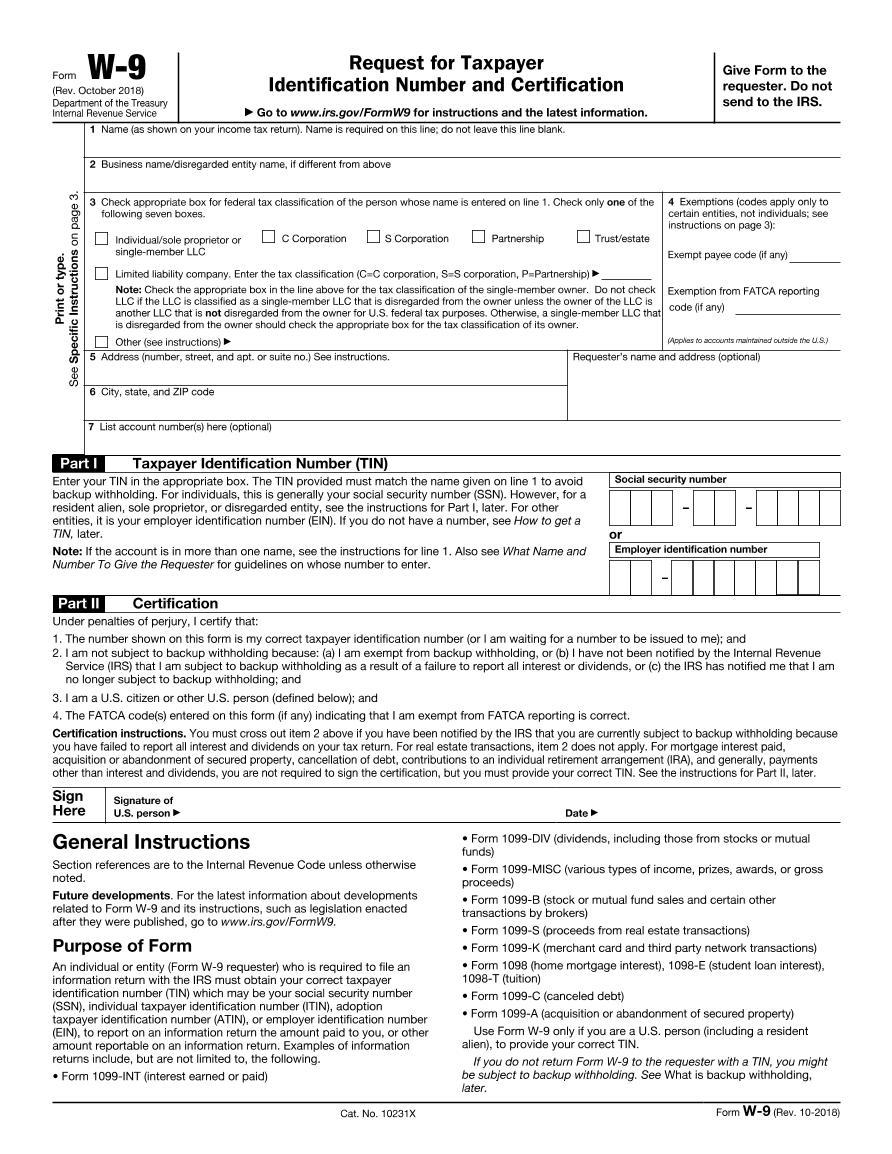
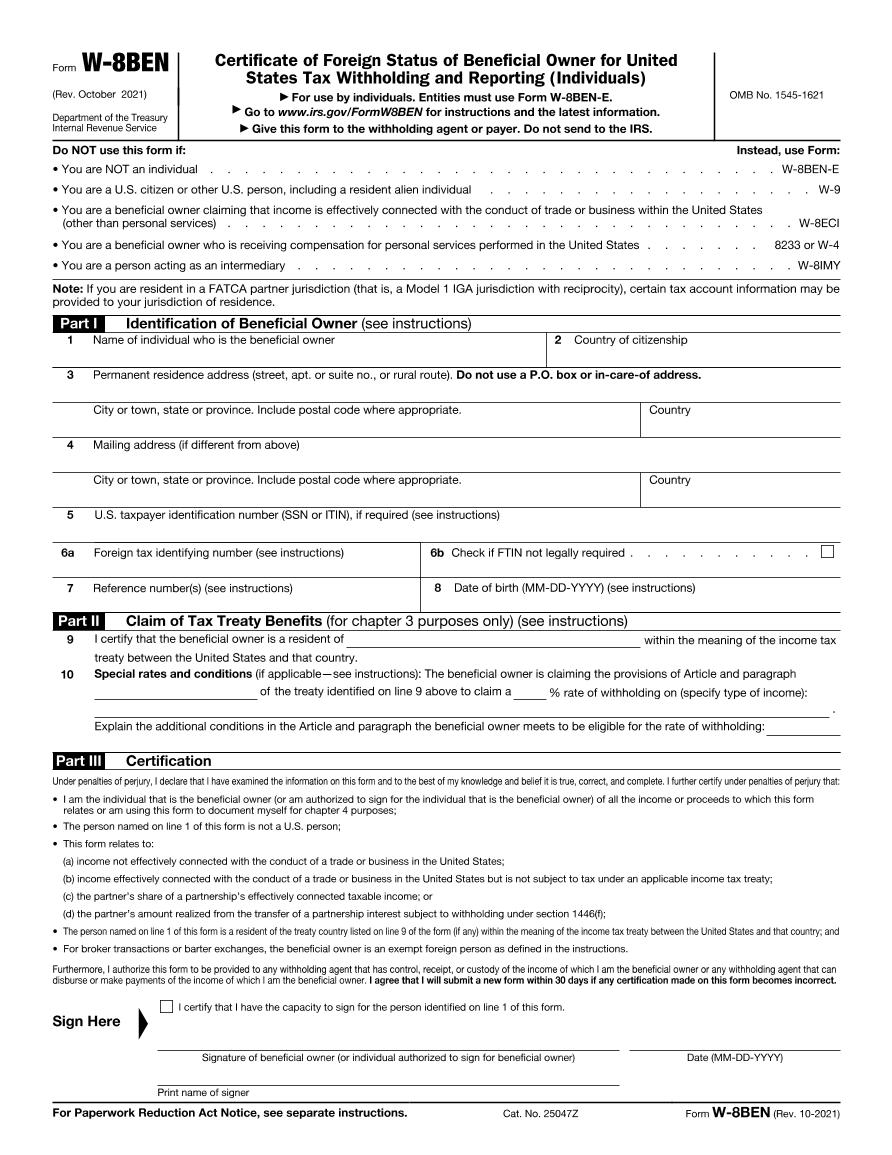
Corporation | Individual |
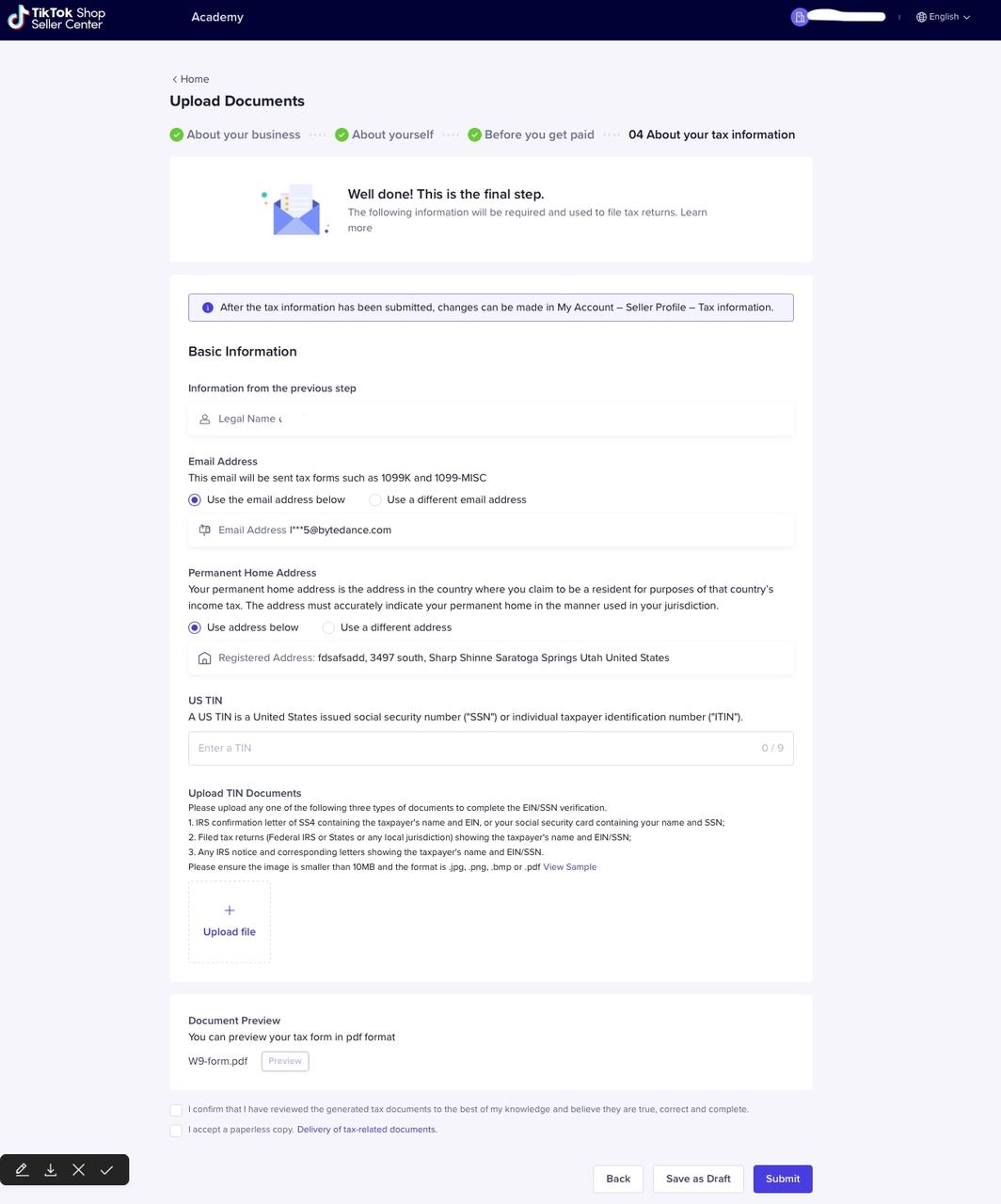 | 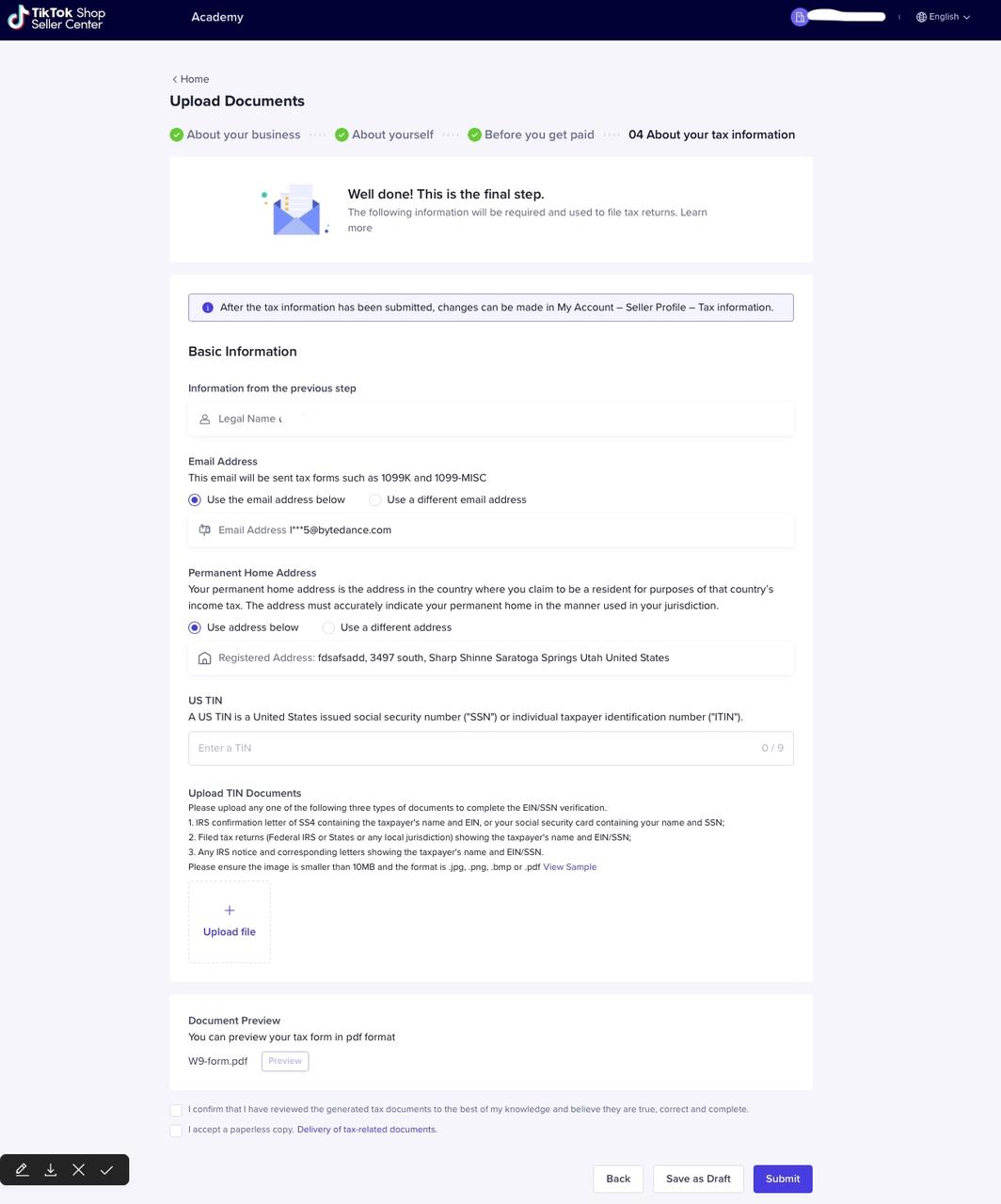 |
Step 2 - Upload 1 product
- Upload your first product to TikTok Shop by clicking the "Upload Now" button.Important: Product that has been added to TikTok Shop will not be visible until document verification is completed.
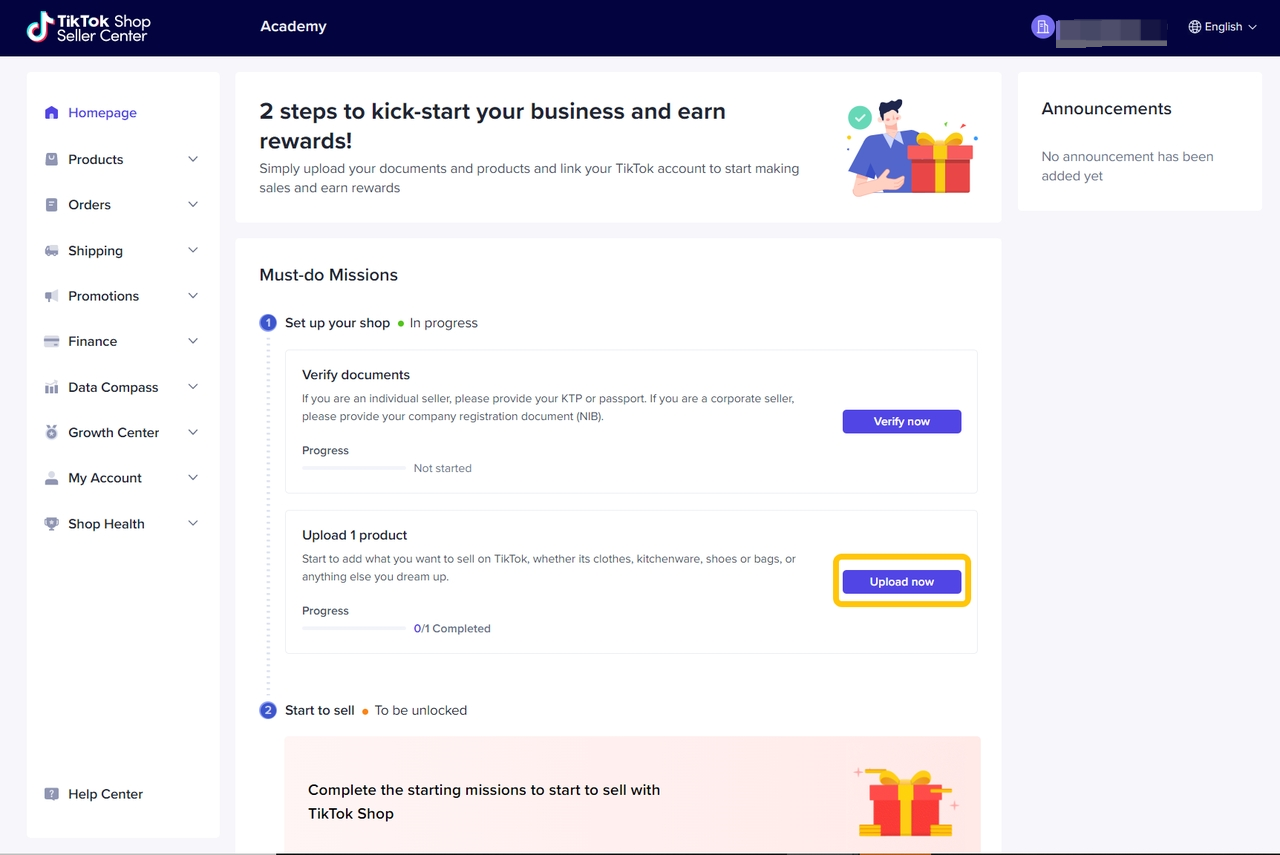
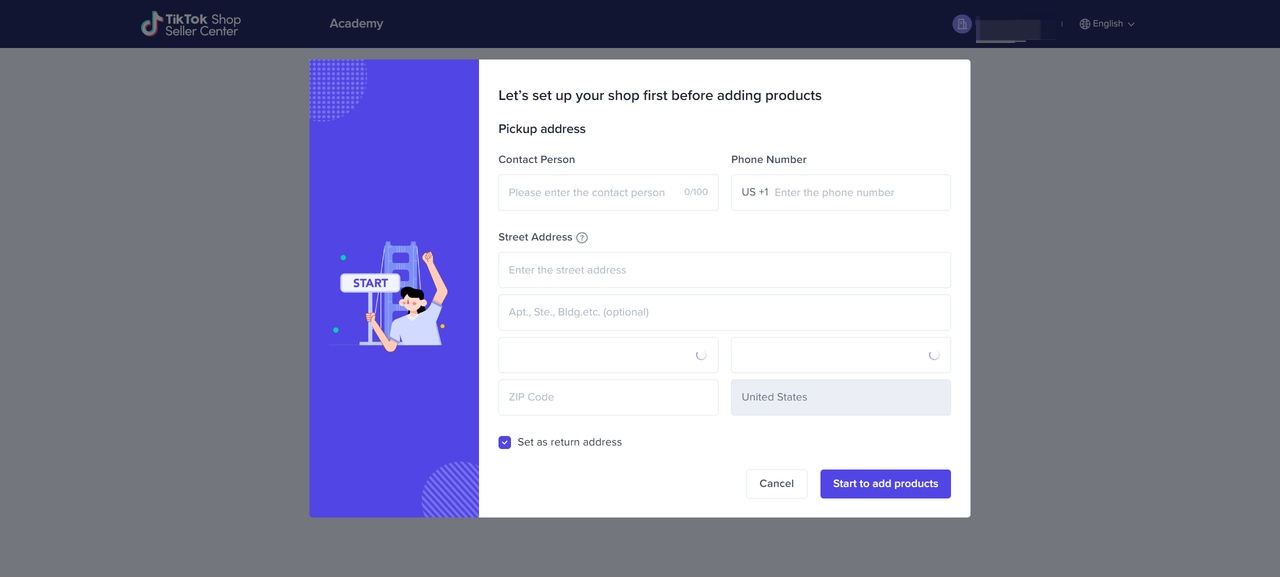
- Please fill out your shop warehouse pickup address and phone number to ensure the logistics service runs smoothly. You can set your return address to be the same as the pickup address, or you can fill in a different address.
Start to sell !
Bind TikTok Account and start to sell at TikTok Shop!