

How to Link Products to Videos
10/24/2025
💡 Feature Overview
Linking is one of the most important tools for TikTok Shop sellers. It allows you to connect your TikTok Shop, individual products, product categories, or collections to your videos, turning them into shoppable content. Now, viewers can explore and purchase your products with just a few taps.- Turn engagement into sales: Every video with a product link is a direct shopping opportunity. When viewers see a product they like, they can tap the link and buy instantly, without leaving the app. This reduces friction and increases conversions.
- Promote multiple products at once: Instead of making one video per product, you can link your entire shop, a product category, or a themed collection. This lets you showcase multiple items in one video, which is perfect for launches or seasonal campaigns.
- Increase brand visibility: Shoppable videos help your brand stand out while driving more traffic to your shop. The more you link, the more opportunities you create for customers to get to know your brand.

⚙️ How to Add Links to Videos
Step 1: Create your video
- Record or upload your short video.
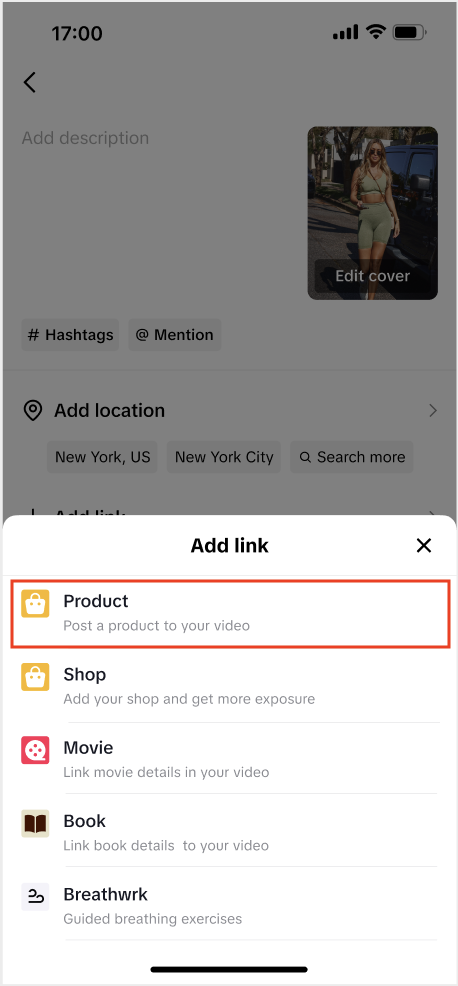
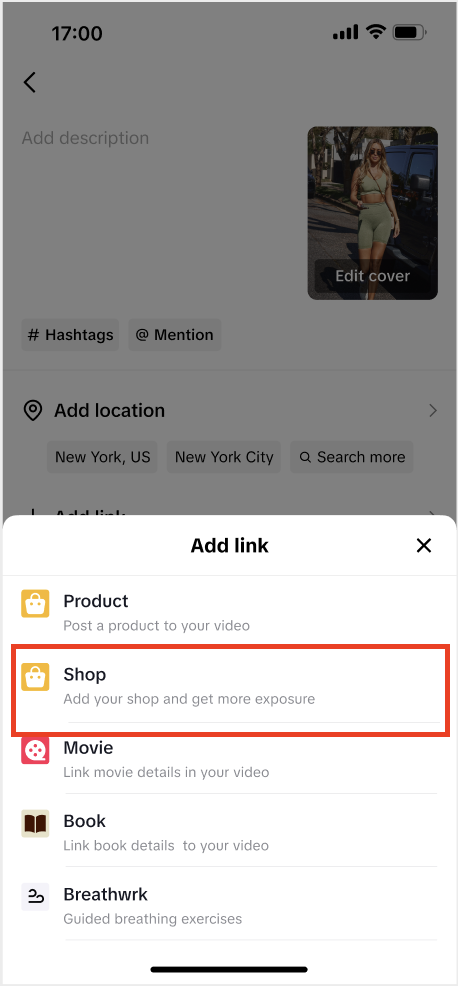
- On the posting page before publishing, tap "Add Link."
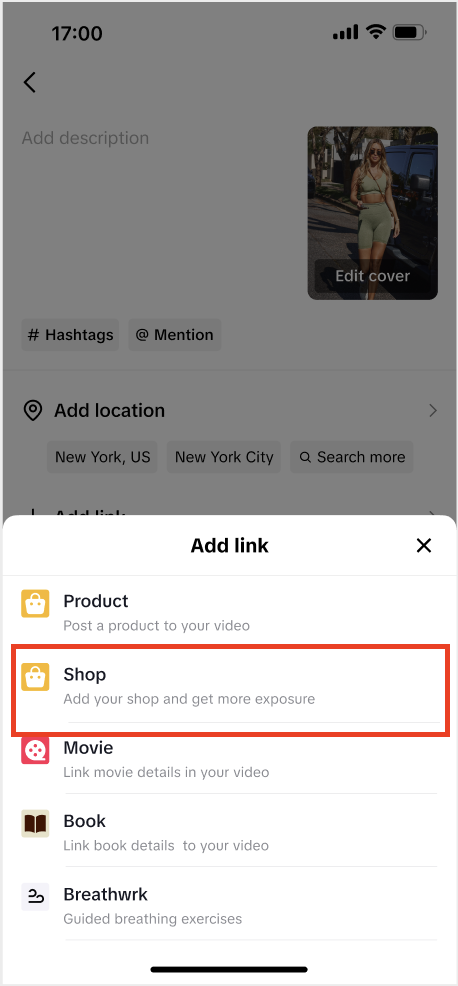
- Choose what you want to link
- Product: A single item.
- Shop: Your full TikTok Shop page.
- Category: A specific product section (e.g., "Shoes" or "Accessories").
- Collection: A themed product group (e.g., "Holiday Gifts").
Step 2: Add your link
2.1 Link a product
- Tap Add Link > Product.
- Select the product from your TikTok Shop.
- (Optional) Edit how the name appears.
- Preview, then publish.
2.2 Link your shop
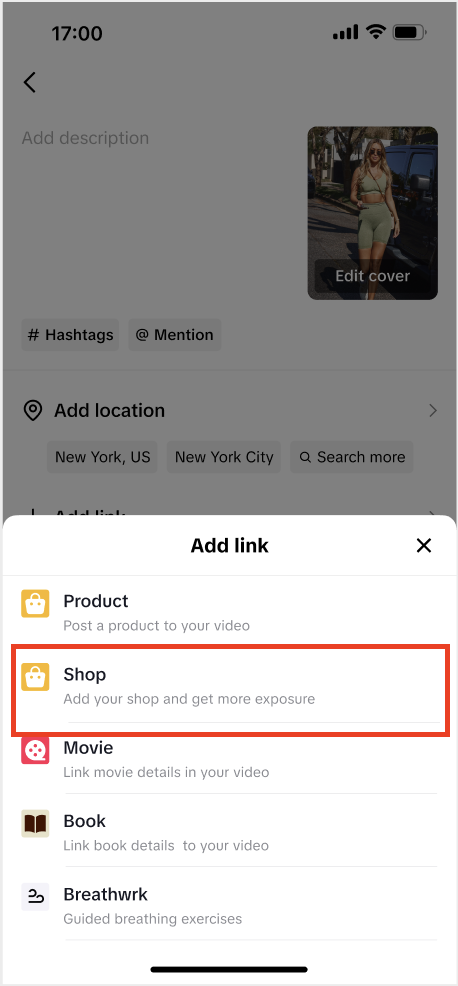
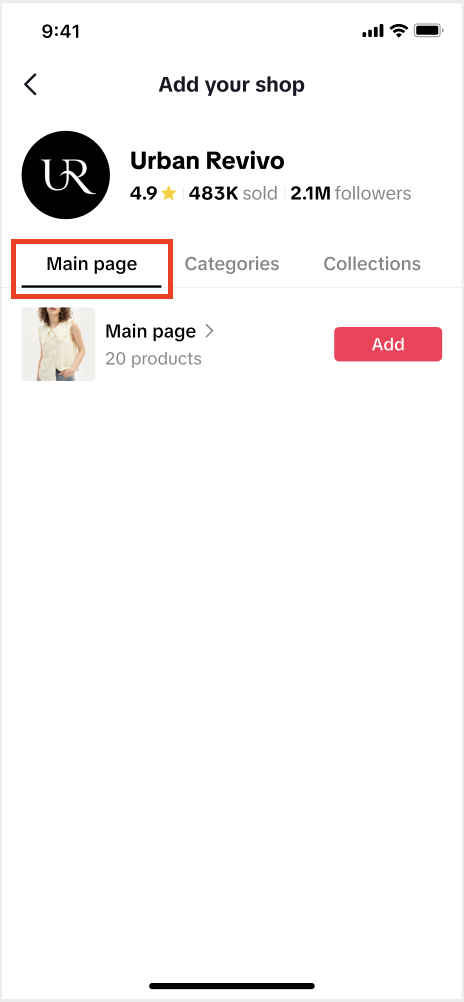
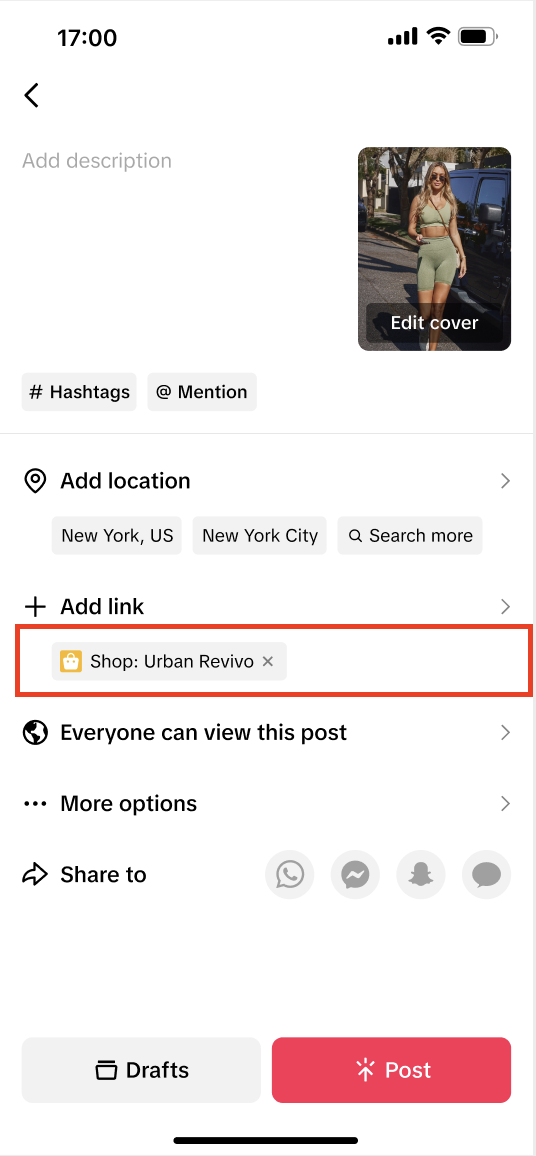
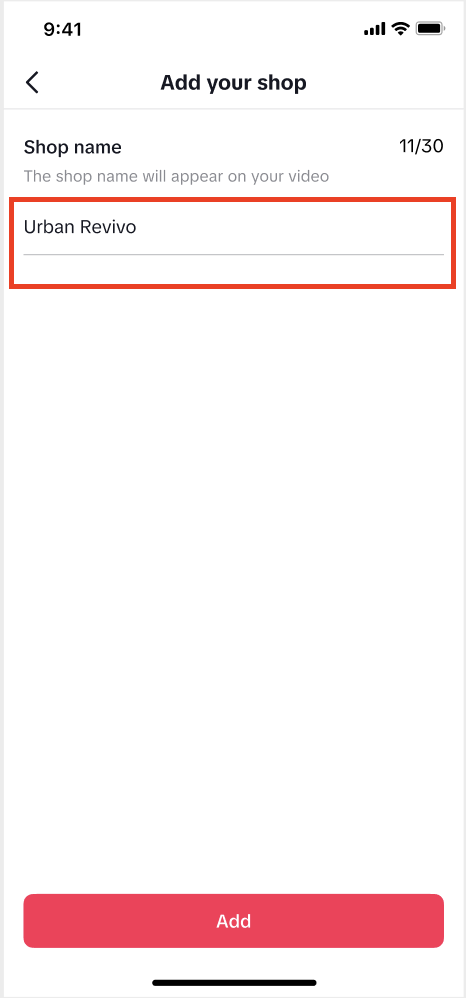
- Tap Shop > Main Page > Add.
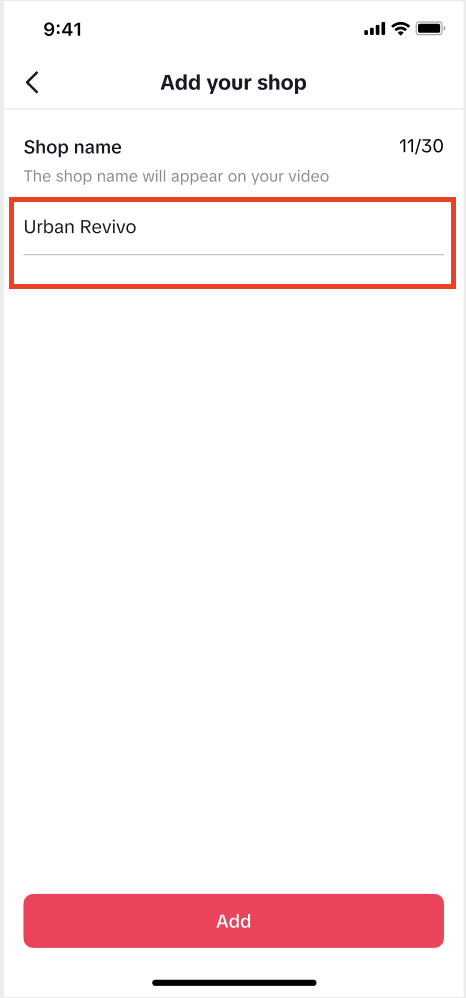
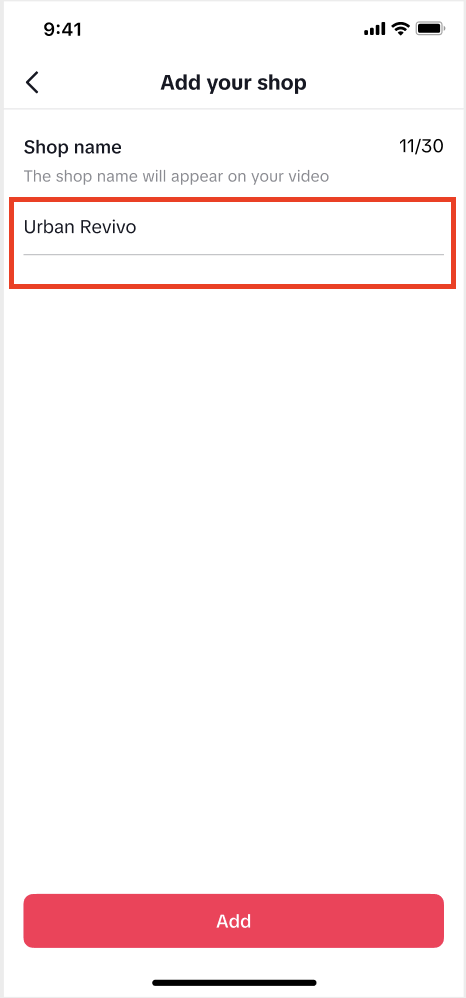
- Enter a display name (e.g., "Shop Our Store").
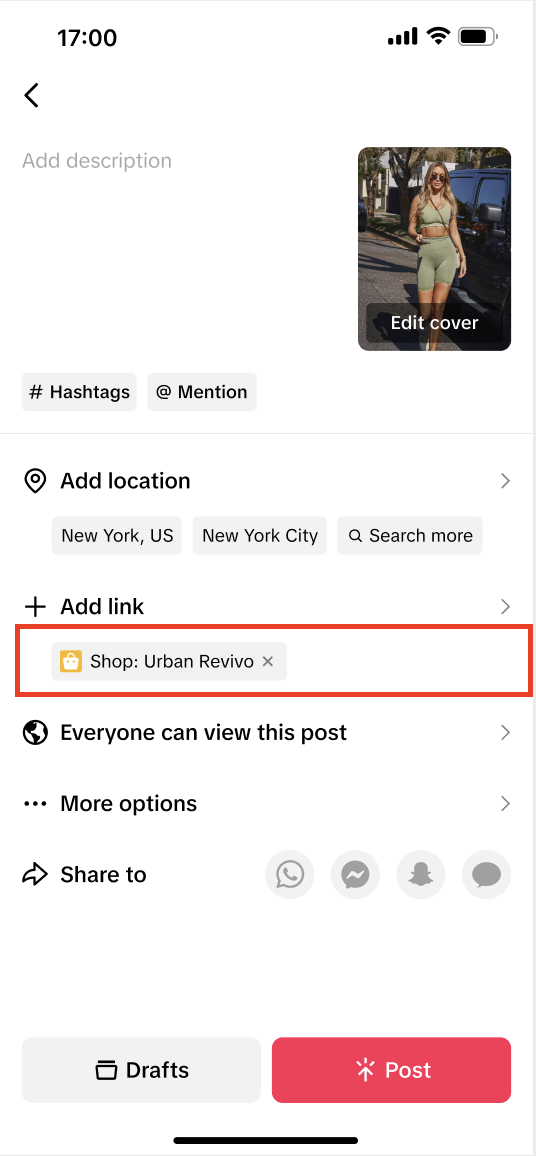
- Confirm your shop appears under Add Link.
- Preview, then publish.
 |  |  |  |
2.3 Link a category
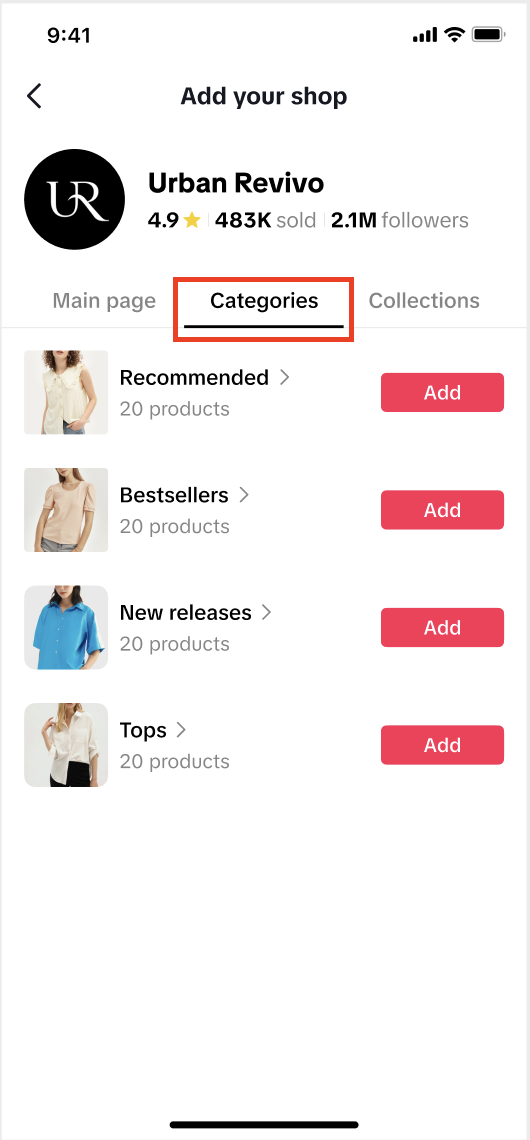
- Tap Shop > Categories > Add.
- Select your category.
- Rename if needed for clarity.
- Preview, then publish.
 |  |  | |
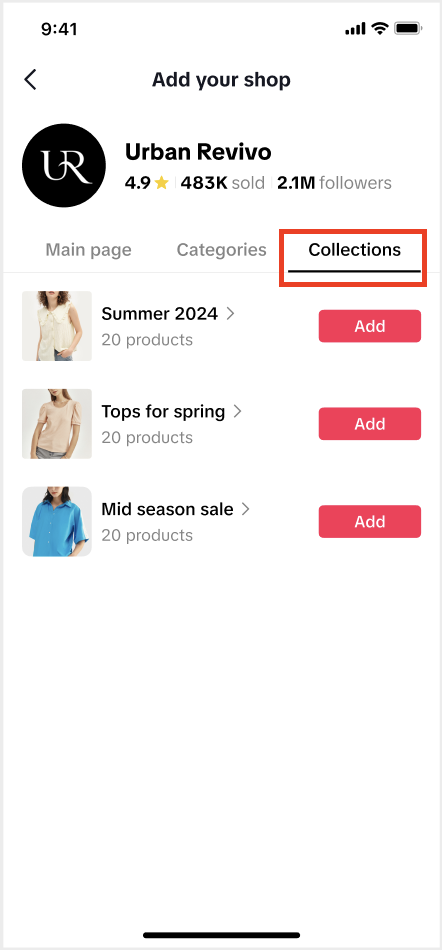
2.4 Link a collection
- Tap Shop > Collections > Add.
- Select the collection you want to feature.
- Confirm it's visible under Add Link.
- Preview, then publish.
 |  |  |  |
Step 3: What it Looks Like in Your Video
Now, a small orange shopping-bag icon will appear in the lower-left corner of your video, letting shoppers tag and make purchases directly in the app.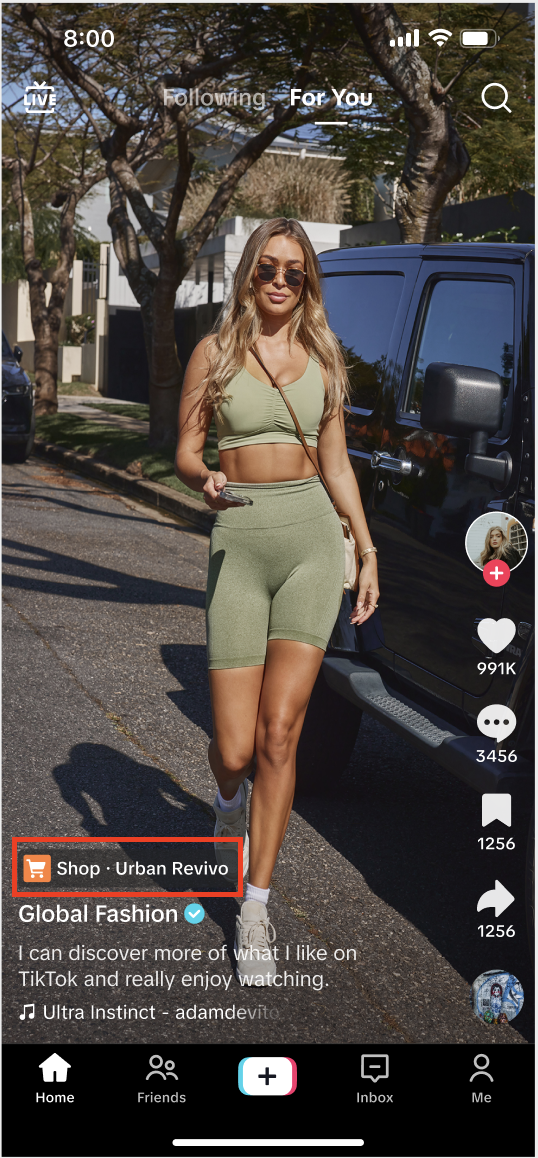

⚙️ How to Add Links to Published Videos
Forgot to add a link? You can use TikTok Shop's Link Products tool to add product links to videos posted within the last 30 days, without needing to delete or re-upload them. It's a fast and convenient way to turn existing content into shoppable videos, helping you keep engagement high and drive more sales from the videos you've already shared.Option 1: Through TikTok Shop Toolkit
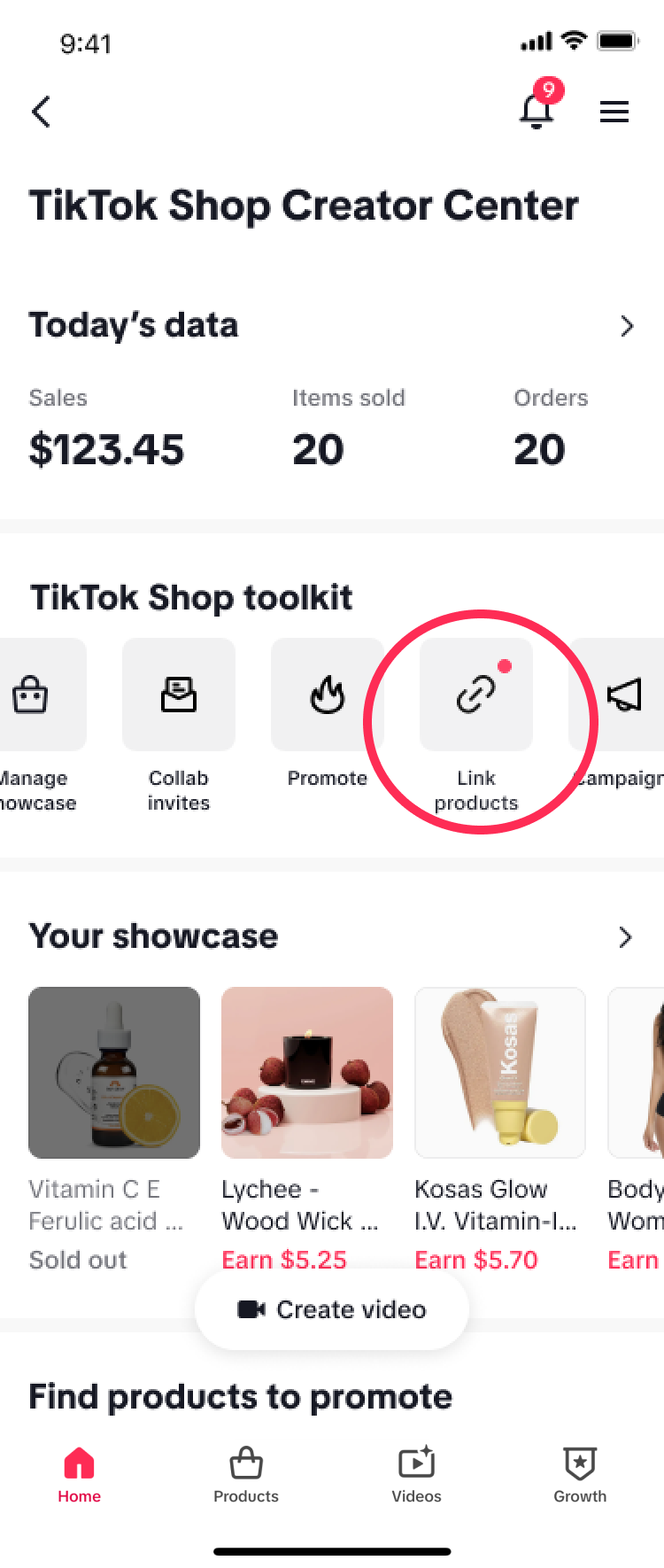
- Go to TikTok Shop Creator Center.
- Navigate to the TikTok Shop toolkit section, then select Link products. From here, you can select your video and add the respective product link.
Option 2: Through the Videos Tab
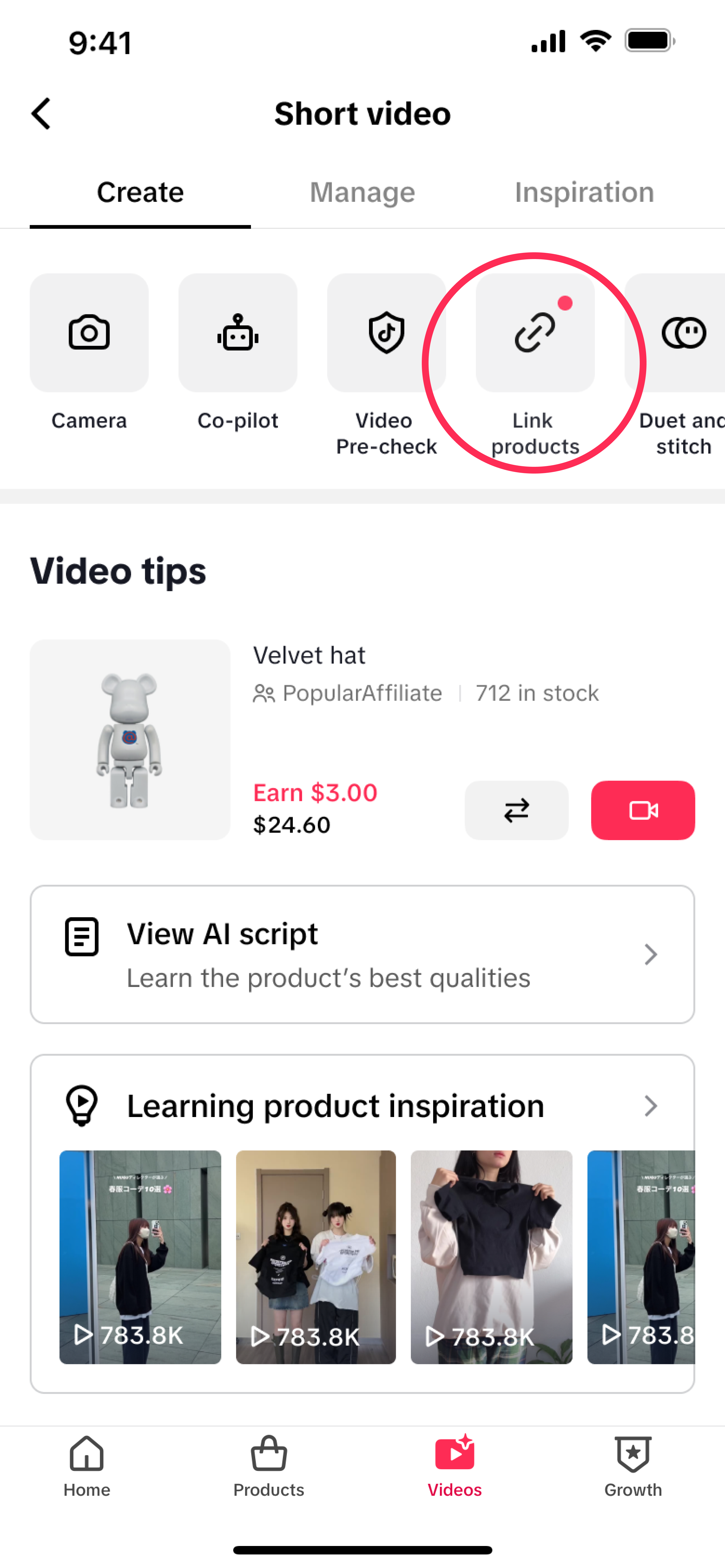
- Go to TikTok Shop Creator Center.
- Tap the Videos tab at the bottom of the screen.
- Select Link products. From here, you can select your video and add the respective product link.

You may also be interested in
- 1 lesson
Creating Shoppable Videos with Shopify's 1P App
Are you a Shopify seller looking to create scroll-stopping shoppable videos but don’t know where to…
2025 Shoppable Video Holiday Guide for Sellers 🎁 ✨
👋 Introduction Black Friday Cyber Monday (BFCM) is the biggest seasonal sales weekend of the year,…
TikTok for Shopify: Shoppable Videos
Introduction: What is the SV Widget on the Shopify App? Compelling videos are at the heart of what d…

How to Schedule Shoppable Videos
💡 Feature Overview Scheduled Shoppables Videos lets sellers, like you create and prepare videos whe…

How to Change Your Video's Sound
TikTok will notify you if any of your videos' sound is no longer available. The TikTok App offers di…

Image-to-Video (formerly known as AI Fashion Video Maker)
💡 Feature Overview Image-to-Video is a tool that instantly turns your product photos into short, po…

"TikTok Shop for Sellers"
Introduction Shoppable Video is the most powerful way to sell on TikTok Shop. TikTok Shop for Seller…

Shoppable Photos
NOTE: This feature is currently in beta and available for select sellers. Functionality may evolve a…