

Best Practices for Order Fulfillment
03/02/2026

Key Points
- Orders must meet specific timeframes for readiness and dispatch to avoid delays and penalties.
- Sellers can choose between using TikTok Shop’s logistics services or their own Logistics Service Provider.
- Secure and compliant packaging is crucial to ensure product safety during transit.
Overview
Efficient order fulfillment is essential for timely deliveries and customer satisfaction. Whether you're shipping products yourself or through TikTok Shop's services, following these guidelines will help you meet service standards and avoid common shipping mistakes.
Service Level Agreement (SLA)
SLAs define the maximum number of business days for orders to reach specific stages within the fulfillment or shipping process (e.g. Dispatch or Deliver-by).Staying within the SLAs below will help to avoid delays and penalties:
- Regular Orders
- Dispatch SLA: Orders must be dispatched within 2 business days of "Awaiting Shipment", with a cut-off time of 11:59 PM PST. Order status must be marked as "In Transit".
- Deliver-by SLA: Deliver within 6 business days of "Awaiting Shipment". Order status must be marked as "Delivered".
- Made-to-Order, Backorder, and Custom Handling Time Shipping
- Dispatch SLA: Orders must be dispatched within the handling time set by the seller +1 business day. Order status must be marked as "In Transit".
- Deliver-by SLA: Deliver within the handling time +5 business days of "Awaiting Shipment". Order status must be marked as "Delivered".
- Pre-Orders
- Dispatch SLA: Orders must be dispatched within 2 business days after the Pre-Order closure date. Order status must be marked as "In Transit".
- Deliver-by SLA: Deliver within 6 business days of the pre-order closure date. Order status must be marked as "Delivered".
- Order Handling Capacity
- Sellers using the Order Handling Capacity tool will receive 1 additional business day added to their dispatch SLA for orders that exceed their daily order capacity.
Auto-Cancellation SLA
To protect their experience, customers will be given the option to cancel an order if it has not been marked "Awaiting Collection" within the designated handling time. Unless specified by the customer, TikTok Shop will automatically cancel orders in the following situations:- Regular Orders: Order status not marked as "Awaiting Collection" (i.e., tracking information has not been added in Seller Center) within 5 business days of "Awaiting Shipment".
- Made-to-Order, Backorder, and Custom Handling: Order status not marked as "Awaiting Collection" (i.e., tracking information has not been added in Seller Center) after 4 business days of "Awaiting Shipment".
- Pre-Order: Order status not marked as "Awaiting Collection" (i.e., tracking information has not been added to Seller Center) after 5 business days of "Awaiting Shipment".
Shipping Types
Sellers have three different shipping types to choose from:- TikTok Shipping: Sellers choose a Logistics Service Provider (LSP) from TikTok Shop's list in Seller Center.
- Seller Shipping: Sellers choose their own LSP as long as they are supported by TikTok Shop as outline in Seller Shipping: Overview and Services. This option may only be available to selected sellers.
- Fulfilled by TikTok (FBT): TikTok warehouses handle the storing, picking, packing, and shipping of orders, as outlined in the Fulfilled by TikTok article.
Best Practices for Shipping
Shipping Price
- Shipping service costs
- Handling costs (e.g. packaging materials and insurance)
- Costs for delivery confirmation or additional services (e.g. certificates of mailing and certified mail)
- Additional fees for handling and packaging
Order Confirmation
- Double-check the order for any issues or discrepancies. Mistakes here can lead to delays.
- Ensure order is being shipped according to the shipping service level chosen by the customer.
- Ensure the package weight and/or dimension aligns with the label postage.
- Download or print the packing list from Seller Center. Use this to ensure you are selecting the right products from your storage or warehouse for shipment.
- If you can’t fulfill an order, cancel it and notify the customer.
Packaging

- Comply with all applicable laws and regulations related to product packaging materials.
- Choose the right packaging that fits the product without excess space. Secure items to prevent movement during transit.
- Use quality packaging materials that provide adequate protection.
- Ensure that packaging, invoices, and other documentation are unbranded and only identify your shop.
- Clearly label special items (e.g.liquids, fragile items, breakables, perishables, hazardous materials and batteries). Ensure the packaging follows your LSP instructions and notify them if special handling is needed before shipping.
- Ensure compliance with LSP requirements and notify them if special handling is needed.
- For fresh and frozen food products, use proper insulation to maintain optimal temperatures during shipping.
- Use cartons with sufficient protection for products that meet the requirements of your LSP.
- Large-sized dunnage, such as air pillows, whole sheets of paper, sheet foam, or bubble wrap, offer quality protection.
- Seal cartons securely using durable packing materials.
- Maximize space by packing multiple units in a single carton whenever possible without damaging the products. Empty space can cause the products to move and get damaged.
Tracking Information

- Seller Shipping: Update tracking information by selecting "Add tracking info" for each order with the "Awaiting Shipment" status in Seller Center.
- TikTok Shipping: No manual update is needed. Select "Arrange Shipment" for each order with the "Awaiting Shipment" status. The tracking information will be updated automatically.
Shipping Label

- Customer's name and full postal address (including zip code)
- Customer's order number
- Return address for undeliverable package
- Ensure every package has a correct shipping label. Mislabeled packages may be disposed of or relabeled at your expense.
- Apply shipping labels or barcodes provided by the LSP firmly on the package.
Dispatching an Order

Handing Over Package to LSP
- Seller Shipping
- Handover the packages to the LSP without delay.
- Ensure the carrier scans the packages on time to have the order status marked "In Transit" within the dispatch SLA.
- You can verify in Seller Center that orders have been updated to "In Transit".
- Address any delays with the LSP if the status has not been updated to "In Transit". This likely means that the carrier hasn't started processing the order.
- Provide timely and accurate dispatch information. Delays caused by the carrier are still the seller's responsibility and considered a failure to adhere to the SLAs.
- TikTok Shipping
- Option 1: Deliver packages at the selected Drop-Off point.
- Option 2: Request LSP for a Pick-Up within 48 hours.
- If orders are not dispatched within the set handling time, sellers will be notified to update their handling time.
- Fulfillment Settings (Seller Center log in required) allows sellers to choose automatic handling time adjustment by TikTok Shop or manually set it. For sellers onboarded after September 13, 2023, TikTok Shop will adjust handling time based on performance.
Delivery

- Seller Shipping: TikTok Shop uses third-party logistics data to verify and automatically update the order status to "Delivered."
- TikTok Shipping: The Seller Center order status will update to "Delivered" automatically after the LSP confirms the delivery.
Delayed Delivery

- Seller Shipping: Sellers must address delays through their contract with their LSP and monitor service quality.
- TikTok Shipping: Sellers can check the logistics status updates on the "Manage Orders" panel in Seller Center. If there are processing delays, raise a ticket through the Help Center.
Common Mistakes to Avoid
- Don't include messages that ask for or incentivize positive customer reviews.
- Avoid including any products or content not associated with the ordered item.
- Refrain from adding marketing or promotional materials such as pamphlets.
- Don't add QR codes, hyperlinks, or unrelated information to labels.
- Don't use large staple pins or nylon fiber-based tapes due to safety risks.
- Avoid loose-fill materials like Styrofoam peanuts or shredded paper. Inappropriate packaging materials may result in customer rejections and chargebacks.
- Don't bundle multiple cartons together with tape, straps, or bagging. This can cause damage and processing issues.
- Avoid shipping with incorrect or incomplete addresses to prevent delivery failures.
- Don't dishonestly or fraudulently change an order status. We monitor and audit order statuses and will take action against any identified fraudulent behavior.
- Don't misuse customer contact information. All communications with customers must remain confidential.
- Don't sell or ship prohibited or recalled products.
- U.S.-based sellers cannot use international third-party suppliers or consolidation services.
- Don't ship orders that contain invoices, external packaging, or other information that identify another seller or third-party supplier.
- Don't use personal accounts from other retailers to fulfill orders. This can lead to unauthorized customer data sharing, price gouging, promotion of competitor businesses, and loss of user trust.
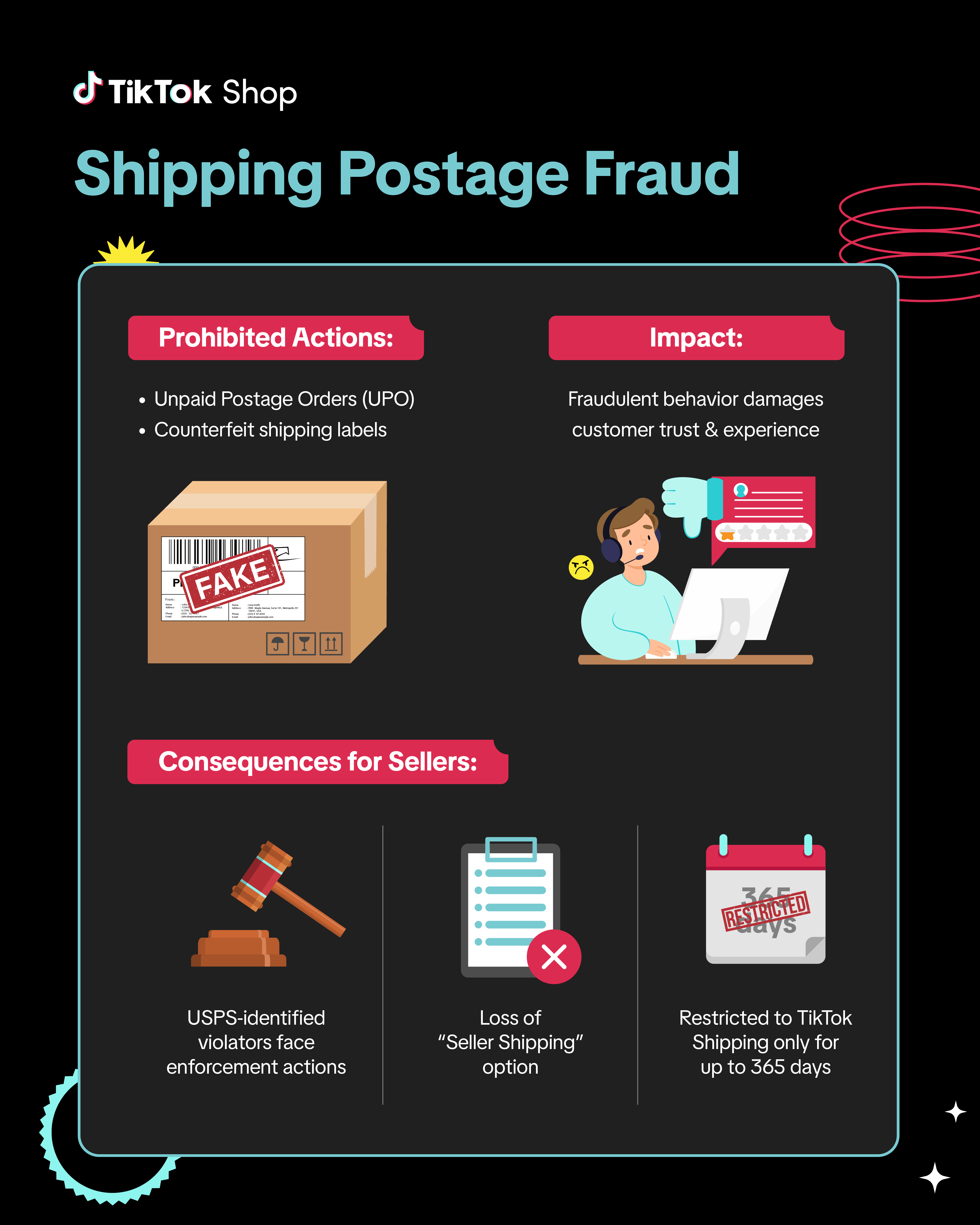
- Do not engage in fraudulent shipping behaviors, including but not limited to:
- Inaccurate, misleading, incomplete, or incorrect shipping information
- Providing false or misleading tracking information (e.g., invalid or duplicated tracking numbers, or no logistics updates 24 hours after tracking is provided)
- Inconsistencies between the delivery address and the logistics route
- Shipping items that don’t match the product detail page or order details
- Shipping empty or incomplete packages
- Listing products fulfilled or purchased from other retailers or marketplaces and shipping them directly to customers
- Using package weights or dimensions that don’t match the paid postage
- Unauthorized or improper use of logistics equipment (e.g., scanning a package for pickup before it’s ready)
- Underpaying for postage (e.g., paying $5 when the package requires $10 based on weight or dimensions)
- Forging shipping label details (e.g., warehouse address, delivery address, route, or recipient information)
Frequently Asked Questions (FAQs)
How can I see orders that have been flagged as having abnormal shipping behaviors?
If you have received a violation for an order that has been flagged for fraudulent shipping behavior, specifically abnormal shipping behavior, you can use the Manage Orders page in Seller Center.
Follow the directions below to filter your orders to see which ones have been In Transit without delivery for over 10 days.
If you do not see any In Transit orders that are over 10 days past their estimated delivery time, then the customer may have cancelled the order. To check your canceled orders, click on the Canceled tab on the Manage Orders page.
Then click on the Filter button and select Canceled by option and choose Canceled by customer. You will then be able to see all orders that were canceled by customers and the reason for the cancellation.
Follow the directions below to filter your orders to see which ones have been In Transit without delivery for over 10 days.
- Navigate to your Manage Orders page in Seller Center (or Click Here to go there directly).
- Under the All tab where every order is listed, click the Filter button.
- On the Filters panel, select Order Status then choose In Transit
- On the Filters panel, select Urgent then scroll down and choose Late Delivery
If you do not see any In Transit orders that are over 10 days past their estimated delivery time, then the customer may have cancelled the order. To check your canceled orders, click on the Canceled tab on the Manage Orders page.
Then click on the Filter button and select Canceled by option and choose Canceled by customer. You will then be able to see all orders that were canceled by customers and the reason for the cancellation.
What can I do if the tracking information is incorrect?
Sellers can correct or update tracking and shipping information if a mistake is made. However, sellers can only make a one-time edit themselves prior to the order being marked as Delivered.
If further changes are needed, a support ticket must be submitted within 30 days of the order date. Support requests must include original and new tracking numbers and/or carrier names.
If further changes are needed, a support ticket must be submitted within 30 days of the order date. Support requests must include original and new tracking numbers and/or carrier names.
For TikTok Shipping, what should I do if there are processing delays by the LSP?
If you experience any processing delays with the LSP, you can open a ticket through the Help Center to report the issue.
What is not considered a business day?
Business days exclude Saturdays, Sundays, or U.S. federal holidays.
When does dispatch time start for pre-owned products requiring authentication?
For pre-owned products that require post-sale authentication, dispatch times begin once TikTok Shop approves the certificate of authenticity. For more details, refer to the Pre-Owned Products Policy.
What should I do if I can't dispatch a product due to unexpected events, such as weather disruptions?
During widespread disruptions, the standard Service Level Agreements (SLA) in our Fulfillment Policy may be temporarily extended. TikTok Shop is unable to notify sellers in all instances, especially when extensions are localized to specific regions. You can check SLA extensions for your orders by following these steps:
Step 1: See the latest SLA for your order(s):
You may be asked to include documentation that includes but is not limited to:
You may also submit an appeal for violations, related to impacted orders, through the Shop Performance Score page.
🔎 Refer to our guide on How to Appeal Your Shop Performance Score (SPS) for detailed steps.
Orders that have not been impacted must follow the standard Fulfillment SLA in our Fulfillment Policy.
Step 1: See the latest SLA for your order(s):
- Go to the Manage Orders page in Seller Center.
- Click on the To Ship tab. The dispatch deadline for each order is in the Shipping Method column.

- Alternatively, select an Order ID to view the Order Details. The dispatch SLA, auto-cancellation SLA, and deliver-by SLA should be visible.

You may be asked to include documentation that includes but is not limited to:
- your carrier or logistics service provider's delay notice (with the name, warehouse address, and impact period)
- proof of an attempted pick-up and/or drop-off,
- the impacted order IDs with an enforcement action
You may also submit an appeal for violations, related to impacted orders, through the Shop Performance Score page.
🔎 Refer to our guide on How to Appeal Your Shop Performance Score (SPS) for detailed steps.
Orders that have not been impacted must follow the standard Fulfillment SLA in our Fulfillment Policy.