

What To Do When You Receive A Violation
How TikTok Shop Will Notify You Of A Violation
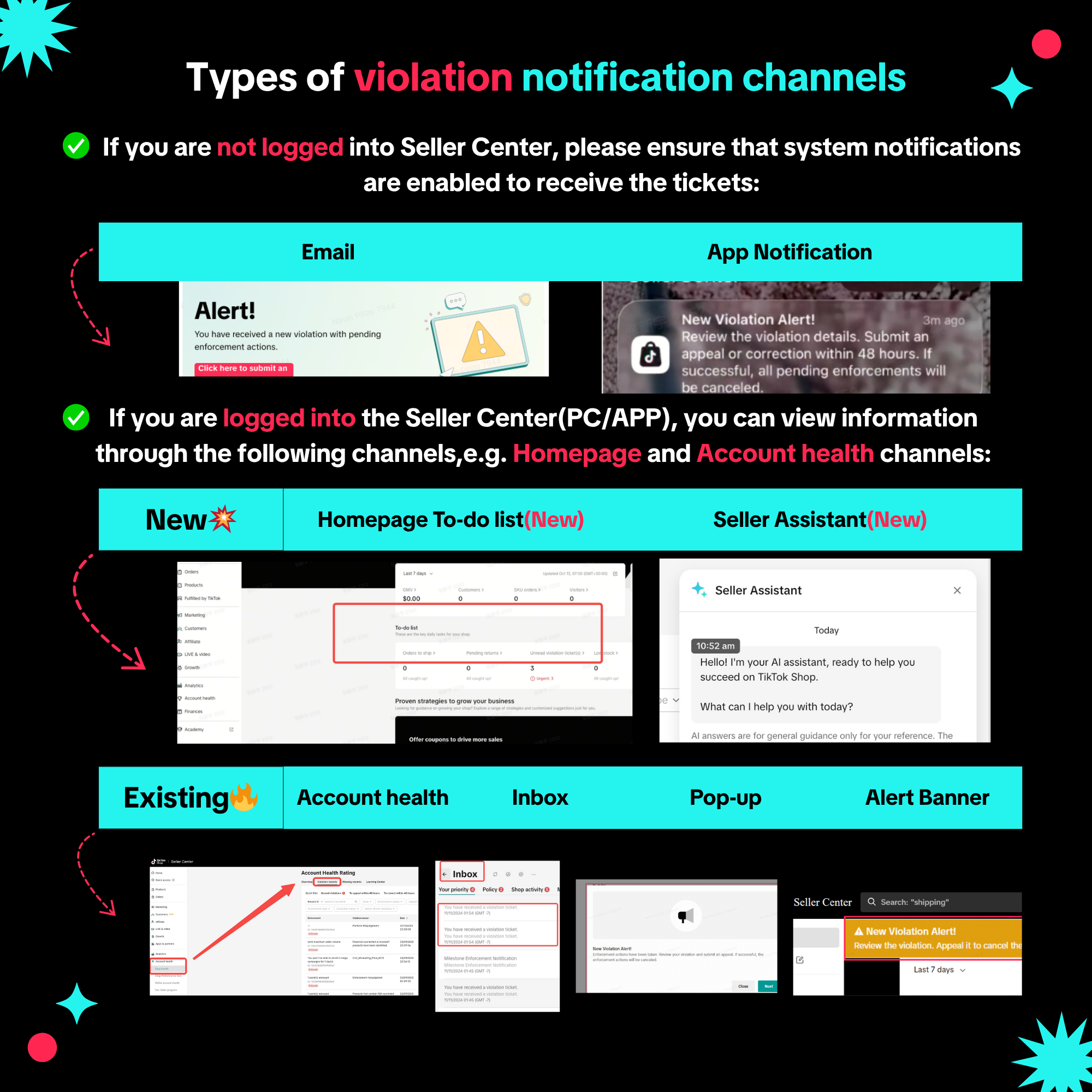
We use a variety of channels to notify you when you receive a violation.The number of channels we use will depend on the severity of the violation. The more serious a violation, the more channels we will use to inform you of it. The table below captures the various channels we may use. The most serious violations, such as those that may result in account deactivation, will be notified via all the channels shown below.
Regardless, you will be notified at the minimum via email and a Seller Center Inbox message for all violations.
What You Need To Do When You're Notified Of A Violation
Clicking on any of the notifications shown above will direct you to the relevant violation ticket in the Seller Center. You can also search for specific violation tickets on the Violation Records page in Seller Center. There are several filters you can use to quickly narrow down to the specific violation you seek.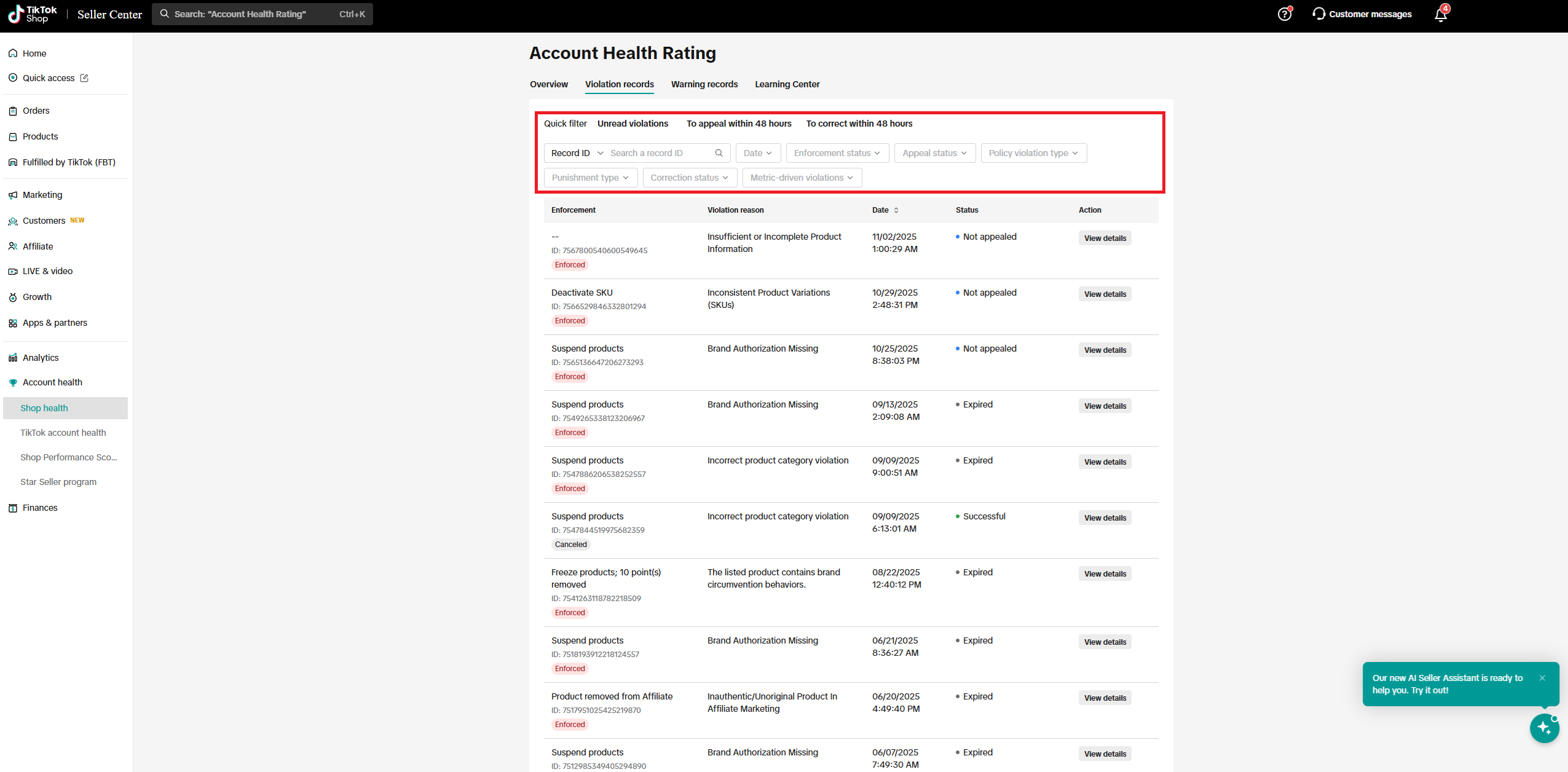
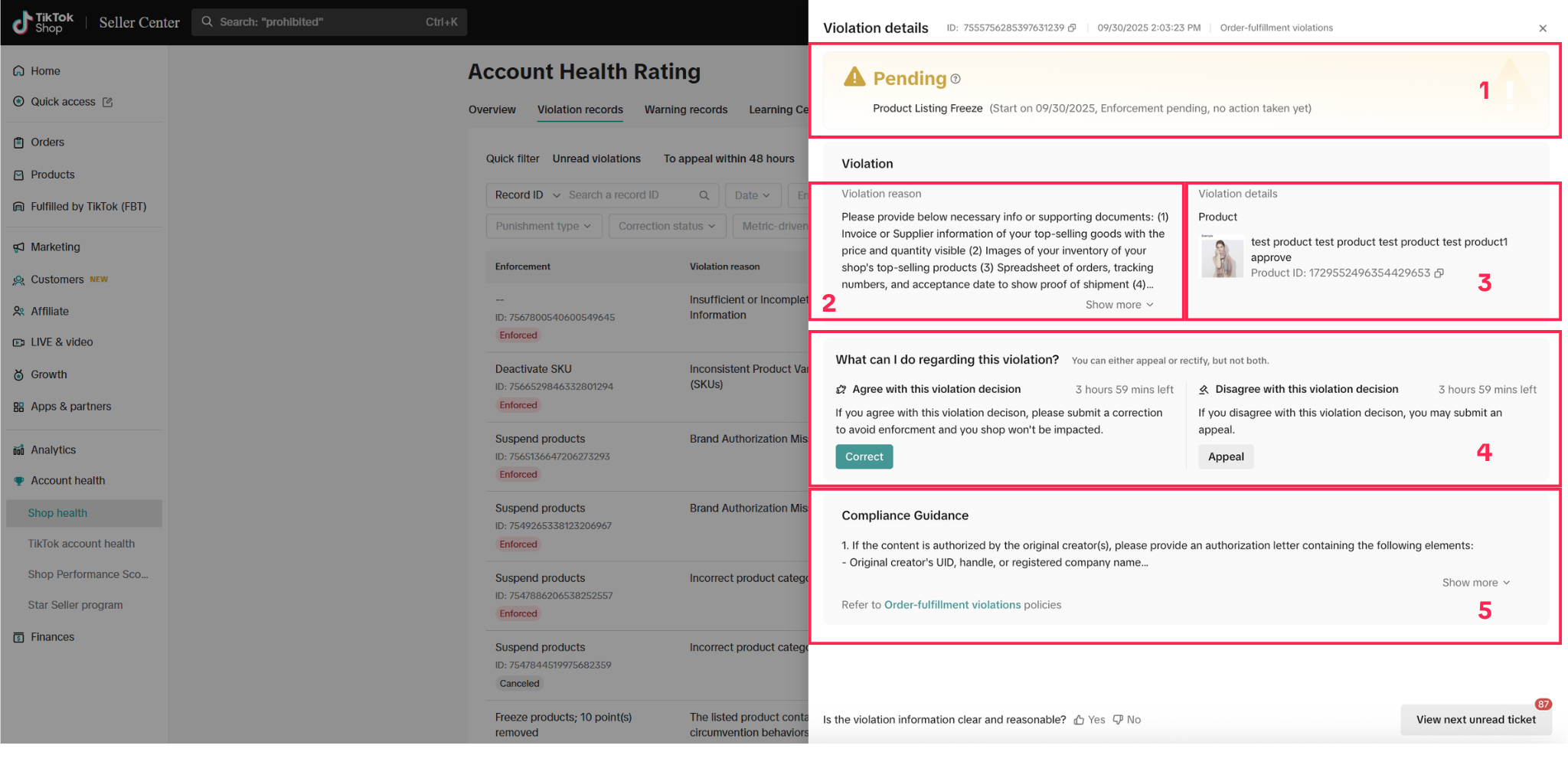
- Enforcement actions - This section lists the enforcement actions for the violation.
- If the status is "Pending", as shown in the sample above, it means that the enforcement actions have not taken effect. You must successfully correct or appeal the violation before the deadline to cancel the violation and enforcement actions from taking effect.

- If the status is "Enforcement action taken", as shown in the sample below, it means that the enforcement actions have taken effect. If you successfully appeal the violation, the violation and enforcement actions will be canceled.

- If the status is "Pending", as shown in the sample above, it means that the enforcement actions have not taken effect. You must successfully correct or appeal the violation before the deadline to cancel the violation and enforcement actions from taking effect.
- Violation reason - This section provides a detailed explanation of how and why the policy violation occurred.
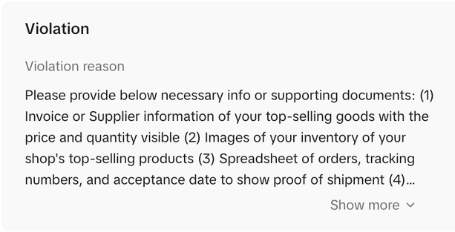
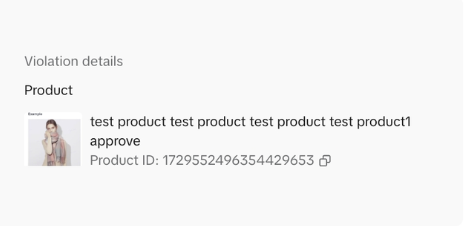
- Violation details - This section will only appear for tickets where more specific details of the policy violation are required. Examples include:
- You violated our Prohibited Products Policy by listing a product that cannot be sold on our platform. The violation details section will provide the ID of the violative product.
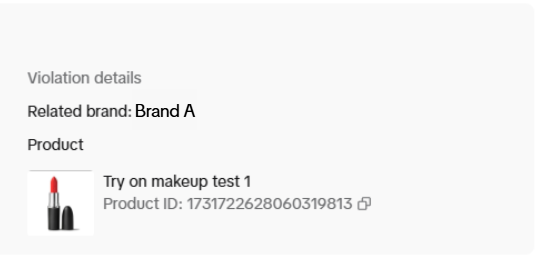
- You violated our Intellectual Property Policy by listing a product without authorization from the brand. The violation details section will provide the ID of the violative product as well as the brand that you need authorization to sell.
- You violated our Prohibited Products Policy by listing a product that cannot be sold on our platform. The violation details section will provide the ID of the violative product.
- Next Steps
- Appealing the violation
- Correcting the violation
- Taking a quiz to earn points or reduce the duration of enforcement actions
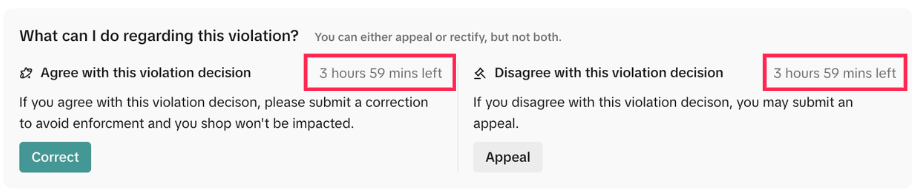
❗Take note, these actions are time-sensitive, so act quickly! Once the timer runs out, you will lose your chance to appeal or correct the violation, or take a quiz.
- Compliance guidance - This section will provide a brief overview of the medium-to-long term actions you can take to avoid similar violations in future.

Best Practices When Dealing With Violations
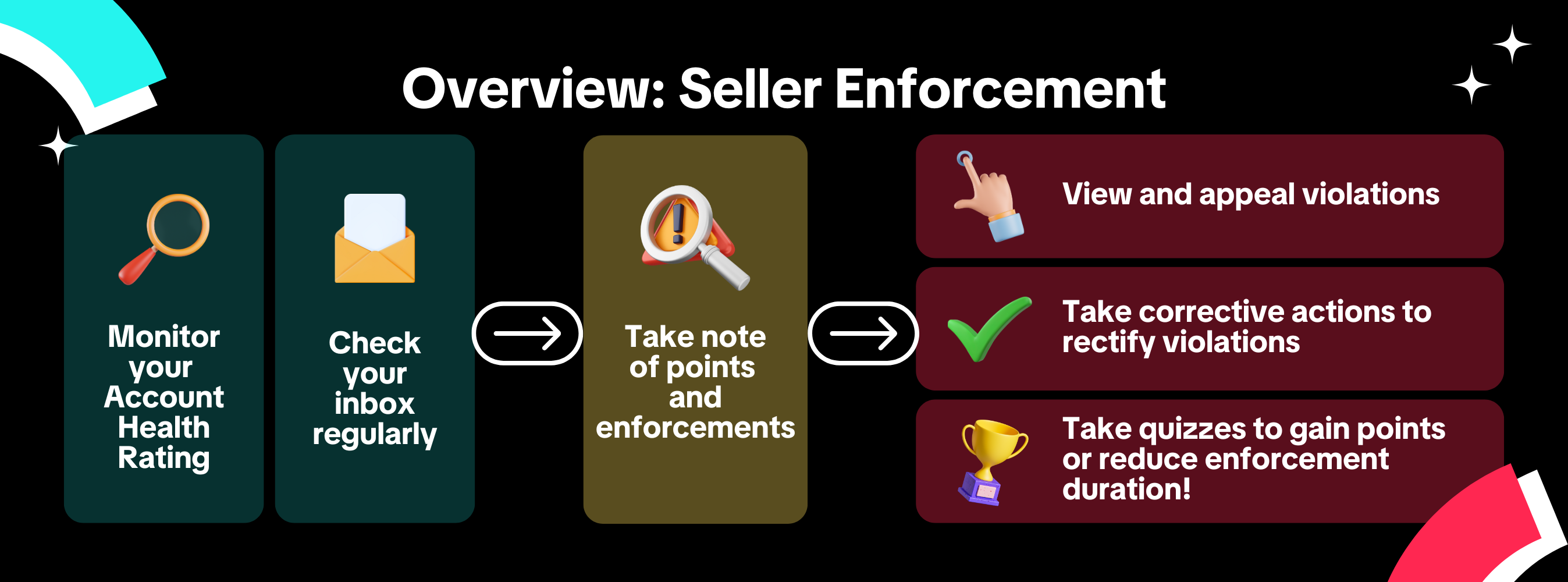
- Check your email and Seller Center Inbox once a day so you can act quickly to address any violations.
- For example, milestone enforcements are one of the situations where we will not immediately take enforcement actions. To avoid these enforcement actions, submit your appeals or correct your violations as soon as possible, within the stipulated period, to kickstart our review process.
- Head over to the Account Health Rating Page as soon as you are notified of a violation to see what actions you can take.
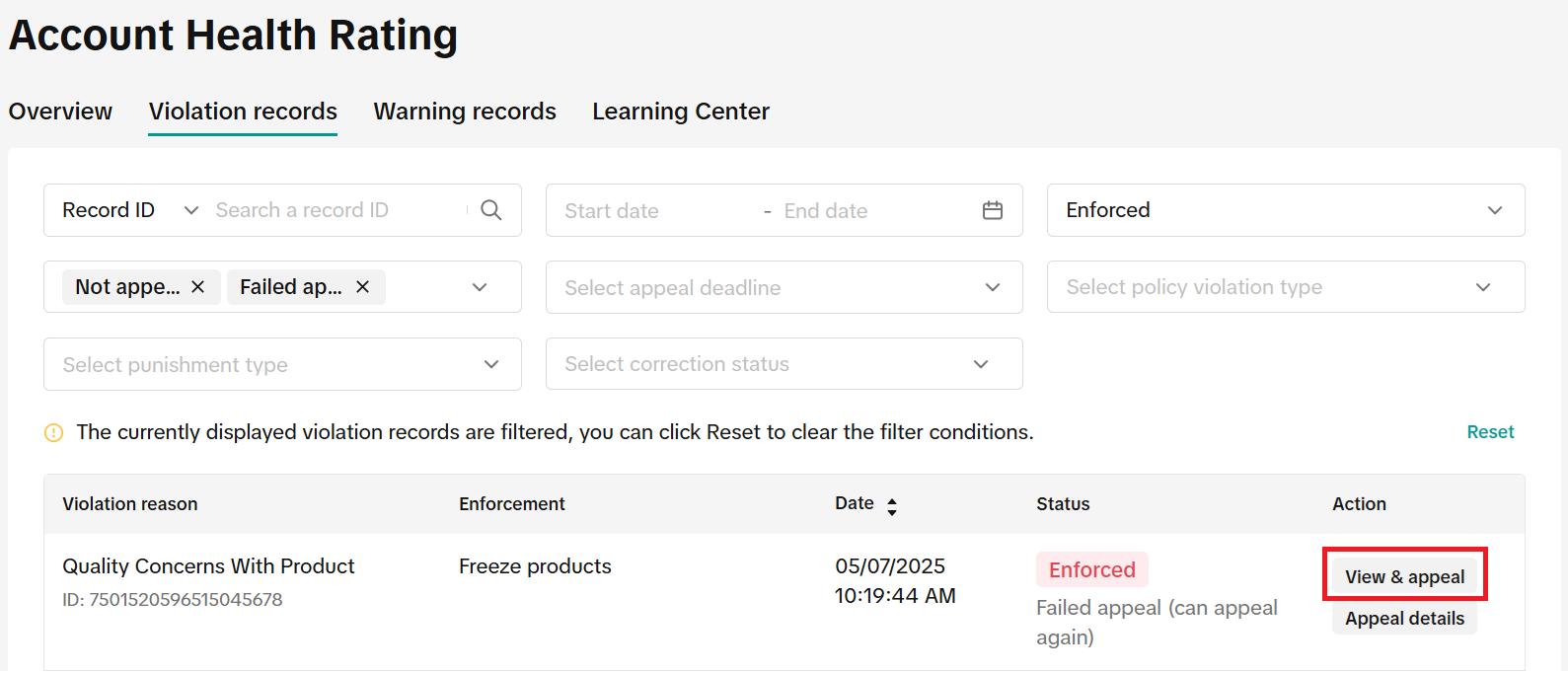
- If the violation has a "View" button, it means you received a warning with no enforcement actions taken, or the appeal or correction window has closed. You should still click on it to learn more about which policy was violated and what actions you can take to avoid re-violating in future.
- If the violation has a "View & Appeal", "View & Correct", or "View & Appeal/Correct" button, click on it to learn more about the violation, and what supporting documentation you need to provide or actions you need to take if you want to appeal or correct the violation.
- Pay attention to your most common violations; these will be indicated on the Account Health Rating page. The more you repeat a violation, the stronger the enforcement actions will be for every additional violation.
- For example, if your shop has violated our Prohibited Products Policy four times, we may issue you just a warning for the first violation, but we may start deducting an increasing number of points from your second violation onwards.
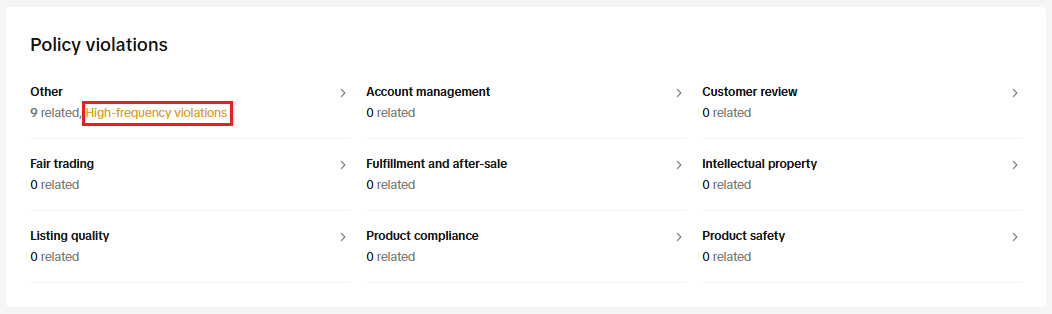
- For example, if your shop has violated our Prohibited Products Policy four times, we may issue you just a warning for the first violation, but we may start deducting an increasing number of points from your second violation onwards.
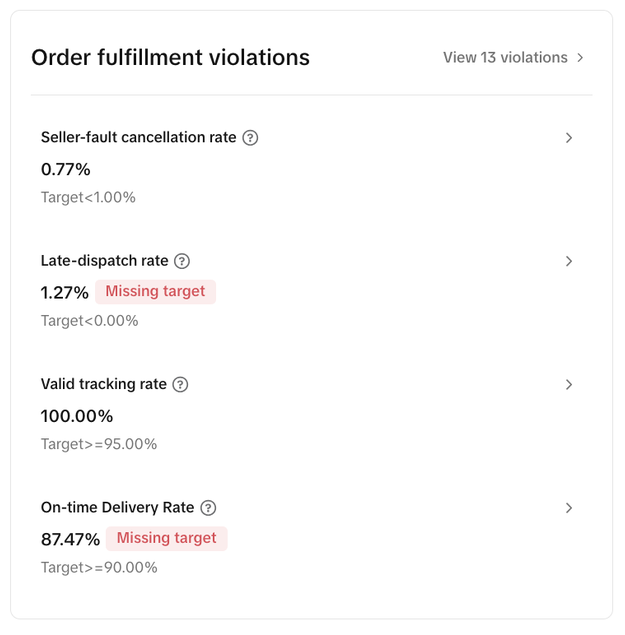
- Pay attention to your metrics performance. Stay on track with best practices from our seller policies and recommended targets for each metric. Hover over each metric on the Account Health Rating page for their definitions and assessment periods. Your key metrics include:
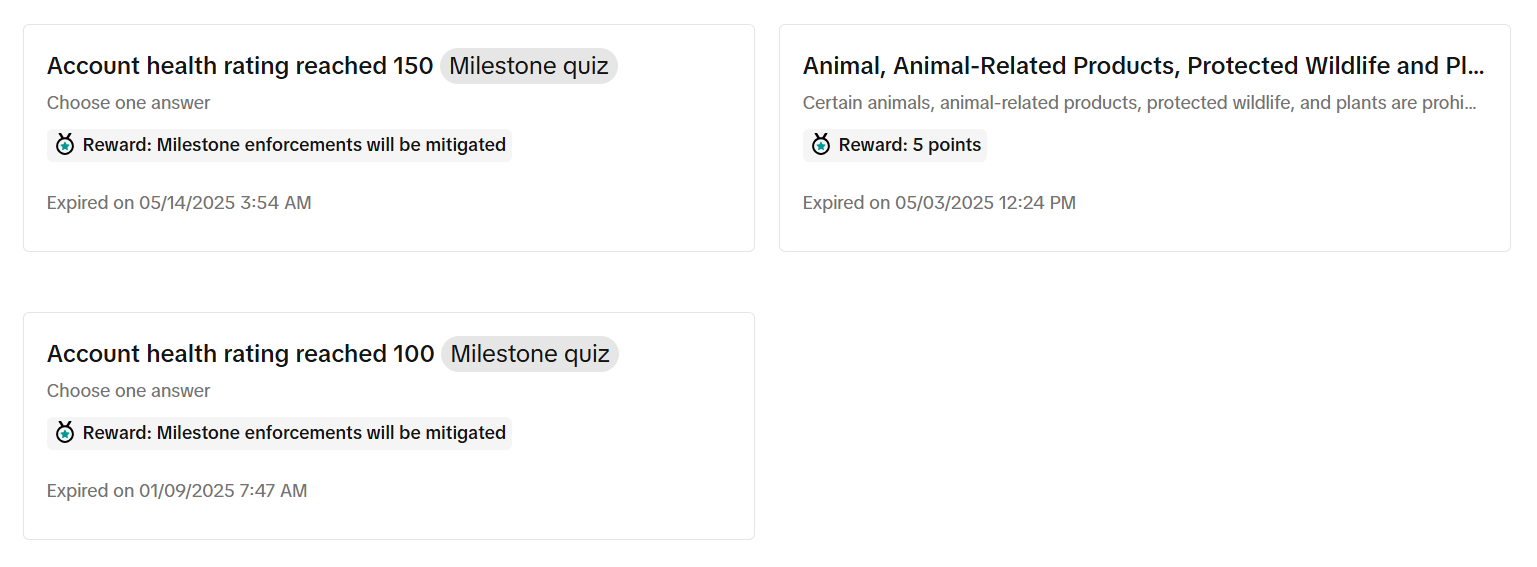
- Take quizzes as often as you can! For every quiz you pass, you gain points or reduce the duration of your milestone enforcements. Read our All about TikTok Shop's Policy/Milestone Quiz article for more information.
Frequently Asked Questions (FAQs)

Feedback
We are constantly exploring ways to improve your seller journey with us. We love to hear from you on what we can do better. Send us your feedback via the survey at the bottom of the violation ticket.
You may also be interested in

How to Appeal Your Shop Performance Score (SPS)
Overview The Shop Performance Score (SPS) Appeal feature allows sellers to directly submit appeals f…

How To Avoid Counterfeits, Knockoffs, And Other Trademark In…
TikTok Shop maintains a strict policy against all forms of intellectual property (IP) infringement.…

All About TikTok Shop's Policy/Milestone Quiz
Overview The Policy/Milestone Quiz is a feature designed to help you get familiar with our platform…

How to Correct Seller Violations
Overview: A Correction allows you to fix issues in your listings that violate specific policies befo…

How To Avoid Copyright Infringement Violations
TikTok Shop maintains a strict policy against all forms of intellectual property (IP) infringement.…

Requirements for the 24-Hour Response Rate Metric
Prompt responses = happy customers = more sales! The 24-Hour Response Rate aims to help you build tr…