Shipped via platform (4PL)
09/05/2023
Shipped via platform (4PL)
All new and existing TikTok Sellers that onboard onto the TikTok for WooCommerce Plugin will have their default shipping settings set to ‘TikTok Shipping’, or 'Shipped via Platform' as it's named inside TikTok Seller Center.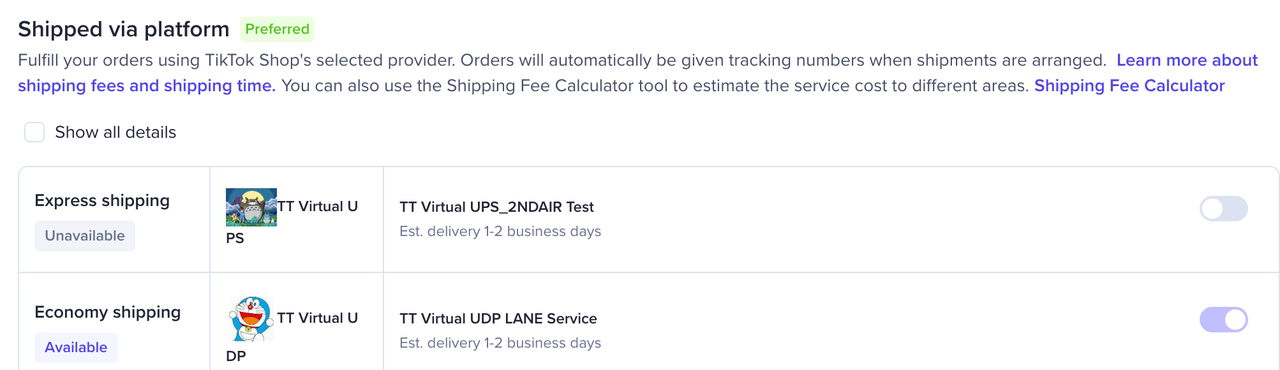 This service allows you to create shipping labels inside TikTok Seller Center through our supported carriers and rates. And completes the fulfillment process through TikTok Seller Center directly. More information on 'Shipped via Platform' can be found here.All orders created under 'Shipped via Platform' will have customer information redacted on WooCommerce Orders tab, and can not be fulfilled through the Shipment Tracking by WooCommerce plugin . 'Shipped via Platform' orders must be fulfilled on TikTok Seller Center alone.
How to fulfill Shipped via platform (4PL) Orders
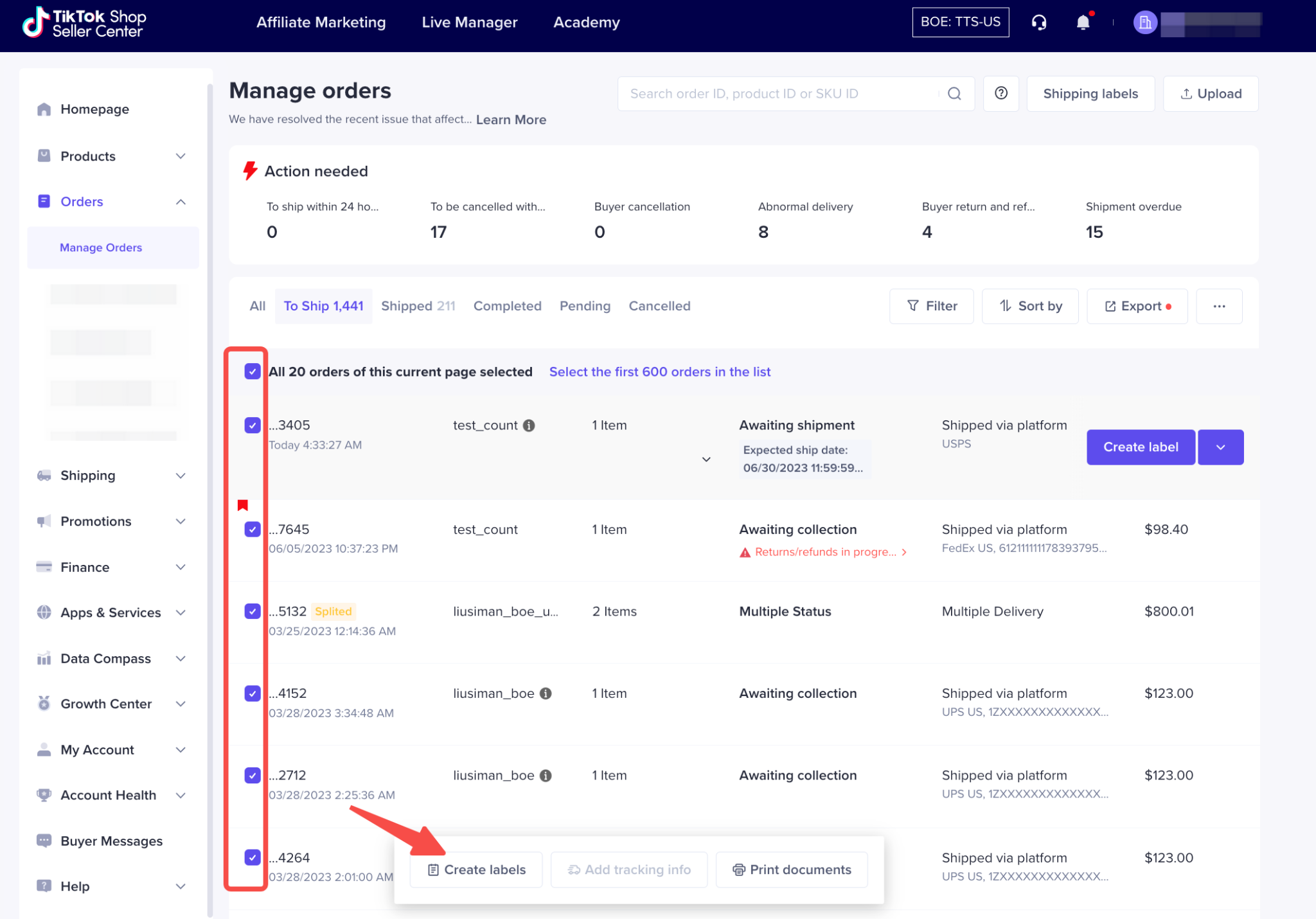
- Find the 4PL order(s) inside WooCommerce -> Orders, and click on 'Manage on seller center'

- Once inside TikTok Shop navigate to the 'Manage Orders' view nested inside 'Orders'. Select any and all orders ready to be fulfilled and select 'Create Labels' to create and purchase labels through TikTok Shop supported carriers