

Add A Withdrawal Bank Account
Here is a step-by-step guide for you to add your band card to withdraw commission from your account. 

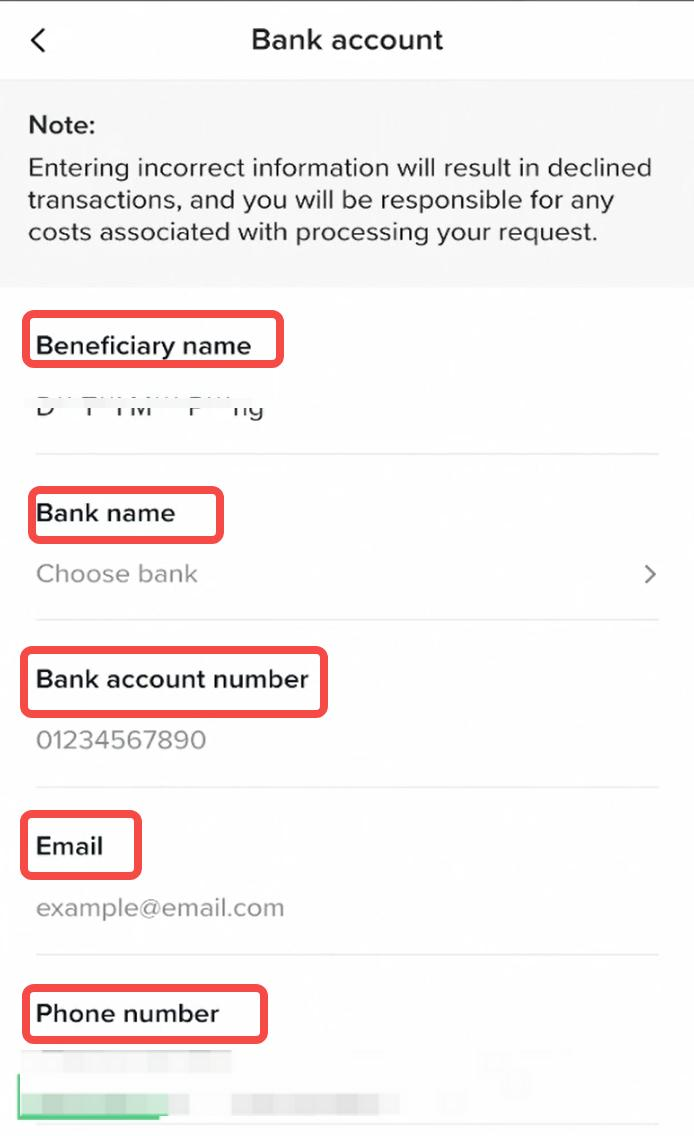 Beneficiary name: The name of the account holder, which is the same as the name you filled in when registering for this affiliate commission accountBank name: Click to select the bank nameBank account number: Enter your bank account numberEmail: Provide your valid email addressPhone number: Provide your valid phone number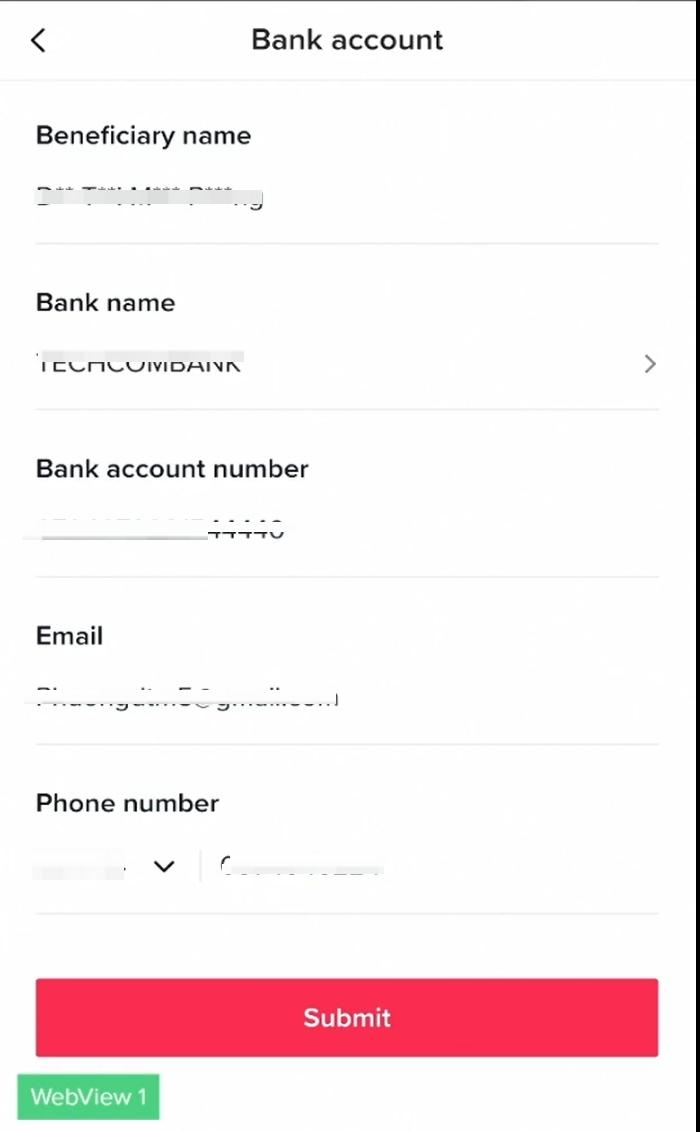
Fill in the tax information
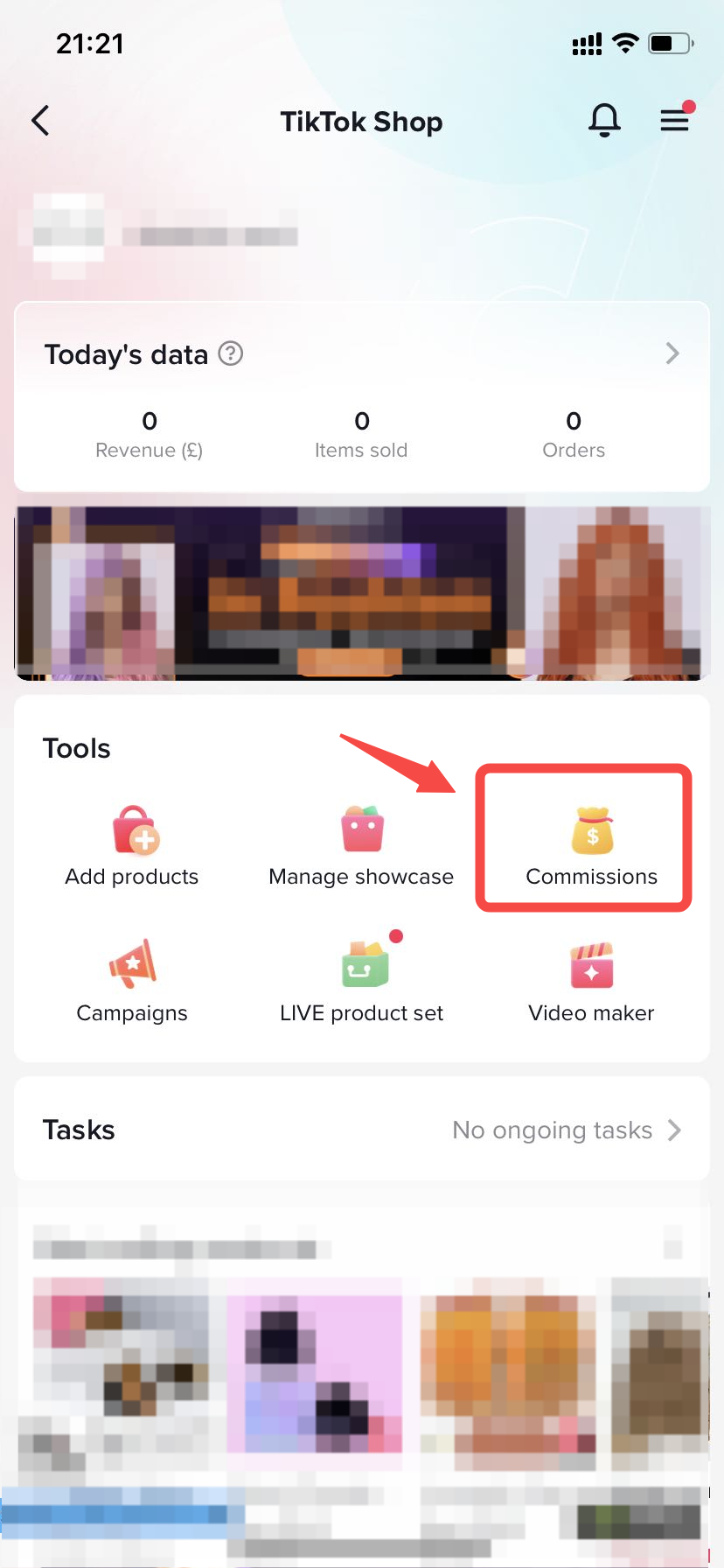
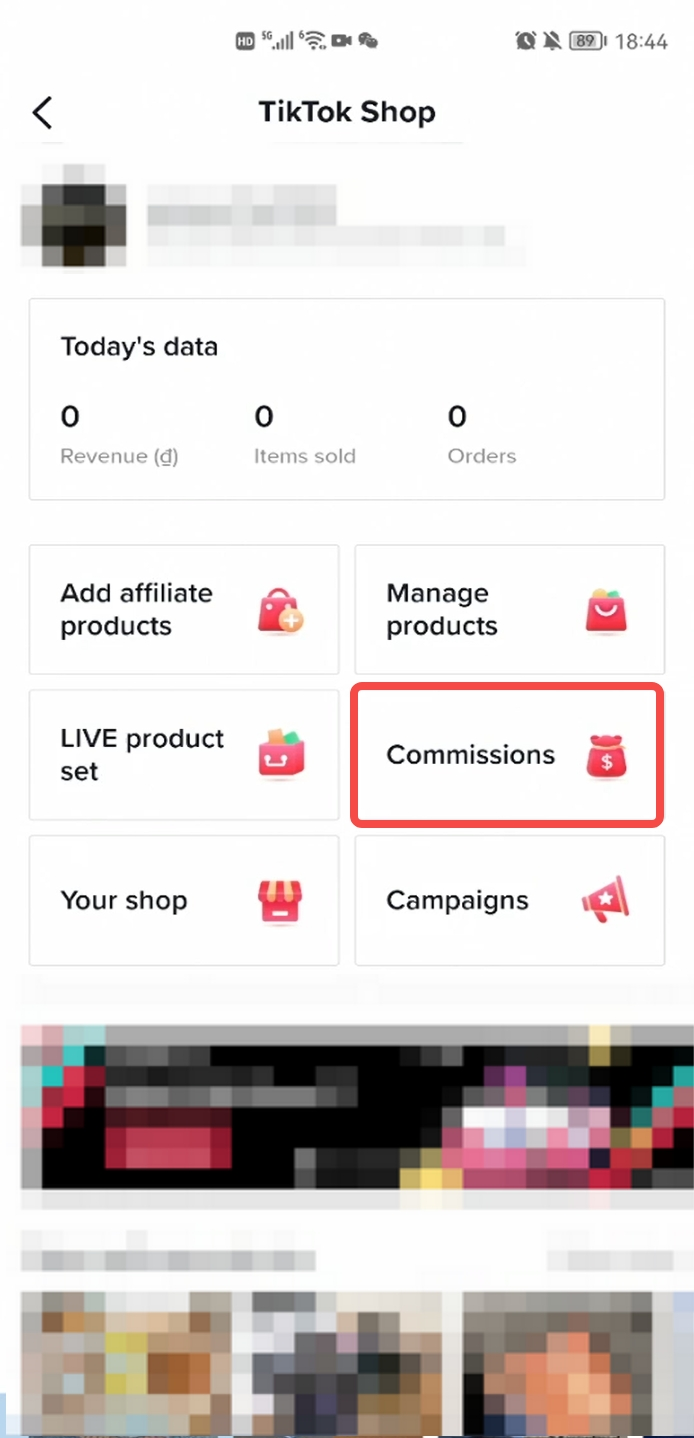
Step 1: Click Commissions to enter the Commissions management centre.
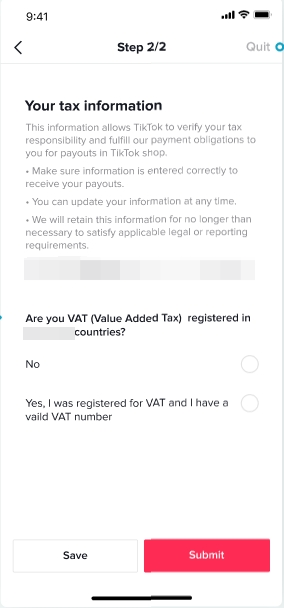
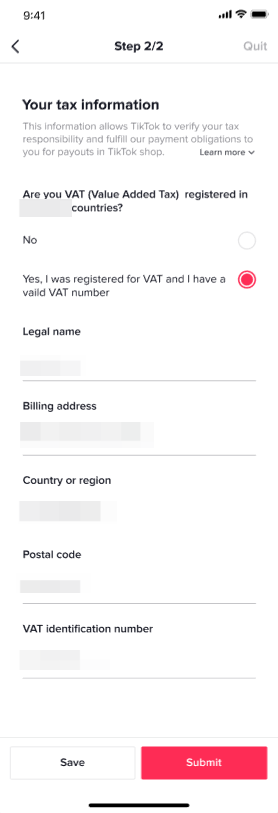
Step 2: Add tax information.
Link with your bank account
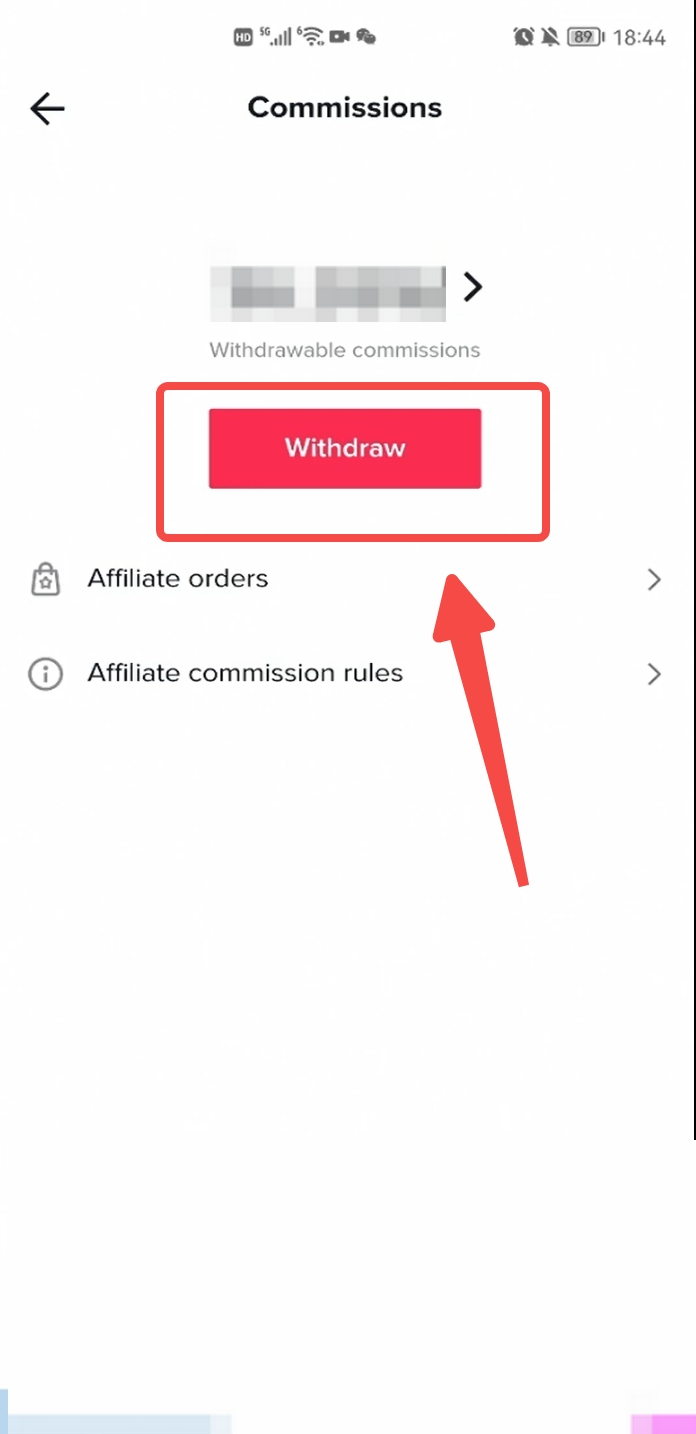
Step 1: Enter the TikTok Shop, and click Commissions.
Step 2: Click the Withdraw button.
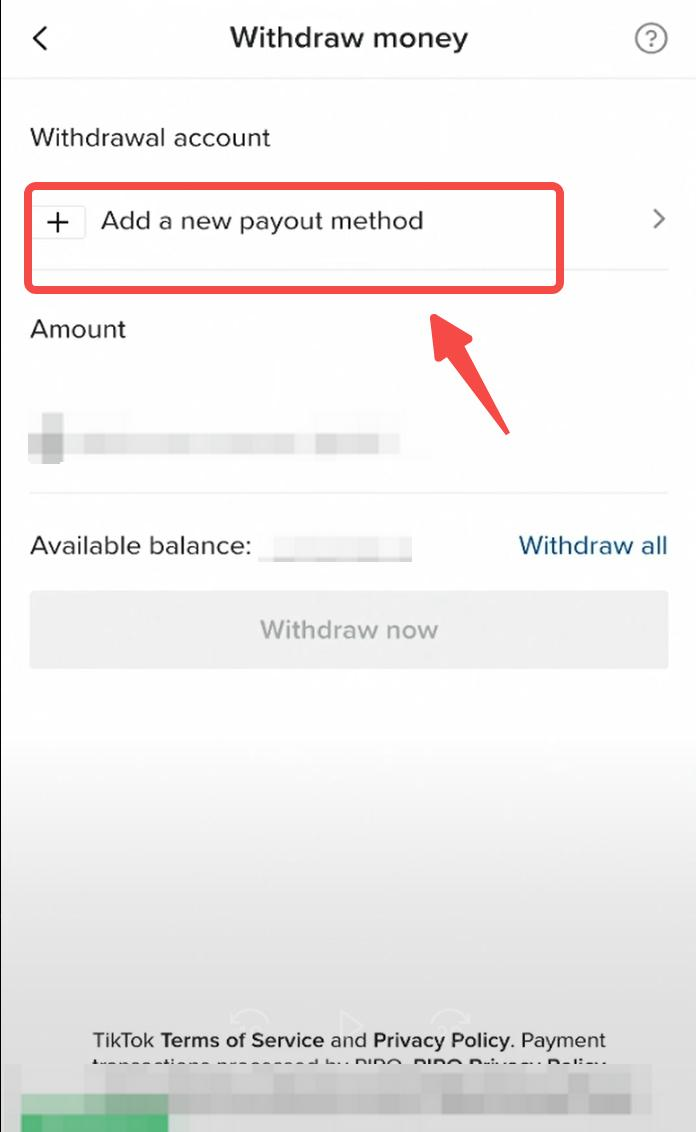
Step 3: Click Add a new payout method.
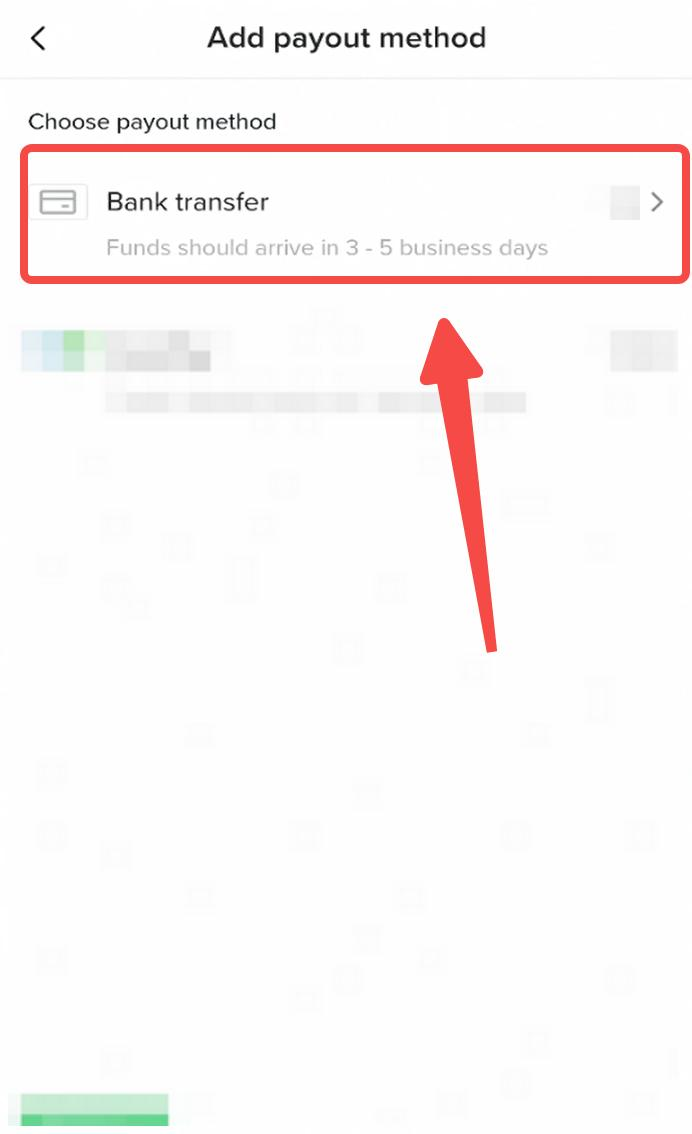
Step 4: Select Bank transfer.
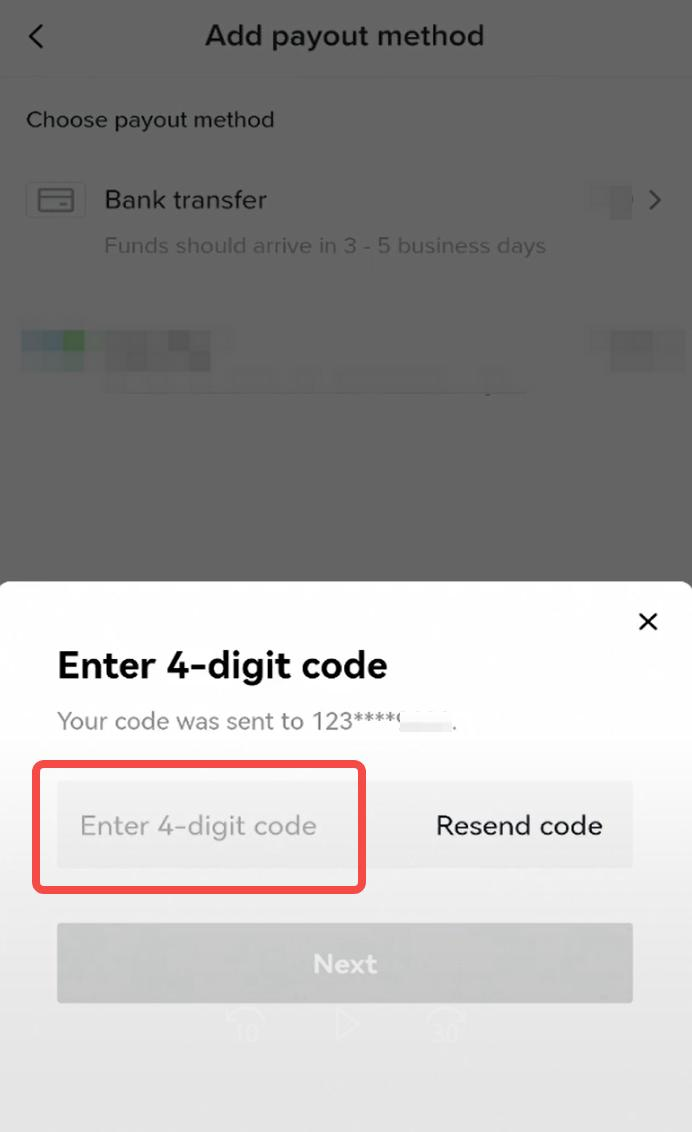
Step 5: Get authenticated with OTP.
Note: The phone number to receive the code is the number you registered for this TikTok account. If it is not the phone number you are using, please change it through this link https://www.tiktok.com/legal/report/feedbackStep 6: Fill in the bank account information.
Beneficiary name: The name of the account holder, which is the same as the name you filled in when registering for this affiliate commission accountBank name: Click to select the bank nameBank account number: Enter your bank account numberEmail: Provide your valid email addressPhone number: Provide your valid phone numberStep 7: After double-checking the bank account information, click Submit to complete the binding.
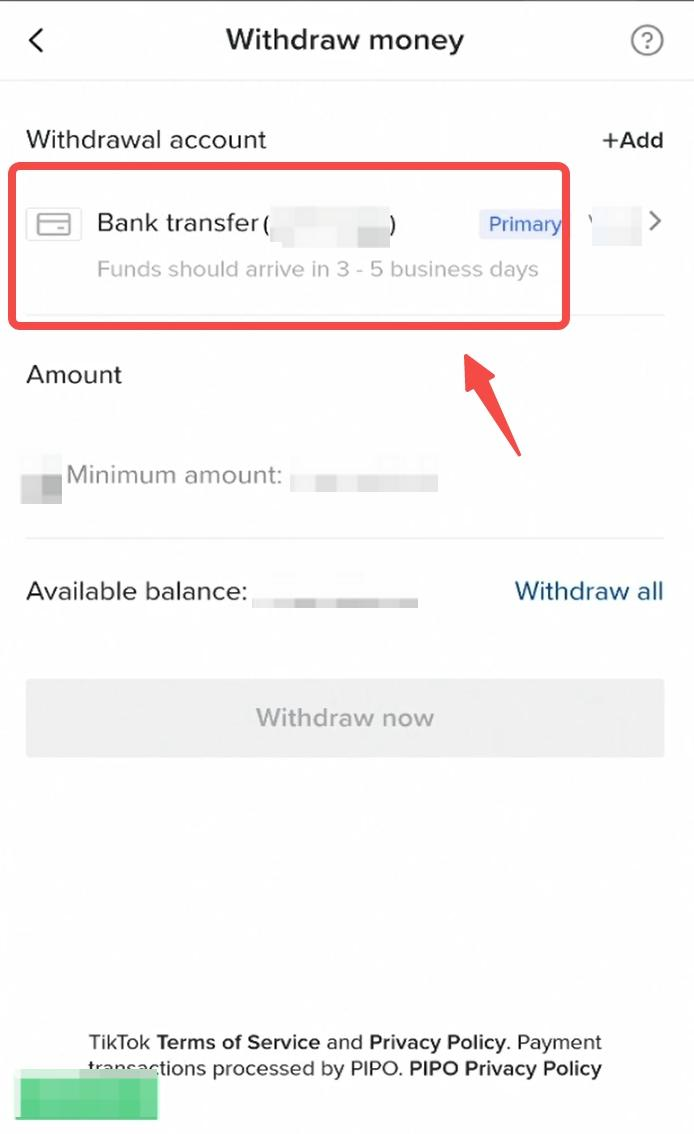
Step 8: The binding is completed.