

Account Management 101
Summary
What are the essential steps to maintain and manage a TikTok Shop account effectively?
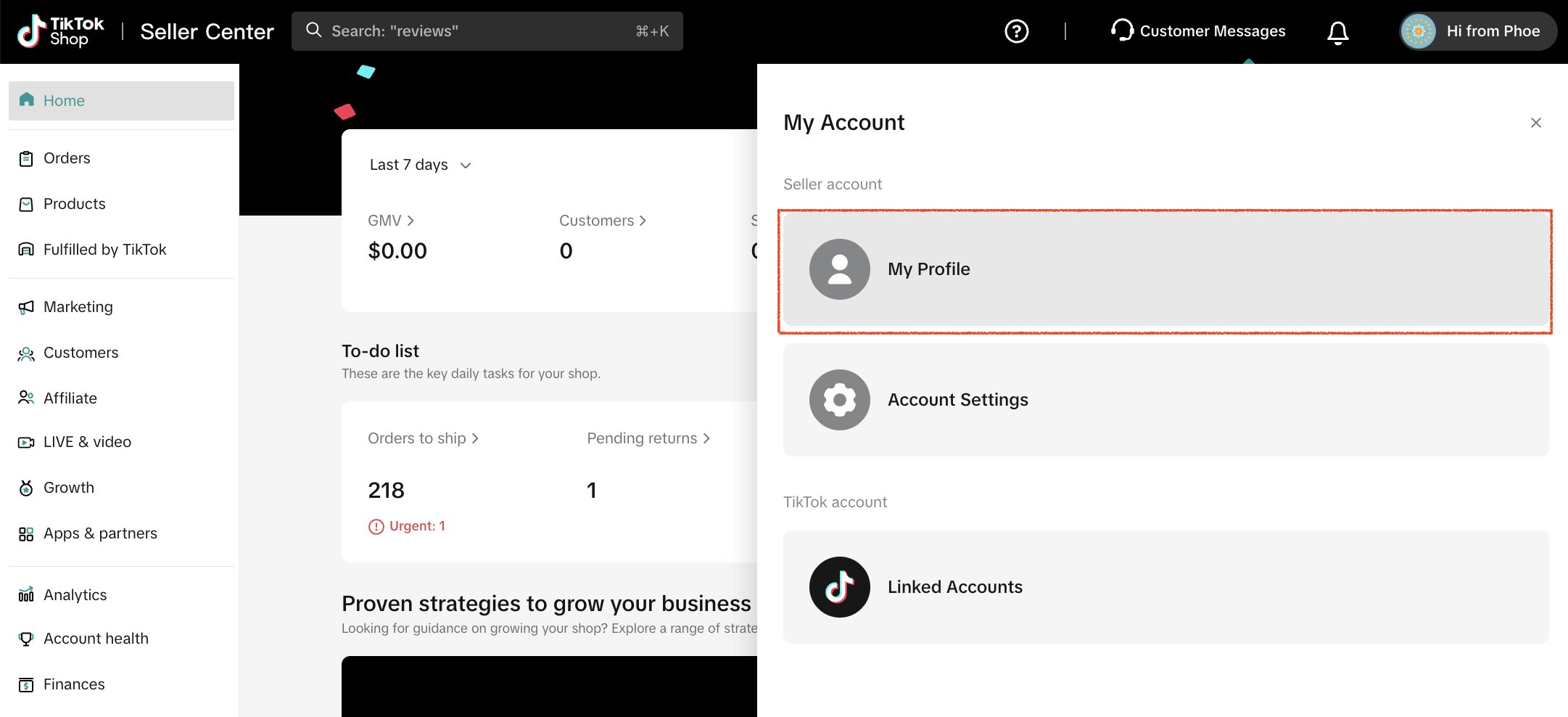
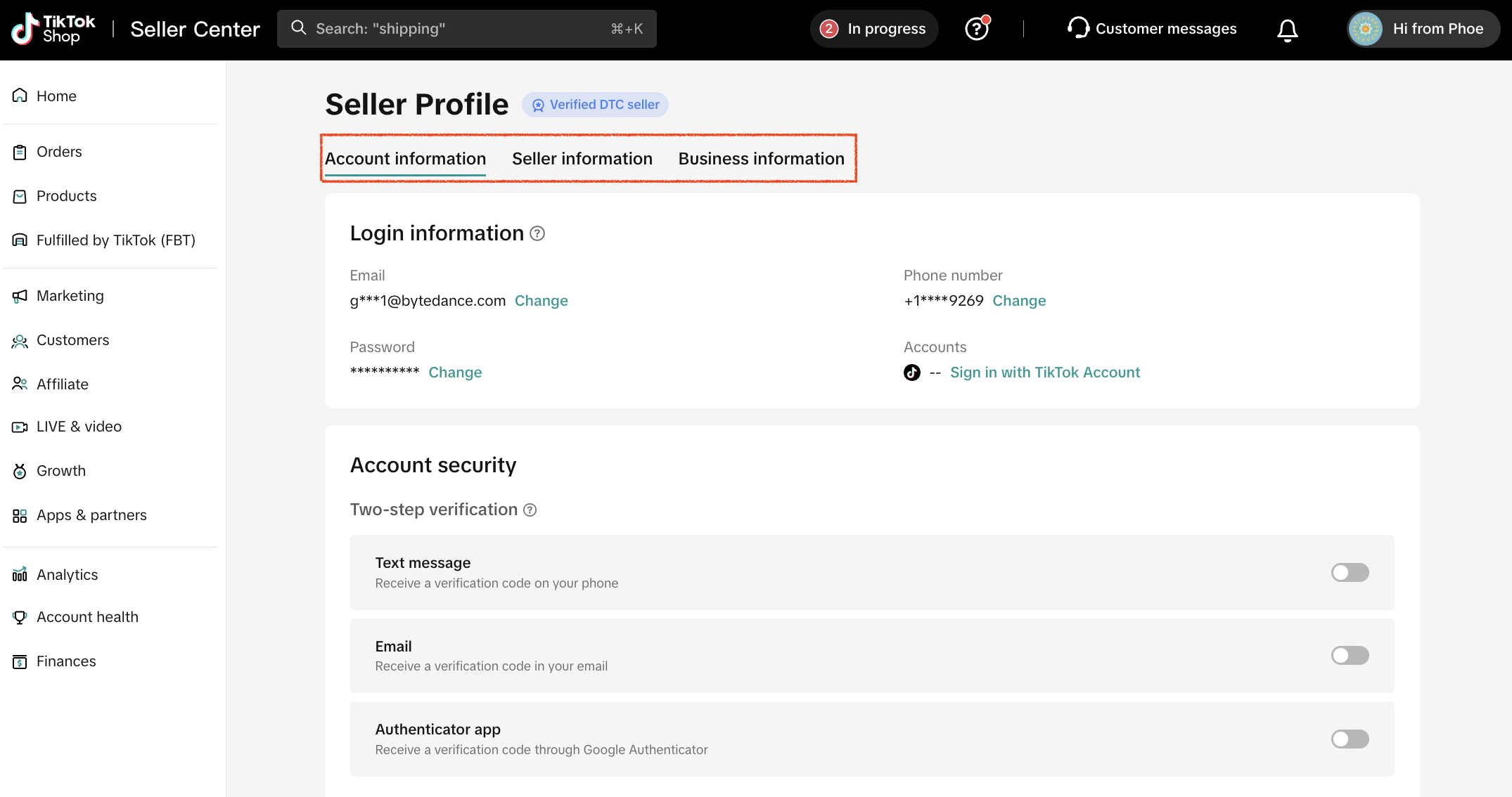
- Regularly update your profile information (business name, contact, operating details) via Seller Center > My Account > My Profile to build trust and ensure smooth communication.
- Use User Management (My Account > User Management) to assign roles and permissions, enabling secure delegation of tasks like inventory or customer service.
How can sellers protect their brand and ensure authenticity on TikTok Shop?
- Authorize your brand by submitting proof of ownership (registration/licensing) through Seller Center > My Account > Qualification Center to use official branding and reassure customers.
What is the purpose of Holiday Mode and how should sellers use it?
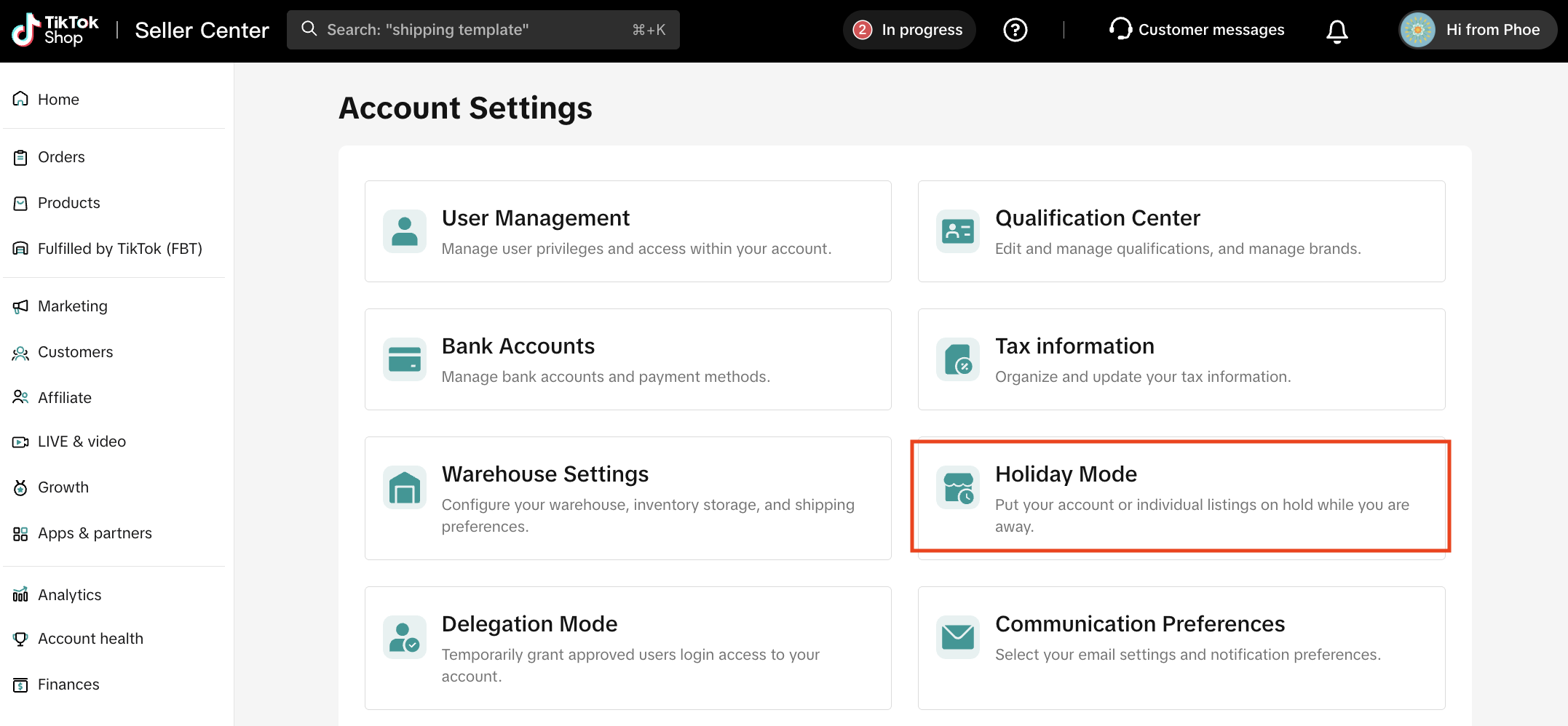
- Holiday Mode pauses orders during your absence to avoid late shipments and negative reviews, maintaining your seller rating. Activate it in Seller Center > My Account > Holiday Mode and set your time off dates.
Keep Your Profile Up to Date
Accuracy and professionalism start with your basic information. Make it a habit to regularly review and update your details. Ensuring your business name, contact information, and operating details are up to date and accurate builds trust with customers and ensures you don't miss important communications from TikTok Shop.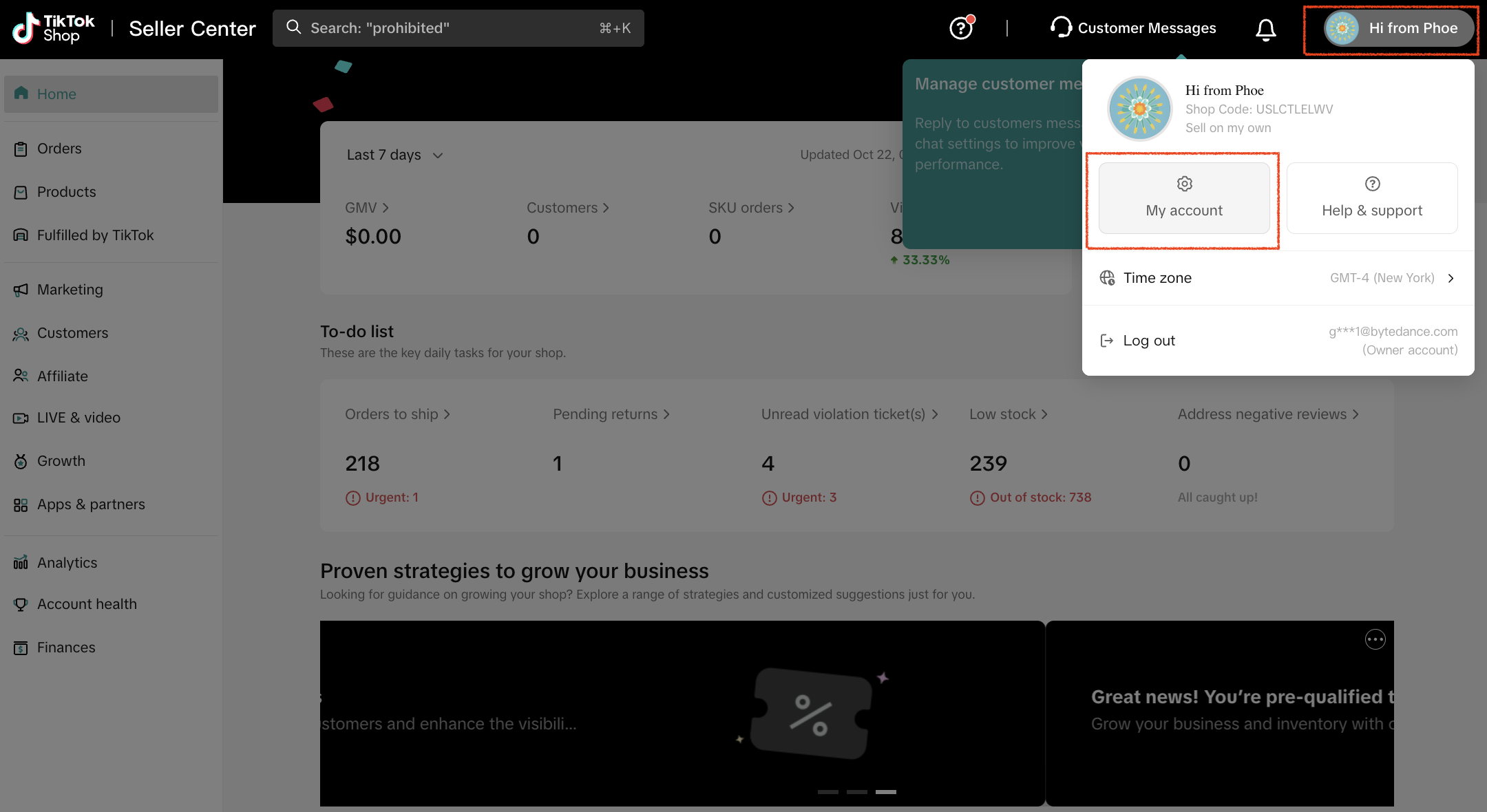
Streamline Operations with User Roles
As your business grows, you'll need a team to manage daily tasks. The sub-account feature allows you to delegate while maintaining control. By assigning your team specific roles and permissions (ex. inventory management, customer service, or finance), you keep daily operations running smoothly and securely, without giving everyone access to sensitive data.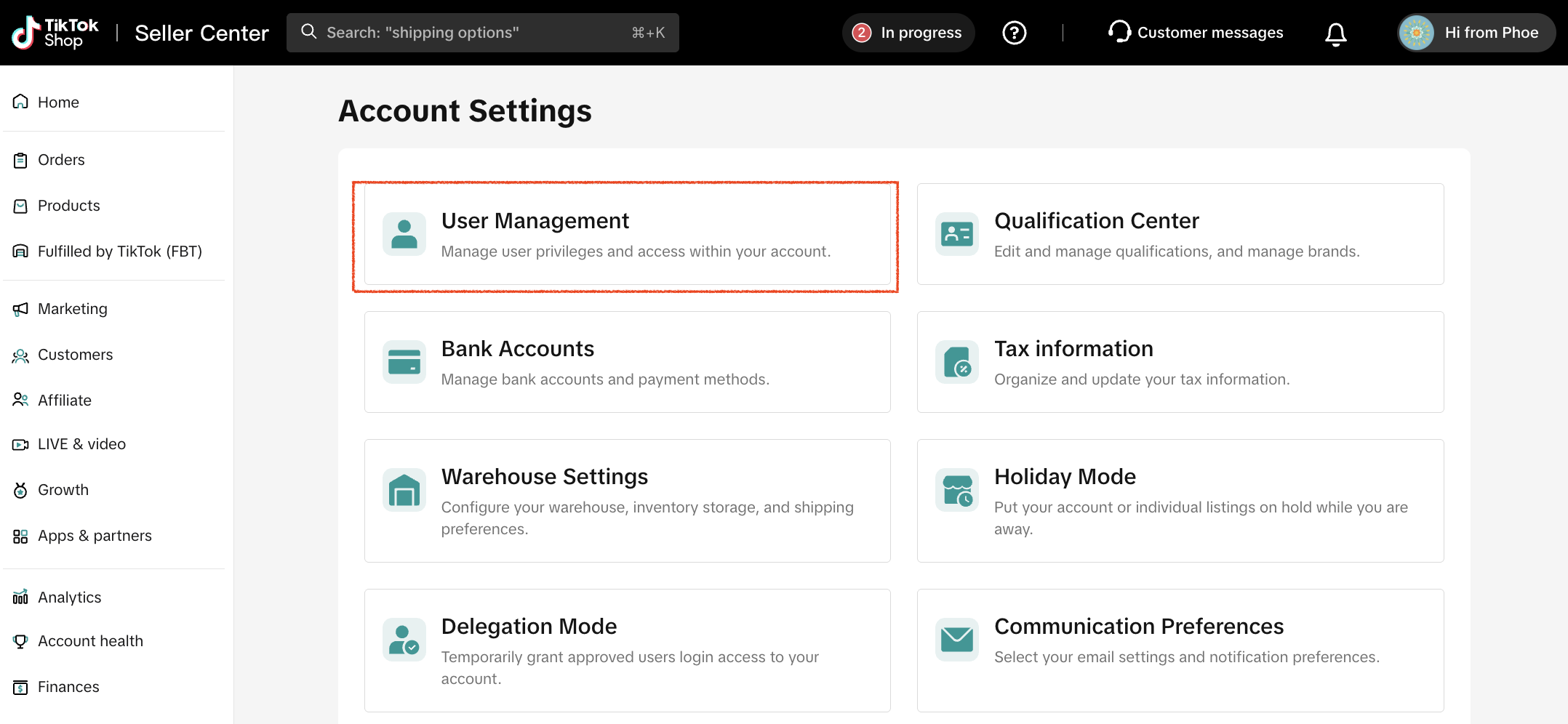
Authorize Your Brand
If you're selling products under an official brand, you must authorize it to sell with credibility. This allows you to use your official name, logo, and trademark on your shop, protecting your intellectual property and reassuring customers that they are buying authentic goods.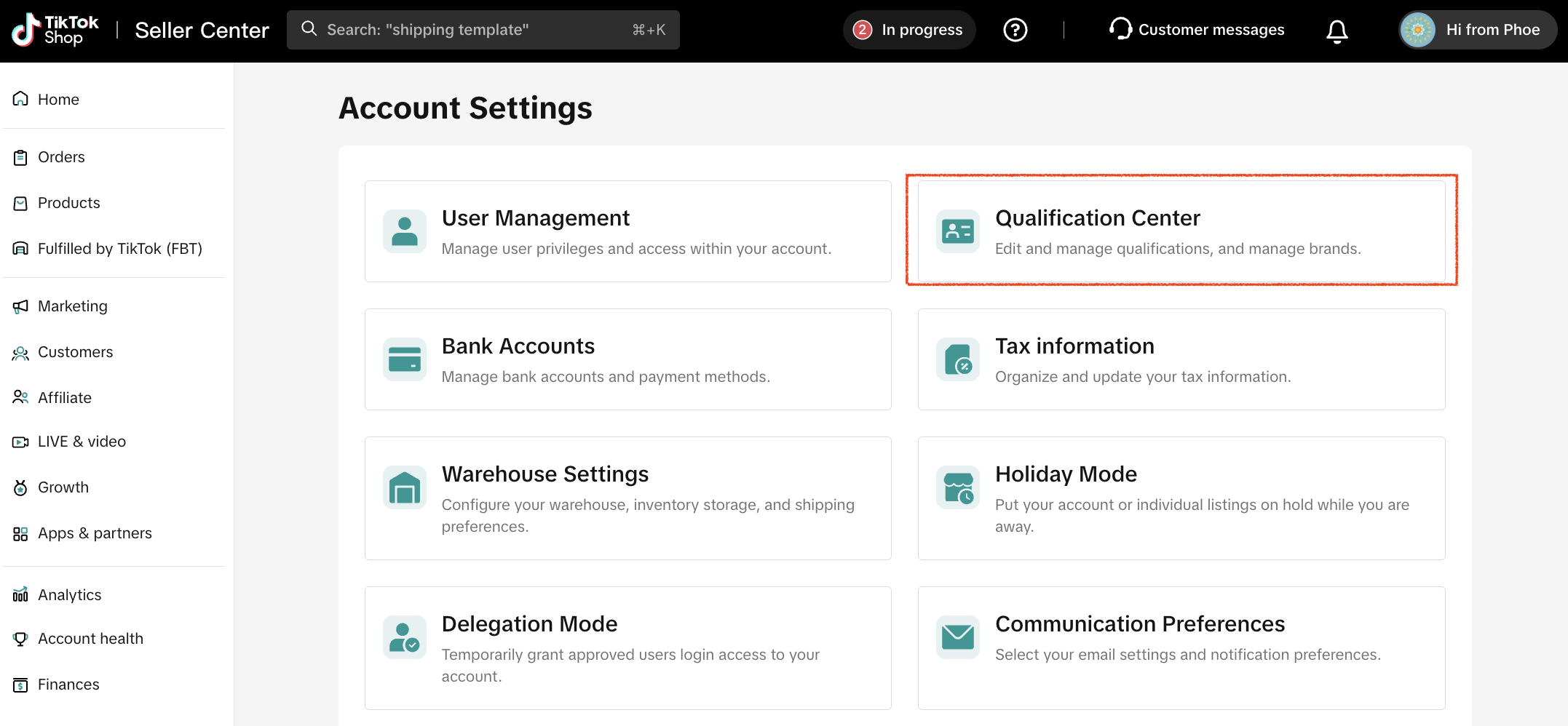
Take a Break with Holiday Mode
Need to step away from your business for a few days? Manage your absence professionally.Holiday mode pauses orders while you're gone, preventing late shipments, poor customer service, and negative reviews that can hurt your seller rating. It's a professional way to manage time off.
Access the Holiday Mode setting in the Seller Center > My Account > Holiday Mode, toggle it on, and choose the start and end dates for your time away.
FAQs
How is my trademark verified?
Can I change my brand name after it's approved?
Does brand authorization protect me against infringement enforcement?
What happens when my trademark or LOA expires?
You may also be interested in
- 8 lessons
Setting up Your Shop
This module equips sellers with the essential knowledge to establish their TikTok Shop and manage th…

How To Access User Management
Overview User Management is where you add staff to your shop management and assign them role(s) with…
How to Navigate All Account Settings and Personalizations
This article will help you find and customize all your account information and related settings unde…
How To Use Delegation Mode
This article will guide you through the what and how of delegation mode. Feature Overview The Dele…

TikTok for Shopify: Migrating to Shopify from Third Party
This guide is designed to assist sellers in smoothly transitioning from third-party applications to…

Guide to Seller Security Center (SSC)
Key Points: This feature is only available to select sellers and appears in Seller Center (Account H…

Avoiding Trademark Infringement With Your Shop Name & Avatar
TikTok Shop maintains a strict policy against all forms of intellectual property (IP) infringement,…

TikTok Shop Official Account Rights and Rules Upgrade
What is TikTok Shop Official Account? The TikTok account that represents the official identity of Ti…
How to Use Holiday Mode
When should you enable Holiday Mode? Suppose you are unable to manage new orders because of holidays…
About Shoppable Video Apps
Product Overview The new Shoppable Video applications are the official key for sellers to unlock aut…