

How to Pay Off Negative Balances
Summary
What causes a negative balance on TikTok Shop and how can sellers address it?
- Negative balances occur when platform expenses or refunds exceed shop revenue during settlement. Sellers can offset this by generating more sales or proactively paying off the balance via Seller Center using credit/debit cards.
What are the detailed steps for sellers to proactively pay off a negative balance on TikTok Shop?
- Sellers click the negative balance banner in finance, view details, select full or partial payment, bind a payment method, and complete payment. Payment status updates on the Bills page; system may take up to 4 hours to clear the balance after payment.
How can sellers avoid incurring a negative balance on TikTok Shop?
- Regularly analyze profits to ensure pricing covers costs, accurately input package weight/dimensions to avoid shipping fee discrepancies, maintain accurate inventory to prevent overselling/refunds, and choose suitable shipping methods and business operations.
What should sellers know about the implications of unpaid negative balances and statement statuses?
- Unpaid negative balances reaching policy thresholds may trigger enforcement actions affecting shop operations. Pending statement statuses may appear due to system upgrades but do not delay actual payouts. Payments fully covering negative balances result in no payout ID since net payable is zero.
Why might a seller still see a negative balance after payment, and how can they verify this?
- New statements or additional expenses/refunds may cause a negative balance to reappear after payment. Sellers should check the statements section in finance for detailed transaction records and payment status updates.
Why do I have a negative balance?
A negative balance can occur when miscellaneous platform expenses or refunds exceed shop revenue during the settlement period.What options do I have to pay off a negative balance?
1) Generate more sales to offset the negative balance
Generally, the negative balance will be offset against your future sales, and TikTok Shop will initiate payout as soon as the minimum payout amount of $1 is reached.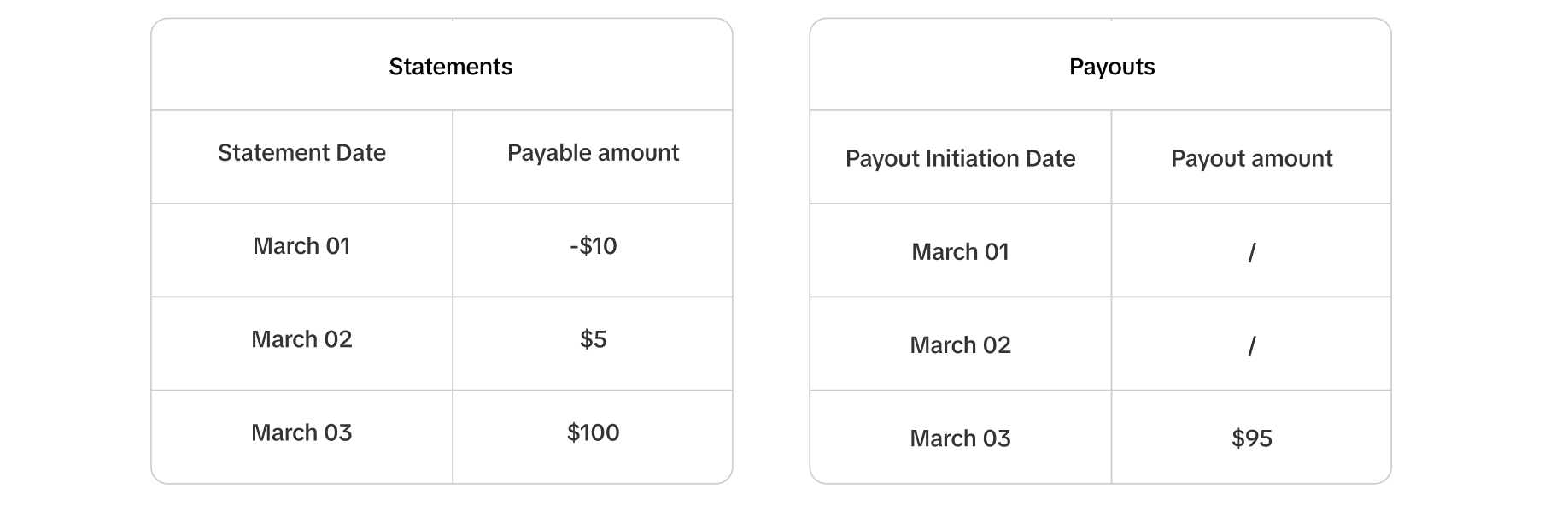
2) Proactively pay it off with your payment method.
You can proactively pay it off by following the steps below on the Seller Center website:| Step 1 | You will see a banner at the top of the finance section informing you of your current negative balance. Click on Pay negative balance. | 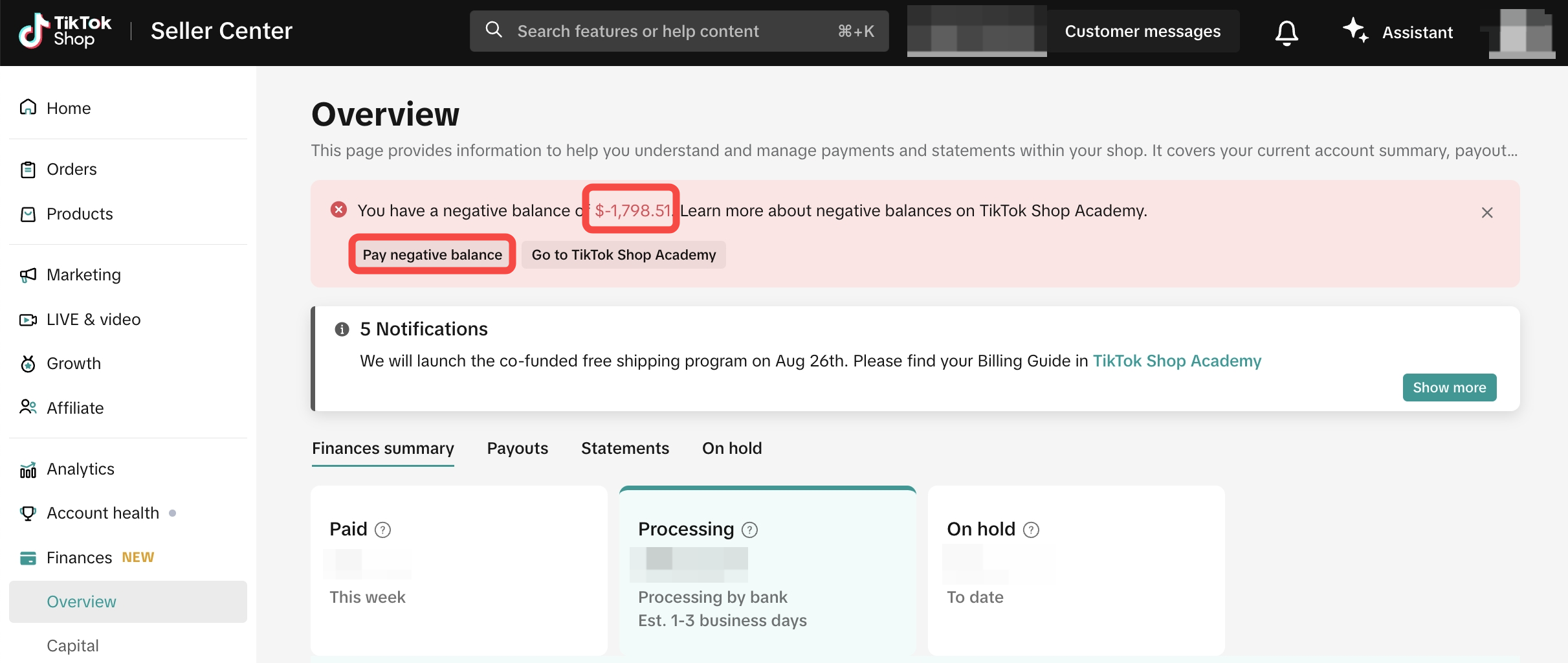 |
| Step 2 | Click View Details to be redirected to statements for specifics. The negative balance is the total payable amount from all pending statements and the reason is negative balance. | 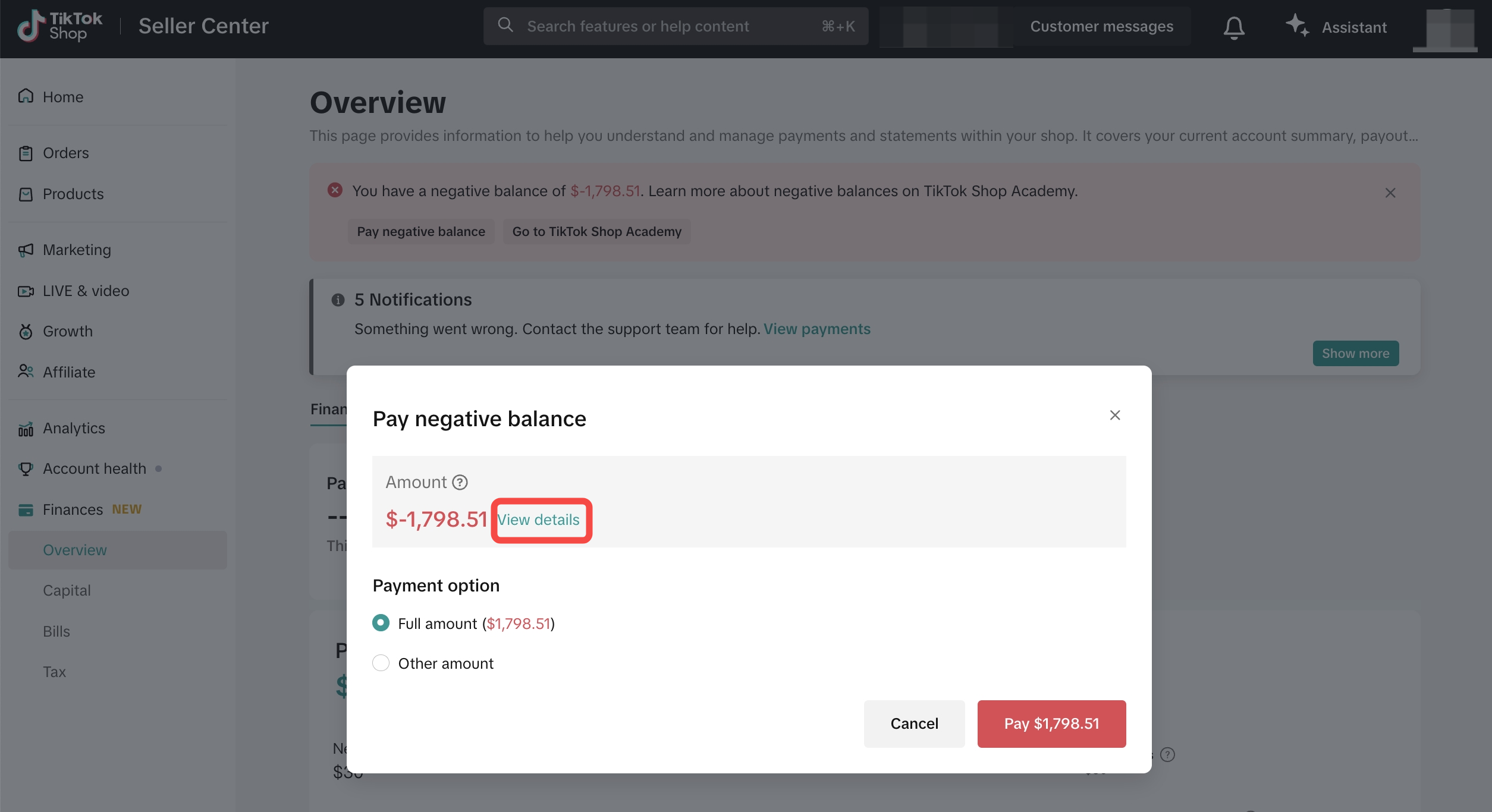 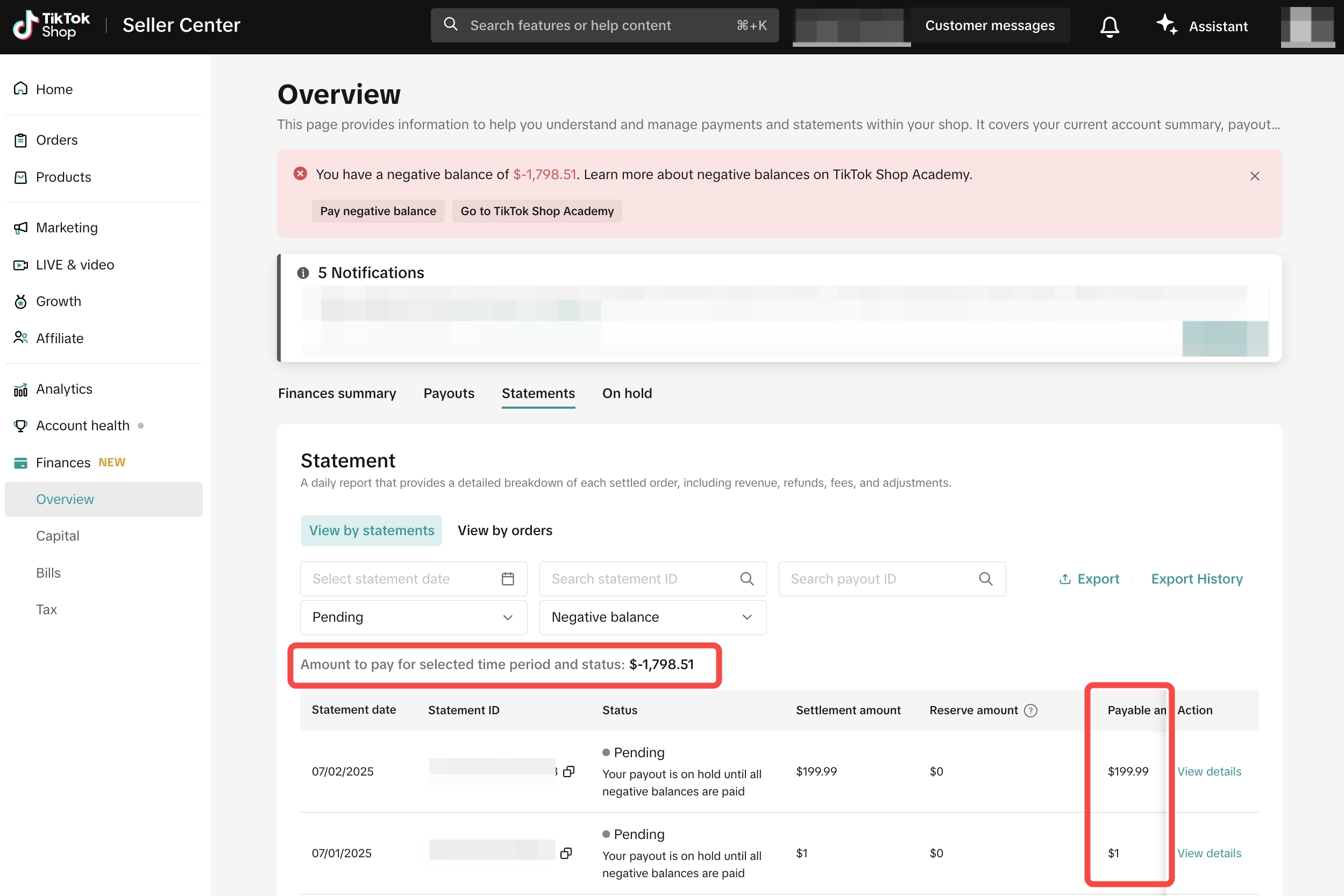 |
| Step 3 | To proceed with paying off the negative balance, you can:
| 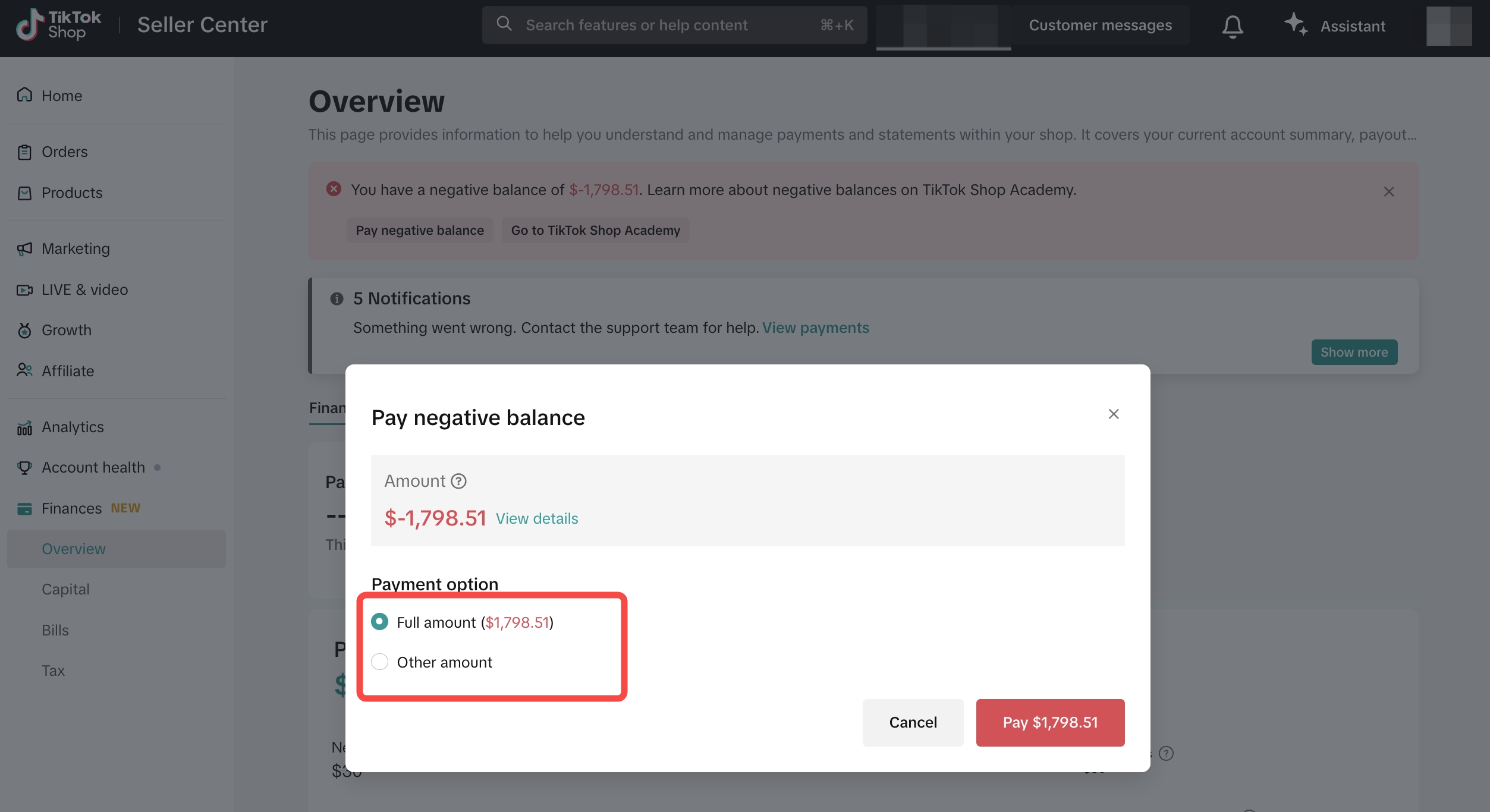 |
| Step 4 | Bind a payment method from the options listed on the cashier page. Then click Pay to complete the payment.
| 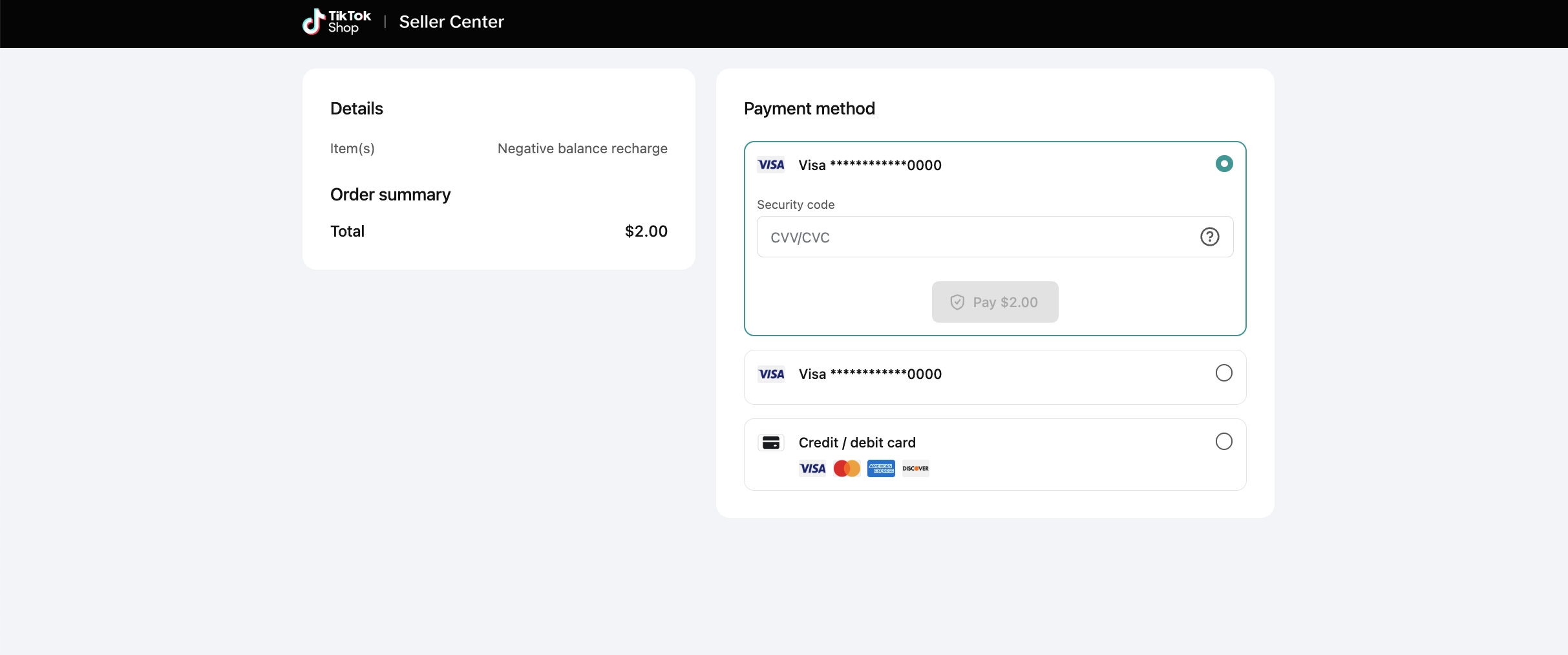 |
| Step 5 | After completing the payment, click back to merchant page to check the status of your payment record. | 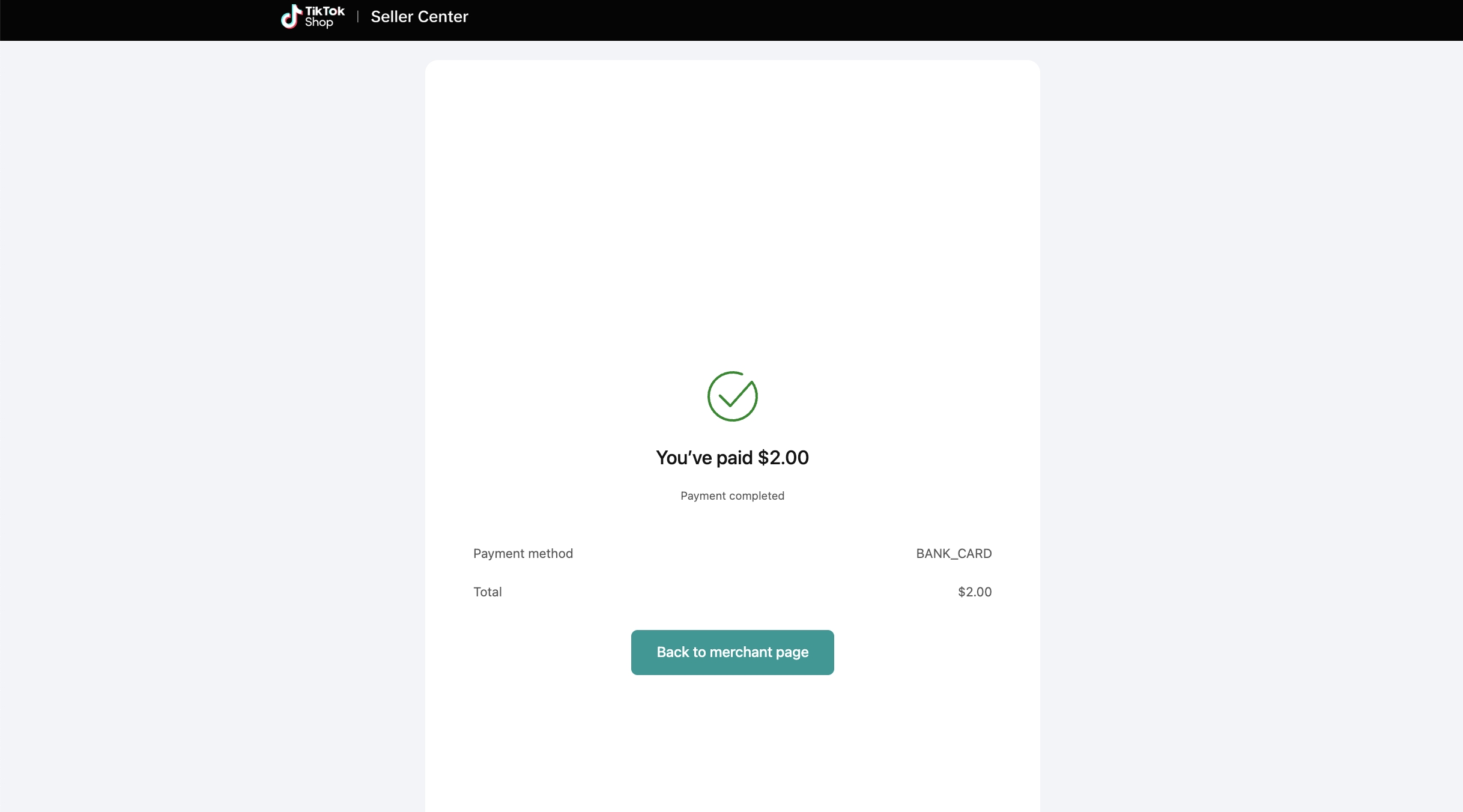 |
| Step 6 | You can view all your payment records on the Bills page. The status includes:
| 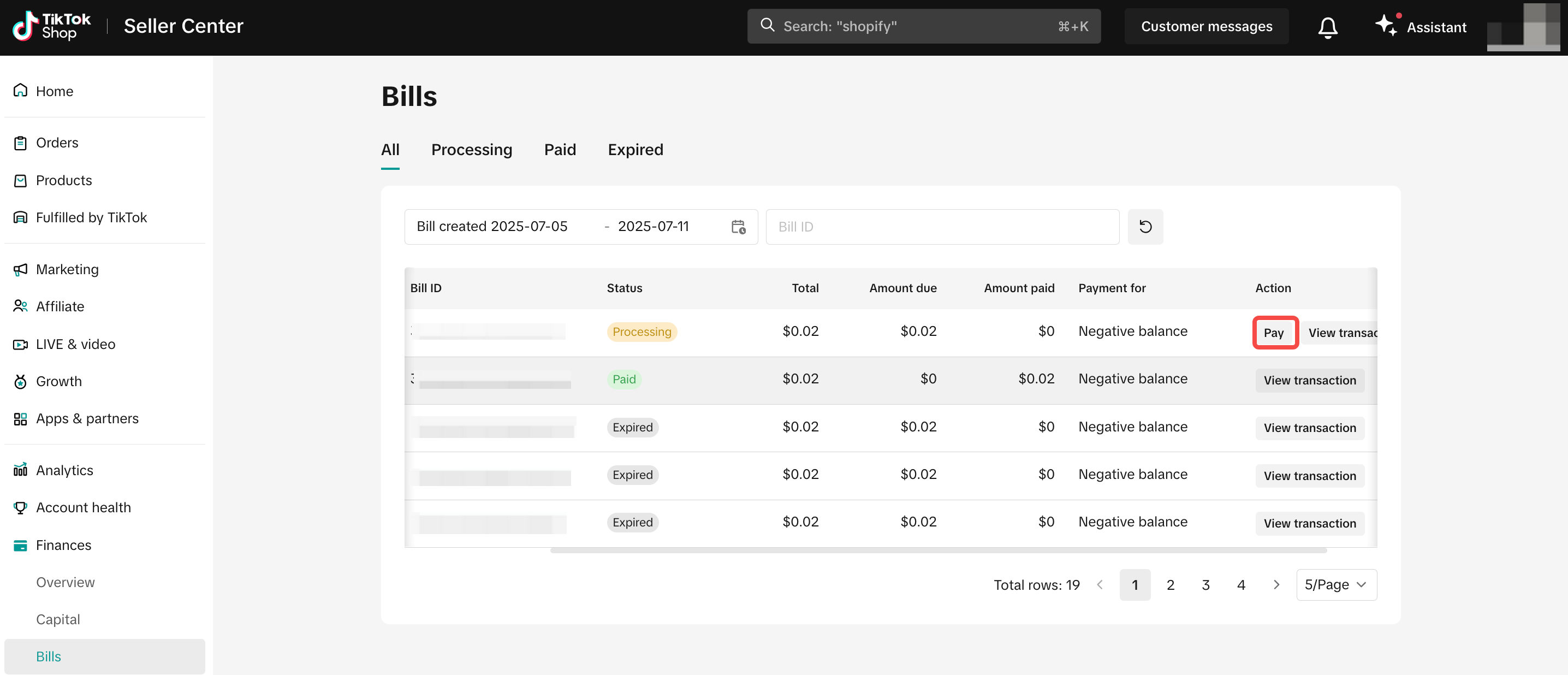 |
| Step 7 | The payment record will also appear on the statements page with an adjustment labeled Bill payment (negative balance). | 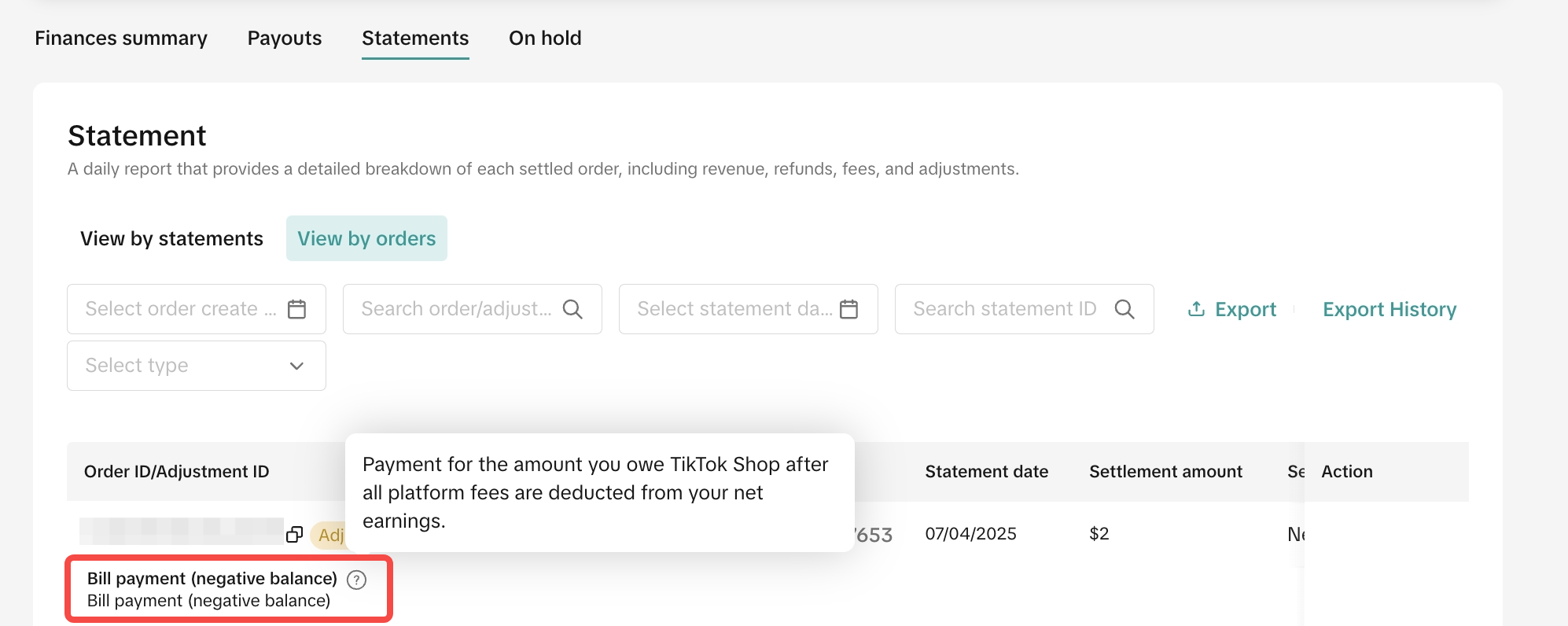 |
How to avoid negative balance?
Since the negative balance is caused by different reasons, the advice may vary. Some of the suggestions are:- You should conduct profit analysis frequently and be aware of whether the earnings can cover fees, for example:
- Ensure your product prices accurately reflect your costs. Pricing too low may lead to losses.
- Make sure the estimated weight and dimensions of your packages are correct when adding products, as this affects shipping fee calculations. If there is a discrepancy between the entered and actual weight/dimensions, you may be liable for the difference in fees.
- Keep track of your inventory and fulfill orders promptly, make sure that your inventory is accurate and up-to-date. If you oversell a product, you may need to issue refunds. Delayed orders may also result in refunds.
- If the issue is due to settlement tier downgrade, please refer to Dynamic Settlement Policy for more guidance.
- You can choose the favorable way to operate the business on TikTok Shop, including but not limited to choosing suitable shipping methods, sending reasonable amounts of free samples, etc.
FAQ
| Q1: What happens if I don't pay the negative balance? | A1: If your negative balance reaches the threshold set by the Seller Negative Balance Policy, your account may face enforcement actions, which could impact your shop operations. |
| Q2: Why do some of my statements show a 'Pending' status with the message 'Your payout will be processed in 1 business day'? This seems unusual. | A2: This occurs because of a recent system upgrade—while the statement generation time has been moved earlier, the actual payout timing remains the same. Rest assured, this will not affect when you receive your funds. |
| Q3: I paid the negative balance yesterday. Why do I still see a negative balance today? | A3: You may have new statements generated, and platform expenses or refunds may have exceeded your shop revenue. Please visit the statements section in finance to check the details. |
| Q4: After paying my negative balance in full, my statements update to 'Paid' status, but why is there no payout ID associated with the statements and no record on the payout page? | A4: This is expected because your payment fully covered the negative balance. Since you have no funds due to you (net payable amount = $0), the system does not generate a payout. |
You may also be interested in
Scheduling your payouts
What is payout schedule? A flexible payout schedule enables you to take control of your cash flow by…
Finances Page FAQ
What's New? Sellers can now download detailed On-hold data in the Finance section. Sellers can now v…
How to View Your Reserve Record
How does Reserve work? TikTok Shop will calculate and hold a reserve amount from the settlement amou…
How to Enable Protection Plan Program
This guide will provide Sellers with a clear understanding of the Protection Plan program on TikTok…