

How Affiliate commission works
09/26/2025
Summary
What is affiliate commission on TikTok Shop and how does the 30-day commission protection period work for creators?
- Affiliate commission is earned by creators promoting merchants’ products, receiving a percentage of sales made through their content.
- Creators get a 30-day grace period locking in their original commission rate; if sellers raise rates, creators get the increase immediately, but if rates drop, creators keep the original rate for 30 days with advance notification.
How are commission rate changes communicated and managed between sellers and creators?
- Sellers raising commission rates instantly benefit all creators promoting that product; lowering rates triggers a 2-day advance notification to creators before the 30-day lock expires (except for Shop Ads rates, which have no notification).
- Sellers see the impact of rate changes on current promoters and are reminded of the 30-day lock period when editing rates.
How and when do creators receive their commissions, and what affects the final payout?
- Commissions are paid about 15 days after order delivery, but delays can occur due to longer seller settlement periods or unresolved disputes/refunds.
- Estimated commissions appear after purchase but final commissions adjust based on refunds: partial refunds reduce commission proportionally; full refunds nullify it.
What are the key differences between affiliate promotion and merchant self-selling on TikTok Shop?
- Affiliate promotion involves creators earning commissions by promoting others’ products.
- Merchant self-selling means merchants sell their own products via their TikTok accounts without paying affiliate commissions.
What happens if creators remove promoted products or if sellers delete and re-add products with different commissions?
- Creators lose their locked commission rate if they remove a product or delete related content; re-promoting resets the commission to the current rate.
- Sellers deleting and re-adding products resets commission history and removes all associated creator product links.
Overview:
Affiliate commission is the commission you get as a TikTok Shop Creator when you cooperate with a merchant to promote their products. You'll earn commission on every item that is sold through your content.Commission protection:We've aligned Open Collaboration Shop Ad commission rules with our standard commission rules. Creators will now get a 30-day grace period to earn their original Shop Ads commission rate before a new rate takes effect.
- When sellers raise a product's commission rate, creators who have been promoting that product in their showcase will receive the higher commission rate instantly. This applies to both standard commission rates and Shop Ads commission rates.
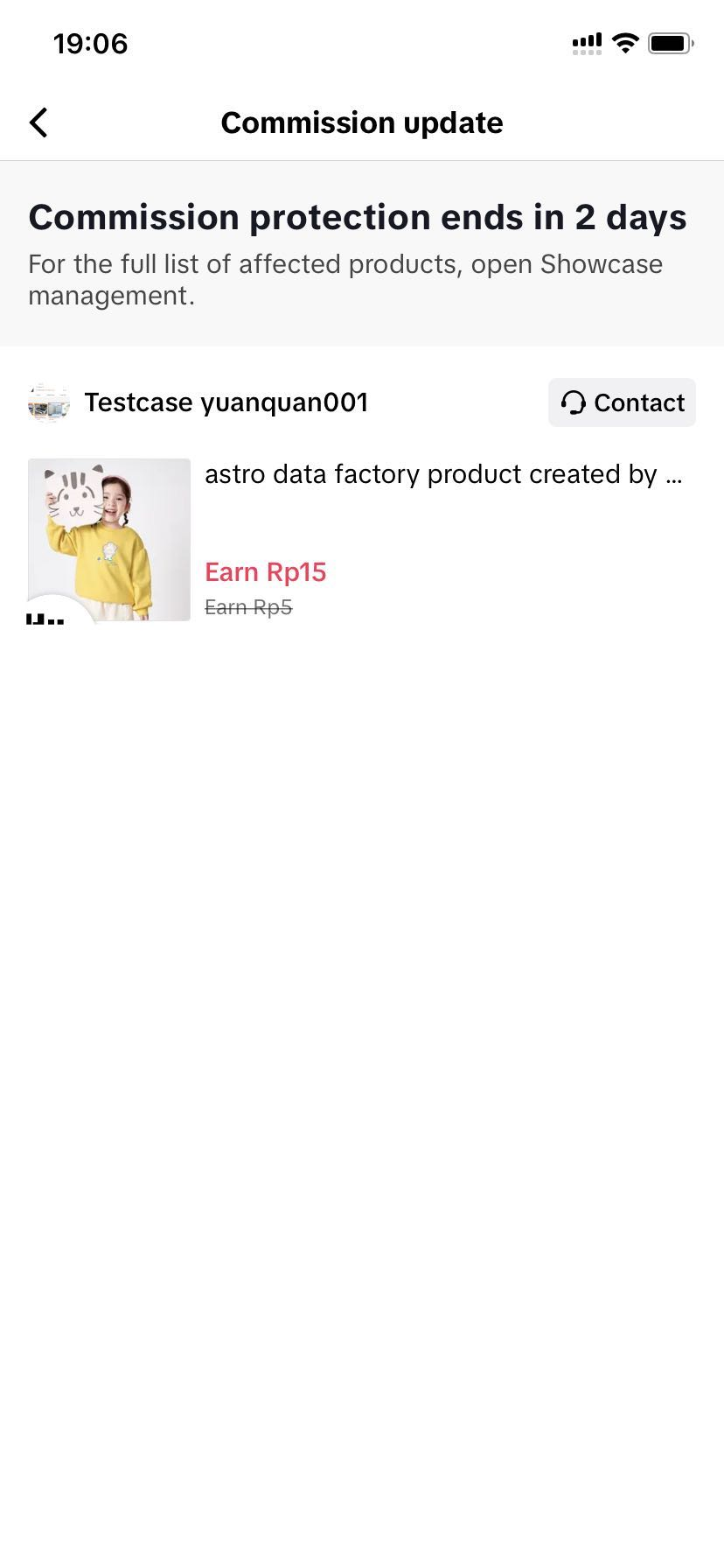
- When sellers lower a product's commission rate, creators who have been promoting that product in their showcase will keep their initial commission and receive a notification 2 days before their 30-day lock up period expires to let them know that their commission rate will be lowered. For Shop Ads commission rate changes, creators will not receive a 2-day notification. There will be clear alerts when managing the product in their showcase or adding their product about the 30-day grace period.
- When a creator picks a product to promote, they'll be reminded that their commission rate is guaranteed for 30 days.
- If the seller decides to raise that product's commission rate, the creator will immediately receive that higher commission rate.
- If a seller decides to lower their commission rate after the creator has started promoting the product, creators will be able to see how long their commission rate is protected based on the 30 day window that appears in their showcase.
- Creators will also receive a notification 2 days before their 30 day commission rate window expires to let them know the commission rate will decrease.
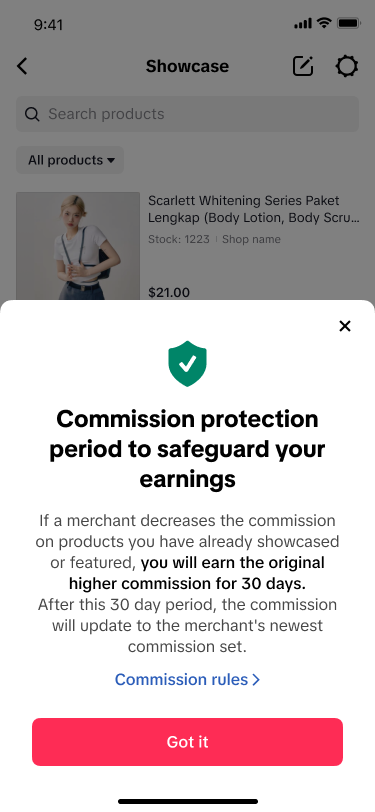 | 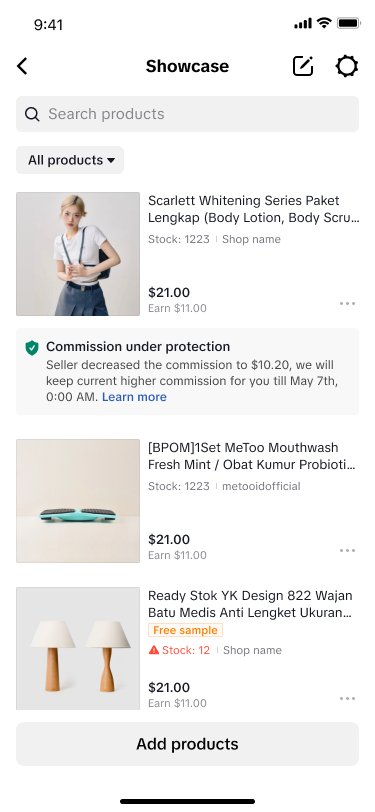 |  |
- When a creator picks an impacted product their showcase to promote, they'll be reminded that they are within a 30-day grace period for the commission rate changes. They will see communication about this when managing the product in their showcase, adding a product from their showcase to Shoppable Video, or adding a product from their showcase to their LIVE.
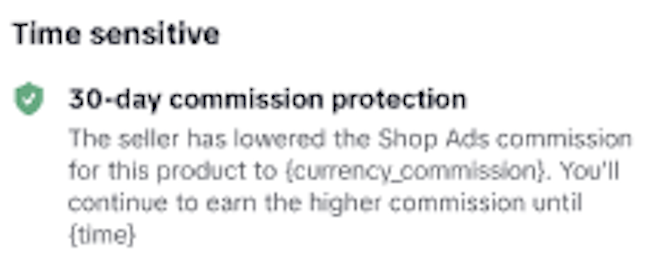
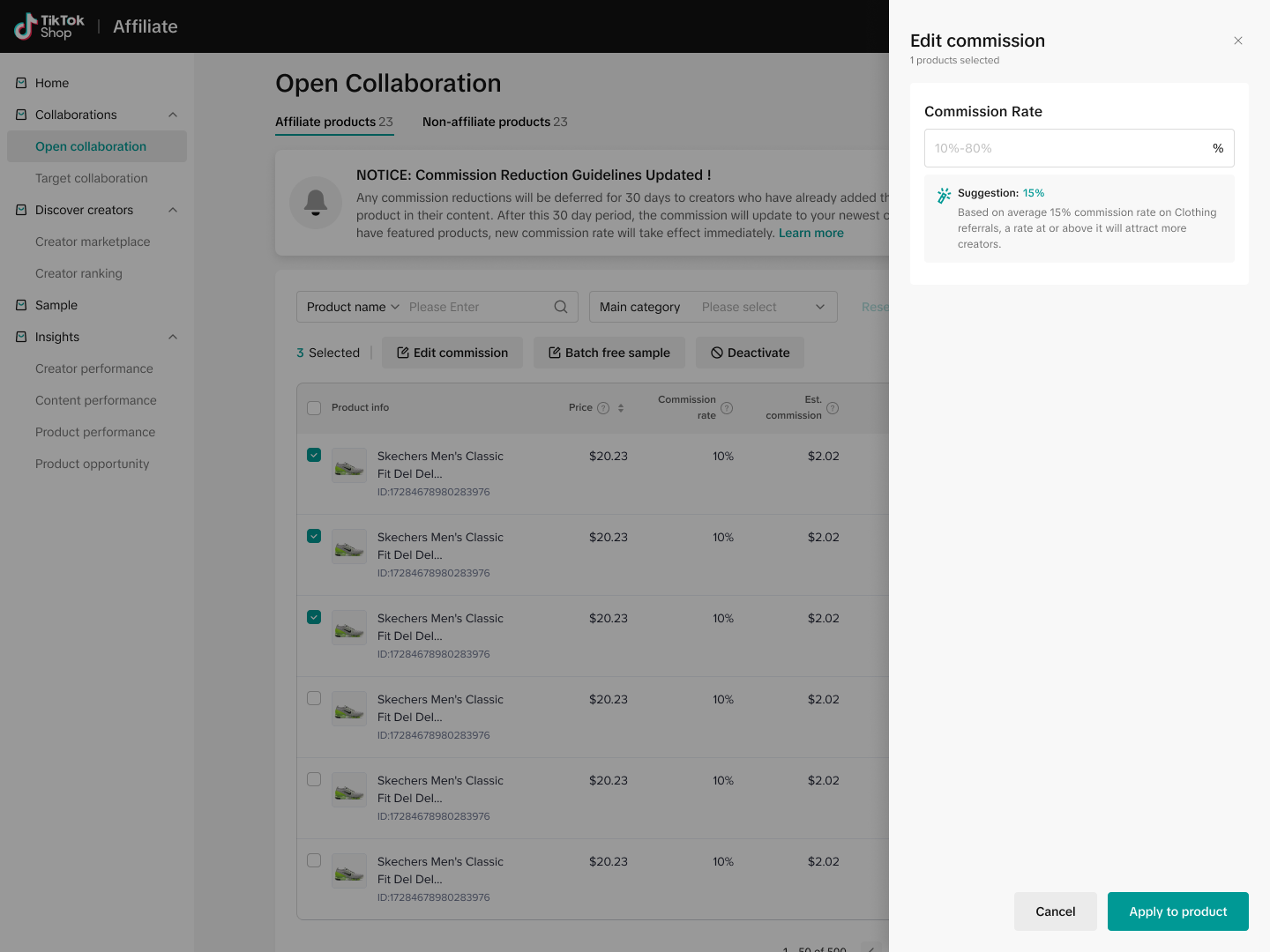
- When a seller enrolls a product in an open collaboration and sets up a commission rate, they'll be reminded that all creators receive a locked commission rate period of 30 days, regardless of any decreases the seller makes to the commission rate after creators begin promoting the product.
- When a seller edits or batch edits commission rates, they'll be able to see the impact of those changes for creators already promoting impacted products.
- When a seller increases a product's commission, they'll be reminded of the number of creators who are currently promoting the product. All of these creators will immediately receive the higher commission rate, along with new creators promoting the product.
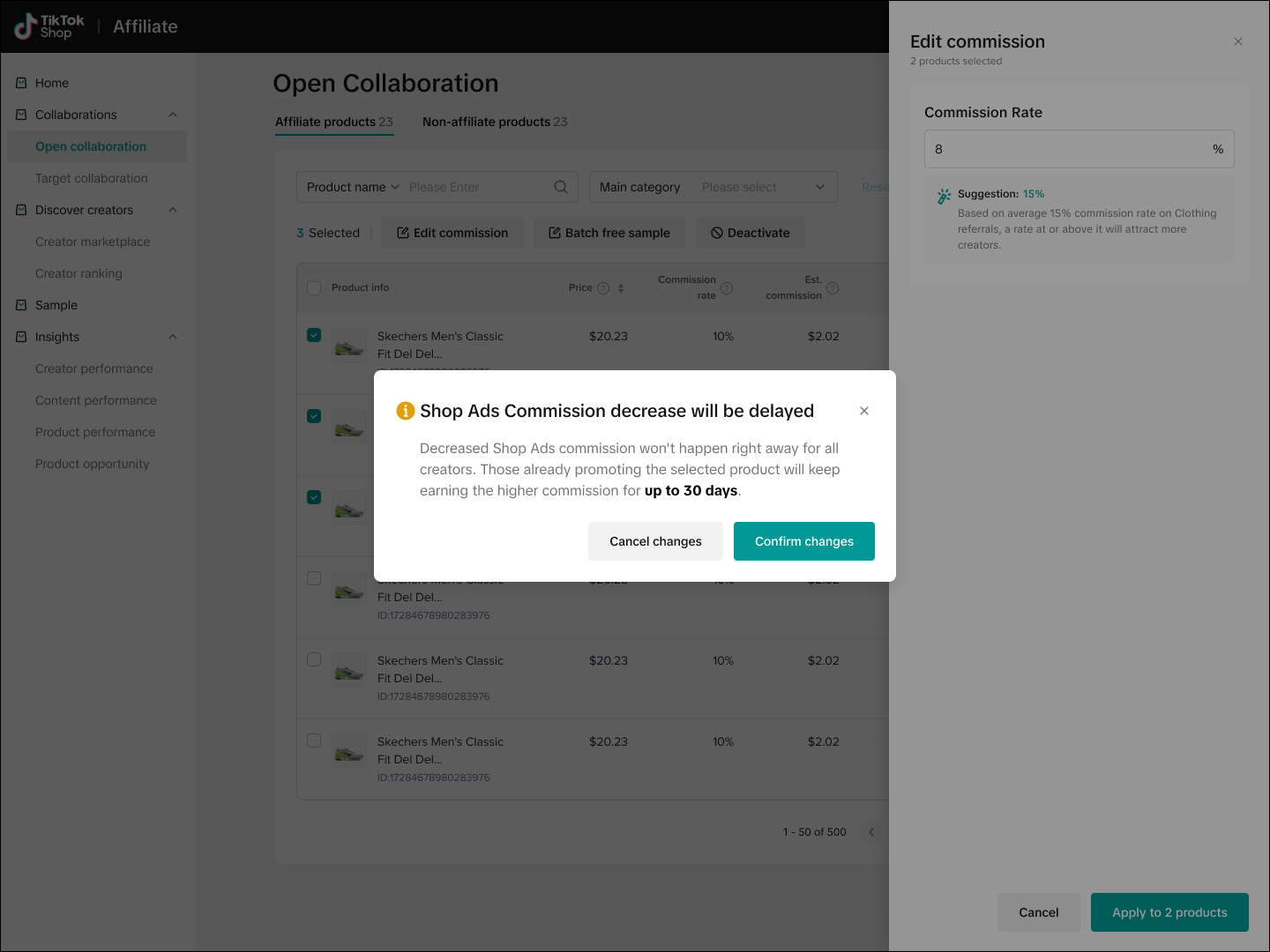
- When a seller decreases a product's commission, they'll be notified of the number of creators who are currently promoting the product and who will be receiving a notification of an upcoming commission decrease 2 days before their locked commission rate expires.
- New creators who begin promoting the product will receive the decreased commission rate and will keep this commission rate for the 30 day period.
- When a seller updates their Shop Ads commission rate for an existing product in the Open collaborations experience, they will be informed that there will be a 30-day grace period for sellers already promoting the product.
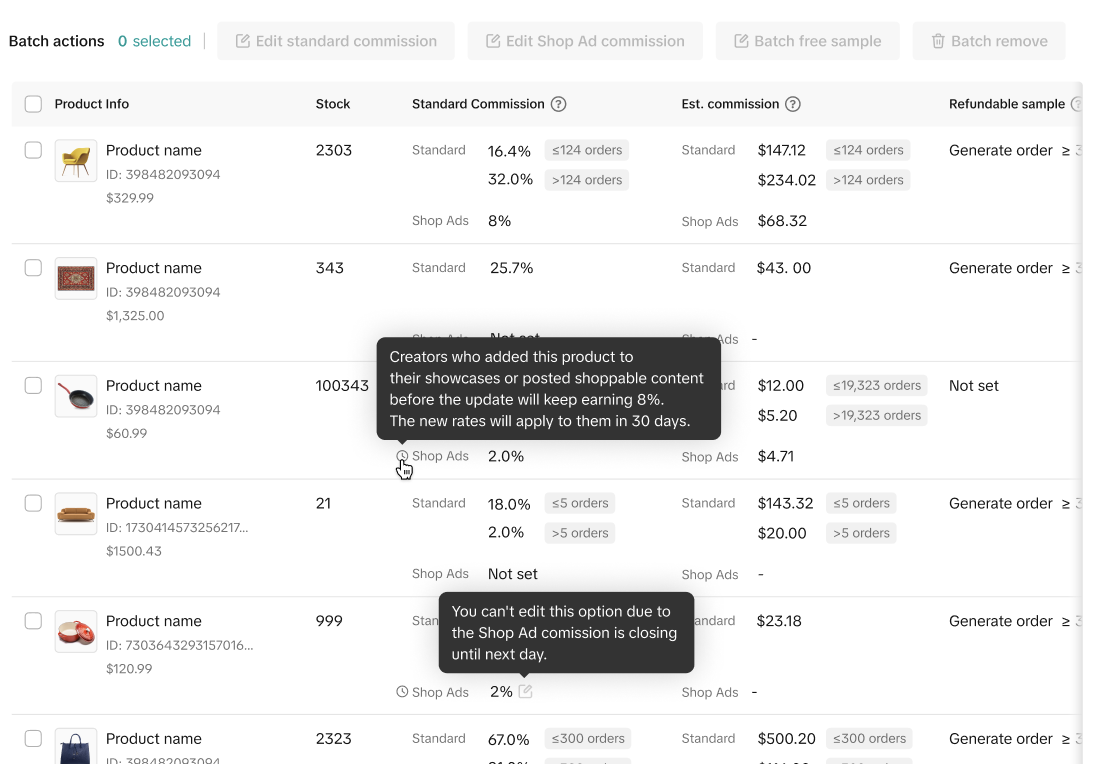
- In Open collaborations, you'll see a clock icon next to your shop ads commission rate if that product is impacted by the 30-day commission protection period. Hover over the clock for more information.
 |  |  |

What is the difference between affiliate promotion and self selling?
Affiliate marketing : Merchants pay creators a commission for every item that is sold through the creator's contentMerchant Self-Selling : Merchants use their own TikTok account to sell their own products from their own store by LIVE or short video, no affiliate commission
How do I receive commission?
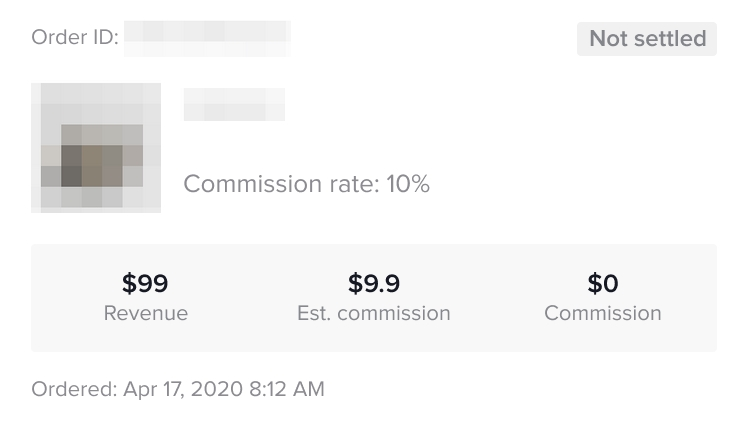
You'll earn commissions from qualifying purchases of affiliate items. Your commission is calculated using this formula: Commission = (Revenue - Refunds) x Commission rate. After a customer purchases one of your affiliate items, we'll show an estimated commission. This estimated commission is not final. Your final commission is calculated based on the actual revenue.When will creator receive the commission?
You'll typically receive commission 15 days after the order delivery date. Some orders may take longer due to the following reasons:- Commissions are paid only after the seller's orders are settled. Therefore, if the seller's settlement period is longer, such as Delivery + 31 days, commissions will also be paid to you 31 days after delivery
- Commissions can't be paid until the dispute, refund, or return requests are resolved.
Where can I find the commission?
Creator tool -> TikTok Shop Creator Center -> Earnings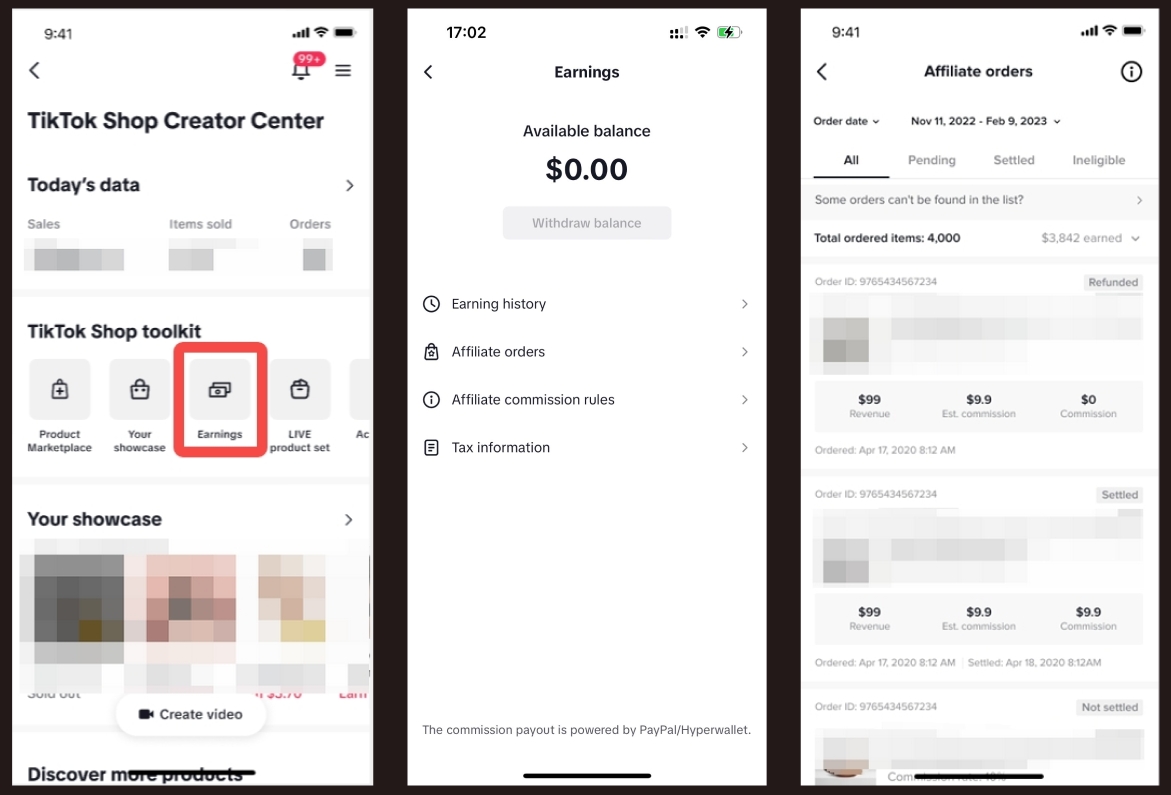
What is the difference between estimated commission and commission?
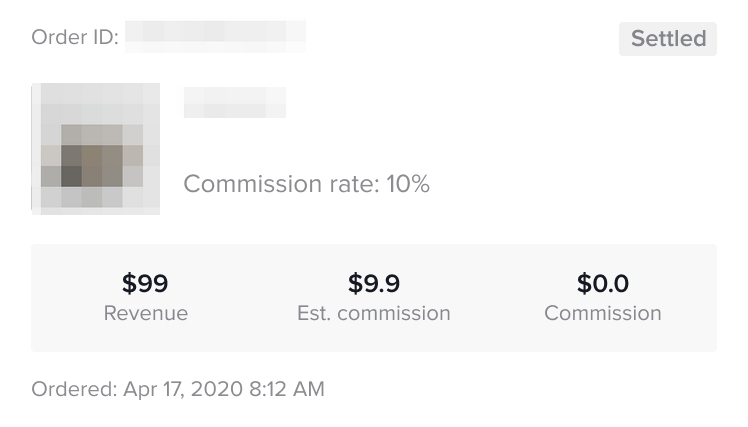
Estimated commission = actual paid price * commission ratio
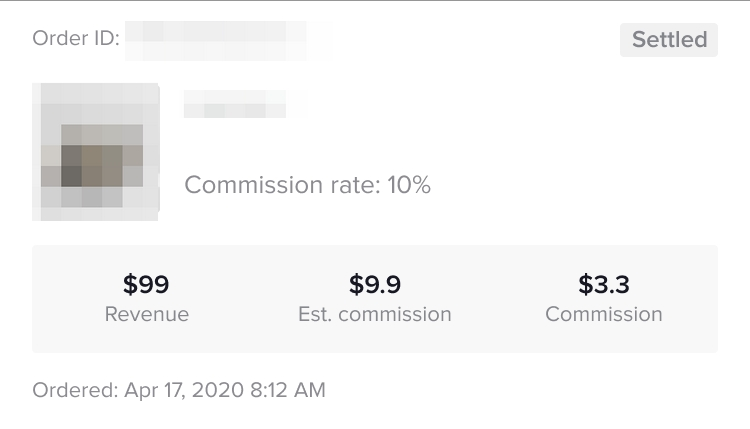
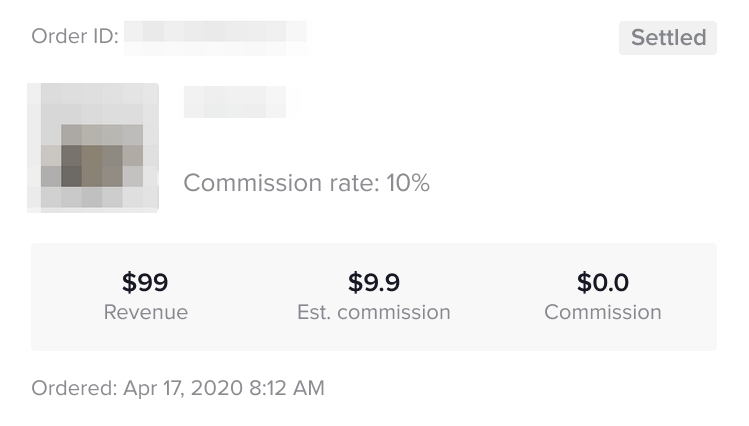
- Actual commission: After the buyer receives the goods and the after-sales period ends, according to the buyer's after-sales situation, the actual commission will be:
- No refund, actual commission = estimated commission
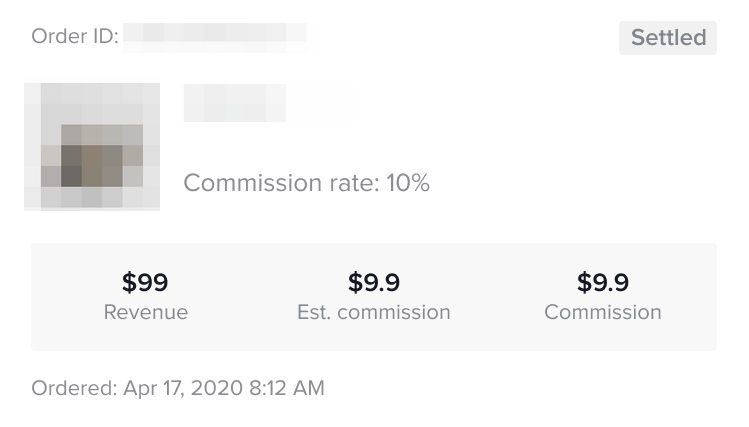
- When a partial refund occurs, the actual commission = (actually paid price - refund amount) * commission ratio
- Full refund occurs, the actual commission = 0
FAQs:
- How do I know which products are impacted by this change? In Open Collaborations, you'll see a small clock icon next to the Shop Ads commission rate for any product that has an active commission protection period. You can hover over the clock icon to see more detailed information about the grace period.
- Does this change affect my ability to raise Shop Ads commission rates? No. When you increase a product's Shop Ads commission rate, creators who are already promoting that product will immediately receive the higher rate. The 30-day protection period only applies to commission rate decreases.
- What if I increase my Shop Ads commission rate? There is no 30-day grace period if you increase the Shop Ads commission rate.
- Why was the Shop Ads commission rules change implemented? This update aligns the Shop Ads commission rules with our standard commission rules, creating a more consistent and predictable experience for both sellers and creators. It also helps to build creator confidence and foster stronger, long-term partnerships, which can ultimately benefit your sales.
| Questions | Answers |
| Yes, if Merchant A helps Merchant B to promote products from merchant B, Merchant B will provide affiliate commission to Merchant A |
|  |
| In the data compass of the e-commerce center, you can filter All and Affiliate data: All: Merchant Self-Selling + Affiliate Promotion Affiliate: Affiliate promotion only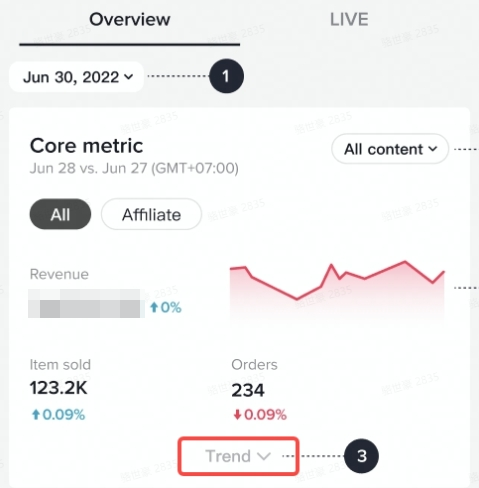 |
| Creators will lose their locked commission rate. If they begin promoting that product again, they'll receive the product's current commission rate. |
| The product's commission rate history will be reset, but this action will also remove associated product links from all creators' videos. |
| The lowered commission will take effect immediately — because no creators have been actively promoting the product, there is no lock-up commission rate period. |