Here at TikTok Shop, we want to provide our users with a
secure and trustworthy shopping environment. At times, we may ask you to re-verify your identity (ID). This can happen if we detect risk from your shop or products, such as a spike in negative customer reviews or policy violations. This guide covers how to re-verify your identity, including what documents you'll need to have ready. Failure to successfully verify your identity may result in account suspension or closure.
Steps to complete re-verification:
When you receive the verification task,
click "verify now" to begin verification. Please note, you'll need to verify with the same personal information you submitted during onboarding.
Then follow the Persona verification prompts:

Your qualification is under review:
Verification failed and you can re-verify:Verification failed:
Verification succeeded:
Requirements For Supporting Images
Do's ✅
- Documents must be valid and not expired
- Must be a clear, high-quality, complete, and color image of your government-issued photo ID
- Your photo and personal information elements in the ID must be clear and visible
- Your information in the ID must match the information you used to register your TikTok Shop account
- Images must be less than 10 MB and in JPG or JPEG format
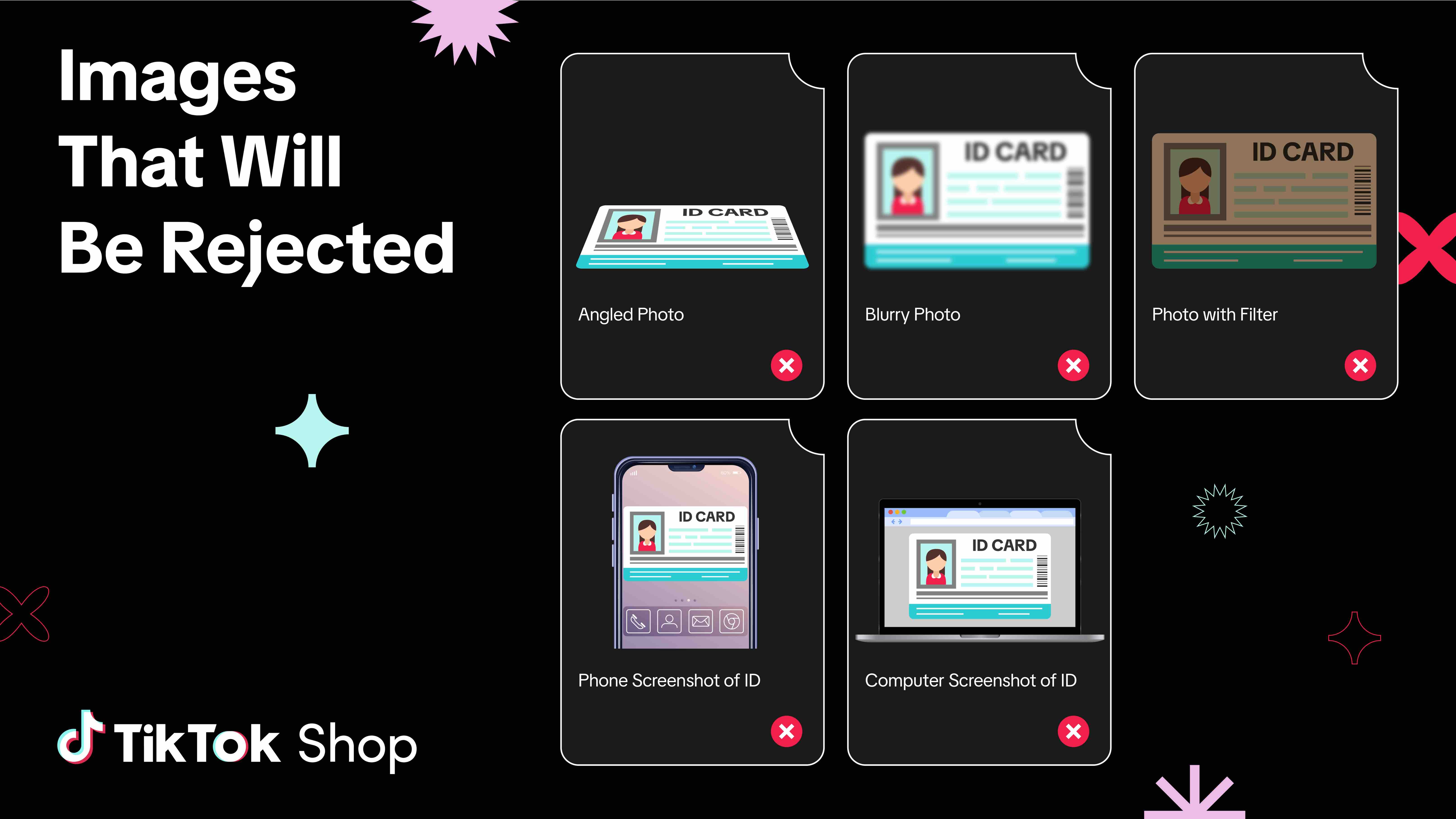
Don'ts ⛔
- No angled, blurry, cropped, or altered (such as filtered) images
- Images must not be screenshots with phone or computer screen banners and icons displayed