Brand Supply Shortage Search Leads
I. Background
The platform search team selects key brand clues based on users' active and high-frequency demand expression queries in the in-app. These clues have clear user request directions in the in-app, which can more accurately reflect users' purchase intentions, and the current in-app lacks supply.The current New Business Center has launched Brand Supply Shortage Search Leads for merchants to efficiently query in batches, provide targeted supply, undertake in-app popularity, and increase merchant store GMV.
🎯What benefits can replenishing supply bring to merchants?
- Cover high-search terms on the platform and gain more organic exposure: Based on on-site search popularity, keywords with relatively high recent search PV are prioritized. Once a product covers relevant supply shortage terms, it has a better chance to appear in search results and gain more exposure and traffic;
- Improve business judgment and enhance product selection and operations efficiency: Keyword clues directly reflect key user demand on the platform and provide merchants with more timely market feedback. Merchants can use them to optimize product selection, launches, and content operation strategies, and focus resources on directions with higher conversion potential;
II. How merchants can view the clues
💡Prerequisites for merchants to view the clues:Seller Center link:
- The brand associated with the clue must be a brand for which the merchant currently has valid authorization;
- The category associated with the clue must match the categories the merchant is allowed to operate in;
Make sure the Opportunity Center is enabled
- Click Products → Product opportunities in the menu bar
- If the feature is not enabled, the merchant can enter after confirming and submitting the "information usage agreement"
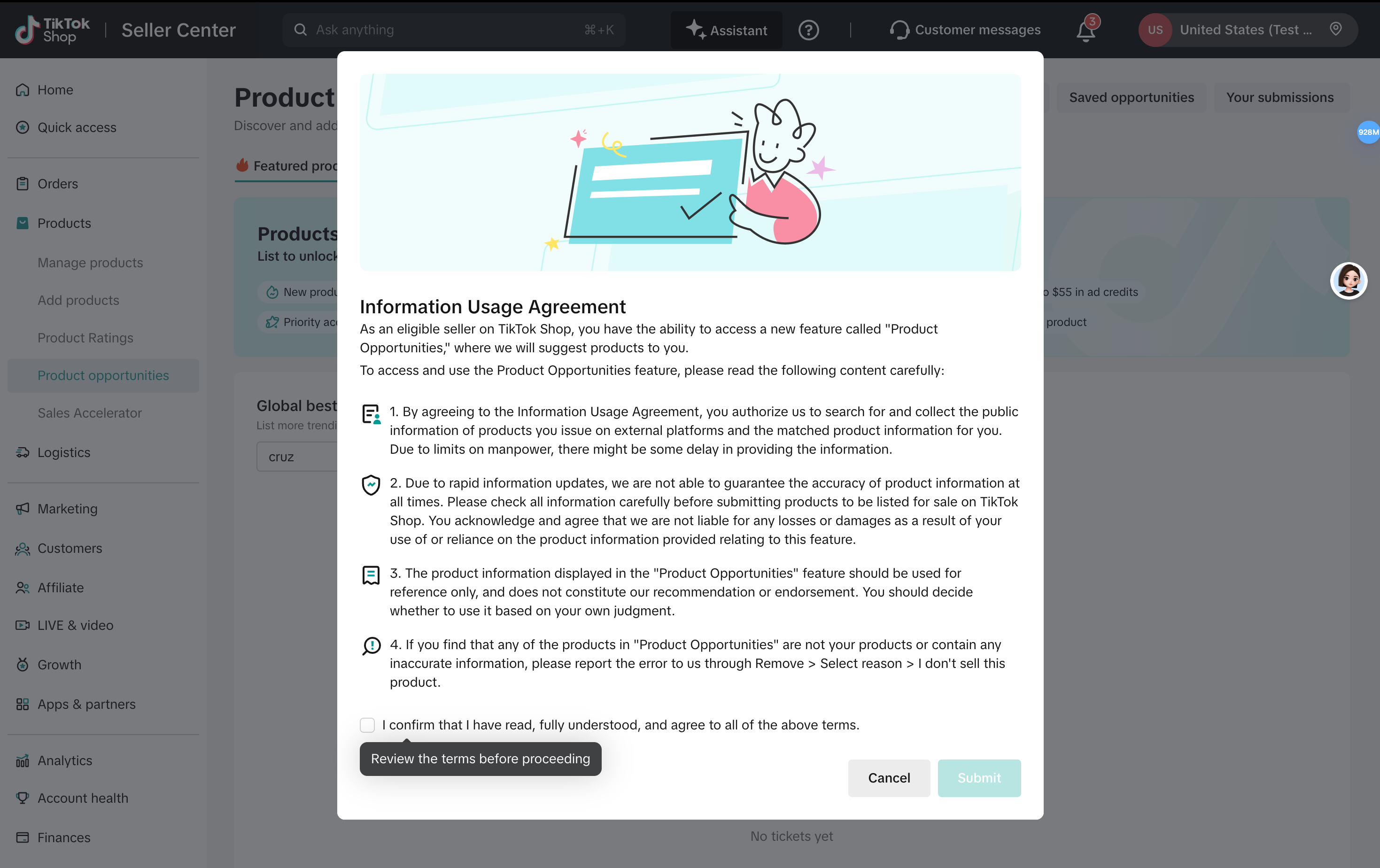
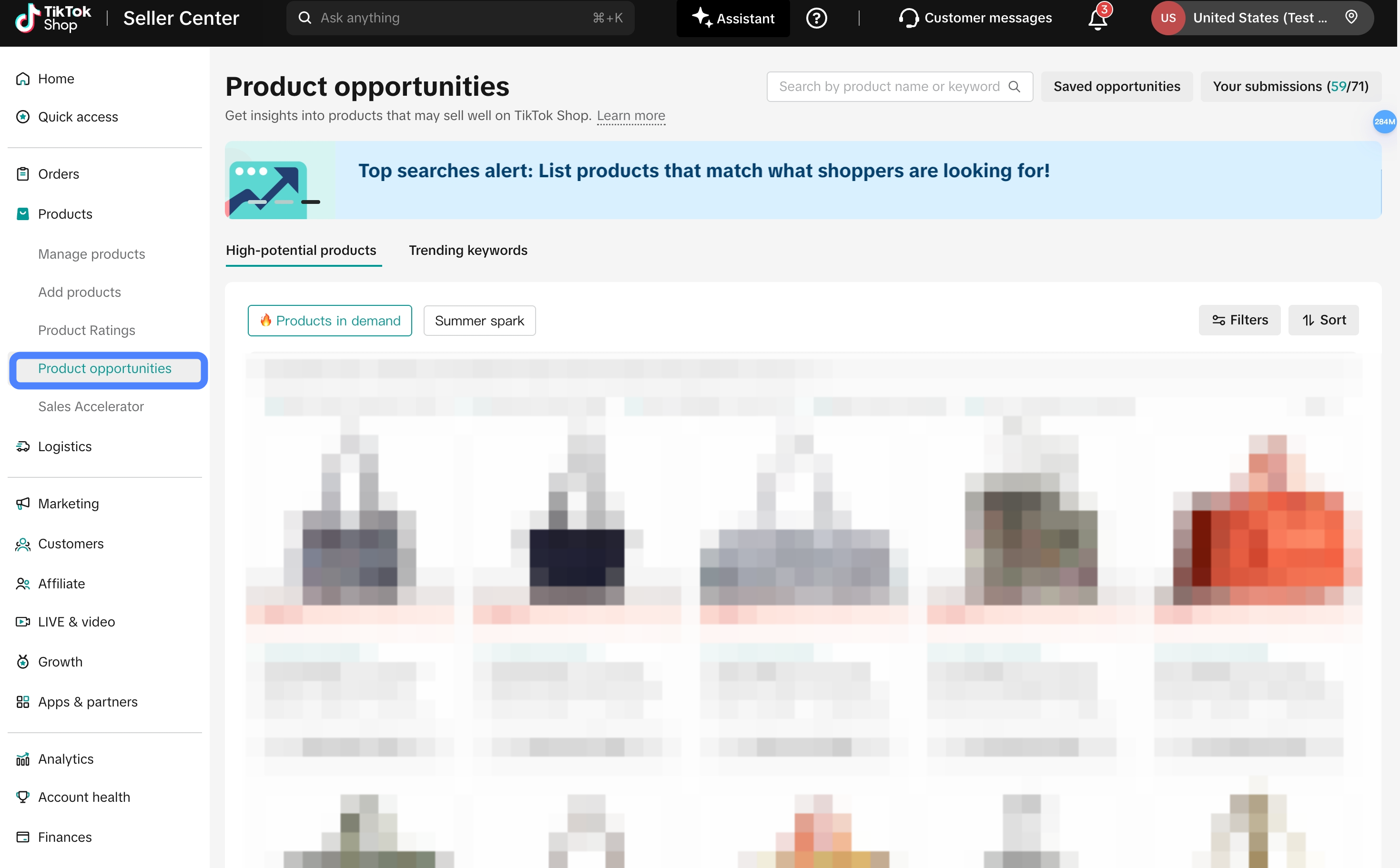
Locate the supply shortage keyword clues in the menu
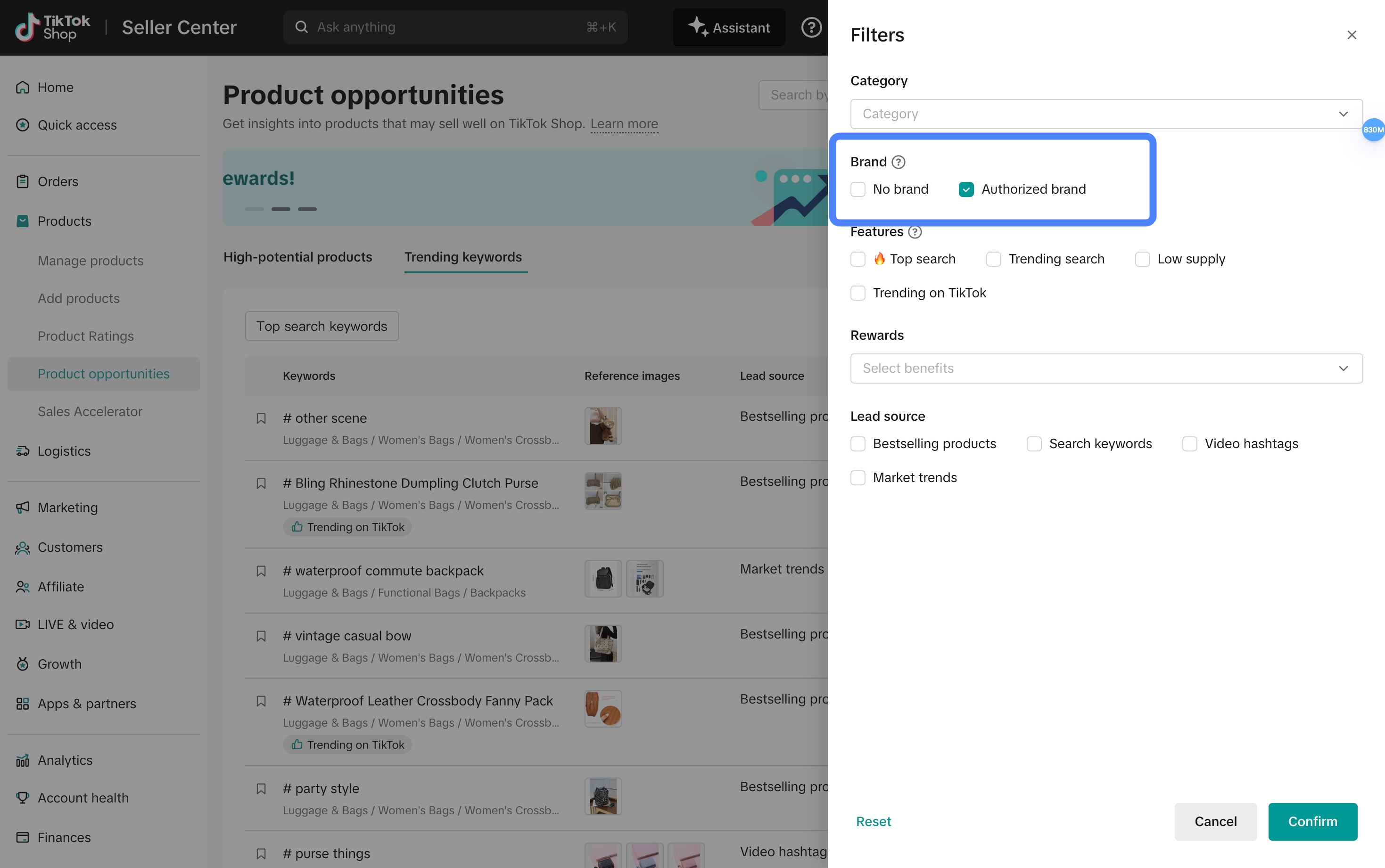
- Click the "trending keywords" tab
- In the filter, select "authorized brand"
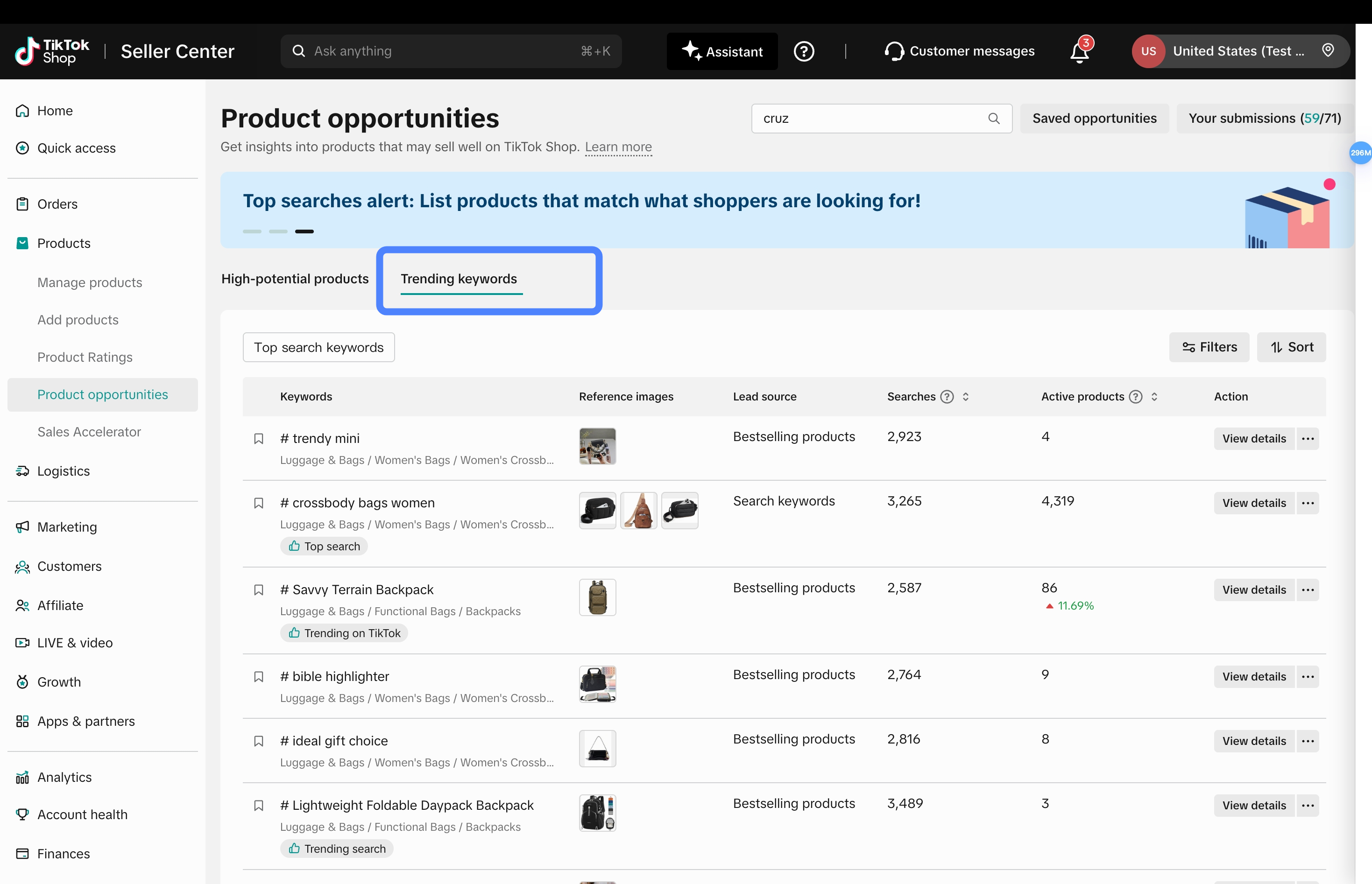
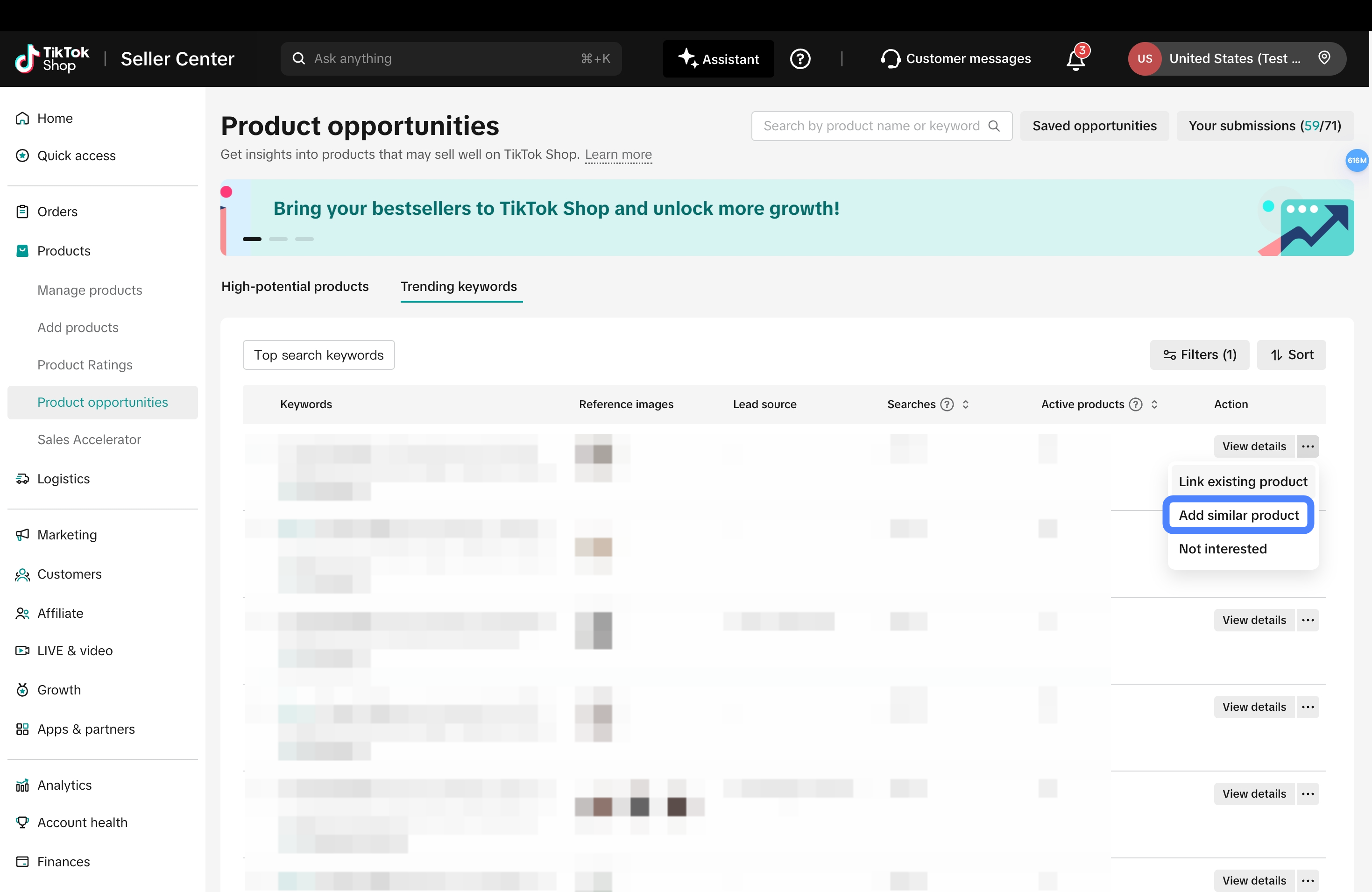
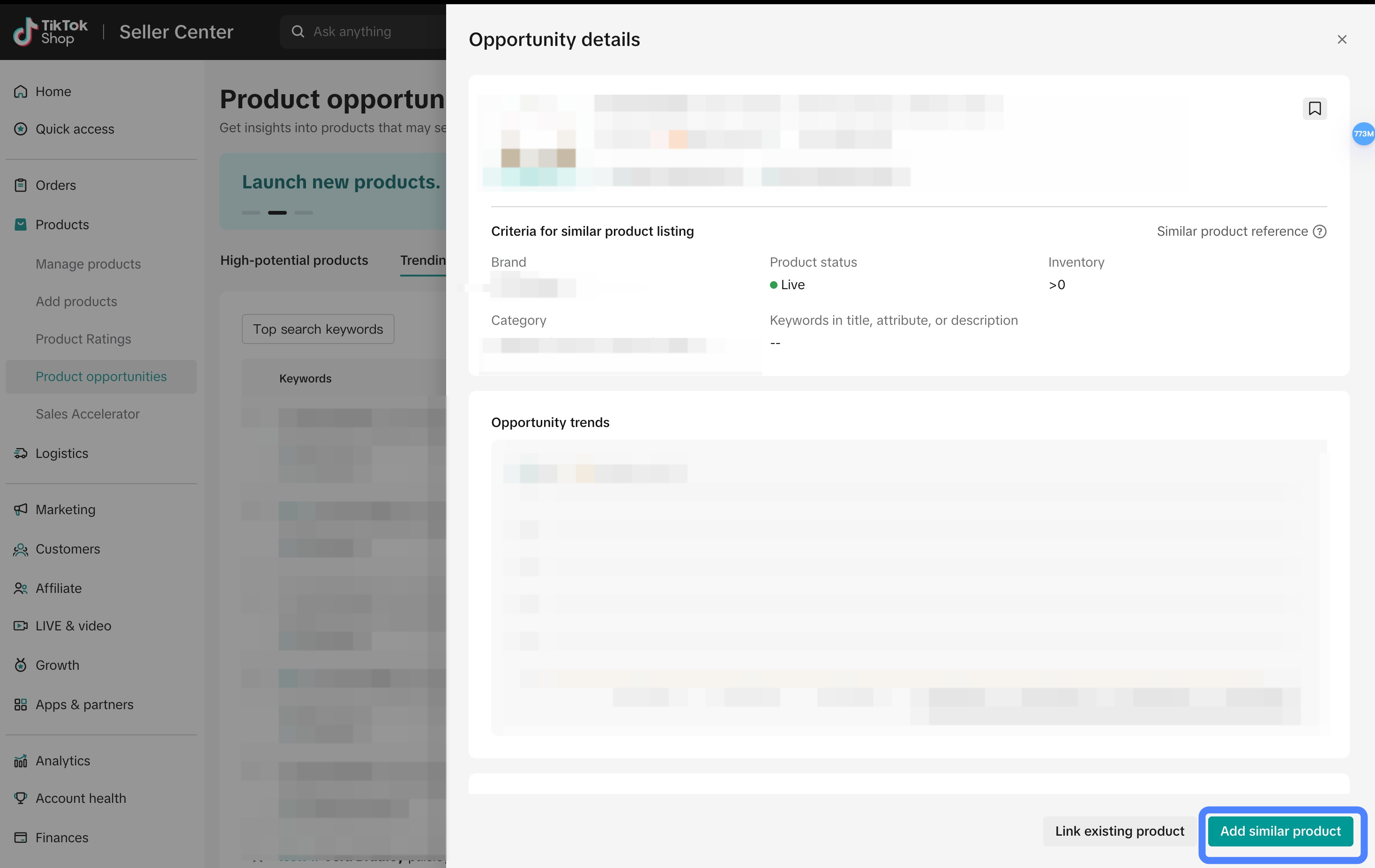
Select the relevant keyword clues to list products
- Launch a new product, for cases where no similar product has been listed before
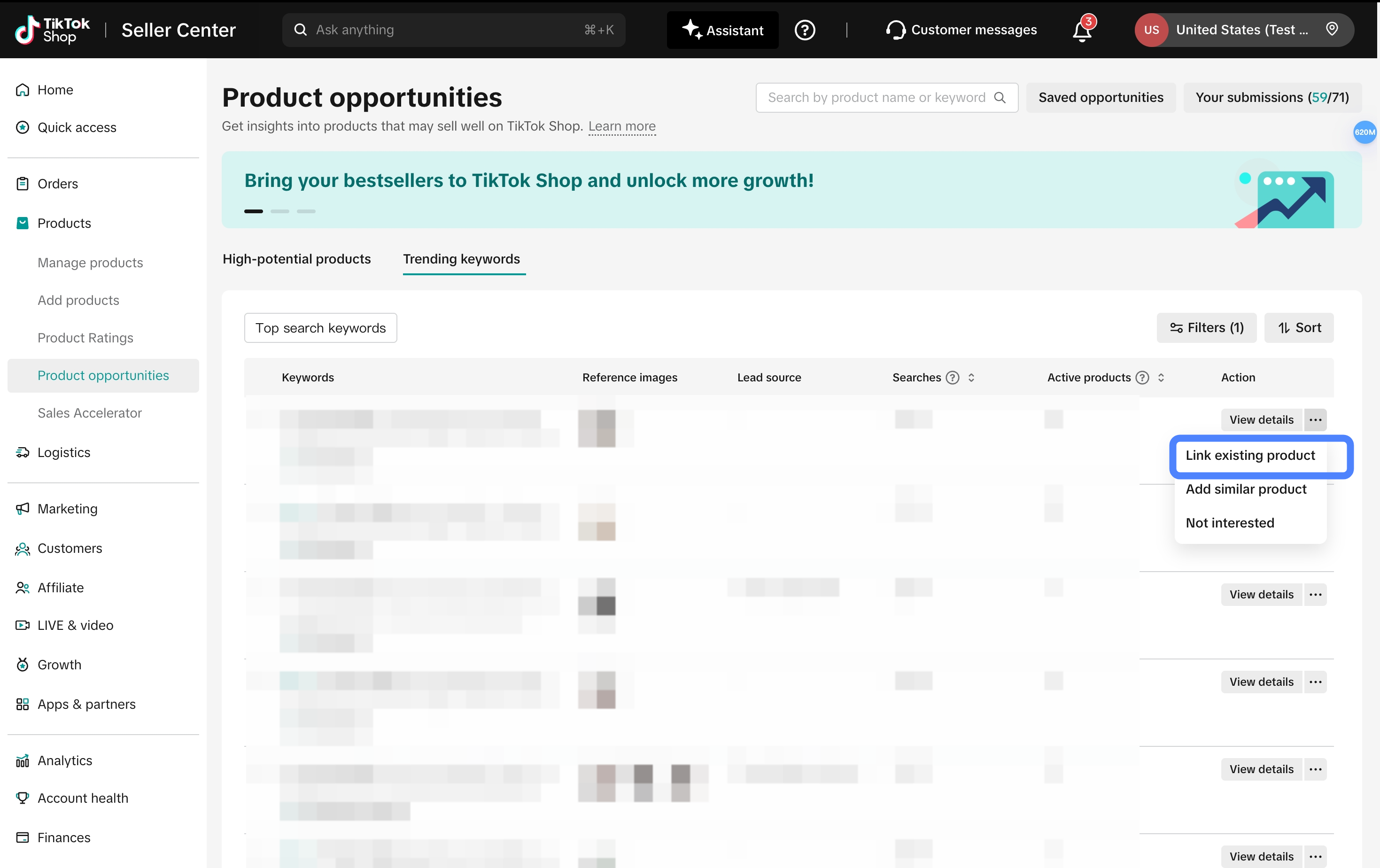
- Associate an existing product, for cases where a similar product has been listed within the past 30 days
Step 1: Select the existing product
Step 2: Add keywords to improve the product's search recall (optional, not required)
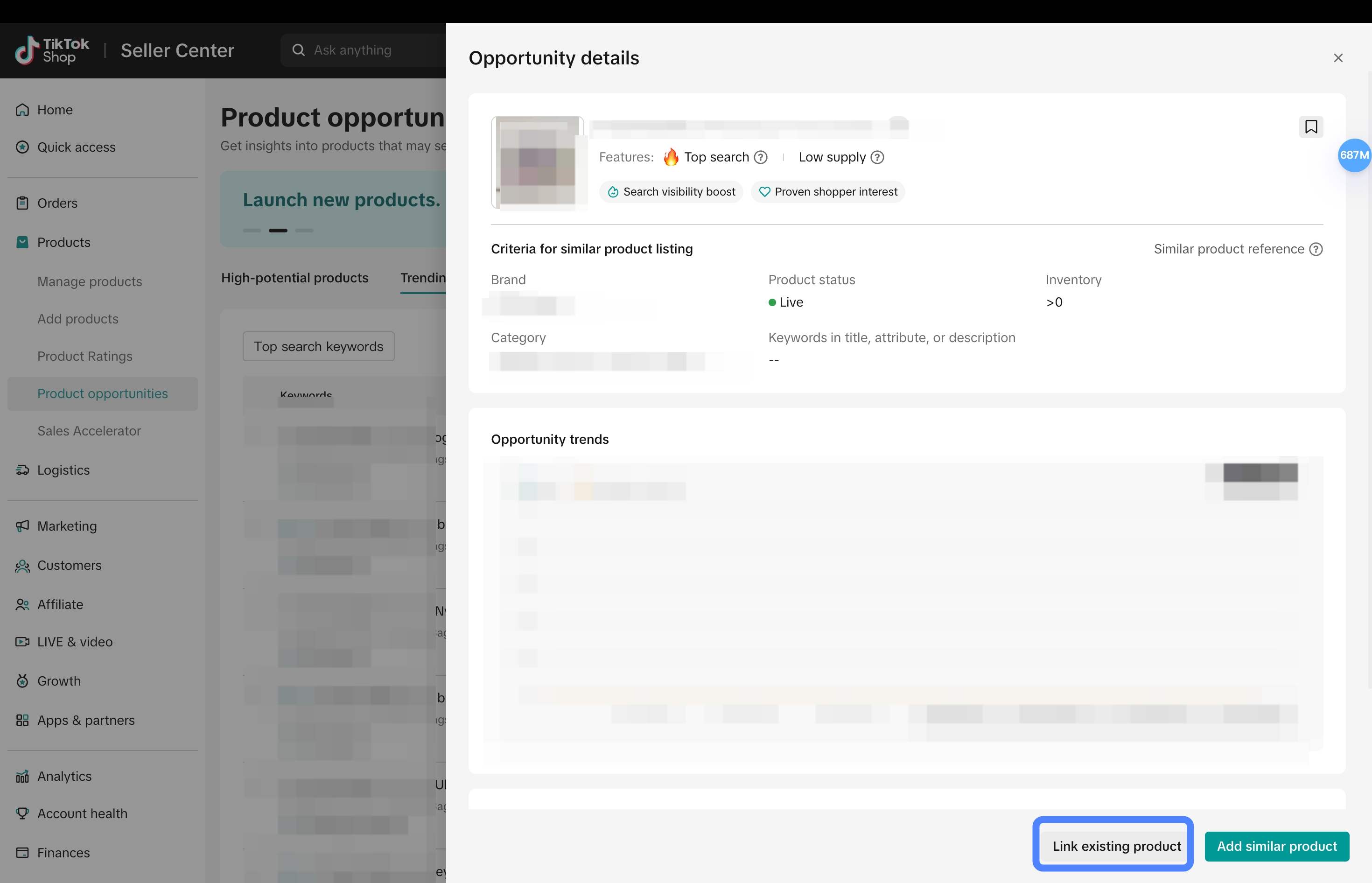
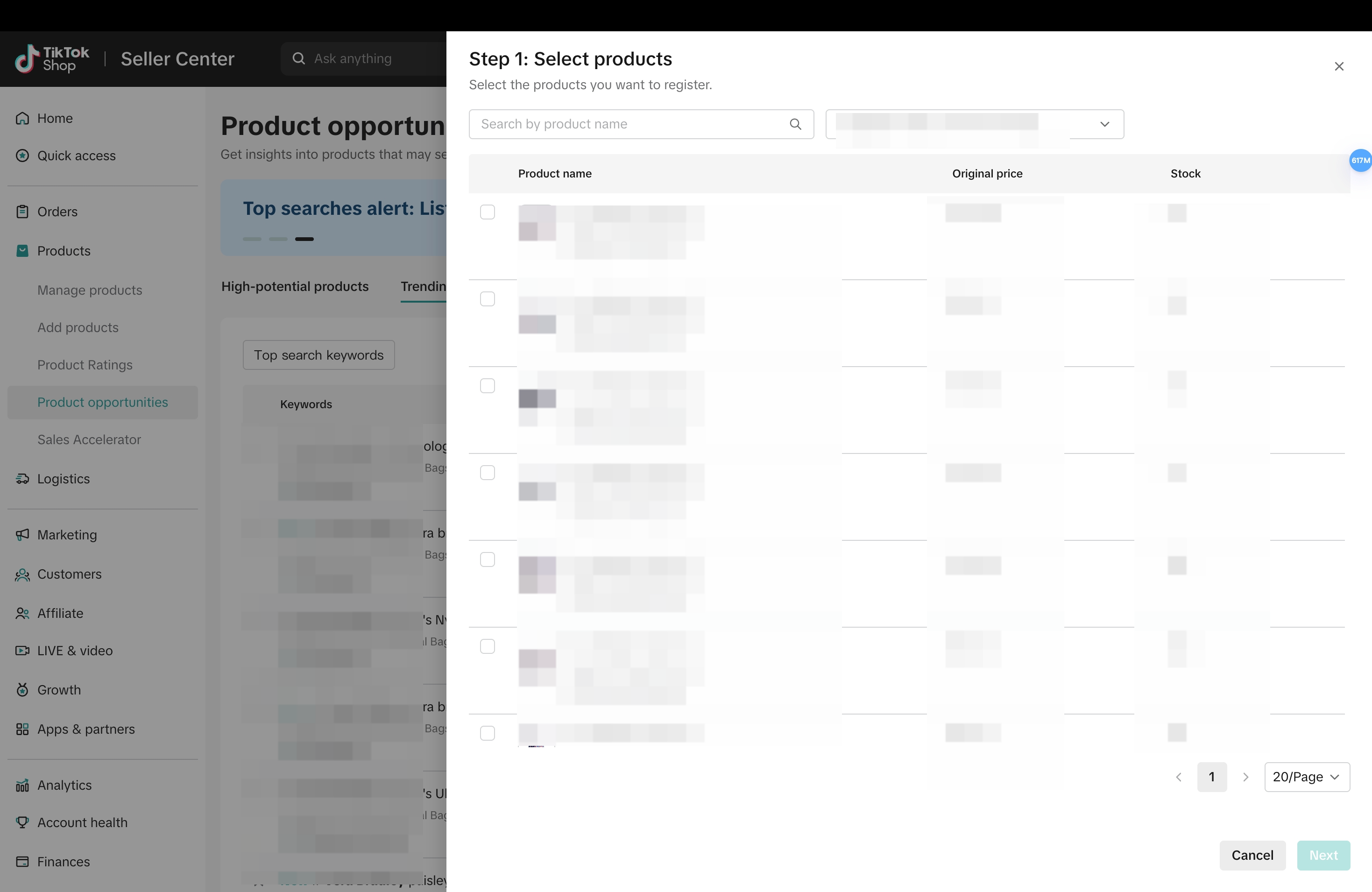
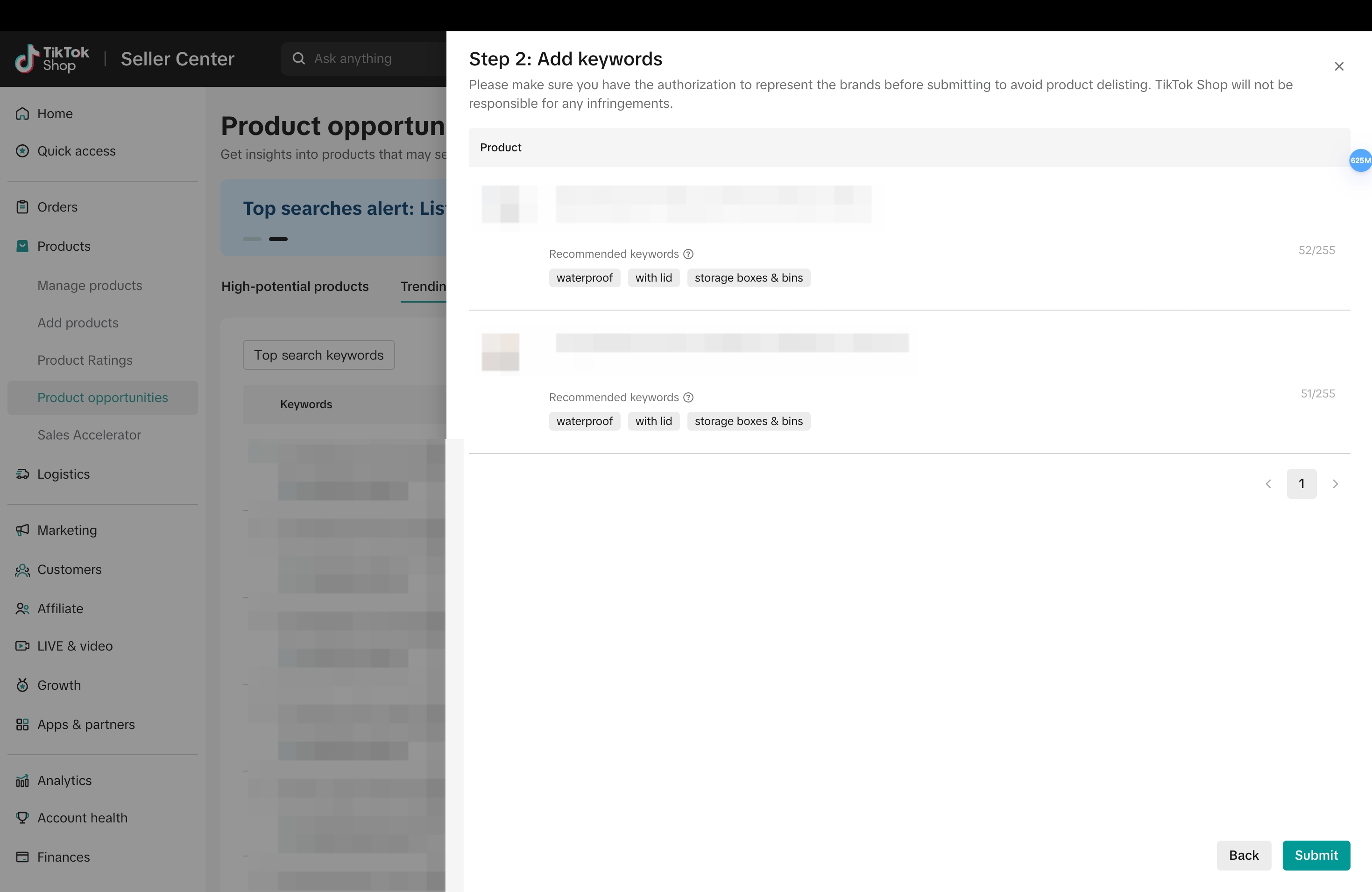
Successful listing / association
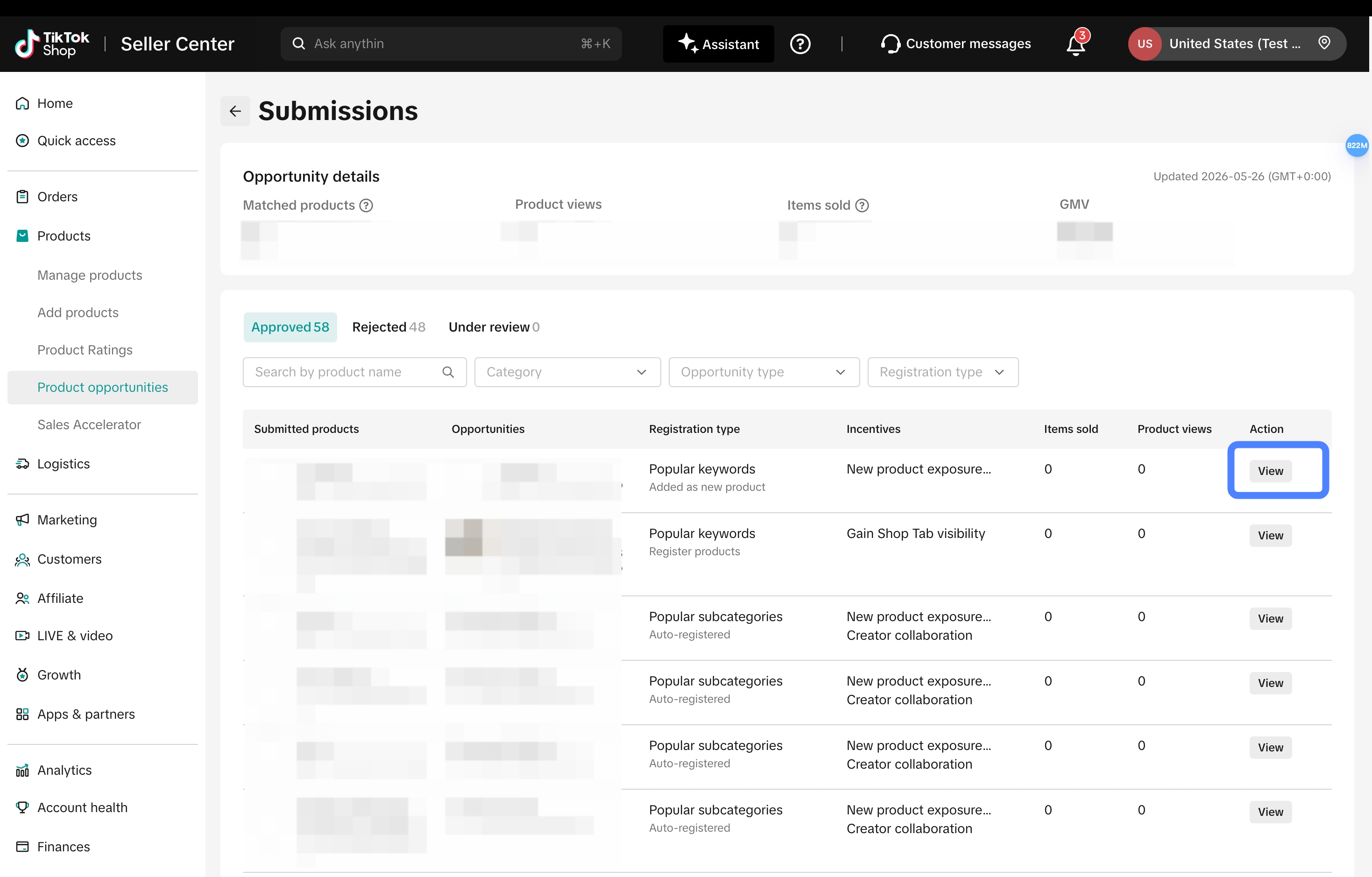
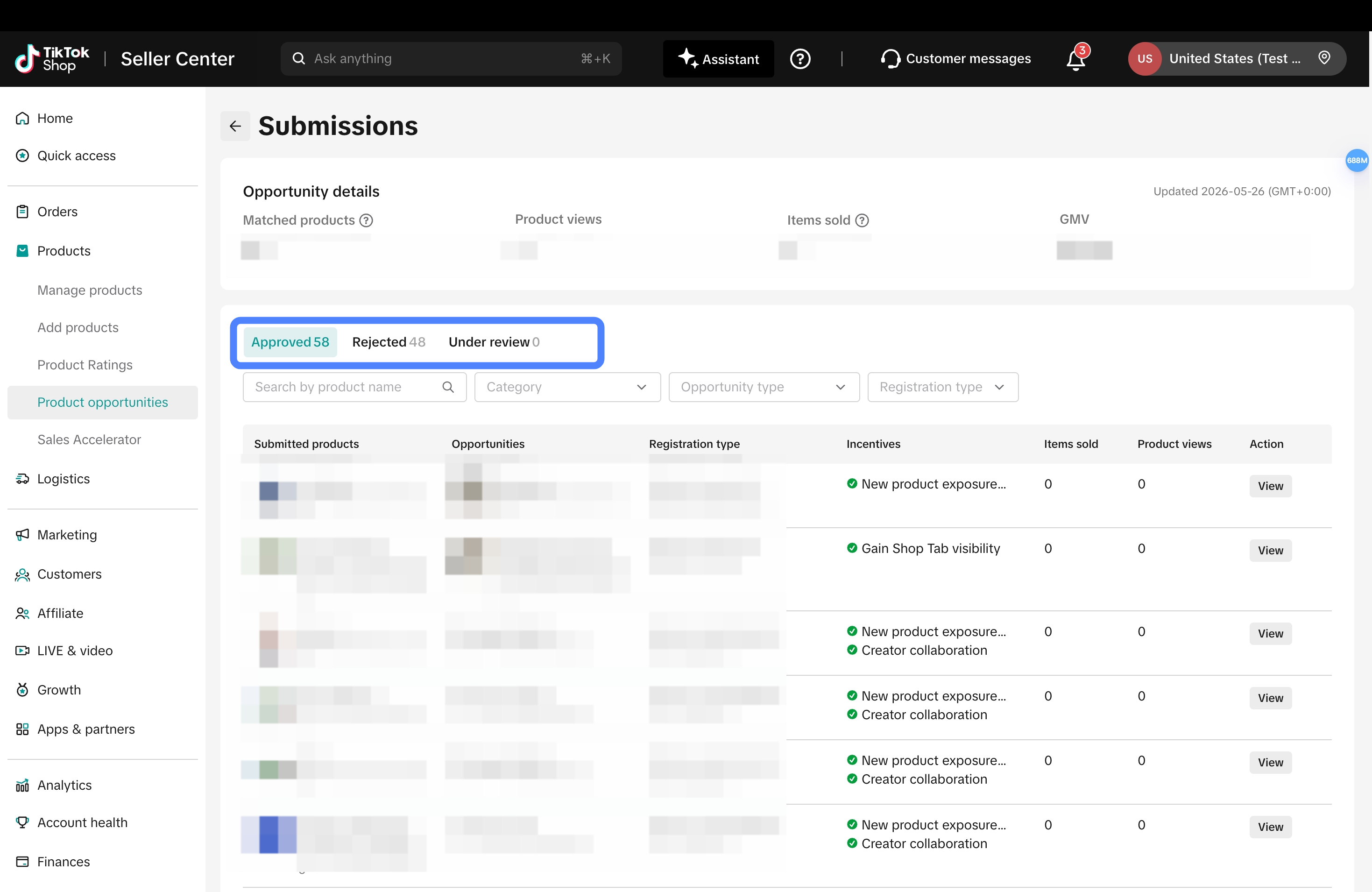
Check the submission records from "Your submissions" in the upper-right corner and see whether the opportunity-product association review has been approved.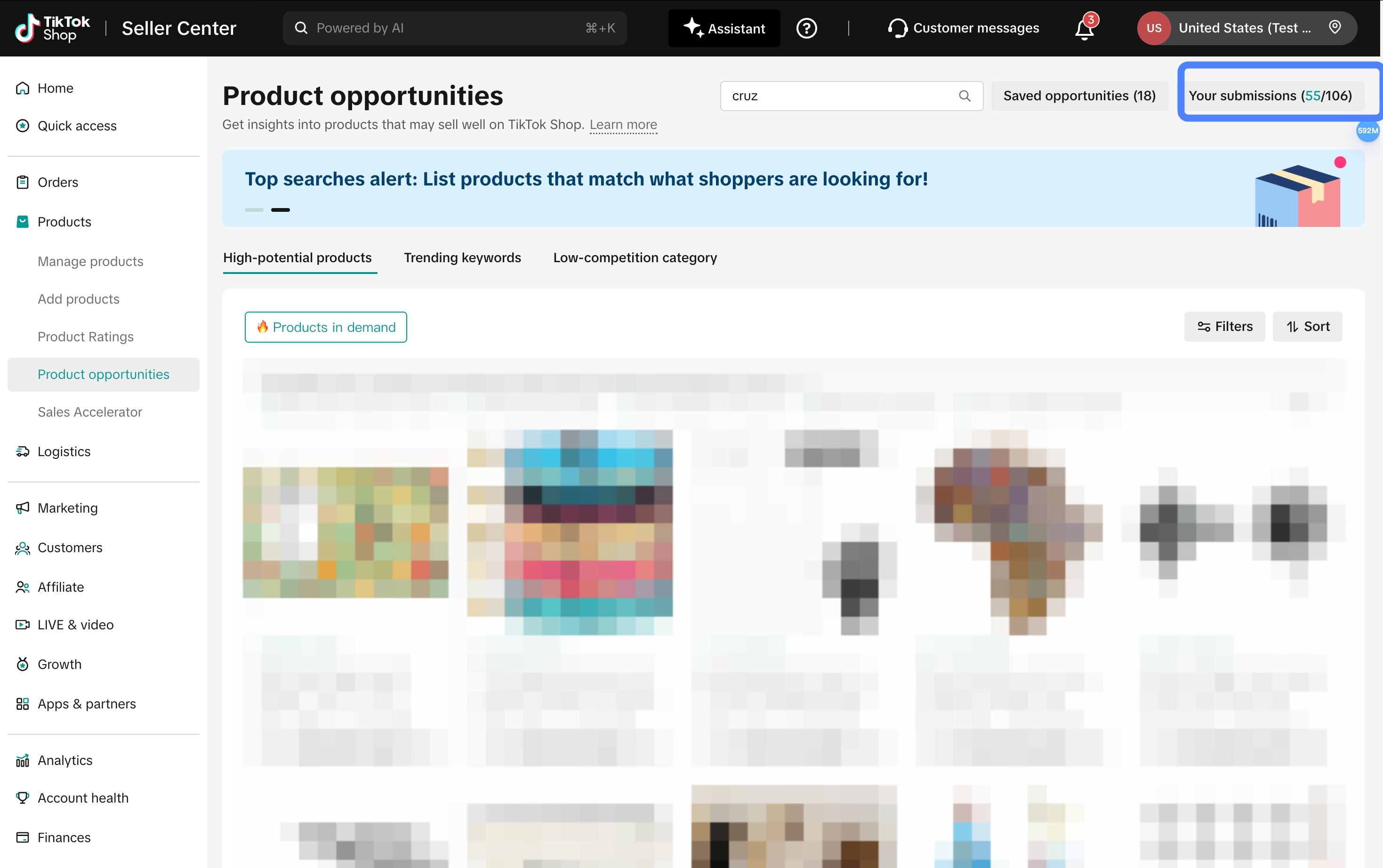
III. How merchants can view performance after listing products
On the "Your Submissions" page, merchants can view the follow-up business performance of approved opportunity products. Click "View" to check the specific Order Trend.