

Auto-optimized Samples
07/07/2025
Introduction on Auto-optimized Samples
To streamline and unify how affiliate sellers manage and measure their sample program, we're introducing Auto-optimized Samples for select affiliate sellers.As a seller, when you enroll eligible products into sample automation, TikTok Shop will automate inventory, creator matchmaking and sample request approvals, and will provide a minimum target order amount. You can also adjust enrolled products' target ROI value to optimize for more content output in exchange for a lower target ROI value.
Seller benefits
Auto-optimized Samples help reduce manual effort at each stage of the process by offering the following benefits:- Automated sample workflow, eligible product enrollment, sample inventory management, creator matchmaking, sample request approval
- Decreased risk with predictable order output
- Improved performance metrics for enrolled products in Affiliate Center, including sample ROI, content fulfillment, eligible products enrolled, and number of creators promoting enrolled products
How Auto-optimized Samples work
- You won't need to approve sample requests for eligible, enrolled products. TikTok Shop will match those products to creators who are likely to deliver the platform-provided minimum order amount
- Once enrolled, you'll receive an estimated ROI value for every eligible product that you enroll in the program. ROI values will vary across products and will be set at the TikTok Shop's discretion and are equivalent to the minimum order amount provided by the platform
- You won't need to manage your sample quota so you can focus on keeping overall inventory in-stock. TikTok Shop will manage sample inventory
- Auto-optimized Samples will not impact your Target Collaboration or Agency sample workflows

Example of how auto-optimized Samples will work
For example, we believe we can generate a minimum of five customer orders per sample shipped for a given eligible product. As a result, we'll display an Estimated ROI of five for that product. You'll enroll that product, which automates the following:- Sample quotas to maintain sample inventory against TikTok Shop inventory
- Creator screening and filtering thresholds
- Sample request approval process
- Product level reporting

Product eligibility
Product eligibility depends on the following factors:- Quality of the product listing: Products should have accurate descriptions and images that are aligned with best practices and search ranking optimizations. You can learn more by visiting our product optimizer article.
- Seller policy compliance: All sellers should be in accordance with TikTok Shop's Seller Terms of Service and in good standing with all seller and product policies.
- Logistics and inventory: Products with available inventory greater than or equal to 30 days of cover and delivery speed of less than 7 days
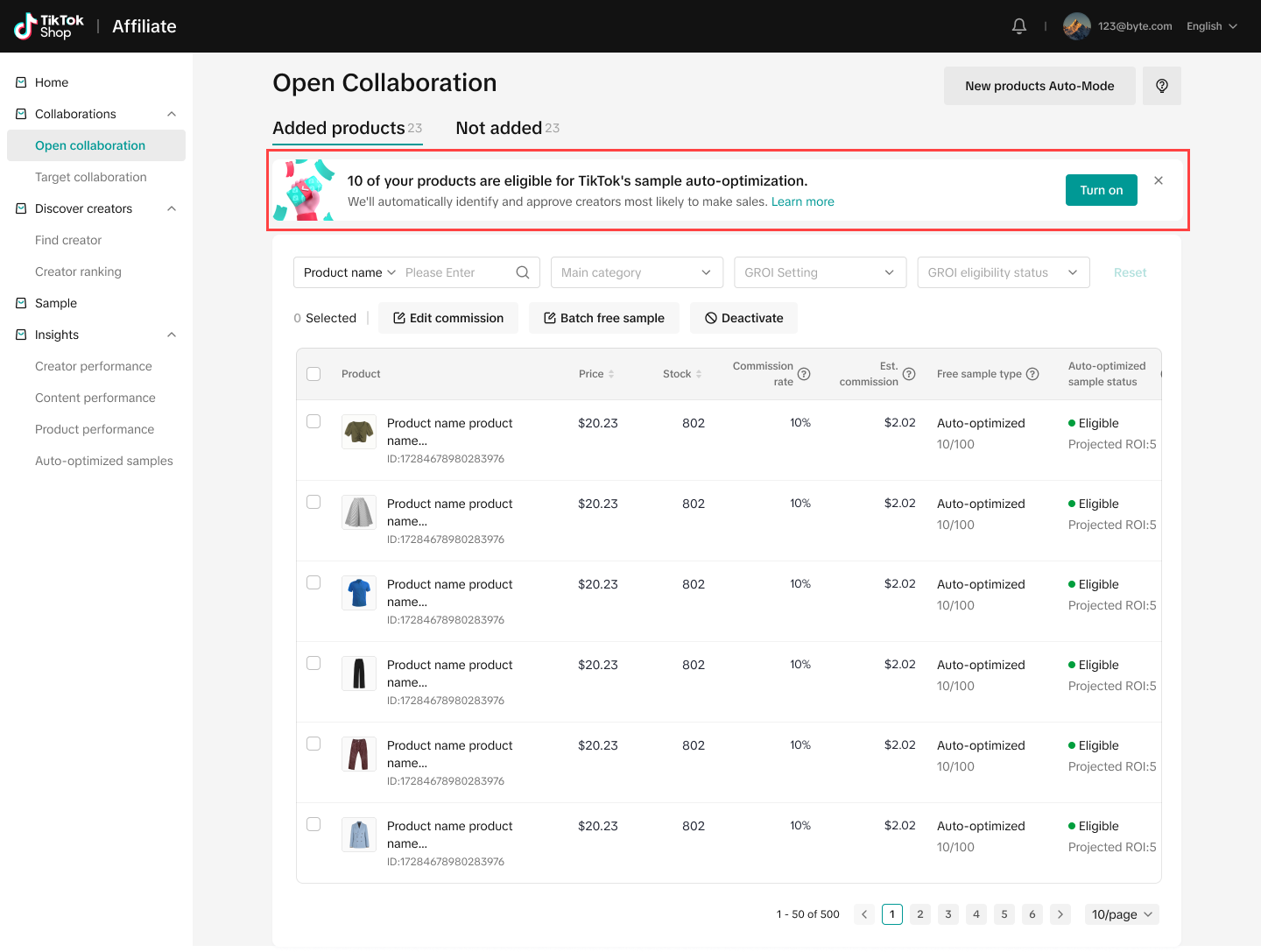
When a product becomes eligible, you'll be notified via a banner and encouraged to enroll your products
If a product becomes ineligible, you'll be notified and can see an explanation for ineligiblity in Open Collaborations
You'll be guided through the necessary actions to re-enroll a product.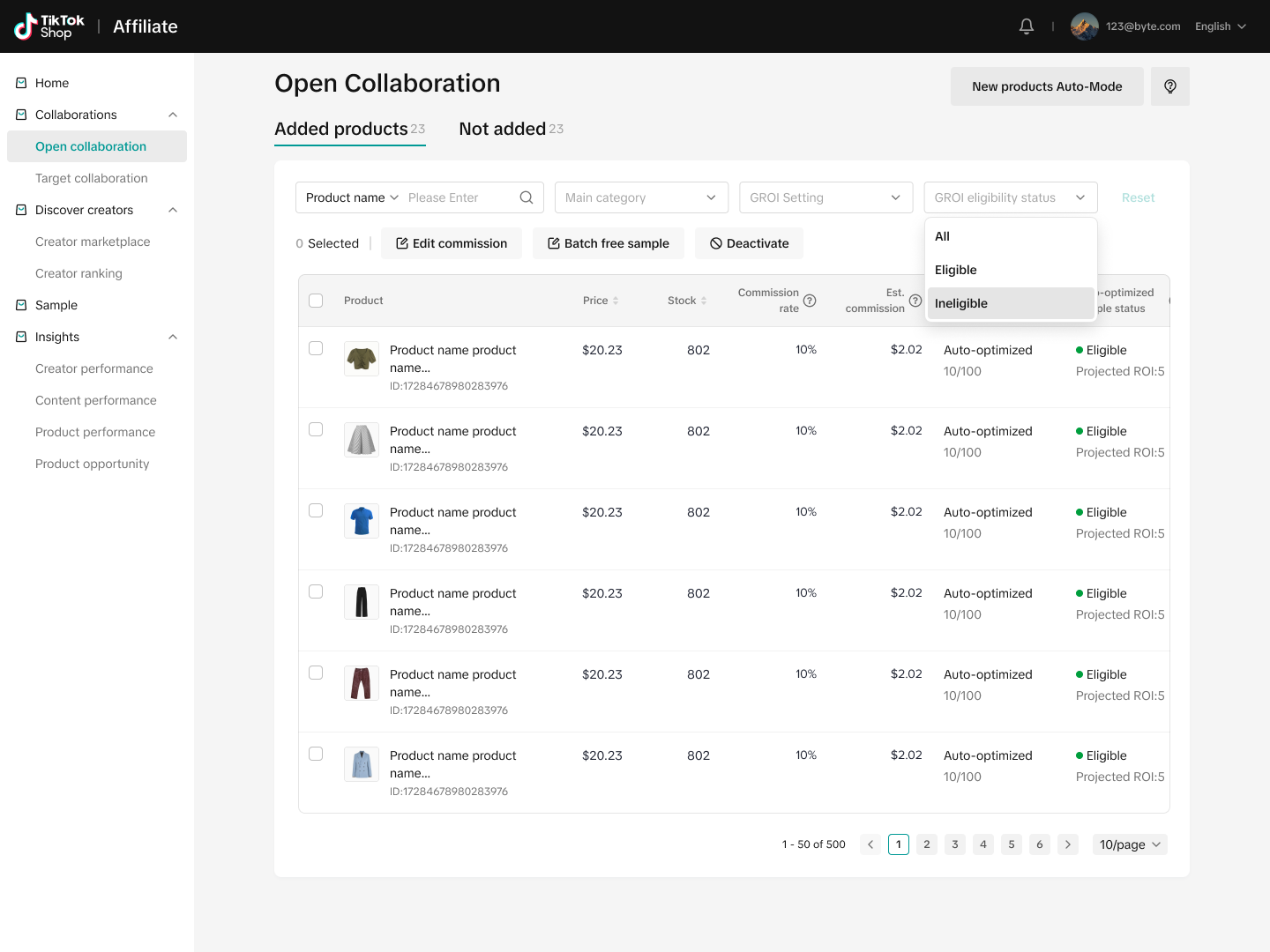

Product enrollment
If eligible, you'll receive an invitation to enroll eligible products through Affiliate Center Home and Open Collaborations with just one click
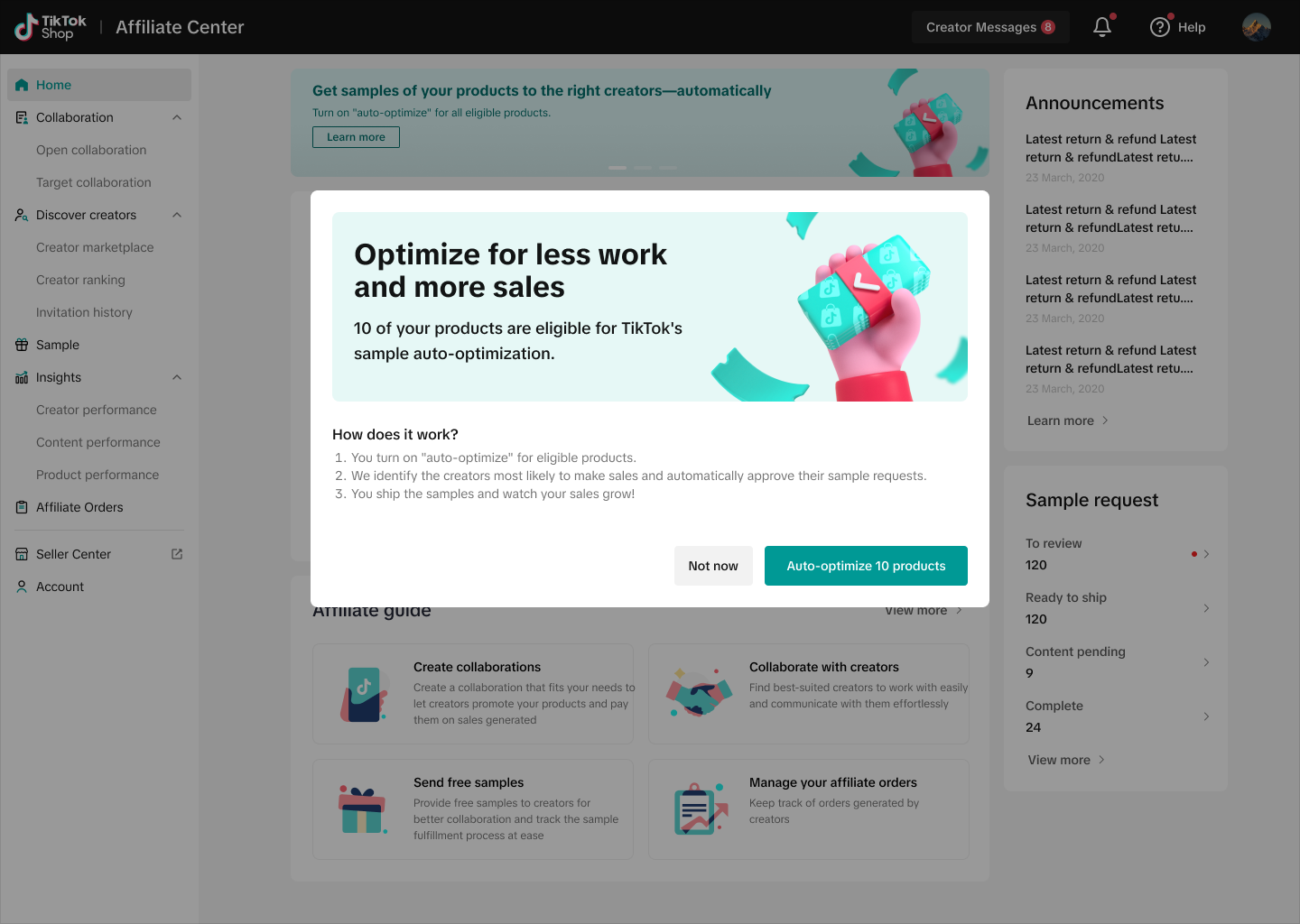
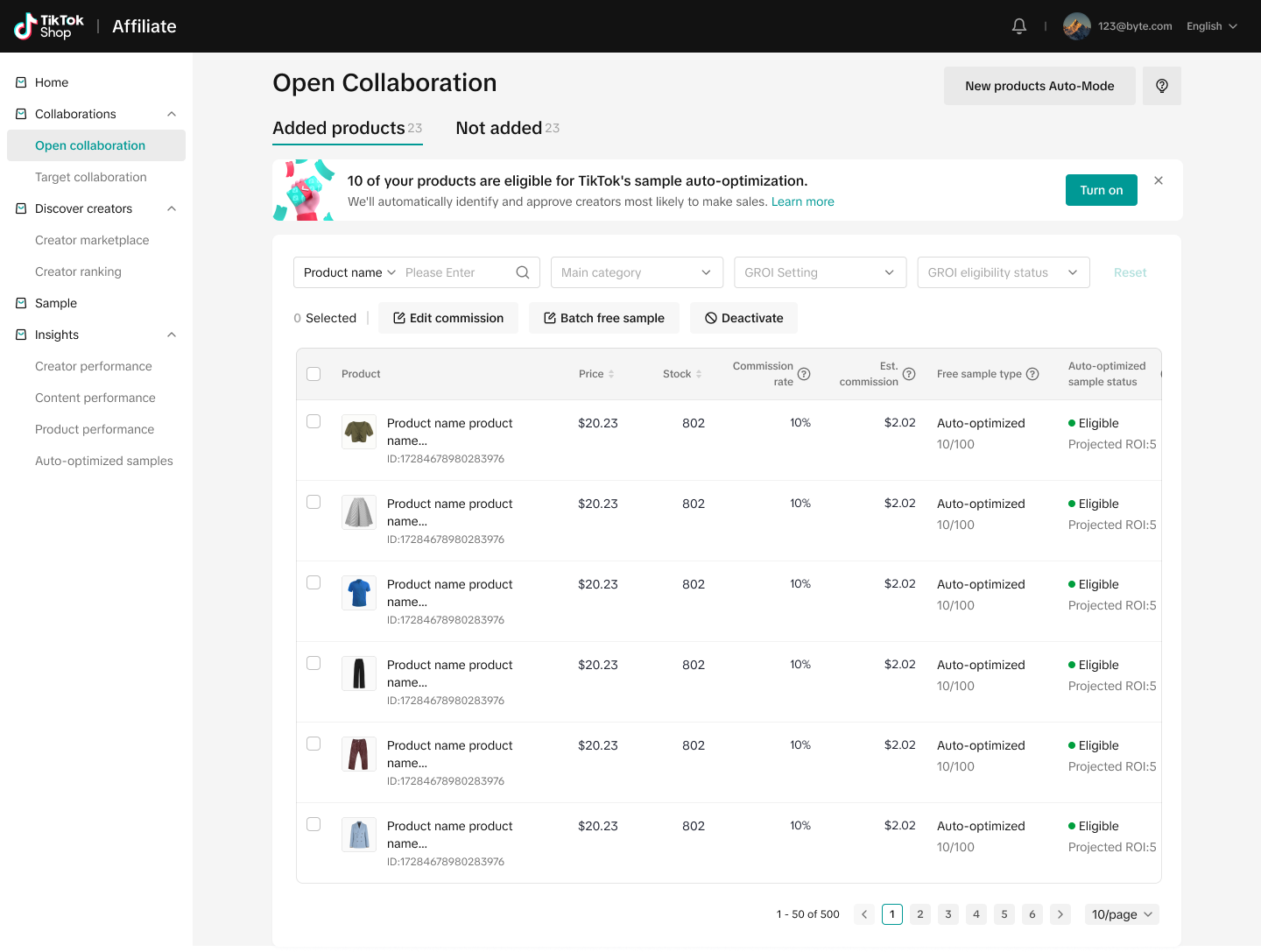
Once you accept the Terms and Conditions, you'll be able to review eligible products in Open Collaboration

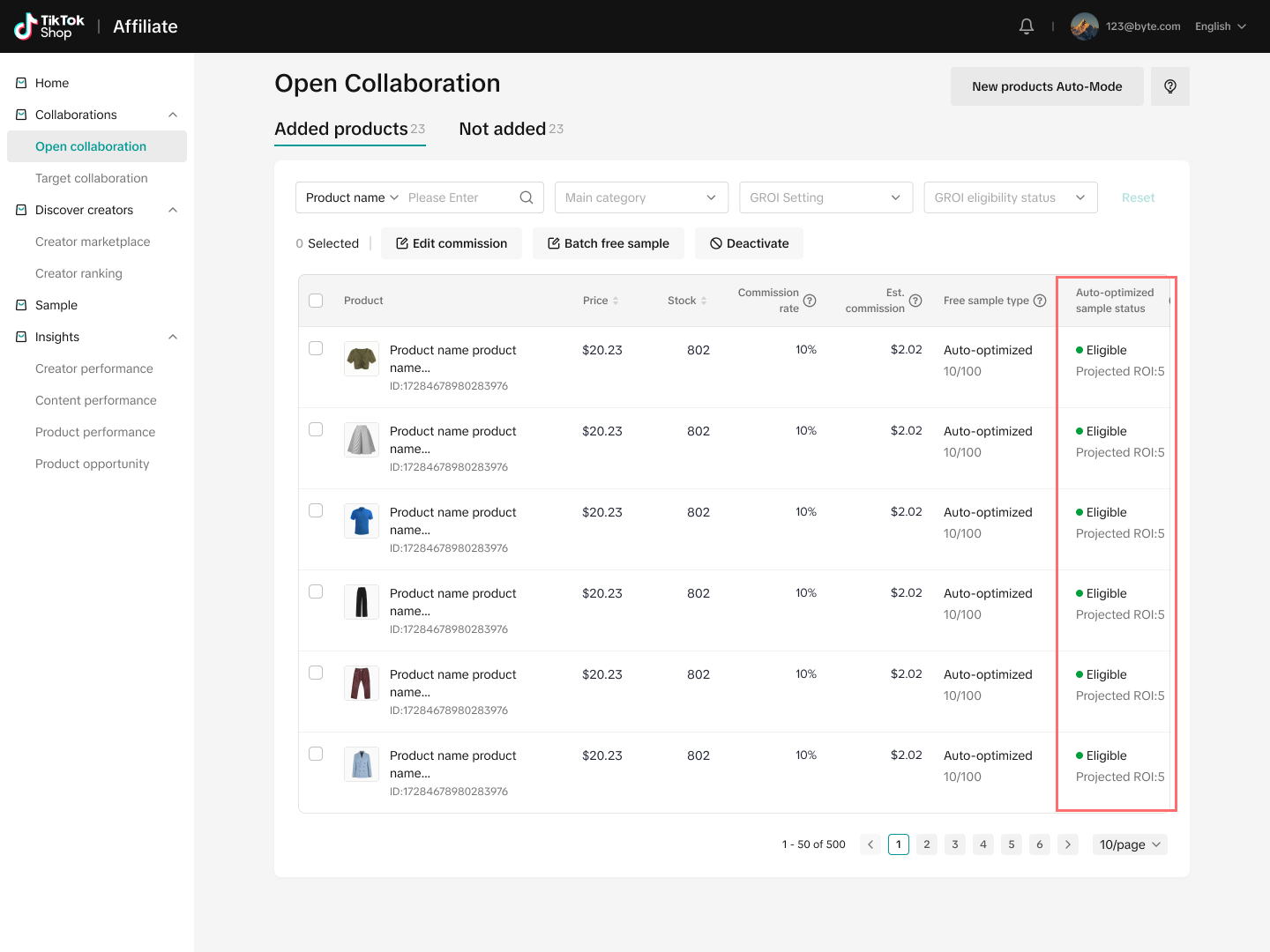
You can manually or automatically enroll all eligible products, select specific eligible products to enroll, and opt out of including specific by using the manual sample setting
If you decide to enroll a product after unenrolling, you can manually enroll the product at a later point, as long as the product remains eligible.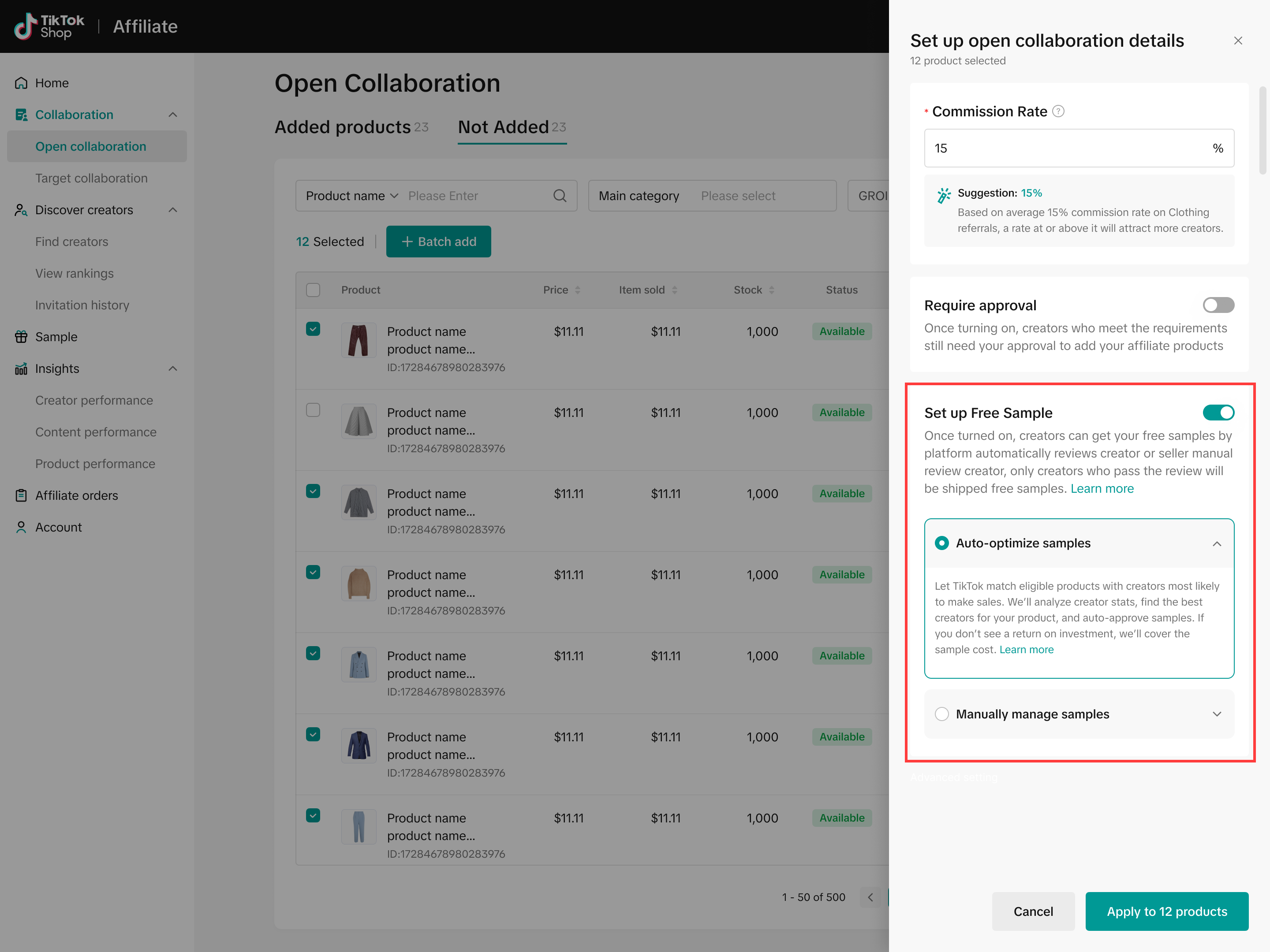

Customizing ROI Target Values
Now, you can adjust your ROI Target value to auto-optimize your samples for higher content output in exchange for a lower ROI Target value. While fewer orders may be generated, you can expect to see more auto-approved sample requests and consequently greater sample content output with a lower ROI Target.Within Open Collaboration's Edit Free Sample, you can adjust your enrolled products' ROI Target value
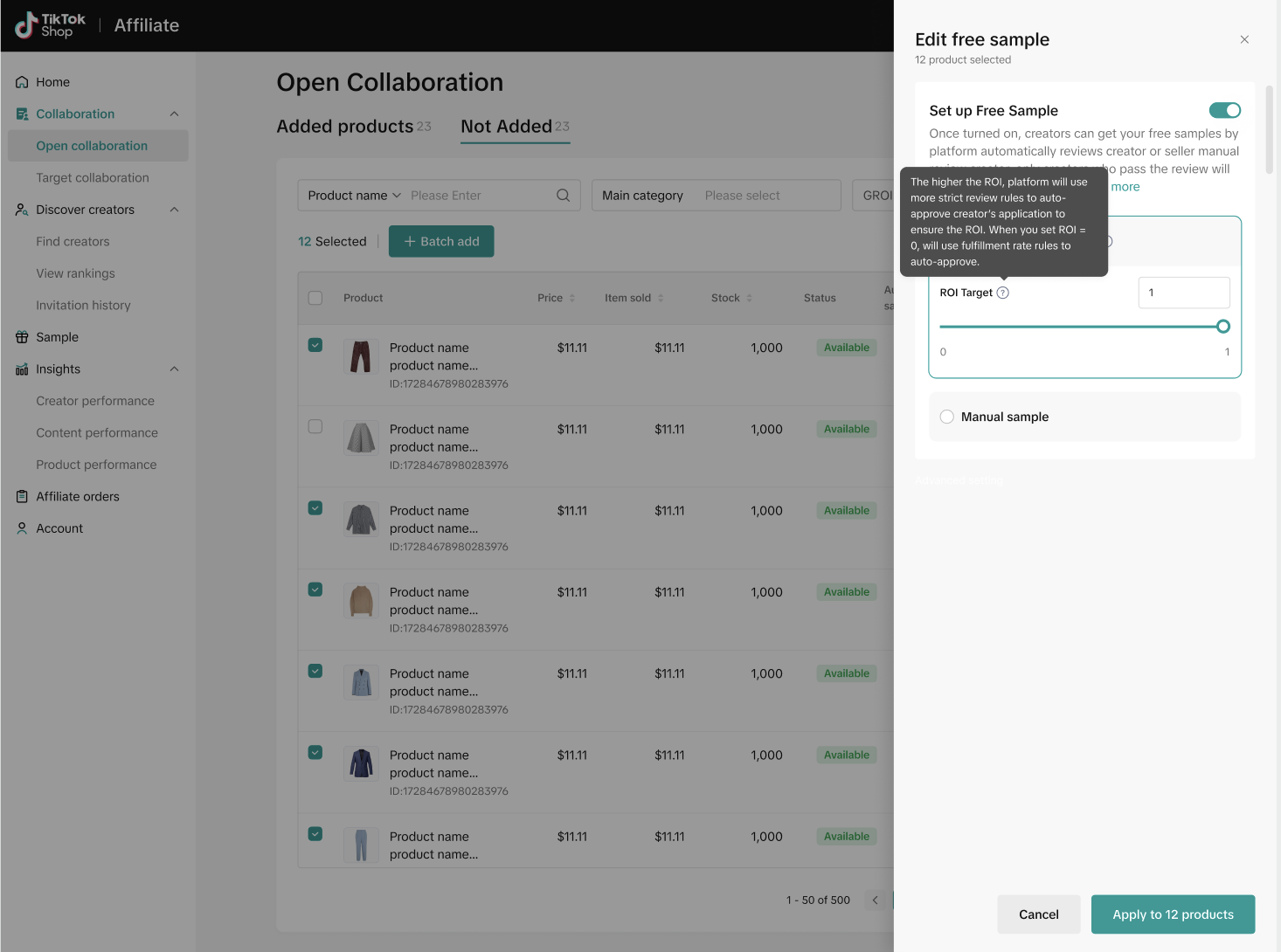
ROI Target values can range from 0 to the platform-provided default ROI value, and can be in increments of .25. Setting an ROI Target of 0 will increase the content supply for that product by auto-approving creators more likely to post content
You can also Bulk Edit multiple Auto-Optimized Products to change the ROI Target value across products
Note: When bulk editing, you can select a new ROI Target value between 0 and the smallest upper limit platform-provided default ROI value across products.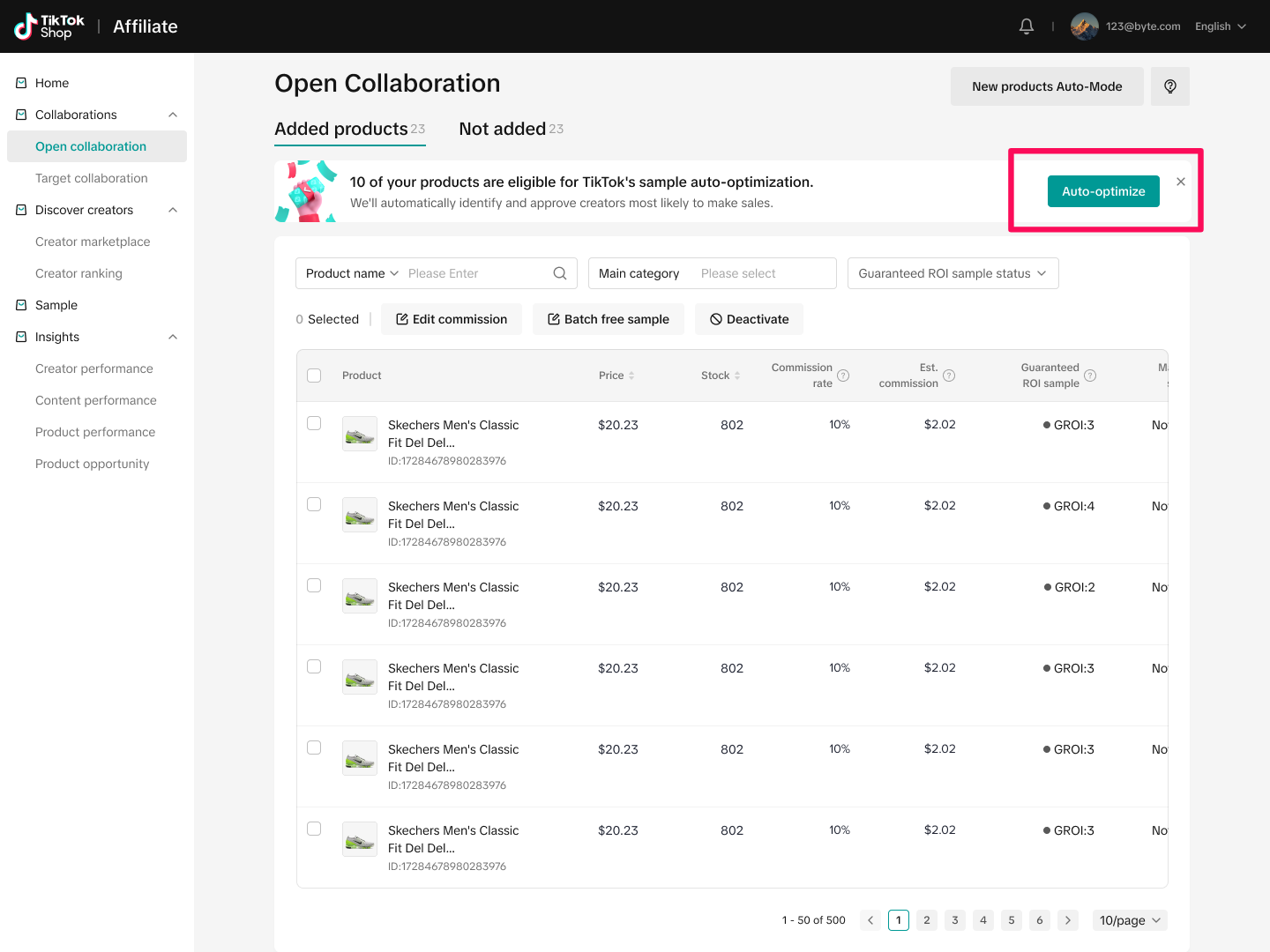
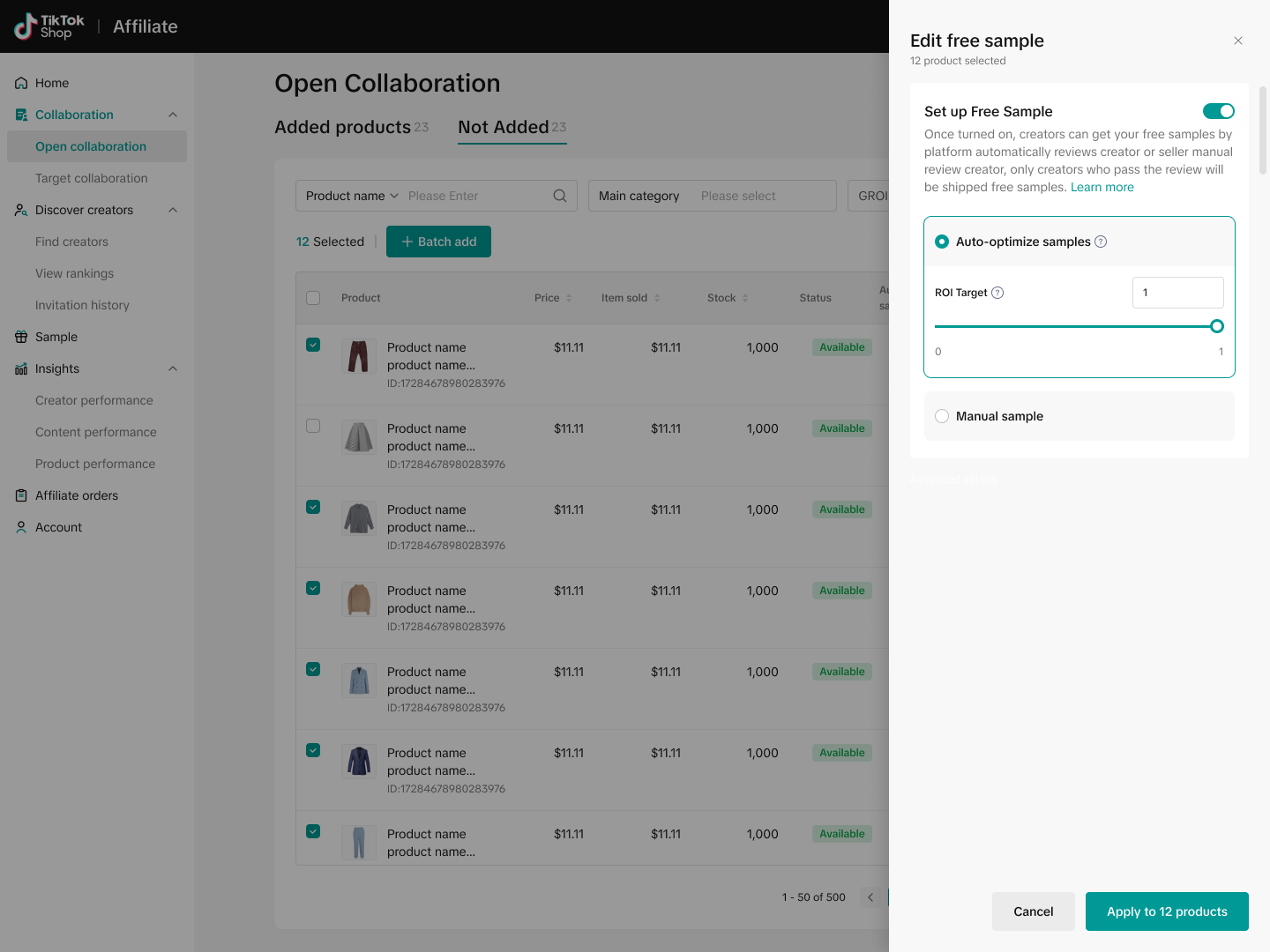
ROI Target Values can be changed every 24 hours - if you attempt to adjust your ROI Target value multiple times within 24 hours, you will be prompted to return and adjust your Target value at a later time.

Automated sample inventory management
The sample inventory for enrolled products will be automatically managed based on weekly sample demand.
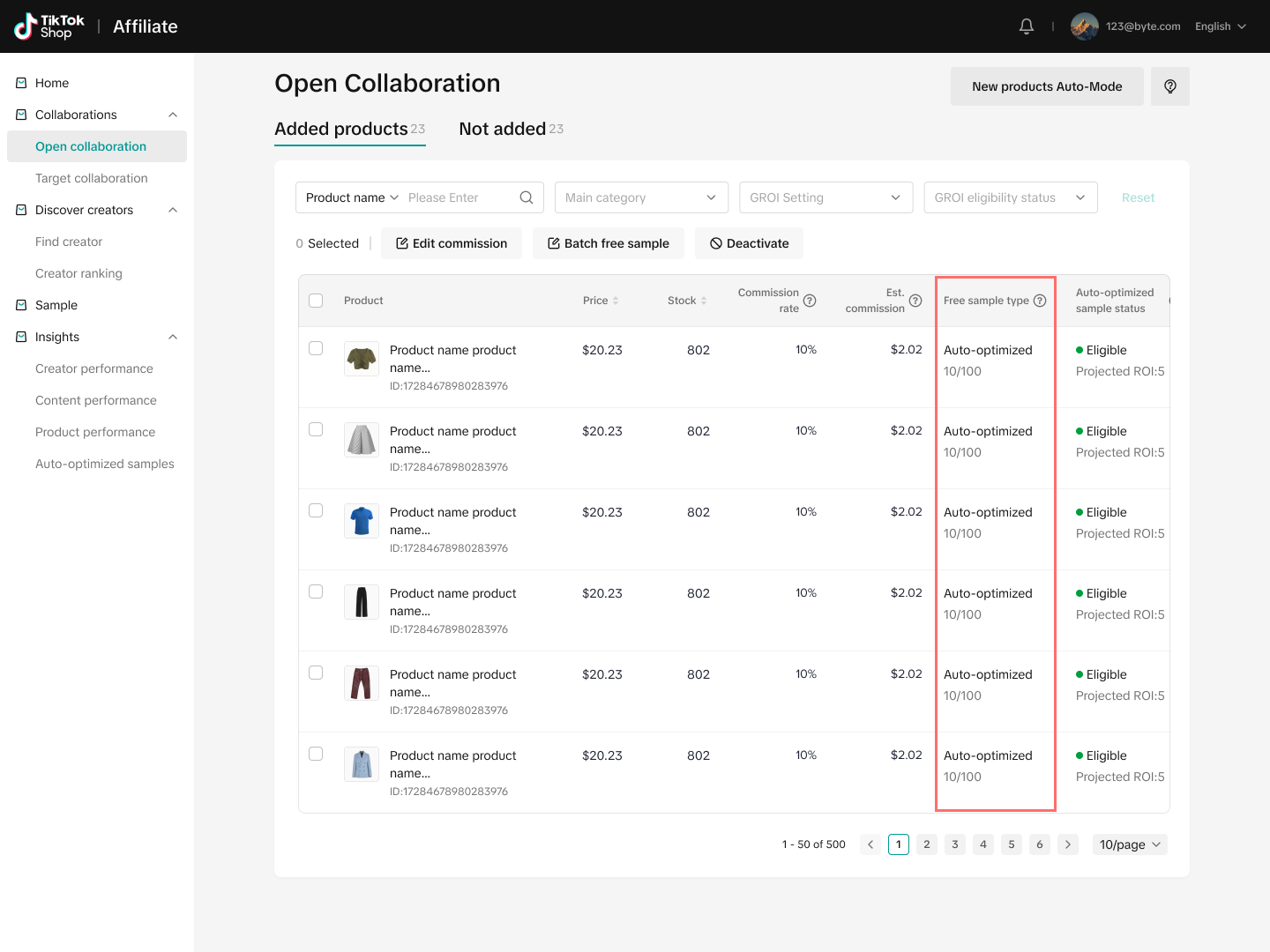
You'll receive an alert when low stock is detected so that you can replenish the inventory in Seller Center.
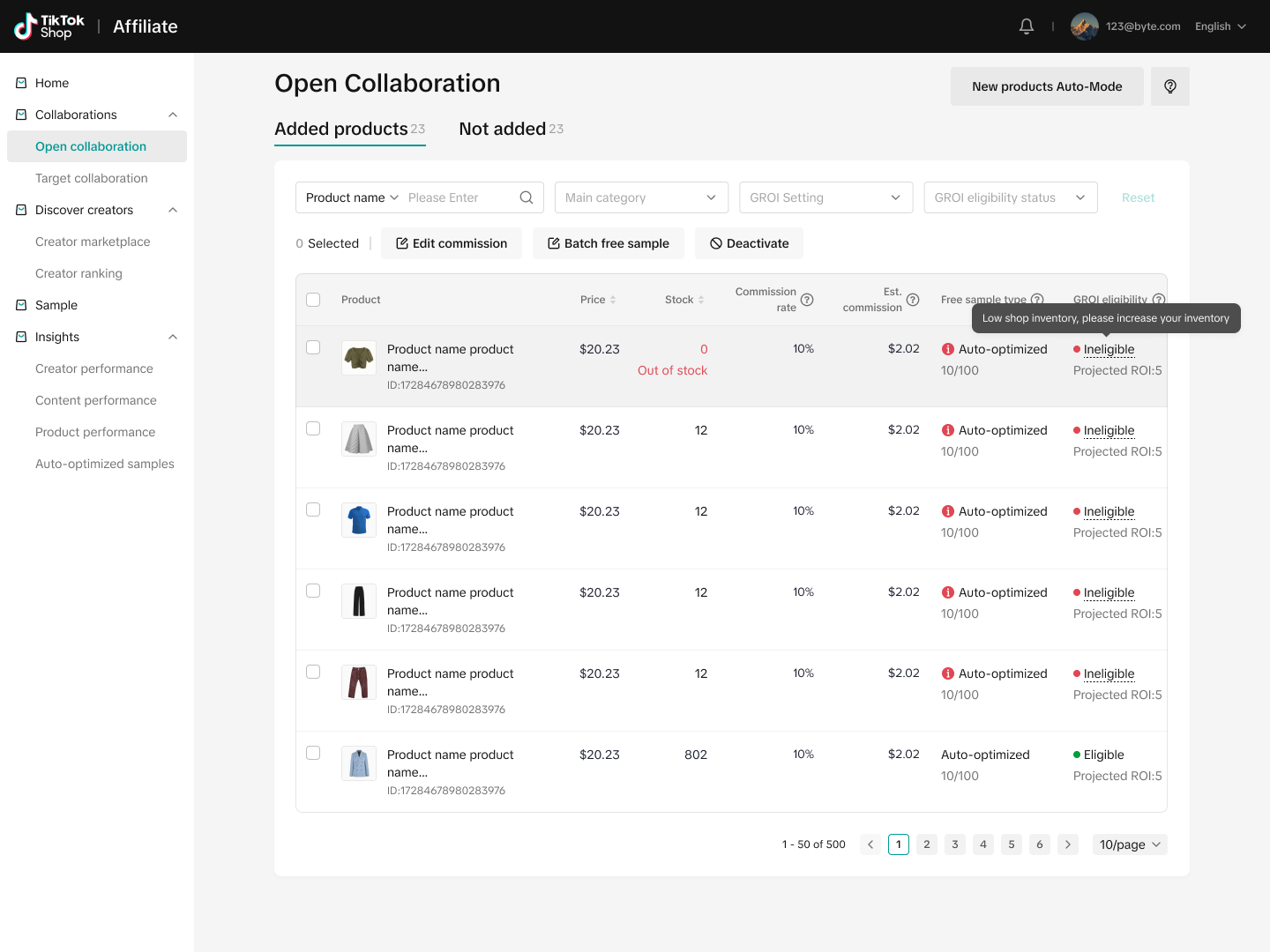
Because sample inventory is optimized for achieving the targeted ROI, changing sample inventory values for a product will automatically unenroll that product. You can set up manual samples for those products — if the product remains eligible, the product can be re-enrolled

Automated sample request approval
You won't need to manually review sample requests for enrolled products — requests will be auto-approved and rejected based on the requesting creators' ability to generate sufficient GMV to achieve the target minimum order amount.
In Open Collaborations, you'll be reminded that the creator approval setting is toggled off
You can view auto-approved requests for enrolled products in Sample Requests

Reporting
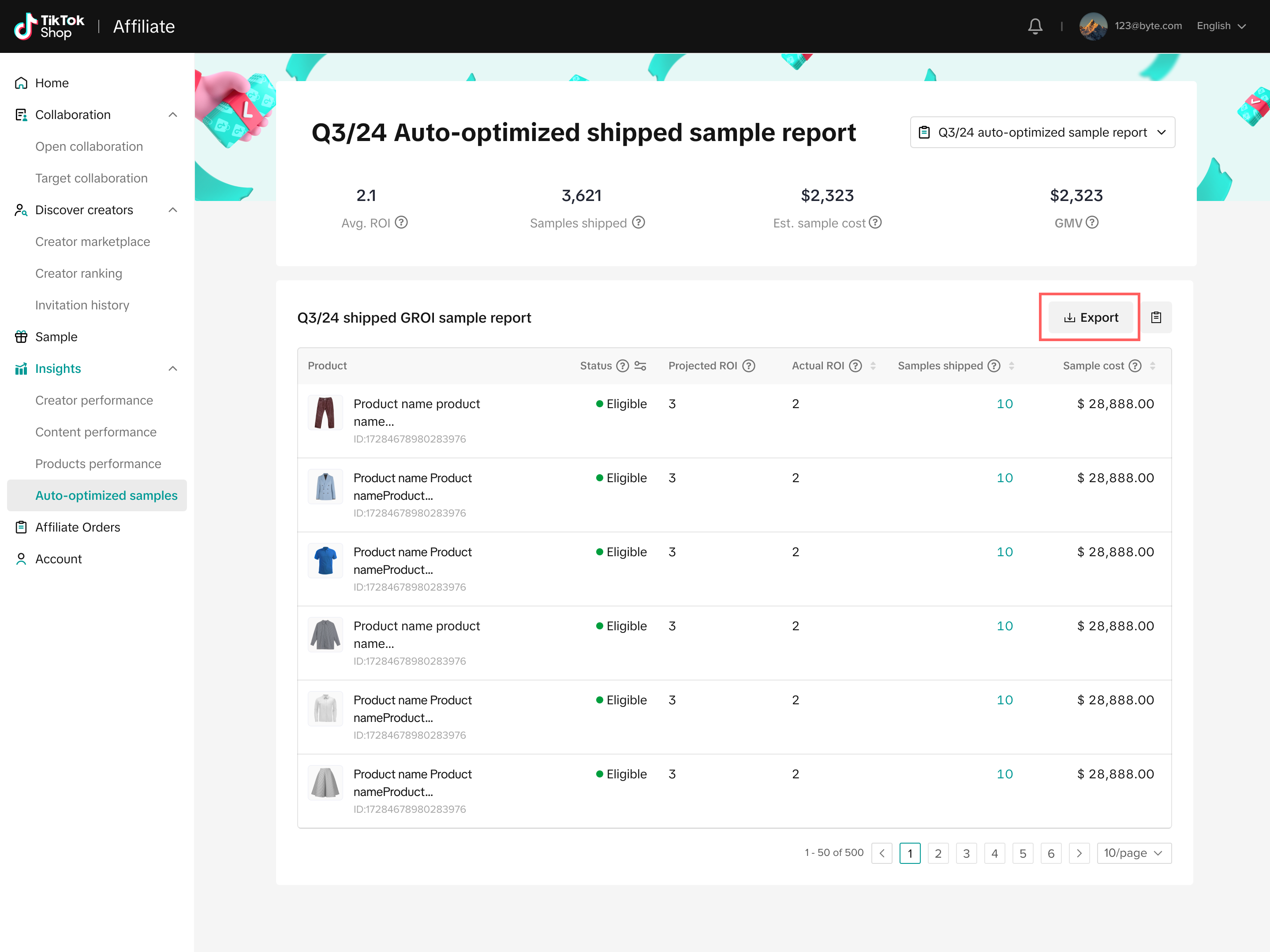
If enrolled, you'll have access to detailed performance reporting in the Affiliate Center Insights tab in the performance
section. Here, you can access reporting for each enrolled product on a quarterly basis.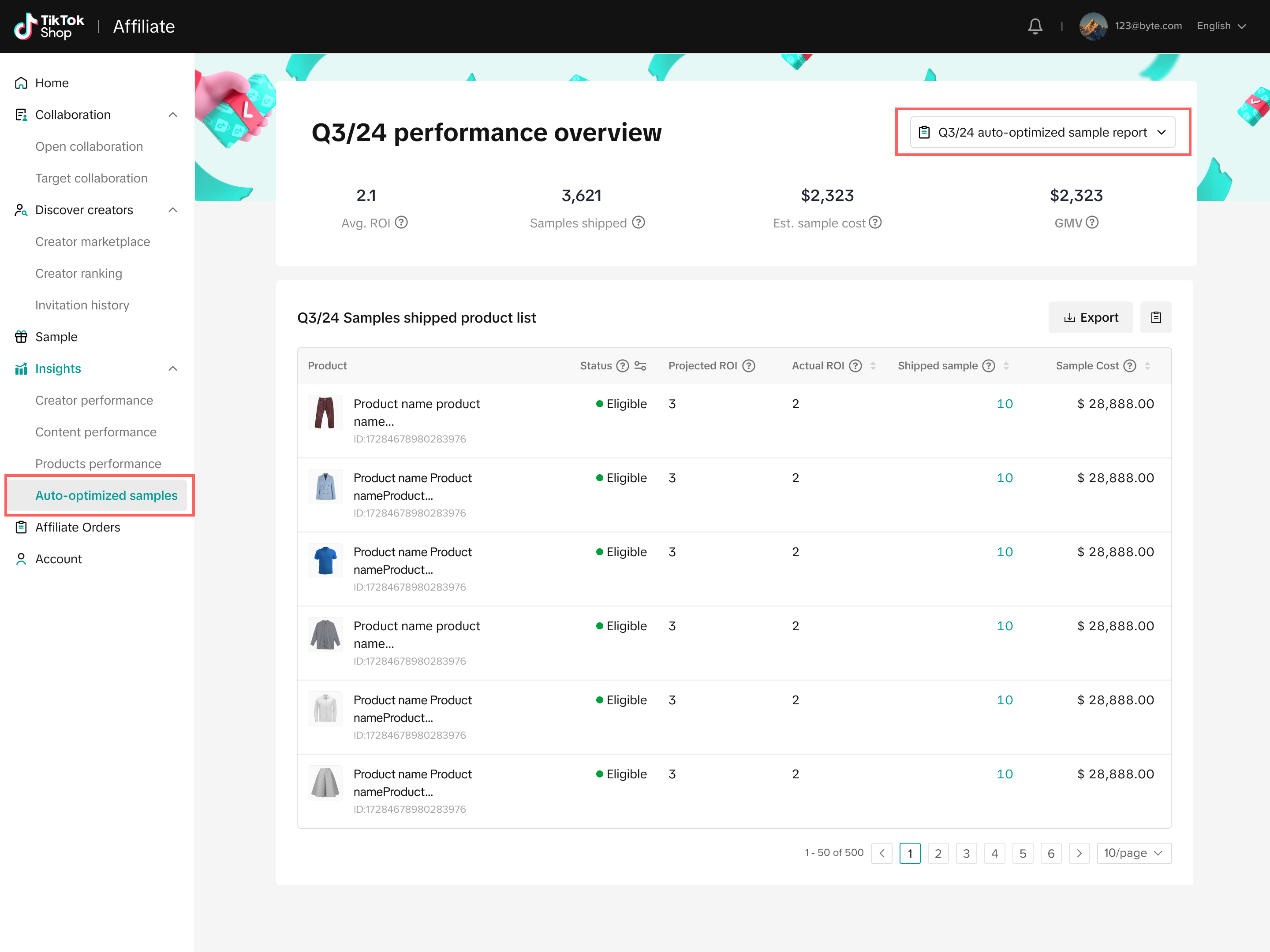
You can view the following performance metrics:
- Average ROI: Average number of orders generated per sample across enrolled products
- Shipped samples: Number of enrolled product samples shipped
- Seller cost: Total seller costs for enrolled products
- GMV: Total GMV generated from enrolled products
- Estimated ROI: Number of orders that are estimated to be generated from enrolled products
- Actual ROI: Actual number of orders generated from enrolled products
- Shipped sample: Total number of samples shipped
- Sample cost: Total cost of enrolled products
- Overall Performance
- Product Level Performance
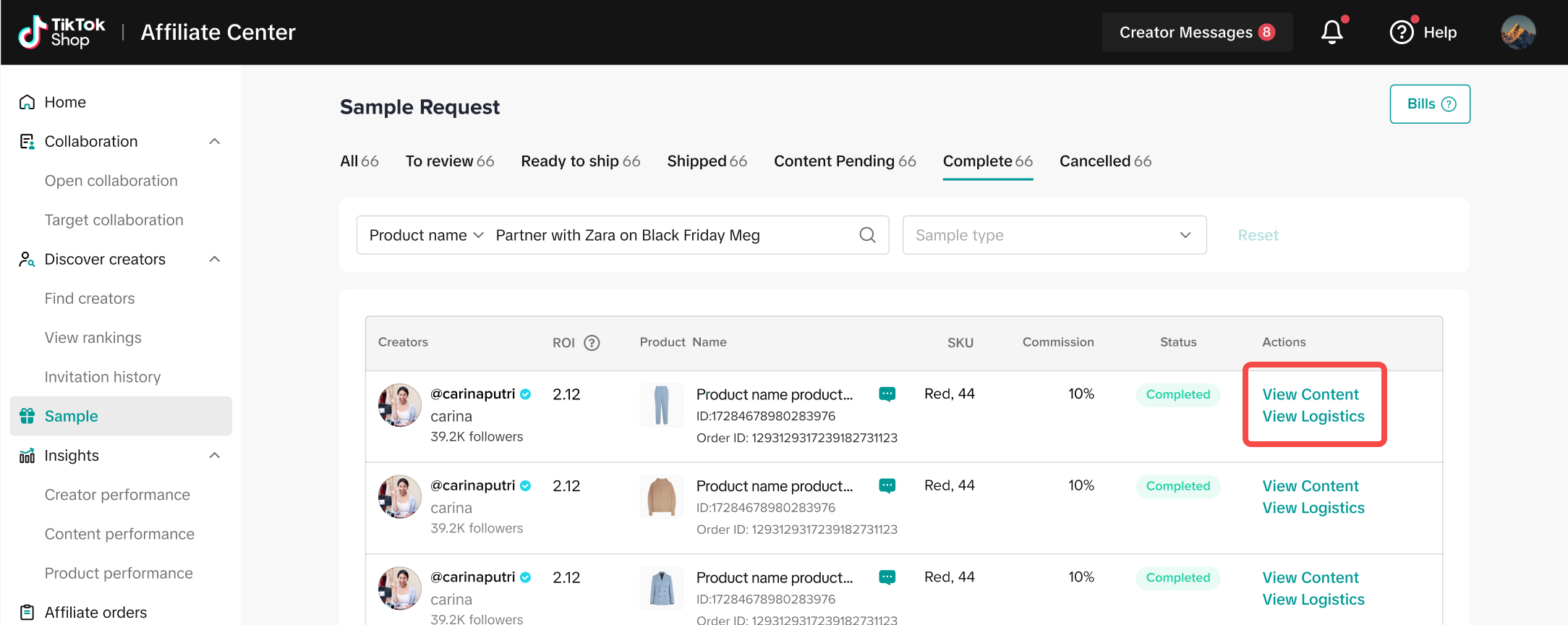
For enrolled products, clicking the number of samples shipped will take you to Sample Request, where you can view logistics and content
associated with those samples
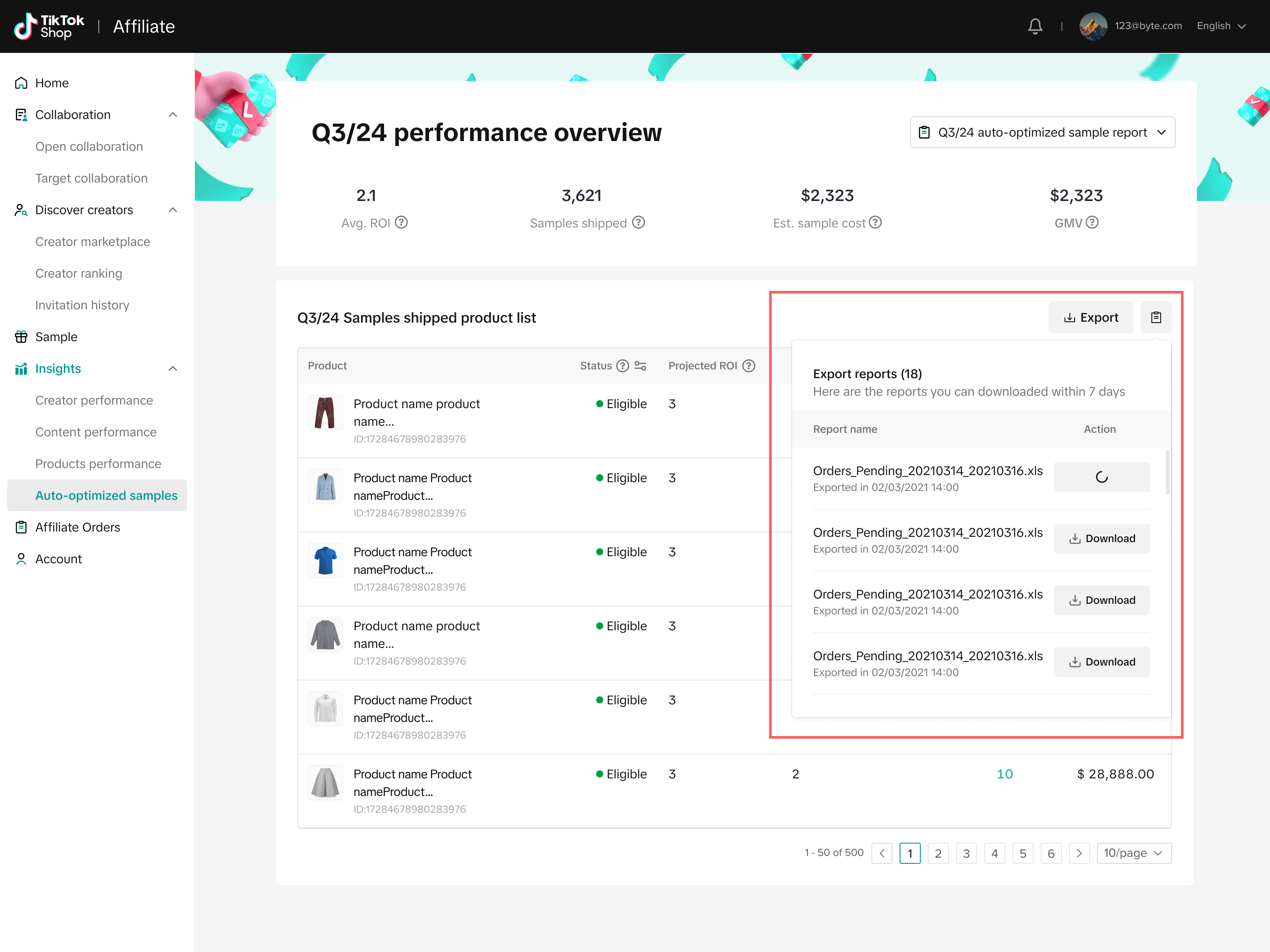
You can export your reports to integrate performance results with offline performance reporting

FAQs
| Questions | Answers |
| Currently, managed sellers in the U.S. will have access to this feature. |
| ROI is currently calculated as a product's GMV/Average Order Value (AOV) and can be thought of as the total amount of orders TikTok Shop expects an enrolled product to generate. |
| TikTok Shop creators will not be notified of this program. For creators who are platform-matched to eligible products, their sample request experience will remain unchanged. |
| Not at this time. |
| If you're planning to enroll more products in Affiliate and would like them to be eligible for this feature, consider the Product Eligiblity criteria outlined above. |
| We are identifying creators based on their historic sample posting rate, compliance with TikTok Shop policies, and other qualitative criteria. |
| At this time, we're not factoring in returns for determining product eligibility |
| We have removed the compensation aspect of this feature. For products that you enrolled in our initial launch phase (July - August), you will be compensated if your enrolled products do not generate the platform-estimated ROI. Beginning August 15, newly enrolled products will not be eligible for compensation. |
| Reach out to your Account Manager with questions regarding payment. |
| Terms and conditions can be found here. |
| In order for the platform to optimize updates made to products' ROI Target Value, a period of 24 hours is required prior to further adjustments. |