

How to use refundable samples
Summary
What is the Refundable Samples feature on TikTok Shop and how does it benefit sellers?
- Refundable Samples lets sellers collaborate with creators by refunding product costs only when creators meet sales thresholds, driving performance-based marketing.
- Benefits include 25% higher ROI than free samples, controlled marketing spend, discovery of motivated creators, and scalable strategies for product launches or scaling.
What are the key changes to Refundable Samples starting April 3, 2025, and what actions must sellers take?
- Refunds will be issued solely based on sales performance, not content creation alone; sellers must update settings from content-based to sales-based criteria before 4/3/2025.
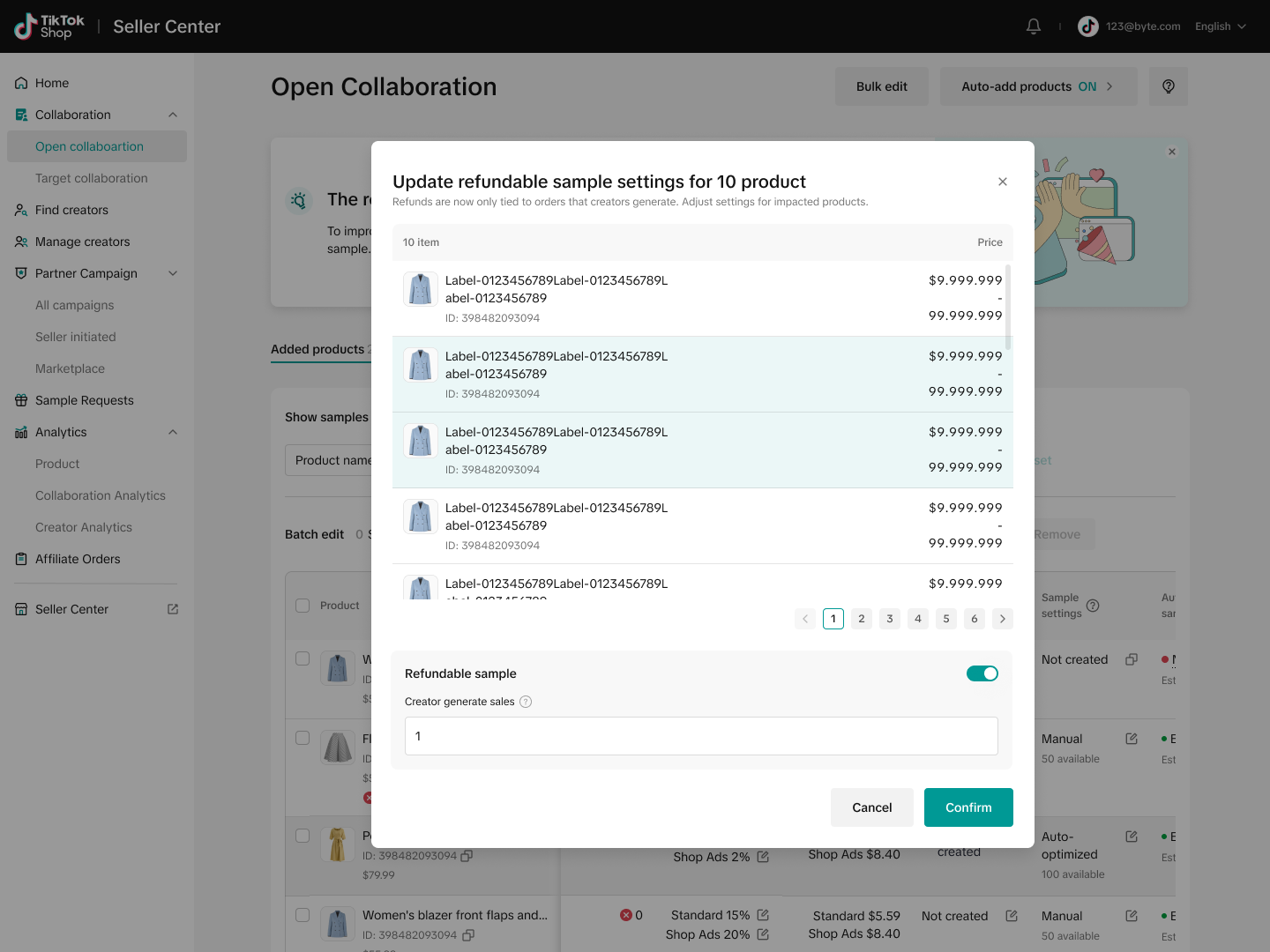
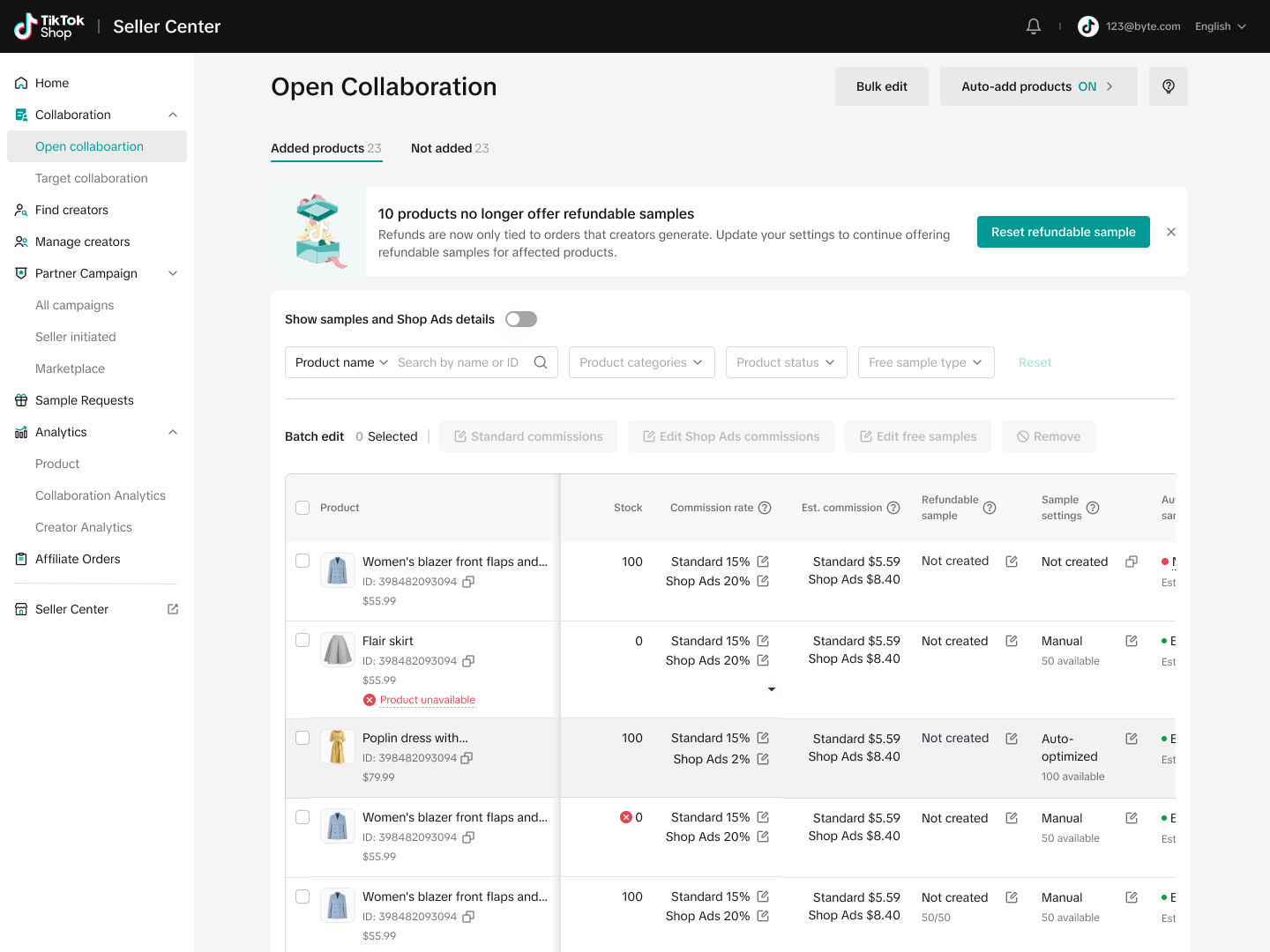
- If not updated, samples become unavailable to creators; sellers can reset or edit thresholds (1-3 sales) via the Open Collaboration tab.
How do sellers set up and manage Refundable Samples on TikTok Shop?
- Setup is done in Affiliate Center under Open Collaboration by toggling refundable samples and selecting sales thresholds.
- Creators buy products at full price, promote them, and receive refunds only if sales thresholds are met (excluding creator’s own purchases).
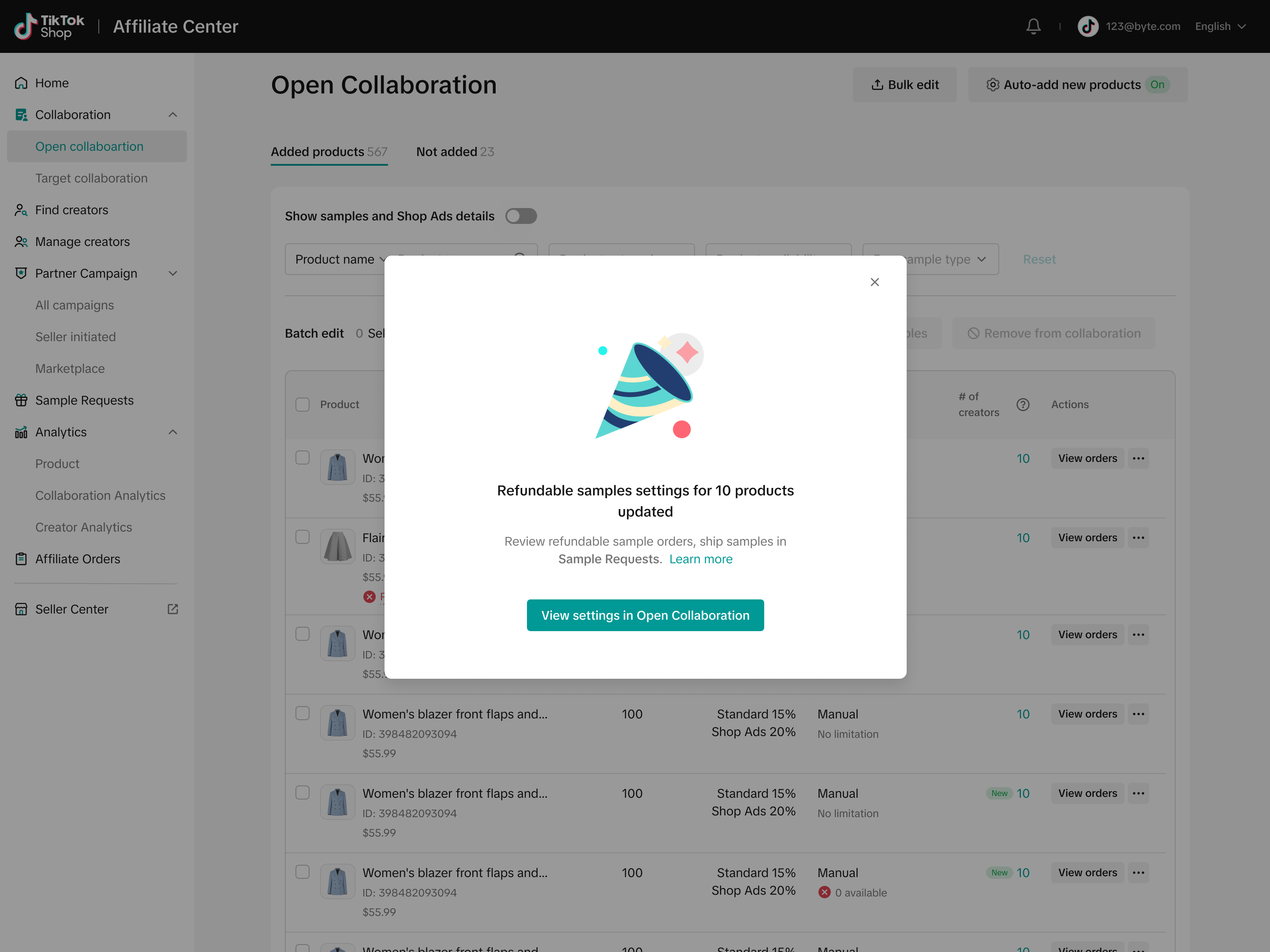
- Sellers can edit sample criteria per product and view settings anytime in Open Collaboration.
What considerations should sellers keep in mind when determining sales thresholds for Refundable Samples?
- Thresholds depend on product price, margin, and business goals; 1 sale suits new products or audience expansion, while higher thresholds fit established products.
- Creator’s own purchases do not count toward sales thresholds; only sales to other shoppers qualify for refunds.
Can sellers still use free samples alongside Refundable Samples, and are SKU-level controls available?
- Yes, free samples remain available and can be managed separately; SKU-level controls apply only to free samples, not refundable samples.
Overview
Refundable Samples is a TikTok Shop feature that allows you to connect with creators through performance-based collaborations. Starting 4/3/25, sample refunds are exclusively tied to sales performance rather than content creation alone.Benefits
- Higher ROI: Sellers using Refundable Samples see 25% higher return on investment compared to traditional free samples*
- Performance-driven investment: Control your marketing spend by ensuring refunds are tied directly to sales
- Creator discovery: Identify motivated creators who believe in your products enough to make the initial investment
- Scalable strategy: Adapt thresholds based on your business goals, from product launches to scaling bestsellers
How It Works
- Set up your refundable samples in Affiliate Center
- Navigate to Open Collaboration
- Under Offer Samples, toggle refundable samples
- Select your sales thresholds
- Creators purchase your products
- Creators buy your products at full price with the intention to promote
- They create content featuring your products
- Sales-based refunds
- If a creator's content drives your specified number of sales, they receive a refund
- You identify high-performing creators for ongoing partnerships
FAQs
Q: What changed with refundable samples?A: Starting 4/3/2025, refunds will only be issued when creators meet sales thresholds you set. Refunds for content creation alone will no longer be available.Q: What happens to my existing refundable sample settings?A: If you're currently using content-only refund requirements, you'll need to update your settings before 4/3/2025. If you do not update the settings, the sample will no longer be available to creators.
Q: How do I determine the right sales threshold for my products? A: Consider your product price point, margin, and business goals. Lower thresholds (1 sale) work well for new products or audience expansion, while higher thresholds are ideal for established products.
Q: Does the Creator's own purchase of the product count towards the order threshold?A: No. Sales generated by the Creator’s own purchases of the product for which the refundable sample was requested—whether used in a short video, LIVE session, or showcase—will not be counted toward the sales criteria, even if such orders are successfully settled and not canceled. Only sales made to shoppers other than the Creator will be considered valid for refund eligibility.
Q: Can I still use free samples? A: Yes, you can still send free samples to creators. Visit our Sample feature guide to learn more.Q: Can I set up SKU-level samples for refundable samples?A: No. SKU-level control applies to free samples, not refundable samples.
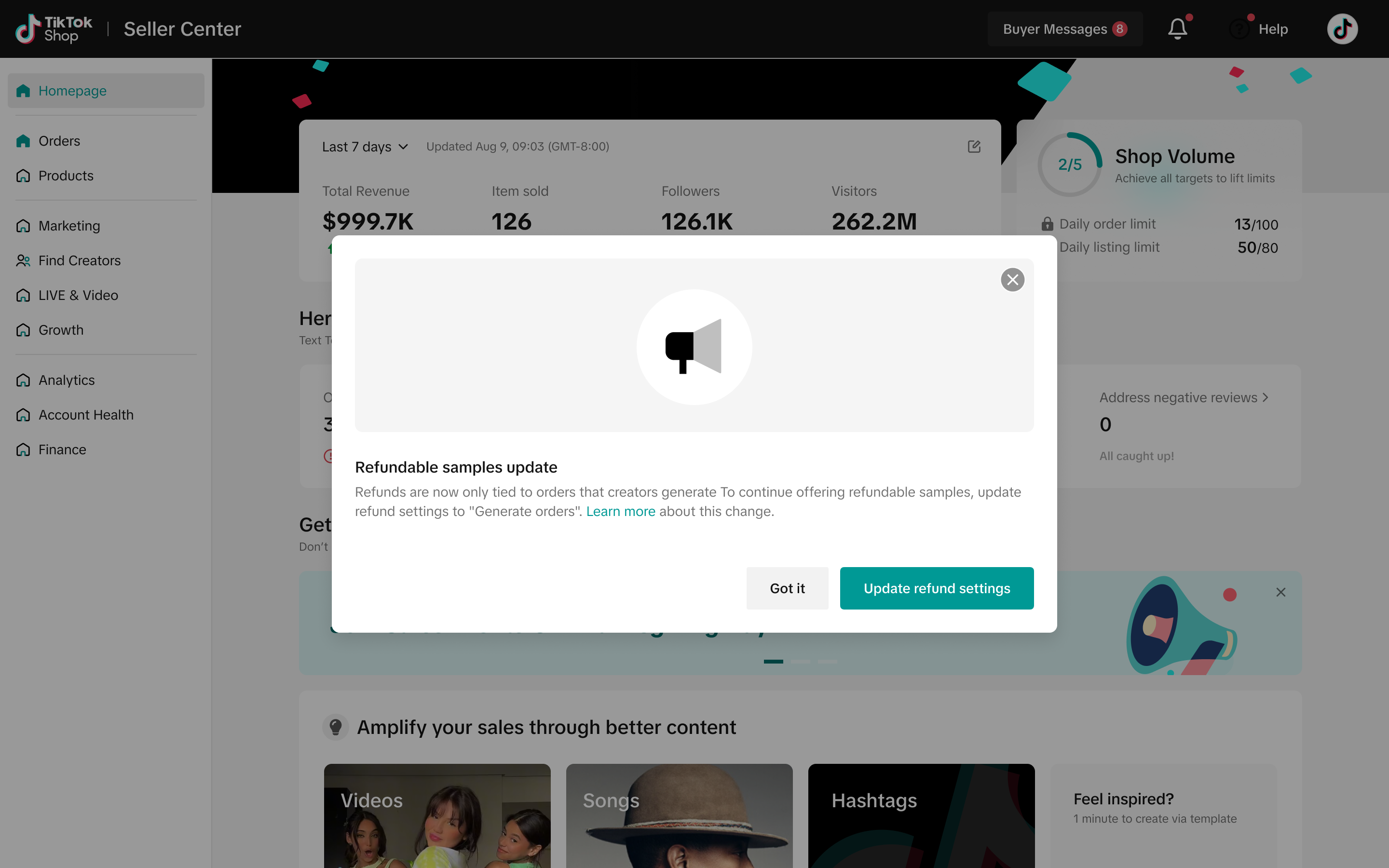
Q: What action do I need to take if I am using content-based samples?A pop-up message will appear, indicating how many of your products were previously using the content-based sample criteria.
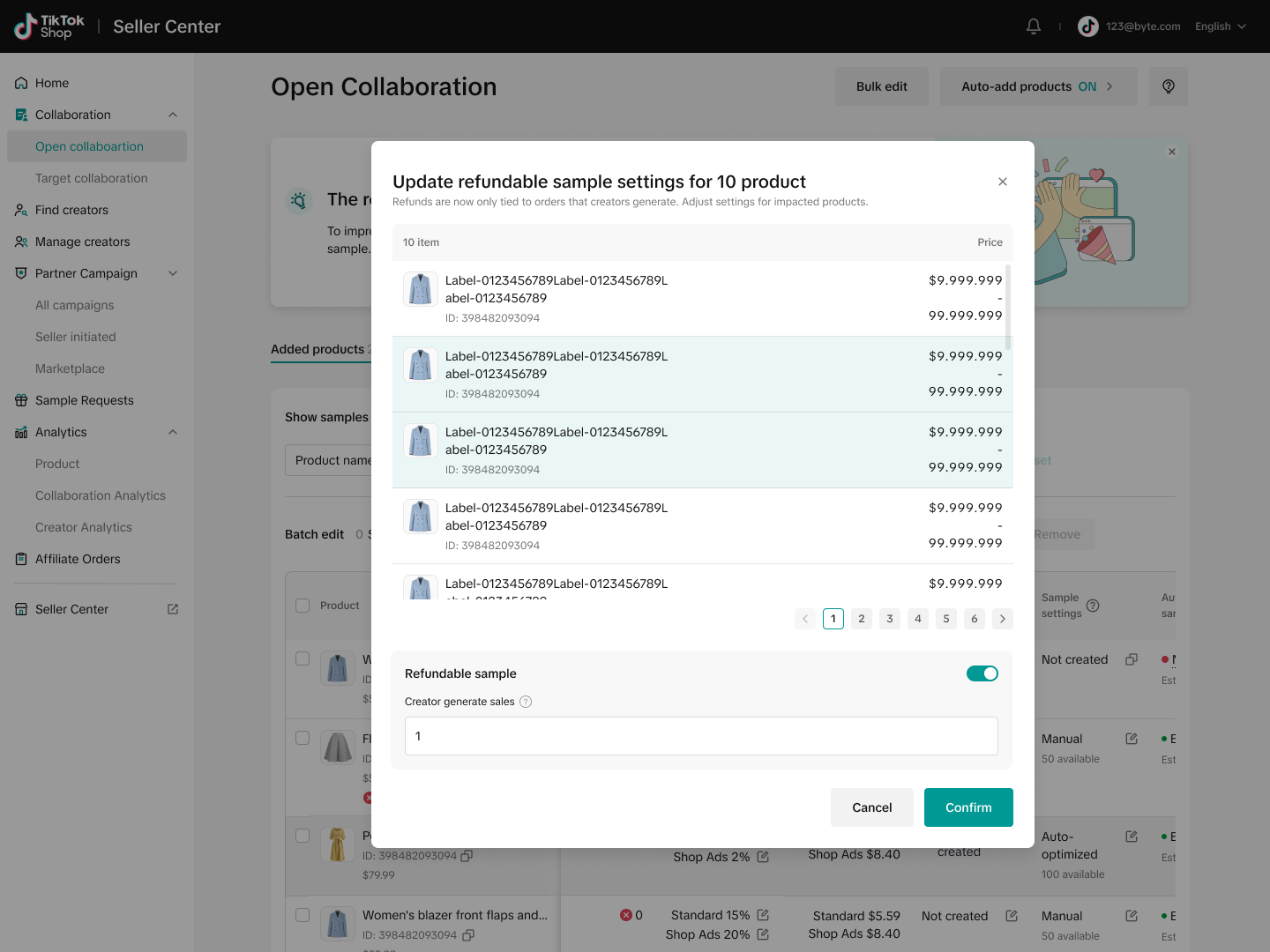
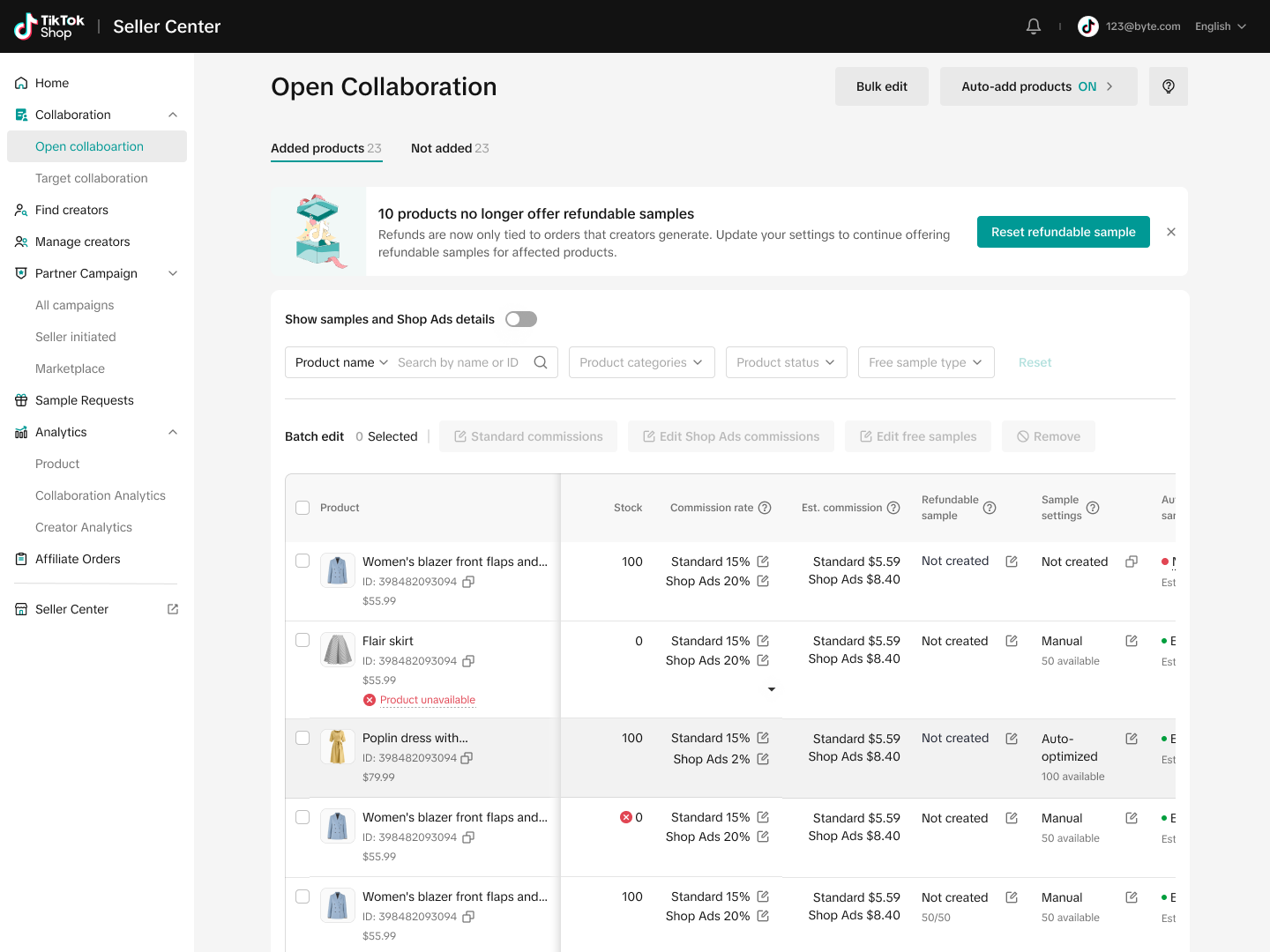
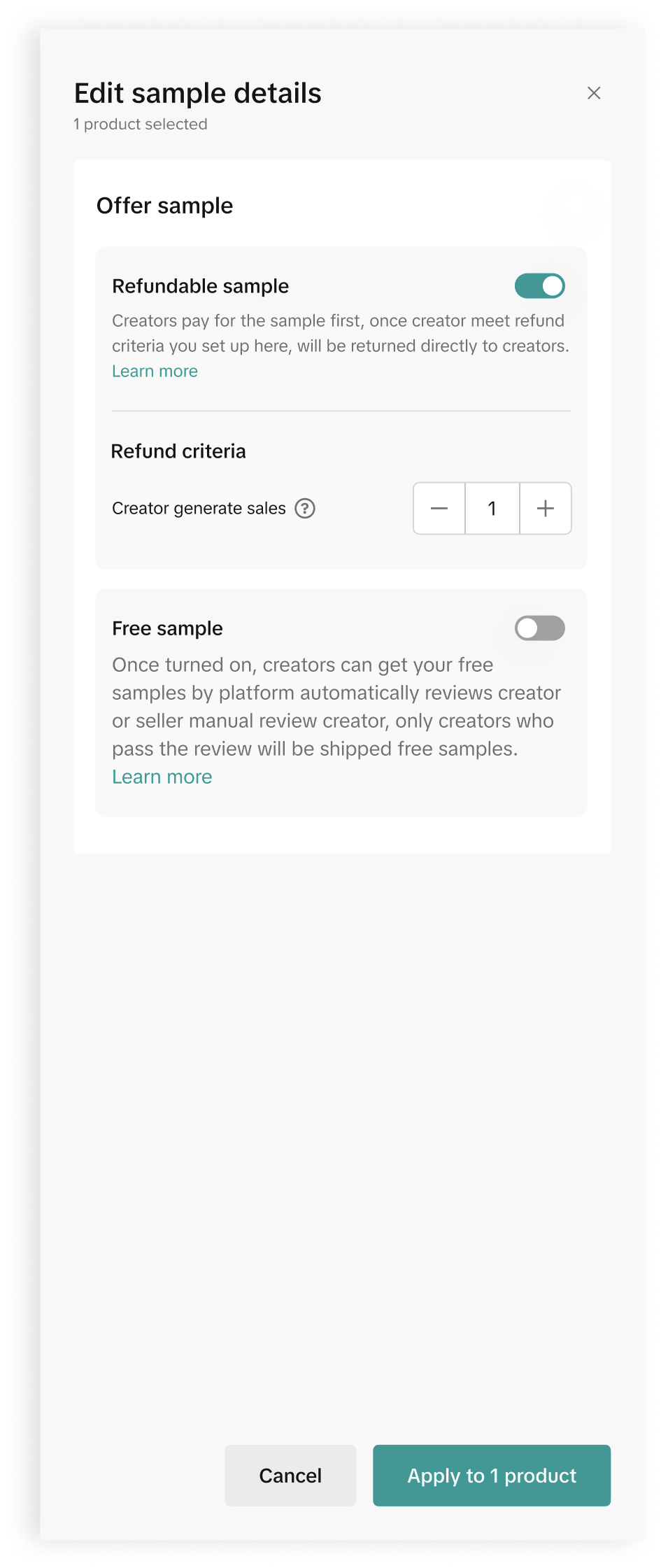 All images are for reference only.
You may also be interested in
Open Collaboration One Click Solution
**This article is intended for the sellers that have been selected for the One Click Affiliate enrol…
How to use flat fee collaborations
Product overview Flat fee collaborations Secure top-tier creators with flat fees and drive sales wit…

8 Tips for Successful Seller & Creator Matchmaking
*Welcome to TikTok Shop Affiliate program *This playbook offers an end-to-end roadmap to empower US…
Affiliate Target Invite & IM Quotas
Overview The Affiliate Target Invite & IM quotas introduces a structured approach for optimizing sel…

How to use Affiliate Links
Product Overview Drive sales from beyond the TikTok app by empowering creators to share your product…

Refundable Samples Terms & Conditions for Sellers
Introduction The Refundable Sample program (“Program”) is offered by BD TikTok USA LLC (“TikTok”, “w…

Affiliate Partnerships Overview
*Introduction: What is Affiliate Partnerships Overview? Affiliate Partnerships are designed to help…

How to use SKU-level samples
Product Overview SKU-level samples is a smart, direct way to control exactly which product variants…

How to use Affiliate Center features in the app
Overview The TikTok Shop Seller Center App empowers sellers with the ability to manage their TikTok…