

How to Get Video Inspirations


AI Summary
Video Inspirations in Creator Center helps creators find winning shoppable video patterns by showing top 50 videos, songs, and hashtags by category and time period. It’s for creators improving content strategy: check script/filming techniques, benchmark performance, and reuse relevant music or hashtags. To use it, go to TikTok Shop Creator Center > Data Analytics > Video inspiration, filter by 7 or 28 days and category, then review rankings and drill into detail pages for stronger video ideas.
Learn about top video script skills, hot music, and hashtags in trendy videos on the Video Inspirations page in TikTok Shop Creator Center to help inspire you and improve your video strategies. Core Capabilities:
2. Discover the top 50 popular songs linked in shoppable videos The top 50 most popular songs used in shoppable videos of each category are a helpful tool for you to identify the trending music across TikTok Shop.
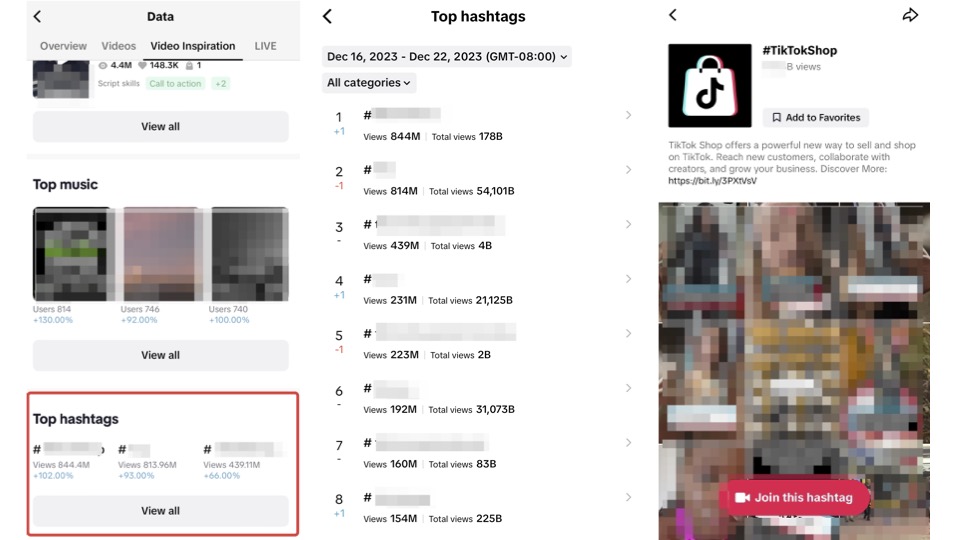
3. Find out the top 50 hashtags that are used in shoppable videos and have gained the most viewers To attract traffic, video creators typically use relevant hashtags, such as big promotions/popular topics. The top 50 hashtag ranking list in each category provides you with the most viewed hashtags in shoppable videos, so you’ll know which ones to use in your videos.

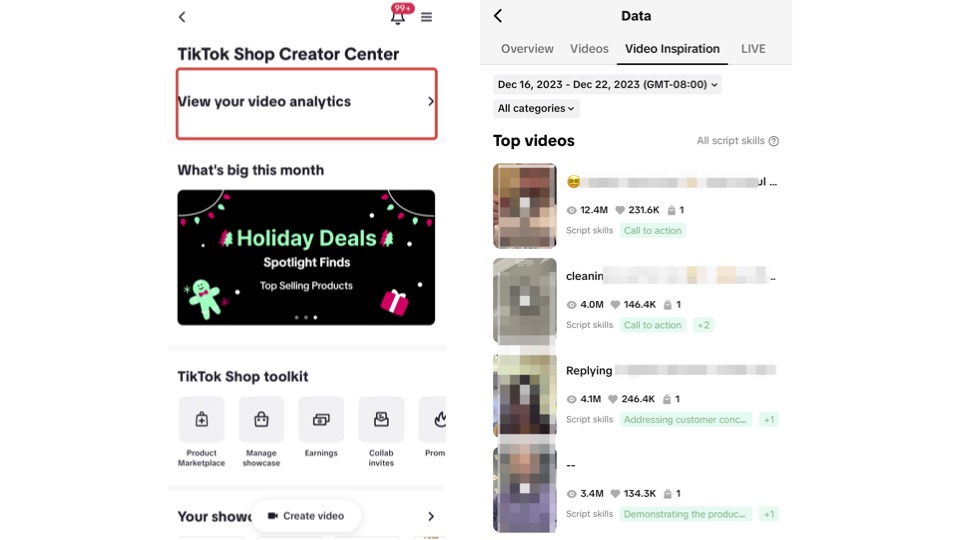 After you customize the time period (last 7 days or 28 days) and categories you want to explore, you will see the top video/music/hashtag ranking below on this page.
Click the Show All button to view each category's complete top 50 videos and their detailed script skills. (Click the All script skills icon to see the video skills hub and explanations).
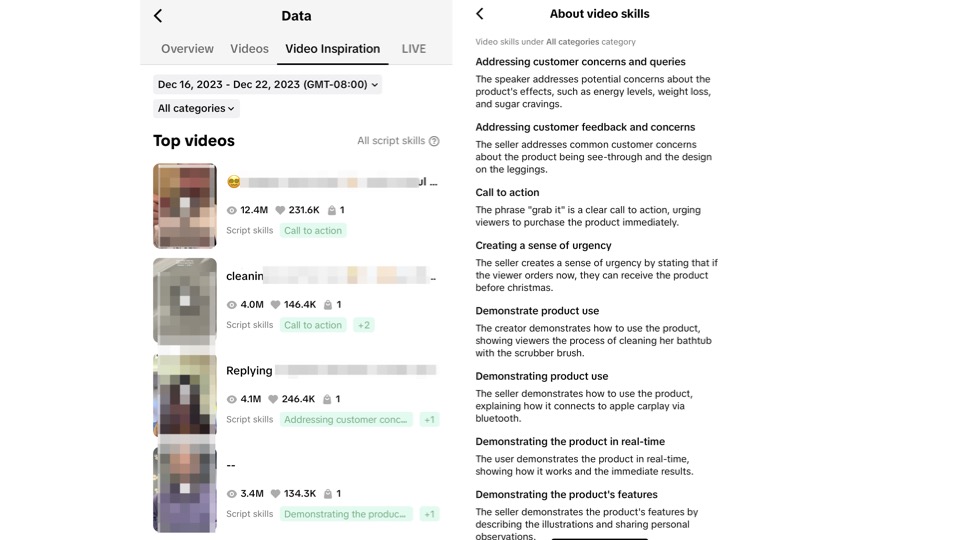 On the Video inspiration details page, you’ll see the hashtags, songs linked in the video, and script skills leveraged to attract viewers and convert them into orders. Check out the data performance, like viewers, likes, and comments, as benchmarks.
At the bottom of the page, you can drag the x-axis to play the video from start to end. You’ll see the metrics of views and likes each moment to learn from the video’s highlights.
You can also learn from the video content directly by clicking on the video image to enter the video play page. Then, slide the video up and down to switch to other videos.
With this helpful information, you better understand which factors make the video popular and learn how to improve your videos.
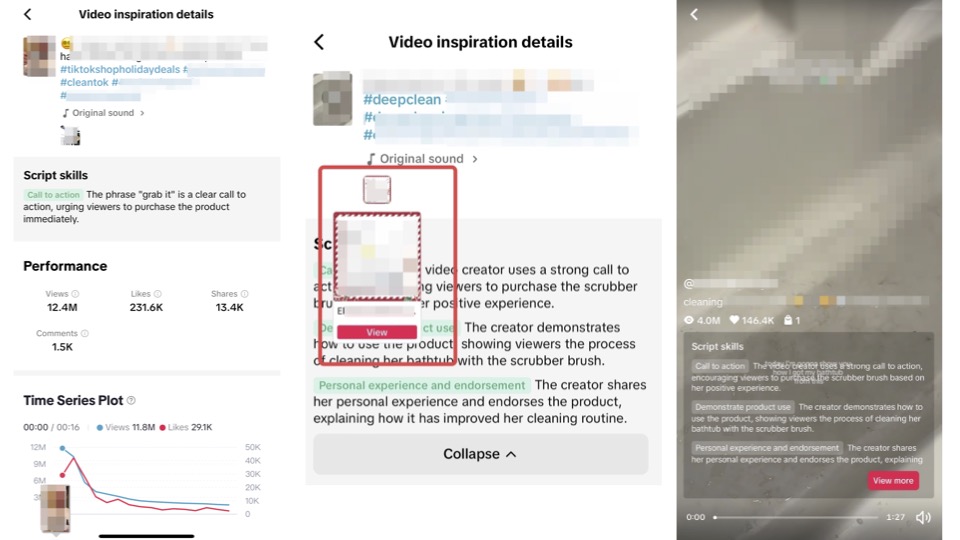

Click on View all to see the complete top 50 songs in each category.
Click on the right arrow to see the video posts that leveraged this song. If you find it appealing or suitable, add it directly to your story or use the sound to film a video on this page.
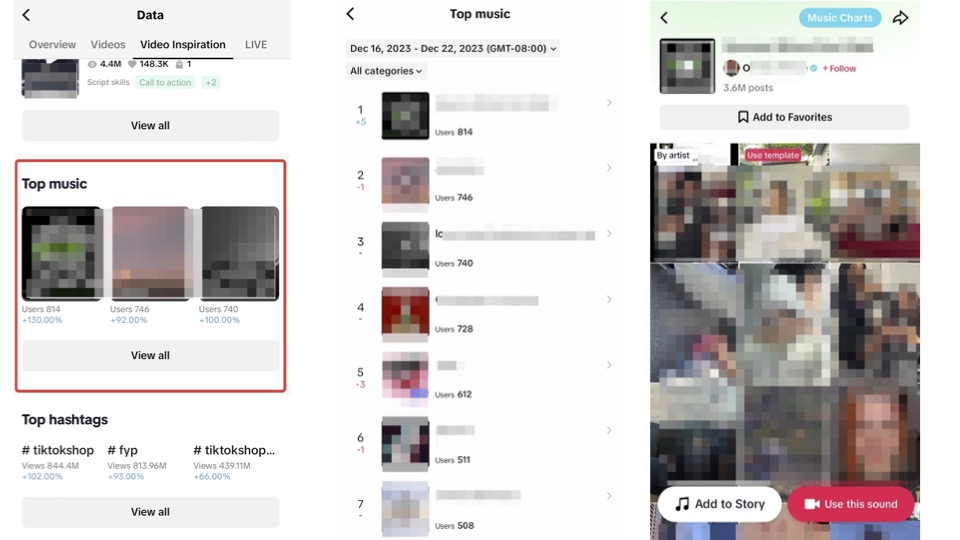

Click on View all to see the top 50 hashtags in each category.
Click on the right-side arrow to see the videos that used this hashtag. You can add this hashtag directly to a shoppable video on this page.
- Check out useful video filming skills of popular videos that drive the most transactions
2. Discover the top 50 popular songs linked in shoppable videos The top 50 most popular songs used in shoppable videos of each category are a helpful tool for you to identify the trending music across TikTok Shop.
3. Find out the top 50 hashtags that are used in shoppable videos and have gained the most viewers To attract traffic, video creators typically use relevant hashtags, such as big promotions/popular topics. The top 50 hashtag ranking list in each category provides you with the most viewed hashtags in shoppable videos, so you’ll know which ones to use in your videos.
How to Use Video Inspirations:
TikTok Shop Creator Center > Data Analytics block > Video inspiration tab
Top video Ranking
The Top Videos block shows the top 5 videos with the highest transactions and their viewers, likes, tagged product numbers, and script skills summary.Click the Show All button to view each category's complete top 50 videos and their detailed script skills. (Click the All script skills icon to see the video skills hub and explanations).
At the bottom of the page, you can drag the x-axis to play the video from start to end. You’ll see the metrics of views and likes each moment to learn from the video’s highlights.
You can also learn from the video content directly by clicking on the video image to enter the video play page. Then, slide the video up and down to switch to other videos.
With this helpful information, you better understand which factors make the video popular and learn how to improve your videos.
Top Music Ranking
The Top music block shows the top 3 songs that are most frequently used in shoppable videos, and their users, increasing the ratio during the selected period compared to the previous one.Click on View all to see the complete top 50 songs in each category.
Click on the right arrow to see the video posts that leveraged this song. If you find it appealing or suitable, add it directly to your story or use the sound to film a video on this page.
Top Hashtags Ranking
The Top Hashtags block shows the top 3 hashtags used in shoppable videos and gained the most viewers during the selected time period. It also provides their views data, increasing the ratio during the selected period compared to the previous period.Click on View all to see the top 50 hashtags in each category.
Click on the right-side arrow to see the videos that used this hashtag. You can add this hashtag directly to a shoppable video on this page.