

How to use Affiliate Center features in the app
11/26/2025
Summary
What are the main functionalities of the TikTok Shop Seller Center App for sellers?
- The app enables sellers to register, manage products, process orders, handle returns/refunds, provide customer support, and analyze sales data—all from their mobile devices.
- It also introduces an affiliate entrance for newcomers to affiliate marketing, facilitating seamless onboarding and product collaboration.
How can sellers set up and manage open collaboration with affiliates using the app?
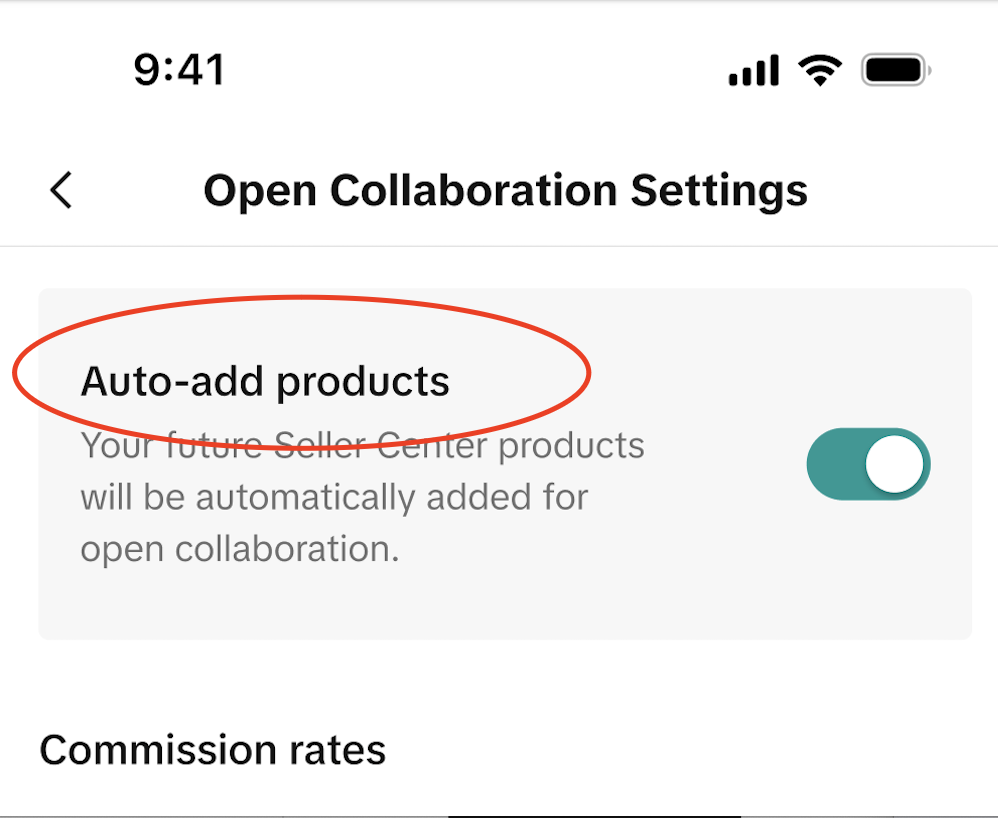
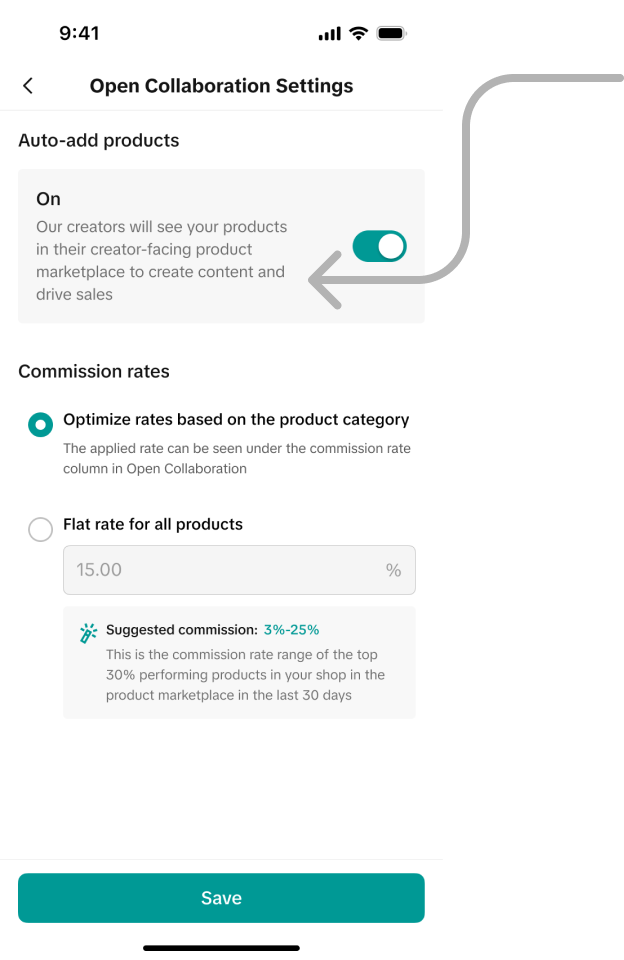
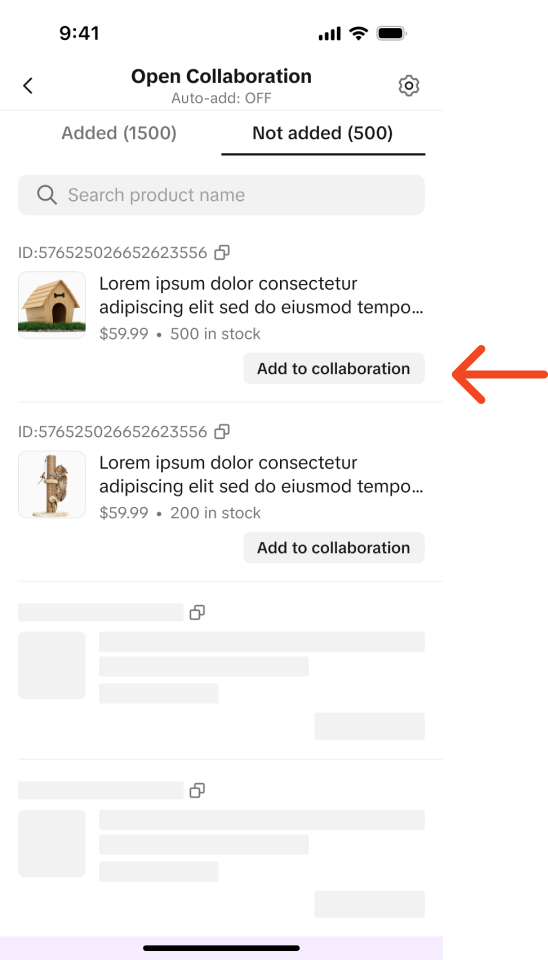
- Sellers navigate to the Affiliate Center tab, enable Auto-add products to automatically include new products in open collaboration, and set commission rates at both global and product levels.
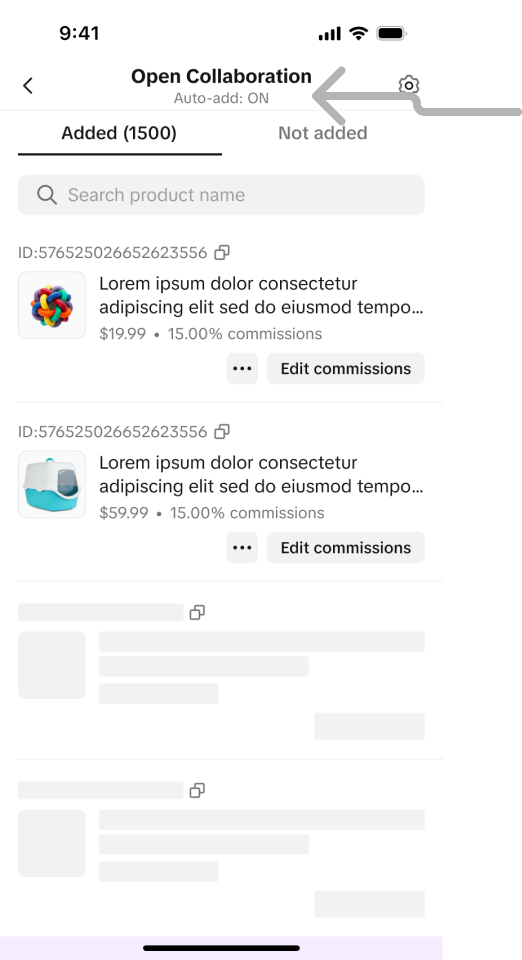
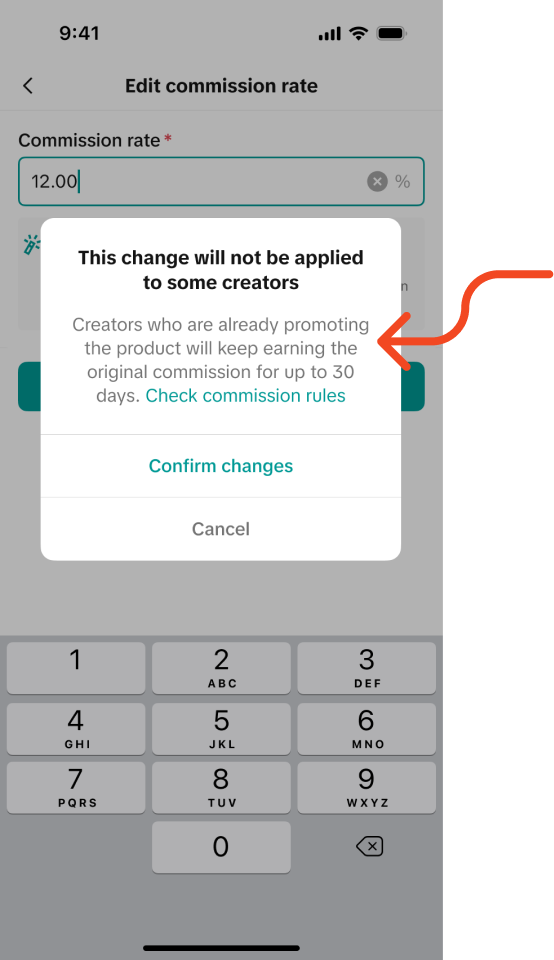
- They can view and edit commission rates in the Open Collaboration tab and add products not yet included; commission changes take 30 days to affect existing creators.
What important considerations should sellers keep in mind regarding commission rate changes for affiliates?
- If commission rates are edited after creators have started promoting products, the original commission rates remain effective for those creators for up to 30 days before changes apply.
- This delay ensures fairness and transparency for ongoing affiliate promotions.
What benefits does the affiliate entrance in the Seller Center App provide to new sellers or creators?
- It simplifies onboarding for newcomers to affiliate marketing by integrating product addition and collaboration management within the app.
- This feature encourages broader participation and easier product promotion through affiliate partnerships.
Overview
The TikTok Shop Seller Center App empowers sellers with the ability to manage their TikTok Shop directly from their mobile devices. It offers a range of features, including seller registration, product management, order processing, handling returns and refunds, customer support, and data analysis. The app now introduces an affiliate entrance, allowing newcomers to affiliate marketing to onboard seamlessly and add their products for open collaboration.Key Features
Step 1: Navigate to the Affiliate Center tab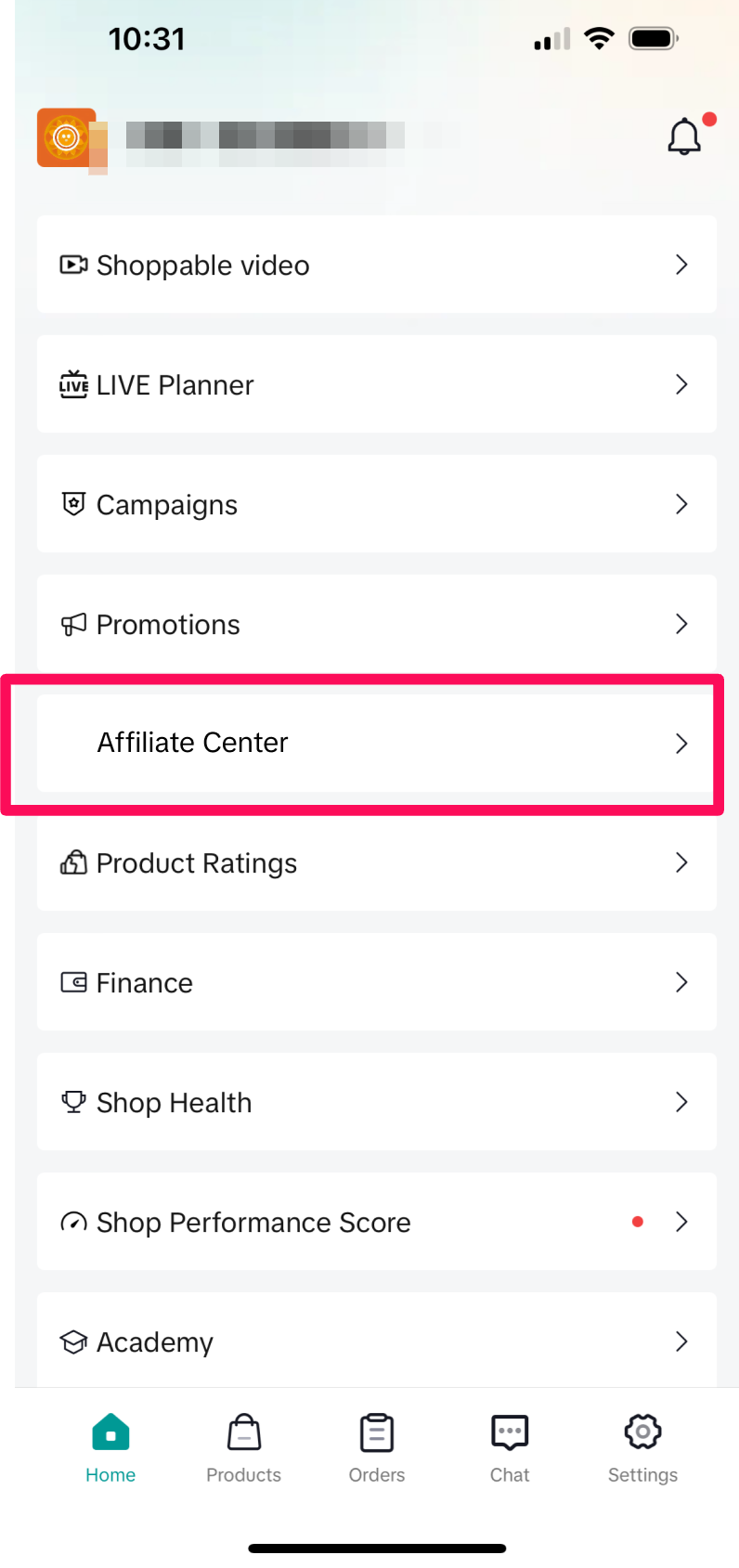
You may also be interested in

Open Collaboration One Click Solution
**This article is intended for the sellers that have been selected for the One Click Affiliate enrol…

How to use flat fee collaborations
Product overview Flat fee collaborations Secure top-tier creators with flat fees and drive sales wit…

8 Tips for Successful Seller & Creator Matchmaking
Welcome to TikTok Shop Affiliate program This playbook offers an end-to-end roadmap to empower US se…

Affiliate Target Invite & IM Quotas
Overview The Affiliate Target Invite & IM quotas introduces a structured approach for optimizing sel…

How to use Affiliate Links
Product Overview Drive sales from beyond the TikTok app by empowering creators to share your product…

Refundable Samples Terms & Conditions for Sellers
Introduction The Refundable Sample program (“Program”) is offered by TikTok Inc. (“TikTok”, “we”, “o…

Affiliate Partnerships Overview
Introduction: What is Affiliate Partnerships Overview? Affiliate Partnerships are designed to help s…

How to use SKU-level samples
Product Overview SKU-level samples is a smart, direct way to control exactly which product variants…

How to use refundable samples
Overview Refundable Samples is a TikTok Shop feature that allows you to connect with creators throug…