

Verifying Your Identity: What You Need To Do
03/09/2026
Steps to complete verification:
When you receive the verification task, click "verify now" to begin verification. Please note, you'll need to verify with the same personal information you submitted during onboarding.


Requirements For Supporting Images
Do's ✅
- Documents must be valid and not expired
- Must be a clear, high-quality, complete, and color image of your government-issued photo ID
- Your photo and personal information elements in the ID must be clear and visible
- Your information in the ID must match the information you used to register your TikTok Shop account
- Images must be less than 10 MB and in JPG or JPEG format
Don'ts ⛔
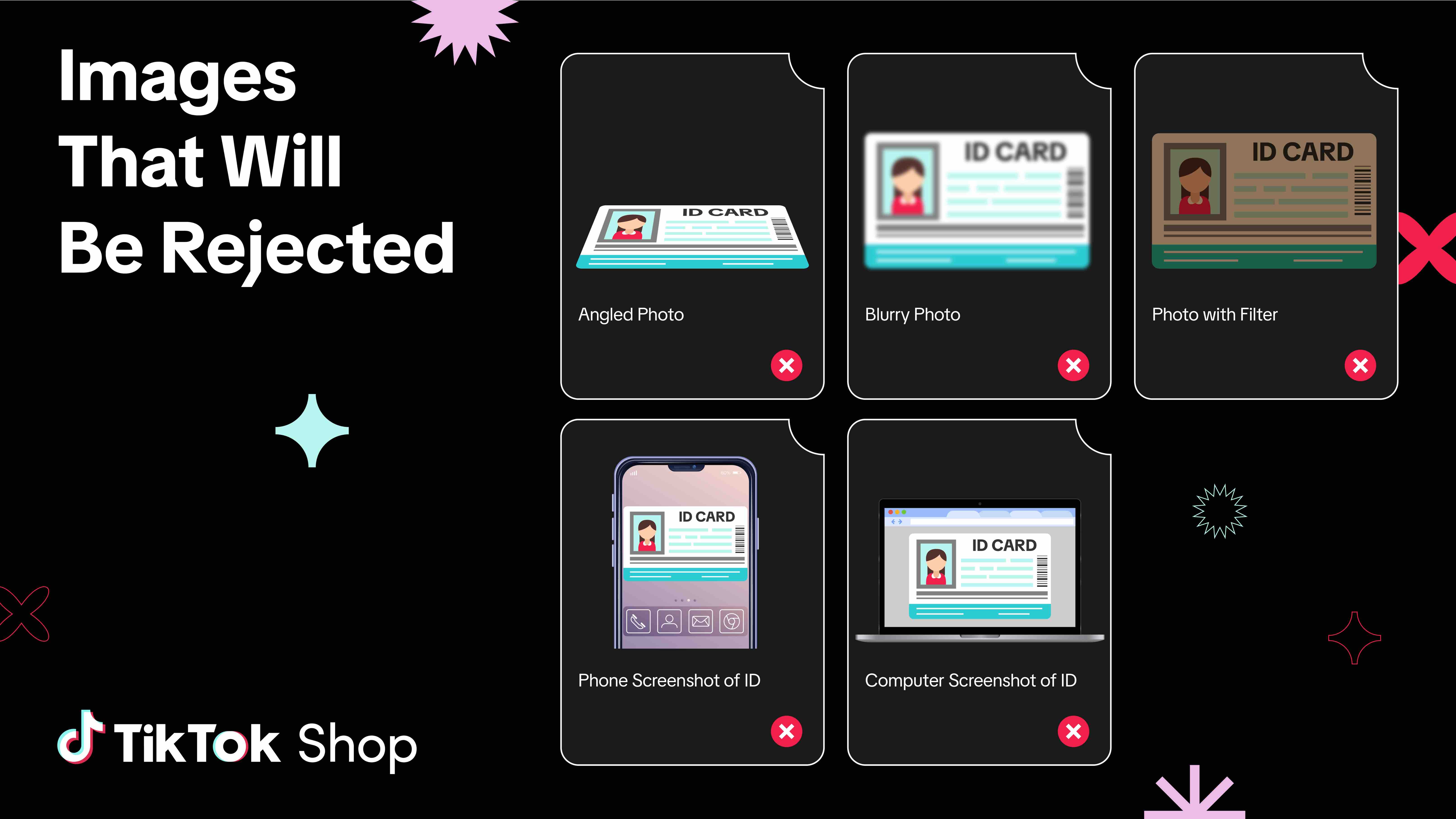
- No angled, blurry, cropped, or altered (such as filtered) images
- Images must not be screenshots with phone or computer screen banners and icons displayed
Requirements for Video
Do's ✅
- Must be a high-resolution video below 100 MB in MP4 or MOV format and at least 10 seconds
- For individual sellers
- You must appear in the video
- For business sellers (Sole Proprietorship, Corporation, Partnership)
- Your business representative must appear in the video (this is the person whose personal information was provided when you registered your TikTok Shop account)
- Describe your shop in the video
- Shop name
- Product categories you sell (e.g., beauty and personal care, phones and electronics)
💡HOT TIP! You can find the above information in Seller Center. For your shop name, go to My Account > My Profile > Seller Information. For the product categories you sell, go to Manage Products.
- Show both the front and back of your government-issued photo ID
- United States Passport
- United States Driver's License
- United States State ID
- Your face must be fully visible in the video without any obstruction (e.g., no hat, no sunglasses)
NOTE: Reading glasses are allowed. Avoid any glasses that potentially mask your eyes.
Don'ts⛔
- Video must not be angled, blurry, or cropped
- Video must not be doctored in any way
- No filters applied to beautify your face, or mask pimples, freckles or other facial features
- No filters applied to your voiceEXAMPLE OF A BAD VIDEO
Frequently Asked Questions (FAQs)
Am I required to describe my shop in English?
- You should use the primary language for the country where your shop is based (e.g., English if you are based in the United States).
You may also be interested in
- 3 lessons
Getting Support
FAQs, answered!

Account Health Rating
Key Points: Your Account Health Rating (AHR) measures the health of your shop. You can earn points b…

How to Appeal Your Shop Performance Score (SPS)
Overview The Shop Performance Score (SPS) Appeal feature allows sellers to directly submit appeals f…

What To Do When You Receive A Violation
This guide outlines what you need to do when you receive a violation. How TikTok Shop Will Notify Y…

How To Avoid Counterfeits, Knockoffs, And Other Trademark In…
TikTok Shop maintains a strict policy against all forms of intellectual property (IP) infringement.…

All About TikTok Shop's Policy/Milestone Quiz
Overview The Policy/Milestone Quiz is a feature designed to help you get familiar with our platform…

How to Correct Seller Violations
Overview: A Correction allows you to fix issues in your listings that violate specific policies befo…

How To Avoid Copyright Infringement Violations
TikTok Shop maintains a strict policy against all forms of intellectual property (IP) infringement.…

Your Guide To The 24-Hour Response Rate Metric
Prompt responses = happy customers = more sales! The 24-Hour Response Rate aims to help you build tr…

Help Center Chat Assistant
Why use Help Center Chat Assistant? The Chat Assistant is designed to make managing your TikTok Shop…