

LIVE selling on TikTok Shop
10/24/2025
LIVE Selling
LIVE selling is an all-in-one hub that includes education, inspiration, and easy steps to help you plan your first live sessions.Never gone live or hosted a live session before? LIVE selling is here to help you kickstart your first live on TikTok Shop with guided steps, livestream selling basics, and top-performing sessions for you to draw inspiration from.

Benefit
Go LIVE faster: a centralized resource that simplifies onboarding journeys, giving you everything you need to start livestreaming with confidence.
Learn on-demand: educational videos and real success stories from top sellers help you level up at your own pace, from beginner to expert. Get operational support: step-by-step checklists and platform guidance reduce guesswork and support your journey toward becoming an independent, high-performing livestreaming seller.

How to use
| Step 1: Log into your Seller Center and navigate to LIVE & video, and then to LIVE selling. | 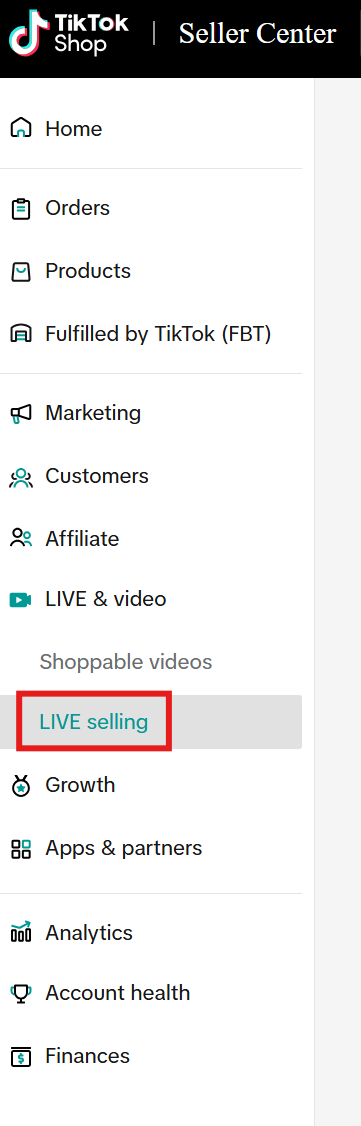 |
| Step 2: Once you click on LIVE Selling, you will land on this page. On this page, there are 5 major sections. Let's go through each in more detail. | 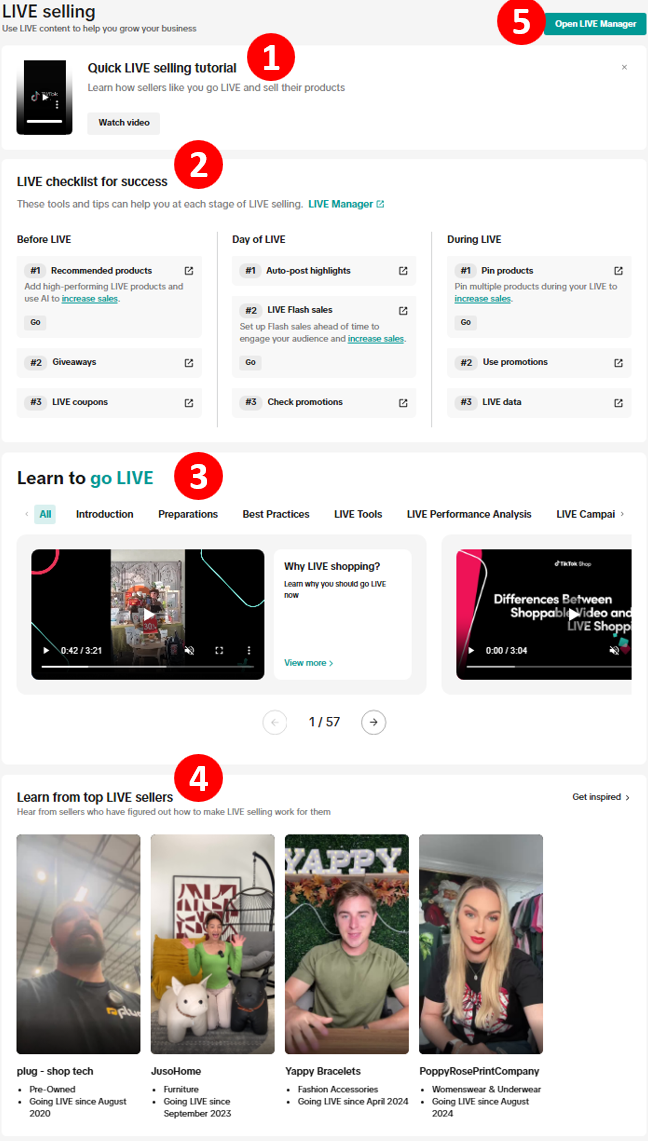 |
| Step 3: The first section, Quick LIVE Selling Tutorial, is a short, 1-minute video that gives a high-level overview of how to think about LIVE selling on TikTok Shop. |  |
| Step 4: The second section, LIVE Checklist for Success, provides a simple, easy-to-follow list of what to do before, on the day of, and during your livestream. Each part includes links where you can learn more about each step. | 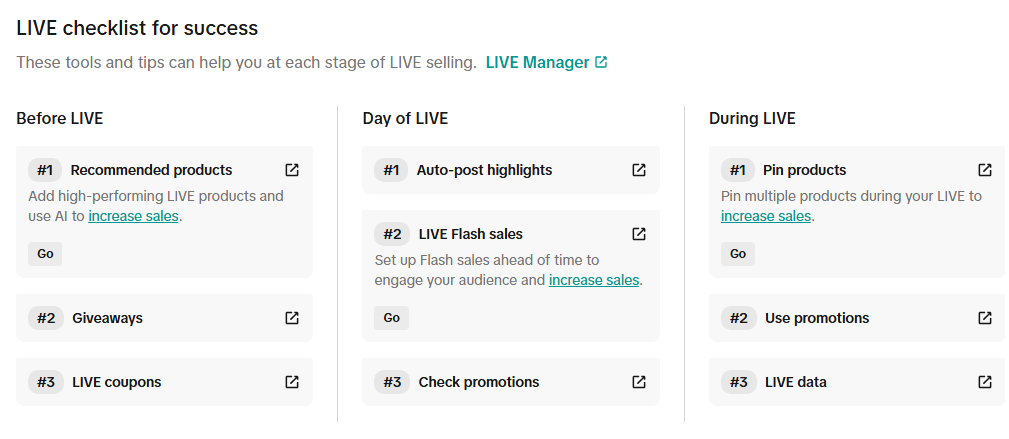 |
| Step 5: The third section, Learn to go LIVE, offers a wide range of educational content to help you learn how to go LIVE, explore best practices, discover LIVE tools, and more. Click the right arrow to browse through the materials. | 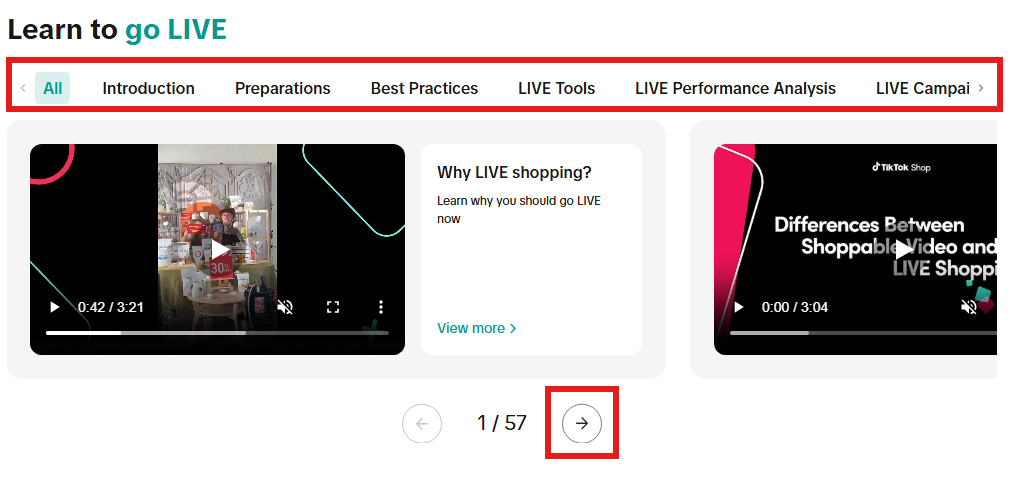 |
| Step 6: The fourth section, Learn from top LIVE sellers, features sellers who have been successful on LIVE. Click Get Inspired in the top right corner to see even more videos. | 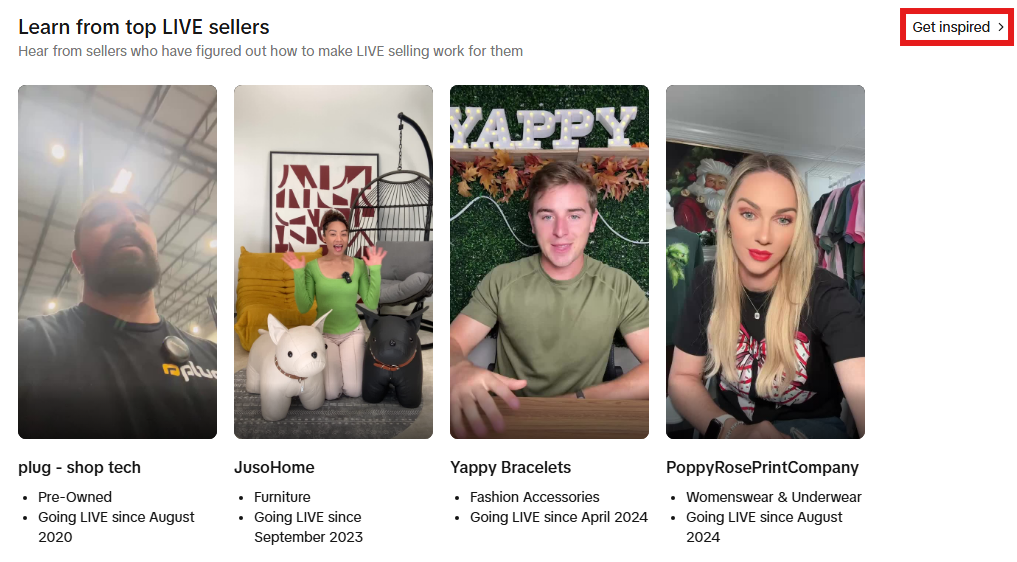 |
| Step 7: The fifth section, Open LIVE Manager, opens in a new browser window and takes you to LIVE Manager, the central hub where you can start your livestream.To learn how to use LIVE Manager, click here. | 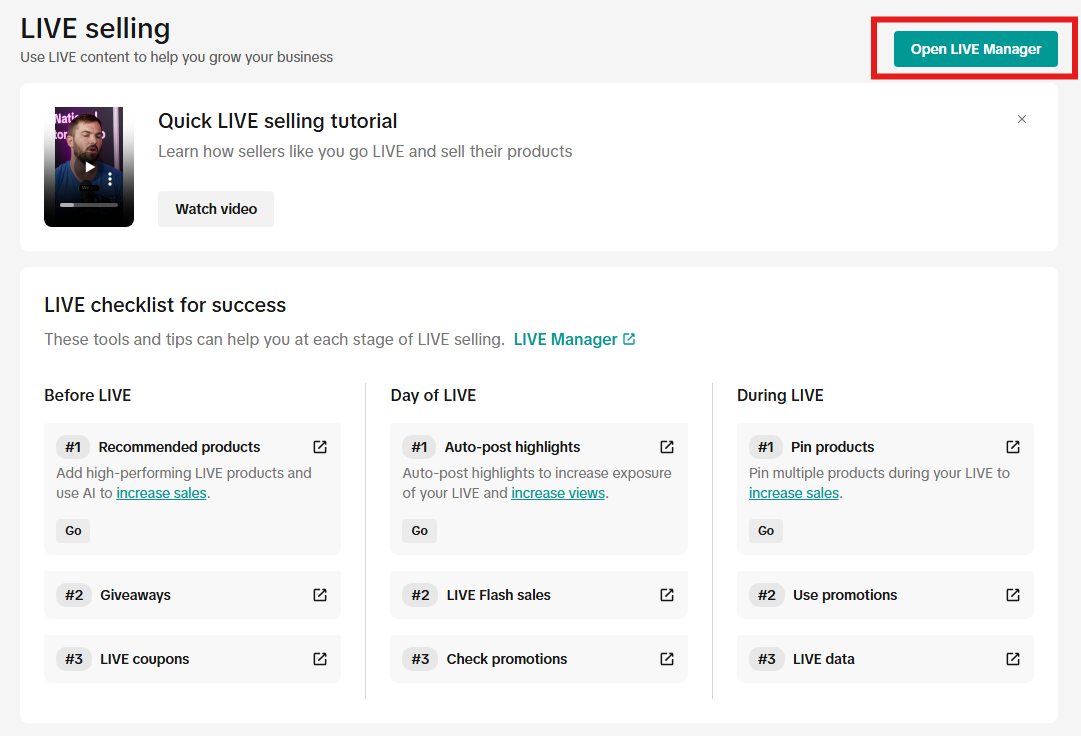 |
You may also be interested in
- 10 lessons
Tools and Promotions to Improve LIVE Performance
Learn tips on how to interact with viewers during your livestream, actions to avoid, and analyzing y…
- 9 lessons
LIVE policy and how to avoid violations
Learn more about platform LIVE policy and violations, as well as how to avoid them
- 2 lessons
LIVE Masterclass Series
Join our LIVE Selling Masterclass Series to unlock the skills and strategies that make top sellers s…
- 1 lesson
Tips to Make TikTok LIVE Work for You: Engage, Sell, Repeat!
Master TikTok Shop livestreaming! This comprehensive guide covers strategies for enhanced brand cred…
- 3 lessons
How to run a successful LIVE
Learn tips and tricks on how to improve your LIVE Quality and showcase your products and engage wit…