

How to Bind an Account When a Creator Is Prompted for Identity Verification
09/11/2025
Summary
What is the process for binding a TikTok account to TikTok Shop and why is identity verification required?
- Binding a TikTok account to TikTok Shop triggers identity verification to grant e-commerce permissions, ensuring the creator’s legitimacy. All creators must complete this verification to enable official account binding.
What steps must sellers and creators follow to complete the identity verification for TikTok Shop binding?
- Sellers enter the TikTok account info in Seller Center’s Official Account binding tab; the account holder receives a verification notification in TikTok inbox or via QR code (U.S. accounts only). After verification, sellers must retrigger binding to complete the process.
What specific identity documents and information are required for TikTok creator identity verification?
- Creators must submit personal info like full name, birthdate, last 4 SSN digits, and a valid U.S. government-issued ID (driver’s license, state ID, green card, or passport) to complete verification.
What should sellers do if the creator does not receive the verification notification?
- Creators can scan a QR code via TikTok app to start verification if the notification is missing; this requires the creator account to be registered in the U.S. Sellers should guide creators to check their TikTok inbox or use the QR code method.
What are the implications for sellers if the creator identity verification is not completed successfully?
- Without successful identity verification, sellers cannot complete official account binding, preventing access to TikTok Shop e-commerce features and limiting their ability to sell via TikTok.
Background
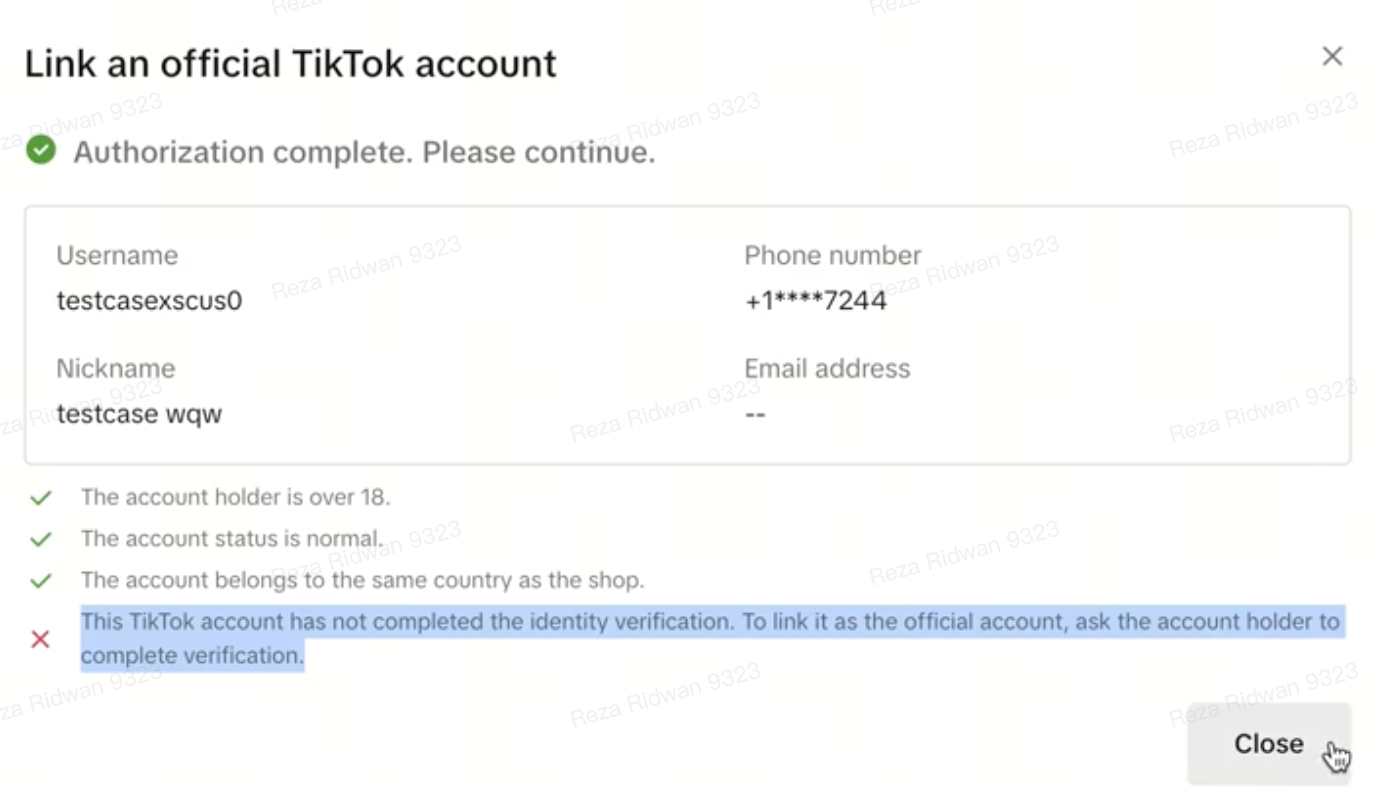
When a TikTok account is in the process of binding to a TikTok Shop from the Seller Center for Official Account Binding module, it triggers an identity verification for TikTok creator account. To receive e-commerce permissions, all creators and associated creator accounts must complete identity verification successfully.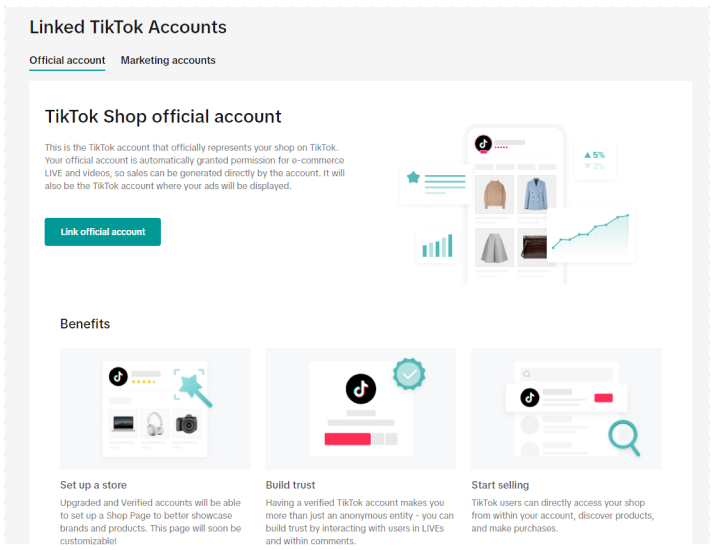
Seller To-Do
- Enter the information about the TikTok account you want to bind from the "Official Account" binding tab under "Linking Accounts" module
- Once the information is entered, the TikTok account holder will receive receive a notification message under "Shoptab - Messages" for identity verification. If the Seller owns the TikTok account, they can find that in their TikTok account inbox. If the TikTok account is owned by someone else, please ask the owner of that account to check for instructions.
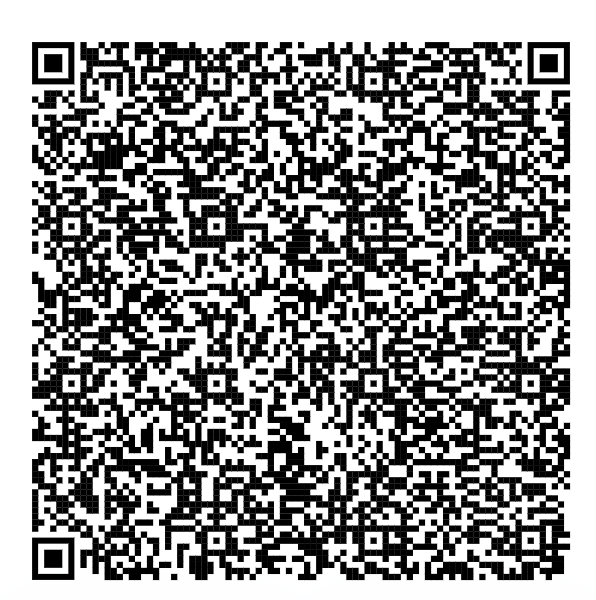
- If official creators are not able to find the notification, they can also scan this QR code to start the identity verification process. The intended creator account must be registered in the U.S. to scan this QR code.
- To scan the QR code, Open TikTok app - Click Profile - Click Top right corner sandwich and you will see "My QR code" - Click on Top right corner scan icon
- Share the Help Center article from TTS on how to complete Creator identity verification step by step guide: Creator Verification Guide. Please check the 'Official Creator' instructions.
- Once the Creator verification is completed, sellers will need to retrigger the official account binding process from the Seller Center Linking Account module and the binding will be completed.
FAQ
What does the creator need to verify identity?This verification process may involve submitting relevant personal identity information, such as (the list is not exhaustive, more details can be found under step 1 of this article):- your full name
- date of birth
- last 4 digits of social security number
- a valid government-issued identity, such as:
- a U.S. driver's license
- a U.S. state-issued identity
- green card
- passport
You may also be interested in
- 3 lessons
Getting Support
FAQs, answered!

Help Center Chat Assistant
Why use Help Center Chat Assistant? The Chat Assistant is designed to make managing your TikTok Shop…

How to register as a Corporation or Partnership
Easy Guide to Kick-Start Your Business on TikTok Shop - Business Entity What are the Requirements? A…

How to register as a Sole Proprietorship
Easy Guide to Kick-Start Your Business on TikTok Shop - Sole Proprietorship What are the Requirement…
How to register as an Individual
Easy Guide to Kick-Start Your Business on TikTok Shop - Individual Sellers What are the Requirements…