

Shoppable Video Precheck Tool
11/21/2025
Summary
What is the purpose and benefit of the TikTok Shop Video Precheck tool for sellers?
- The Video Precheck tool helps sellers identify critical violation risks before publishing shoppable videos, enabling early issue detection and timely edits to reduce violations or penalties.
- It boosts seller confidence and improves overall video quality, increasing the chance of compliant and effective video content.
Who is eligible to use the Video Precheck tool and what are the usage limitations?
- Sellers who have made at least one sale on TikTok Shop can access the tool.
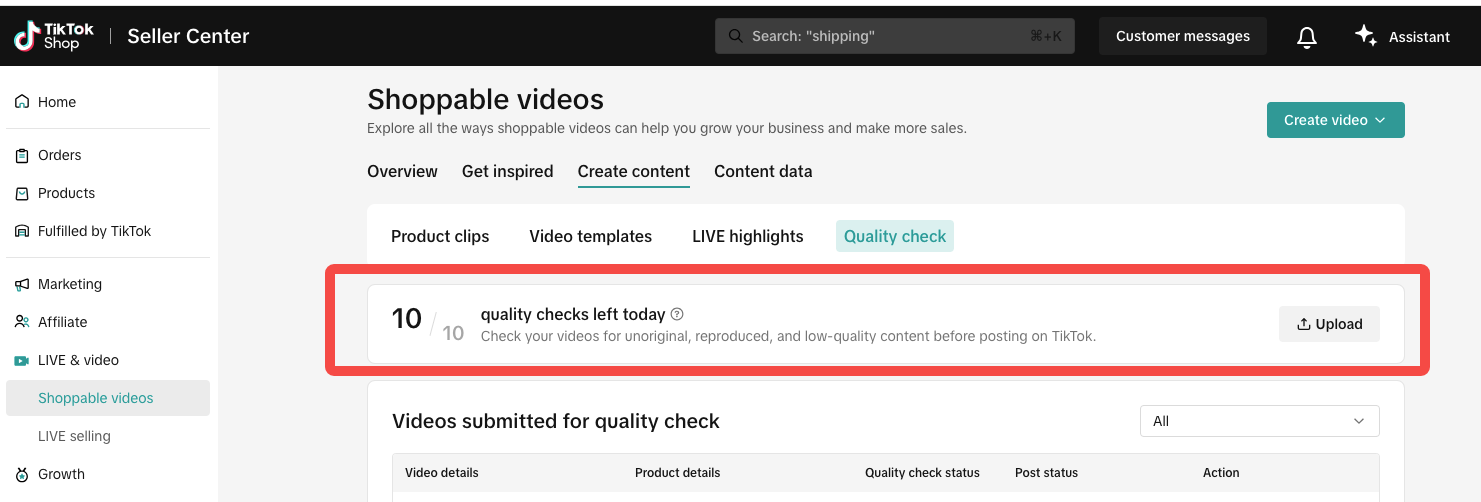
- Usage is limited to 5 or 10 checks per day depending on shop performance, with at least 2 checks guaranteed daily.
How do sellers use the Video Precheck tool step-by-step?
- Step 1: Upload a video via Seller Center or Seller App under the Quality Check section.
- Step 2: Link one product to the video and click “Check quality” to start the pre-check process, which takes about 10 minutes.
- Step 3: Review pre-check results, fix any detected issues, and repeat until no violations remain before publishing.
What are the key considerations and limitations sellers should be aware of when using the Video Precheck tool?
- Only one product link can be added per video during pre-check.
- Pre-check results are advisory and do not guarantee no violations or good video performance after publishing.
- Video performance depends on multiple factors beyond pre-check, including content policies and account status.
Where can sellers access the Video Precheck tool within TikTok Shop platforms?
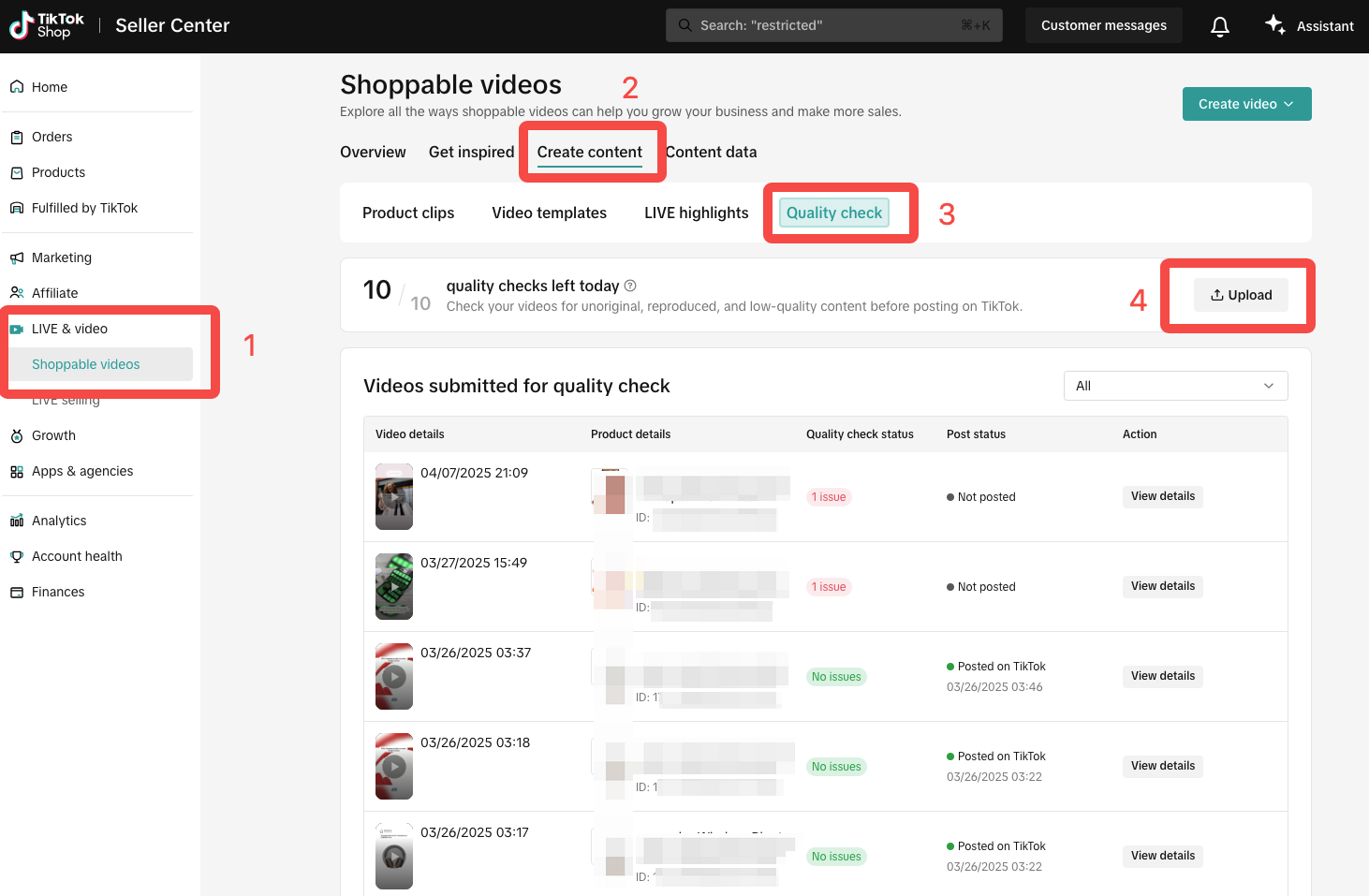
- In Seller Center: LIVE & Video > Shoppable videos > Create content > Quality check.
- In Seller App: Shoppable videos tab > Quality check.
The video precheck tool
is designed to help you identify critical violation risks before publishing a short video. By enabling early issue detection, this tool gives sellers confidence in posting shoppable videos and enhances the overall video quality by allowing timely adjustments which reduces the likelihood of violations or penalties.Accessing the Video Precheck Tool
Tool availability
- Sellers who have made at least one sale on TikTok Shop can access the Video precheck tool.
- This tool has usage limitations--5 or 10 checks per day depending on your shop performance.
Entry points to Video precheck tool
- Seller Center >> LIVE & Video >> Shoppable videos >> Create content >> Quality check
- Seller App >> Shoppable videos >> Quality check
- Eligible sellers can enter the Seller App, click "Shoppable videos" tab, and find the Video precheck tool.
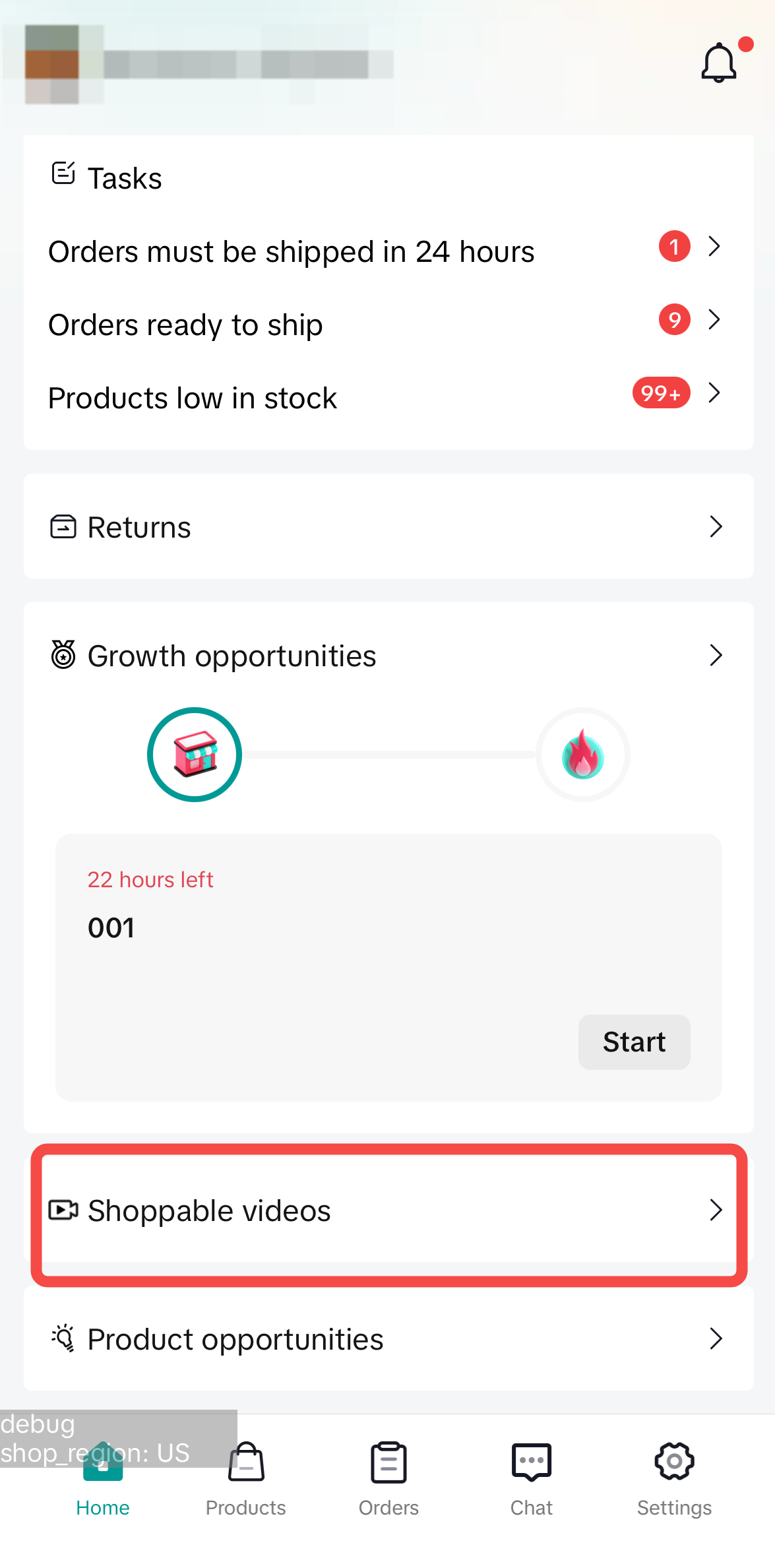
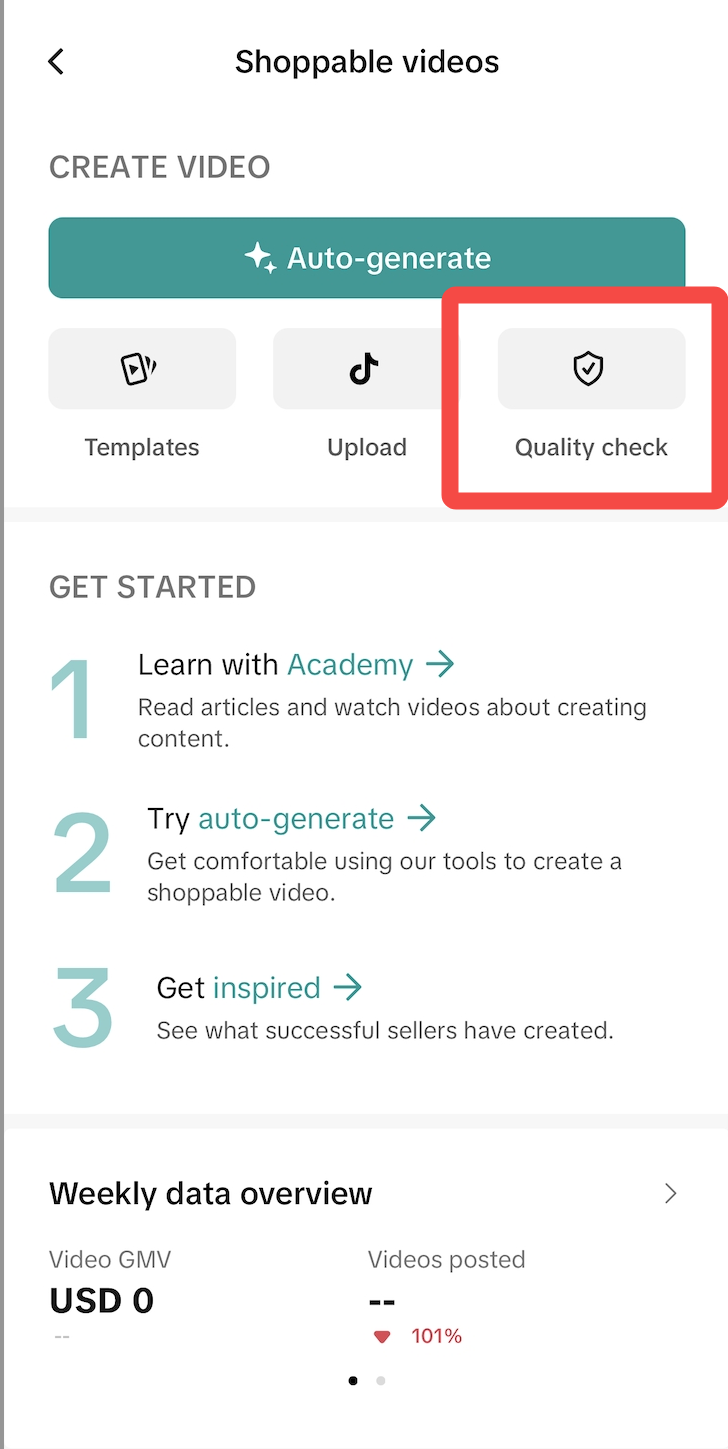
- Eligible sellers can enter the Seller App, click "Shoppable videos" tab, and find the Video precheck tool.
How to Use the Video Precheck Tool?
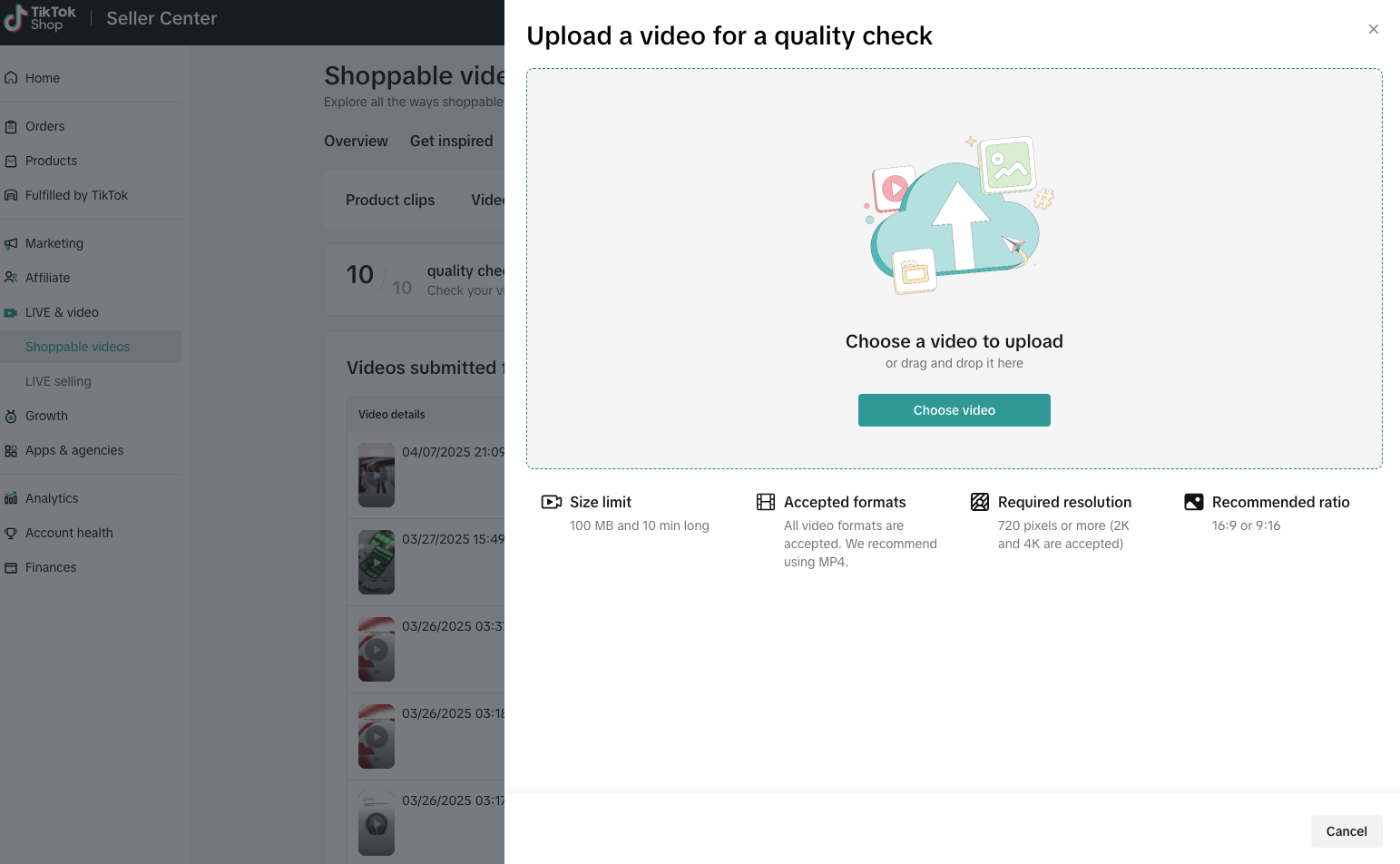
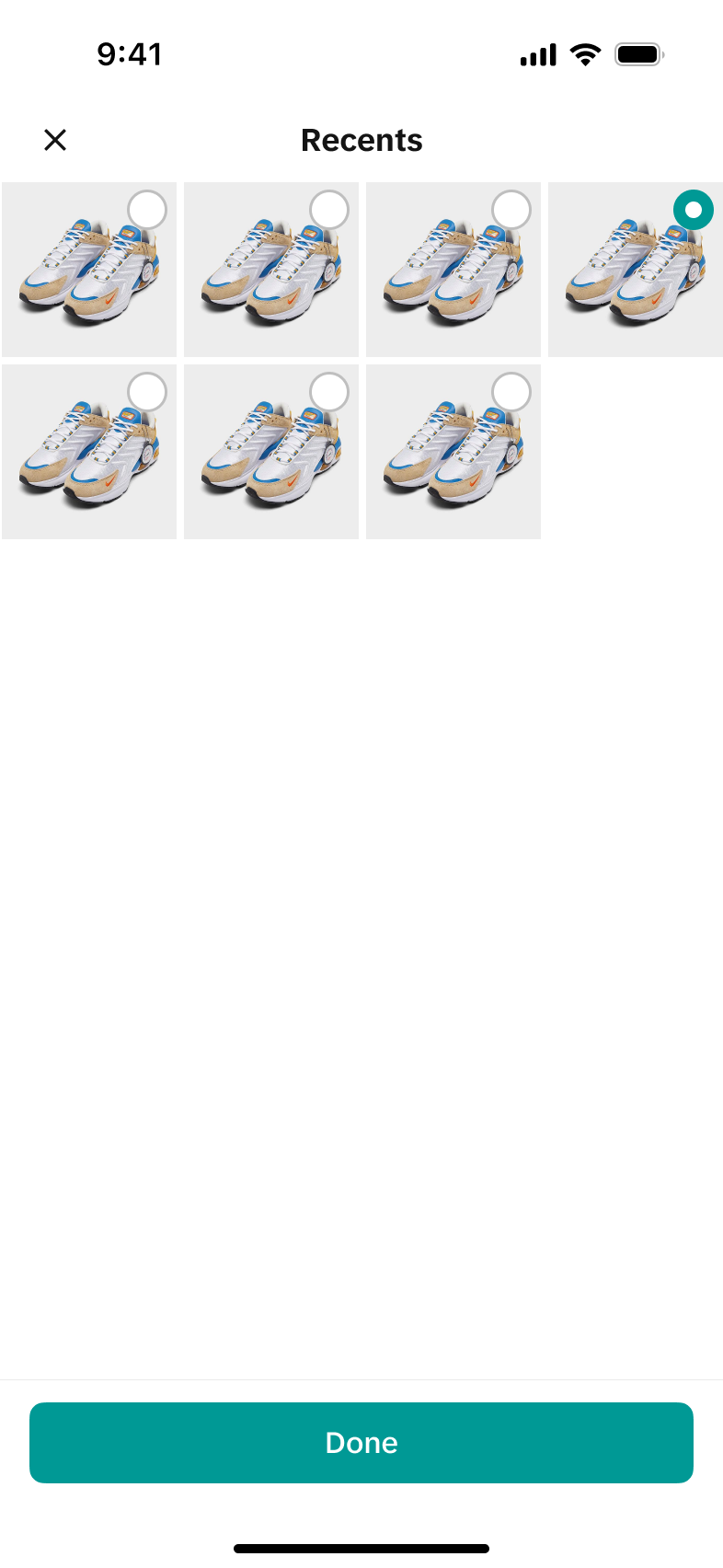
Step One: Upload a video
Click "Upload" in Quality check module to start the process. Select a video to upload.| Seller Center | Seller App |
  |  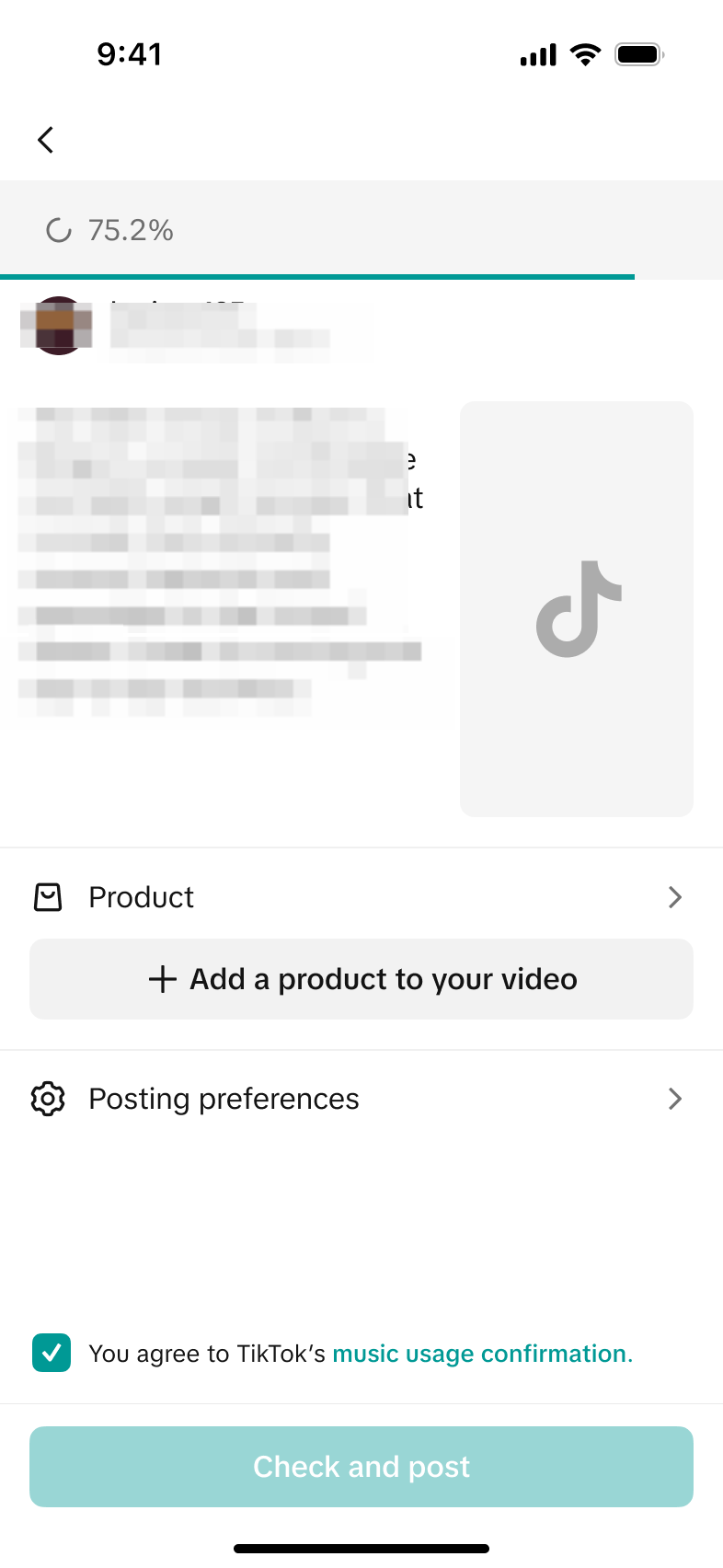 |
Step Two: Link a product and check violation risks
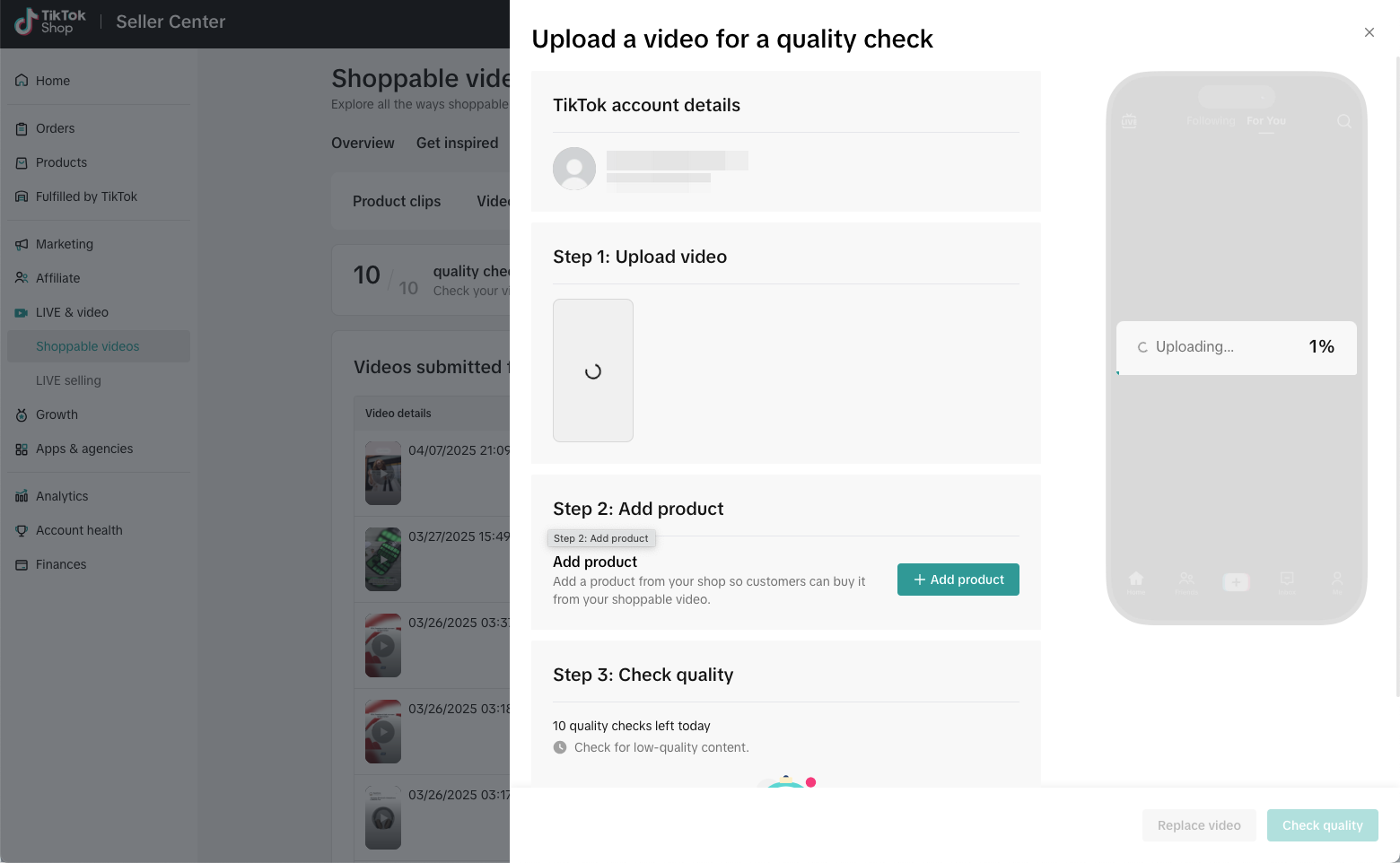
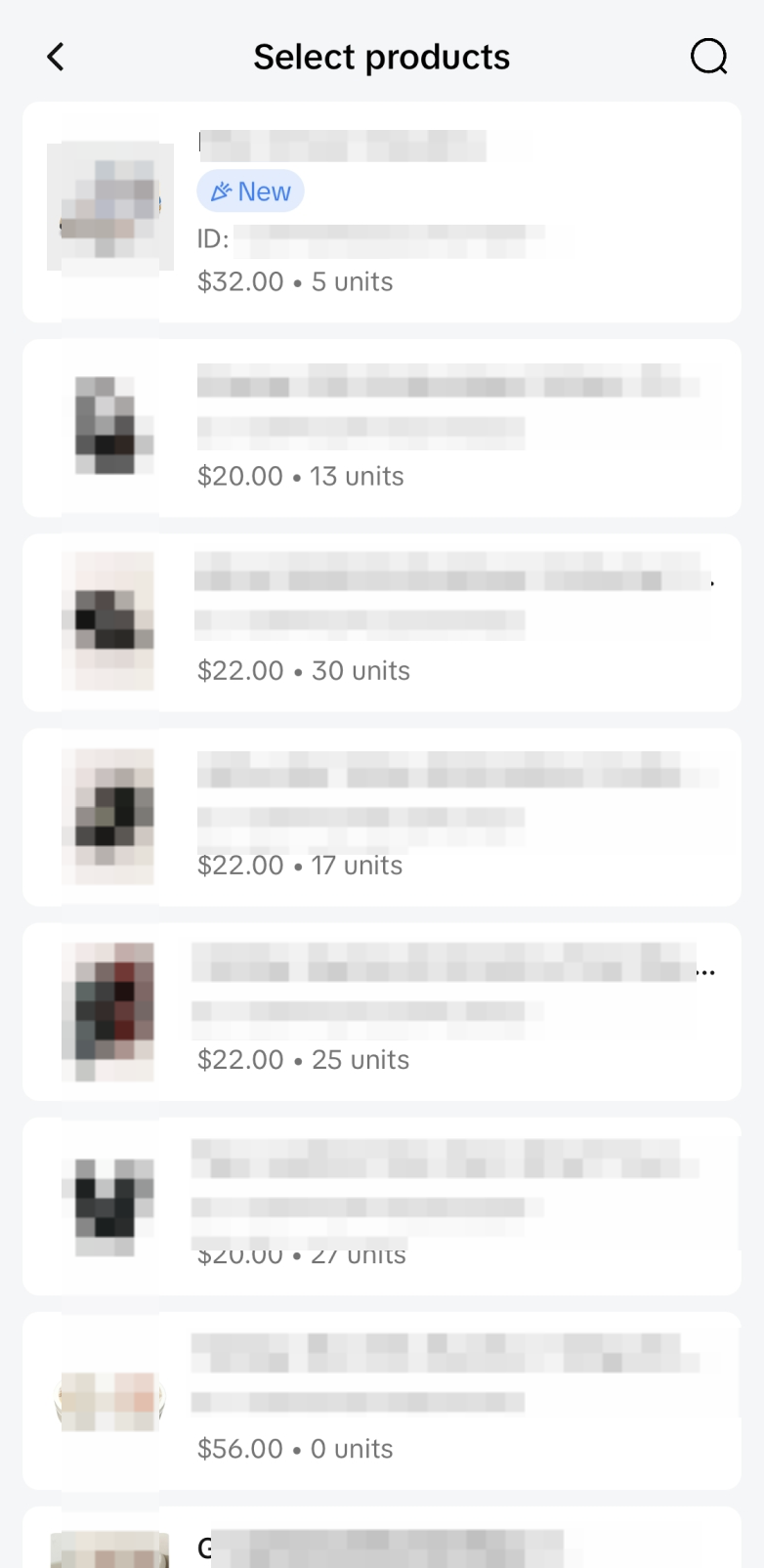
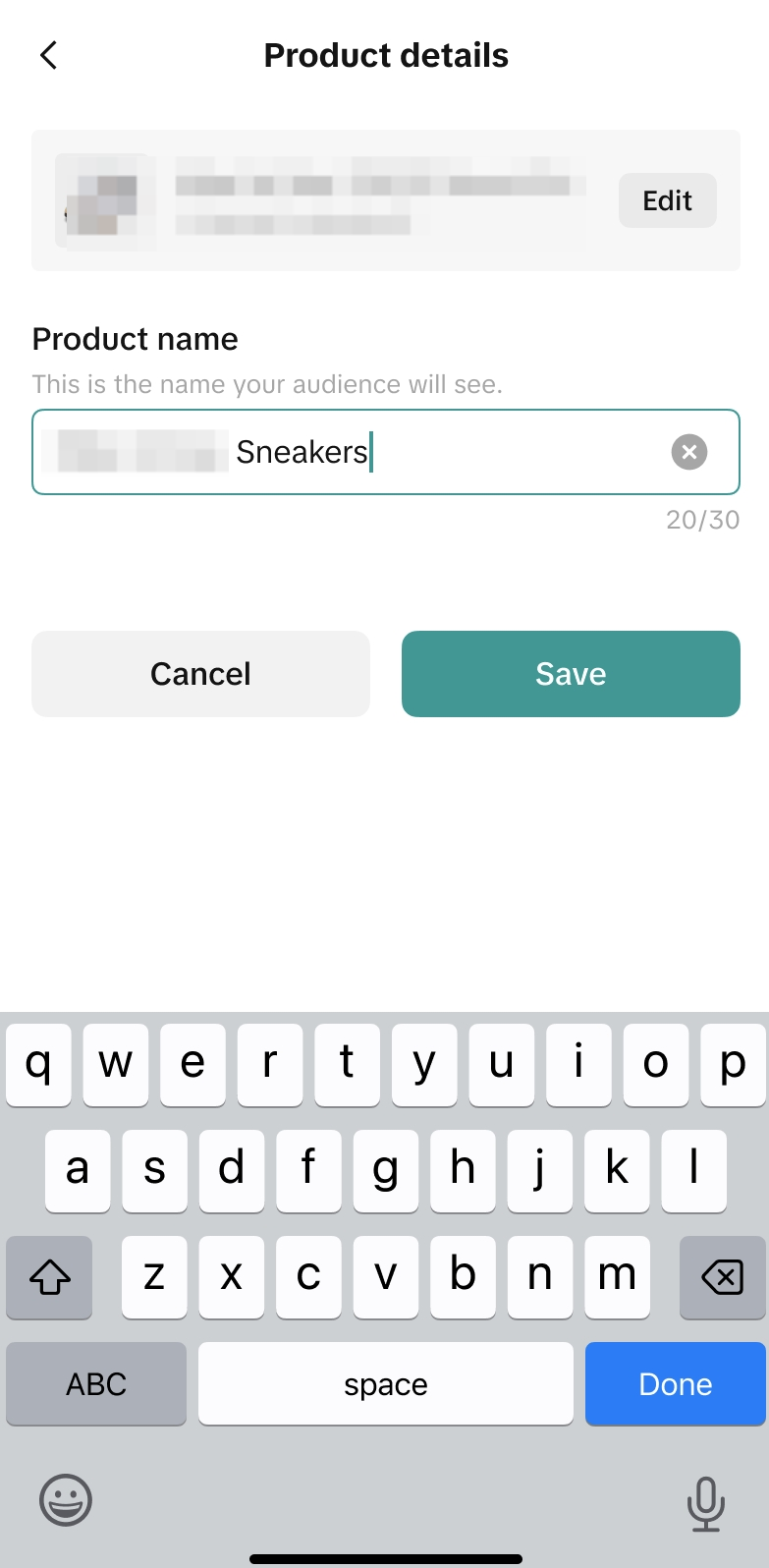
- In the "Step 2: Add a product" section, click "+" button to link a product to the video. Currently, you can only add one product link to the video using the Video pre-check tool.
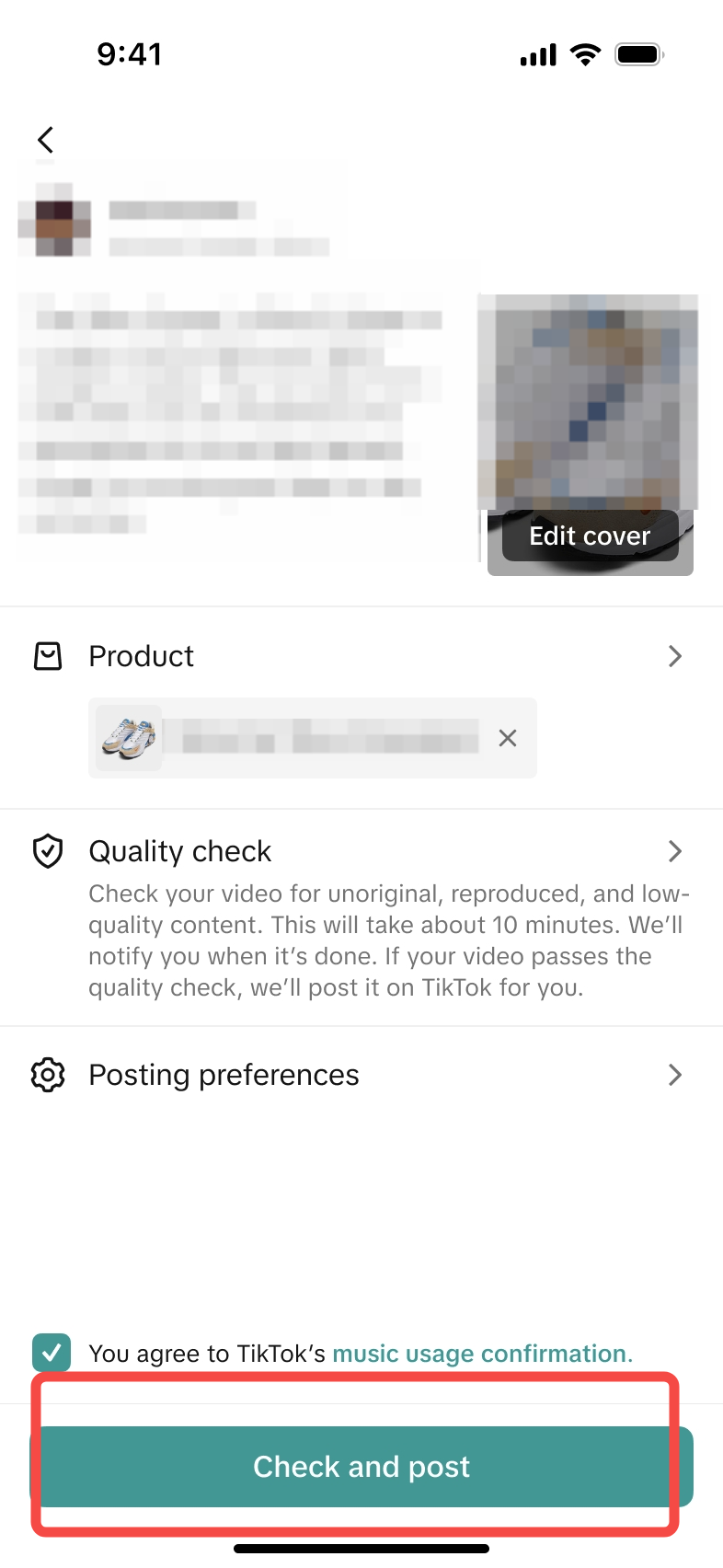
- After uploading the video and linking a product successfully, click the "Check quality" button to start the pre-check process.
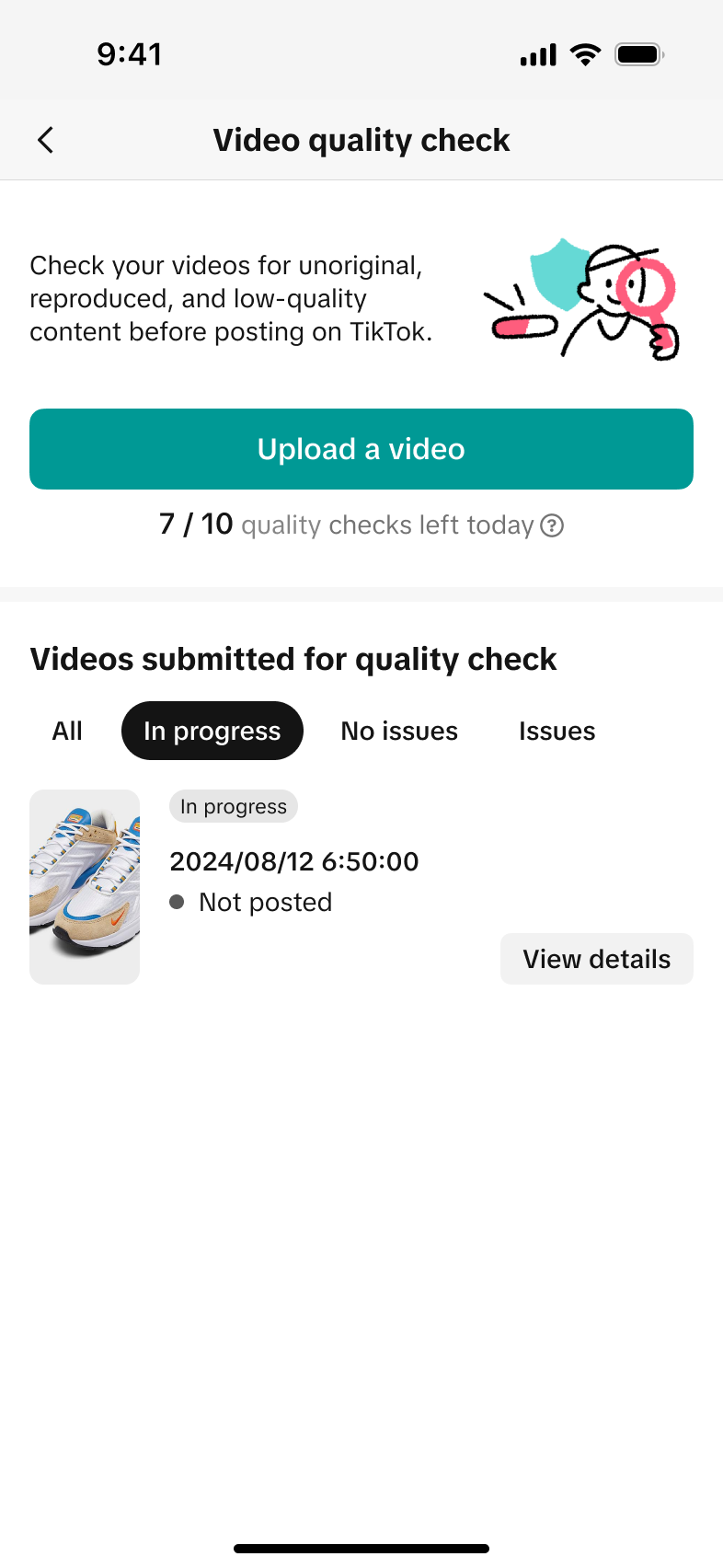
- Pre-check results will be ready in 10 minutes, and you can return to the "Video pre-check" page to review the pre-check status and results.
- Your pre-check availability is based on your recent sales earnings. Please wait to submit your video the next day if you don't have any remaining video checks.
| Seller Center | Seller App |
 |     |
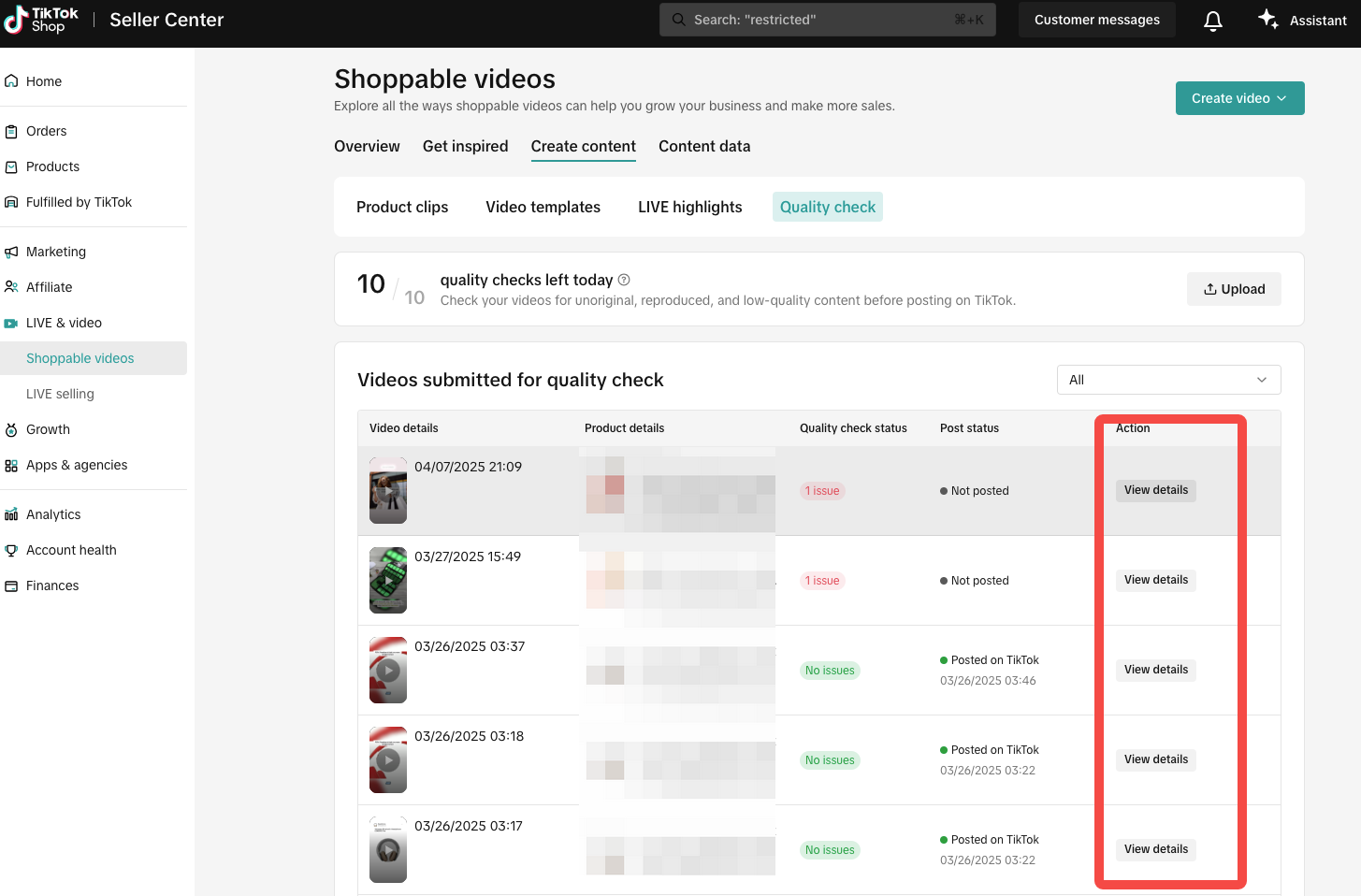
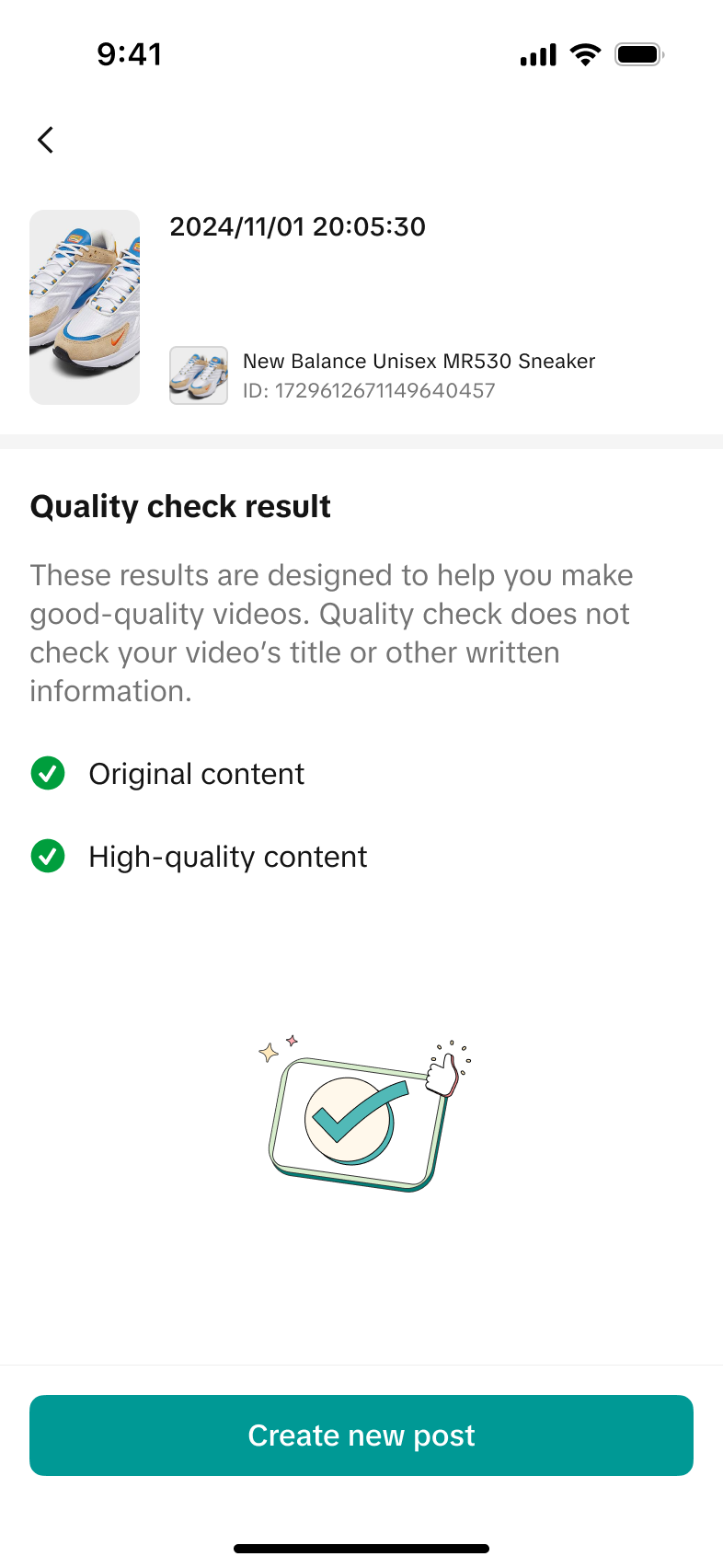
Step Three: Review pre-check status and results
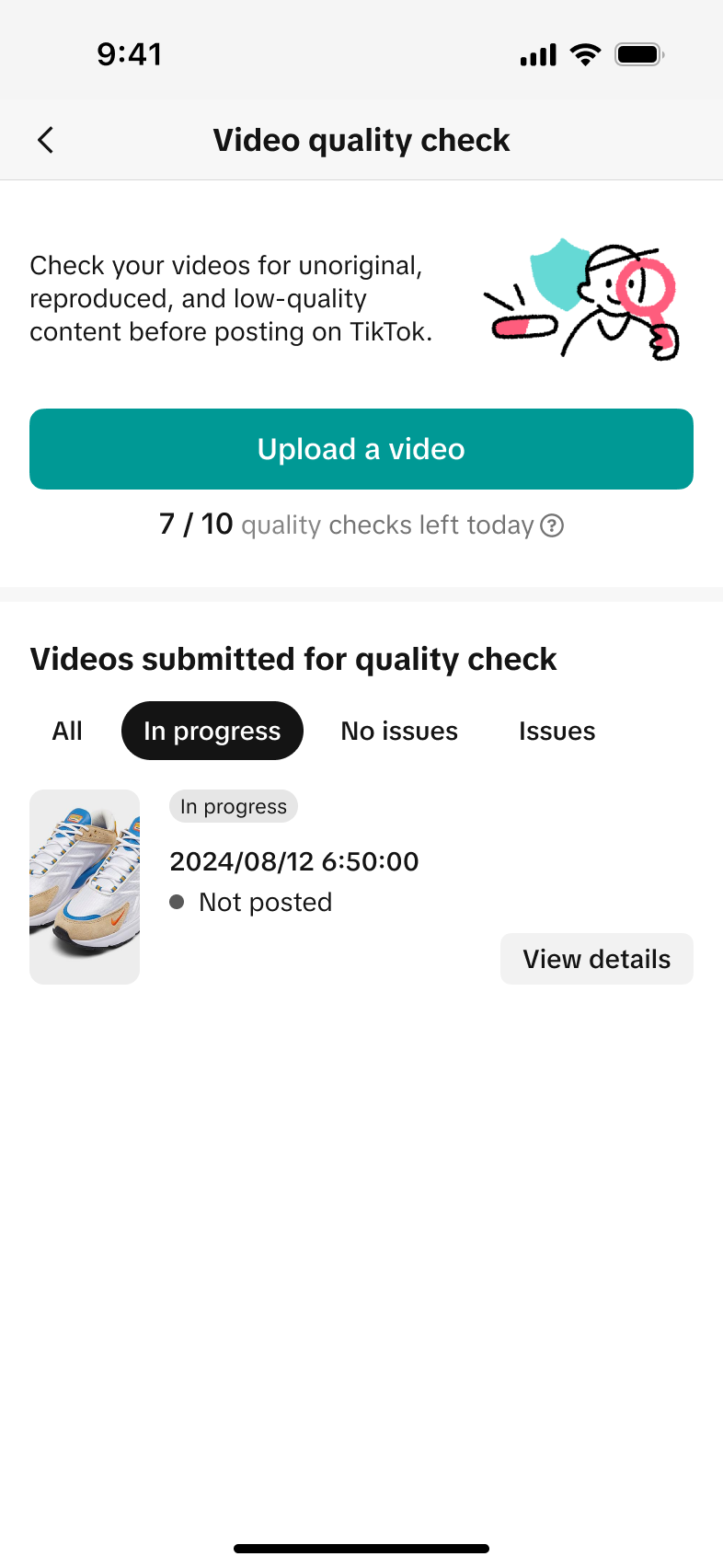
- On the "quality check" page, you can review all videos submitted in the past 90 days, and review their pre-check status and results.
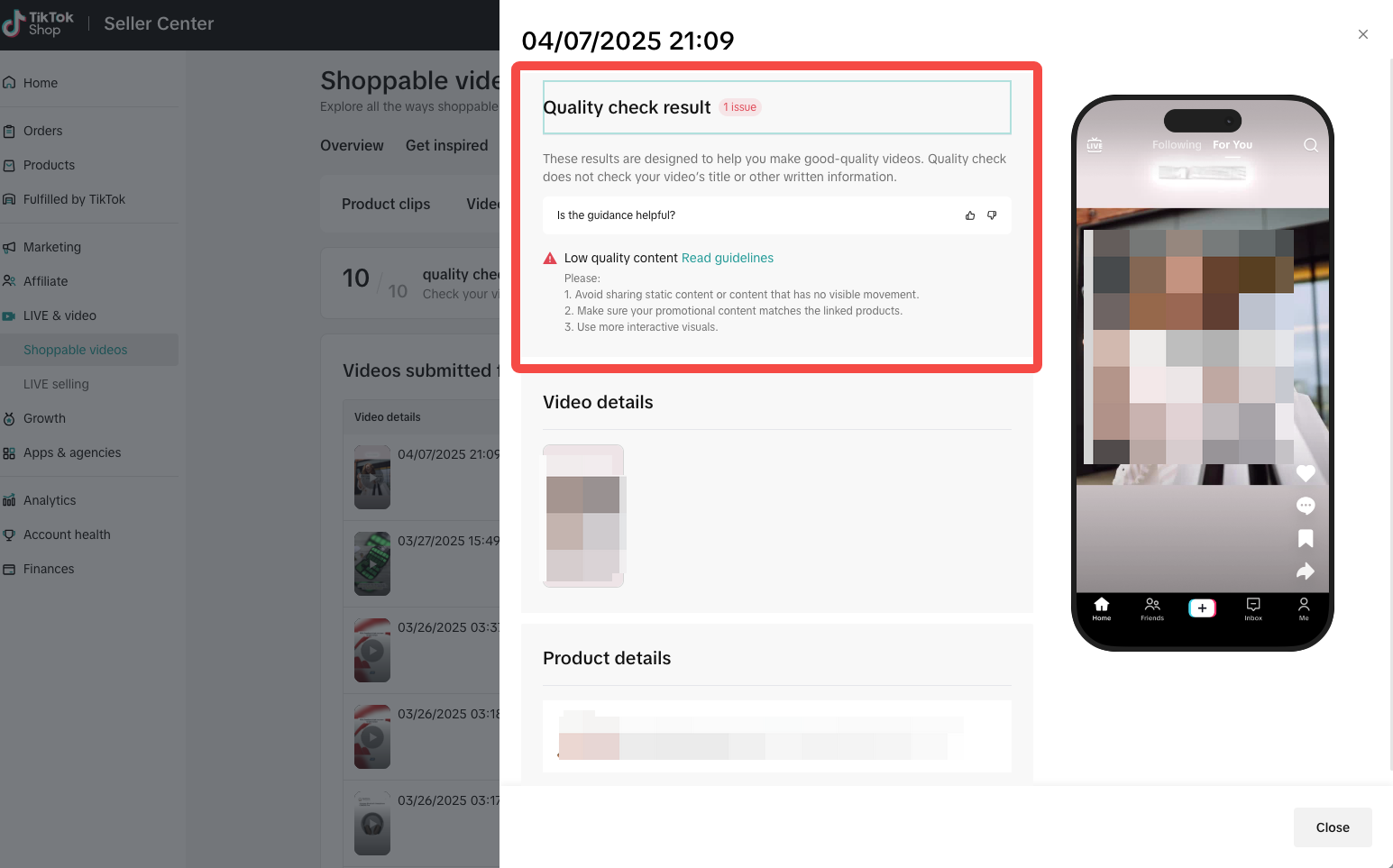
- If issues are detected, click "View details" to review the pre-check result details, then return to your video to make necessary edits. Repeat the pre-check process until all issues are resolved.
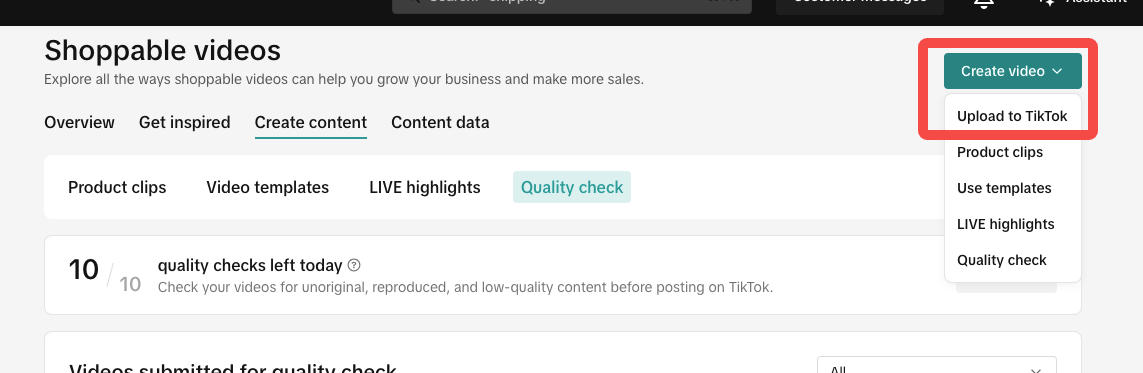
- If no issues are detected, click "upload to TikTok" in the "Create video" drop up box to publish the video.
| Seller Center | Seller App |
   |   |
FAQ
- Who can have access to the Video pre-check tool?
- Sellers who have made at least one sale on TikTok Shop can access the Video pre-check tool.
- How long does the Video pre-check process take to return a result?
- Processing time may vary depending on factors like the length of the video, the type of violations being checked, and the creator’s activity. You can continue using the app while you wait.
- How many product links can be added using the Video pre-check tool?
- Currently, you can only add one product link to the video using the Video pre-check tool.
- How many pre-checks can I conduct per day?
- Sellers have at least 2 pre-checks per day. The number of pre-checks available may vary based on seller performance. The tool will show you how many checks you have remaining.
- Can a video still receive violation warnings after publishing, even if the Video pre-check tool found no issues before posting?
- Yes, it is possible. Pre-check results are for reference only and do not guarantee the final outcome after publication.
- If a video passes the Video pre-check review, does it guarantee good performance?
- No, pre-check results are for reference only and do not guarantee the final outcome after publication. Video performance is affected by multiple factors, including TikTok Shop content policies, account status, content quality and more.
You may also be interested in
- 1 lesson
Creating Shoppable Videos with Shopify's 1P App
Are you a Shopify seller looking to create scroll-stopping shoppable videos but don’t know where to…
2025 Shoppable Video Holiday Guide for Sellers 🎁 ✨
*👋 Introduction Black Friday Cyber Monday (BFCM) is the biggest seasonal sales weekend of the year,…
TikTok for Shopify: Shoppable Videos
Introduction: What is the SV Widget on the Shopify App? Compelling videos are at the heart of what d…

How to Schedule Shoppable Videos
💡 Feature Overview Scheduled Shoppable Videos lets sellers, like you create and prepare videos when…

How to Change Your Video's Sound
TikTok will notify you if any of your videos' sound is no longer available. The TikTok App offers di…

Seller Center AI Video Maker
*💡 Feature Overview Our AI tools for short video creation in Seller Center are being upgraded into…

"TikTok Shop for Sellers"
Introduction Shoppable Video is the most powerful way to sell on TikTok Shop. TikTok Shop for Seller…

Shoppable Photos
NOTE: This feature is currently in beta and available for select sellers. Functionality may evolve a…