

Affiliate Target Invite & IM Quotas
07/07/2025
Summary
What is the structure and purpose of the Affiliate Target Invite & IM quotas on TikTok Shop?
- It uses a tiered quota system based on the seller’s past 30-day GMV to regulate outreach, preventing mass, inefficient messaging and promoting strategic creator engagement.
- Quotas refresh weekly on Sundays, combining invitations and instant messaging into a shared limit for flexible communication.
How are creators categorized for quota and communication purposes, and what are the rules for contacting them?
- Connected creators (those who initiated contact, responded, or featured your products) are exempt from weekly limits; unconnected creators (first-time contacts or non-responders) count against quotas.
- Blocked creators cannot be contacted, and sellers cannot reach out to creators who have blocked them.
What are the key steps and best practices for sellers to effectively manage and use their quotas to connect with creators?
- Sellers can view their weekly quota status and use the "Invite" button in "Find Creators," ensuring creator follower counts fit their tier limits.
- Messaging the same creator multiple times in a week counts once against quota; up to 5 messages can be sent before a response is required.
- Strategic outreach to creators aligned with product categories and following up via IM after invitations improves connection success.
What special provisions exist for new sellers and how should sellers plan their outreach around quota refreshes?
- New sellers with no GMV receive a one-time "Starter’s Pack" of 1000 outreach opportunities to jumpstart connections.
- Sellers should monitor weekly quota refreshes every Sunday and plan outreach accordingly to maximize new creator connections.
What happens when a seller exhausts their quota or encounters blocked creators?
- Once the quota is used up, sellers cannot invite or message unconnected creators until the next weekly quota refresh.
- Sellers cannot contact creators who have blocked them, and vice versa, effectively ending communication opportunities with those creators.
Overview
Key Features
Tiered Quota System
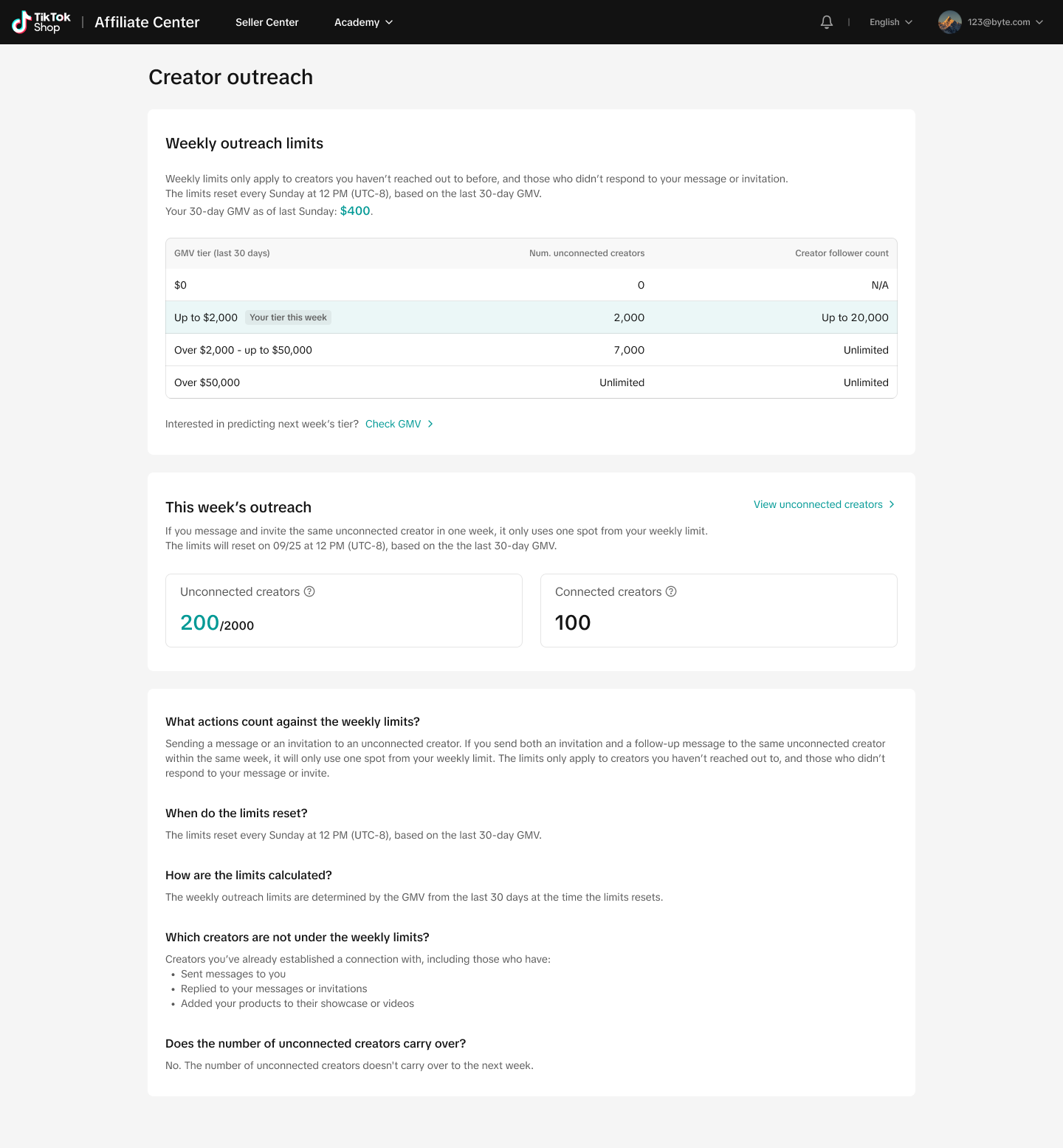
- Quota Allocation: Quotas for connecting with new creators are determined by the seller's past 30-day GMV. This allocation aims to prevent inefficient mass outreach without strategy, ensuring a balanced approach to creator engagement.
- Quota Effective Period: Quotas are refreshed weekly, every Sunday, based on the seller's recent performance data.
- Quota Sharing: Invitations and Instant Messaging (IM) share a combined quota, allowing sellers flexibility in choosing their communication method.
Creator Connection Rules
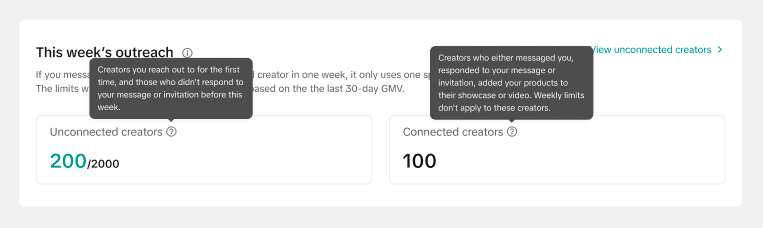
- Connected Creators: Creators who have either initiated contact with you, replied to your message or invitation, or included your products in their showcase or video are not subject to weekly limits.
- Unconnected Creators : Creators you're contacting for the first time, as well as those who haven't responded to your message or invitation prior to this week.
- Blocked Creators: Creators can block sellers to cease communication, and vice versa. Such creators are excluded from further outreach opportunities.
User Instructions
Connecting with Creators :
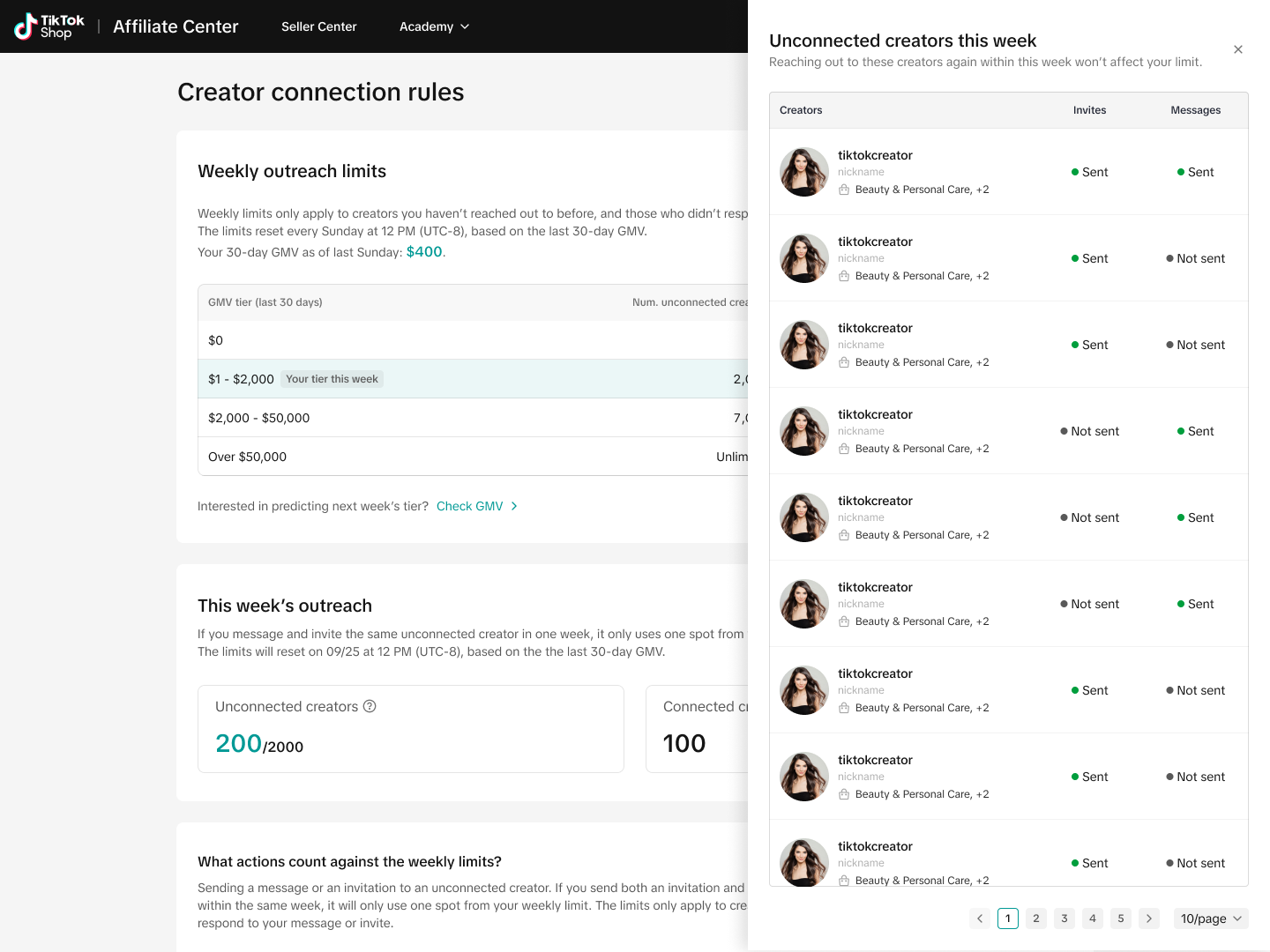
- Quota Status: You will be able to see your weekly limit, connected new creators this week and how many new connections you can still make this week.
- Inviting Creators: Use the "Invite" button in the "Find Creators" section. Ensure the creator's follower count aligns with your tier's limitations.
- Messaging Creators: You can message creators in several ways. Sending multiple messages to the same creator within a week will not count against your quota more than once. Additionally, you can send up to 5 messages to a creator before receiving a response from them within the same week.
Managing Quotas
- Quota Refresh: Monitor your quota refresh cycle every Sunday. Plan your outreach strategy accordingly to maximize potential connections.
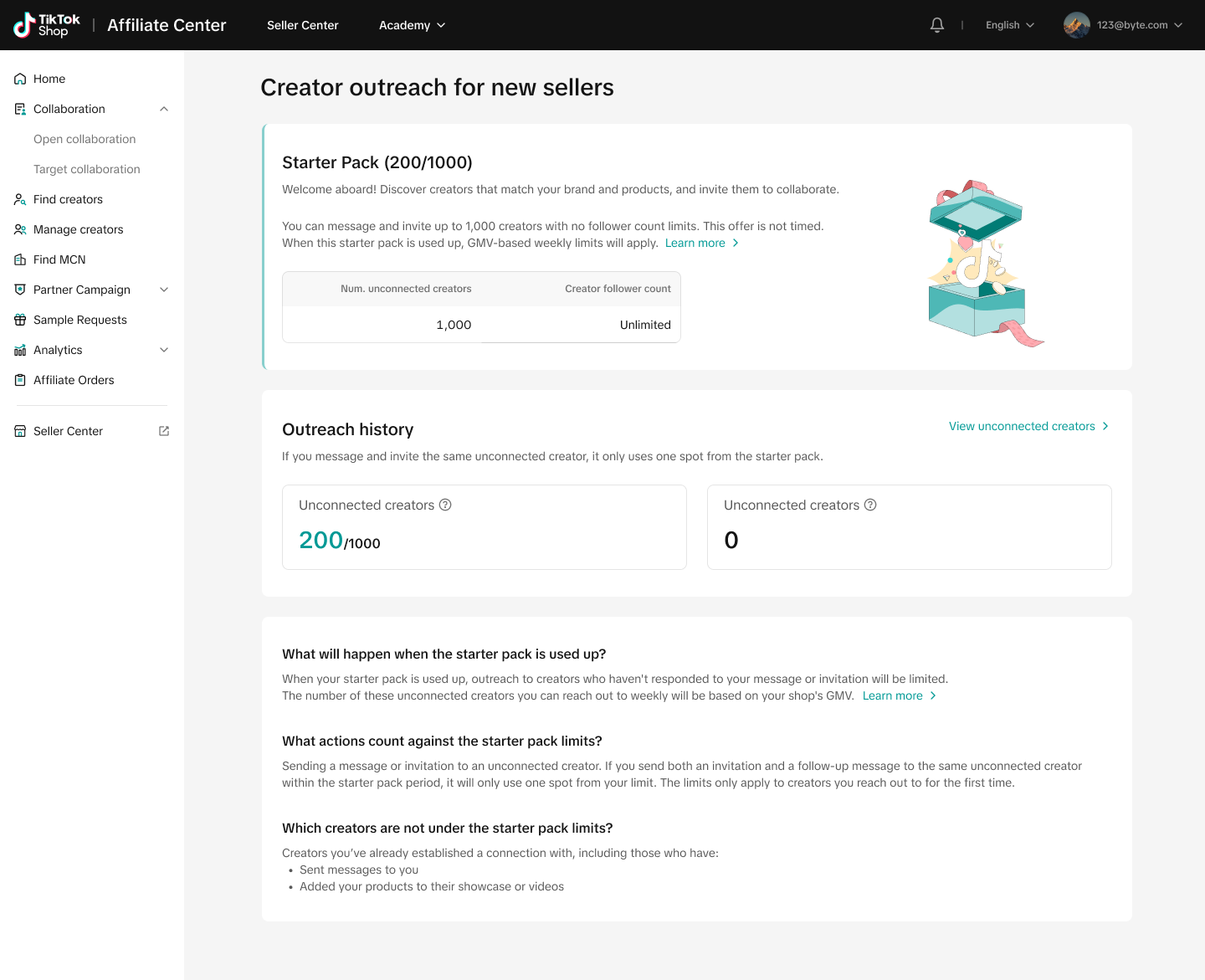
- Starter's Pack: New sellers with no GMV receive a one-time "Starter's Pack" of 1000 outreach opportunities to aid in your initial outreach. Use this resource strategically to build initial connections.
Best Practices
- Strategic Outreach: Focus on high-potential creators who align with your product category to increase acceptance rates.
- Follow-Up: Utilize IM to follow up on invitations, enhancing the likelihood of successful connections.
FAQs
- What happens when my quota is exhausted?
- Once your quota is used up, you cannot invite or message unconnected creators until the next quota cycle.
- Can I connect with creators who have blocked me?
- No, once a creator blocks you, you cannot send them invitations or messages.
You may also be interested in
Open Collaboration One Click Solution
**This article is intended for the sellers that have been selected for the One Click Affiliate enrol…
How to use flat fee collaborations
Product overview Flat fee collaborations Secure top-tier creators with flat fees and drive sales wit…

8 Tips for Successful Seller & Creator Matchmaking
Welcome to TikTok Shop Affiliate program This playbook offers an end-to-end roadmap to empower US se…

How to use Affiliate Links
Product Overview Drive sales from beyond the TikTok app by empowering creators to share your product…
Refundable Samples Terms & Conditions for Sellers
Introduction The Refundable Sample program (“Program”) is offered by TikTok Inc. (“TikTok”, “we”, “o…

Affiliate Partnerships Overview
Introduction: What is Affiliate Partnerships Overview? Affiliate Partnerships are designed to help s…

How to use SKU-level samples
Product Overview SKU-level samples is a smart, direct way to control exactly which product variants…

How to use Affiliate Center features in the app
Overview The TikTok Shop Seller Center App empowers sellers with the ability to manage their TikTok…

How to use refundable samples
Overview Refundable Samples is a TikTok Shop feature that allows you to connect with creators throug…