

Order Management & Cancellations
Order Management
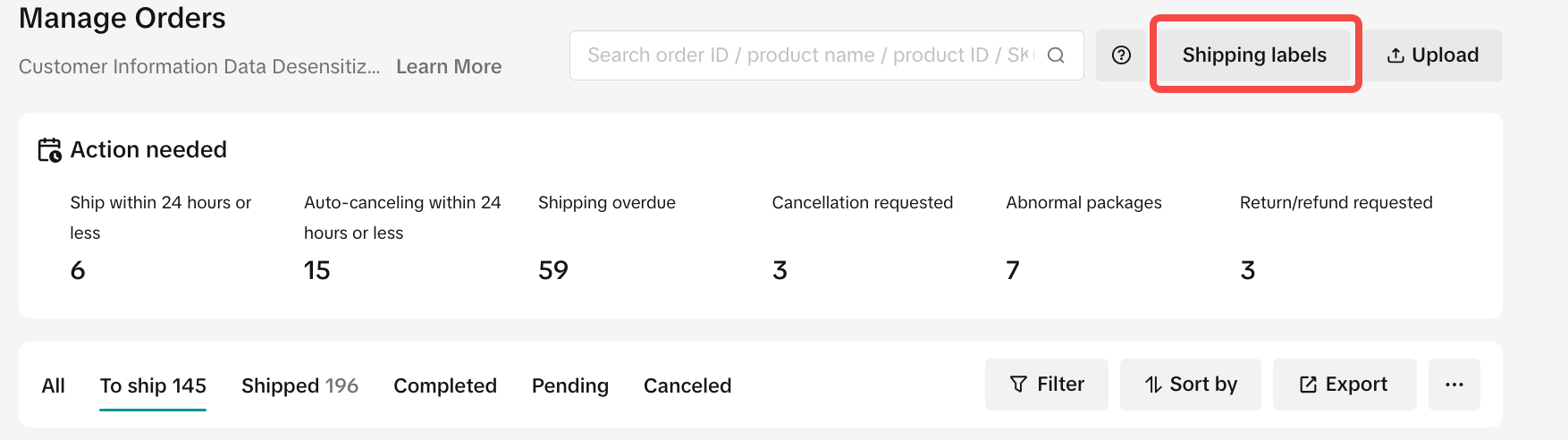
To make your order processing easier, TikTok Shop has upgraded our Manage Orders page. This redesign provides a more streamlined experience, letting you focus on your core operations.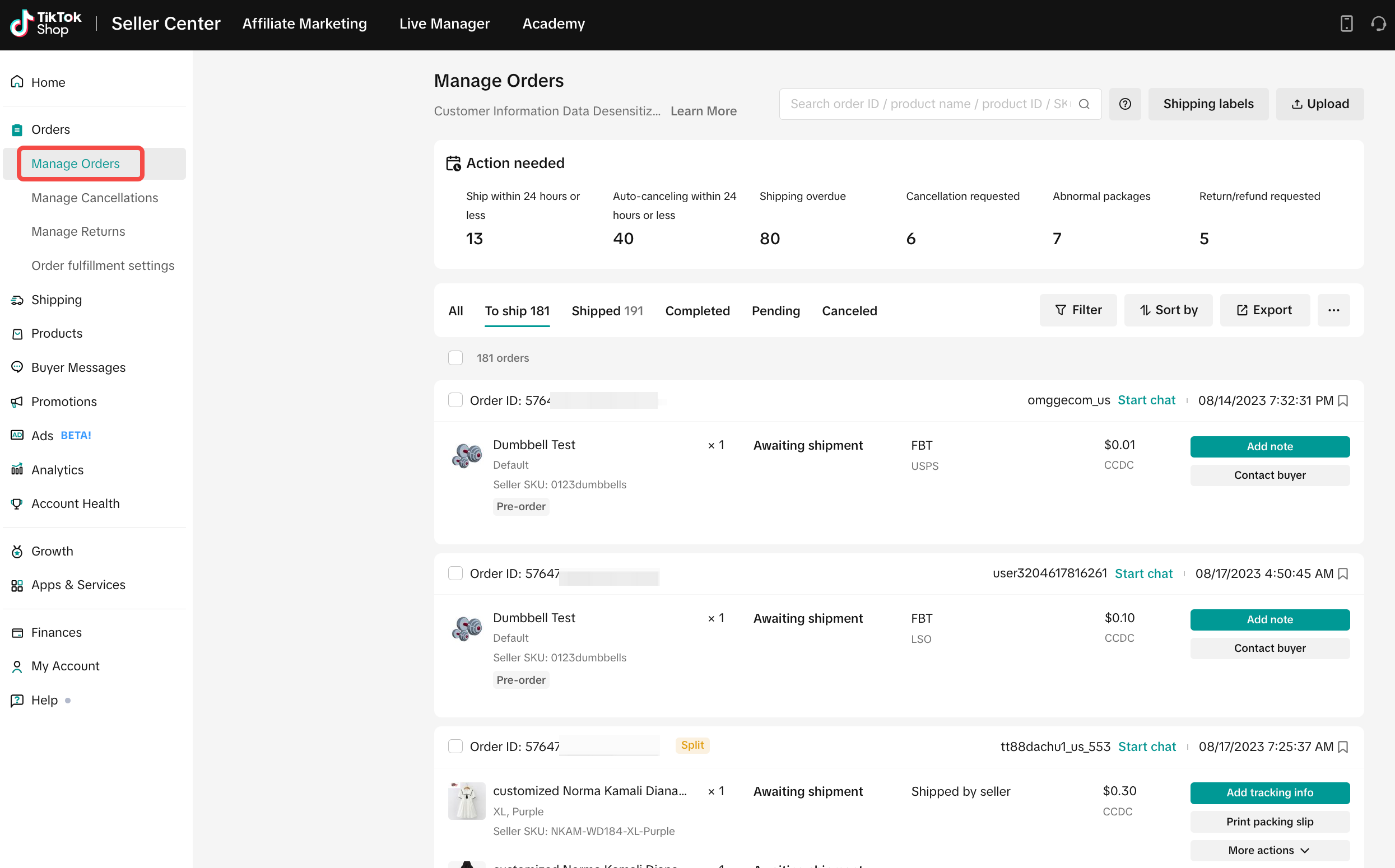
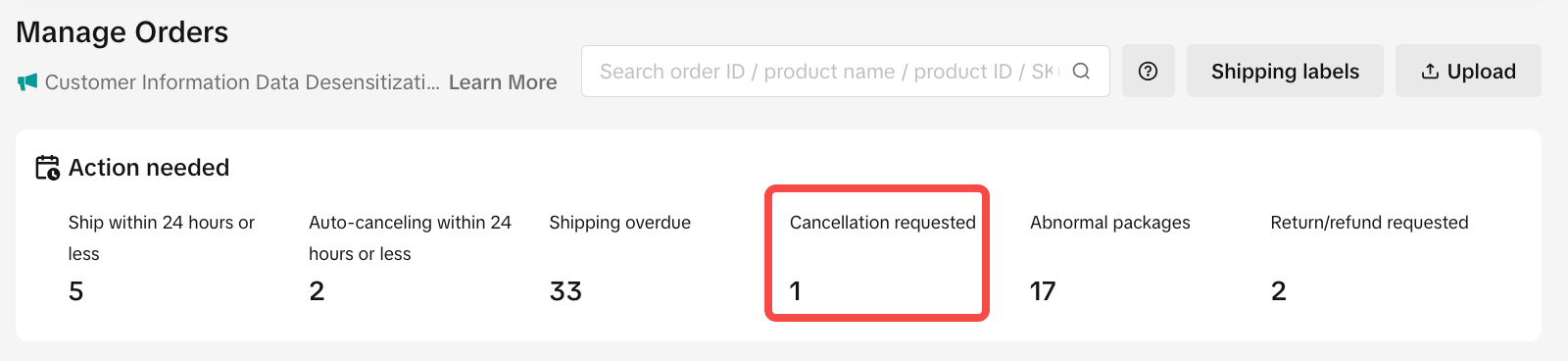
- We’ve added a Pending Action board that actively identifies 6 types of abnormal order statuses, reminds you to take corrective measures, and helps you efficiently manage abnormalities.
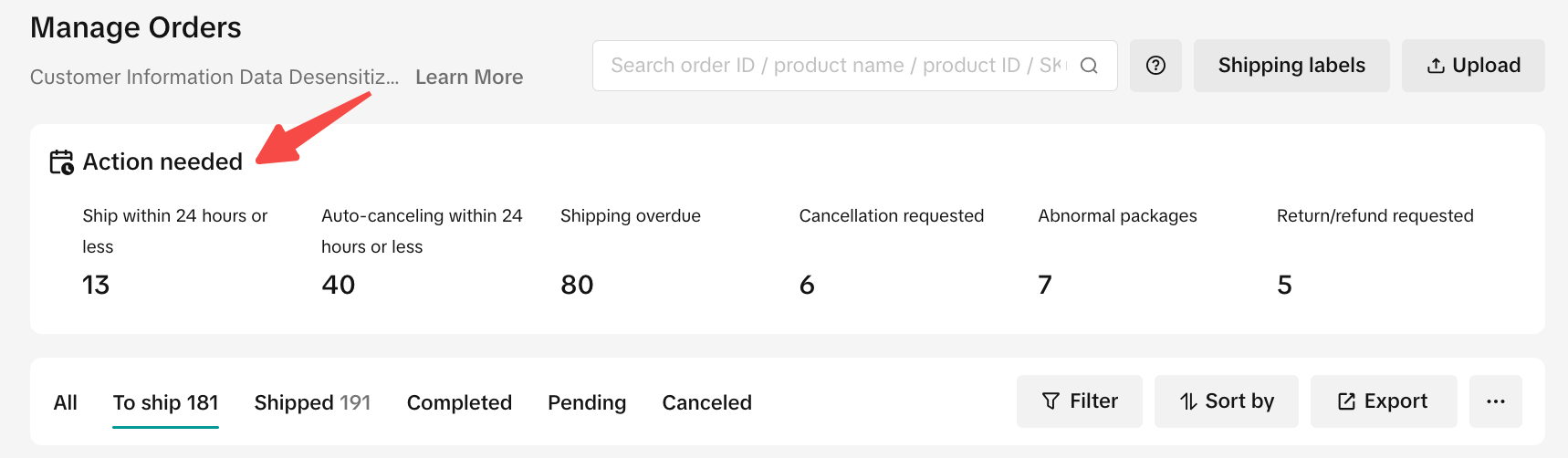
| Sr | Pending Action | Description |
| 1 | Ship within 24 hours or less | Orders that will exceed processing time (SLA 3BD) within 24 hours. |
| 2 | Auto-canceling within 24 hours or less | Orders that will exceed SLA auto-cancellation within 24 hours. |
| 3 | Shipping overdue | Orders that have already exceeded processing SLA(3BD). |
| 4 | Cancellation requested | Orders with cancellation requests that need to be reviewed as soon as possible. |
| 5 | Abnormal packages | Orders for which package label creation or printing have failed. |
| 6 | Return/refund requested | Orders with return or refund requests that need to be reviewed as soon as possible. |
- Searching for your orders is simpler and more customizable.
- You can search for up to 100 different order IDs, tracking numbers, product IDs, and SKUs in one search bar at the same time. Just separate your parameters using commas and quotation marks (",").
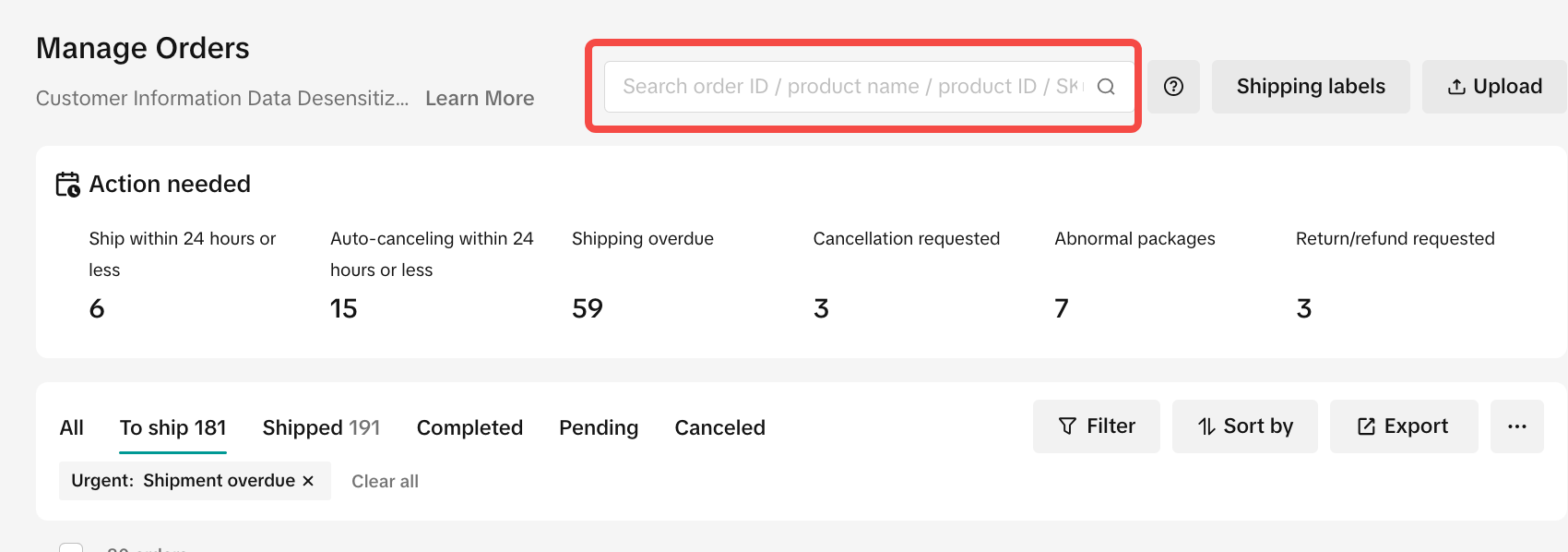
- You can search for up to 100 different order IDs, tracking numbers, product IDs, and SKUs in one search bar at the same time. Just separate your parameters using commas and quotation marks (",").
- You can also filter by other parameters. Just click Filter, and then click Apply after you’ve made your selections.
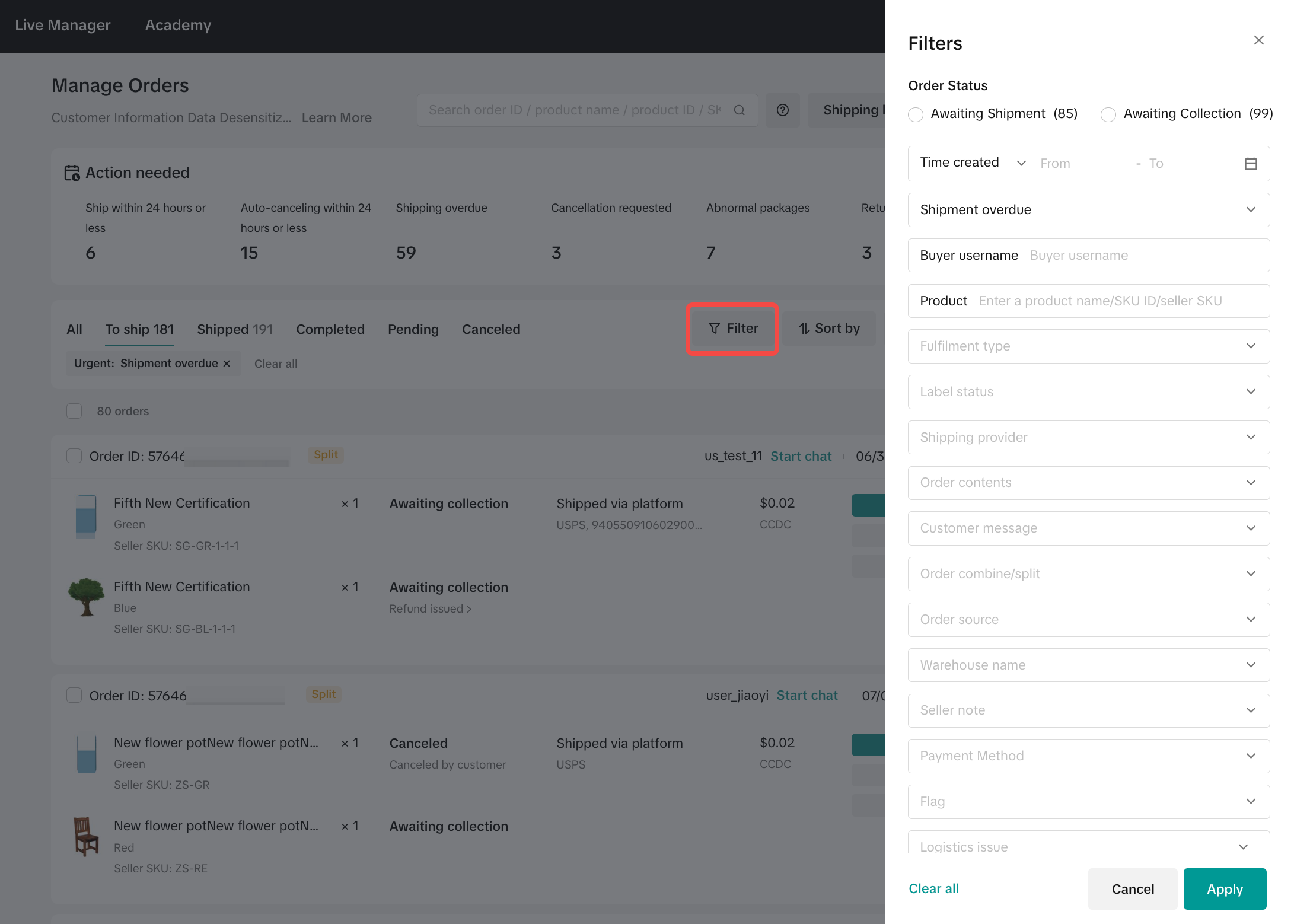
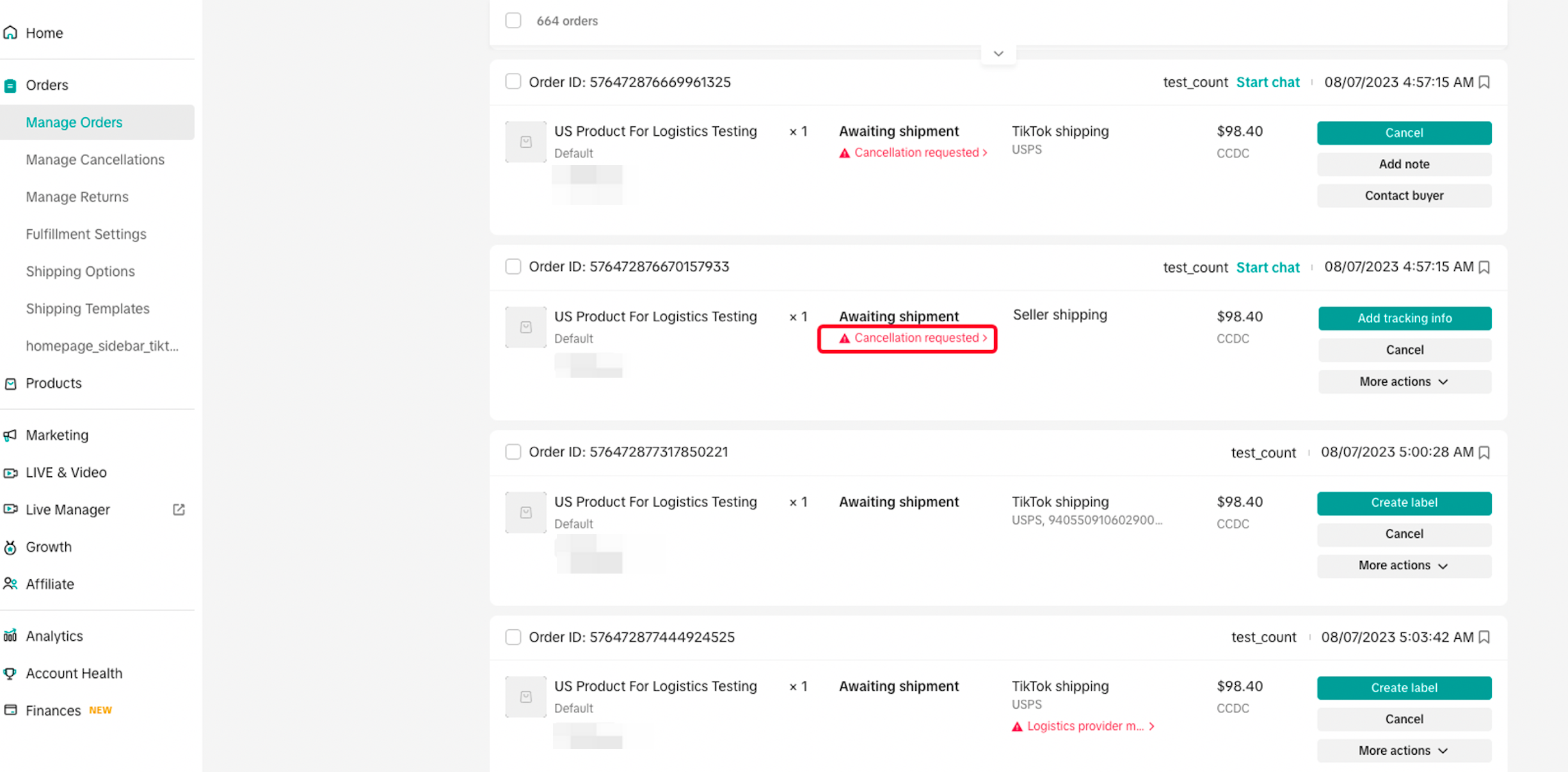
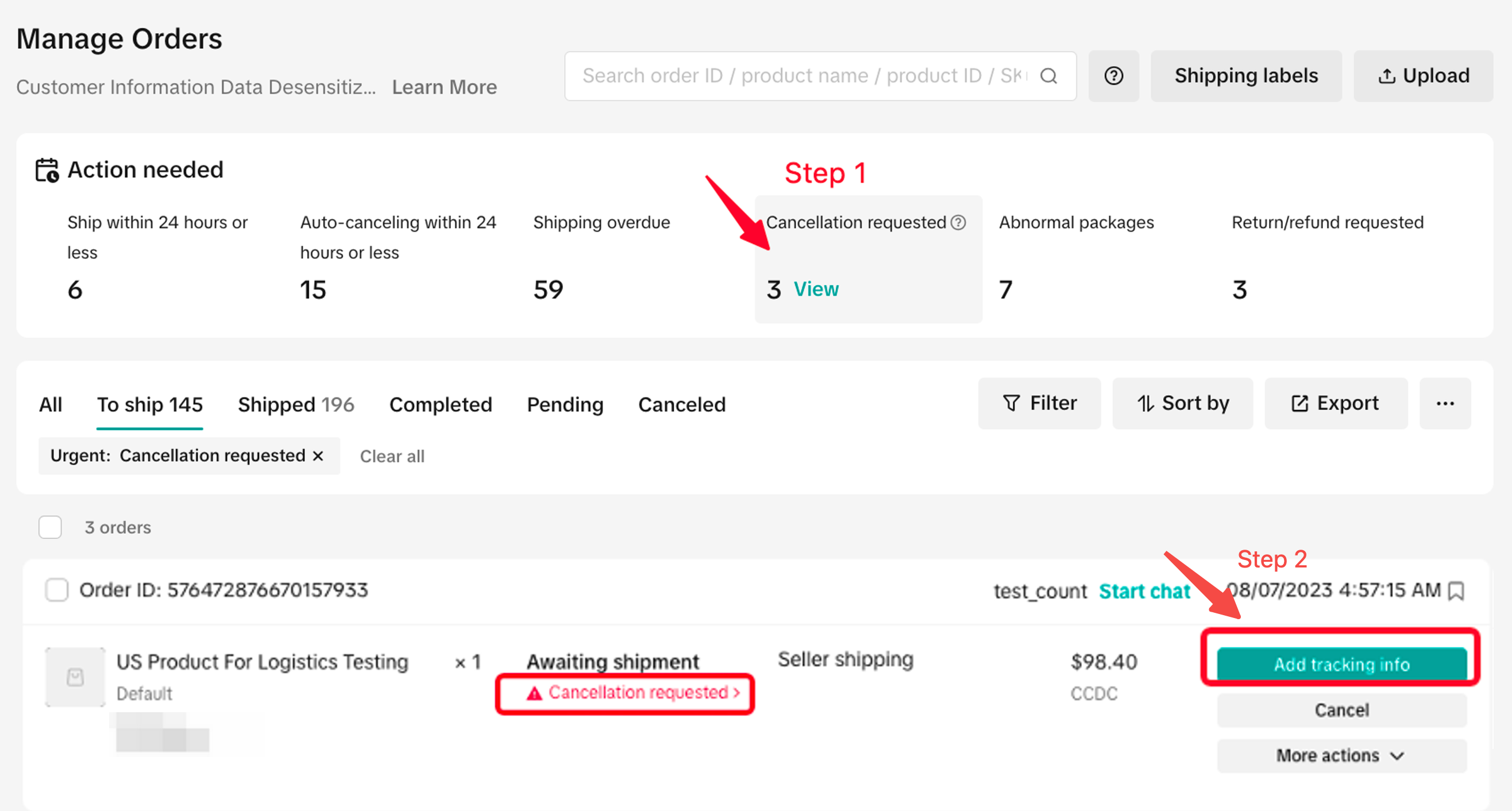
- In the previous version of the Seller Center, Manage Cancellation was a separate page, but now you can manage cancellation requests in the convenient Manage Orders module
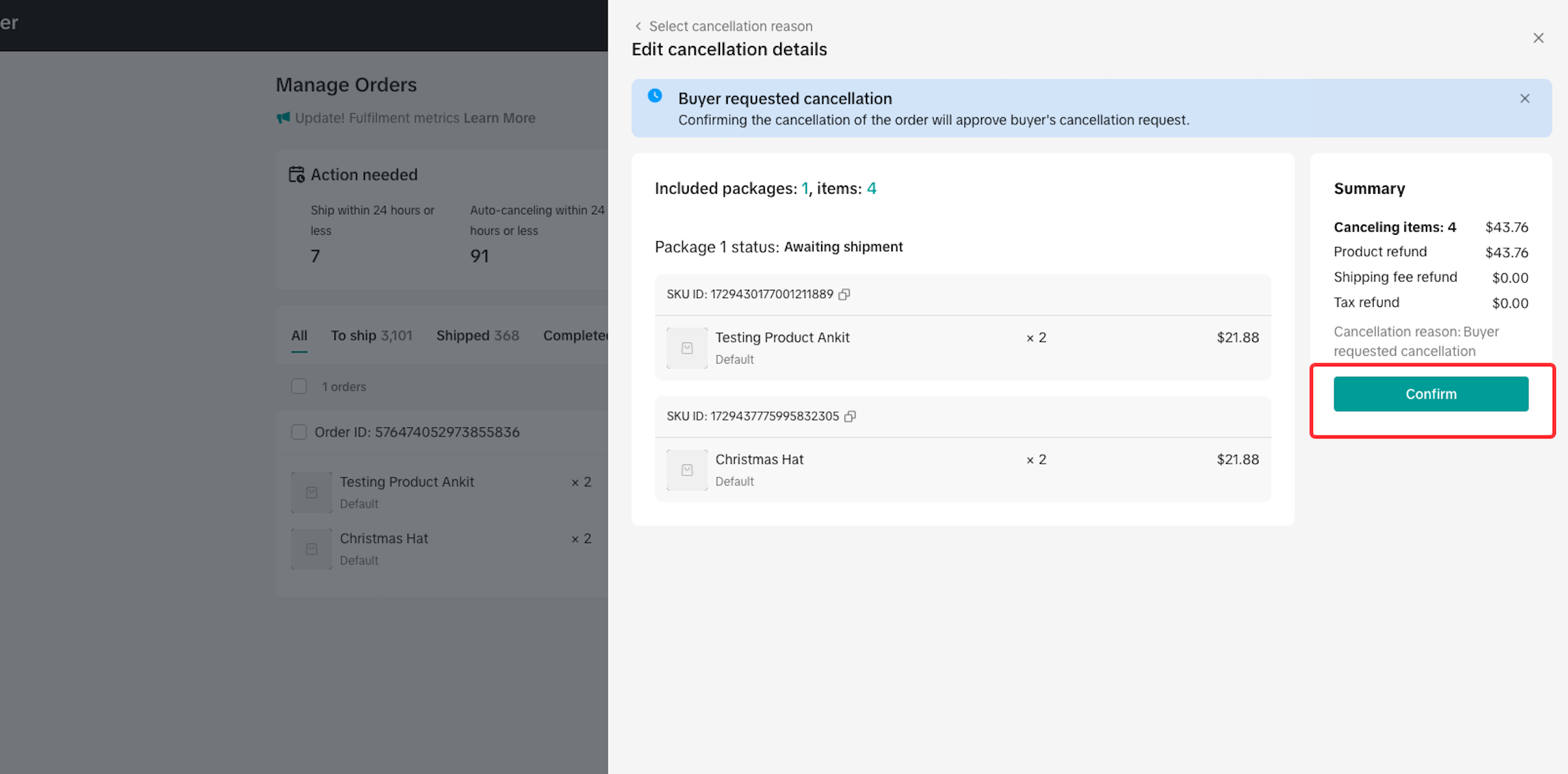
When buyers request order cancellations, one of the following will occur:
| Order Cancellation Request Period | Action |
| If requests are made within the configured auto-approval period. The auto-approval cancellation period can be 1 hour, 2 hours, 3 hours, 5 hours or before you upload tracking info. Go to Fulfilment Setting Page to configure. | No action. The request is auto-approved. |
| If requests are greater than your auto-approval cancellation period, and before you upload tracking info. | Manually accept the request or upload the order tracking info to reject the request (within 24 hours of receiving the cancellation request). Important:You must manually accept the request or upload the order tracking info to reject the request (within 24 hours of receiving the cancellation request). |
- The Manage Orders page now lets you bulk-select orders and directly finish fulfillment. This new functionality helps you create and edit up to 600 shipping labels at mass!
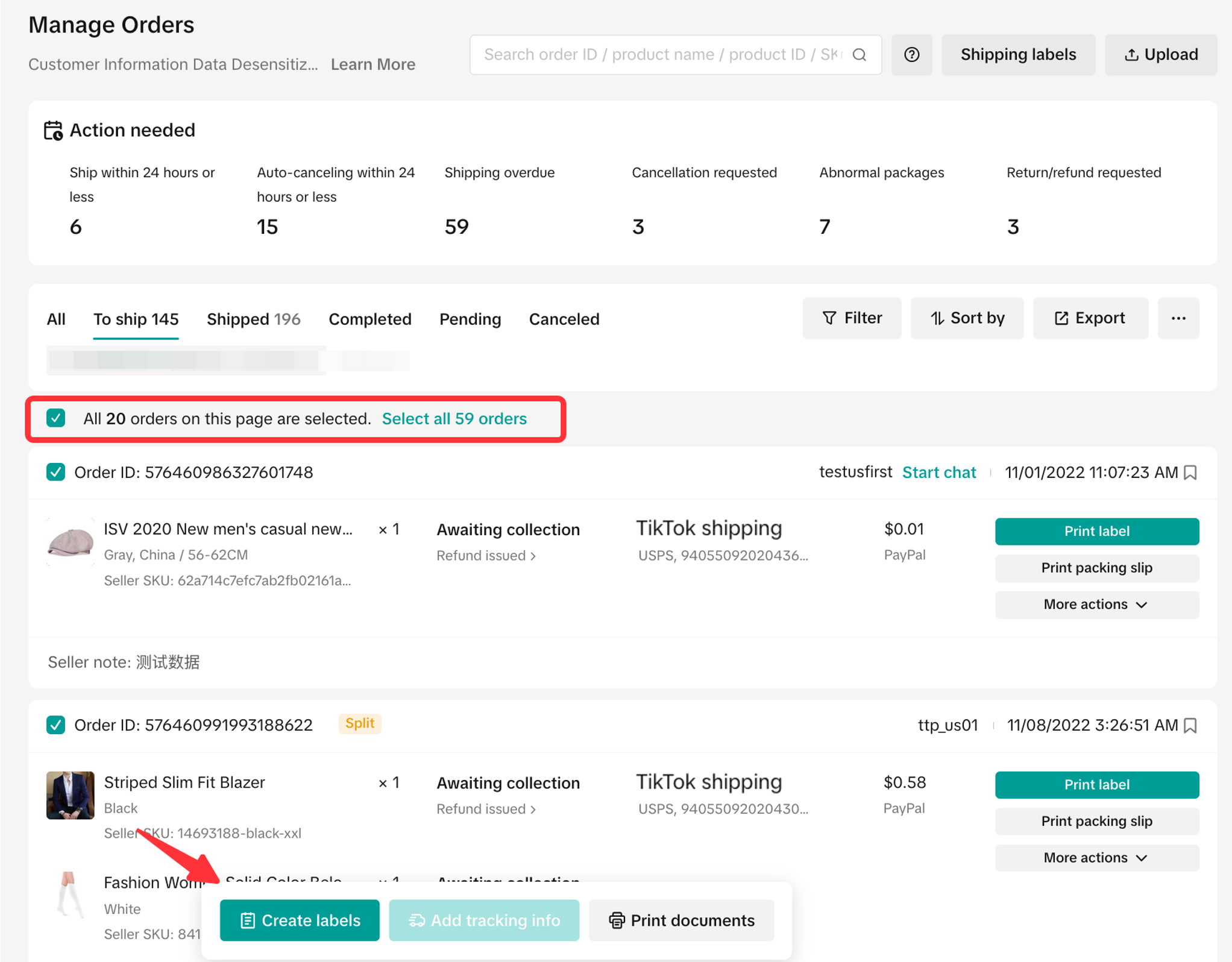
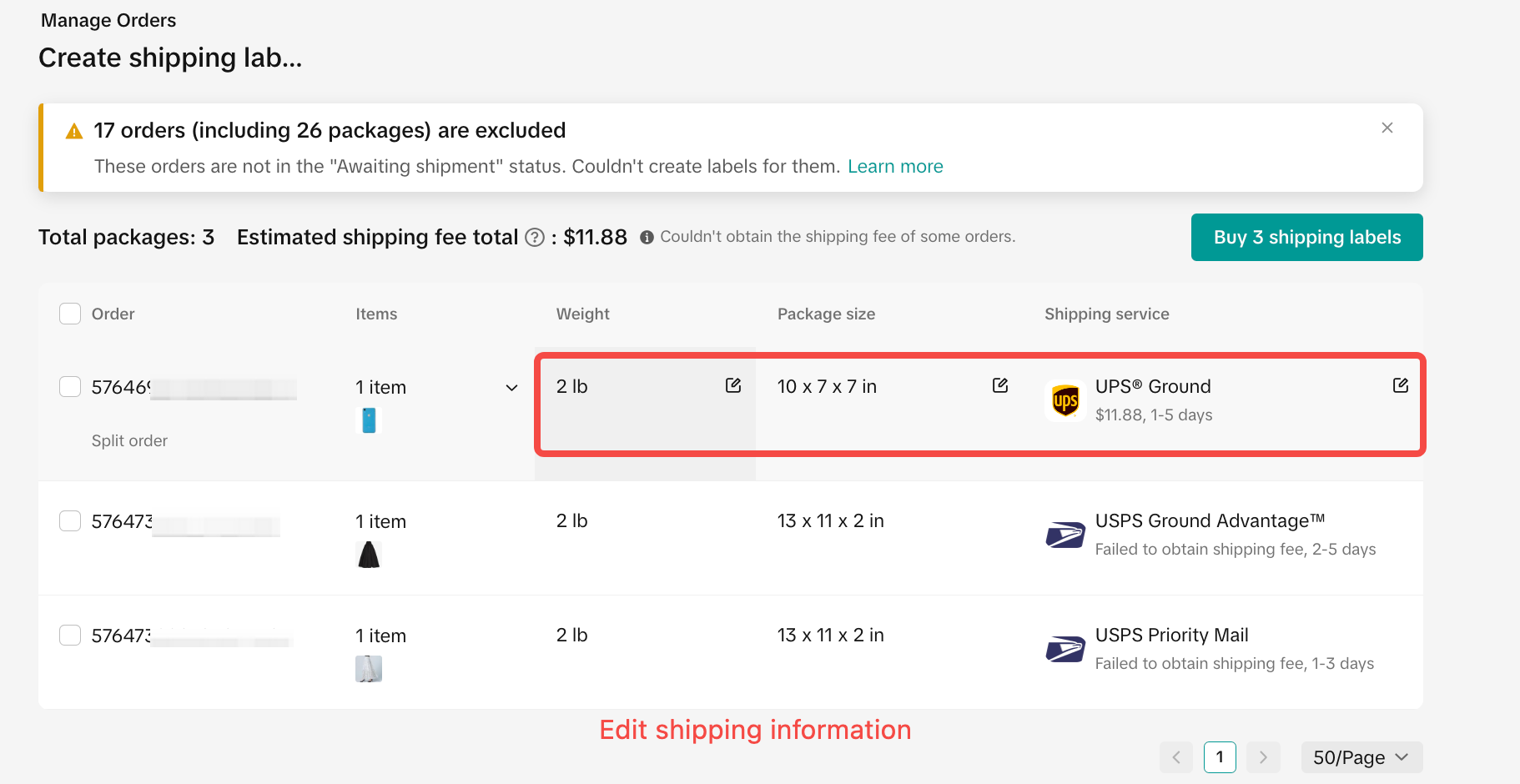
How to process “TikTok Shipping” Orders?How to process “Seller Shipping” Orders?When you click for all, the system will select the orders of the current page by default. If you want to select more orders to finish shipping in bulk, you can choose "Select XX orders in the list".
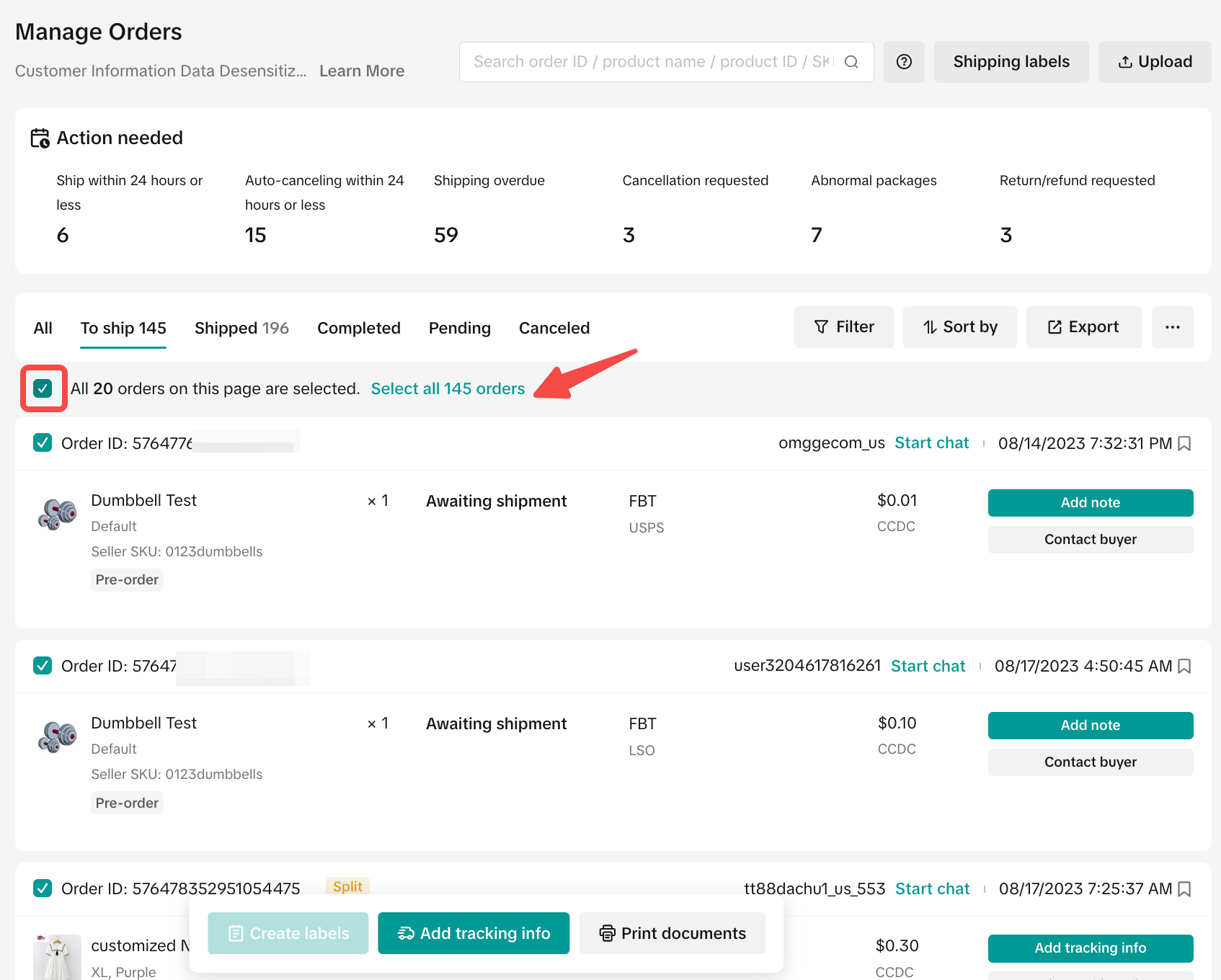
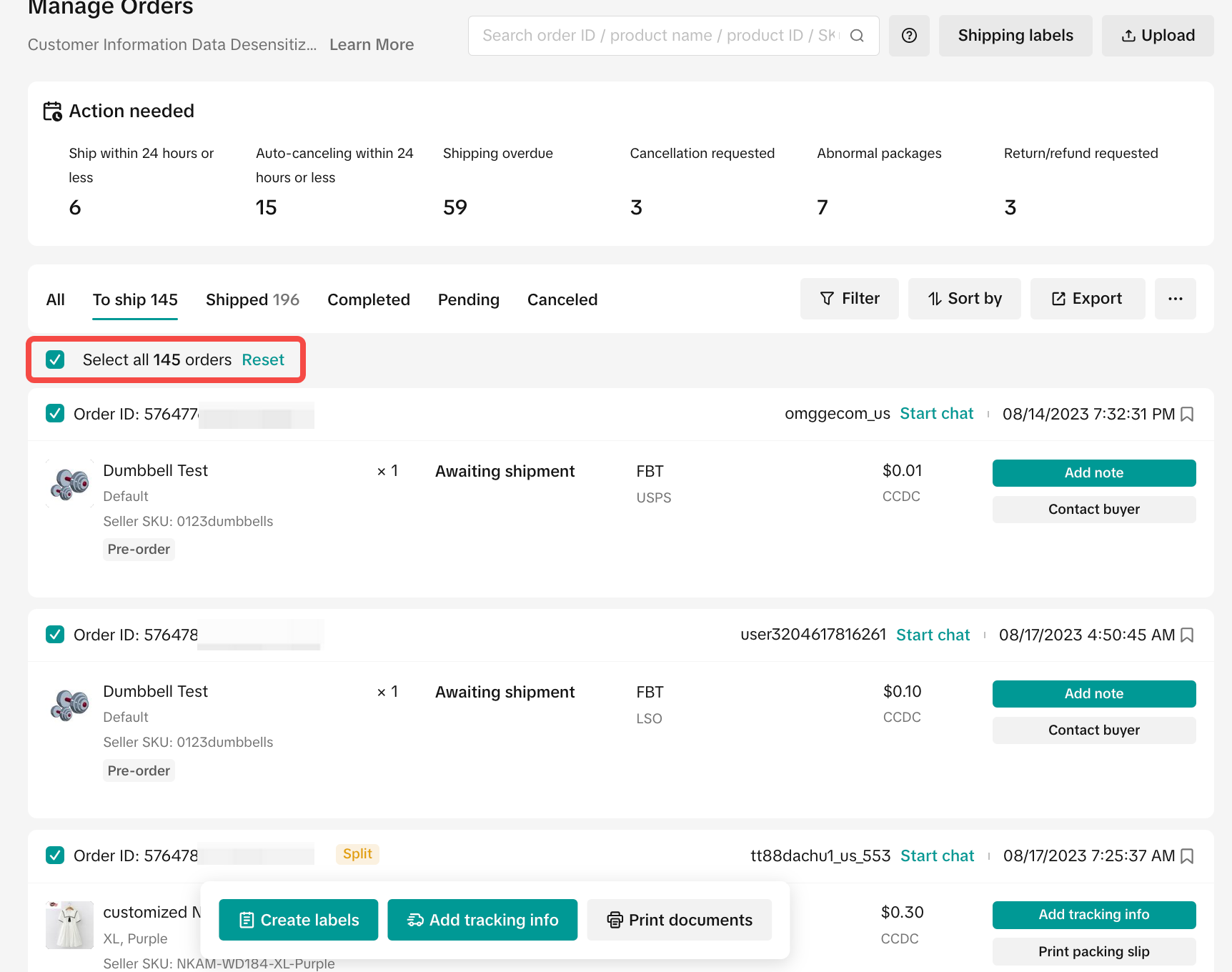
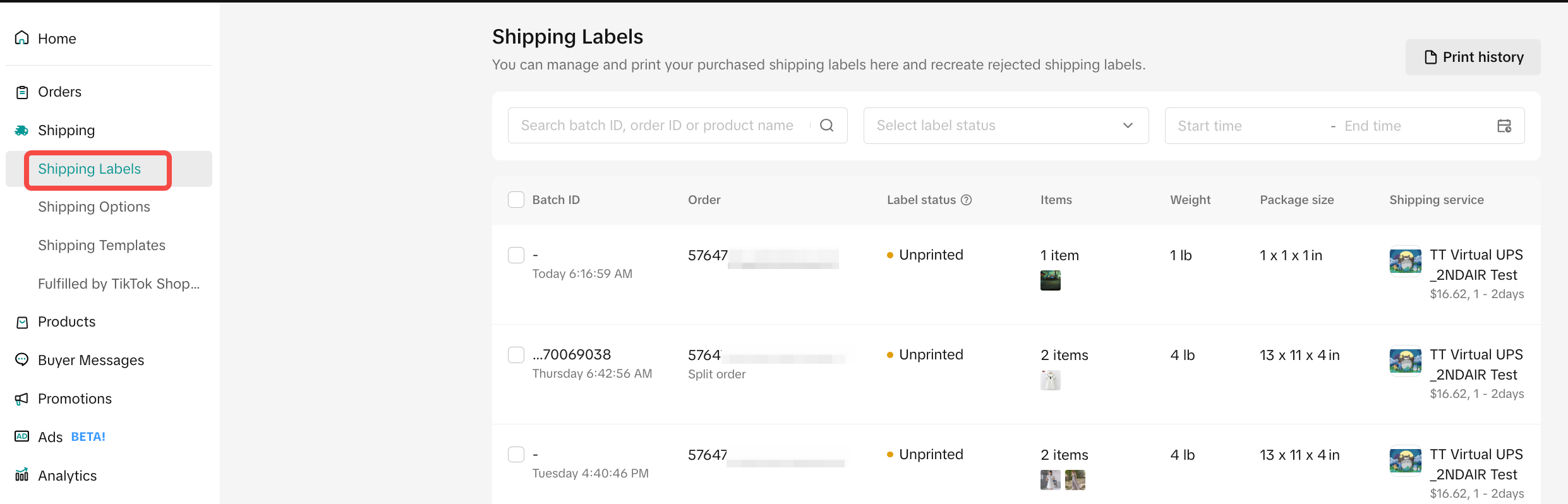
- We’ve also added easy access to shipping labels, which will see all your shipping label information in one place, and easily recreate or reprint labels if there are any errors.
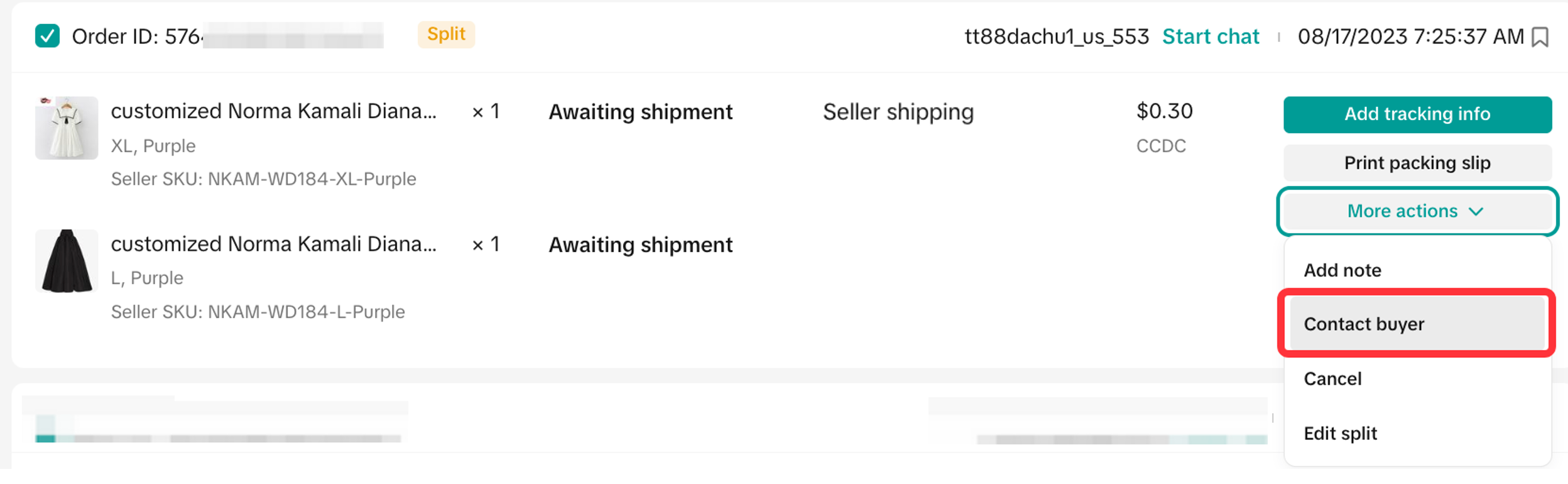
- When you click the drop-down button, you can see the new entry of Contact buyer.
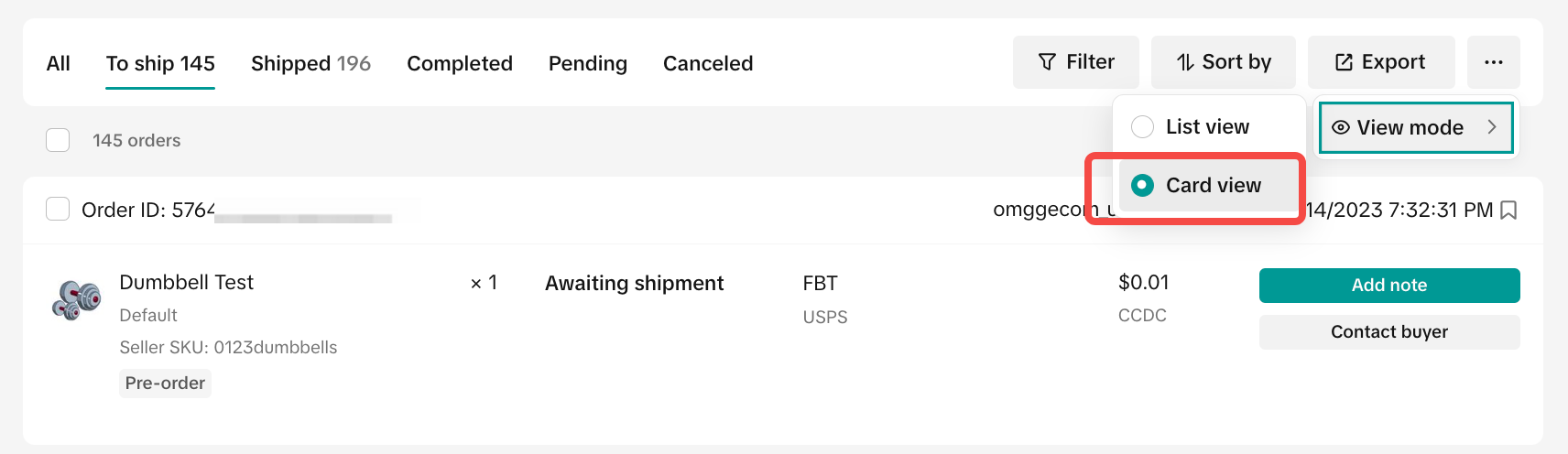
- If you still prefer the previous view of the order list, you can choose to change "View Mode", just click "..." and click "Card view".
Order Cancellations
Understanding the order cancellation process is crucial for maintaining smooth operations and delivering great customer service. By following these key points and best practices, sellers can manage order cancellations effectively and avoid potential issues.Best PracticesSellers may encounter situations where they need to cancel orders. Follow these best practices to ensure operational excellence.
- Cancel After Pending Period: If for an unforeseen reason sellers need to cancel, start the cancellation process for confirmed orders after the "Pending" period but before the order status changes to "Shipped."
- Manage Stock Issues Responsibly: If a product is out of stock or damaged, quickly notify the customer using in-app notifications and then cancel the order. Ensure you provide a reason for cancelling the order.
- For multi-item orders, cancel only the unavailable items and fulfill the remaining items. Provide separate shipping labels and tracking information if splitting items into different packages.
- Provide Quick Refunds: Provide customers a full and prompt refund for any canceled items or orders.
- Avoid Asking Customers to Cancel: Don't ask customers to cancel orders due to stock issues. It's your responsibility to manage the cancellation process.
- Don't Ignore Seller Fault Cancellation Rate (SFCR) Impact: Be aware that seller-initiated order cancellations affect your SFCR.
- Avoid Abusive Behaviors: Never use abusive language or change transaction terms (such as price) after the sale is completed.
Automated Cancellation ApprovalYou can simplify the cancellation review process by enabling automated approvals. Orders that meet your set rules will be automatically approved, and you will be responsible for these approvals.
Cancellation WindowSelected 3PL sellers can adjust their cancellation window by choosing:
- 1 hour
- 5 hours
- 24 hours
How to Avoid Order Auto-Cancellation
- Keep Order Statuses Current: After the order creation date, sellers have 3 business days to update the order status to "Ready to Ship." If the status is not updated within 7 days, the order will be automatically canceled. The following also occurs when auto-cancelling:
- Two business days before auto-cancellation, TikTok Shop will send customers an email and in-app notification allowing them to choose “I want to wait” to keep the order or cancel it.
- Customers of Fulfilled by TikTok (FBT) orders will not receive this email and in-app notification.
- If customers do not respond within two business days, TikTok Shop will auto-cancel the order.
- Payments are refunded after auto-cancellation.
- Two business days before auto-cancellation, TikTok Shop will send customers an email and in-app notification allowing them to choose “I want to wait” to keep the order or cancel it.
- Adhere to Delivery Deadlines: If a customer chooses to wait and the product isn't delivered within the designated delivery time, the order may be auto-canceled. Refunds must be processed within 5 calendar days after cancellation.
- Don't Ignore Cancellation Requests: Sellers must upload the tracking number or approve the cancellation request within 24 hours. Otherwise, TikTok Shop will automatically approve the request.
For more information, please refer to our TikTok Shop Customer Order Cancellation, Return, and Refund Policy.
You may also be interested in

Seller-Fault Cancellation Rate Requirements
Key Points: Seller-Fault Cancellation Rate metric is used to evaluate the quality of a seller's ful…

Proof Of Delivery
What is Proof of Delivery feature? TikTok has launched the Proof of Delivery feature which allows Ti…

Manage Orders
To make your order processing easier, TikTok Shop has upgraded our Manage Orders page. This redesign…

After-Sales Evidence Guide for Appeals and Disputes
Key Points: You need strong evidence when handling appeals, disputes, or refund rejections. Good pro…

'On Hold' Order Status
What is On Hold Status? On the Manage Orders page under the Pending tab, an order with an On hold st…

FBT Truck Delivery Appointment-Feature & Process Overview
* Inbound Appointment SLA & Operational Requirements Appointment Lead Time: Please schedule the appo…

Validation of Tracking ID
What is the validation of tracking ID feature? TikTok Shop's feature to validate tracking IDs has th…

TikTok for Shopify: Shop Management Tab
Overview In the latest update of the TikTok for Shopify app, the "Shop Management" section of the ch…

Automated Order Combination
Tiktok Shop is expanding Livestream order auto-combination feature to all shopping channels in the U…

Late Dispatch Rate Requirements
Key Points: The Late Dispatch Rate metric is used to assess how efficiently sellers dispatch orders…