

TikTok for Rithum: Onboarding Guide
Summary
What are the essential steps for new merchants to onboard and start selling on TikTok Shop?
- New sellers must register a TikTok Shop Seller Center account with required info, link an official TikTok account, complete ‘Missions’ tasks, set up warehouse info, configure shipping templates, and submit tax info (TIN) for payment processing.
- Approval takes 3-5 business days; sellers must also set up settlements and payouts by linking bank accounts in Seller Center.
How should sellers manage warehouse setup and shipping options on TikTok Shop, especially when integrating with third-party tools like Rithum?
- Sellers must enter warehouse details in Seller Center; warehouse names must match those in Rithum. Multi-Warehouse allows up to 20 pickup addresses and one return address; warehouses cannot be deleted but can be set to holiday mode.
- TikTok offers TikTok Shipping and Seller Shipping; only Seller Shipping is supported by Rithum integration. Sellers must enable Seller Shipping and create shipping templates with defined rates, zones, and excluded areas.
What are the tax and brand authorization requirements sellers need to comply with on TikTok Shop?
- Sellers must submit a valid Taxpayer Identification Number (TIN) via Form W-9 to avoid 24% withholding and ensure eligibility for payments.
- Brand authorization is required for selling trademarked products; sellers must submit trademark numbers or authorization letters. Authorized brands show “Authorized” badges, while unauthorized ones show “Unauthorized” on product pages.
What are the key considerations when linking a TikTok official account to the TikTok Shop Seller Center?
- Only one official TikTok account can be linked per shop, syncing products automatically and enabling e-commerce live and video sales.
- The linked account becomes a Business Account with commercial music rights; unlinking is limited to three times, and the shop name matches the TikTok account nickname.
Onboarding Steps for New Merchants
TikTok Shop Onboarding
Both new and existing TikTok Shop sellers can seamlessly connect to TikTok Shop with the TikTok for Rithum App by creating a new account or logging in with their existing TikTok Shop account using your phone number, email on https://seller-us.tiktok.com.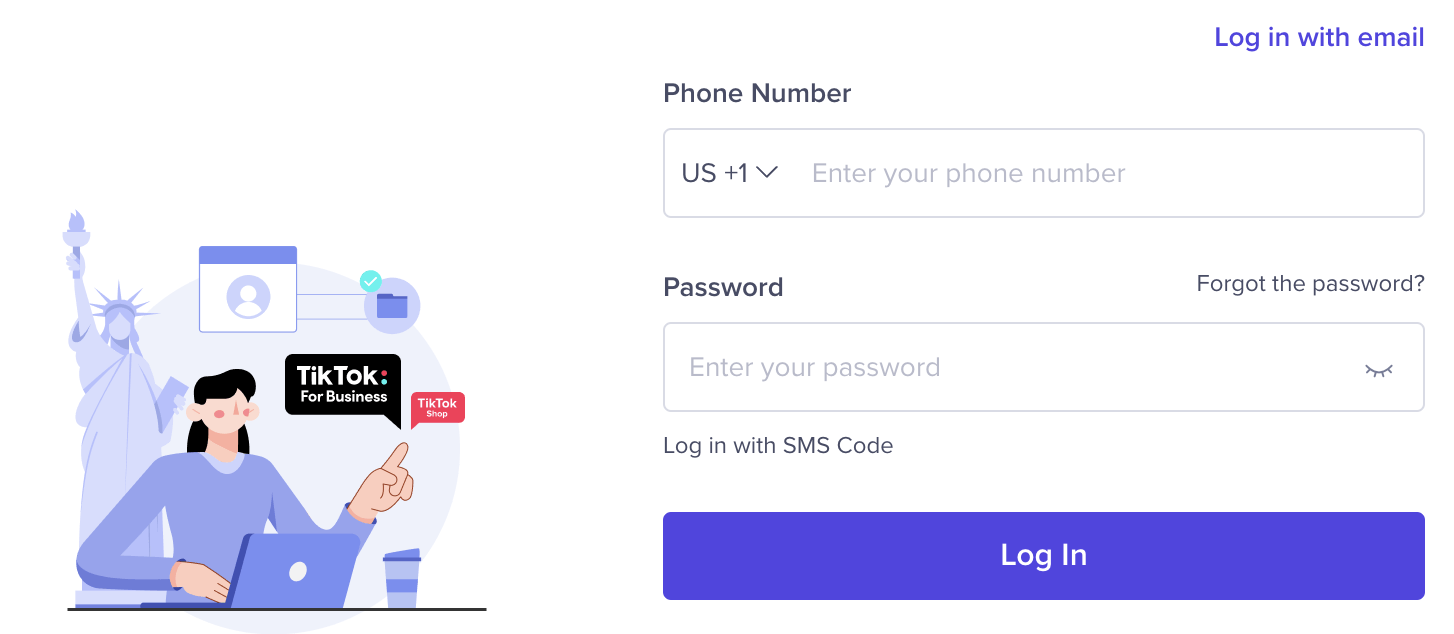
TikTok Shop Seller Center Registration
If you're a new seller to TikTok Shop, you'll be required to register and create a TikTok Shop Seller Center Account.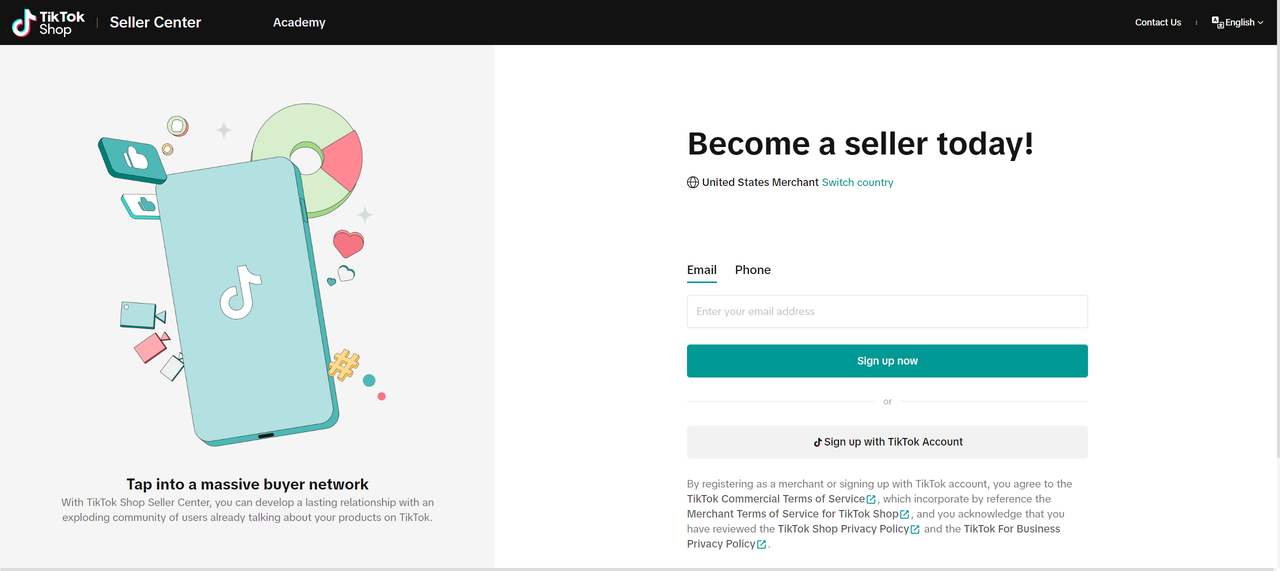
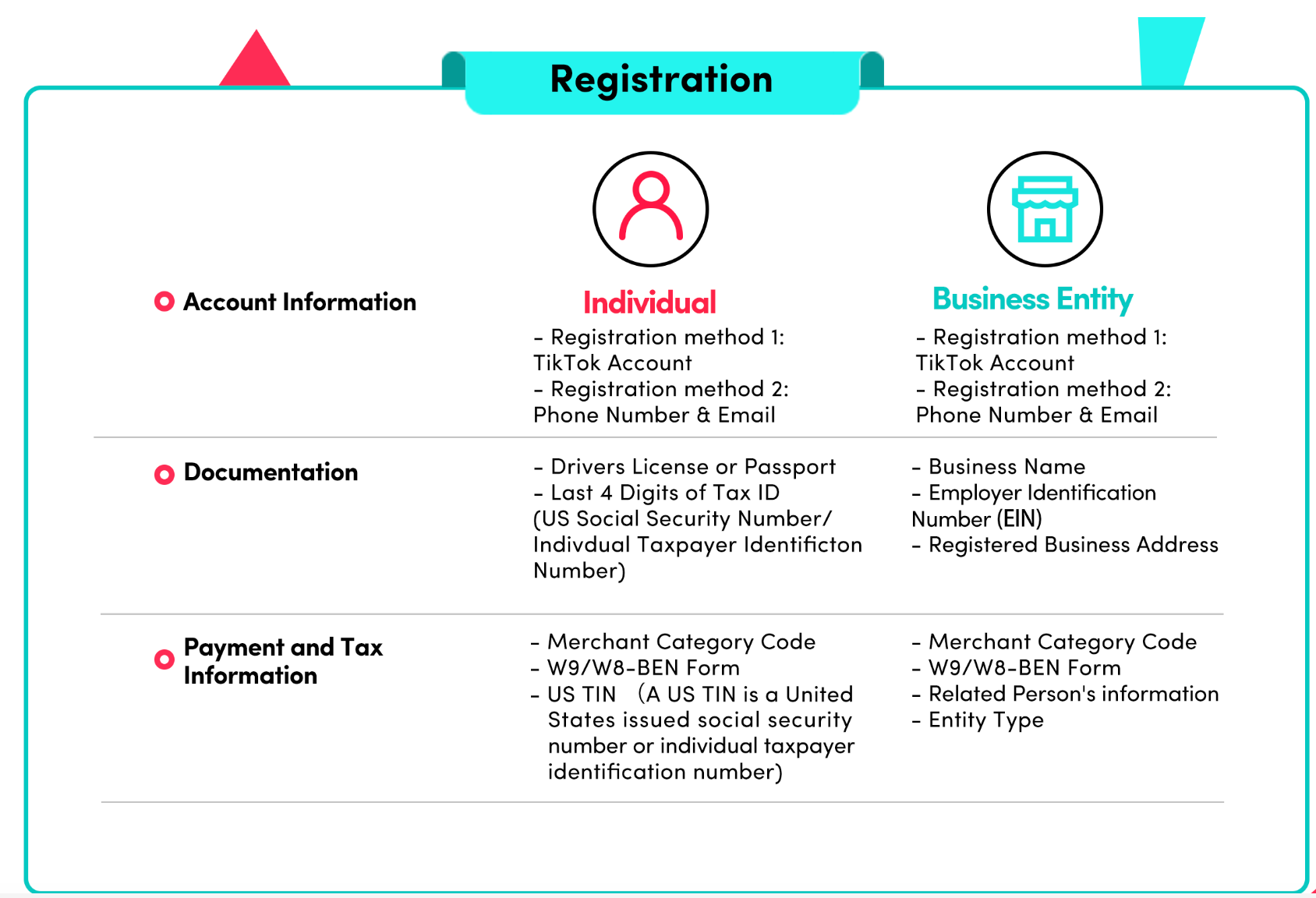
Once the account registration has been submitted, please note it can take between 3-5 business days for your application to be approved by our governance and policy teams.
Tax Information
Why do I need to provide my Taxpayer Identification Number (TIN)?
The IRS requires TikTok to obtain your tax information prior to making any payments to you. Failure to provide this information triggers mandatory withholding at a rate of 24% on payments (and may make you ineligible to participate in TikTok Shop).How do I provide my tax information?
This information can be submitted on Form W-9. To complete this form, please go to Account Settling >> Tax, and you will be directed to a page where you can enter and electronically certify your business tax information.Missions
To start selling on TikTok, complete the steps called ‘Mission’ in TikTok Shop Seller Center.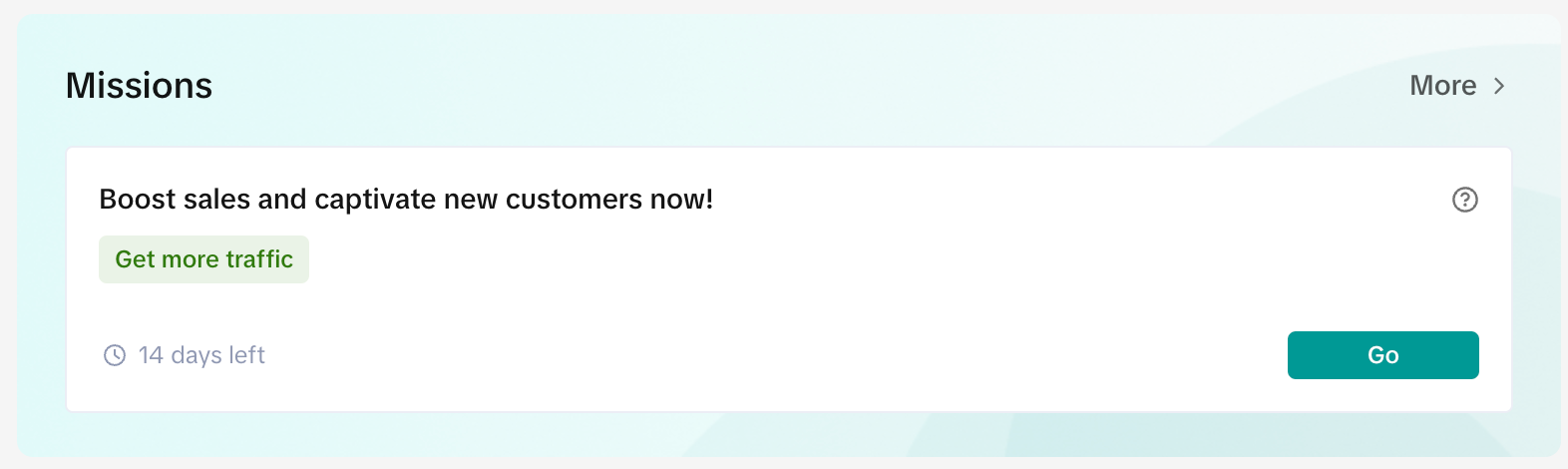
Set-up warehouse information on TikTok Shop (TTS)
- Enter your Warehouse Information on seller accounts in TikTok Seller center
- Once you have completed warehouse setup, copy the warehouse name from TikTok Shop Seller Center and add the same to Channel Advisor under --> Settings --> Account Information --> DC Mapping
- Note: Once you add a warehouse in TikTok Shop, it cannot be deleted.
- If you have more than 1 warehouse, you can set your warehouse to holiday mode as a workaround to remove a warehouse. No orders will be pulled from holiday mode warehouses even when there is inventory. The holiday mode will be effective the following day (12AM) after it is set.
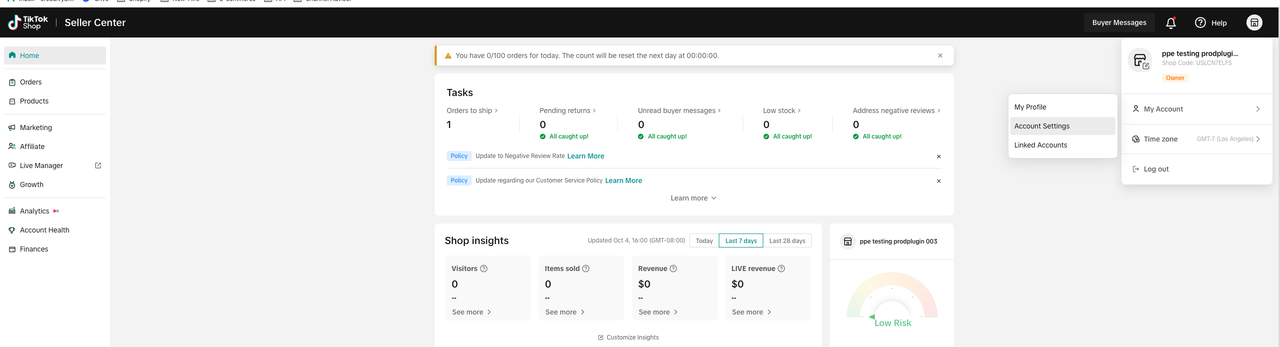
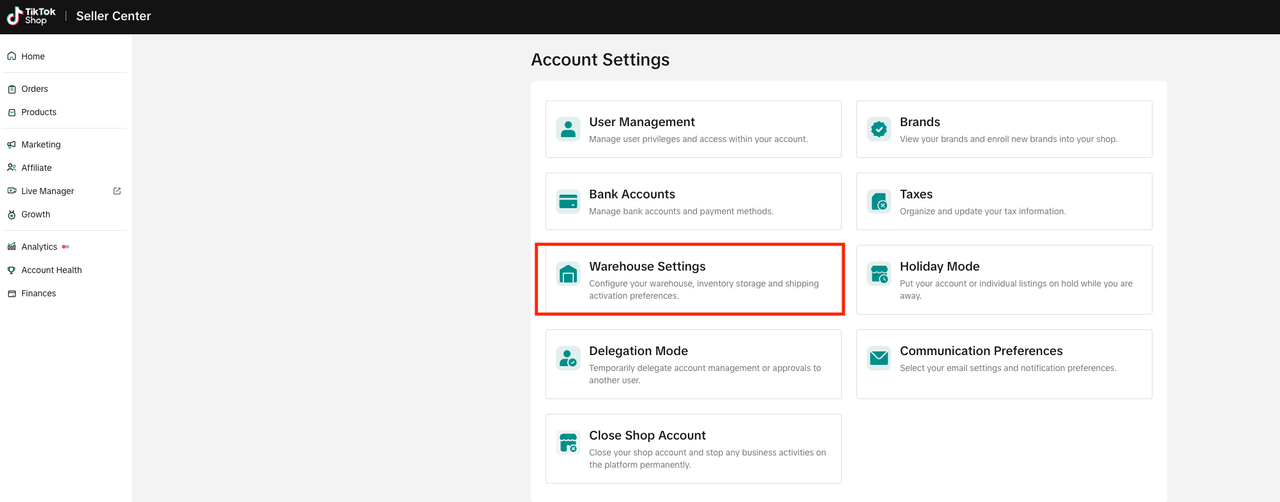
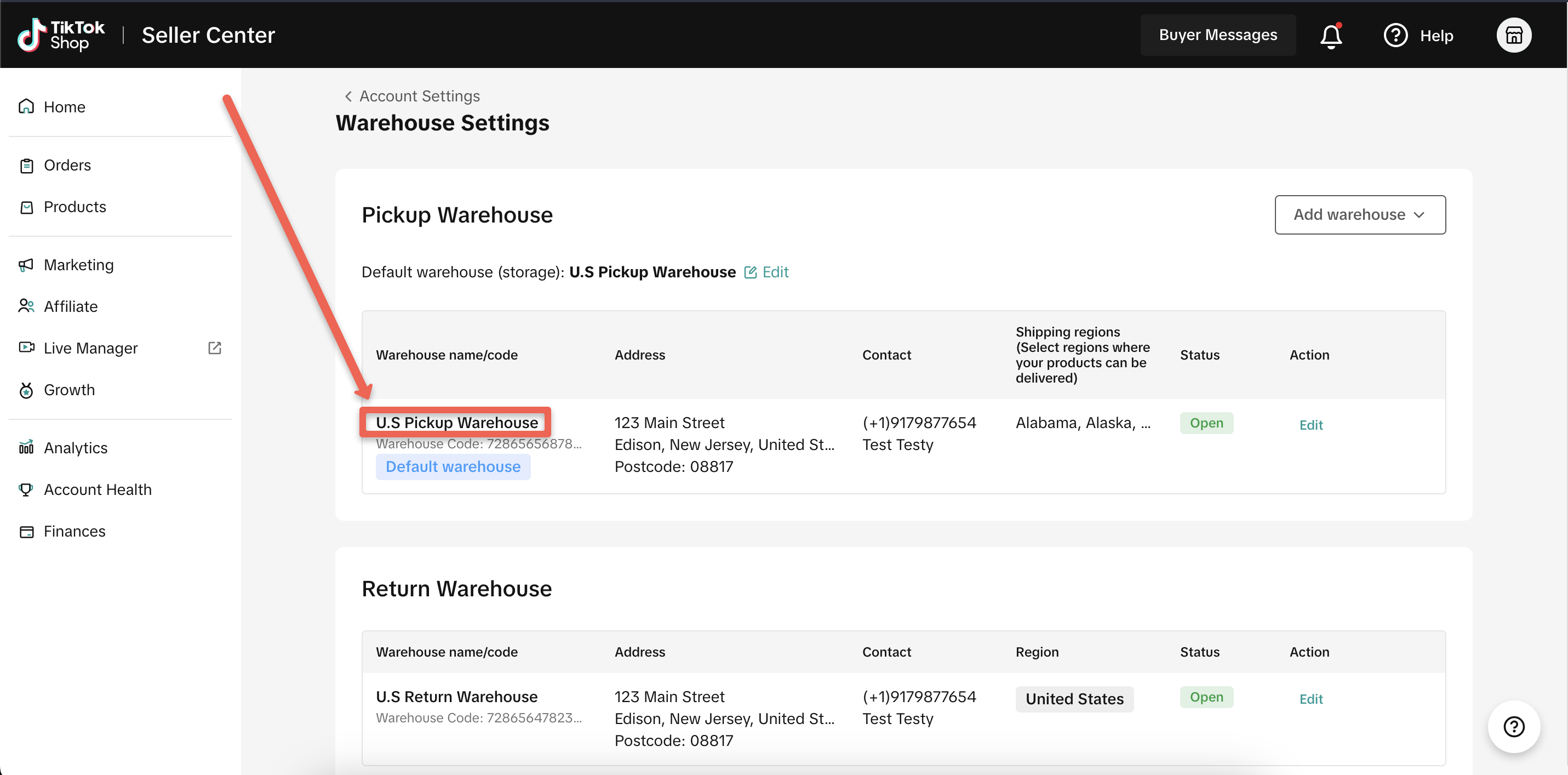
Setting Up Warehouse Addresses with the Multi-Warehouse Feature
When using the Multi-Warehouse (MWH) Feature in TikTok Shop, you have the capability to configure various warehouse addresses:- Pickup Warehouses: You can specify up to 20 different pickup warehouse addresses.
- Return Warehouse: Only one address can be designated for returns.
TikTok Shipping vs Seller Shipping
TikTok offers two types of shipping options:- TikTok Shipping: This method is easy to set up thanks to built-in shipping label creation. You can select from TikTok Shop's negotiated carrier rates to buy and print shipping labels directly from the Seller Center. More details and setup instructions can be found in our documentation here. Note: This option is currently not supported through ChannelAdvisor integration. Make sure to only select the 'Seller Shipping' option in your account.
- Seller Shipping: This is a shipping method set up by the seller and is currently the only supported shipping type for our integration with Rithum. For additional information and setup instructions, refer to our documentation here.
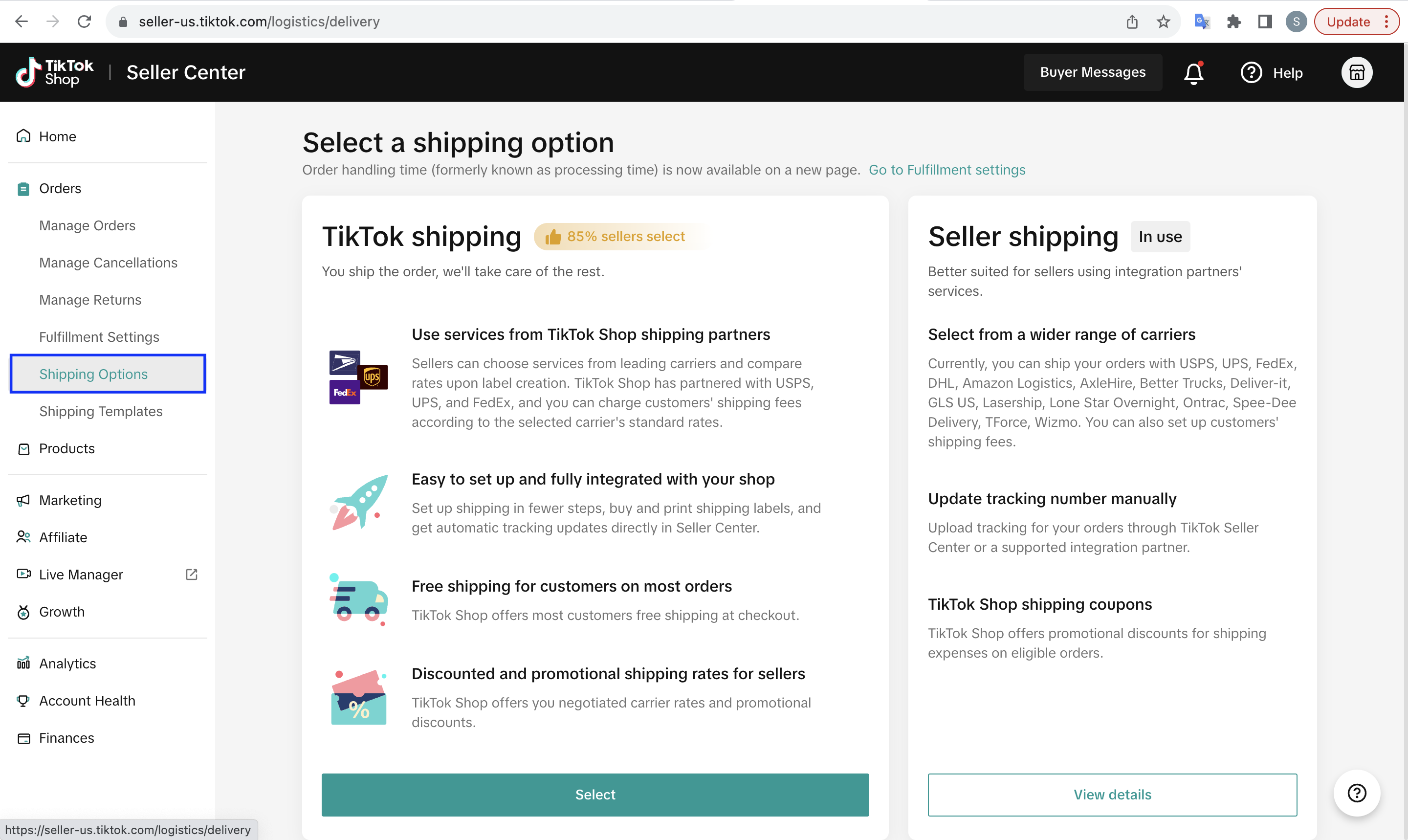
To enable 'Seller Shipping,' follow these steps:
- Log in to your TikTok Seller Account.
- Click on the 'Orders' tab.
- Select 'Shipping Options'.
Set-up Shipping Template on TikTok Shop (TTS)
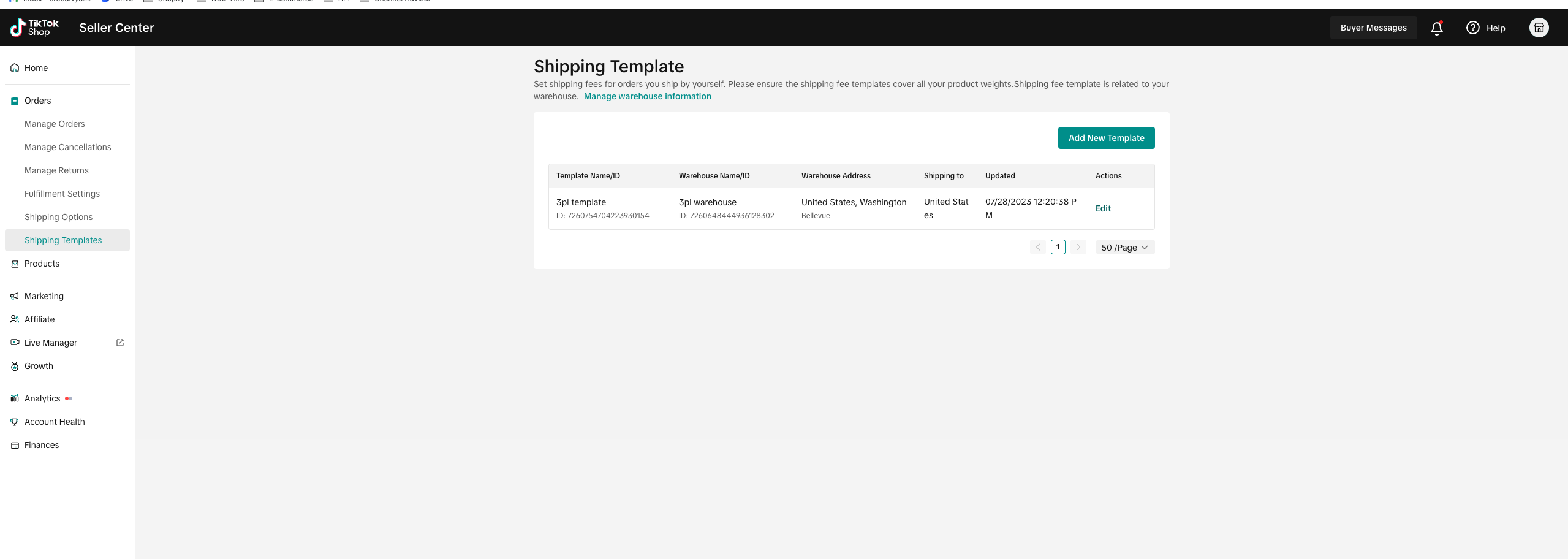
From your TikTok Shop Seller Center, click Shipping > Shipping Template to go to the Shipping Template Page. Or you can find the template on the Shipping Options page
- From the Shipping Template Page, click Add New Template. Currently, you can set a shipping fee template for each pick-up warehouse.
- Enter the fields in the template:
Shipping from: non-editable, your warehouse location
Shipping to: non-editable
Excluded Areas: For those non-delivery areas, sellers can set "Excluded areas" and buyers in those cities can not place orders
Delivery areas: Sellers can determine different shipping rates for different zones.
Shipping Services: Sellers can set Shipping Services for different service performances and prices (e.g. as Standard or Express)
Shipping rules: Sellers can choose rate models with different prices for each range.
- Count range must cover 0 to 20 counts;
- Weight range should cover 0-100 LBs.
Unassigned Areas: These areas are not set as excluded areas or belong to any delivery areas. Sellers must assign these areas to a region
Note:
- Each area/state must exist, and only exist in one region.
- If an area/state was assigned to one region, then it can not be selected in other regions. It can be selected unless it is removed from the previous region group.
- If this area/state doesn't belong to any region, it will appear in the "Unassigned Areas:", and the seller must assign it to a region.
More information on Shipping templates can be found here: Setting up Shipping
Link the official TikTok Account to TikTok Shop Seller Center
To start selling on TikTok and to showcase your products, add shoppable videos, host live streams, you need an official TikTok Account to host your TikTok Shop.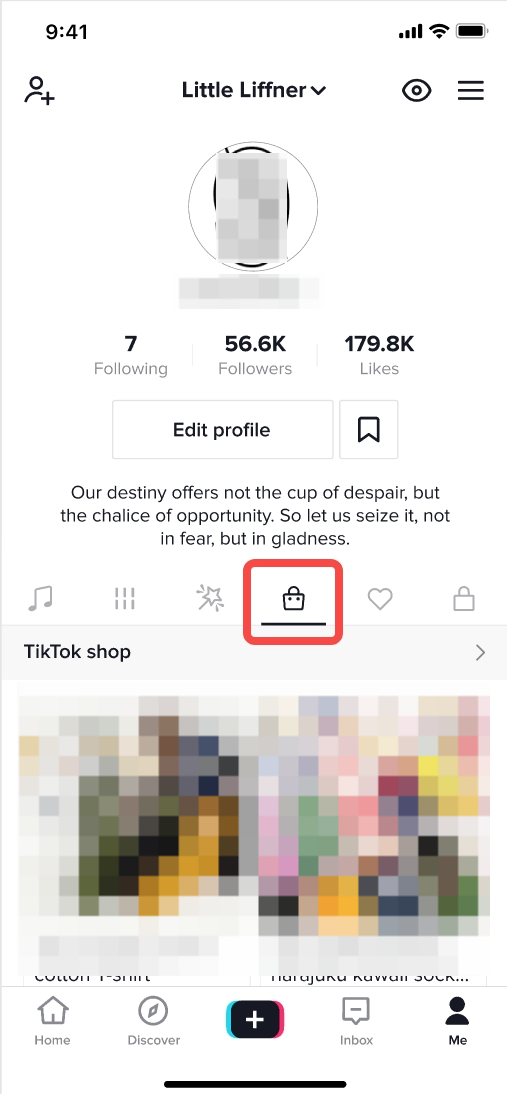
Step 1:
Go to My Account >> Linked Accounts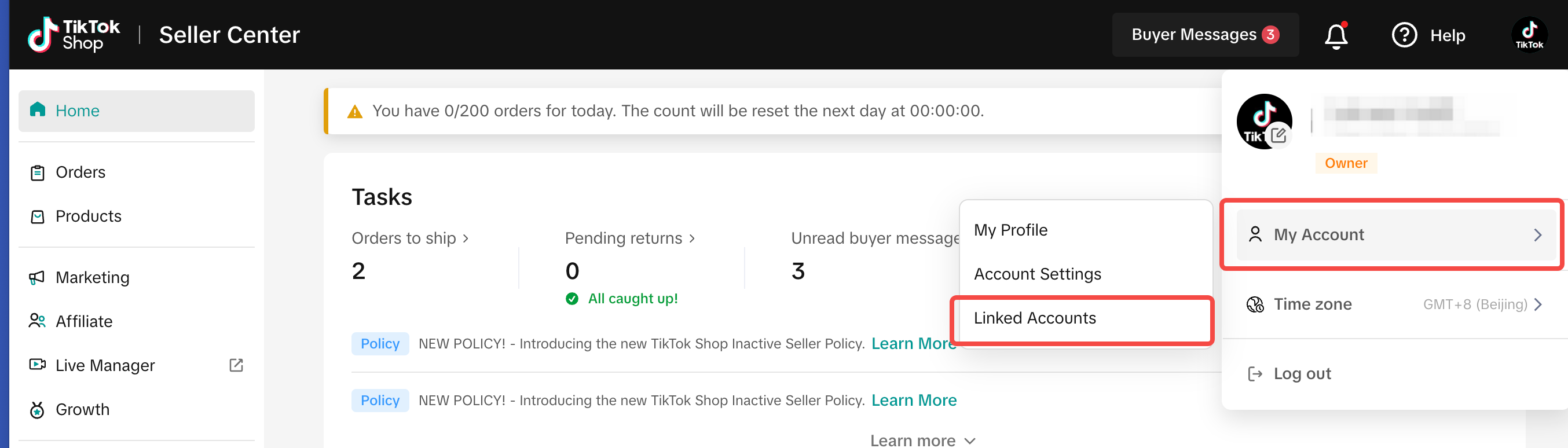
Step 2:
Link TikTok Account as the TikTok Shop official account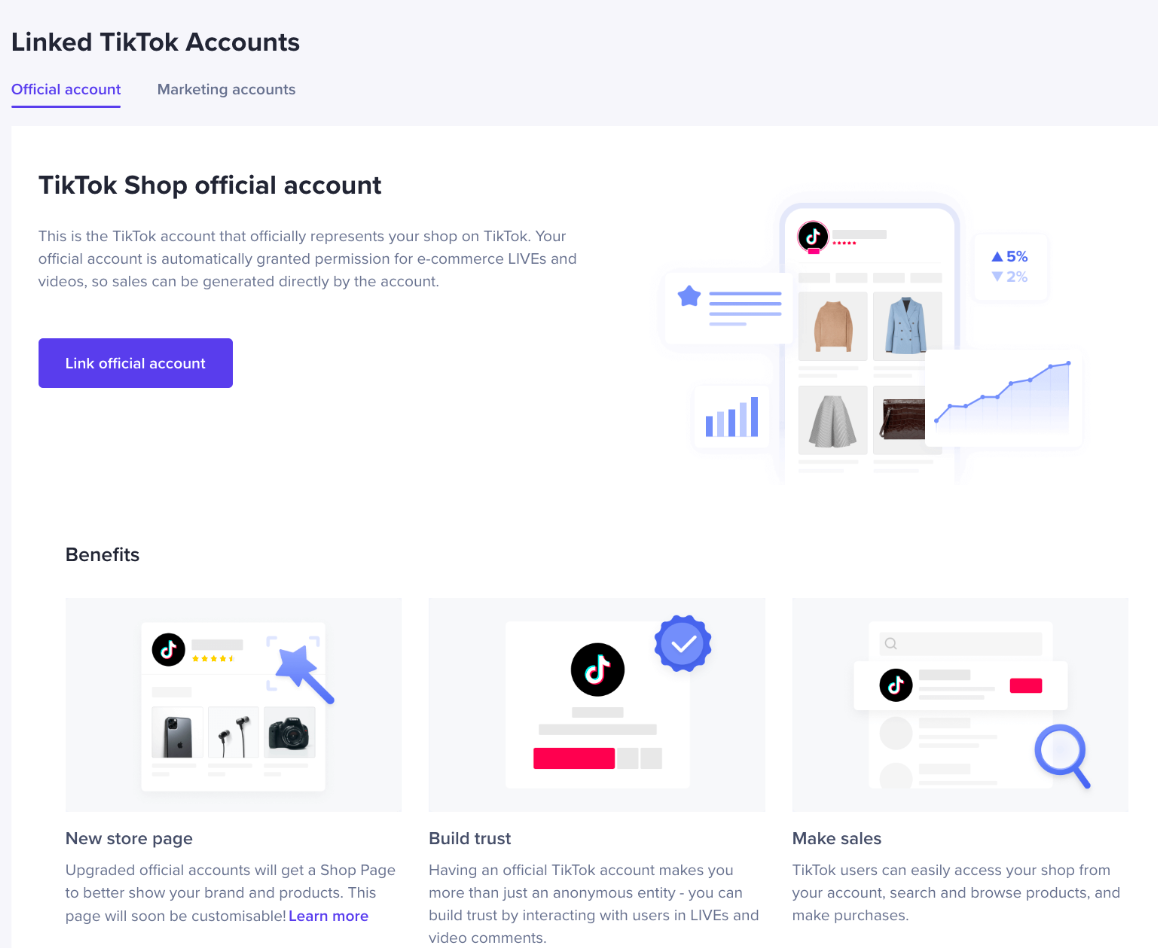
Things you need to know
- You can only link 1 official account.
- Your products will automatically be synchronized to your official account shop.
- You can only unlink your official account 3 times. After that, you won't be able to unlink it anymore.
- Your shop name will become the TikTok account nickname.View details
- The TikTok Account you link will automatically become the Business Account. Please note that according to the platform copyright compliance requirements, the sellers' Business Account shall use commercially copyrighted music, and the platform will provide commercially copyrighted music when you post videos.Learn more about Business Account
- This is the TikTok account that officially represents your shop on TikTok. Your official account is automatically granted permission for e-commerce LIVE and videos, so sales can be generated directly by the account. It will also be the TikTok account where your ads will be displayed.
Set-up Settlements & Payouts
To receive your payouts to your bank account, navigate to Seller Center, click on Account Settings, and Bank Accounts after that.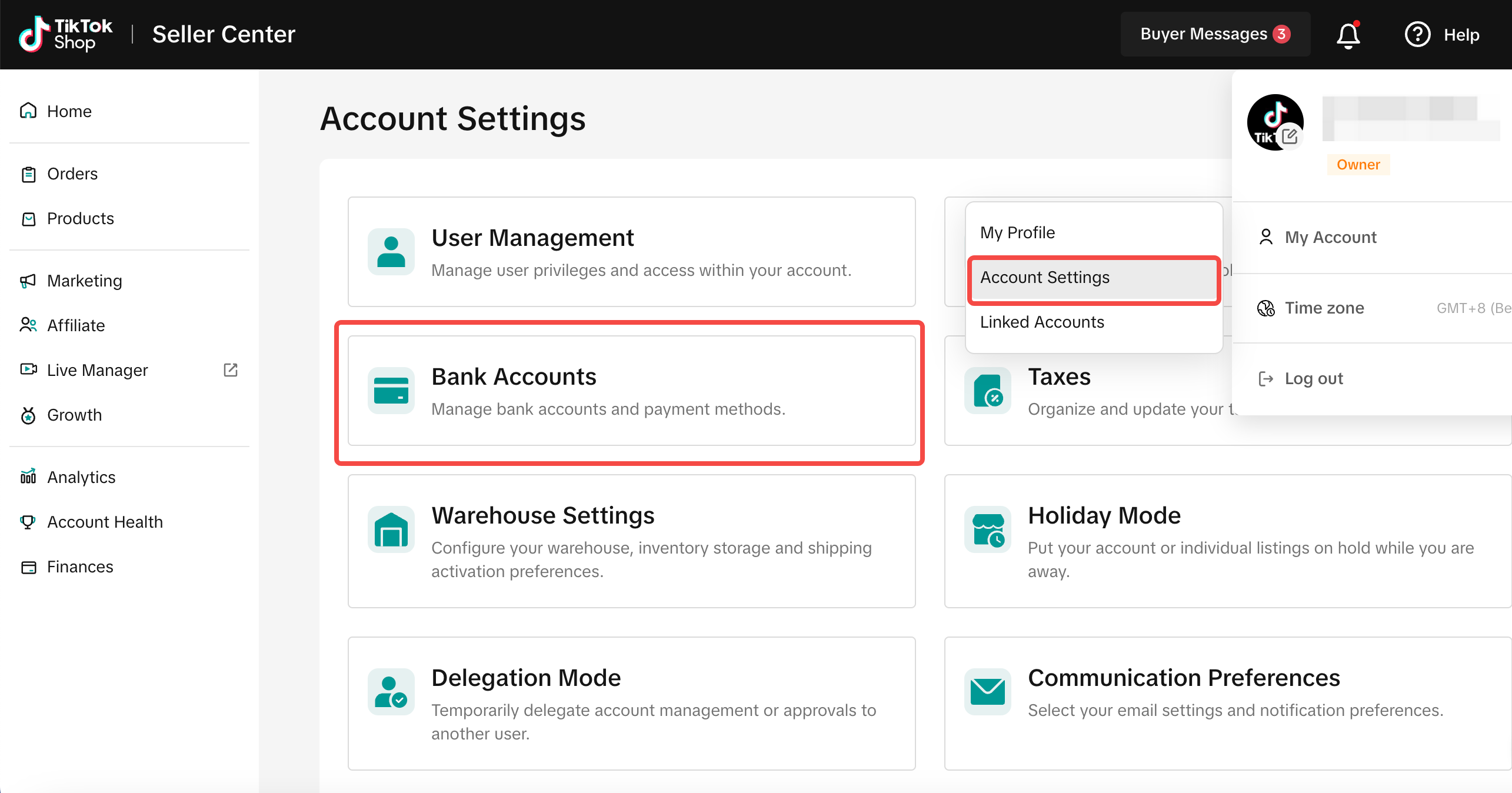
Brand Authorization
TikTok Shop is committed to protecting brands in accordance with regulations, laws, and our TikTok Shop Intellectual Property Policy. One of the many ways we protect brand owners is through our brand authorization process.The brand authorization process allows sellers to demonstrate they are authorized to sell branded products on TikTok Shop by submitting documents from brand owners. While TikTok does not mandate brand authorization for every brand, we retain the authority to request documentation from Sellers if necessary and have the right to reject listings without proper authorization. Although this doesn't prevent infringement actions, it verifies sellers' permissions, ensuring a balance between diverse seller inclusion and brand interest protection. Brand authorization is typically needed when selling products under any trademarked names.
For branded products, you’ll need to apply as a Trademark Owner or provide a 1st or 2nd Level Letter of Authorization.
- If you have submitted brand qualifications, the word “Authorized” will be displayed under the brand, and buyers will see the brand on the product details page.
- If you have not submitted brand qualifications, the word “Unauthorized” will be displayed under the brand, and it will not be shown to buyers.
Brand Authorization Request Requirements
| Trademark Owners |
|
| First-Level Authorized Sellers |
|
| Second-Level Authorized Sellers |
|
How to Submit a Brand Authorization Request
- Log in to your TikTok Shop Seller Center
- Navigate to the "My Account" tab
- Click on "Account Settings"
- Select "Qualification Center" from the options provided
- Click "Brand qualification"
- Click on "Add Brand Authorization" to submit your request
You may also be interested in
TikTok for Shopify: Strikethrough Pricing Integration
TikTok for Shopify - Strikethrough Pricing Integration for Shopify Overview: Strike-through pricing…
TikTok for Rithum: Connection Establishment
Before you begin Make sure you have a posting account created for the market you are selling on TikT…

TikTok for Shopify: Webinars
How Shopify Sellers are Crushing it in TikTok Shop Watch this "How Shopify Sellers are Crushing it i…
TikTok for Rithum: Returns & Refunds
Overview In this section, we'll guide you through returns and refunds. To manage returns, visit TikT…

TikTok for Rithum: Order Management
Order Management This guide outlines how to manage orders using TikTok Shop, your Order Management S…

TikTok for Shopify: Migrating to Shopify from Third Party
This guide is designed to assist sellers in smoothly transitioning from third-party applications to…
TikTok for Rithum: Brand Authorization
Brand Certification At TikTok Shop, we commit to the highest quality and safety standards for our cu…

TikTok for Shopify: All Guides and Resources
Overview of TikTok for Shopify Integration The TikTok for Shopify app lets you sell your Shopify pro…

TikTok for Shopify - Onboarding guide
TikTok for Shopify App Guide The TikTok for Shopify channel app enables sellers to expand their reac…
TikTok for Shopify: Enable Third Party Cookies
In this resource, we'll cover essential steps to ensure your browser settings are optimized for smoo…