

TikTok Shop Official Account Rights and Rules Upgrade
04/30/2025
Summary
What is the TikTok Shop official account and its primary functions?
- The TikTok Shop official account represents the shop's identity on TikTok, synchronizing products to the Shop Page for display and promotions.
- It helps accumulate store fans, increase repurchase rates, and improve store exposure through TikTok's search and live broadcast features.
What are the rules and limitations for binding a TikTok Shop official account?
- Each shop can bind only one official account, with consistent shop and account names.
- The account can be unbound after 24 hours, but only three times, and must match the shop region.
- It cannot participate in affiliate programs; use a marketing or creator account for that.
How can sellers bind their TikTok Shop official account?
- Sellers can bind via Seller Center Web or App by creating an organization account or linking an established account.
- Steps include selecting account type, linking via QR code, and reviewing terms and conditions for binding approval.
What is the difference between TikTok Shop official account and marketing account?
- The official account displays products on the Shop Page with automatic sync and requires name consistency with the shop.
- Marketing accounts can showcase products manually, have no naming restrictions, and allow up to four accounts per shop.
How can sellers unbind their TikTok Shop official account?
- Unbinding is possible 24 hours after successful binding via Seller Center, with a limit of three unbindings.
What are the functions of TikTok Shop official account?
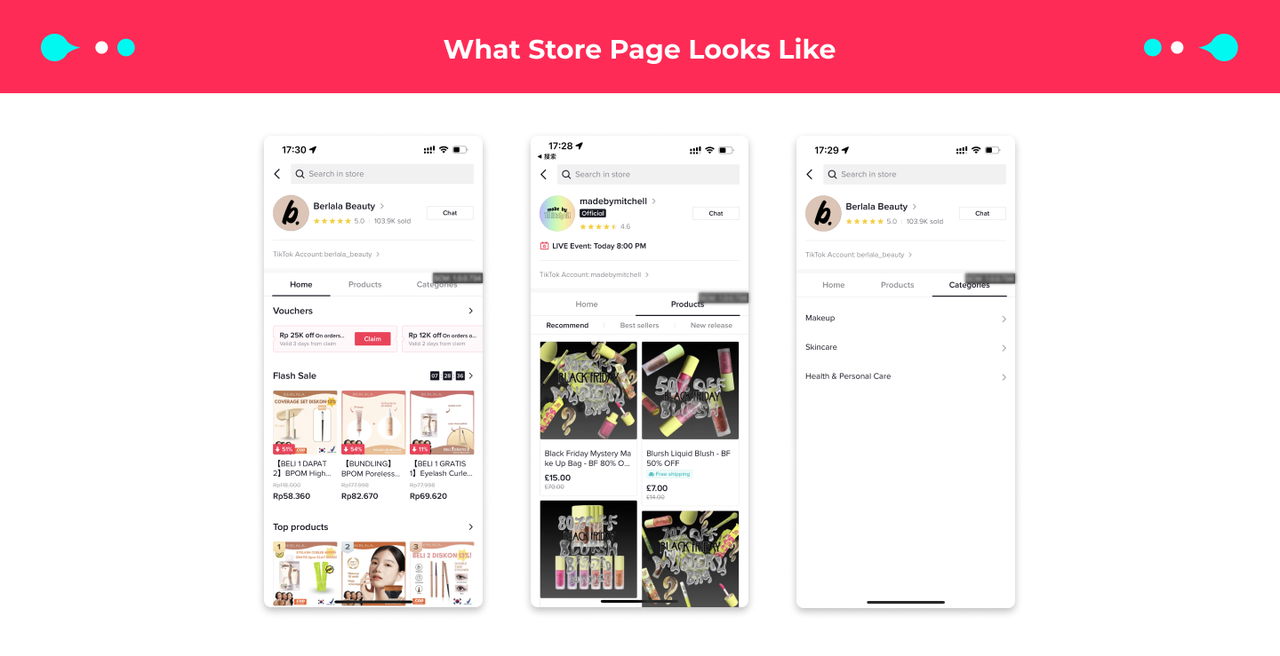
Once the TikTok account is linked as the TikTok shop's official account, it will be the main representative of your shop on TikTok. The products in your shop will be automatically synchronized to the Shop Page. The Shop Page will also act as the central page for product display and promotions.- Accumulate store fans and increase repurchase rate
- After binding the store's official TikTok account, the official account and the store's fan user group can be connected. After users follow your store's official TikTok account, they can easily find your store's entrance on the account's profile page through the store's official TikTok account, helping the store to attract traffic and increase the repurchase rate.
- Improve store exposure and precipitate traffic
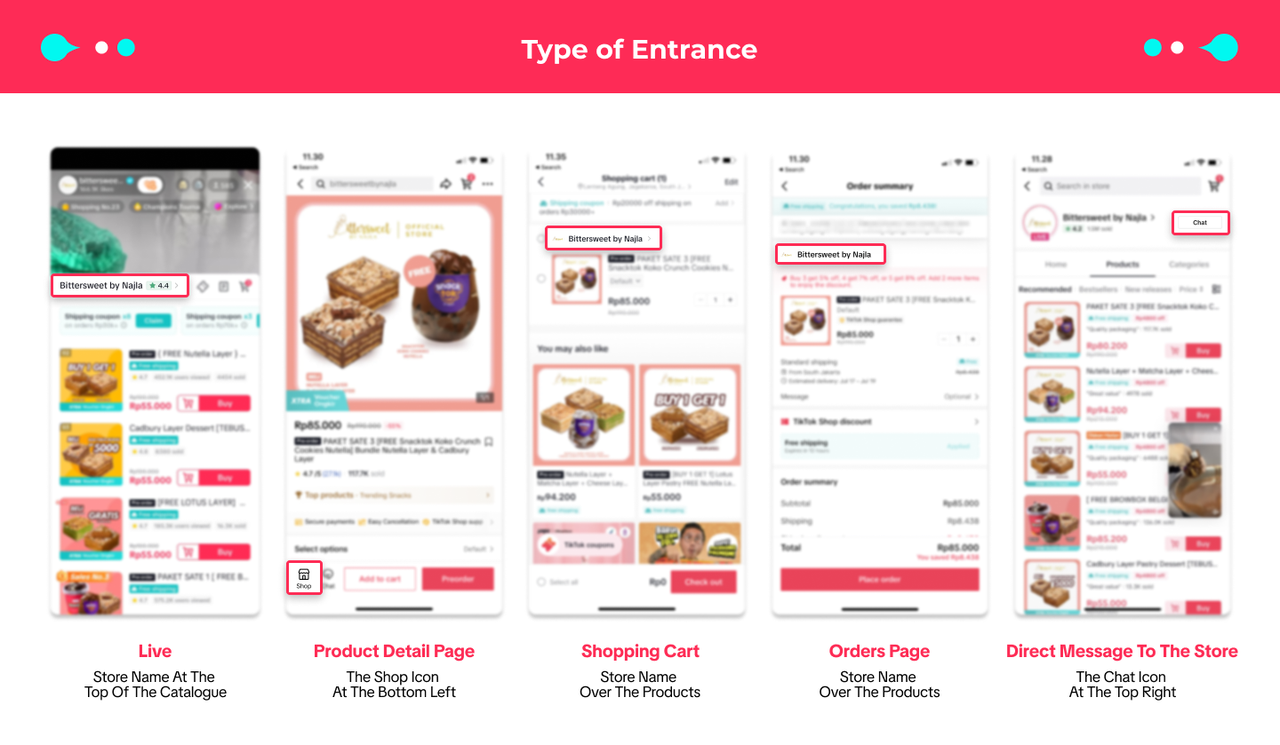
- Users can easily search for products in your store through TikTok's search function, and add a new store page entry for the whole link of sales in the live broadcast room to help your products and stores gain more exposure on TikTok.
Official account | ||
Shop Page | Content | |
Function | Only products from your own shop can be displayed on the Shop Page | Seller can sell products from his own shop and through Affiliate |
 |  |
What are the rules for the official TikTok Shop account?
- Each shop can only be bound to one official account.
- The shop name and the bound official account's name must be consistent after upgrade, and when the store name is modified, the official account name will be changed simultaneously. Please be careful when changing the shop name.
- The official account can be unbound once 24 hours after the official account is successfully bound. Please note official account can only be unlinked 3 times;
- The account region needs to be the same as the shop region.
- The same account cannot be bound as the official account and marketing account of the same store at the same time.
- The account can only sell the product from their own shop and fail to participate in the affiliate program. If sellers want to participate in affiliate, they can use their marketing account or creator account to apply for permission.
How to bind TikTok Shop official account?
Option 1: On Seller Center Web
Seller Center - My account - Linked TikTok Accounts - Official Account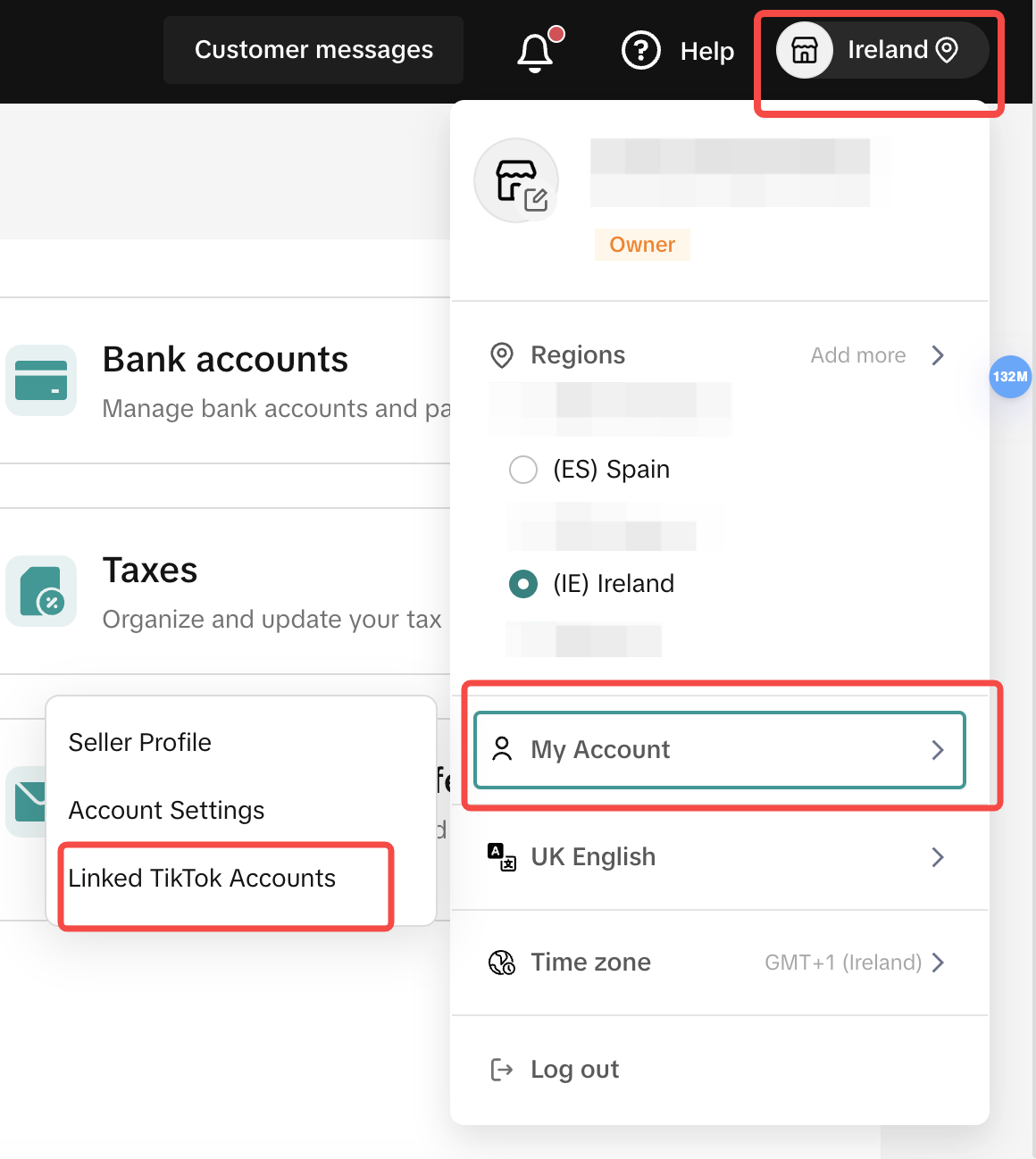
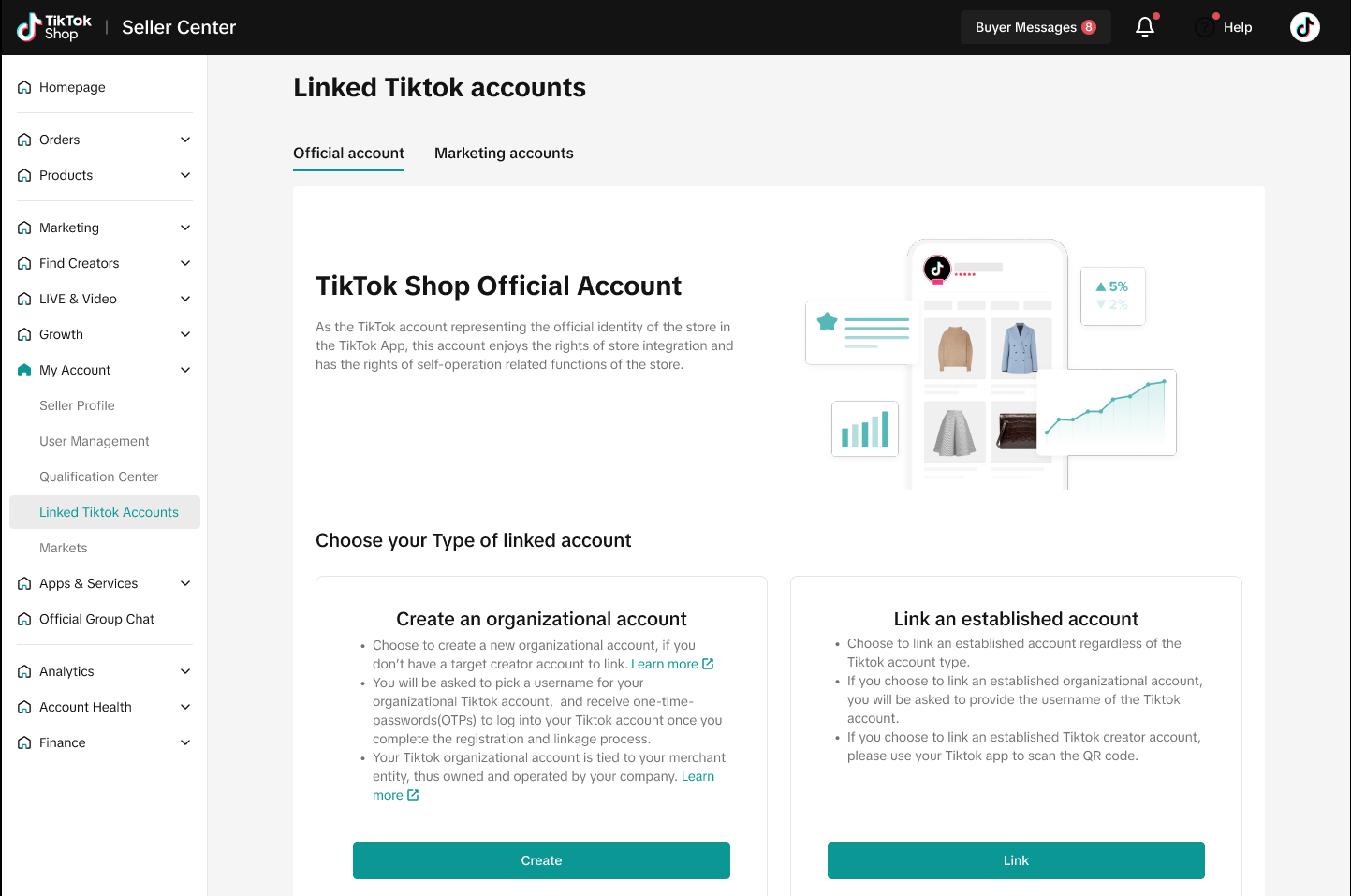
Create an Organization Account or Link an established account
Now we support two options for sellers to bind TikTok accounts: create an organization account or link established TikTok accounts.Note:
- If you don't have an existing TikTok account for your shop, you can set up an organization account. In the long term, this will be your business asset and owned by the company.
- If you have an established account, you can bind your TikTok account with your shop. However, we cannot support this account being transformed into an organization account at this stage. The process of transforming your creator account to organization account will be supported in the near future.
Part 1: Create a TikTok organization Account
A TikTok Organization Account is a specialized type of TikTok account designed for businesses, offering unique operational features that distinguish it from other account types on the platform.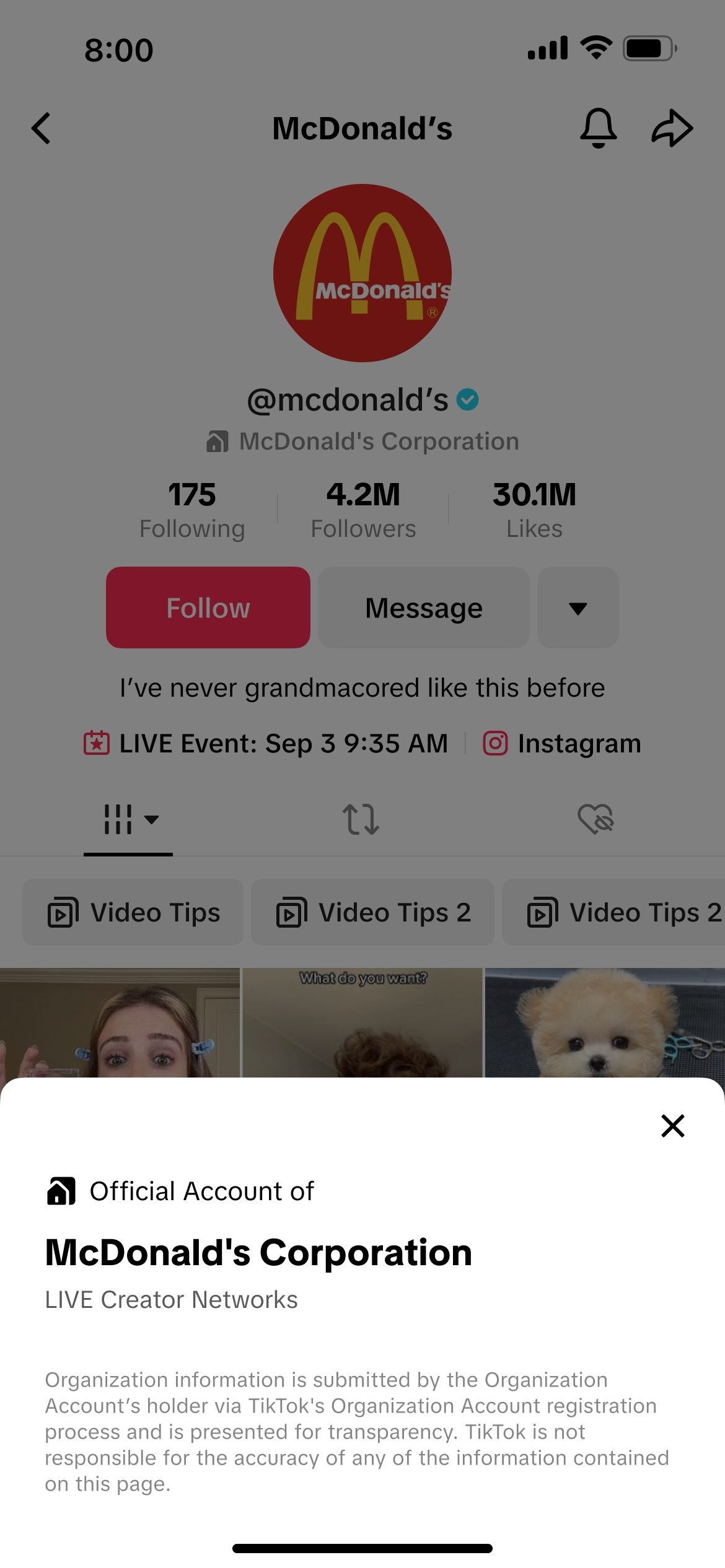
- Credible identity: Strengthens the account's operational credibility.
- Multi-user operation: Allows multiple users to track and manage the account.
- Secured ownership: Protects assets by reclaiming control when employees leave.
- An organization account can only be linked to the seller with the same entity qualification
- An organization account can only be linked to one seller account
Web | |
| Step 1 Select account type | 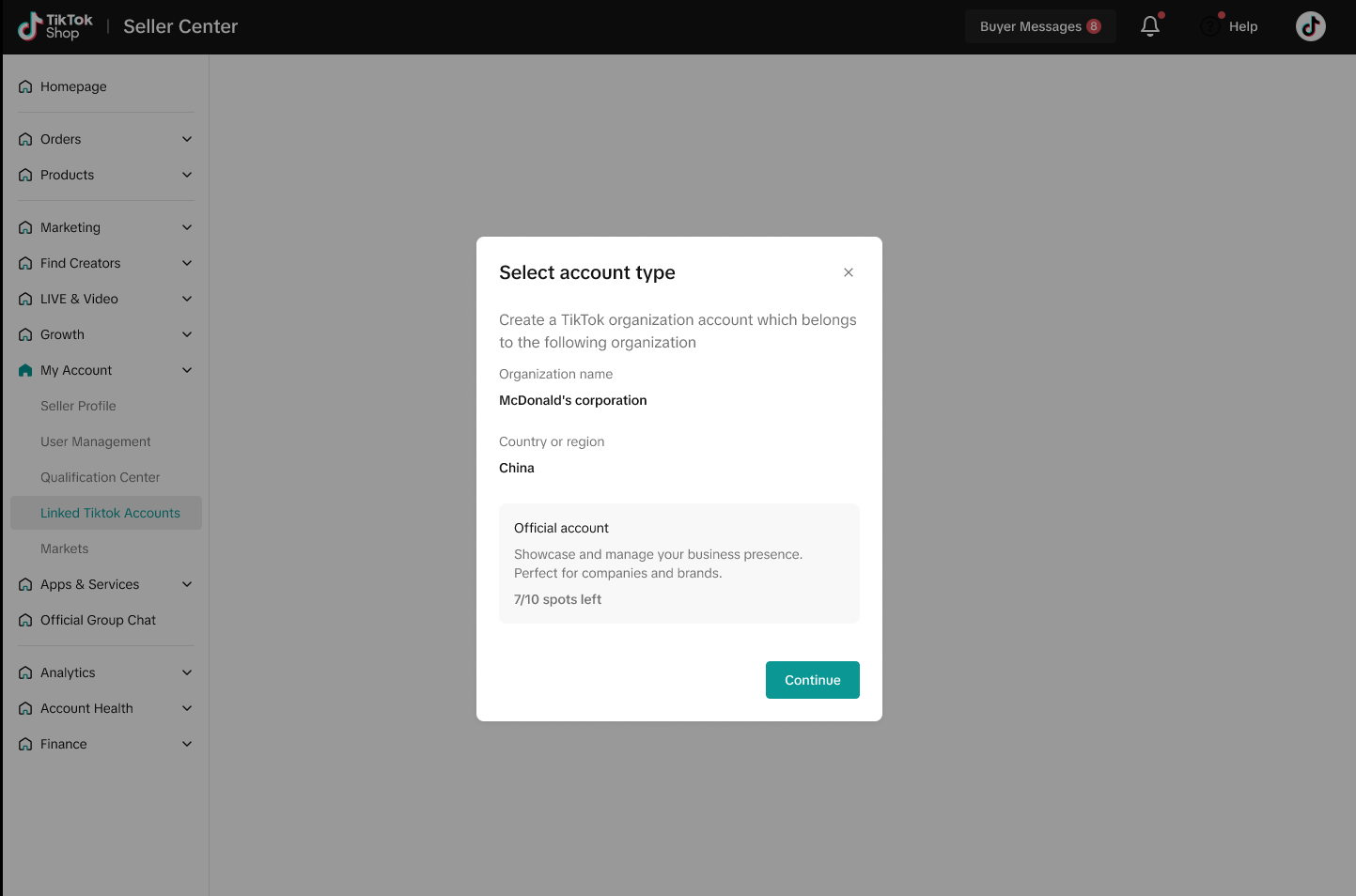 |
| Step 2 Input creation information | 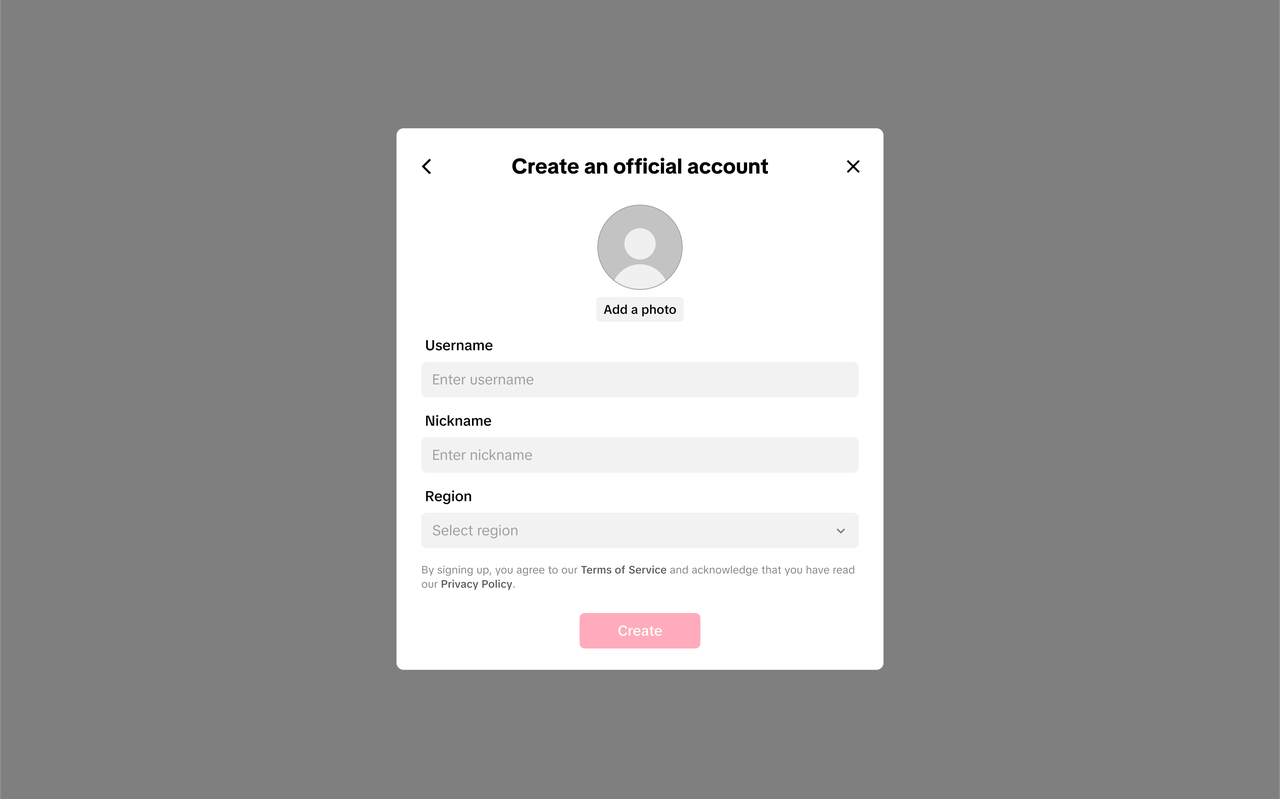 |
| Link successfully | 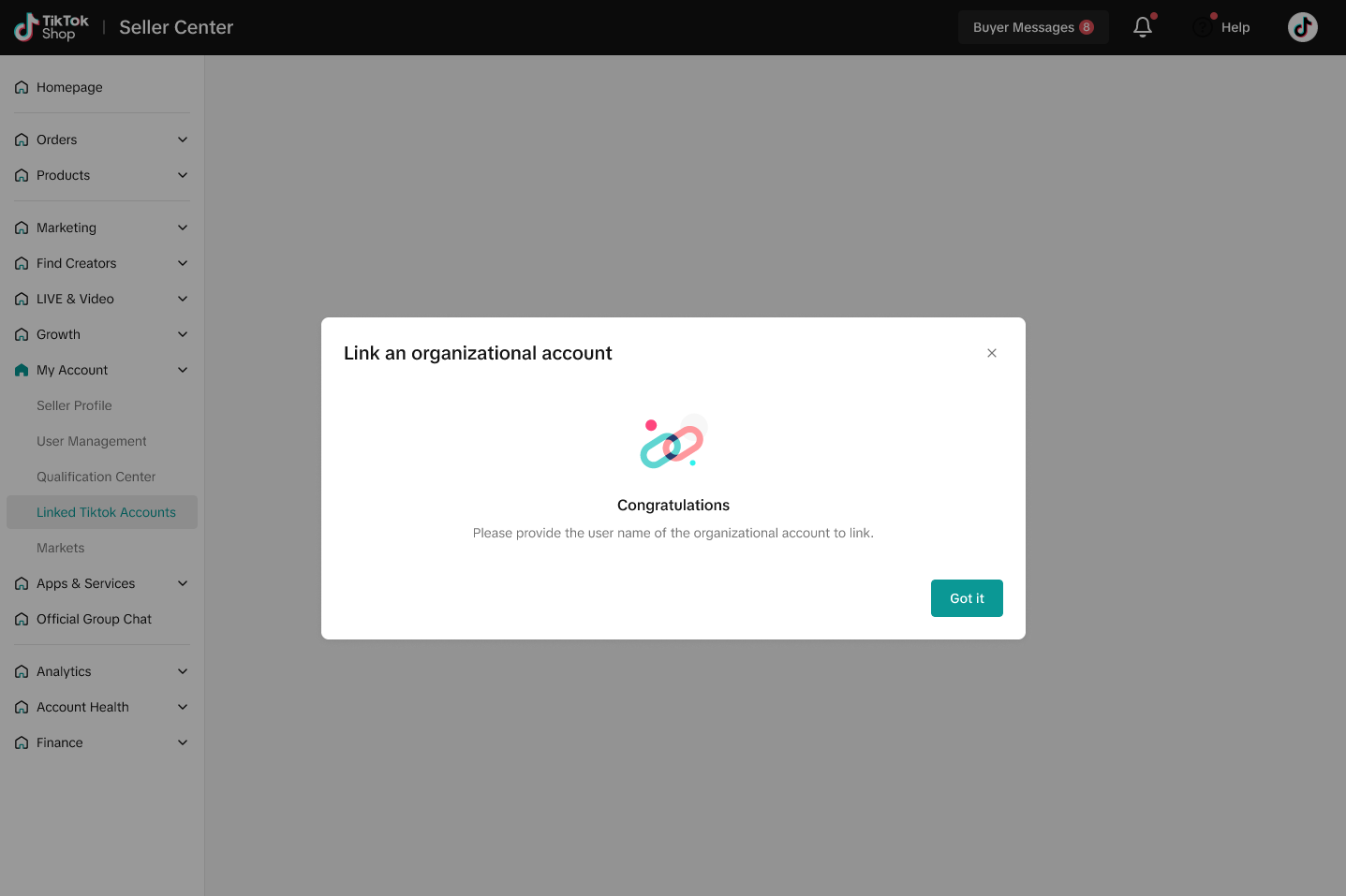 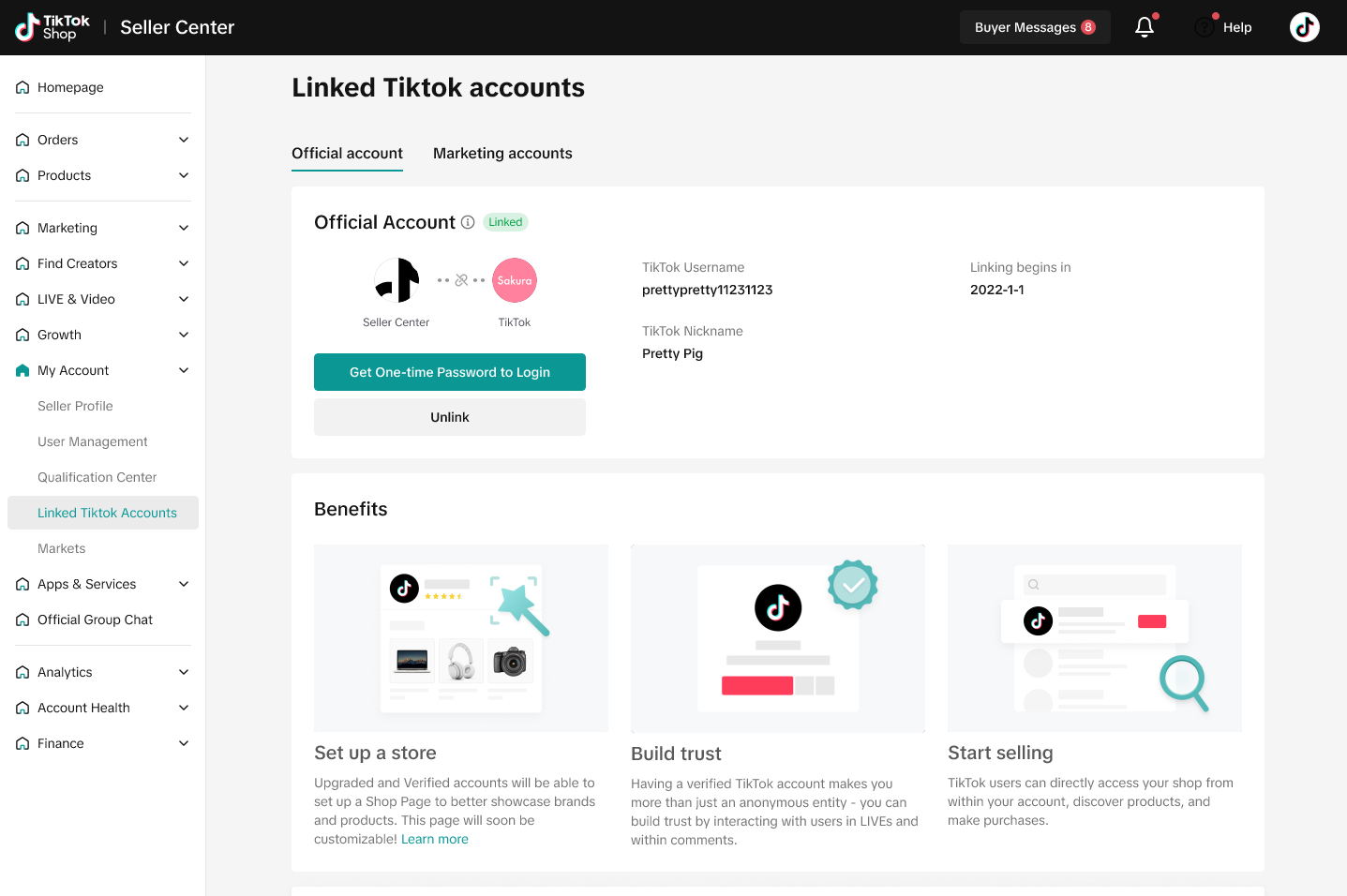 |
Log into org account
| 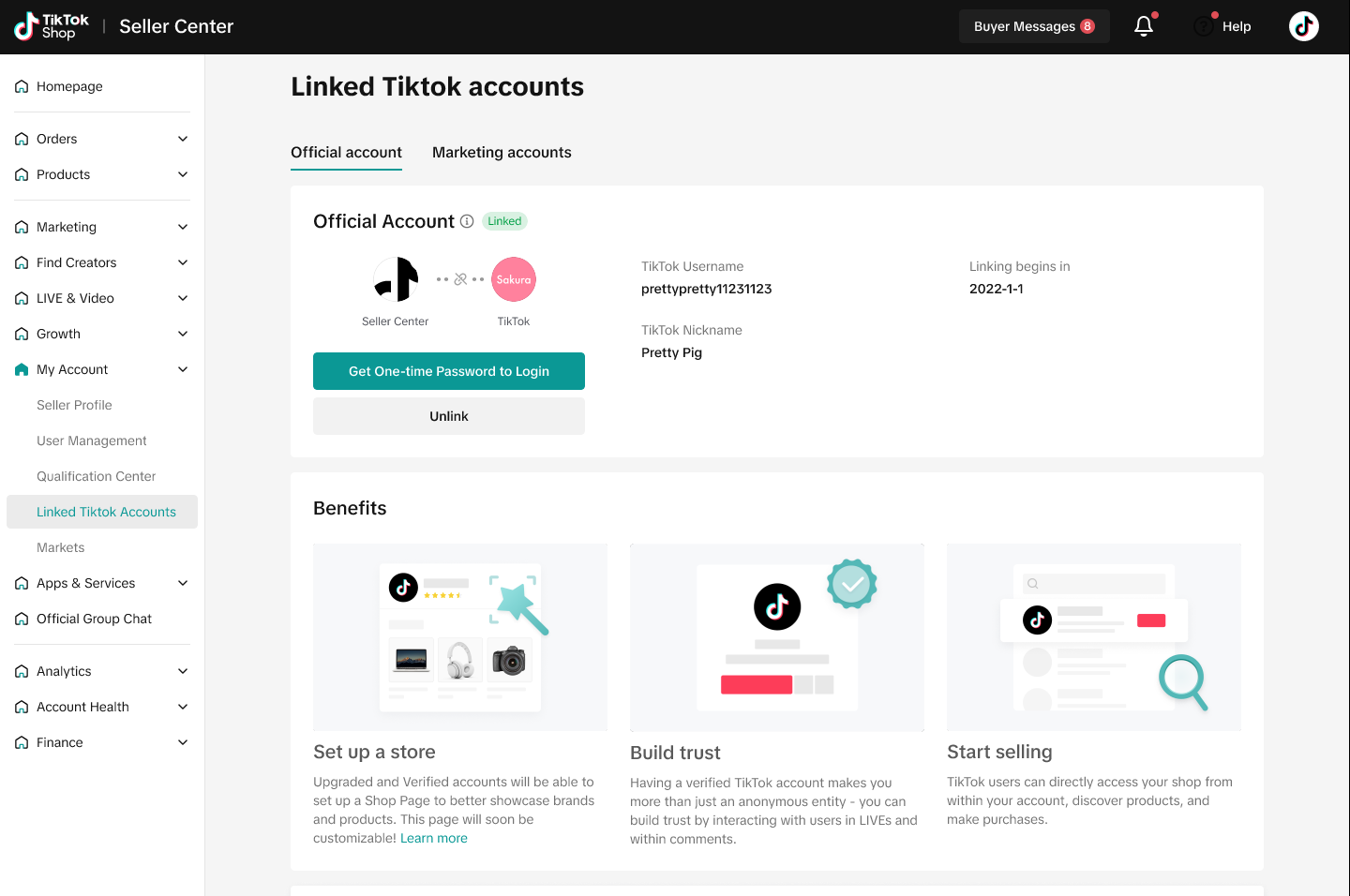 |
Part 2: Link an established Account
If you already have an existing TikTok account, you can bind it via the following steps.Step 1: Under "Choose your next step", select Use an existing account and then Link an existing Personal or Business Account.
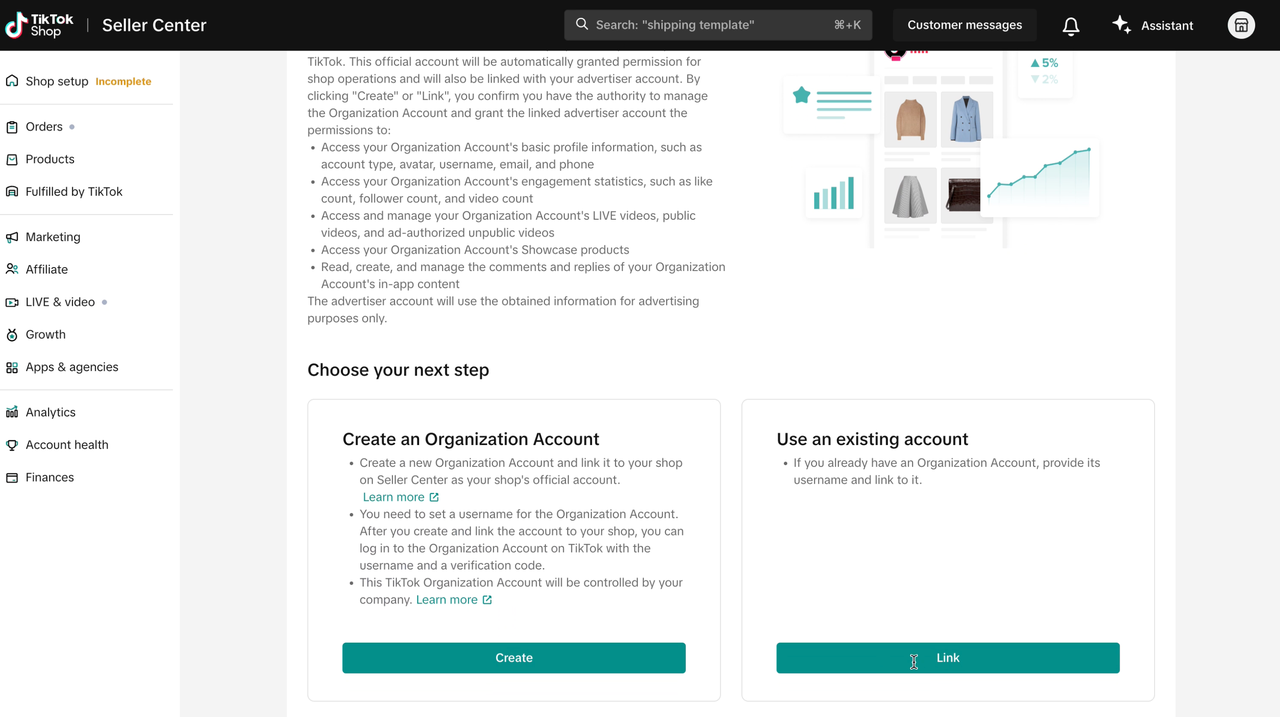 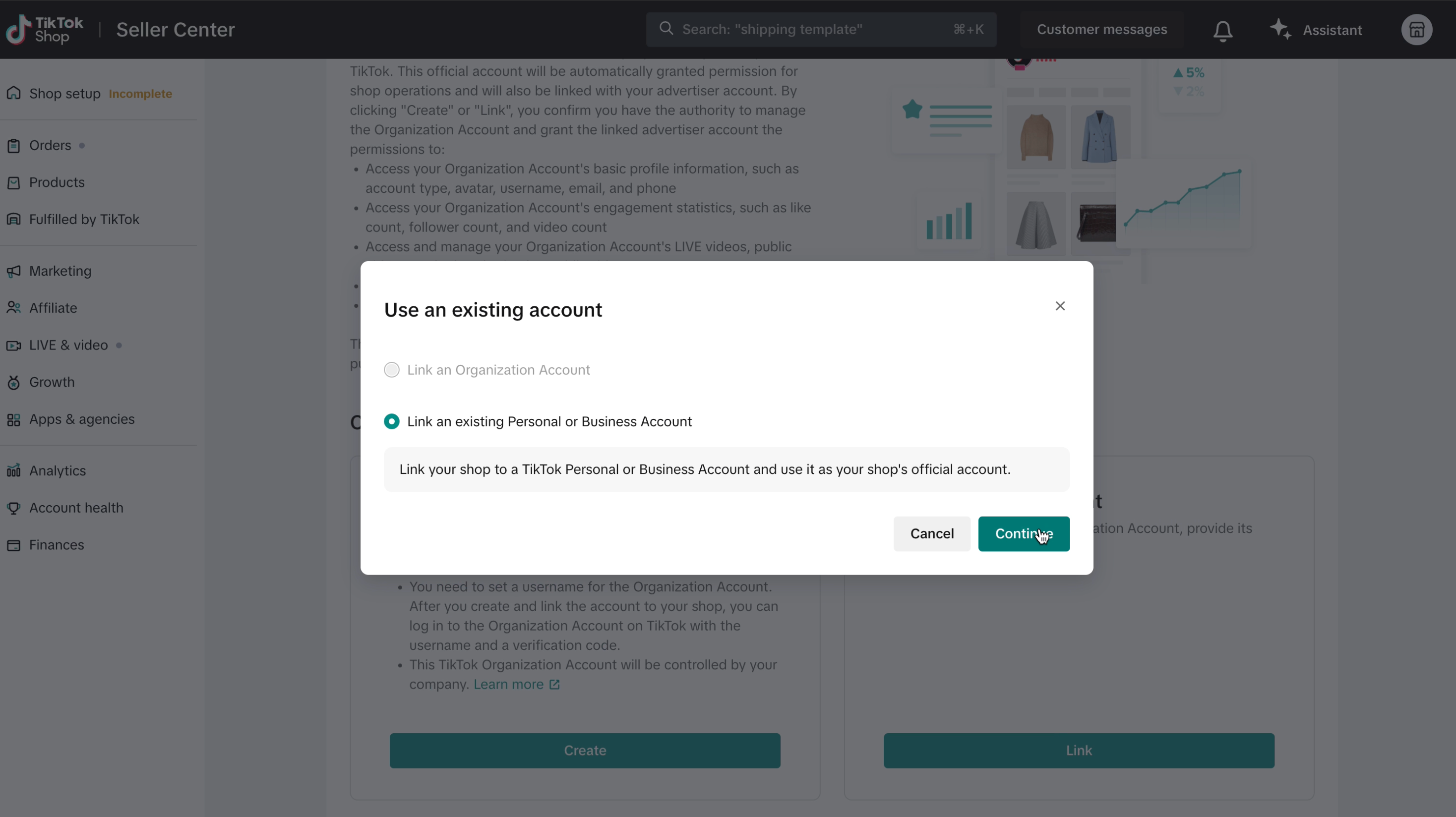 |
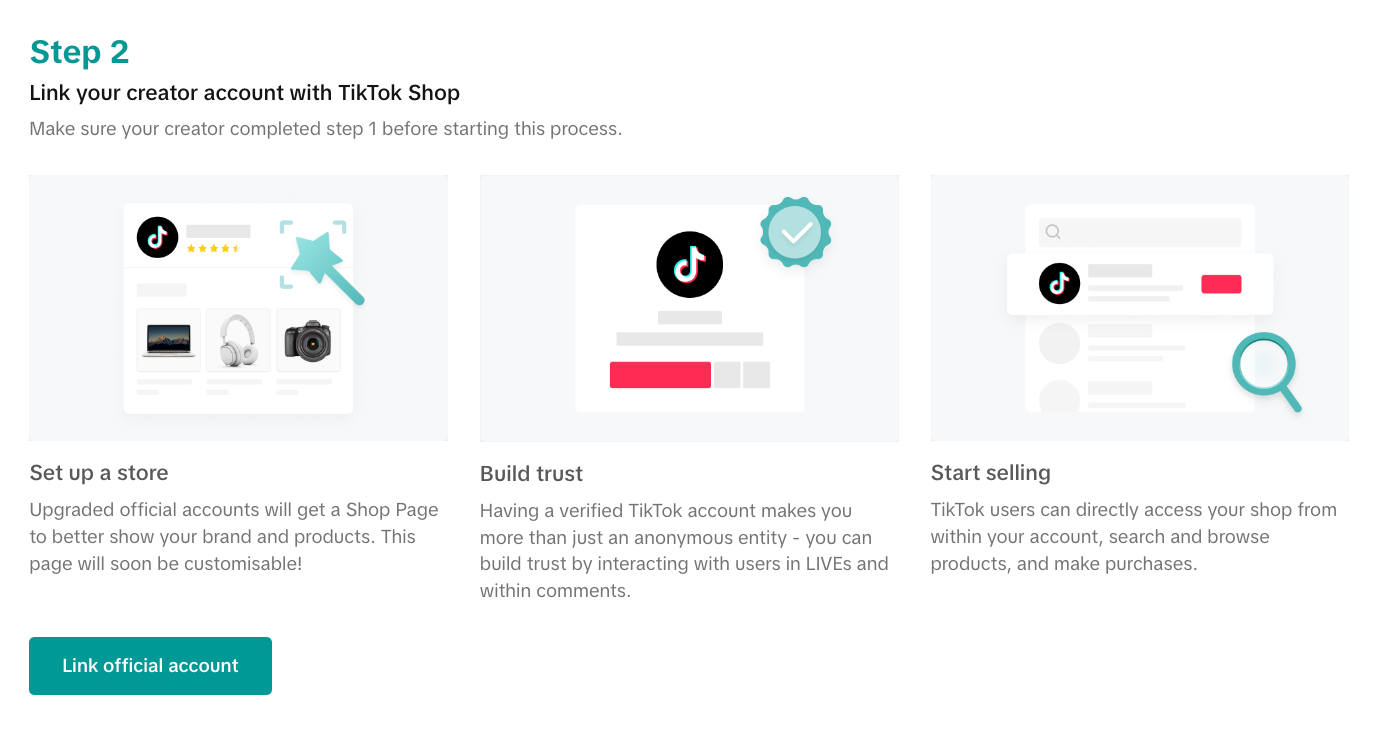
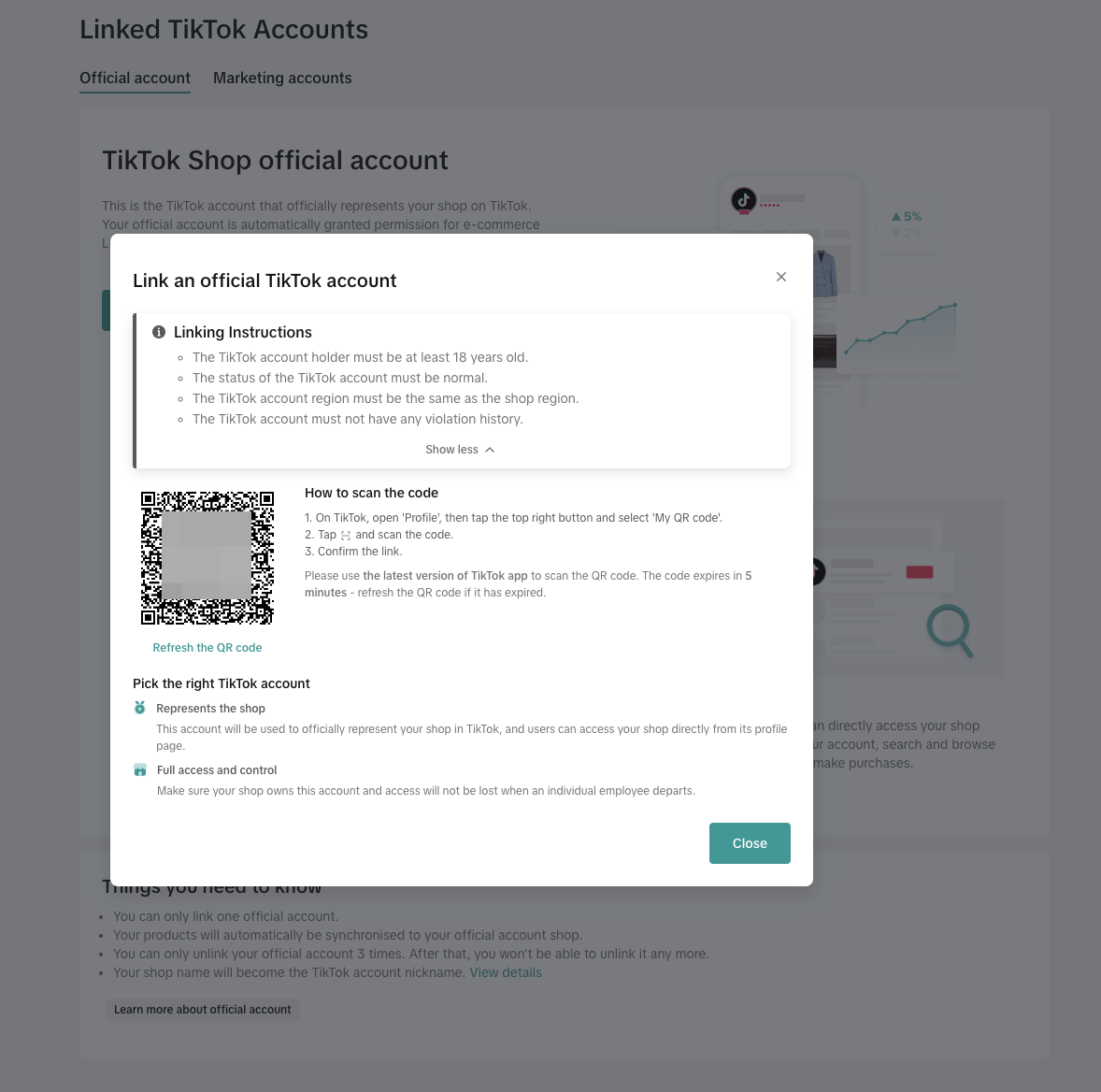
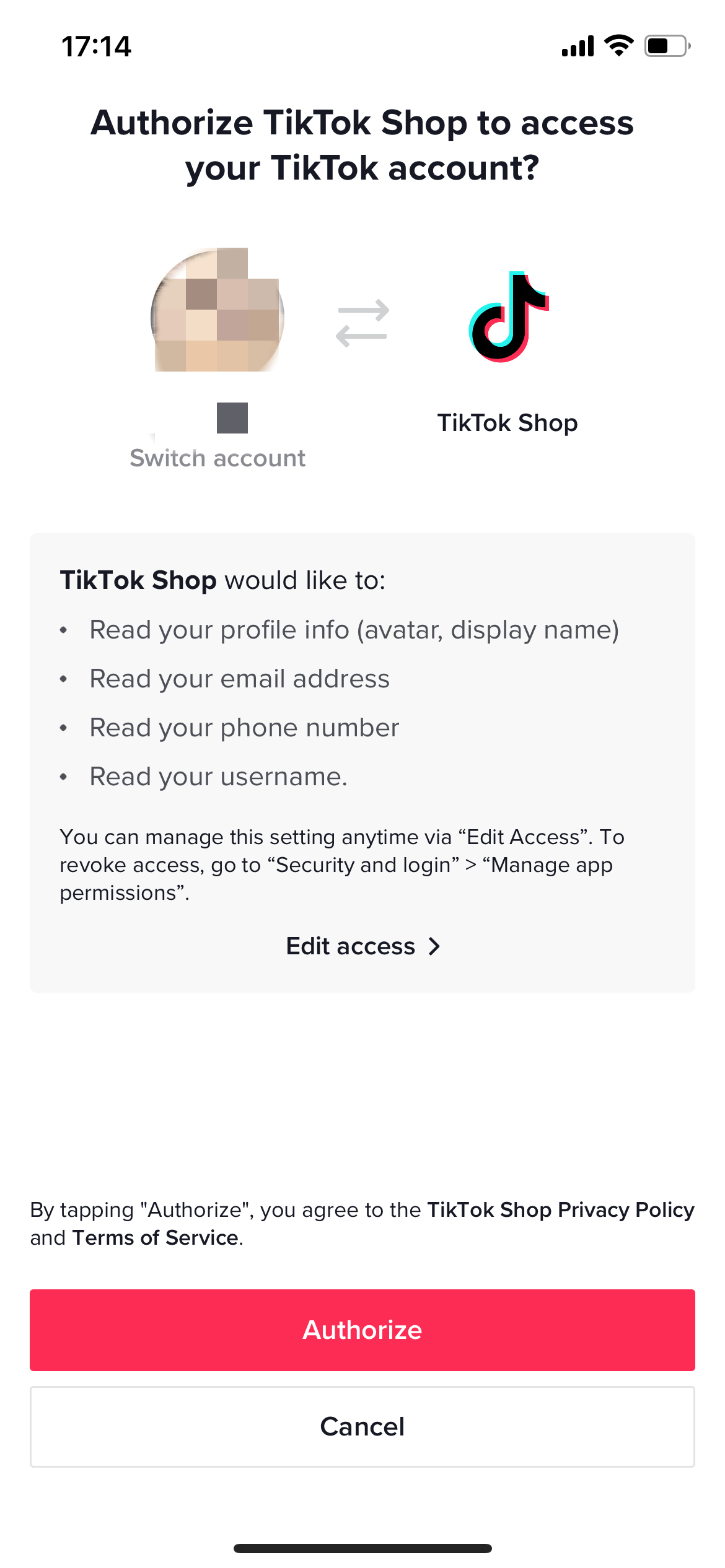
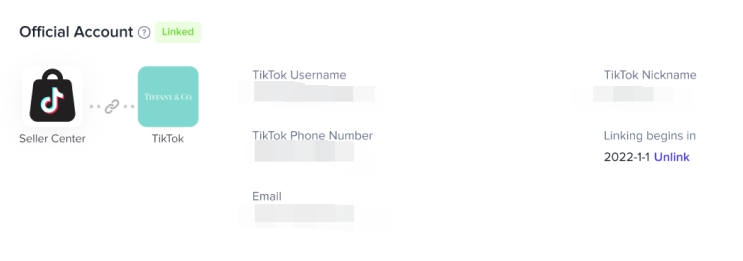
Step 5: After successful binding, view the bound account information: After approval, the binding relationship between the store and the official account is established. On the Official Account interface, you can view the official account's avatar, username, nickname, mobile phone number, binding time and other information
Option 2: On Seller Center App
TikTok Seller App - Settings - Linked TikTok Accounts - Official Account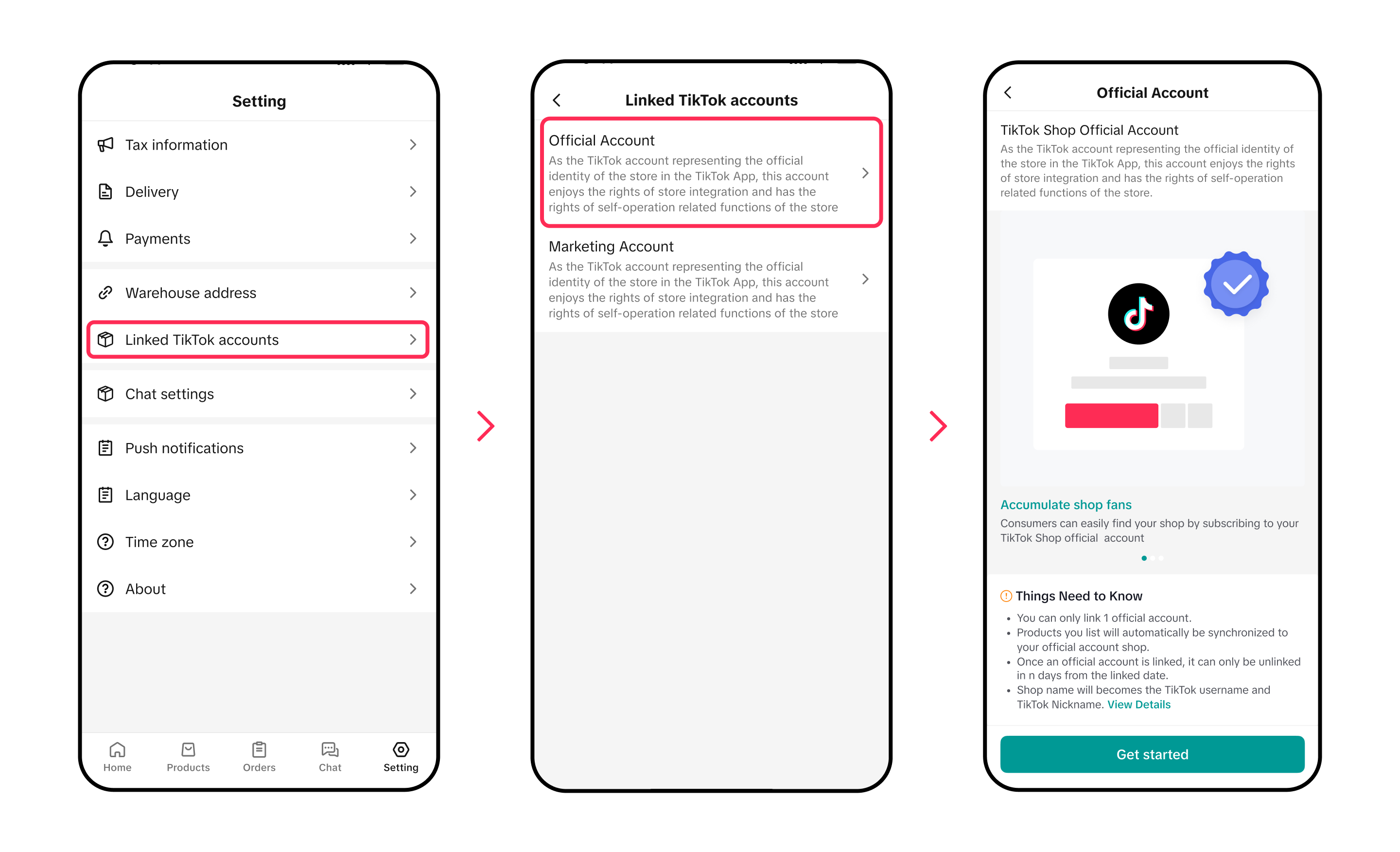
Create an organization account or link an established account
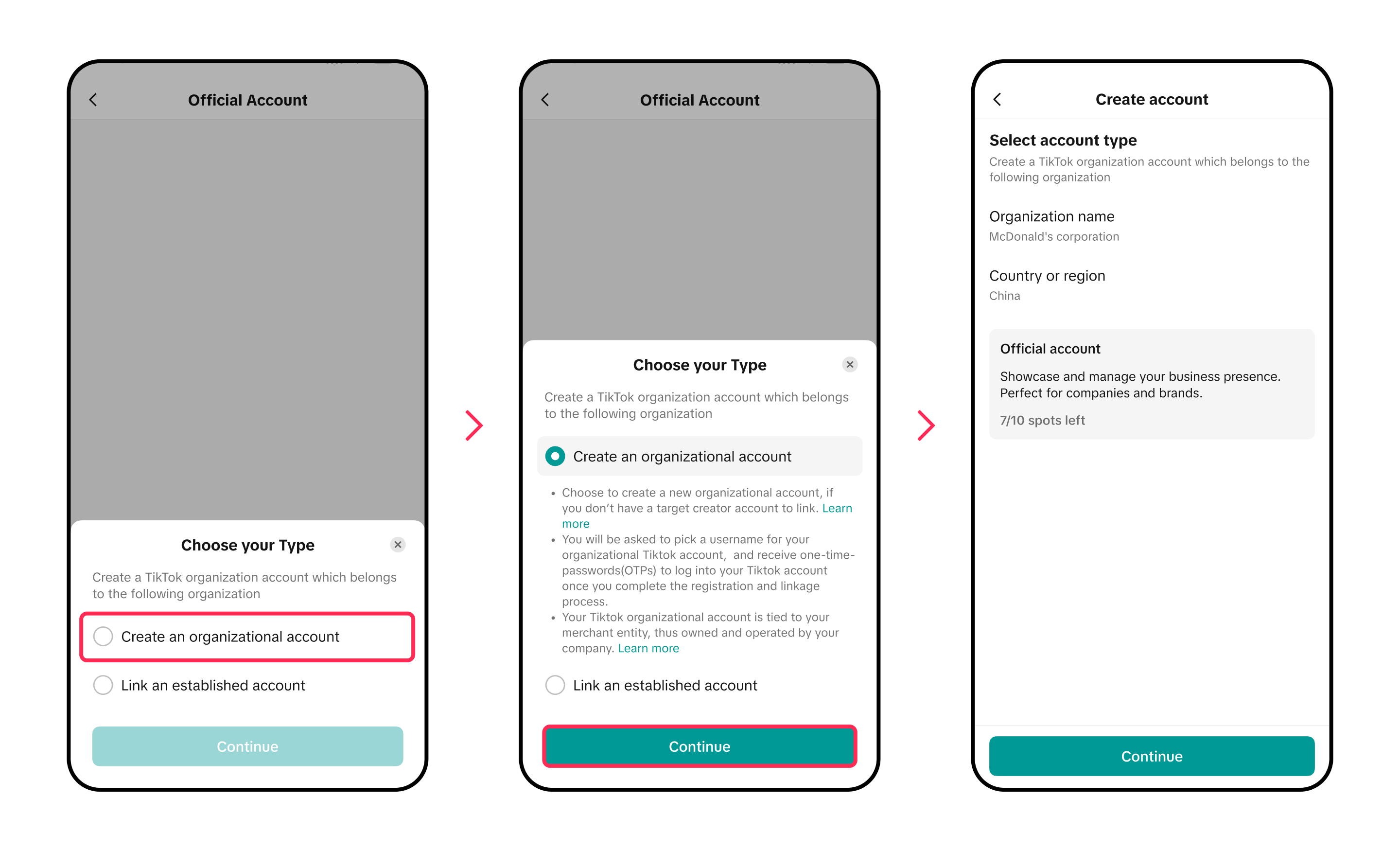
Part 1: Create a TikTok organization Account
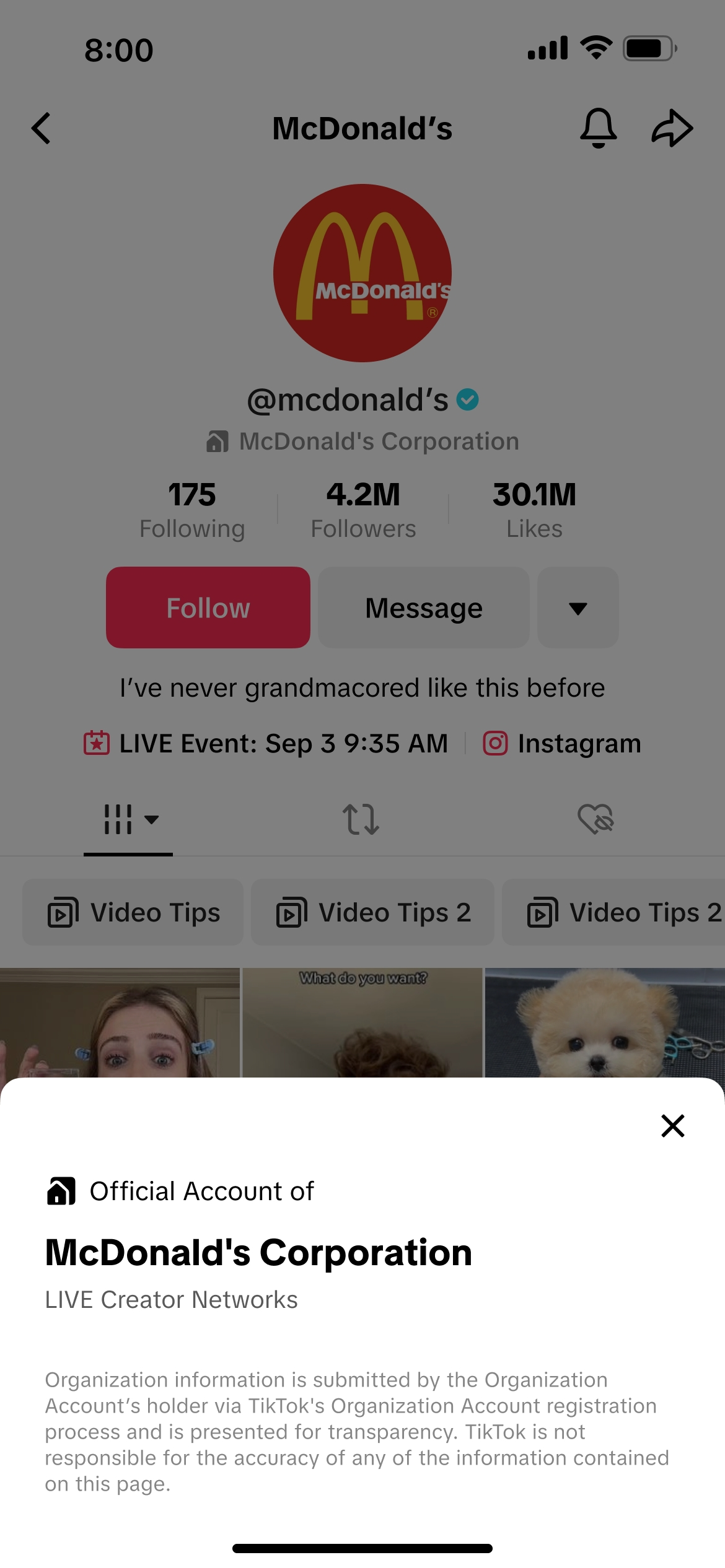
Benefits
- Credible identity: Strengthens the account's operational credibility.
- Multi-user operation: Allows multiple users to track and manage the account.
- Secured ownership: Protects assets by reclaiming control when employees leave.
- An organization account can only be linked to the seller with the same entity qualification
- An organization account can only be linked to one seller account at a given time
APP | |
| Step 1 Select account type | 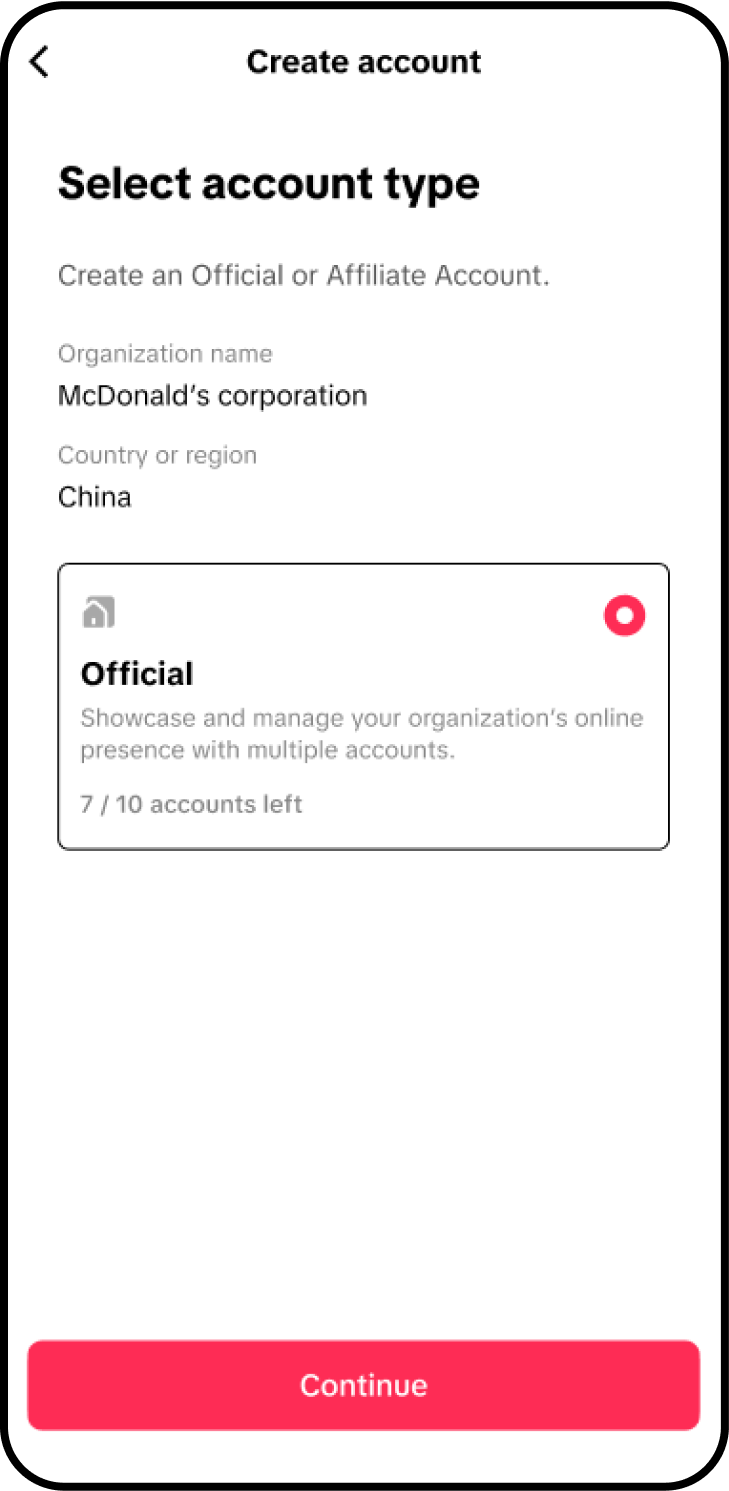 |
| Step 2 Input creation information | 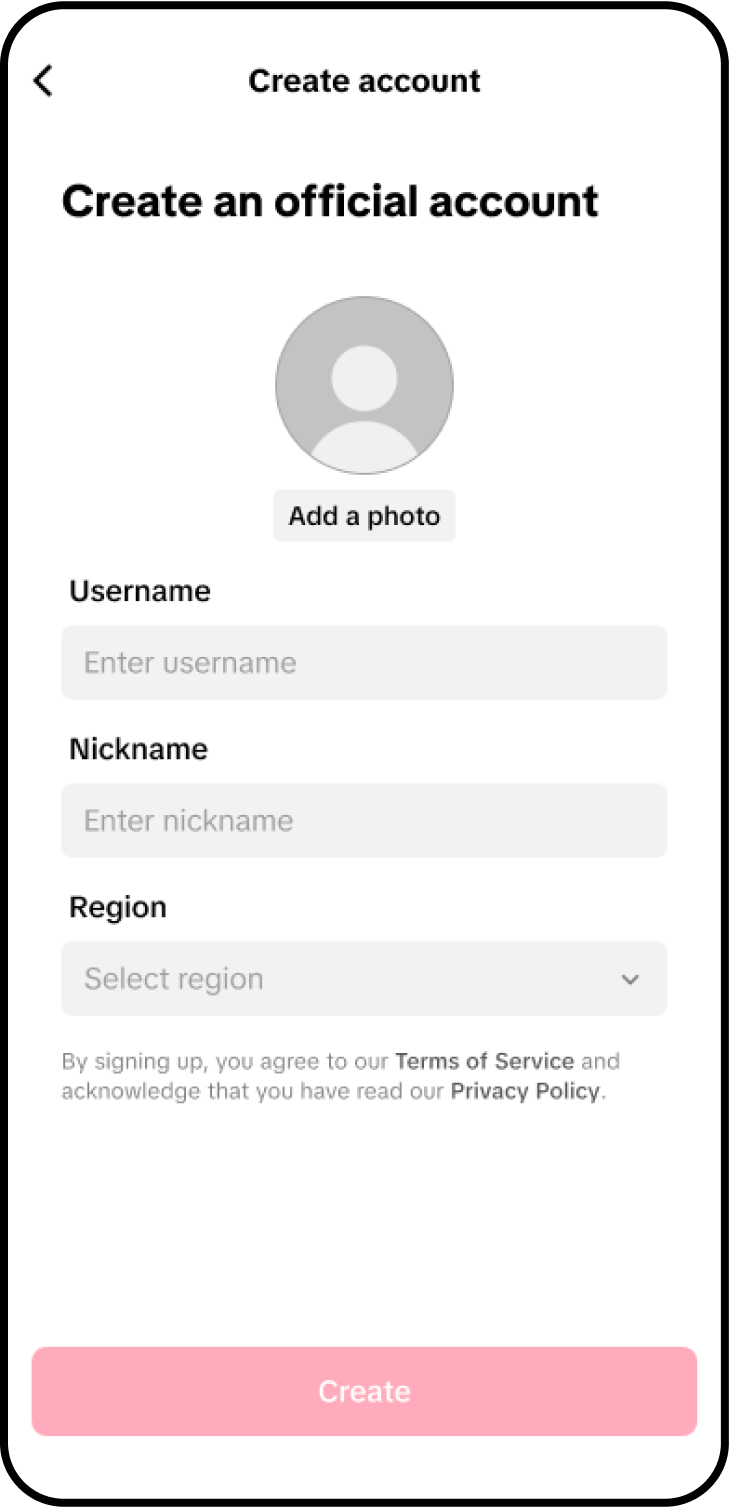 |
| Link successfully | 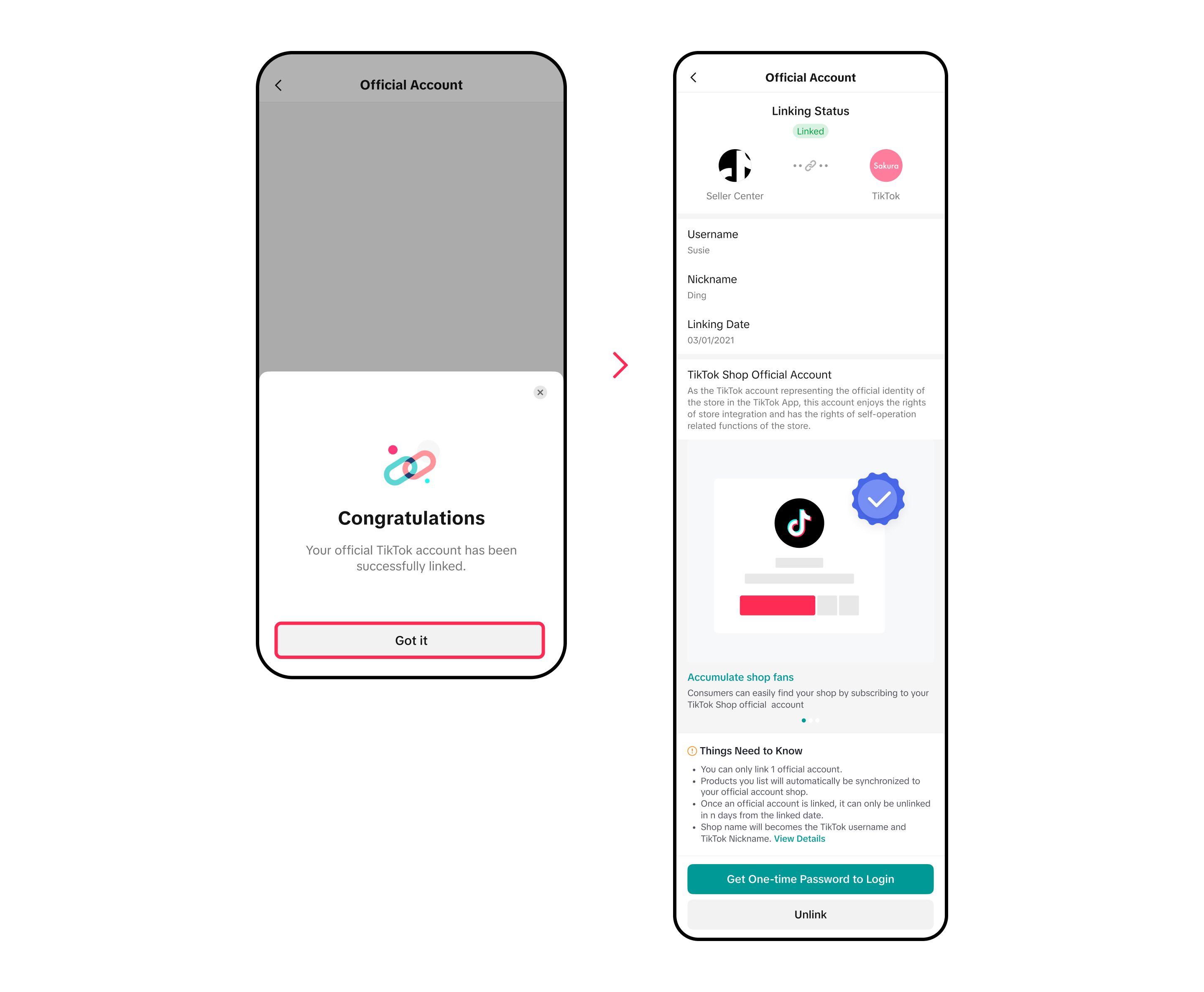 |
Log into org accunt
| 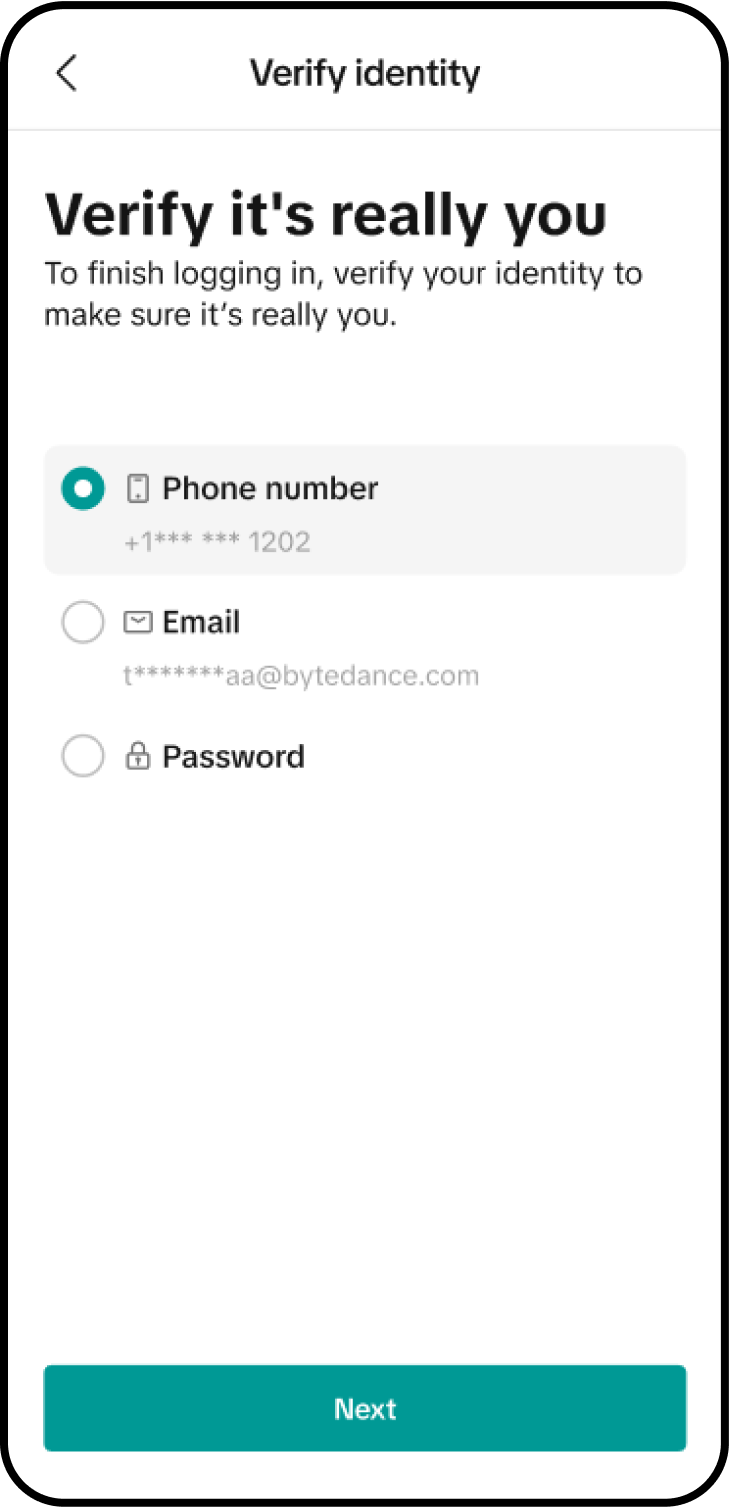 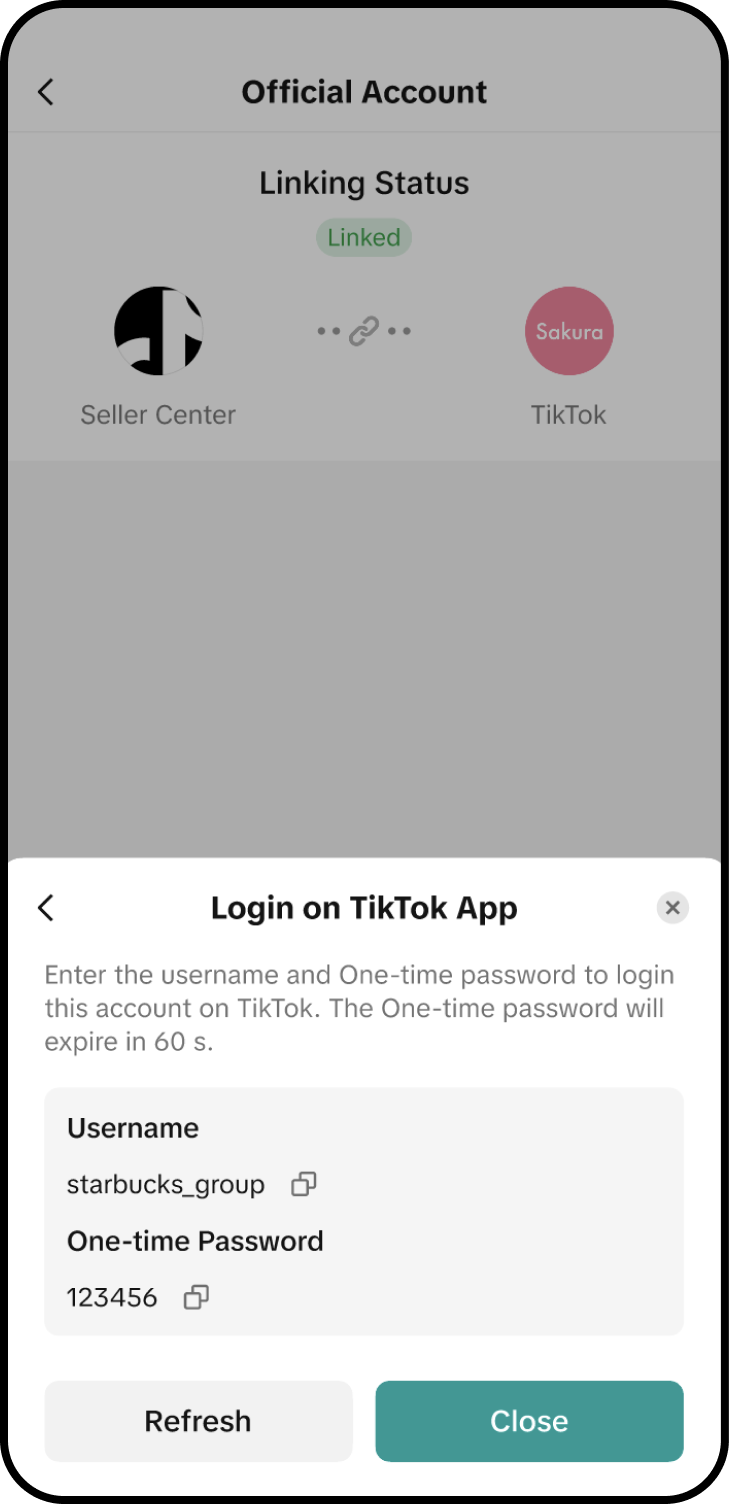 |
Part 2 Link an established account
Step 1:Click on the link to an established account and enter the username of the TikTok account you want to bind, and check "I have read and agree to the XX agreement".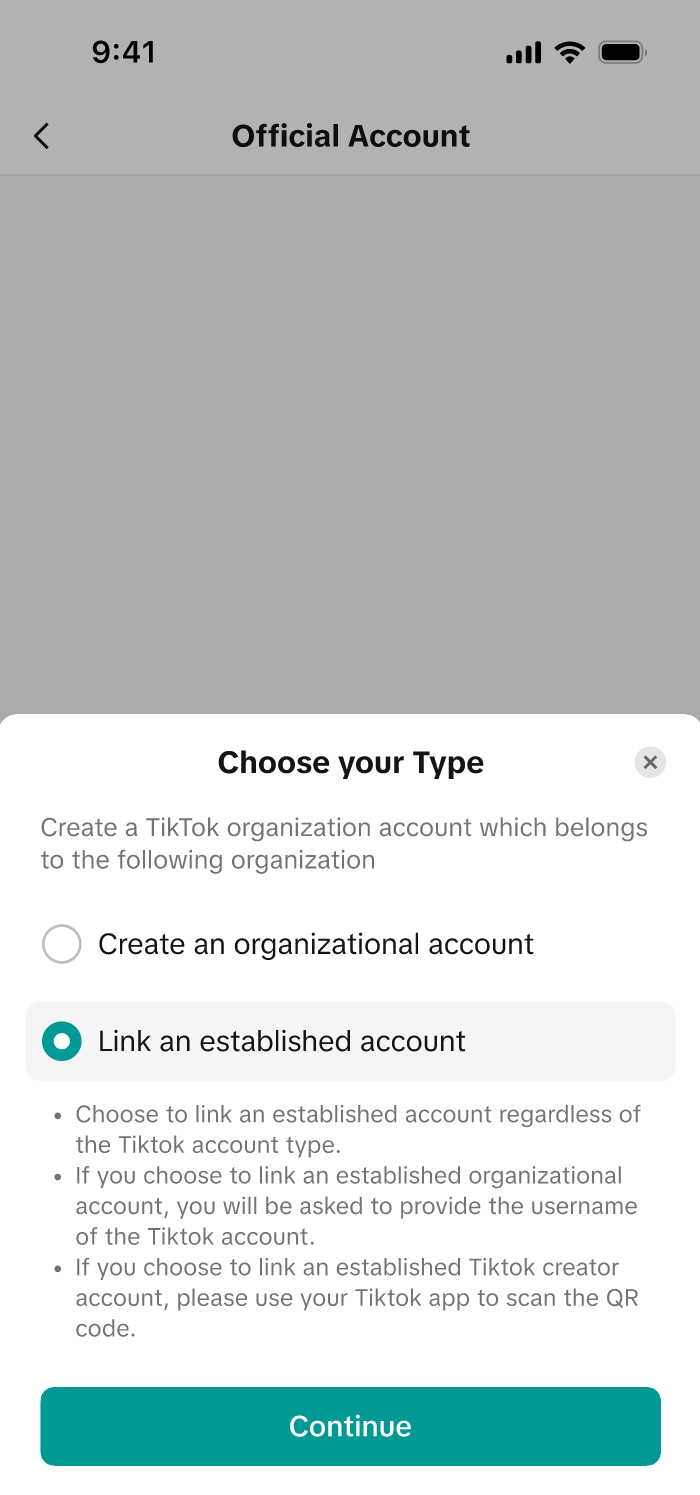 |
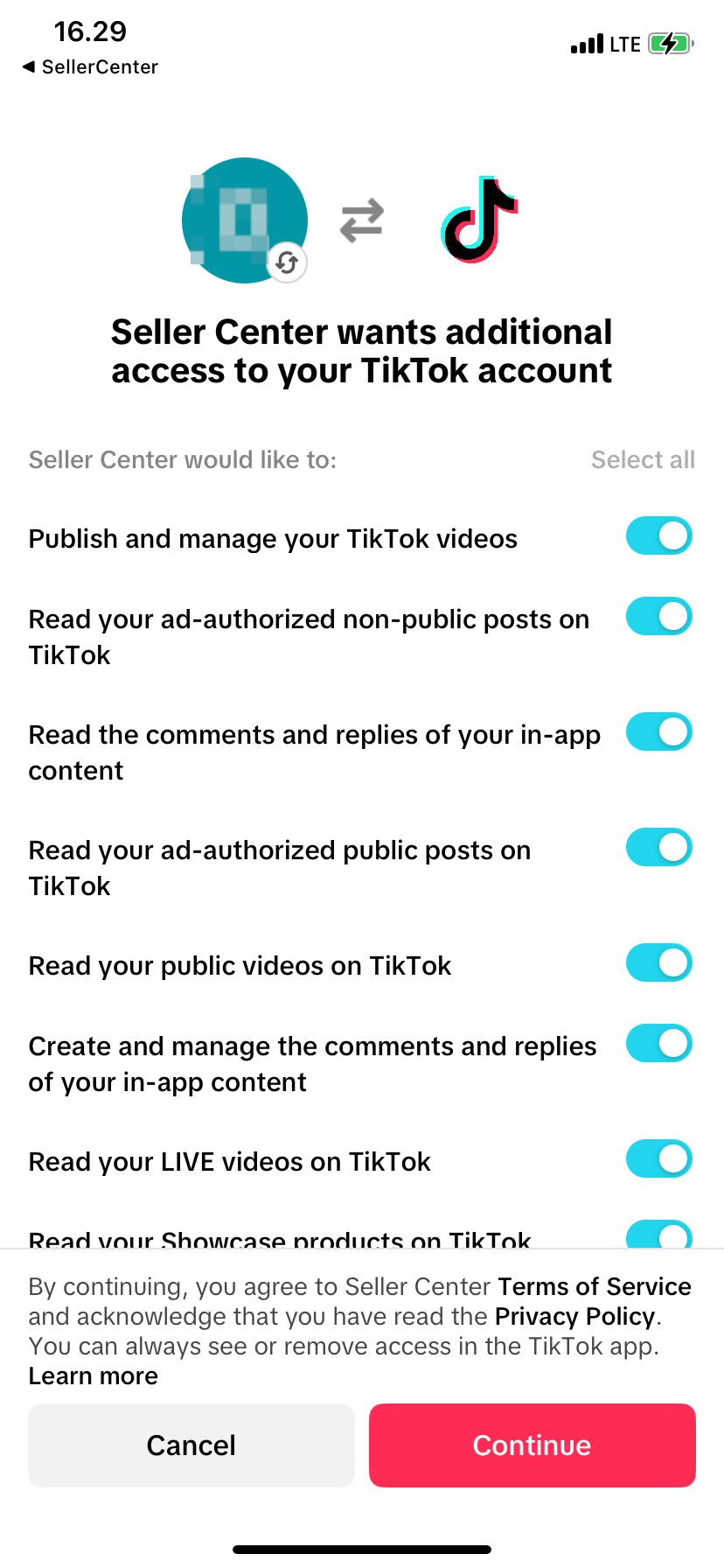
Return to the TikTok Seller App, click "Link" and enter the binding relationship review process
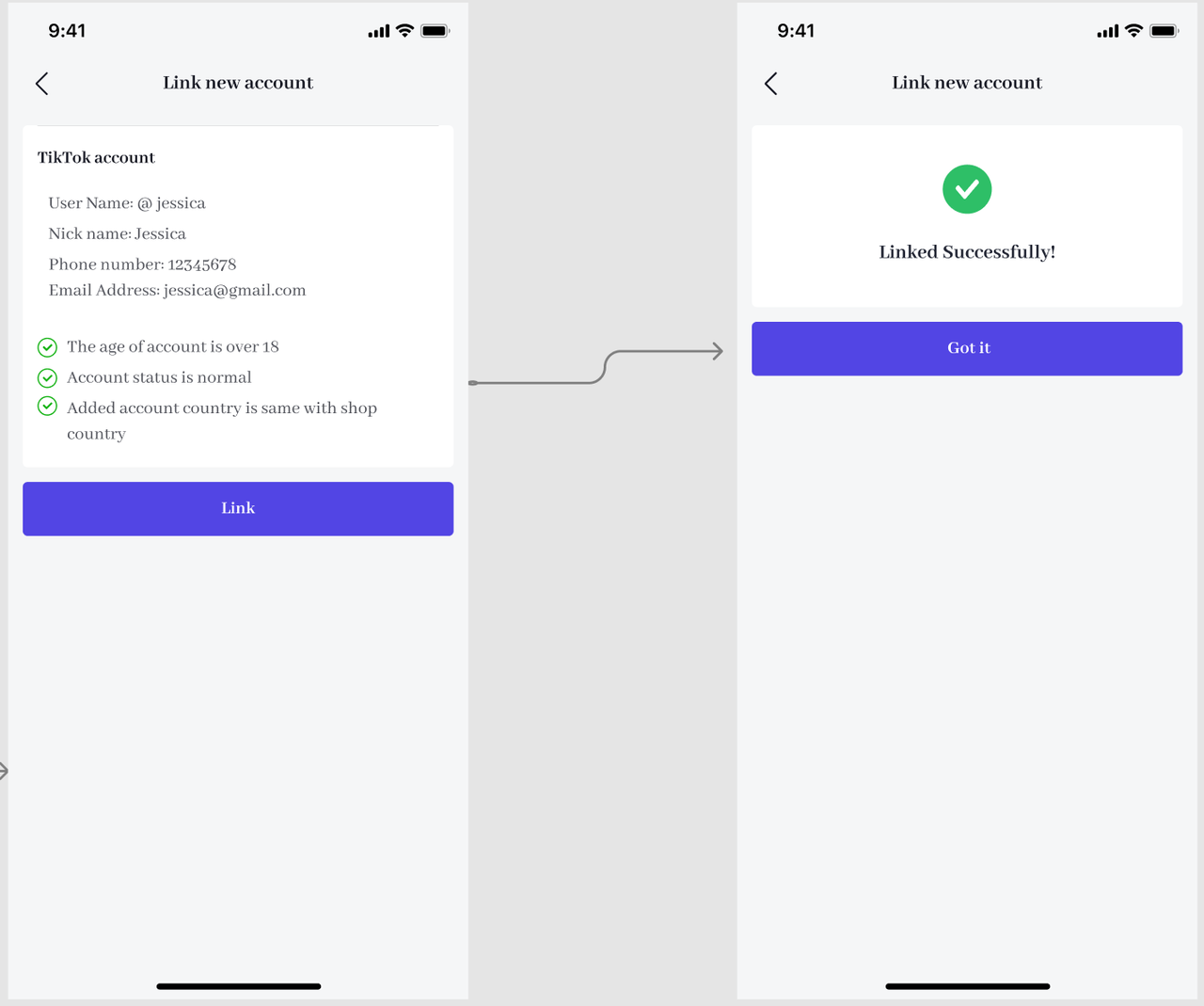
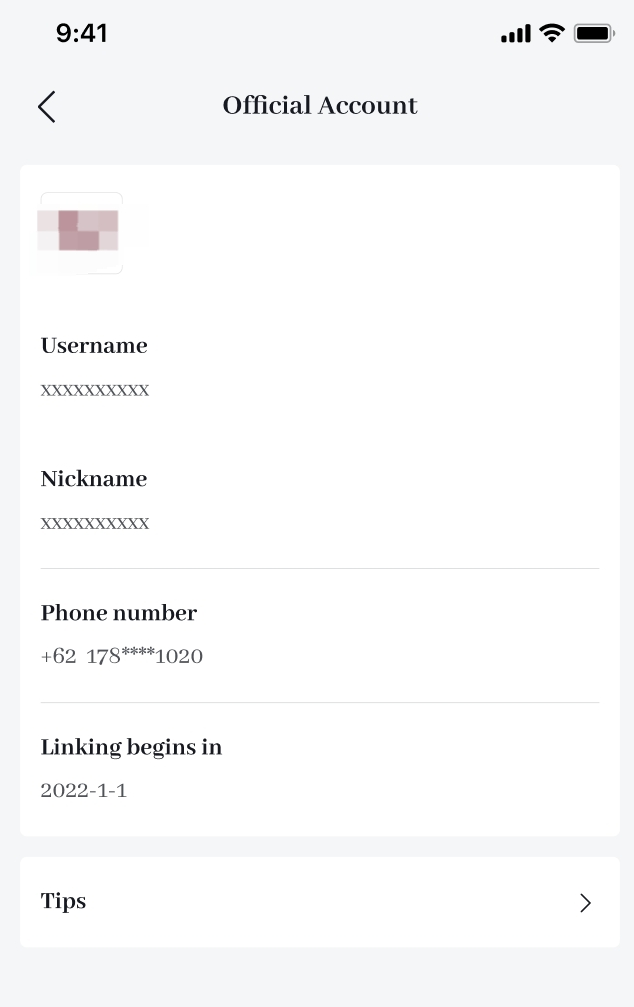

What is the difference between TikTok Shop official account and marketing account*?
Both the official account and the marketing account are directly bound to the store and serve as the store's self-selling account, but the two have the following differences:- You can have only one official account, yet you can bind at most 4 TikTok accounts as your marketing accounts.
- The name of the official account must be consistent with the shop name after upgrading, which will enhance the trust of the account to the user, but the marketing account is not limited to naming.
| Account type | Owned media accounts | Affiliate creators | |
| Official account | Marketing accounts | ||
| Number that can be linked to your shop | 1 | 4 | No limit |
| Product display method | Shop Page | Showcase | Showcase |
| Sales channels | Video, LIVE, Store Page | Video, LIVE, showcase | Video, LIVE, showcase |
| Shop design feature | Yes | No | No |
| Can display Affiliate products | No | Yes | Yes |
| Automatic product sync to shop page or showcase | Yes | No | Can, but not automated |
| Shop and account name consistency requirement | Yes | No | No |

How to Unbind the Official Account?
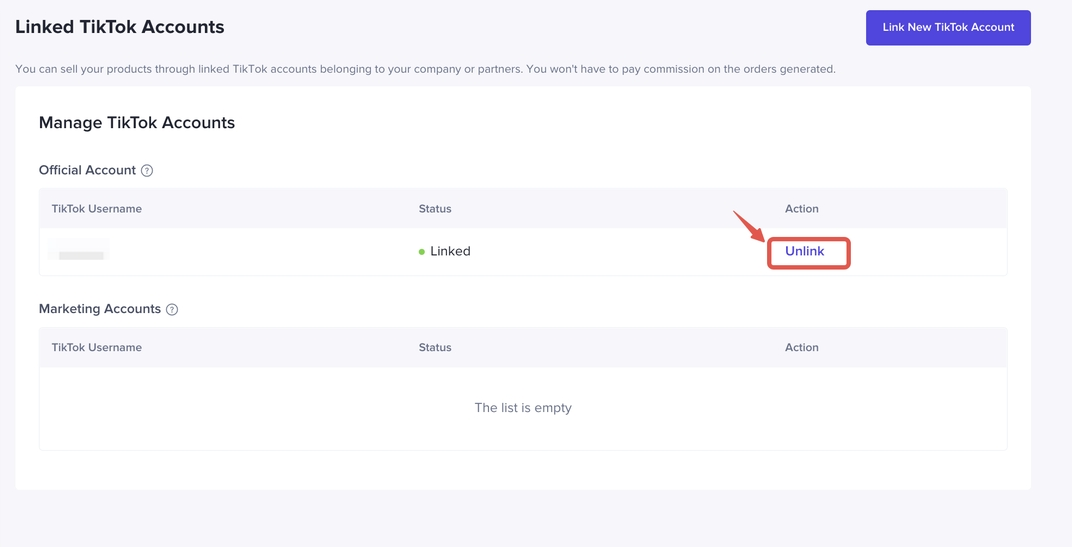
Your official account can be unbound 24 hours after the binding is successful.TikTok Seller Center - My account - Linked TikTok Accounts - Official Account - Unlink Official account
You may also be interested in
- 8 lessons
Setting up Your Shop
This module equips sellers with the essential knowledge to establish their TikTok Shop and manage th…

How To Access User Management
Overview User Management is where you add staff to your shop management and assign them role(s) with…
How to Navigate All Account Settings and Personalizations
This article will help you find and customize all your account information and related settings unde…
How To Use Delegation Mode
This article will guide you through the what and how of delegation mode. Feature Overview The Dele…

TikTok for Shopify: Migrating to Shopify from Third Party
This guide is designed to assist sellers in smoothly transitioning from third-party applications to…

Avoiding Trademark Infringement With Your Shop Name & Avatar
TikTok Shop maintains a strict policy against all forms of intellectual property (IP) infringement,…
How to Use Holiday Mode
When should you enable Holiday Mode? Suppose you are unable to manage new orders because of holidays…

Shop Probation Program
The Shop Probation Program Welcome to TikTok Shop! We're glad you chose to sell with us. We understa…
About Shoppable Video Apps
Product Overview The new Shoppable Video applications are the official key for sellers to unlock aut…
TikTok for SFCC: Order Management
Order Creation When you place an order in TikTok Shop, the system automatically activates the Create…