

Autogenerate LIVE clips as Shoppable Video
05/05/2025
Summary
What is LIVE highlights auto-posting and how does it benefit sellers on TikTok Shop?
- LIVE highlights auto-posting captures compelling moments from your LIVE and publishes them as shoppable videos, increasing traffic to your shop and promoting upcoming LIVEs.
- It helps diversify content and extend the sales value of previous LIVEs by repurposing engaging moments into shortform videos.
How can sellers enable highlight auto-posting for their LIVEs on TikTok Shop?
- Tap the + button, select LIVE, and tap Shop to open the LIVE shopping bag.
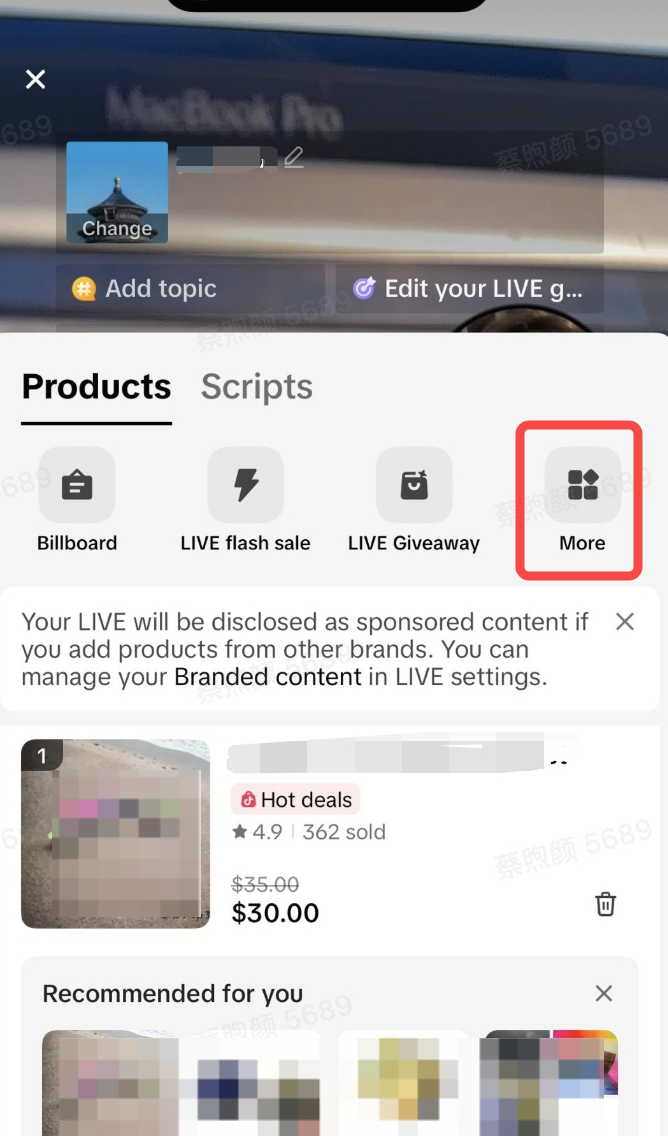
- Click More, select Highlight, and enable Highlight auto-posting by turning on the toggle.
What are some key details sellers should know about the highlight clips generated by auto-posting?
- Highlight clips are extended to avoid cutting off mid-sentence, include only one product, and remove mentions of links and viewer interactions.
- Each video is kept within 60 seconds and up to 5 videos can be posted per LIVE, taking about 5 minutes to generate each.
What is LIVE highlights auto posting?
With LIVE highlight auto-posting, we can take the most compelling moments from your LIVE and automatically publish them as shoppable videos during your LIVE.This helps you diversify your content and potentially extend the sales value of your previous LIVE. Posting these highlights can increase traffic to your shop even after the LIVE ends, while also increase traffic to upcoming LIVEs.
LIVEs are an integral part of a seller's content ecosystem — by using livestreams to enhance shortform content, you can increase your potential for success. For example, you can use shortform content to promote upcoming LIVEs, use LIVE to drive traffic, and use LIVE highlights to repurpose engaging moments into new shortform videos.
How do I enable highlight auto posting?
- Tap the + button, select LIVE, and tap Shop to open the LIVE shopping bag
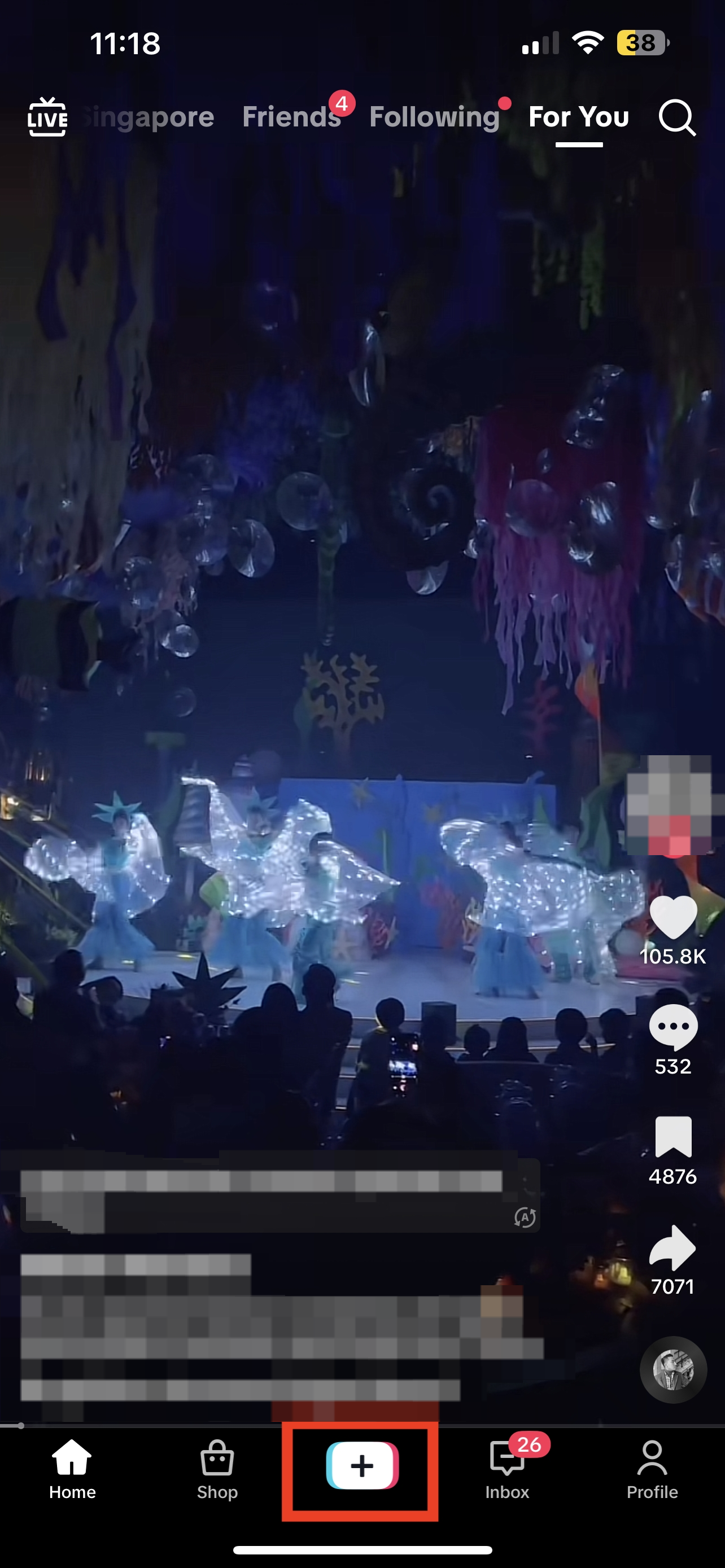
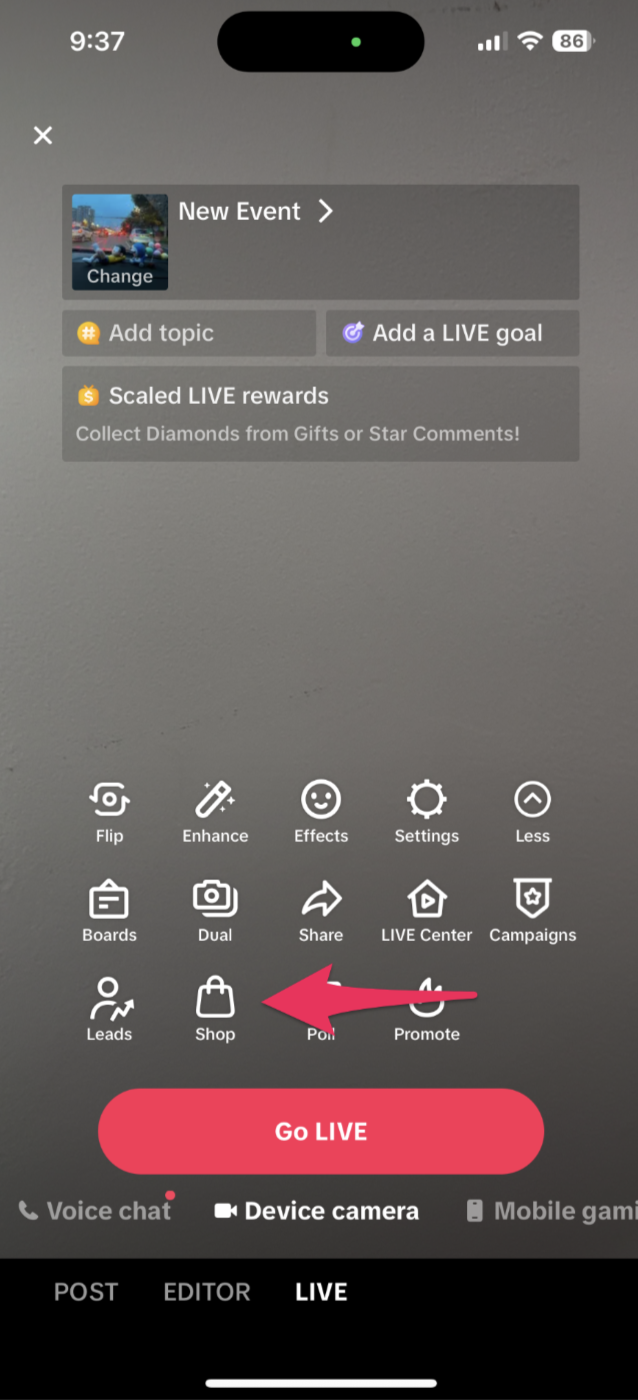
- Click More to see all LIVE tools. Select Highlight
- Enable Highlight auto posting by turning on the toggle
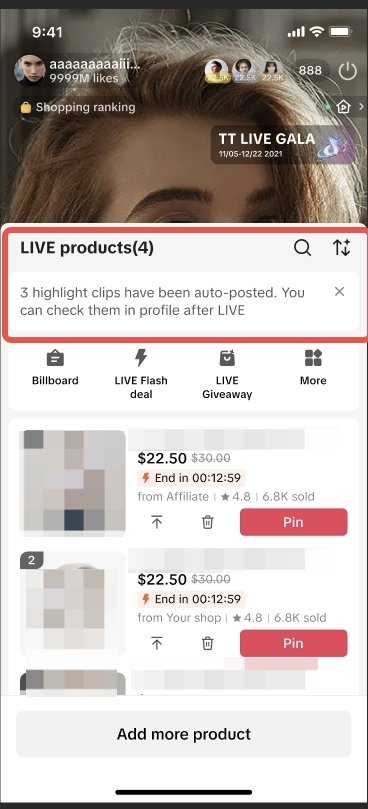
- Once highlight auto posting is enabled, highlight clips will be automatically clipped and edited for you, then posted as shoppable videos in realtime during your LIVE.*
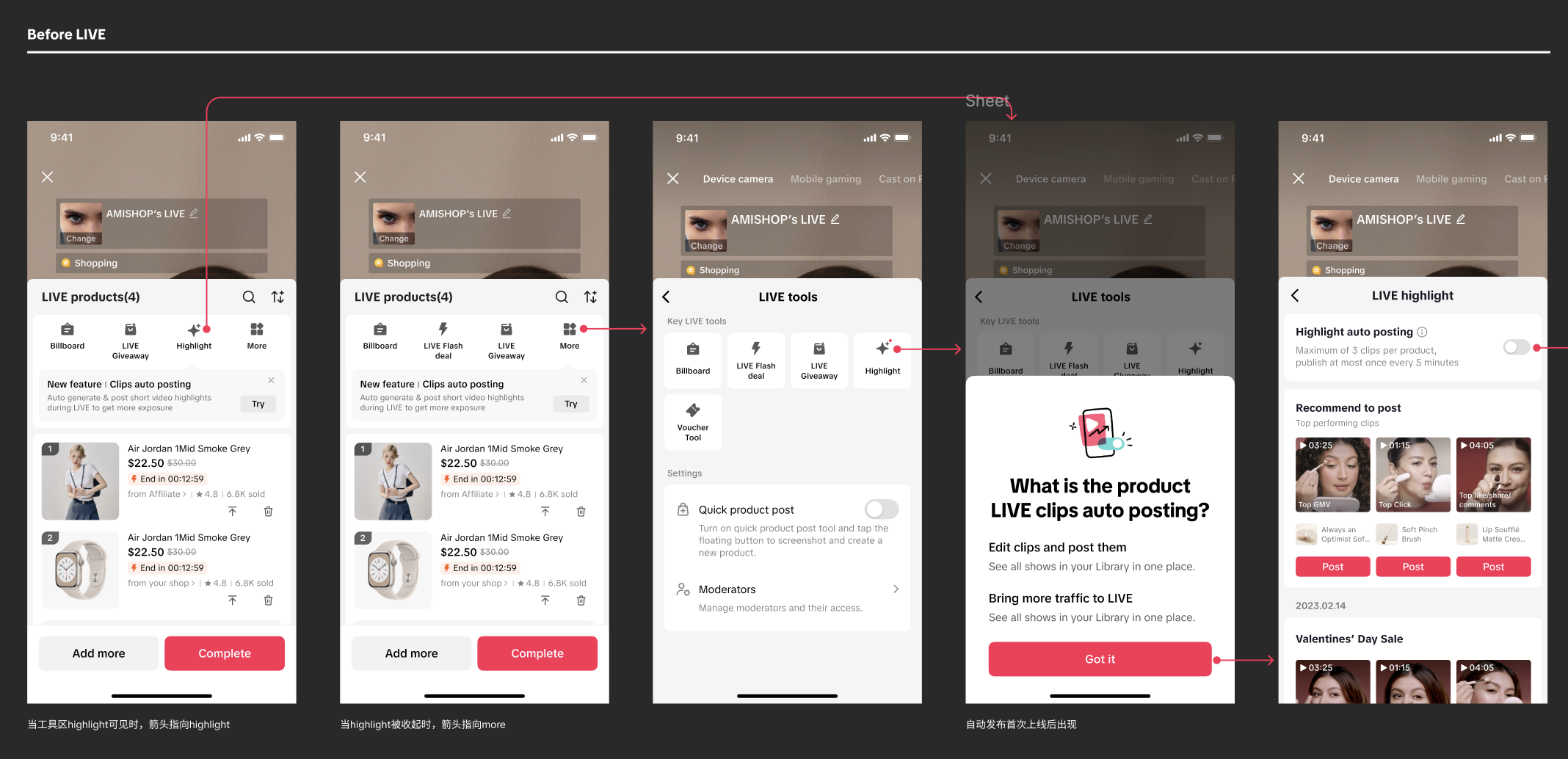 You should receive notifications on the LIVE product page as highlight clips are being posted. After the LIVE, you can check the posted videos on your Profile.
 A few key details to keep in mind:
- Highlight clips are extended to avoid instances where you are cut off mid-sentence
- Only one product will be included in the video
- Highlight clips would remove mentions of links and interactions with viewers
- Video length is kept within 60 seconds
You may also be interested in
- 1 lesson
Creating Shoppable Videos with Shopify's 1P App
Are you a Shopify seller looking to create scroll-stopping shoppable videos but don’t know where to…
2025 Shoppable Video Holiday Guide for Sellers 🎁 ✨
👋 Introduction Black Friday Cyber Monday (BFCM) is the biggest seasonal sales weekend of the year,…
TikTok for Shopify: Shoppable Videos
Introduction: What is the SV Widget on the Shopify App? Compelling videos are at the heart of what d…

How to Schedule Shoppable Videos
💡 Feature Overview Scheduled Shoppables Videos lets sellers, like you create and prepare videos whe…

How to Change Your Video's Sound
TikTok will notify you if any of your videos' sound is no longer available. The TikTok App offers di…

Image-to-Video (formerly known as AI Fashion Video Maker)
💡 Feature Overview Image-to-Video is a tool that instantly turns your product photos into short, po…

"TikTok Shop for Sellers"
Introduction Shoppable Video is the most powerful way to sell on TikTok Shop. TikTok Shop for Seller…

Shoppable Photos
NOTE: This feature is currently in beta and available for select sellers. Functionality may evolve a…