

Optimizing Product Titles
Summary
What are the benefits of optimizing product titles on TikTok Shop?
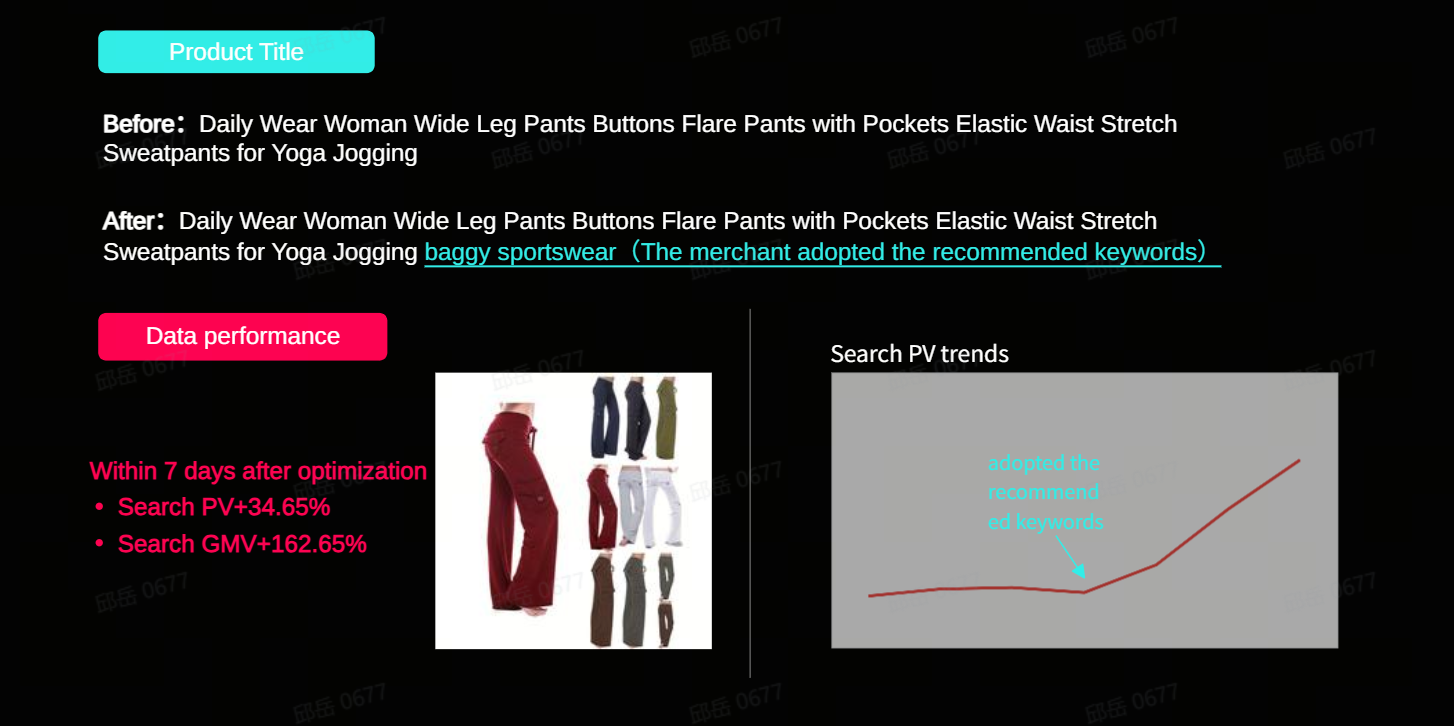
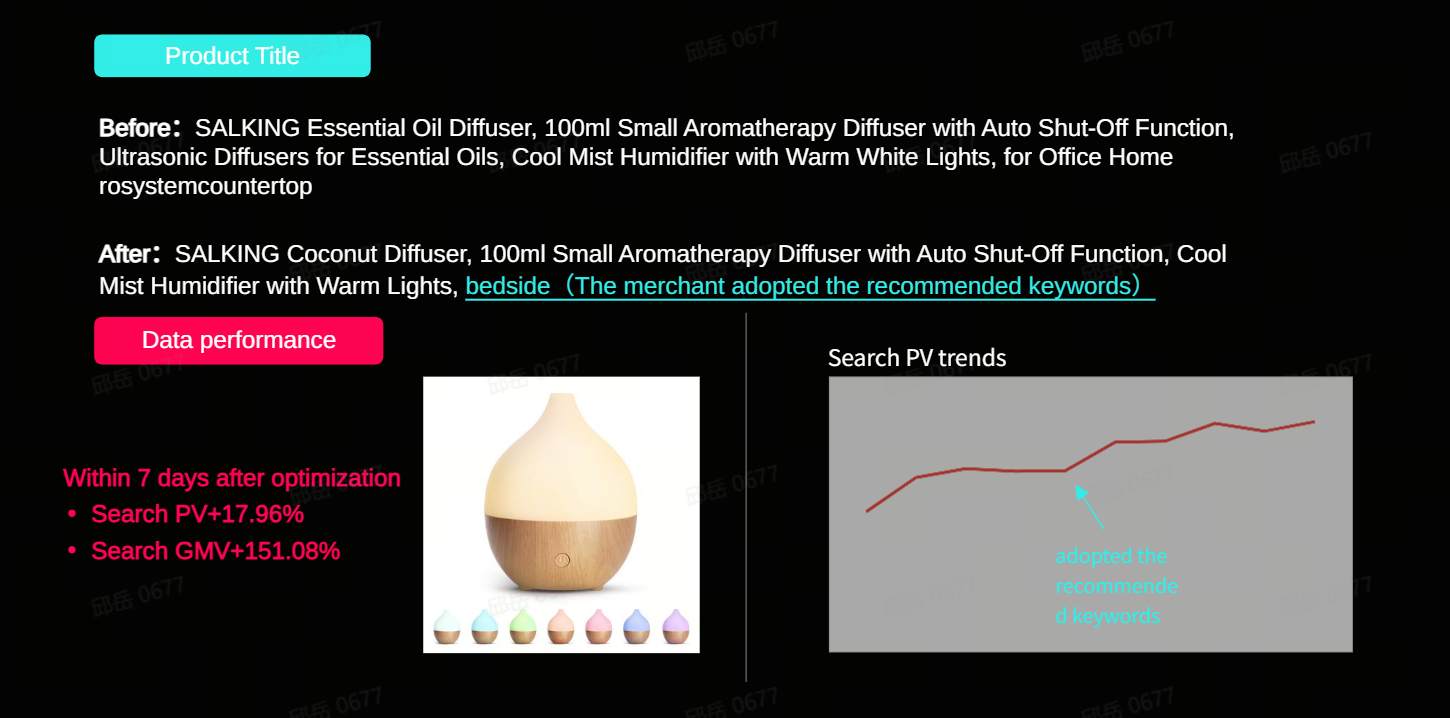
- Optimizing product titles increases search exposure within 7 days by matching buyer search keywords.
- Recommended keywords reflect shopper demands and enhance title effectiveness, improving visibility and sales potential.
How can sellers define a good product title on TikTok Shop?
- Use recommended words to align with shopper demands and improve title richness.
- Ensure titles are concise, accurate, and highlight selling points without marketing jargon or inventory details.
What steps should sellers follow to optimize product titles using TikTok Shop's system?
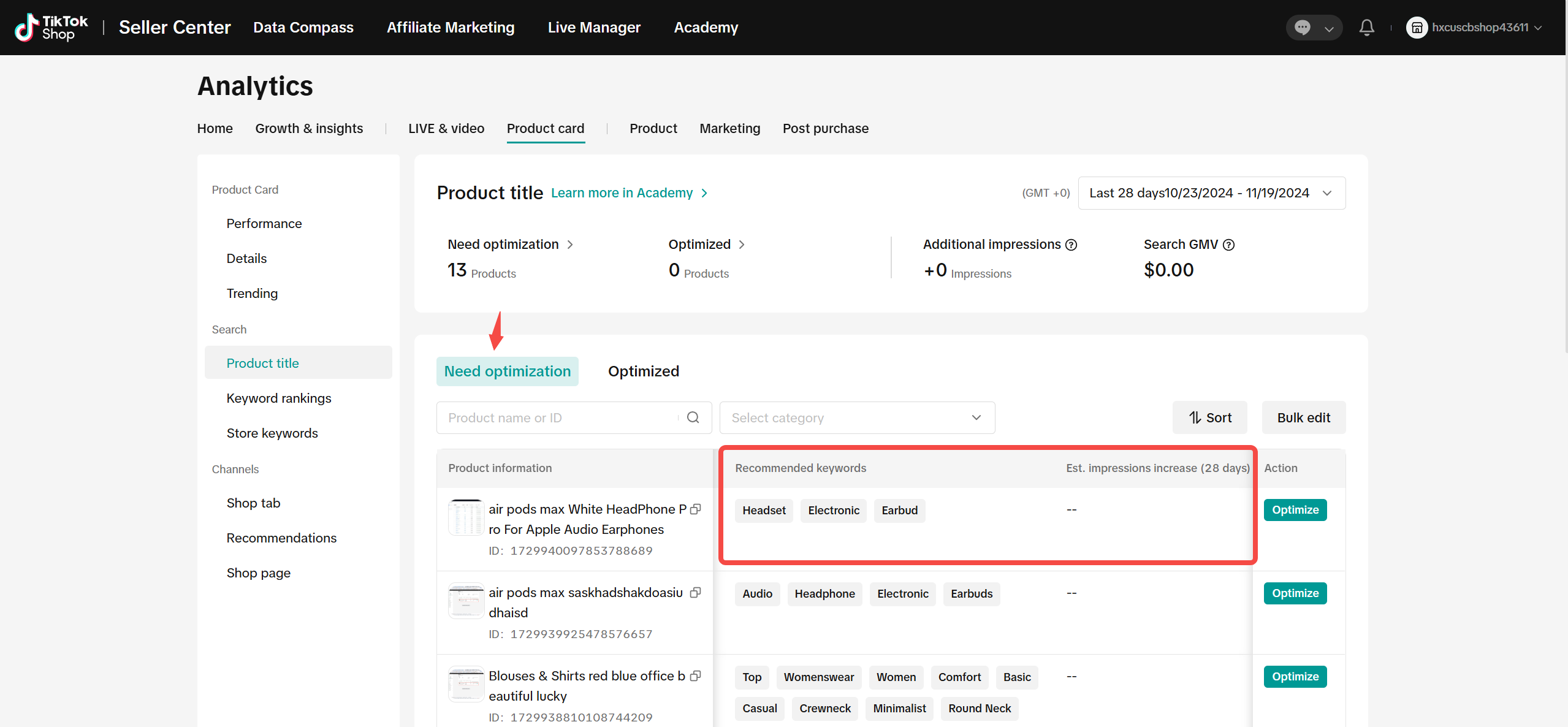
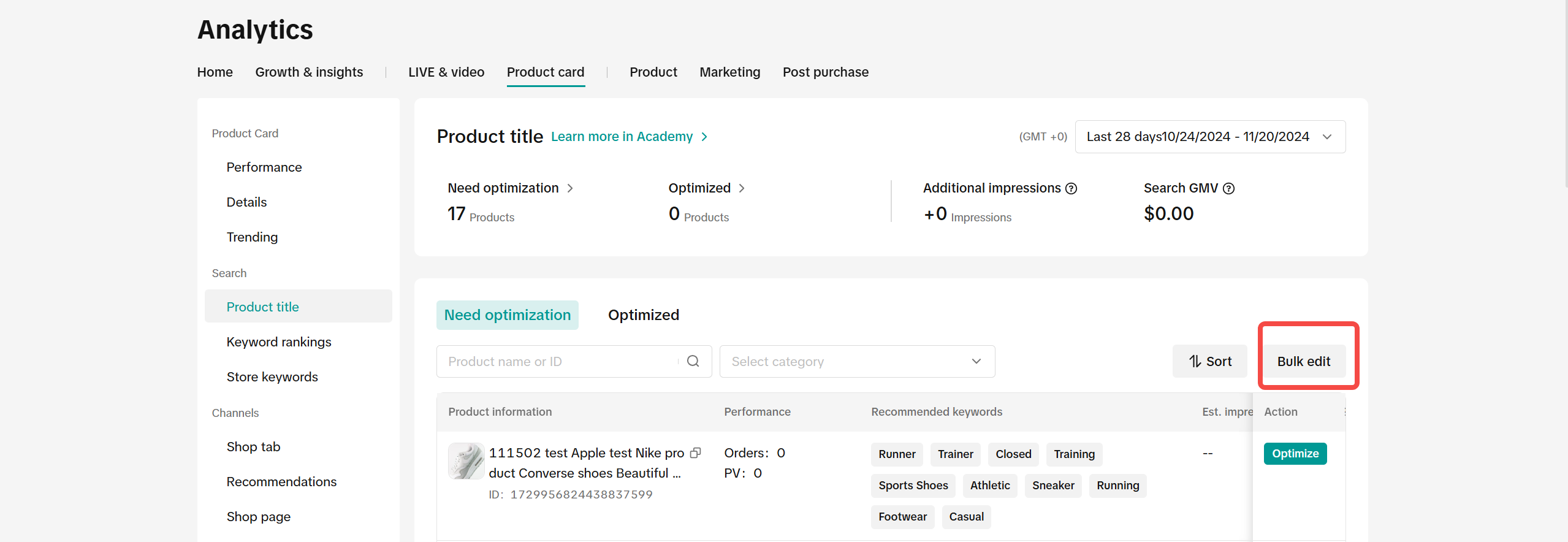
- View products needing optimization under the "Need optimization" tab and check recommended keywords.
- Adopt recommended words for single or bulk optimization, then submit changes.
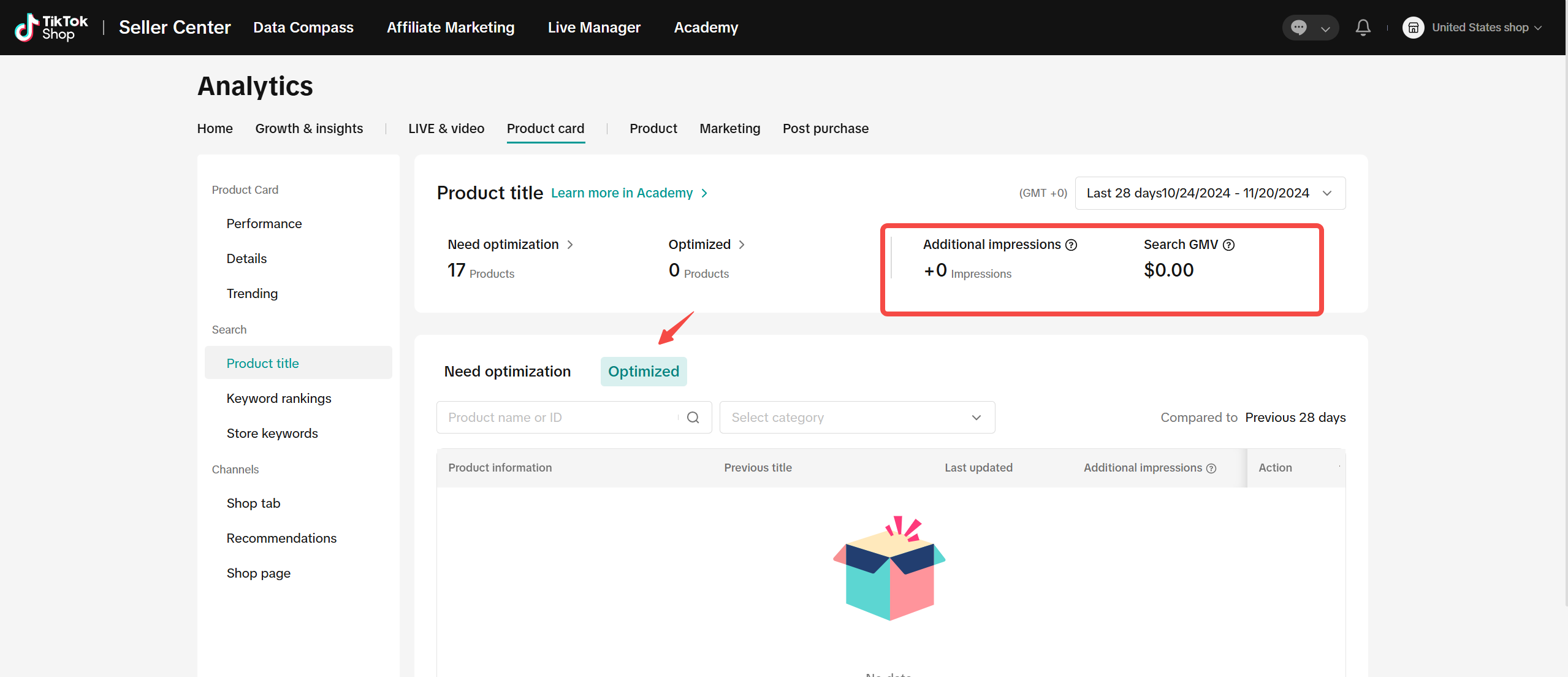
- Track additional impressions and GMV under the "Optimized" tab.
What formatting tips should sellers consider when creating product titles?
- Keep title length between 40 and 150 characters, capitalizing the first letter of each word except conjunctions, articles, and prepositions.
- Avoid repetitive words, listing variants, and subjective marketing terms; focus on brand, content, application, type, and features.
How to optimize product titles
The value of high-quality product titles
- First, make sure that the product is searchable within Shop Tab
- The more the product title matches the buyer's search keywords, the higher the chance the product is seen by shoppers
Sellers significantly increase search exposure within 7 days after adopting recommended keywords!
How to define a good product title
Key focus: Recommended words represent shoppers' purchasing demands, and adopting recommended words is the most efficient way to optimize titles
| Tips | Example |
Format
| Eg.【Brand】Youth Neon Shirt Kids UPF 50+ Dry Fit Athletic Short Sleeve T Shirts for Boys and Girls✅ information is accurate, the length is appropriate, and the format is standard✅ Brand Information✅ product categories are clear✅ clear target people✅ core selling points |
Use product capabilities to create good titles
- Before doing it, I didn't know how it would help the product. After doing it, I couldn't track the effect and gradually lost the motivation to optimize...
- The title words given by the system are too few, it's better to look for them on other platforms...
- The operation entrance is deep, and it is cumbersome to modify one by one...
- Expected benefits are clear at a glance, and the effect data before and after optimization is visible!
- Introduction of search term list , title word richness greatly improved!
- Recommended words display the popularity index and support batch modification of titles, making the design more user-friendly!
STEP1: View Title Need optimization productsClick the tab[Need optimization]Listing page
|  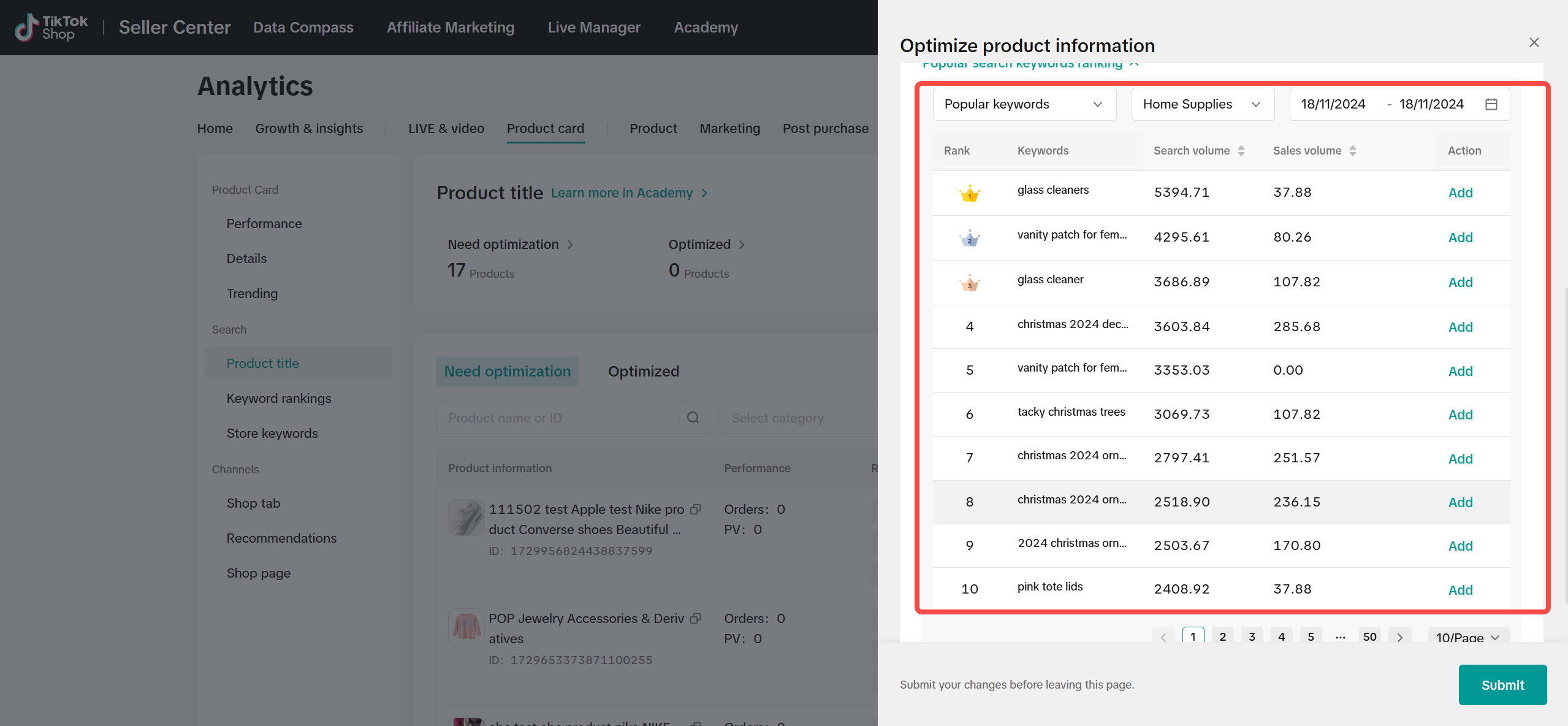 |
STEP2: Adopt recommended words and optimize titlesSingle optimization
| 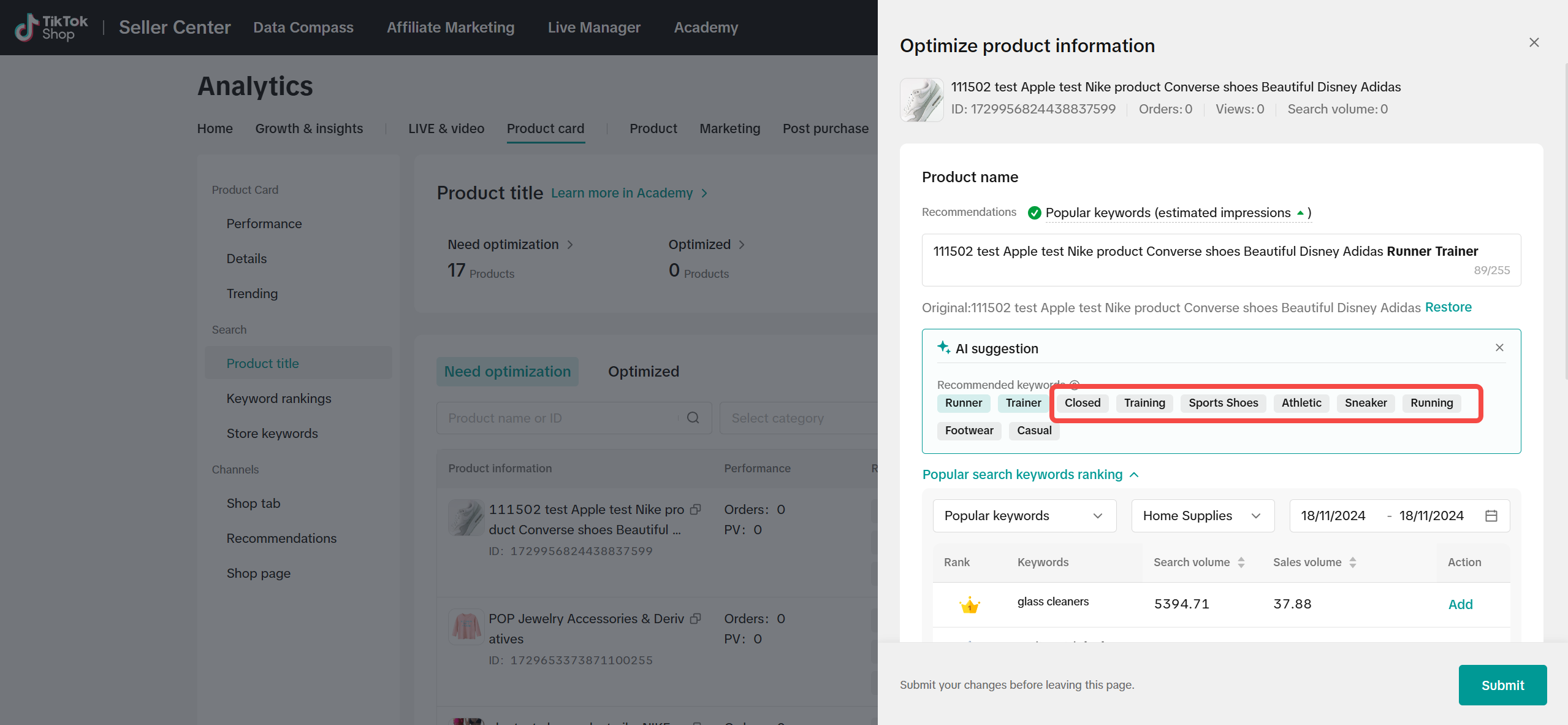 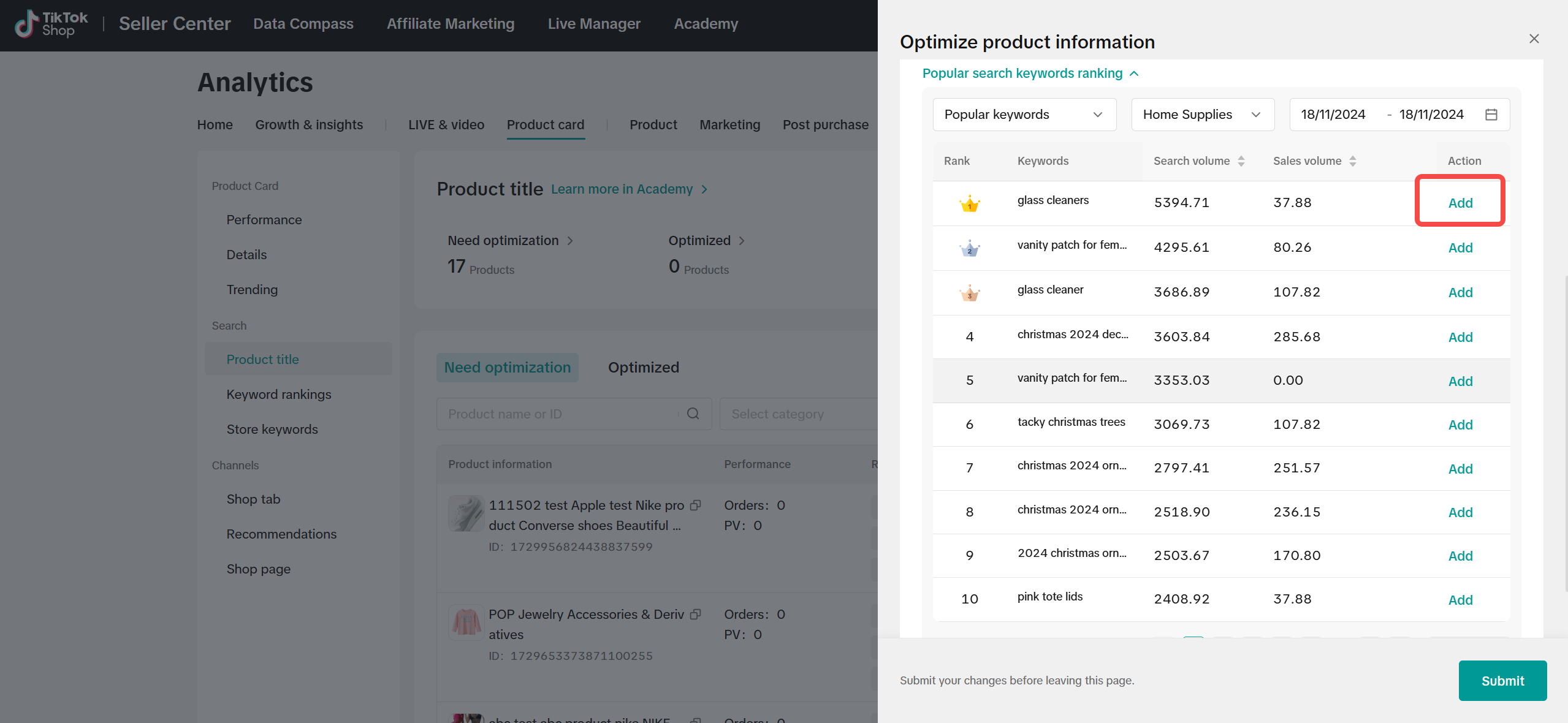  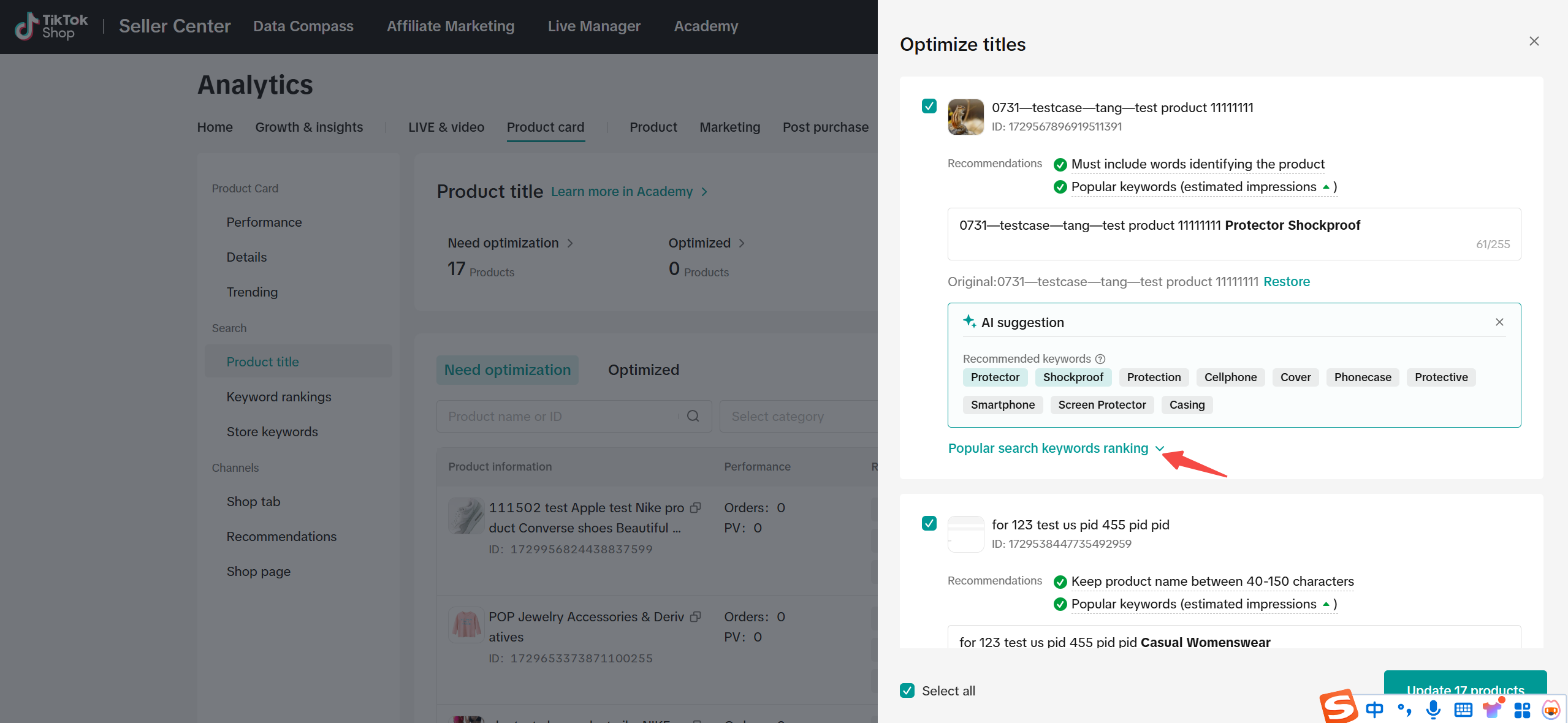 |
STEP3: Tracking data
|  |
You may also be interested in
List with a URL
Note: This feature is currently in beta to a limited set of pre-selected sellers. Introduction: Wh…

Made-to-Order (MTO)
Introduction: What is Made-to-Order (MTO)? Made-to-order is a new listing option available for eligi…
Applying for Category Permission
Introduction Some product categories on TikTok Shop are restricted and require sellers to apply for…

TikTok for Shopify - Product Listing Upgrade
Overview: With this new listing update, sellers will have the same product listing experience whethe…

How to Use Size Chart Tool & Guidance
Introduction to our Size Chart Tool With the Size Chart tool, you can now update key sizing informat…
Edit products in your shop
Introduction to editing products in your shop Maintaining accurate and appealing product listings is…
Luxury Resale Products and Uploading Certificates of Authent…
What are Luxury Resale Products? Luxury Resale products are luxury items, including pre-owned luxury…

TikTok for Shopify: Promotions Sync
*Overview: Shopify sellers can sync Promotions/Discounts except Free Shipping on Shopify directly to…

How to List Dangerous Goods
Overview When creating a new product listing, TikTok Shop may identify your product as a potential D…

Fill in the scale weight information in the SKU level
Feature Summary Feature Name: SKU-level Dimensions & Weight (Package Size and Weight) Input Core Cha…