

Setting Up Shipping
01/05/2026
Warehouse and Pickup Address Setting
You need to maintain the correct Warehouse/ Pickup address. When you choose courier pickup services, TikTok Shop will retrieve this address and schedule courier pickup.Steps:1. From your TikTok Shop Seller Center, click Logistics > Warehouses2. From the Warehouses Page, set up your pickup warehouse and return warehouse address.3. Click Submit.TikTok Shop simplifies the shipping process by automatically assigning upgraded TikTok Shipping as the default option during account setup. Our system will verify the warehouse address to check if it is valid for USPS (our default shipping service) during account registration. If the address cannot be verified by USPS, our system will provide hints for sellers to modify. The Ship from and Return address not impacted by invalid shipper account addresses. Note: You can set up one warehouse for your account. OR you can enable multi-warehouse mode, and set a default warehouse as your preference.Shipping Template Settings
If you set "Seller Shipping" as the preferred logistics service , you need to complete the shipping fees template before uploading products, otherwise, there will be a reminder when uploading the product.Steps to Create a Shipping Template:
- Go to Seller Center > Logistics > Shipping > Shipping Templates
- Click Create New Template (or modify an existing one).
- Fill in the required fields:
- Template Name: Customize the name for easy identification.
- Shipping From: Select the warehouse location.
- Shipping To: Choose delivery regions (states). Unassigned areas will be marked as undeliverable.
- Shipping Services: Set rates for Standard and Express shipping.
- Click Submit.
 |
Shipping Fee Setup Options
When setting up your shipping templates, you can choose from the following rate models to define shipping fees:- Quantity-based: Shipping rates are calculated based on the number of items in the order.
- Weight-based: Shipping rates are calculated based on the total weight of the order.
- Flat rate: A fixed shipping fee is charged per order, regardless of quantity or weight.
| Rate model option | Weight-based | Quantity-based | Flat rate |
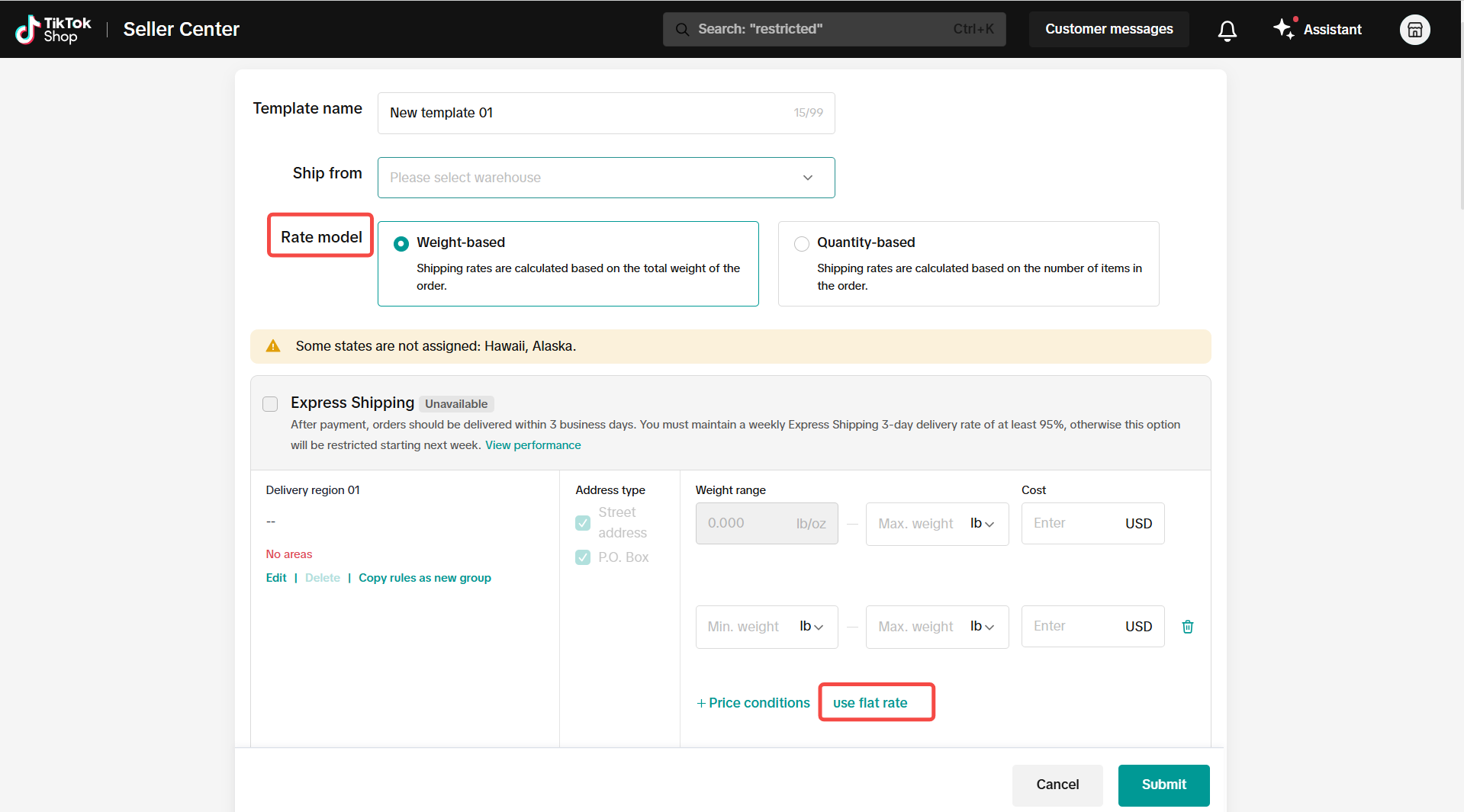 | 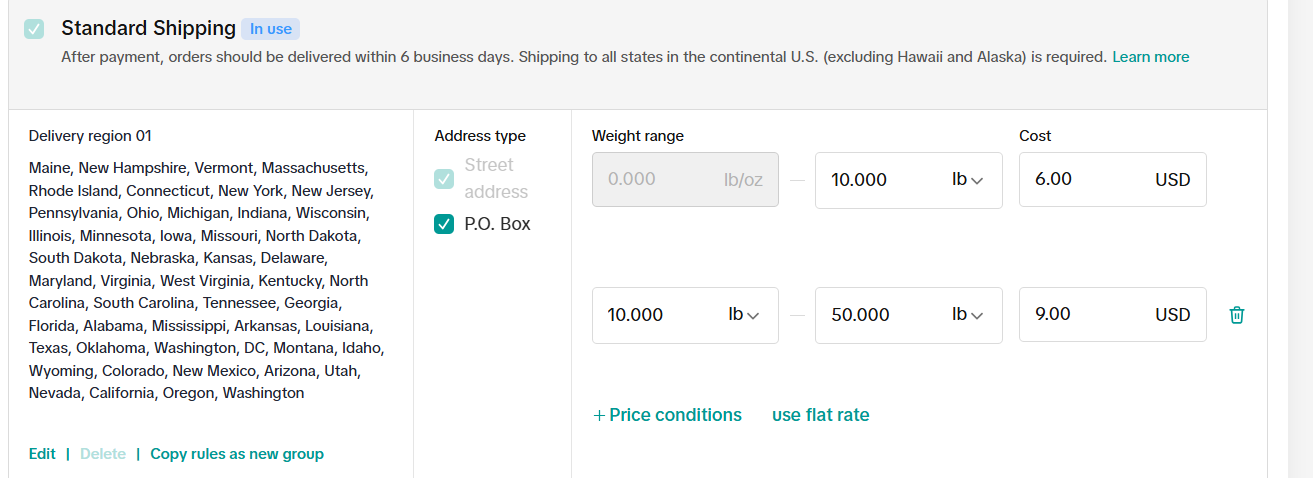 | 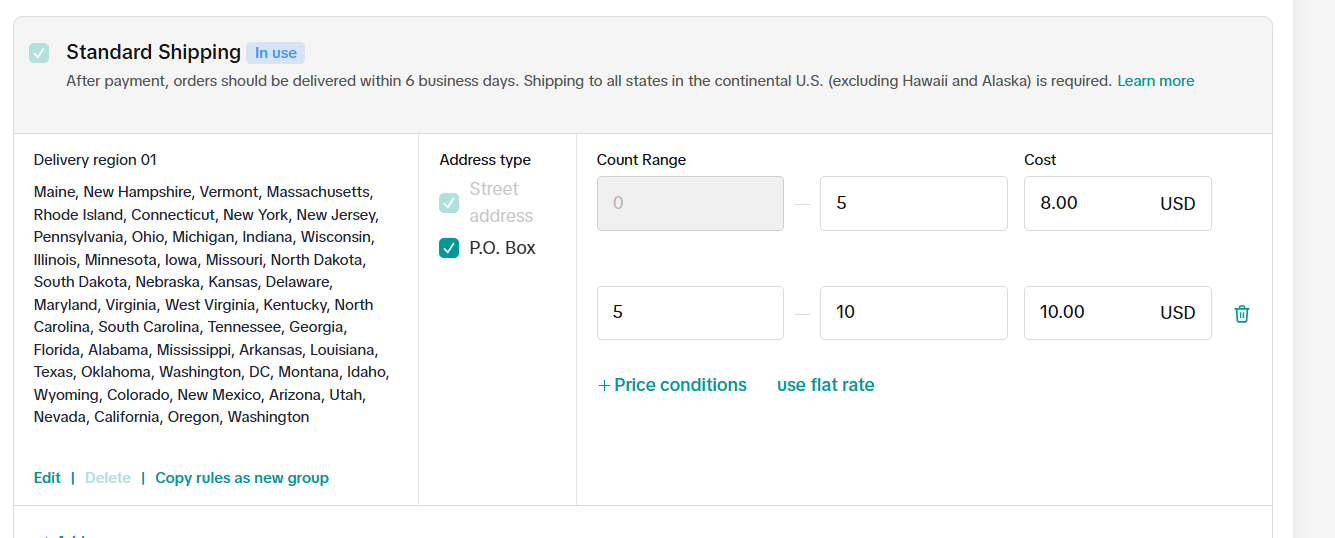 | 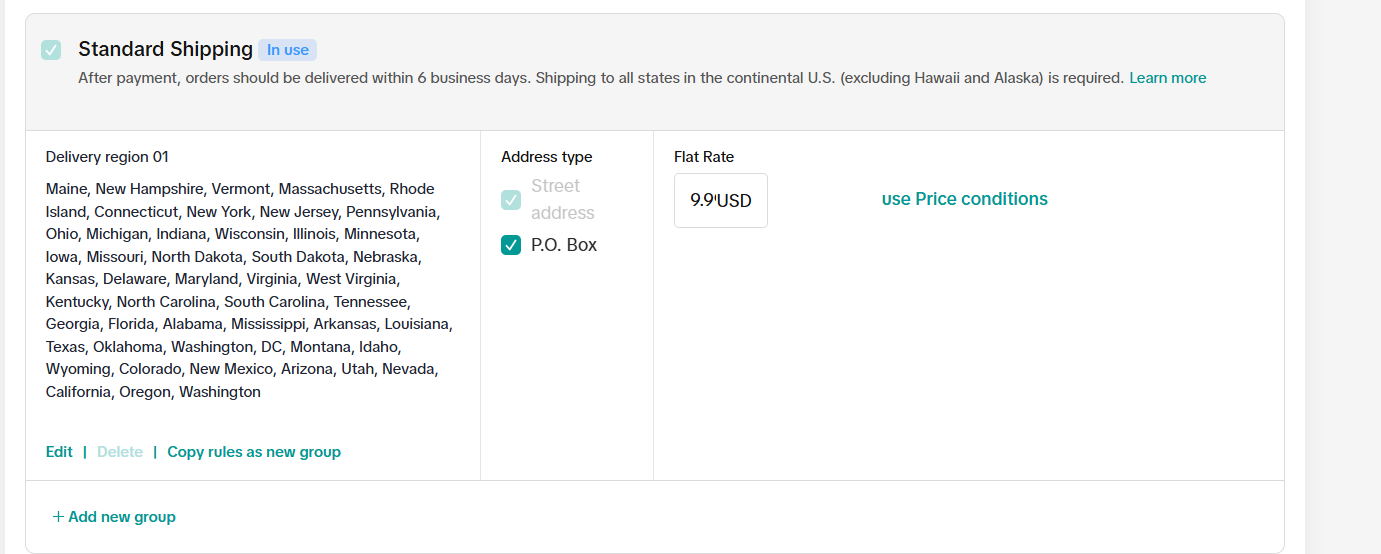 |
Shipping Rules and Notifications
- Contiguous Ranges: Shipping fee ranges must be continuous (e.g., 0–10, 10–20) and follow the rule: “greater than the lower bound” and “less than or equal to the upper bound.”
| For example, a 0–5 range applies to order counts >0 and ≤5, so the next range must start above 5 to ensure accurate fee calculation at checkout. |
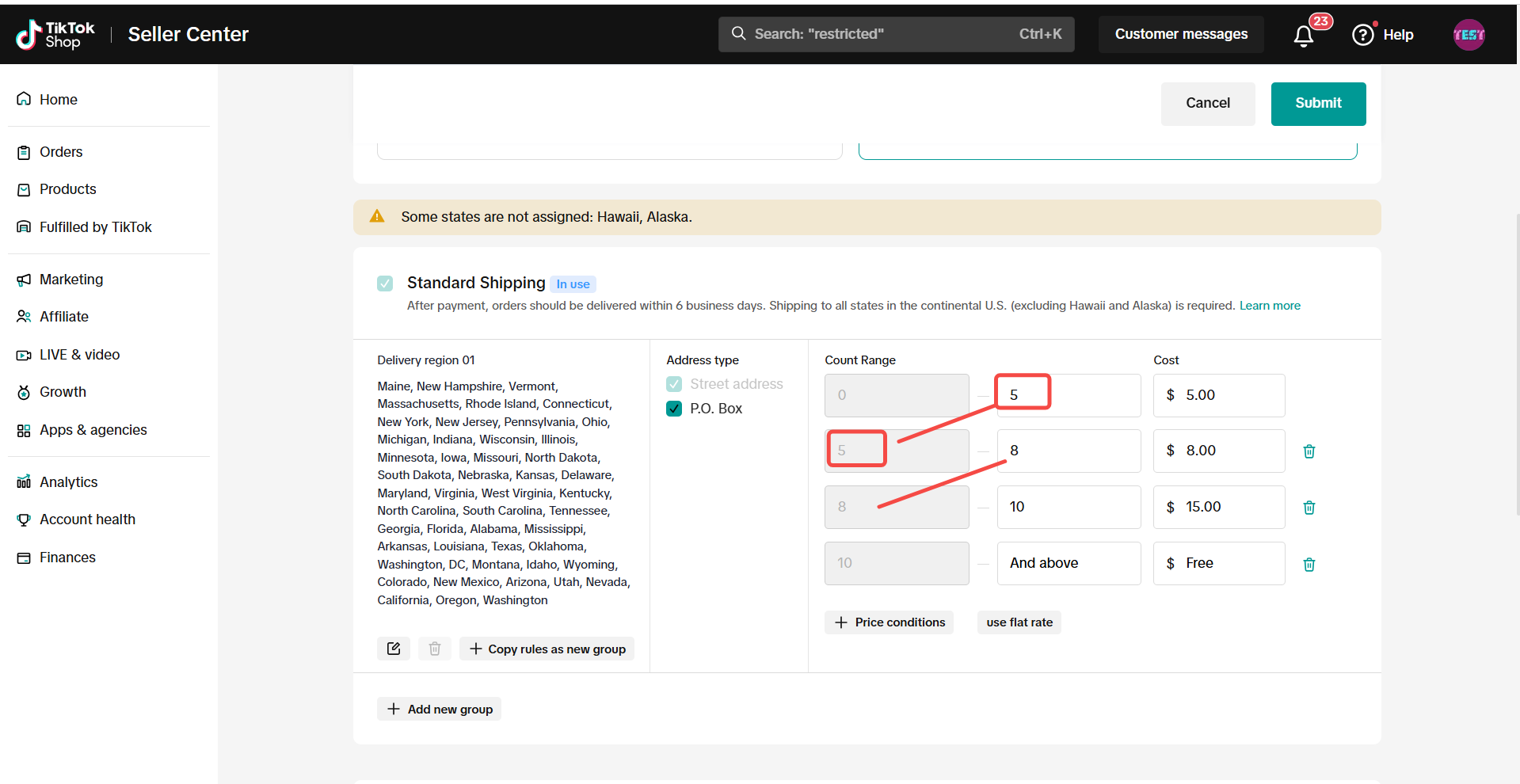 |
Shipping Fee Recommendation
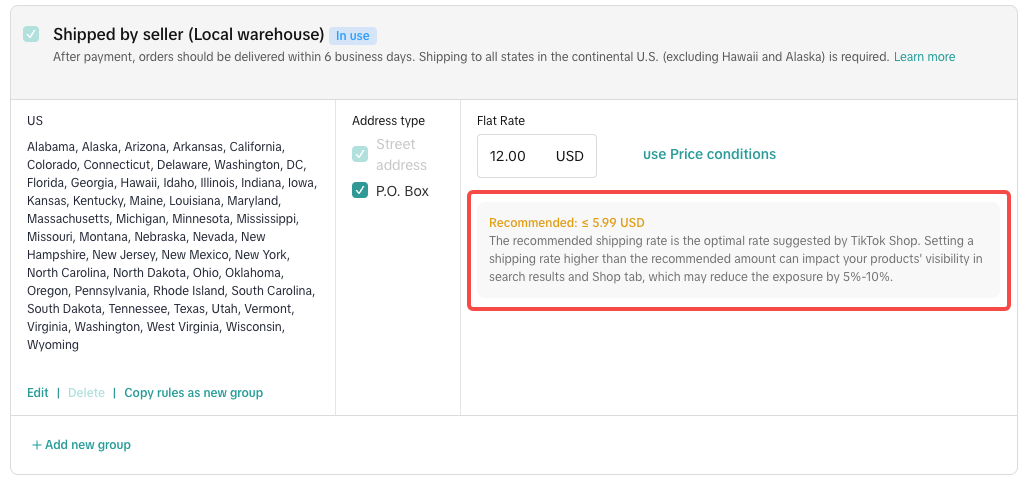
- Recommended Shipping Fee: To enhance the shopper experience and boost your shop’s conversion rate, TikTok Shop recommends setting a flat shipping rate that aligns with shoppers’ expectations of reasonable costs. The recommended shipping rate is the optimal rate suggested by TikTok Shop. Setting a shipping rate higher than the recommended amount can impact your products' visibility in search results and Shop Tab and reduce the traffic to your products and shop.
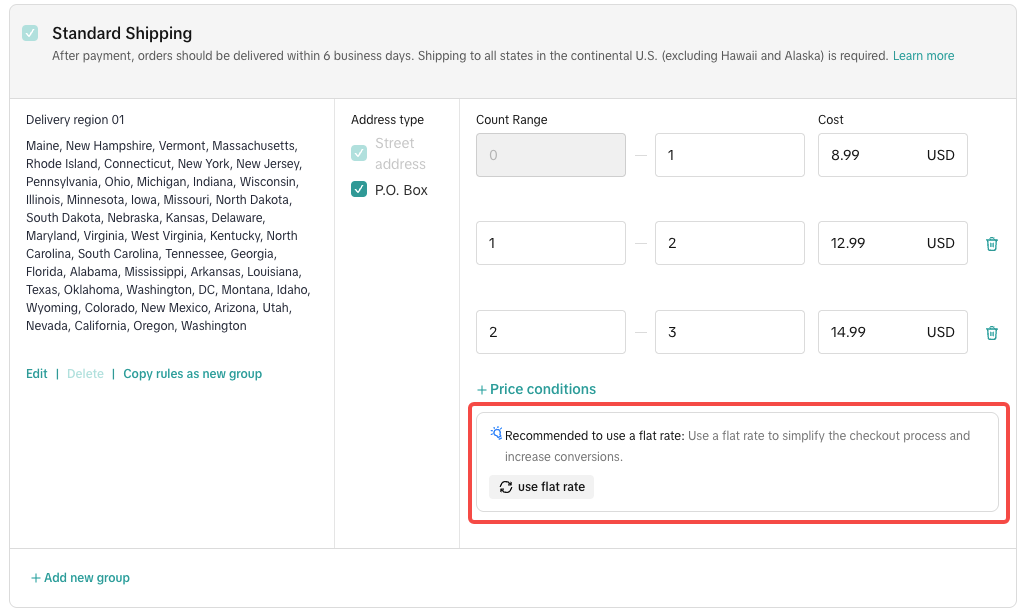
| Recommended Shipping Fee Input | Recommendation: Use Flat Rate shipping, as complex multi-tiered shipping structures may create friction during the checkout process and increase the risk of cart abandonment. |
 |  |
Shipping Fee Restriction
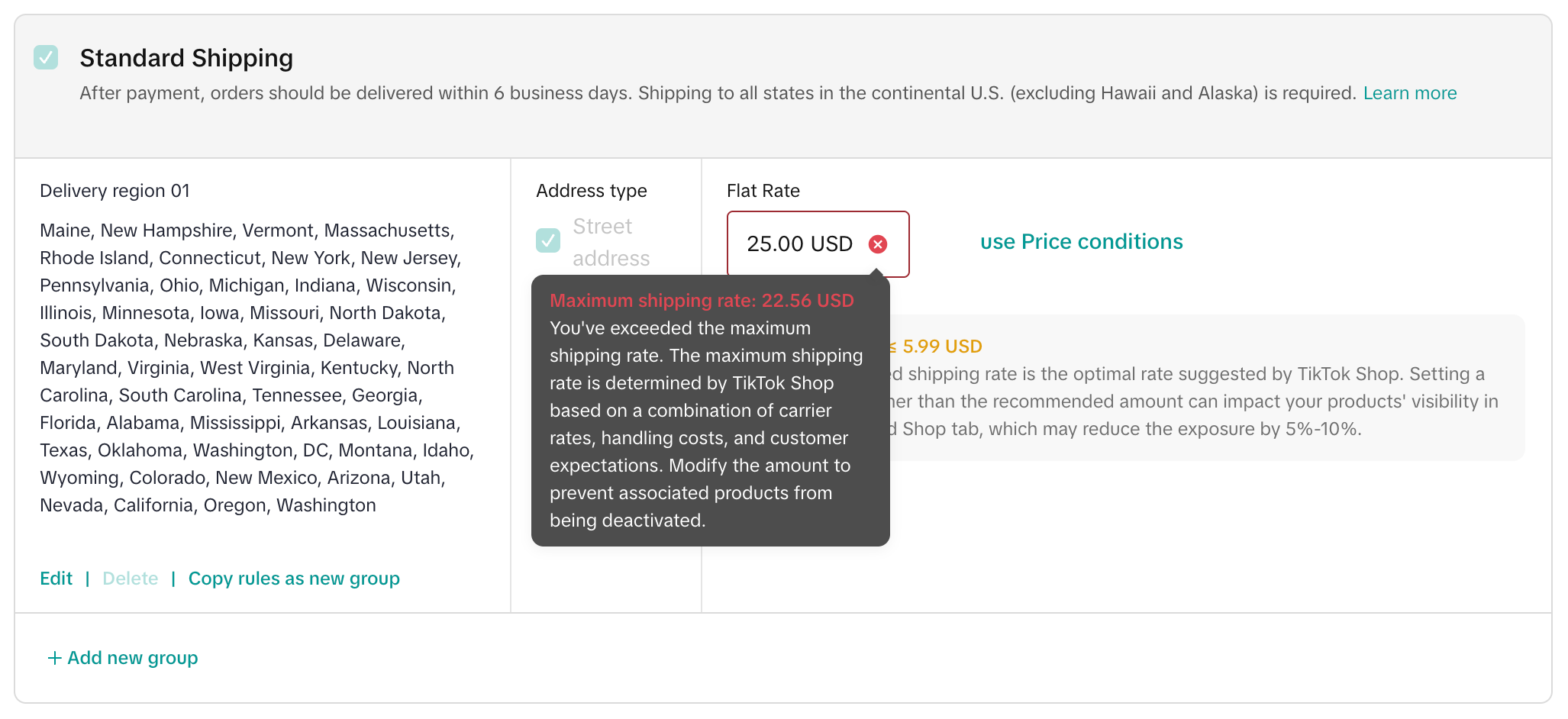
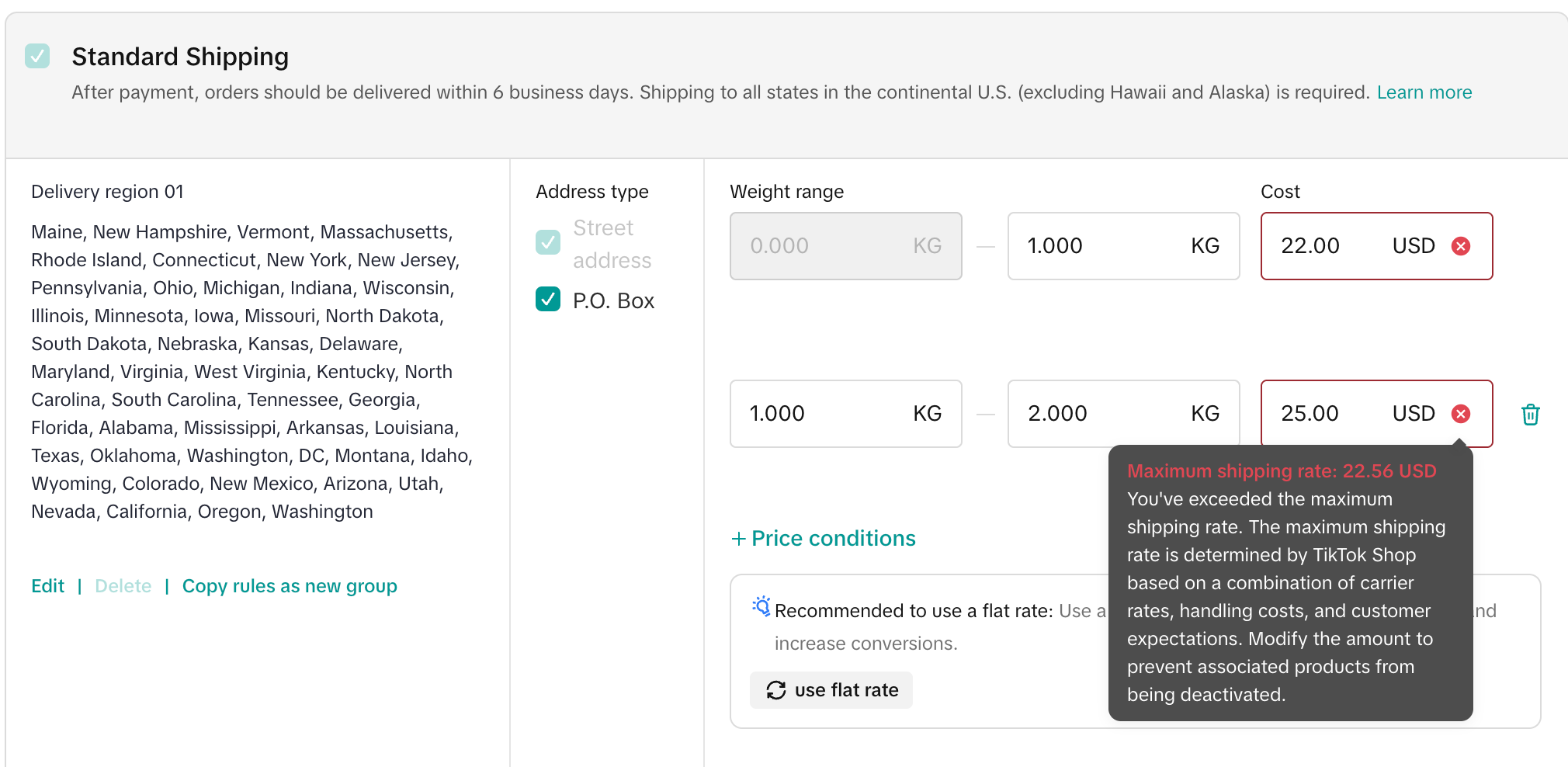
- New Shipping Template Restrictions: When editing or creating a new shipping template, if the shipping fee exceeds TikTok Shop's allowed range, based on public carrier rates, reasonable handling costs, and shopper perception, you will not be able to save the template. If you believe your fee is justified, please explain and provide supporting documents by going to Help Center > Create Ticket > New Ticket.
 |  |
- Existing Excessive Shipping Fees: If the system detects shipping fees beyond the TikTok Shop's allowed threshold, a 7-day warning will be issued. If no adjustments are made within 7 days, all products linked to the affected warehouse will be deactivated. To appeal, go to Help Center > Create Ticket > New Ticket, and submit relevant supporting documentation.
| On the shipping template list page, we have implemented a notification that aggregates and calls out all problematic shipping templates. |
 |
Unassigned Areas
Product will be undeliverable within unassigned areas. Please Note:- Each area/state can only exist in one region.
- If an area/state was assigned to one region, then it cannot be selected in other regions. It can be selected unless it is removed from the previous region group.
- If this area/state doesn't belong to any region, it will appear in the "Unassigned Areas:". Product will be undeliverable for unassigned areas/states.
- After completing the shipping template, please click Submit.
- If a warehouse is not associated with any shipping template, a notification will be triggered to highlight the warehouse name and indicate that no shipping template has been assigned.
 |
PO Box Exclusion for Seller Shipping
US self shipping domestic sellers and sellers from China are able to set up PO Box Exclusion in their shipping template if they do not prefer shipping to US PO Boxes.Set up PO Box Exclusion in Shipping Template
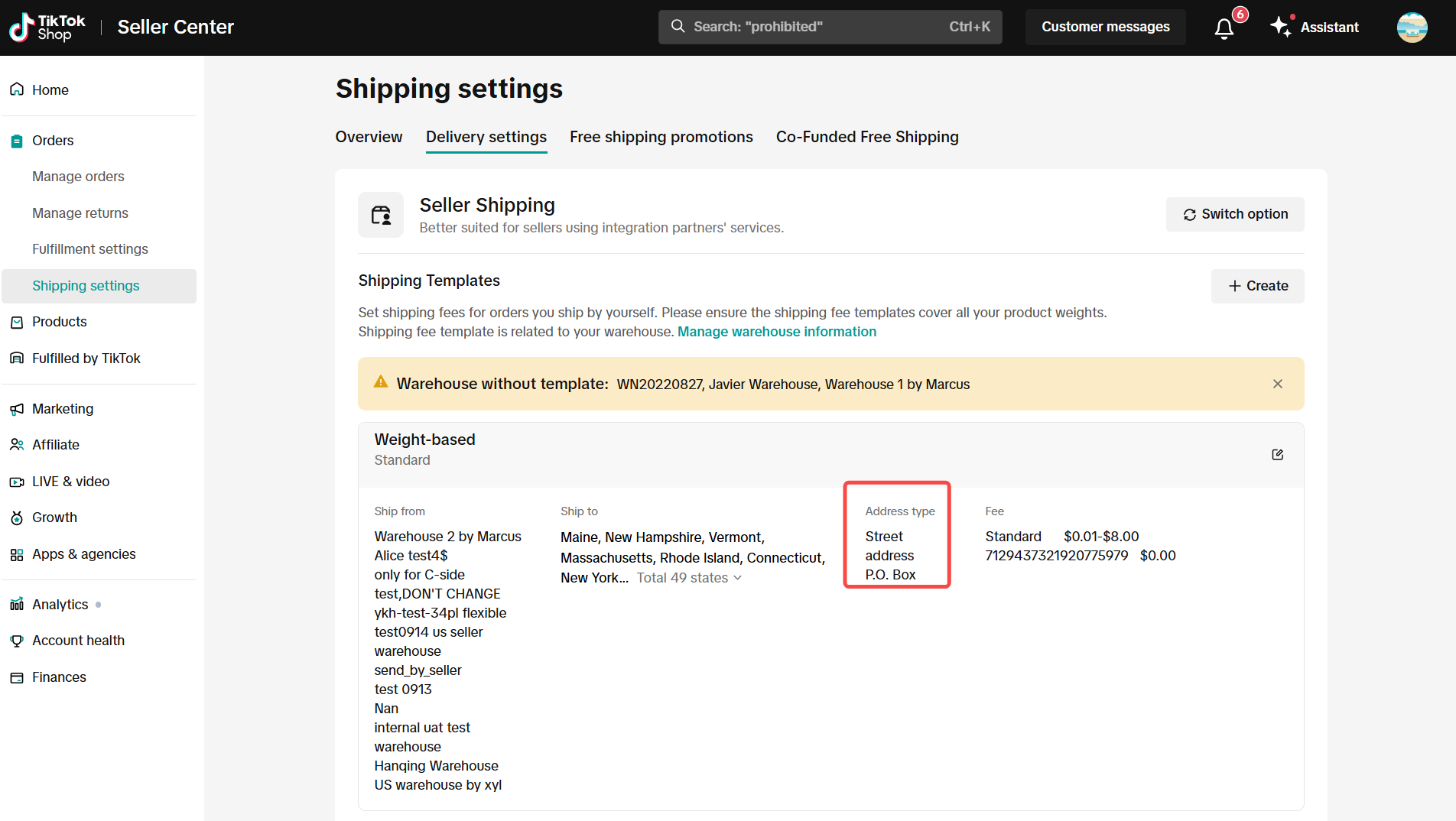
US self-shipping sellers are able to check/uncheck PO Box in the shipping template. This is at the Shipping Template Region level.If a seller chooses not to ship to a PO box, they can uncheck the POX box field. Then they will not be given orders where the buyer shipping address is a PO Box. The PO Box field will be checked by default.
Sellers will also see a "Street" Address Type checkbox. This Address Type will always be checked and sellers cannot uncheck or disable it.
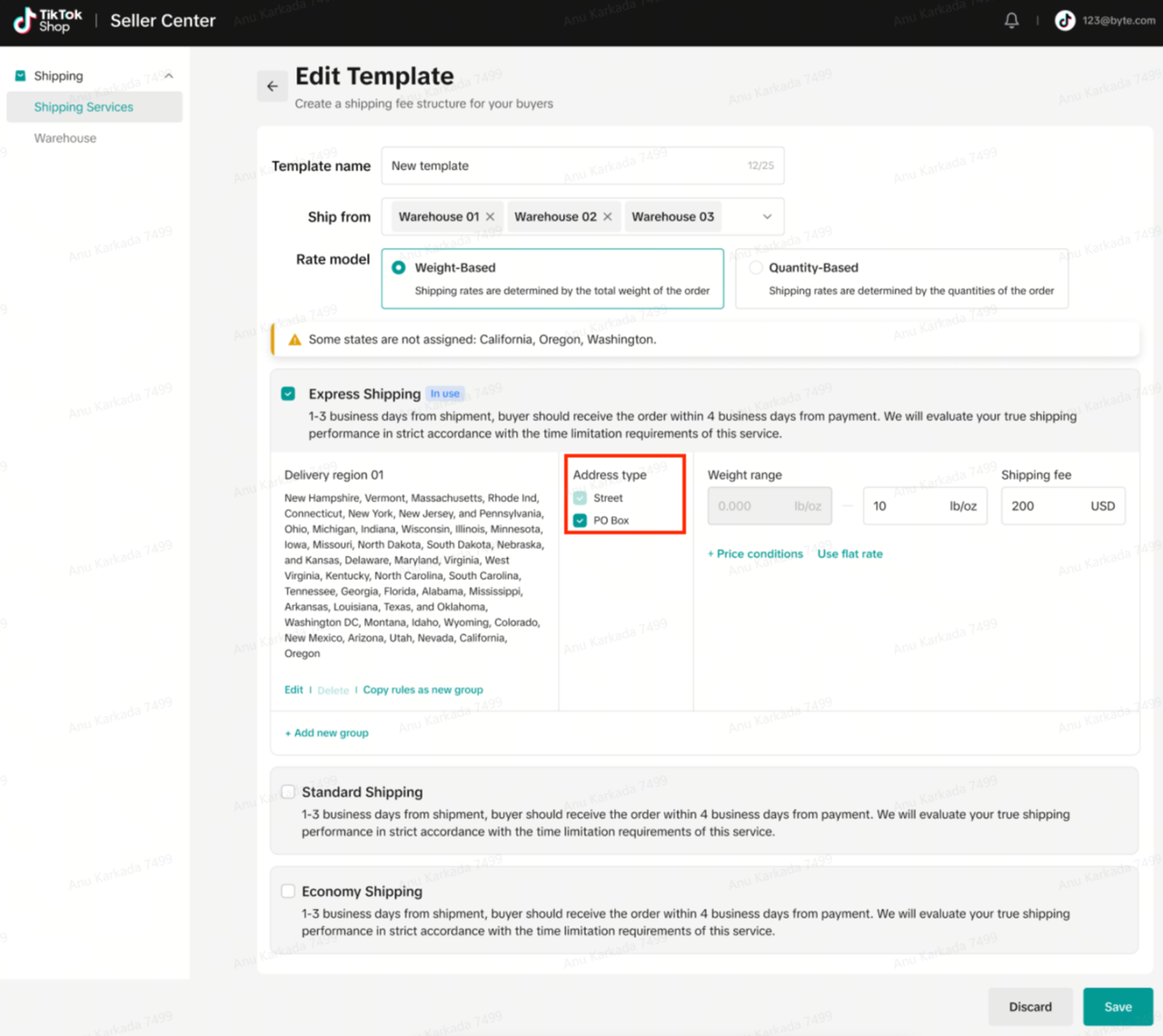 |
Address Type Street will always be visible here as it cannot be unchecked/disabled by sellers.
 |
FAQs
- Is this feature available for all sellers?
- This feature is available for sellers who opt in to Seller Shipping for TikTok Shop. TikTok Shop determines the carrier for all FBT TikTok Shipping and upgraded TikTok Shipping orders, therefore this feature is not required for FBT and TikTok Shipping sellers.
- Is this feature available only for US domestic sellers?
- PO Box Exclusion is available for all US domestic and China to US sellers who sell products in the US market and opt in to Seller Shipping.
You may also be interested in

Temporary Shipping Rate Update for Peak Season
Holiday 2025: Temporary Peak Season Shipping Rate Changes What’s Changing? To keep you informed, we'…
How to Process "TikTok Shipping" Orders?
The content below applies to TikTok Shipping. For more information about the upgraded TikTok Shippin…

Free Shipping page feature guide
Free Shipping Settings Page Guide Summary The new Shipping Settings page consolidates all shipping-…

How to Upgrade to CBT
How to Upgrade to CBT Upgrade Process Upgrading to CBT is easy! You can complete the switch by follo…
March 2024 Monthly Product Innovation
Every month, we introduce new products and features designed to simplify store management, boost sal…
TikTok for SFCC: Order Management
Order Creation When you place an order in TikTok Shop, the system automatically activates the Create…
TikTok for SFCC: Product Catalog & Inventory Sync
Initial Product Catalog Sync(During Onboaring): A product catalog feed is generated. The feed is dro…

TikTok for Shopify - Switching from TikTok Shipping to Selle…
TikTok Shipping All new and existing TikTok Sellers that onboard onto the TikTok for Shopify App,…

TikTok Shop: Five Ways to Set Up Free Shipping
Free Shipping Benefit With a $30 shop level free shipping setup, sellers can enjoy the following ben…

New Seller Pre Shipment Setting
This article will help you with pre-shipping settings. Before shipping the first order, you need to…