

TikTok Shop: Five Ways to Set Up Free Shipping
Summary
What are the key benefits for sellers who set up free shipping with a $30 shop level threshold on TikTok Shop?
- Sellers gain enhanced product visibility across ShopTab, search results, and Short Video "For You" pages, plus access to campaigns, platform promotions, and creator broadcasts featuring free shipping.
- Products receive a free shipping badge in live streams and search filters, increasing appeal to shoppers and influencers, boosting exposure and sales potential.
What impact does offering free shipping have on seller performance and shopper behavior on TikTok Shop?
- Free shipping can increase GMV by 13% and conversion rates by 18% on average, encouraging higher average order values, repeat purchases, and improved shop competitiveness.
- Products with a “Free Shipping” tag attract budget-conscious shoppers and improve overall product discoverability and shopper engagement.
What are the five ways sellers can set up free shipping on TikTok Shop, and which sellers or products are best suited for each method?
- Shop-wide free shipping threshold: Best for driving higher AOV and simplifying setup by offering free shipping on orders above a set amount (e.g., $30).
- Free shipping for specific products: Ideal for hero products, high-conversion SKUs, or clearance items to boost visibility and sales.
- Automated order combination: Enables free shipping on subsequent orders within a short window, suited for brands with frequent repeat purchases.
- Shipping template settings for $0 shipping fee: Allows sellers to select carriers and monitor shipping but requires manual tracking updates.
- Fulfilled by TikTok (FBT): Best for sellers wanting fast delivery and lower shipping costs, as TikTok handles inventory, packing, and shipping.
What are the key setup steps sellers must follow to implement free shipping options on TikTok Shop?
- For shop-wide threshold: Navigate Seller Center > Orders > Free Shipping, set threshold amount, and save.
- For specific products: Use Targeted Free Shipping Promotion under Orders > Free Shipping, select products, and publish.
- For automated order combination: Enable via Seller Center > Fulfillment > Automated Order Combination and select method.
- For shipping templates: Create or modify templates under Orders > Logistics > Shipping Templates, fill in details, and save.
- For FBT: Join via Seller Center > Fulfilled by TikTok, create goods and inbound orders, manage shipments, and add tracking.
What strategic tips can account managers (AMs) use to optimize free shipping setups for sellers on TikTok Shop?
- Recommend free shipping thresholds aligned with sellers’ average order values and encourage A/B testing different thresholds for optimal uplift.
- Identify top-converting or trending products to apply targeted free shipping for maximum impact.
- Suggest automated order combination for sellers with frequent repeat buyers, especially in beauty, accessories, or CPG categories.
Free Shipping Benefit
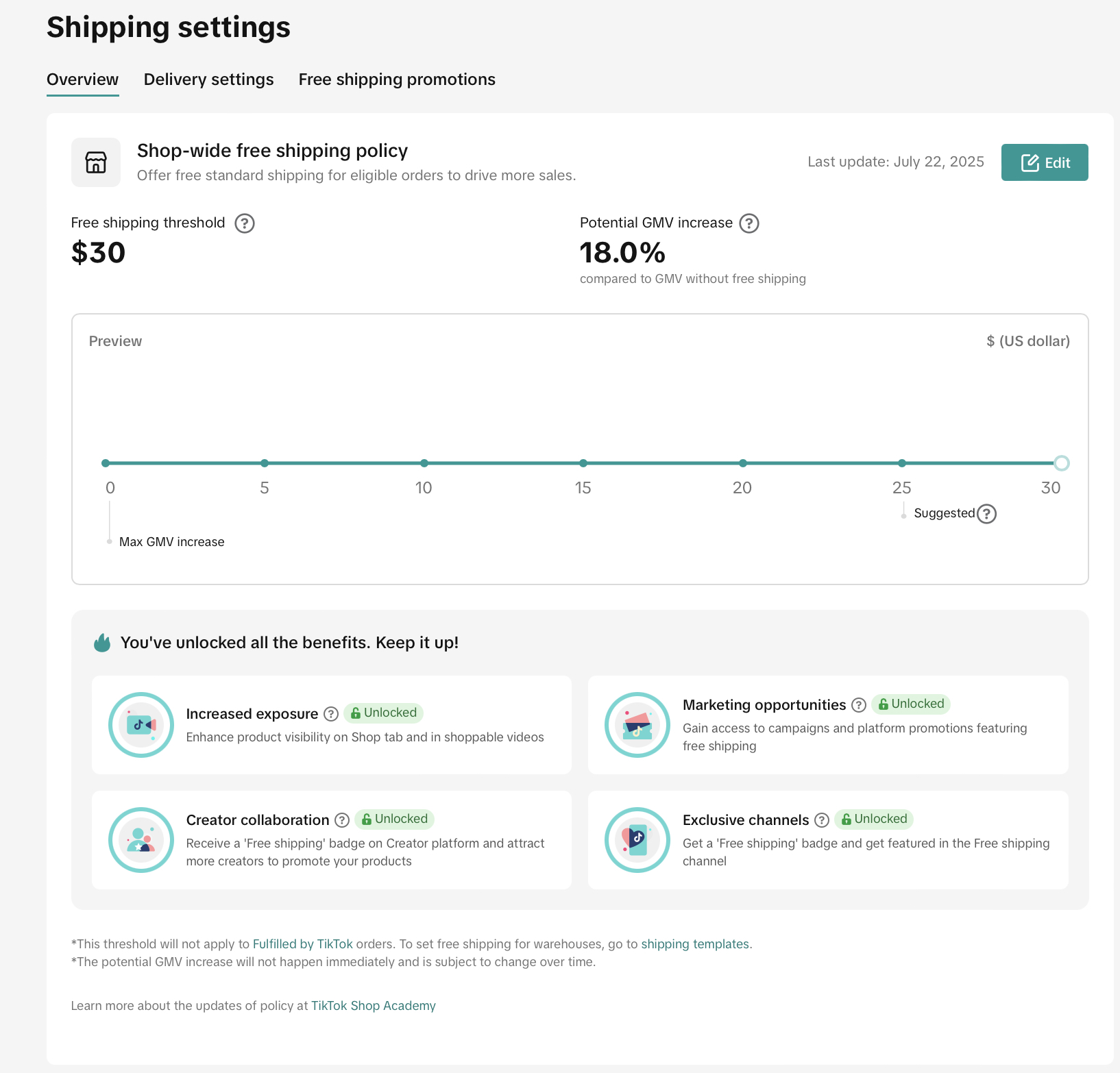
With a $30 shop level free shipping setup, sellers can enjoy the following benefits:
- Enhance product visibility on ShopTab and short videos
- Improve product exposure on the ShopTab recommendation page, search result page, Short Video "For You" page, ensuring your offerings stand out to potential shoppers
- Gain access to campaigns and platform promotions featuring free shipping
- Qualifications to register campaigns that highlight your products and promotions, enhancing visibility and driving sales.
- Your products will be featured in creator broadcasts and included in a curated product pool
- Enjoy a dedicated free shipping badge in live streams, helping your products stand out during broadcasts
- Increase your exposure by gaining more visibility with free shipping products, making them more appealing to creators and influencers
- Receive a free shipping badge and gain eligibility for inclusion in the free shipping channel
- Shoppers have the option to filter products based on free shipping settings, which can enhance visibility and boost shopper engagement
- Showcase your products in the free shipping tab on the search results page, drawing the attention of budget-conscious shoppers
- Stand out with a free shipping badge showing shoppers that your products offer extra value and convenience with free shipping
Check out our videos on setting up Free Shipping
Customer Side Exposure Examples
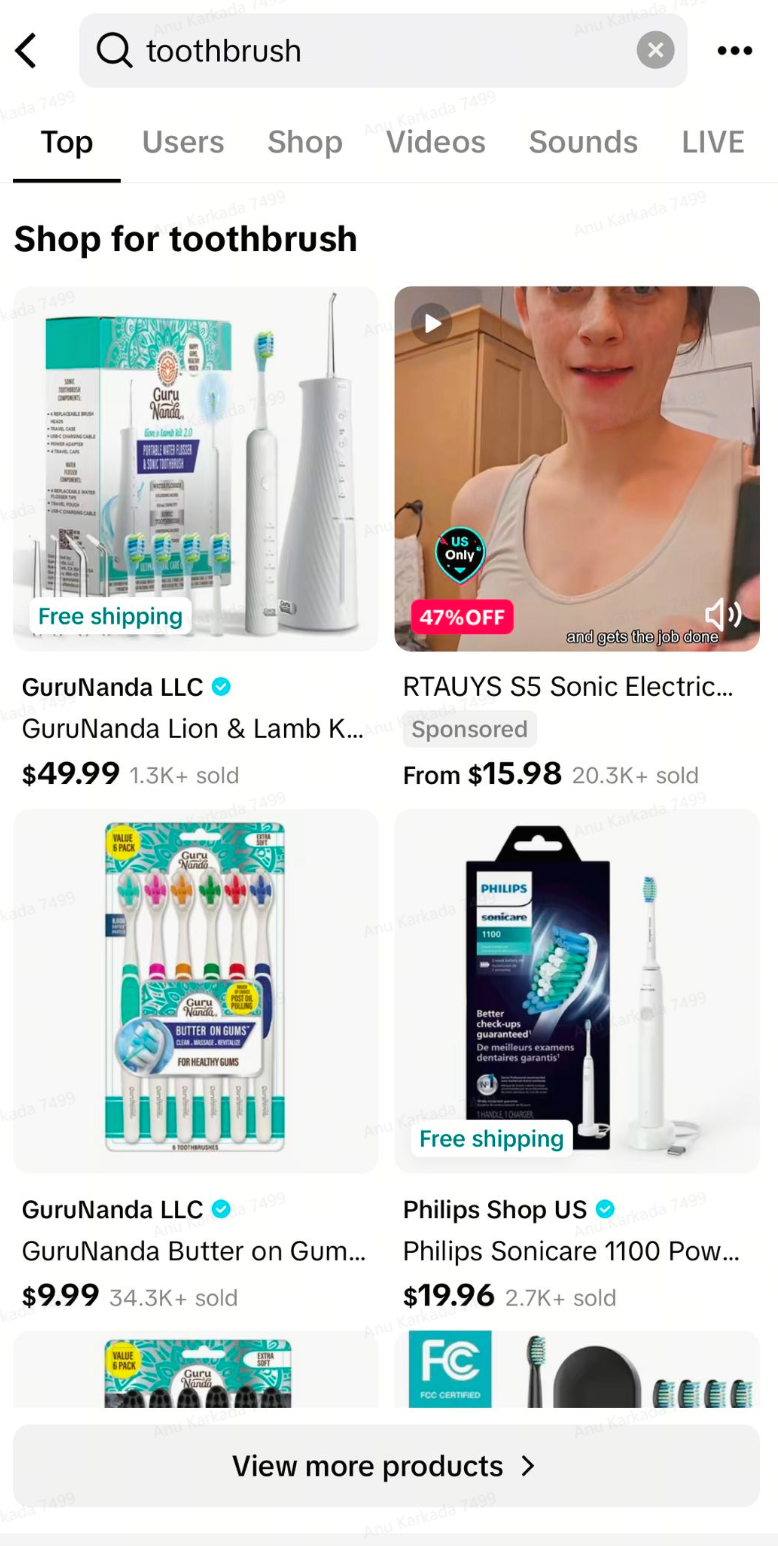
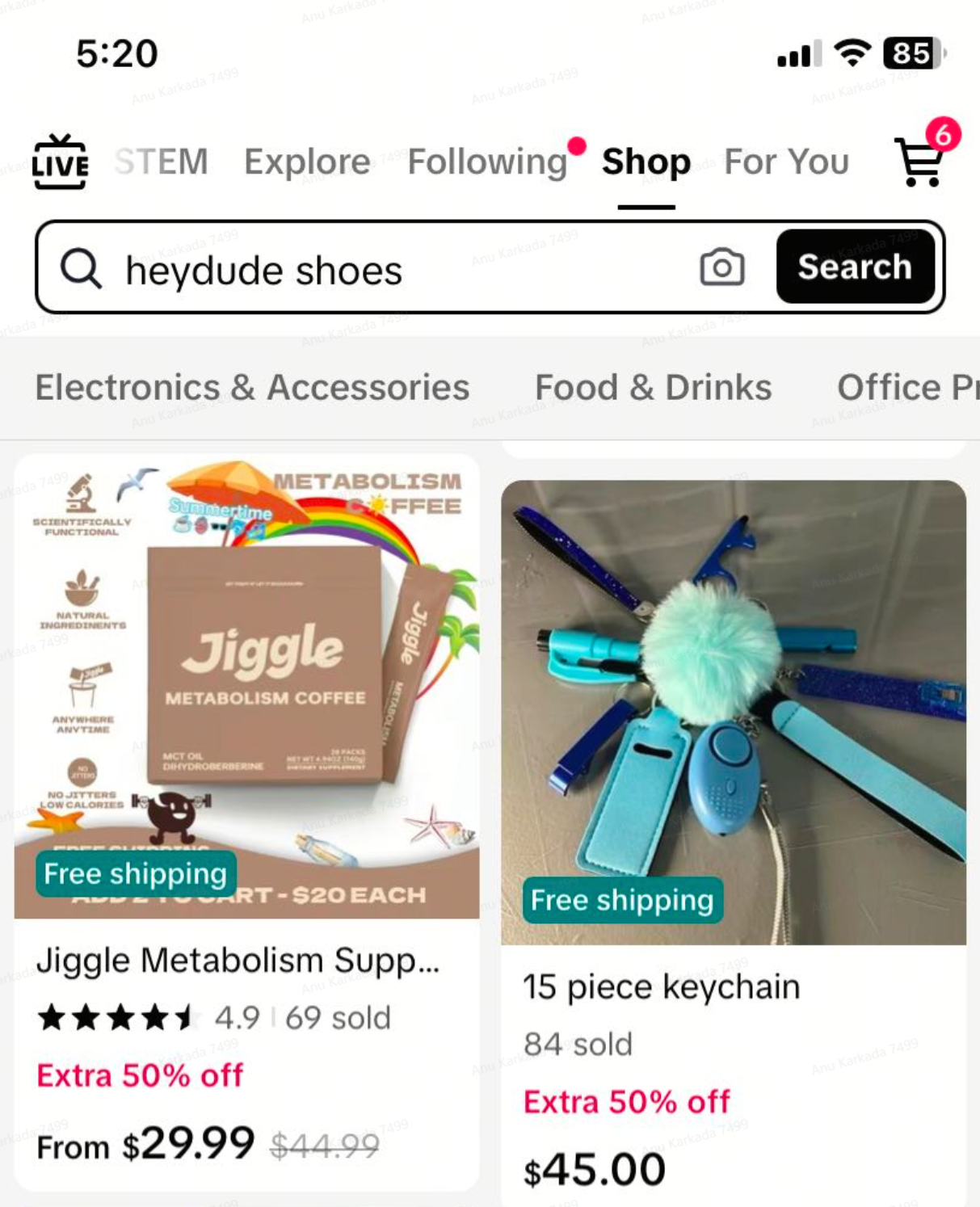
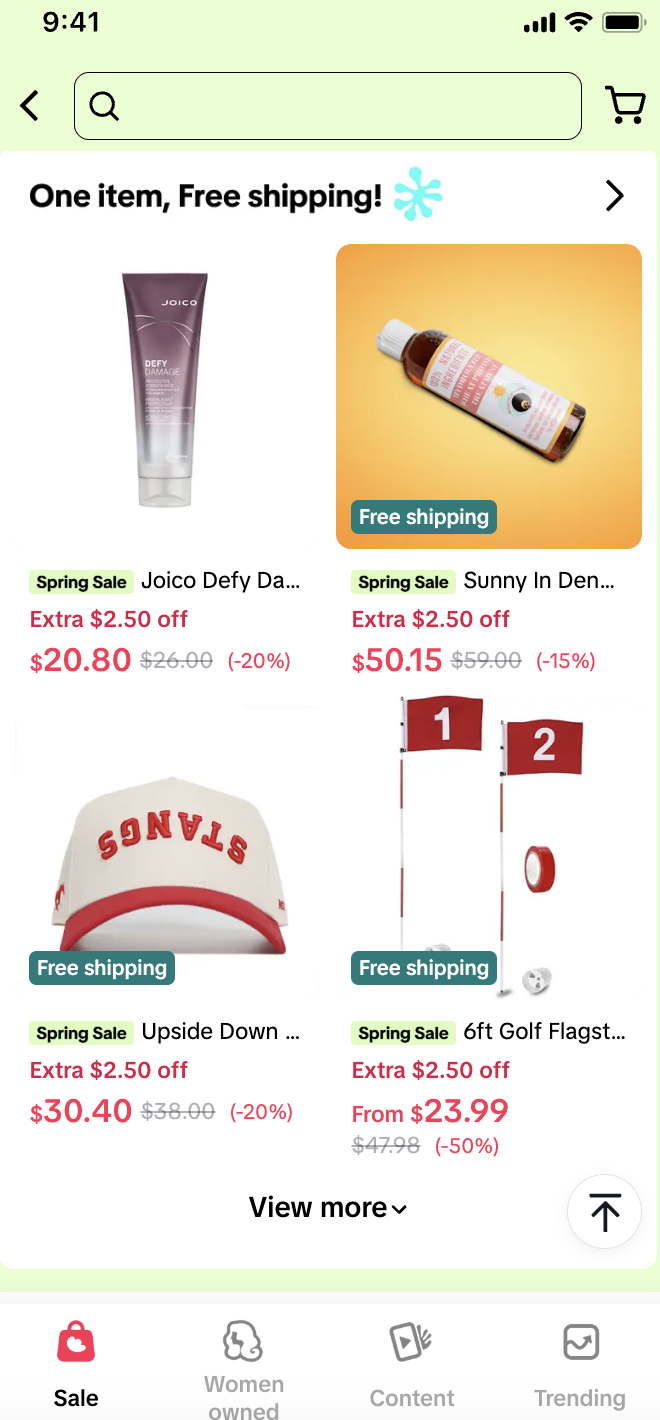
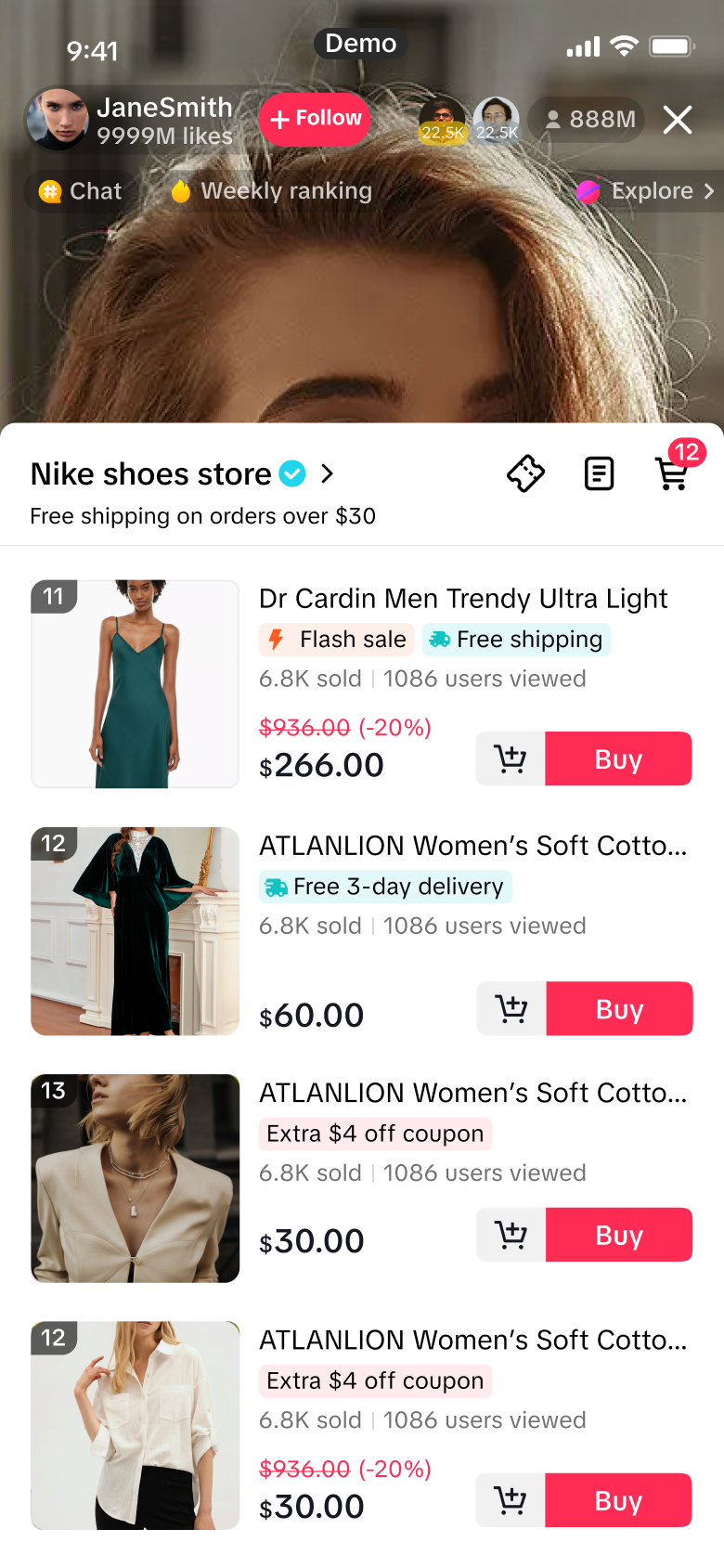
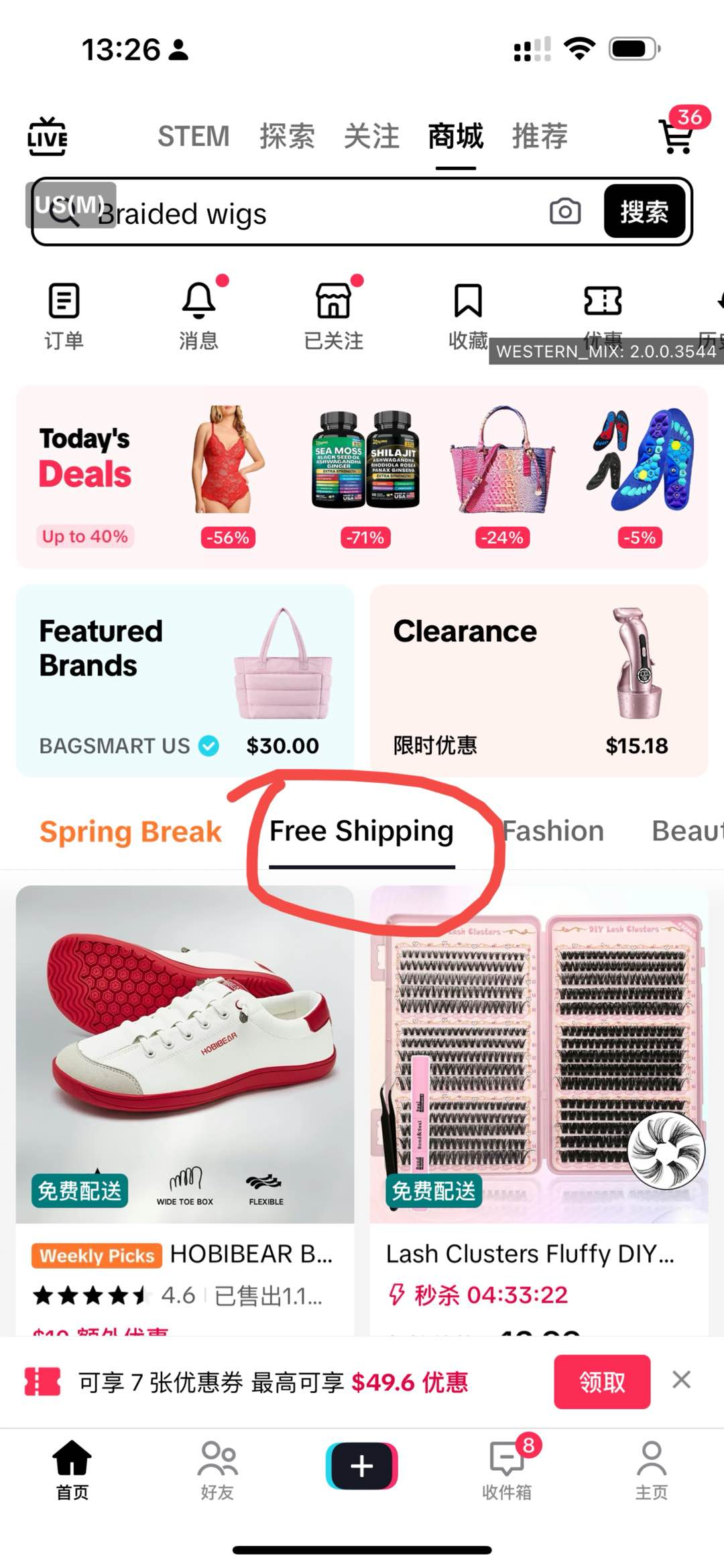
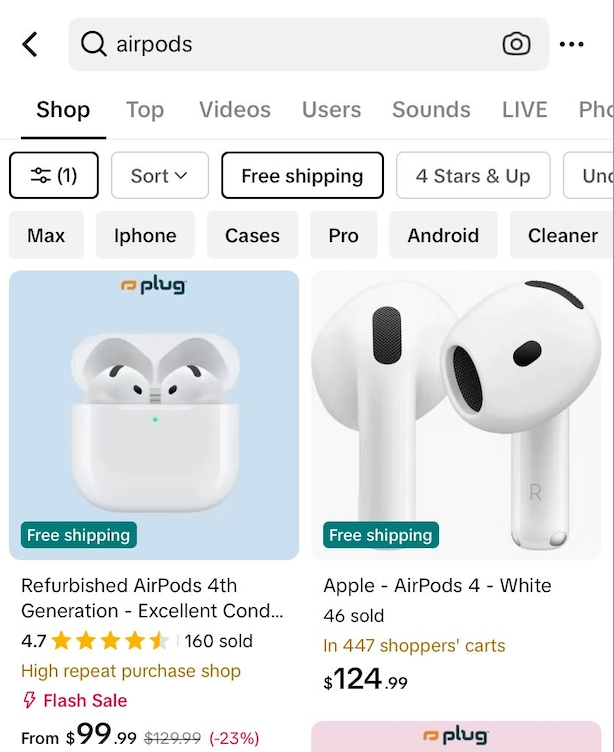
Why Offer Free Shipping?
Free shipping is a highly effective strategy for driving sales on TikTok Shop. It helps sellers enhance performance across key metrics and improve overall shop competitiveness. It potentially increases product exposure across Short Videos, Shop Mall etc.Shops with free shipping compared to no free shipping:
By offering free shipping, sellers can:* Estimated uplift based on platform-wide averages. Actual impact may vary depending on each shop.
- Increase product visibility with a “Free Shipping” tag
- Improve conversion rates
- Drive higher average order value (AOV)
- Encourage repeat purchases and loyal customers
Method | Best For |
| Shop-wide Free Shipping Setting | ✅ Best for: driving higher AOV and simplifying setup. Enjoy all free shipping benefits provided by platform |
| Create Free Shipping for Selected Products | ✅ Best for: hero products, high-conversion SKUs, clearance sales |
| Set Automated Order Combination: Free Shipping for Subsequent Orders | ✅ Best for: Brands with high purchase frequency or impulse buys |
| Enroll a product into Fulfilled by TikTok (FBT) | ✅ Best for: Sellers who want fast delivery, lower shipping cost, and higher conversion rate. TikTok handles storage, packing, and shipping, so you can focus on selling. |
| Shipping Template Settings for $0 Shipping Fee | ✅ Best for: select from a wider range of carriers, monitor your shipping performance in real-time, sellers will need to update the tracking numbers manually |
Five Ways Sellers Can Set Up Free Shipping
Set a Shop-Wide Free Shipping Threshold
Encourage larger orders by offering free shipping when the order value exceeds a certain amount (e.g., $35).✅ Best for: Driving higher AOV and simplifying setup
How to Set It Up:
- Go to Seller Center > Home bar on the left > Orders > Free Shipping > Set up

- Move the circle on shipping threshold bar to set the threshold amount > Save
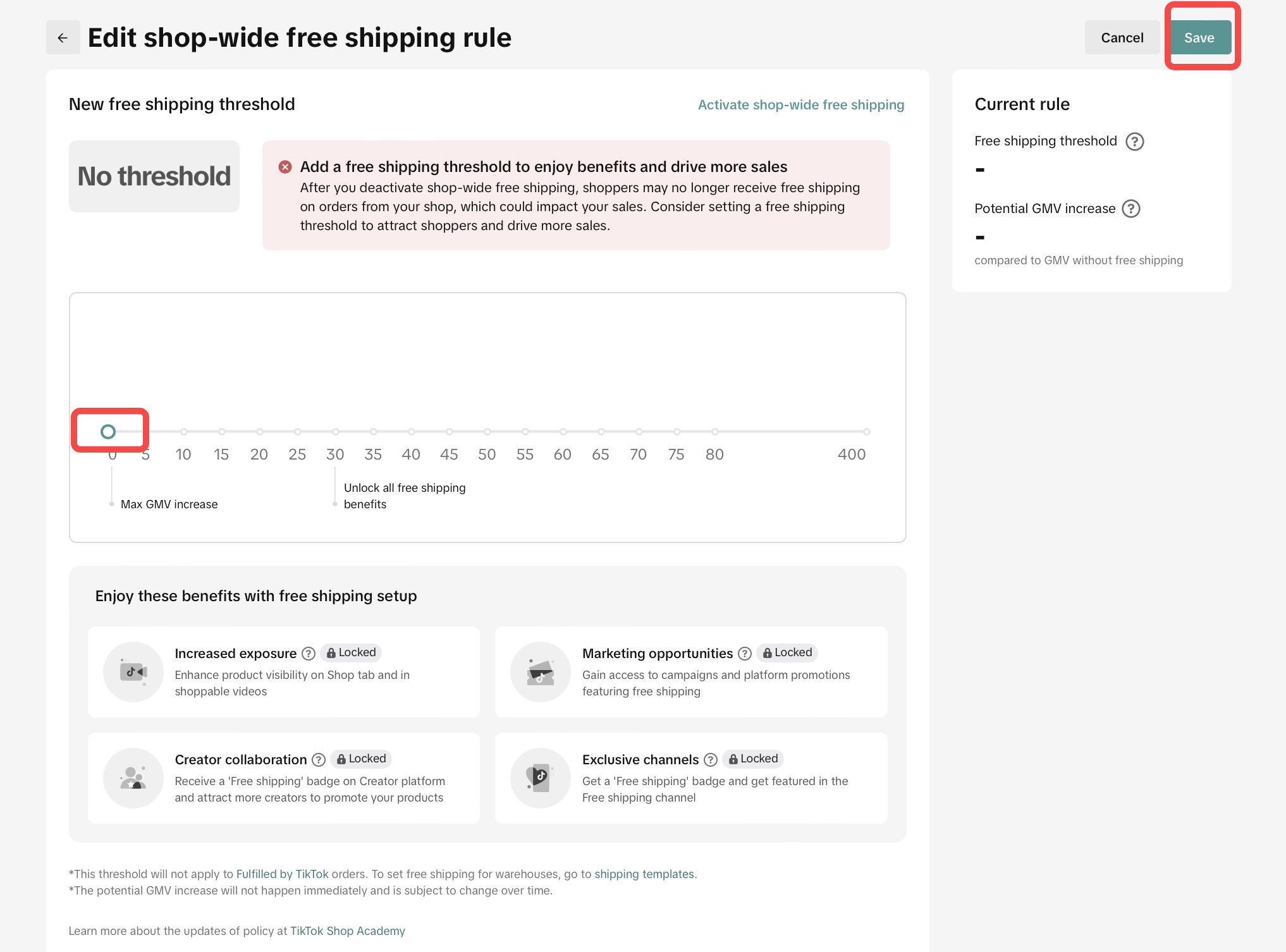
- An example of setting the shop level free shipping threshold at $30.
Create Free Shipping for Specific Products
Give best selling products more visibility and conversion boost by tagging them with Free Shipping.✅ Best for: Hero products, high-conversion SKUs, clearance sales
🎯 Tip for AMs: Identify the seller’s top-converting or trending products (see product list provided link) and suggest applying free shipping to these.
How to Set It Up:
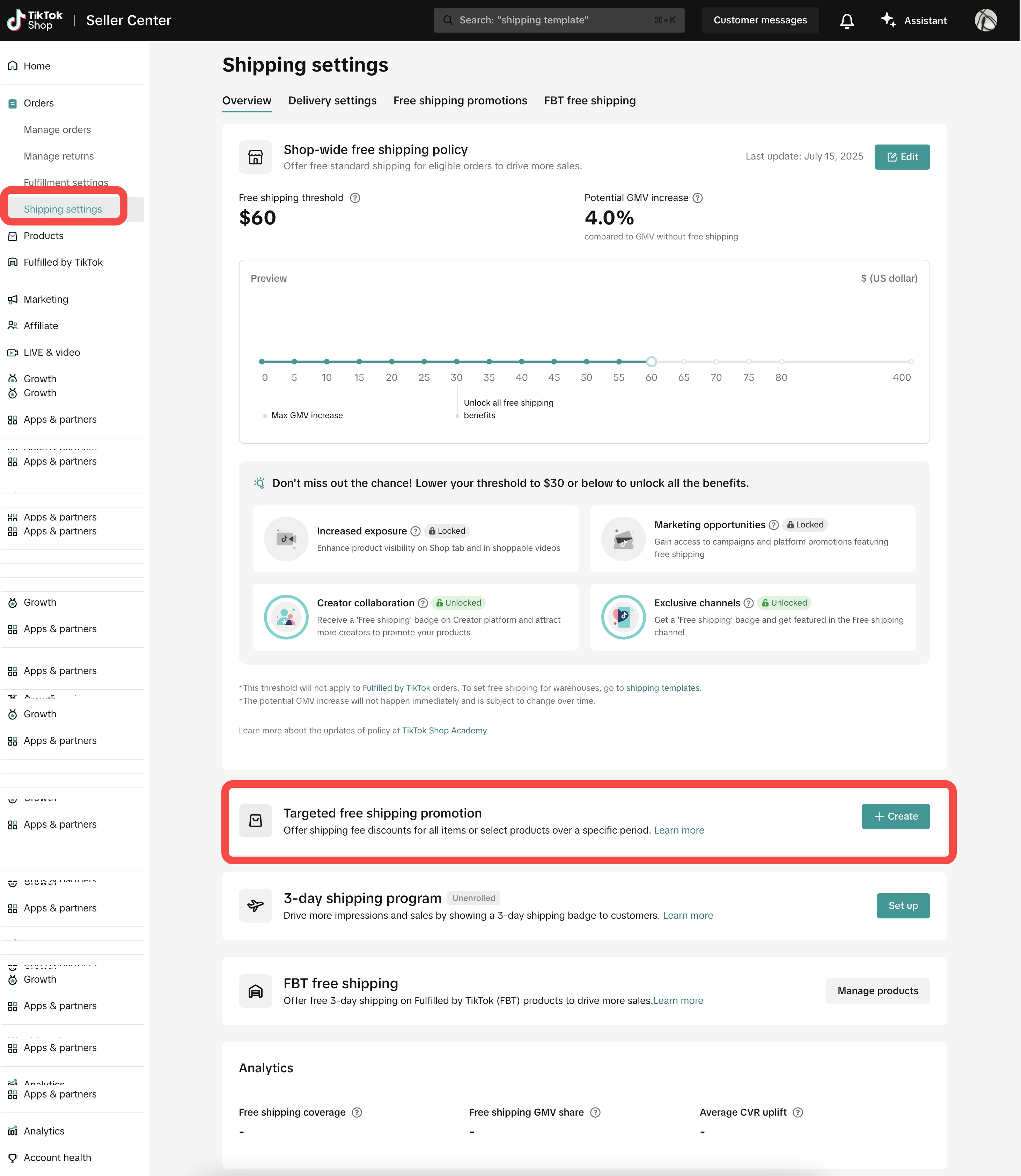
- Go to Seller Center > Home bar on the left > Orders > Free Shipping > Scroll down and click Targeted Free Shipping Promotion > click Create
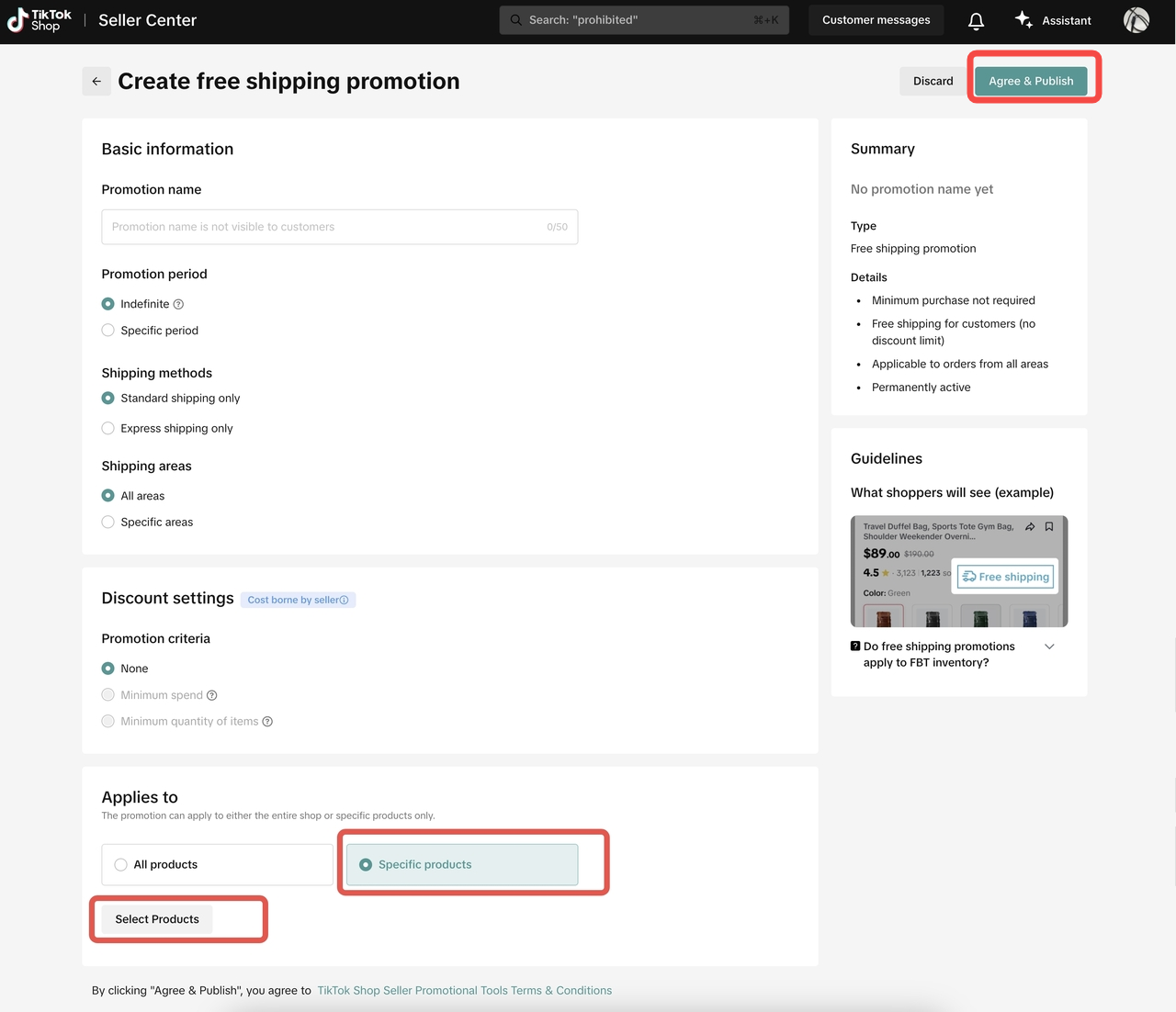
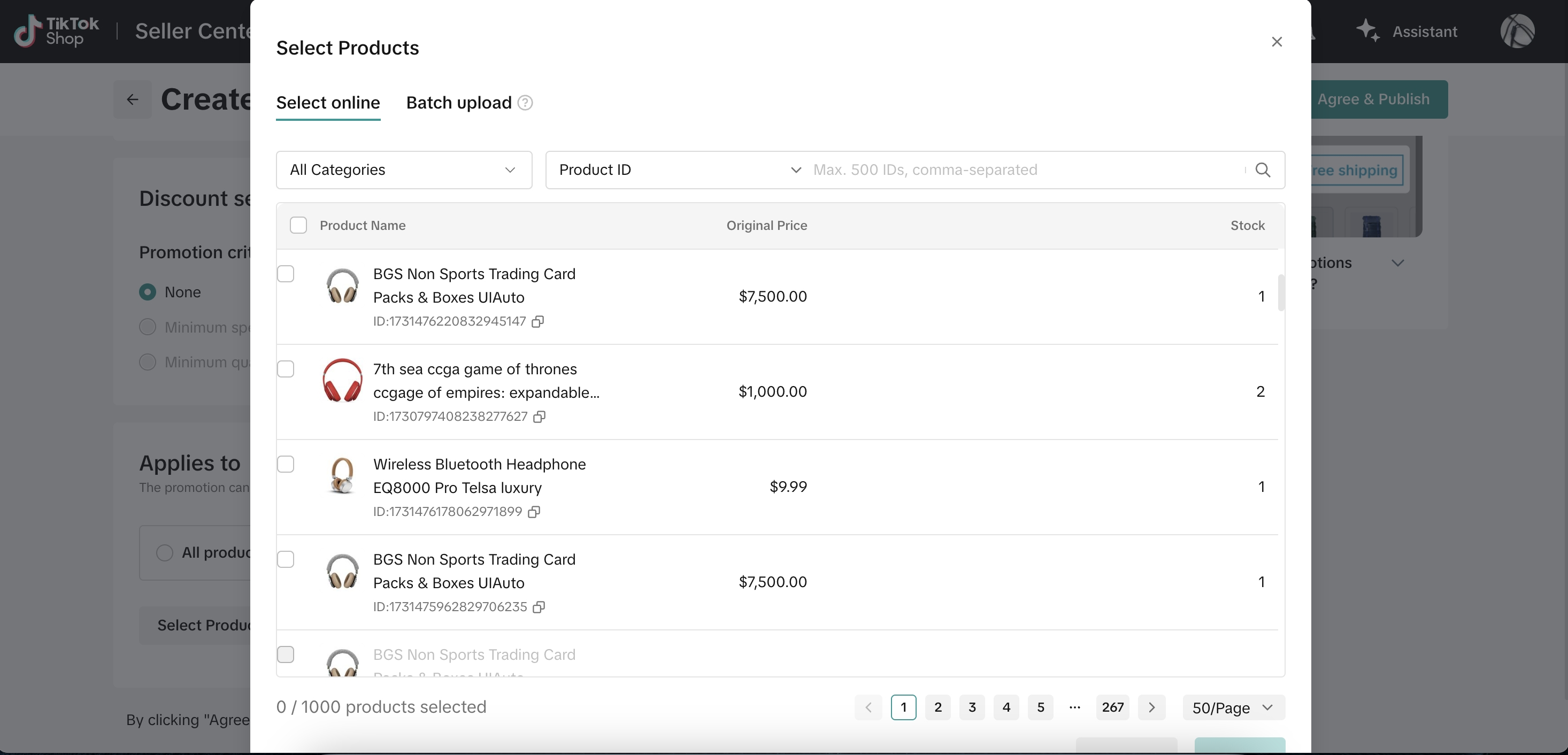
- Fill in Basic information > select specific products to set free shipping > click Agree & Publish
Set Automated Order Combination: Free Shipping for Subsequent Orders
Let buyers enjoy free shipping on follow-up purchases made within a short window, regardless of whether the 1st order is free shipping or not, helping to increase repeat orders.✅ Best for: Brands with high purchase frequency or impulse buys
How to Set It Up:
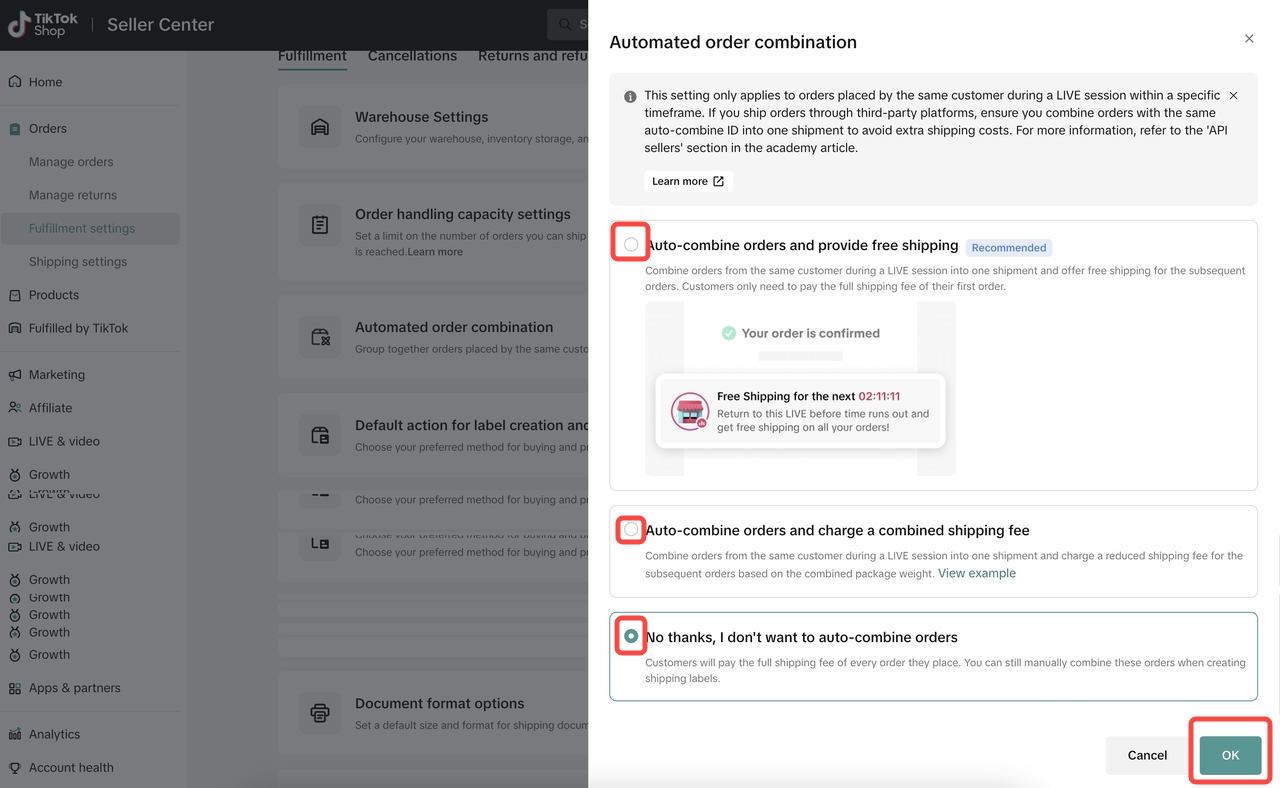
- Go to Seller Center > Home bar on the left > Fulfillment > Click Automated Order Combination > Deactivated

- Select Order Combination Method > click OK
Shipping Template Settings for $0 Shipping Fee (Free Shipping)
If you set "Seller Shipping" as the preferred logistics service, you need to complete the shipping fees template before uploading products, otherwise, there will be a reminder when uploading the product.✅ Best for:
How to Set It Up:
- Select from a wider range of carriers
- Monitor your shipping performance in real-time
- You will need to update the tracking numbers manually
- Go to Seller Center > Orders > Logistics > Shipping > Shipping Templates

- Click Create New Template (or modify an existing one) - > Fill in the required fields:
- Template Name: Customize the name for easy identification;
- Shipping From: Select the warehouse location;
- Rate model: Weight-based or Quantity-based;
- Create details for shipping methods: Standard Shipping, Express Shipping and Free Economy
- In each shipping method, edit the Delivery region, Address type and Flat Rate. Unassigned areas will be marked as undeliverable;
- Flat Rate: Set rates for Standard and Express shipping
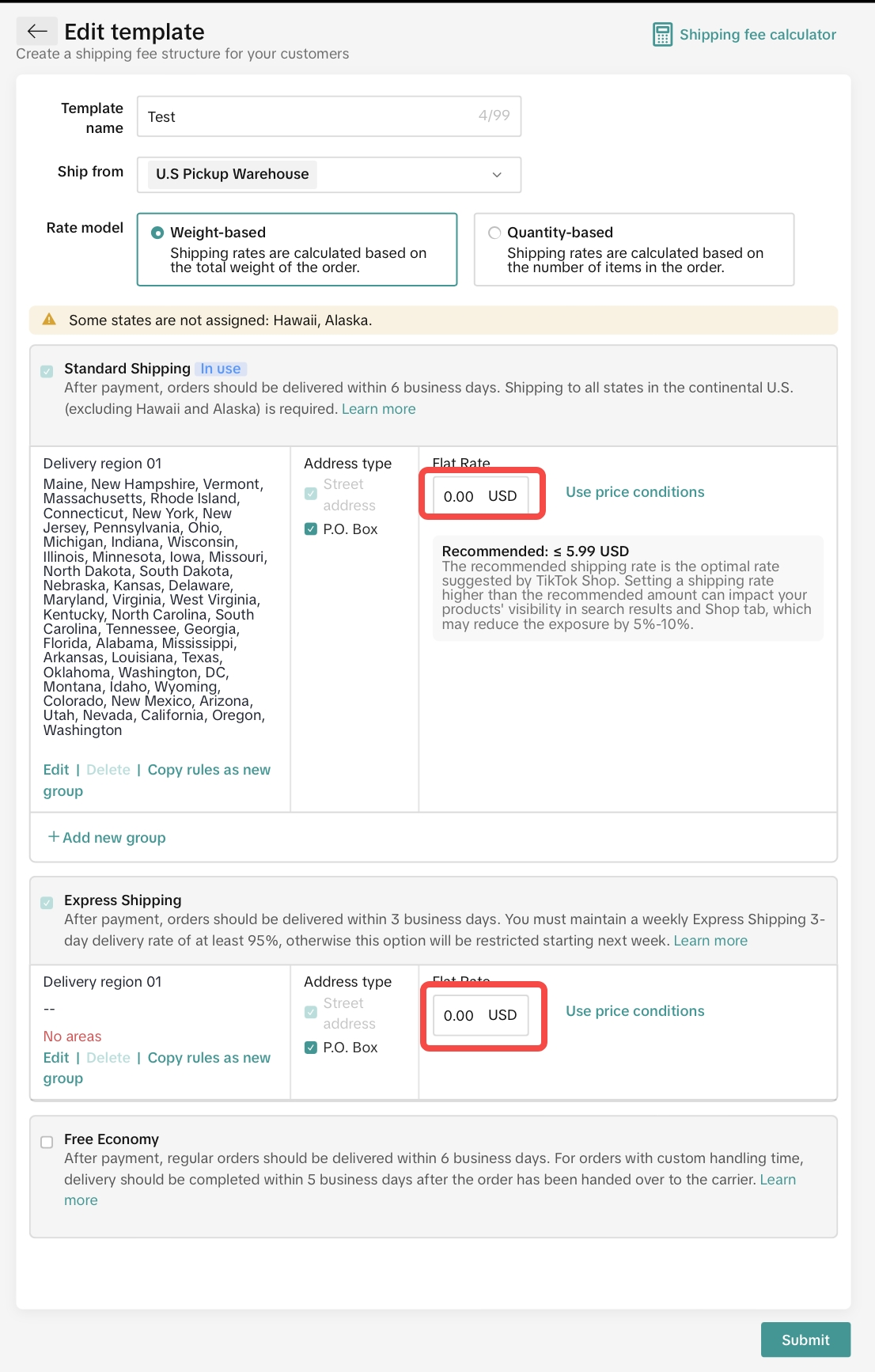
- Click Submit - > save the shipping template
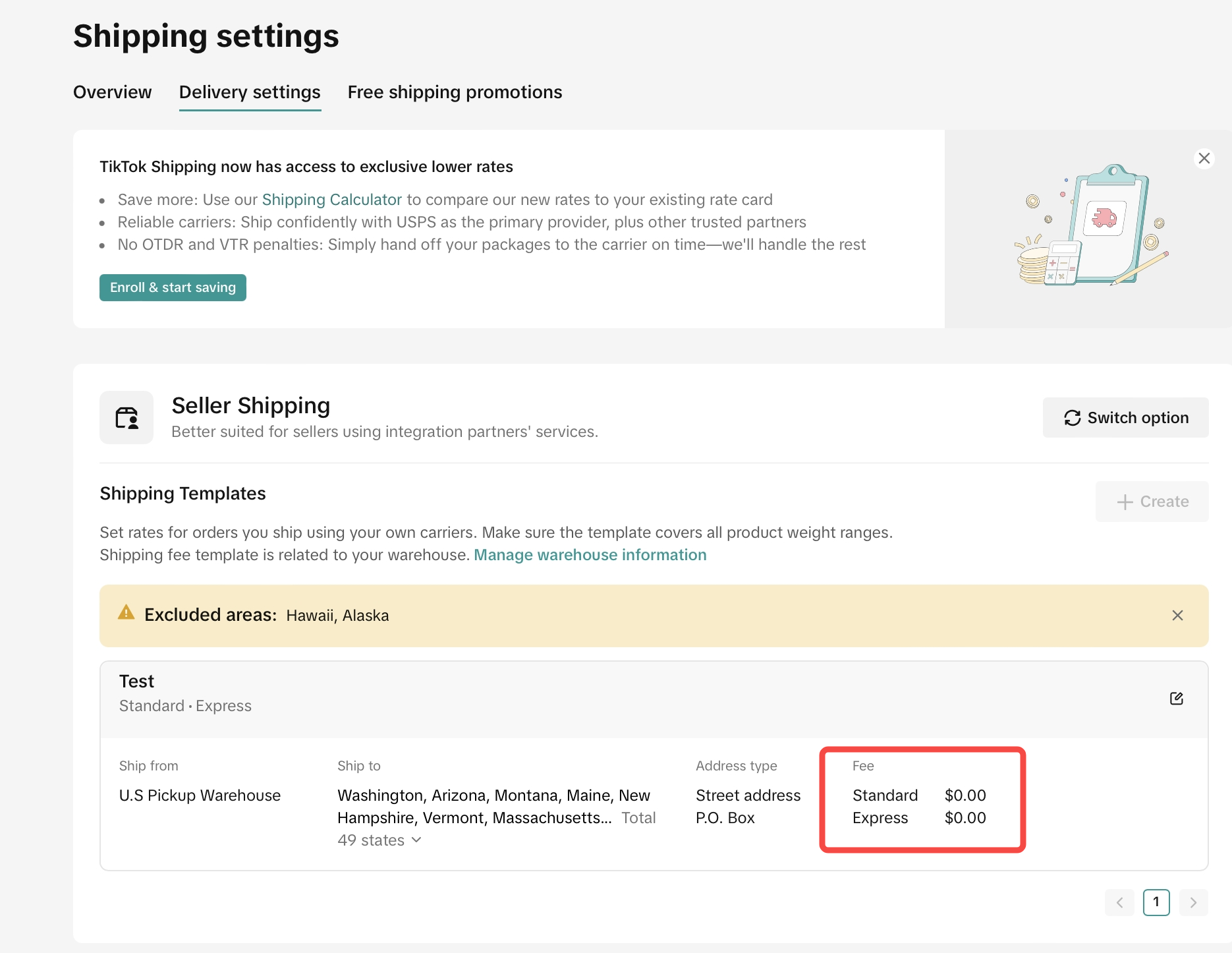
Enroll a product into Fulfilled by TikTok (FBT)
Fulfilled by TikTok (FBT) is the fulfillment solution that simplifies shipping and drives more sales with free 3-day shipping. Offer customers free shipping on all FBT orders. Simply send your products to us and let TikTok handle everything from storing inventory to picking and packing orders.✅ Best for sellers who want fast delivery, lower shipping cost, and higher conversion. TikTok handles storage, packing, and shipping—so you can focus on selling.
How to Set It Up:
- Go to Seller Center > Fulfilled by TikTok > Get Started / Join Waitlist , then
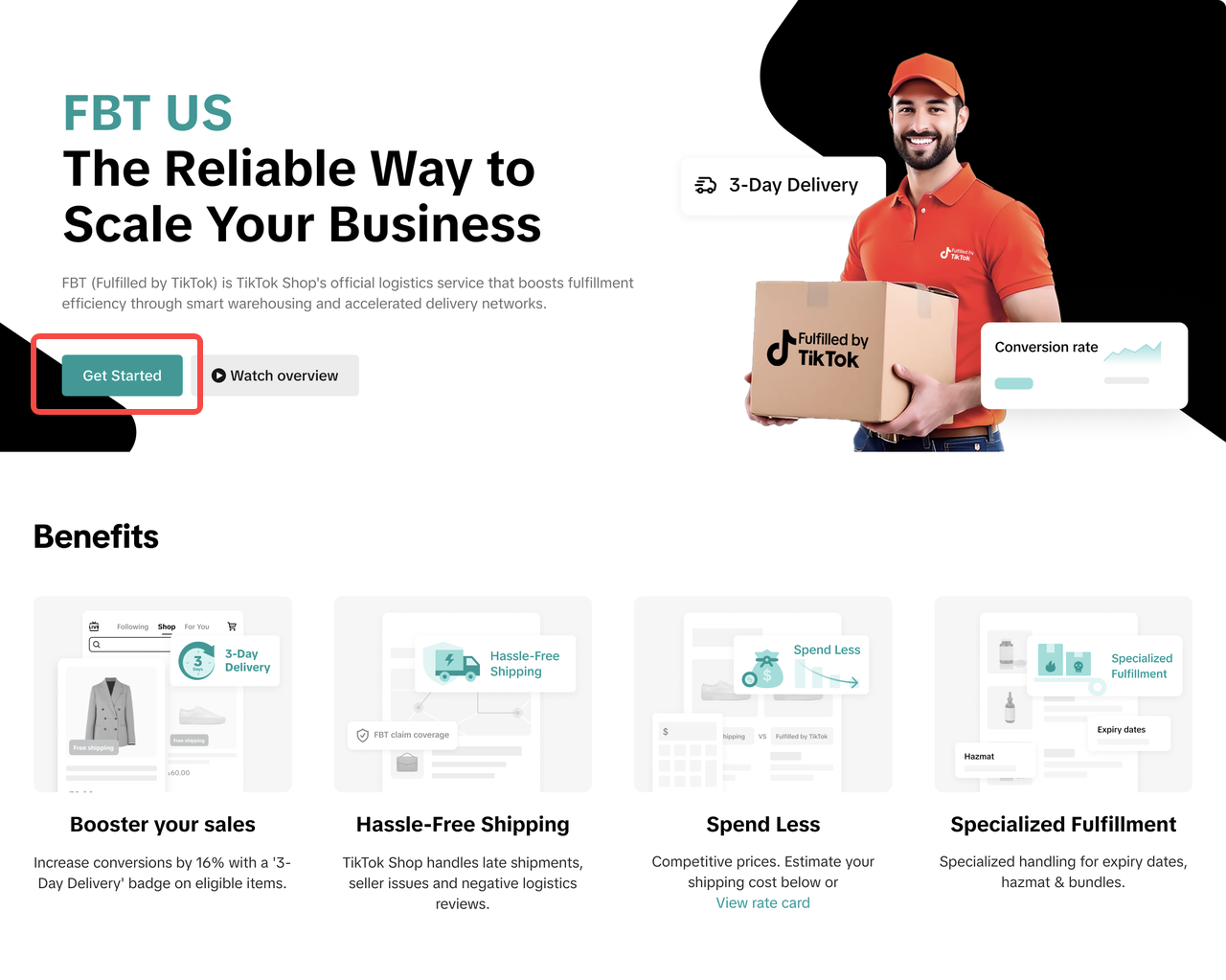
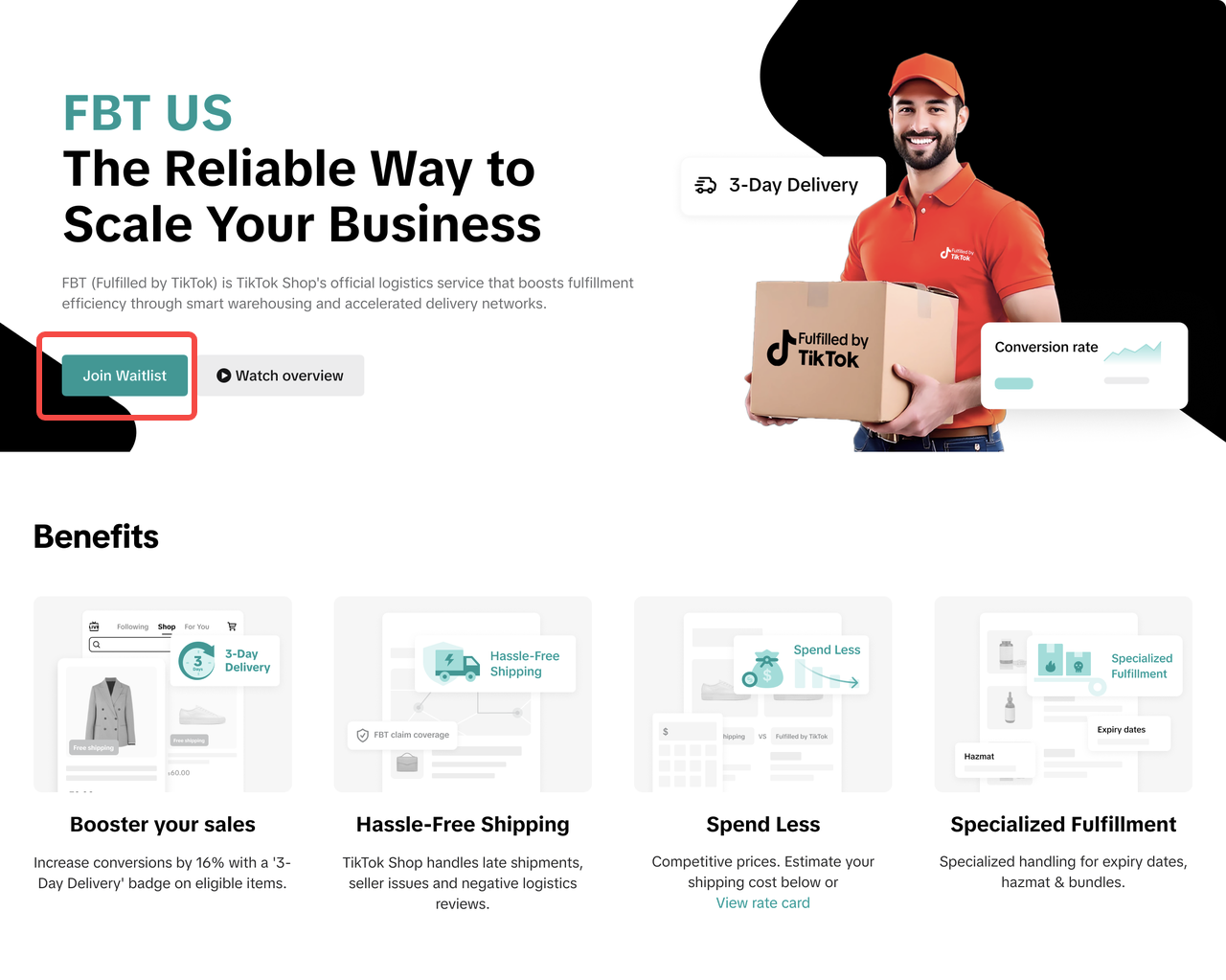
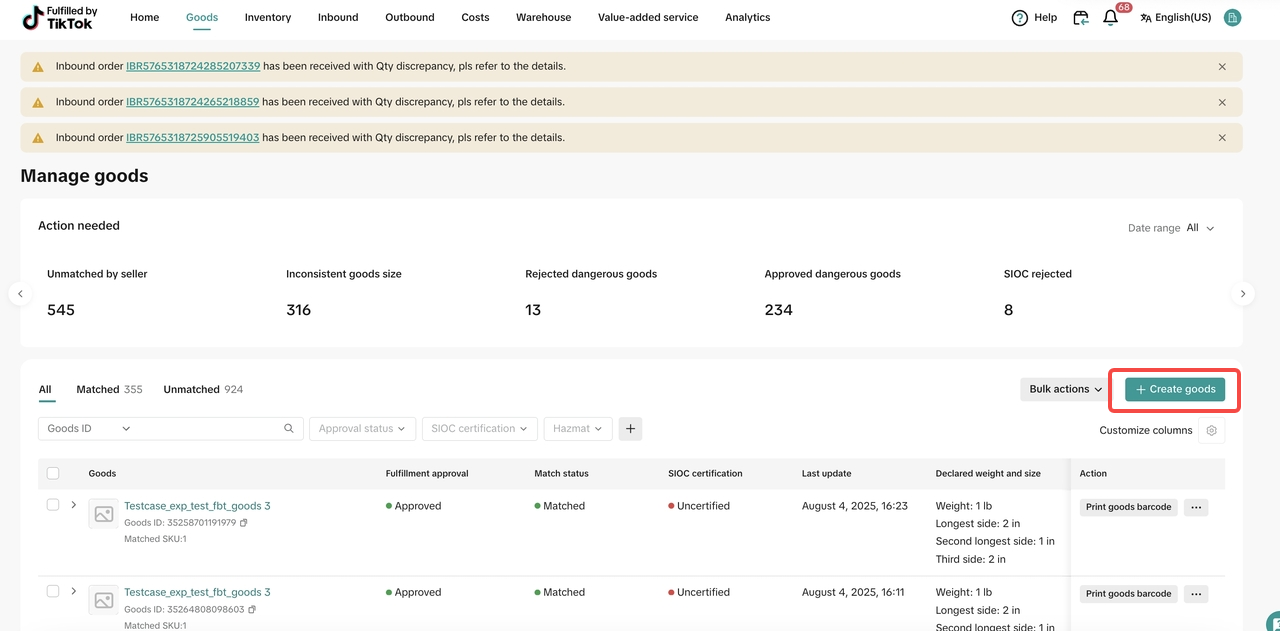
- Create Goods via FBT Merchant Portal > Goods
- Click 'create goods'
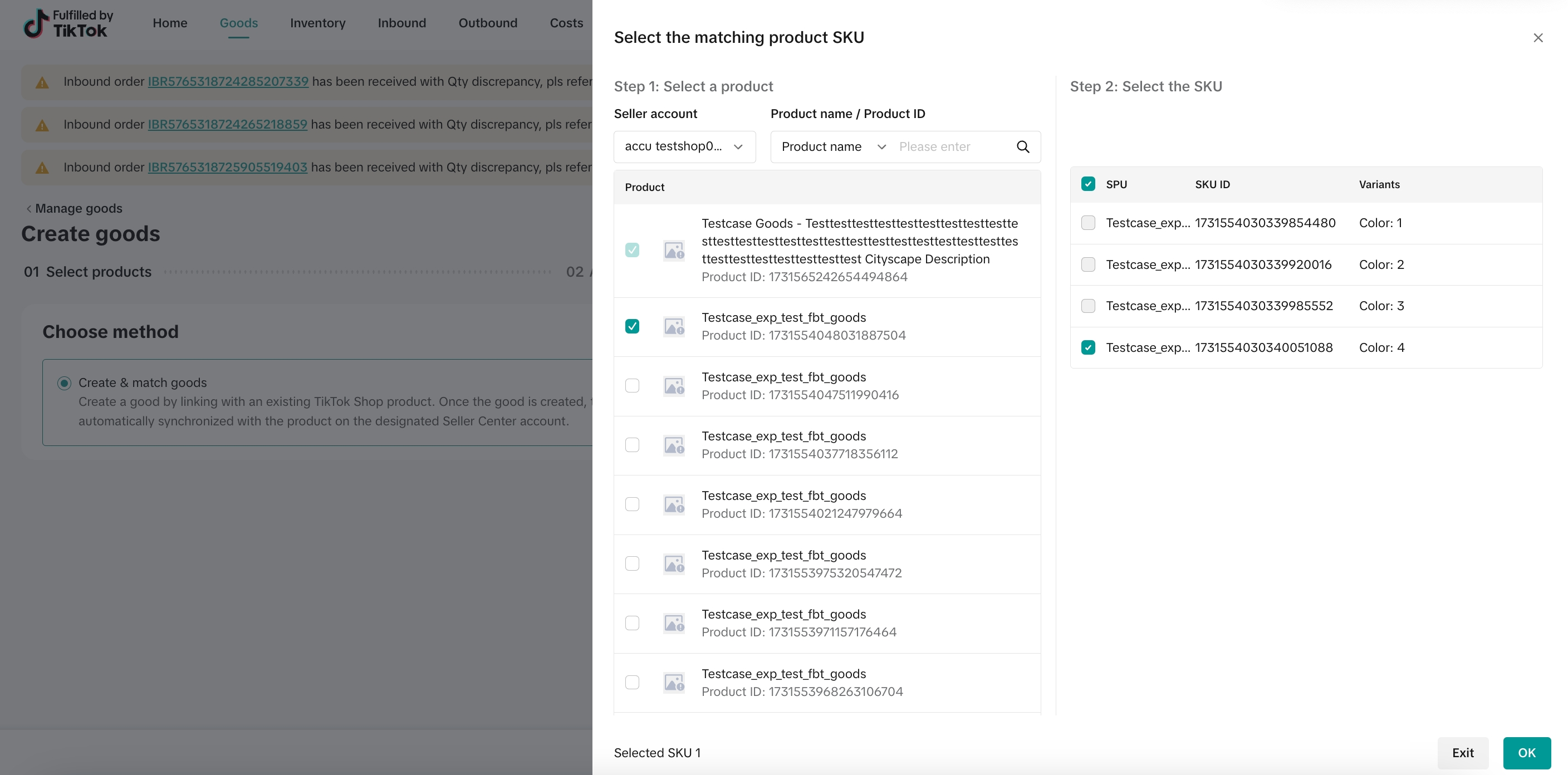
- Select matched products & sku
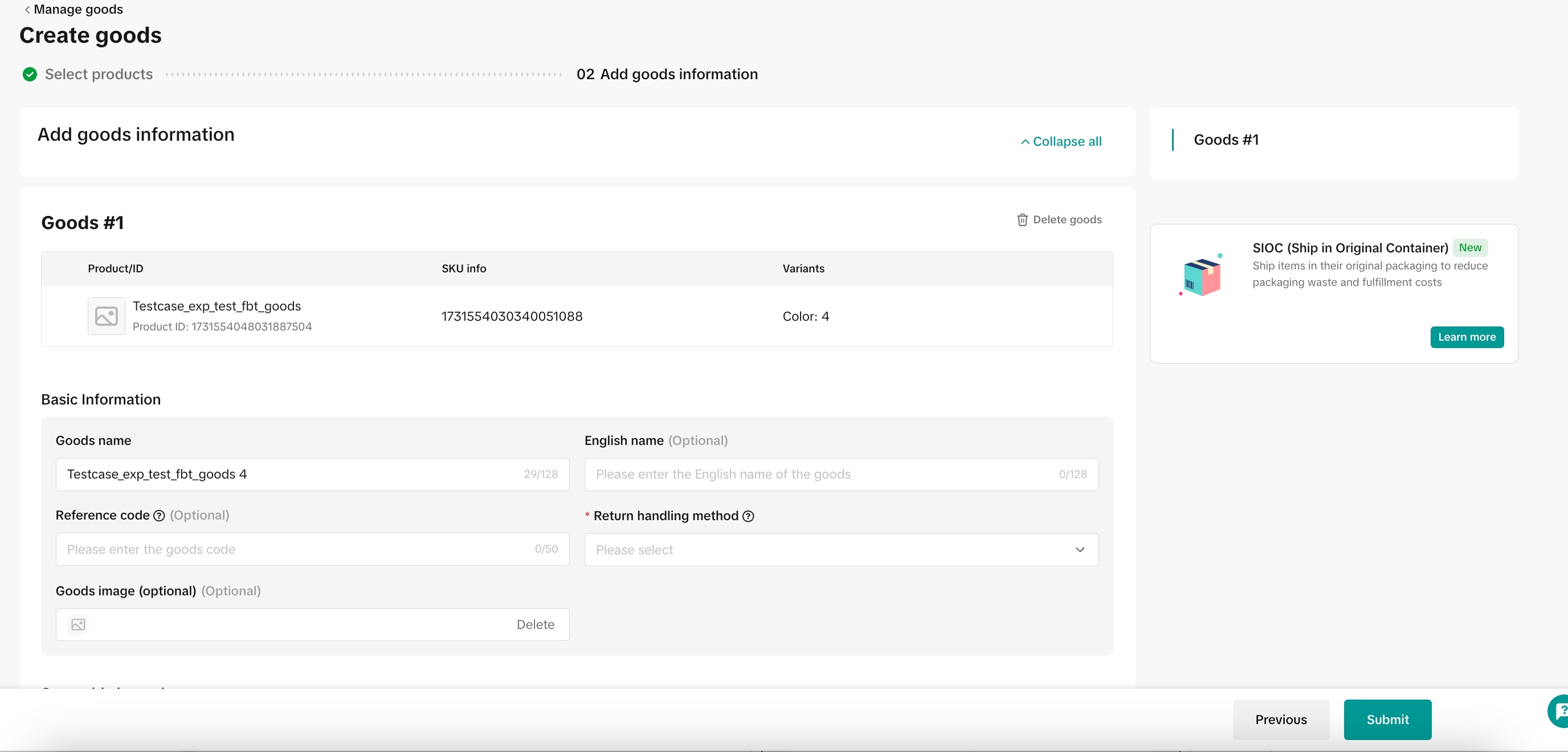
- Add goods information
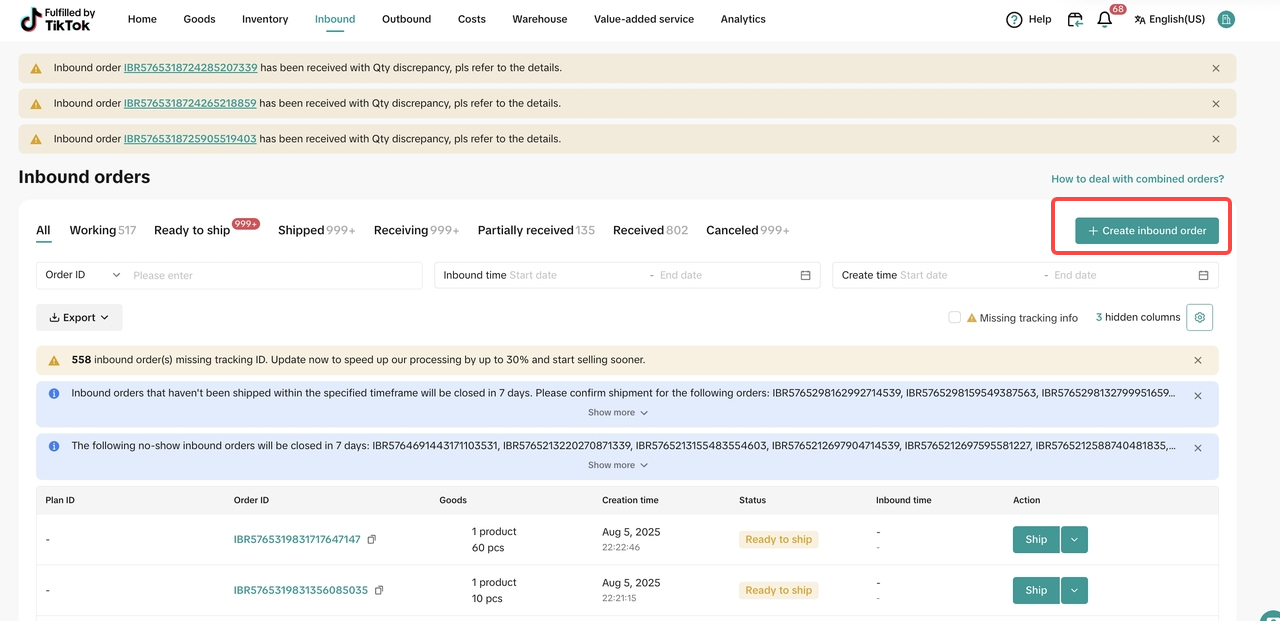
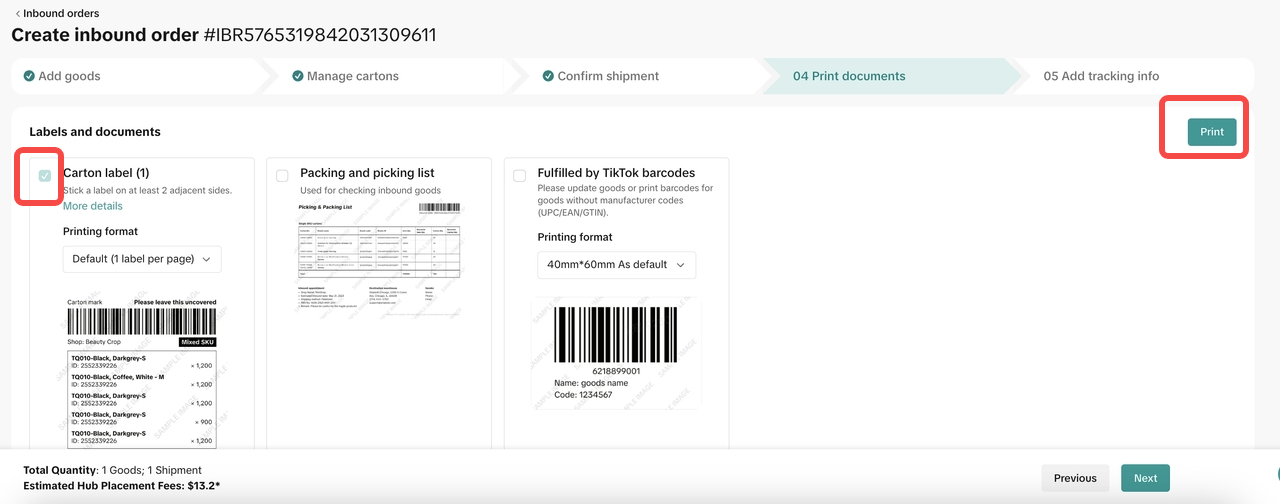
- Create Inbound order via FBT Merchant Portal > Inbound > Inbound Orders > Create inbound order
- Click 'create inbound order'
- Select goods to be sent
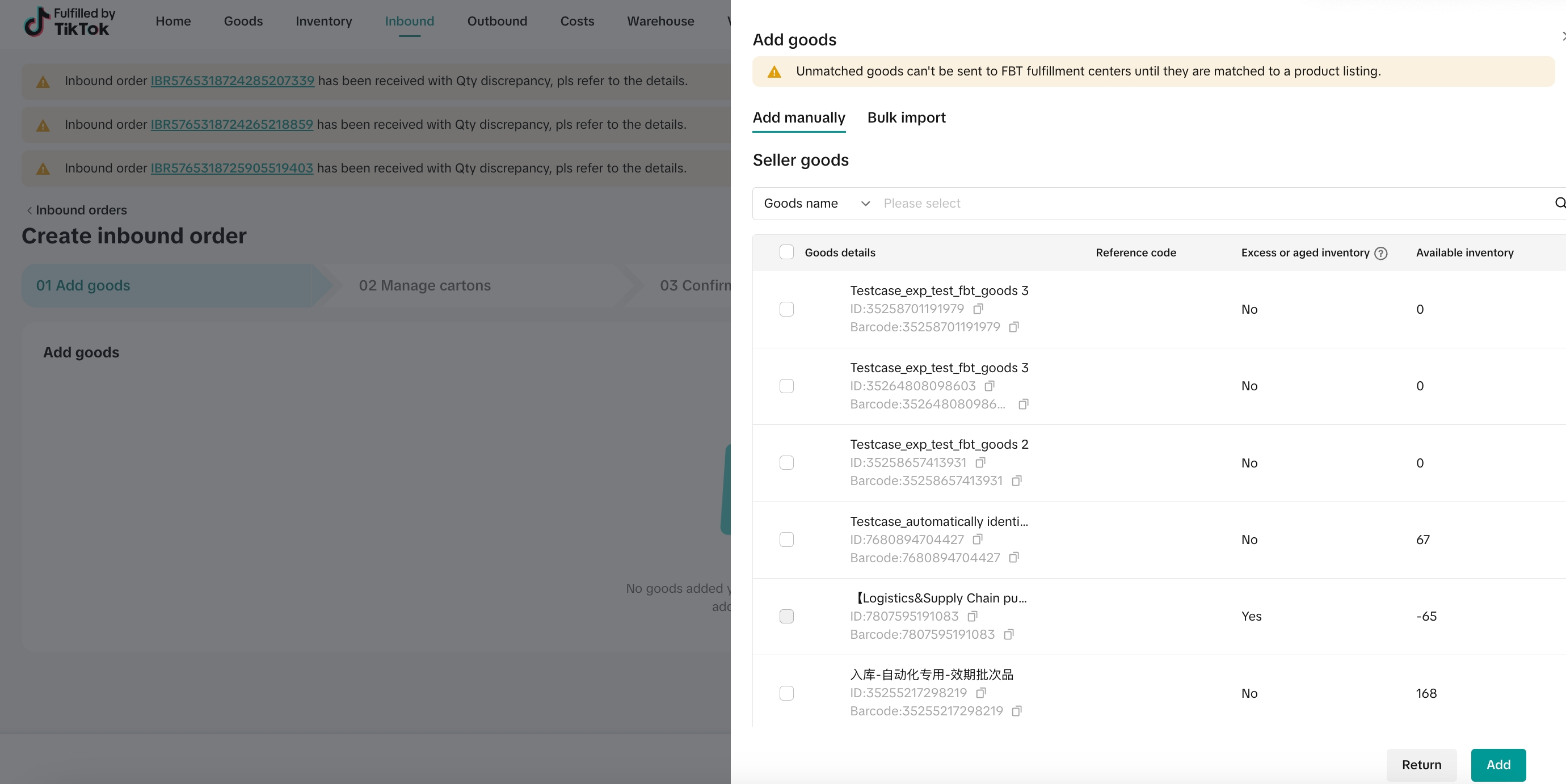
- Manage cartons
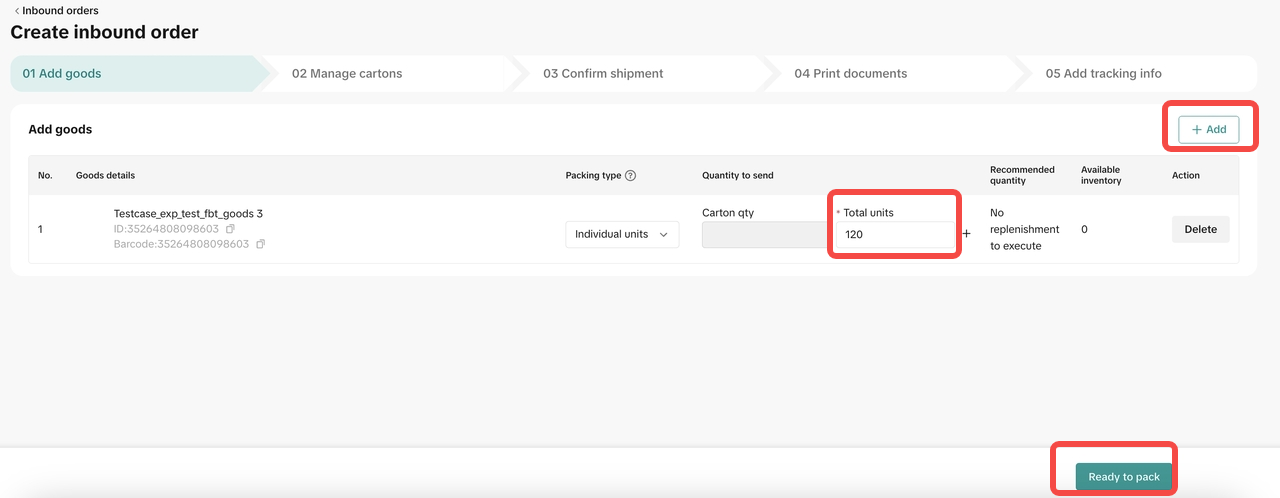
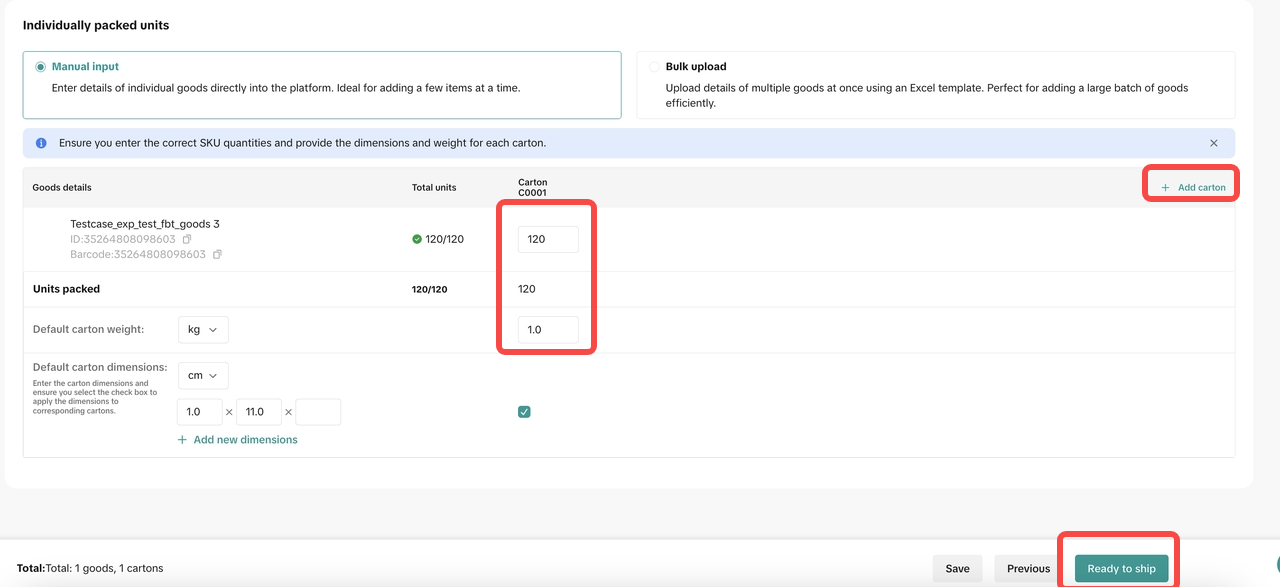
- Confirm shipment
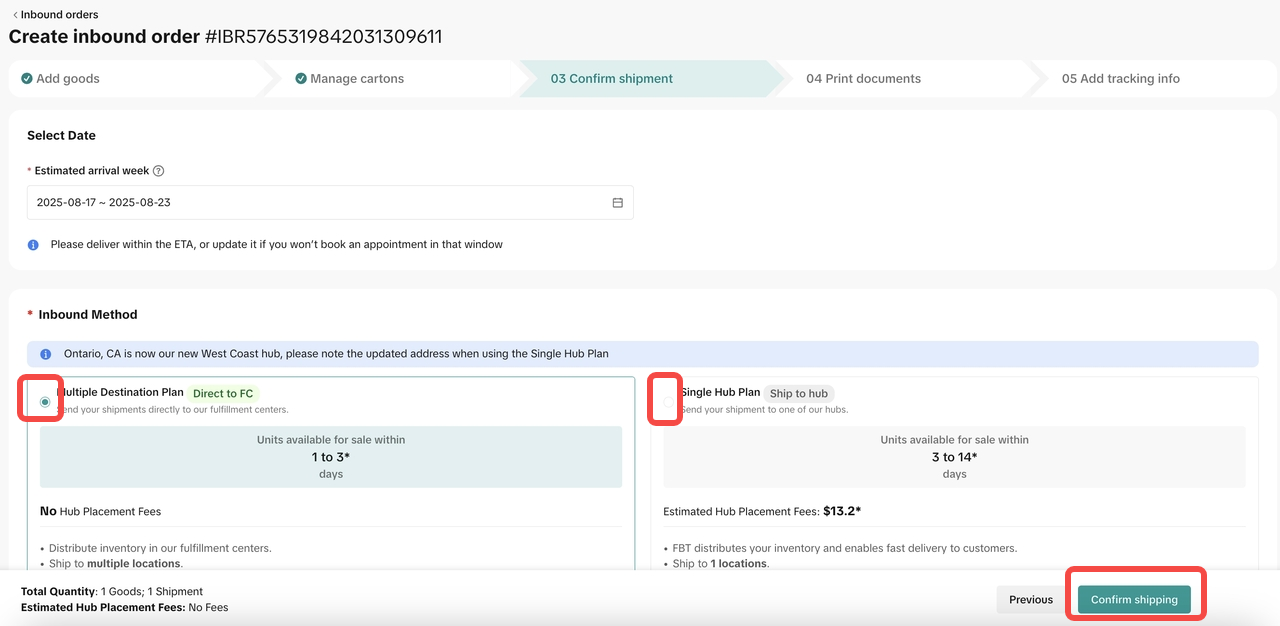
- Print documents
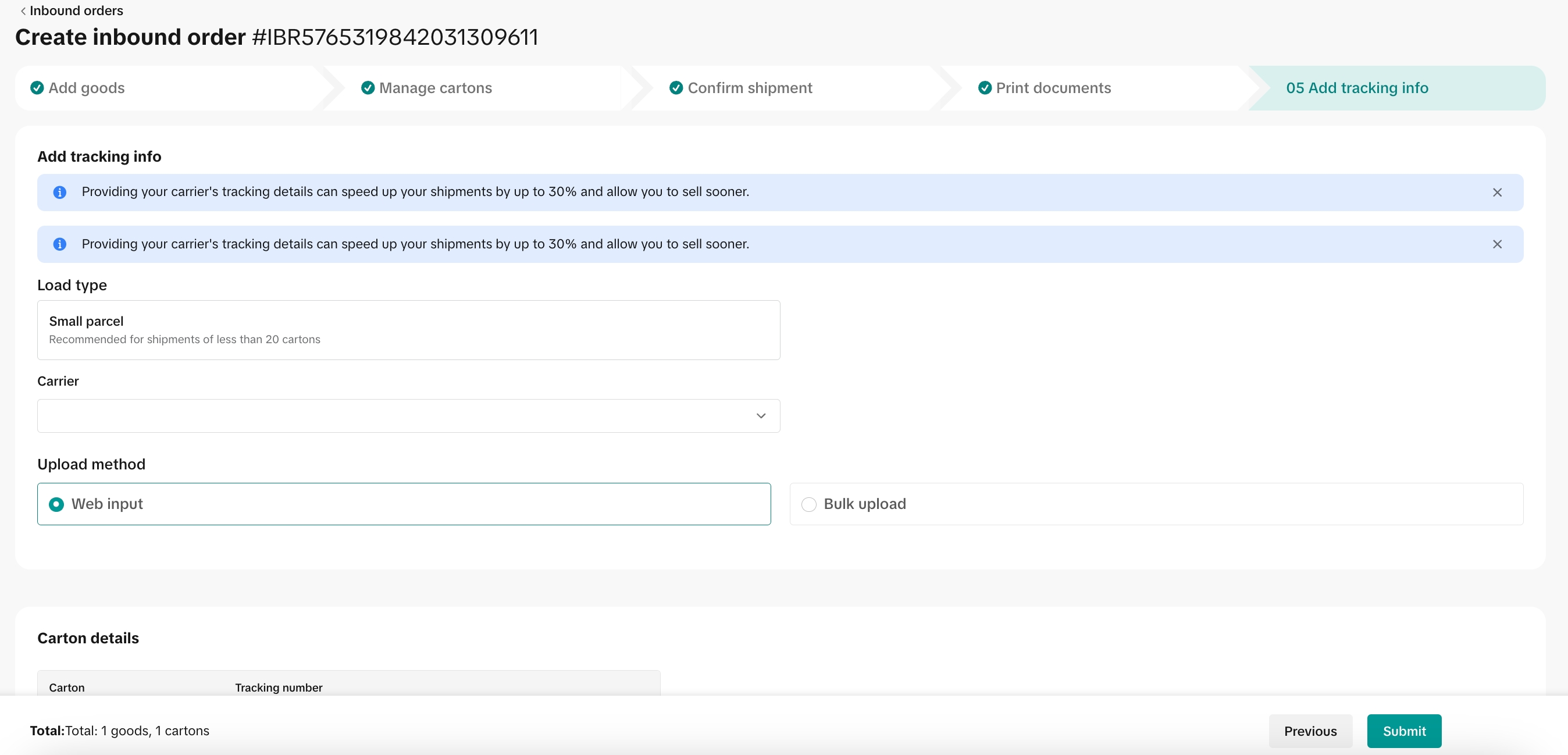
- Add tracking
You may also be interested in

Temporary Shipping Rate Update for Peak Season
Holiday 2025: Temporary Peak Season Shipping Rate Changes What’s Changing? To keep you informed, we'…
How to Process "Legacy TikTok Shipping" Orders?
The content below applies to Legacy TikTok Shipping. For more information about the upgraded TikTok…

Amazon MCF Setup Guide
Principle of Using Amazon Multichannel Fulfillment (MCF) Sellers fulfilling orders via Amazon MCF ma…

Fill in the scale weight information in the SKU level
Feature Summary Feature Name: SKU-level Dimensions & Weight (Package Size and Weight) Input Core Cha…

Free Shipping page feature guide
Free Shipping Settings Page Guide Summary The new Shipping Settings page consolidates all shipping-…

How to Upgrade to Collection by TikTok (CBT) and Ship Orders
How to Join Collection by TikTok (CBT) Upgrade Process Upgrading to CBT is easy! You can complete th…

March 2024 Monthly Product Innovation
Every month, we introduce new products and features designed to simplify store management, boost sal…
TikTok for SFCC: Order Management
Order Creation When you place an order in TikTok Shop, the system automatically activates the Create…
TikTok for SFCC: Product Catalog & Inventory Sync
*Initial Product Catalog Sync(During Onboarding): *A product catalog feed is generated. *The feed is…
TikTok for Shopify - Switching from TikTok Shipping to Selle…
TikTok Shipping All new and existing TikTok Sellers that onboard onto the TikTok for Shopify App,…