

About Multi-Channel Management Apps
Summary
What are the main benefits of using multi-channel management apps for TikTok Shop sellers?
- They centralize control by managing multiple marketplaces from one interface, sync product listings automatically, track inventory in real-time, and streamline fulfillment for timely deliveries.
- These apps also provide data insights, automate routine tasks, and allow scalable business growth by adding new marketplaces easily.
How can sellers get started with multi-channel management apps on TikTok Shop?
- Sellers should explore the TikTok Shop App Store, select an app that fits their needs, install it, and connect their TikTok Shop account (note that charges may apply).
- Some apps require contacting the developer directly and authorizing the connection to complete setup; help guides are available for installation assistance.
What operational improvements can sellers expect by integrating multi-channel management apps with TikTok Shop?
- Sellers gain end-to-end management capabilities, handling everything from product listings to fulfillment within one platform, which streamlines workflows and reduces errors.
- Automation of routine tasks increases efficiency, saving time and boosting overall productivity across sales channels.
Are there any limitations or considerations sellers should be aware of when choosing multi-channel management apps?
- Not all apps offer the full range of features like inventory syncing, fulfillment integration, or analytics, so sellers should evaluate app capabilities carefully.
- Some apps may involve additional charges or require external communication with developers, which could affect setup and ongoing management.
Multi-Channel Management Apps Overview
Multi-channel management apps are like "control centers" for sellers. These apps help you manage your business across different marketplaces, including TikTok Shop, all from one place. They make it easier to keep everything running smoothly and boost your sales.Use case: As a seller, I need a single platform to efficiently manage my business across multiple marketplaces, ensuring smooth operations and maximizing sales.Key benefits of multi-channel management apps:
- Centralized control: Manage all your marketplaces and e-commerce platforms from one unified interface, simplifying your operations.
- Product syncing: Automatically update product listings across all channels, ensuring consistency and accuracy.
- Inventory management: Track and manage inventory in real-time across every sales channel, preventing stock issues.
- Seamless fulfillment: Integrate with fulfillment services for efficient order processing, ensuring timely and accurate deliveries.
- End-to-end management: Handle everything from product listings to fulfillment within a single app, streamlining your workflow.
- Scalability: Easily add new marketplaces as your business grows, expanding your reach without added complexity.
- Data insights: Access analytics to optimize your sales strategy and make informed business decisions.
- Increased efficiency: Automate routine tasks to save time and reduce errors, boosting overall productivity.
How to get started
- Explore our TikTok Shop App Store to find multi-channel management apps that support your e-commerce platform.
- Choose the app that best fits your business needs and click "Install."
- Connect your TikTok Shop account to the app (note: charges may apply).
- Tip: Some apps may require direct contact with the developer and could redirect you to their website.
- Authorize the connection to complete the setup.
Need help installing an app?
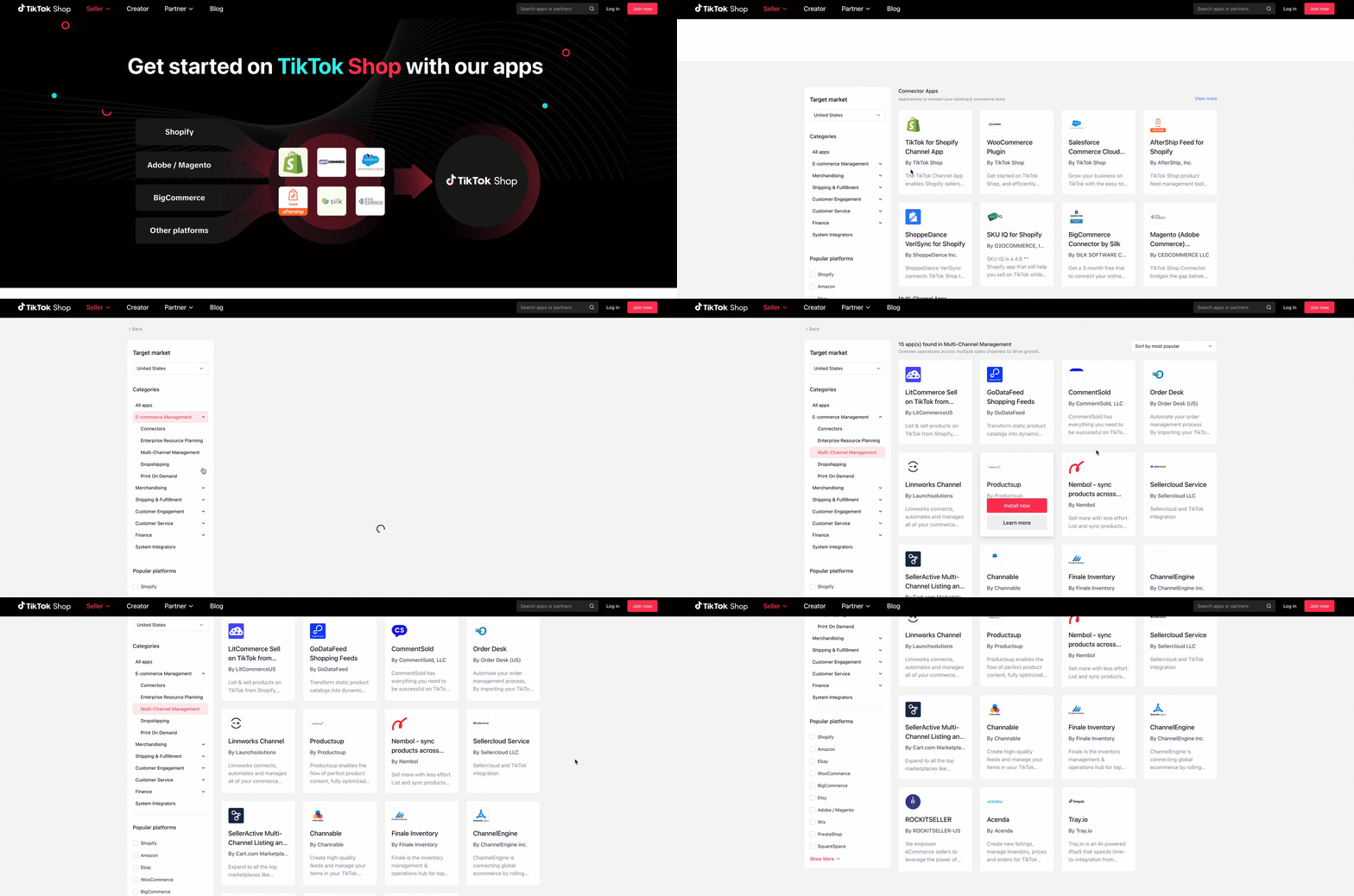
See the relevant App Store feature guide.Available multi-channel management apps
You may also be interested in

TikTok for Shopify: All Guides and Resources
Overview of TikTok for Shopify Integration The TikTok for Shopify app lets you sell your Shopify pro…

Shopify Review Sync (one-time)
Product Overview Shopify Review Sync Boost your product listings on TikTok Shop (TTS) by seamlessly…
About "Built for TikTok" Badge
"Built for TikTok" Badge Overview The "Built for TikTok" Badge helps sellers easily find high-qualit…

Gorgias for TikTok Shop
Gorgias for TikTok Shop Bring your TikTok Shop (TTS) customer service into your primary workspace fo…
TikTok for Shopify: Product Subscriptions
Overview Boost your sales and build a loyal following by offering discounts on repeat purchases. The…

Smarter App Recommendations
Smarter App Recommendations Overview This feature helps sellers boost their operational efficiency b…

TikTok for Shopify: Customer Engagement Tools
Overview In the latest update of the TikTok for Shopify app, the "Marketing" section of the channel…
TikTok for Shopify: Enable Third Party Cookies
In this resource, we'll cover essential steps to ensure your browser settings are optimized for smoo…
TikTok for Shopify: How to Disconnect TikTok Shop
Overview This guide provides step-by-step instructions for sellers on how to disconnect their TikTok…
TikTok for Shopify: Enhanced Sync for Product Detail Pages
Overview To create a consistent experience between Shopify and TikTok Shop, we're enhancing the way…