

Shoppable LIVE end page


AI Summary
The updated Shoppable LIVE end page appears immediately after a Shoppable LIVE ends and gives creators instant performance metrics, peer benchmarks, and improvement suggestions. It’s available to all TikTok Shop creators who run Shoppable LIVEs, with no special permissions required, but only in the app. Creators can tap into LIVE details and Suggested LIVE improvements for deeper analysis, while rewards, milestones, and recordings remain available.
High level overview
Want to get an instant glimpse of how your Shoppable LIVE session did and dive into improvement and optimization strategies? Our new and improved LIVE end page, which is generated immediately after you finish your LIVE, will provide you with the custom data and insights views that you need to understand how you did in the "Shoppable LIVE" session you just finished, where you can improve and much more. Read on to learn more.Feature value proposition
At a high level, the revamped Shoppable LIVE end page gives you the following insights:- Shoppable LIVE metrics instantly, at the end of the LIVE session, at your fingertips, giving you an immediate overview of key performance metrics and deep-dive into improvement suggestions
- Get helpful performance benchmarks, at the end of your LIVE, allowing you to understanding how you compare to your peers and how you're improving over time
- Continue to get access to other LIVE insights, such as LIVE (non-shoppable) rewards, goals, recordings etc.
Access and authorization
All Creators on TikTok Shop creating Shoppable LIVE content will have access to the new and improved Shoppable LIVE end page in the TikTok Shop APP interface.Feature walkthrough
Functionality/Component | UI interface | Key functionalities/capabilities |
| LIVE performance benchmarks and metrics | 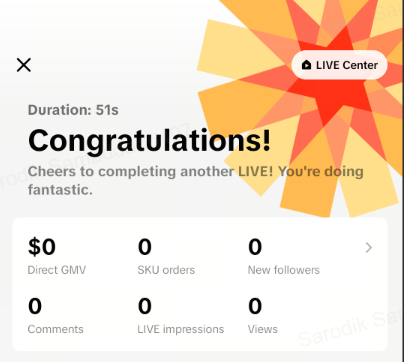 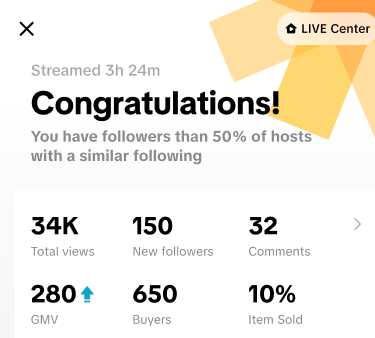 | The key change to this new version of the LIVE end page, involves detailed metrics for Shoppable LIVE session performance. Right after the LIVE is concluded, the following end page will be automatically visible to users.
|
| Dive deeper by navigating to LIVE details and Suggested LIVE improvements | 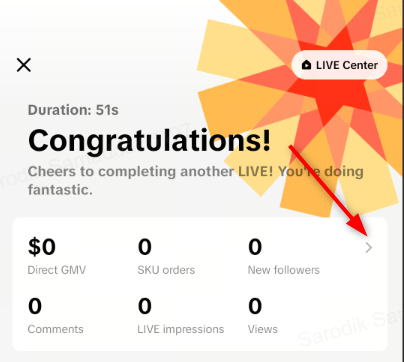 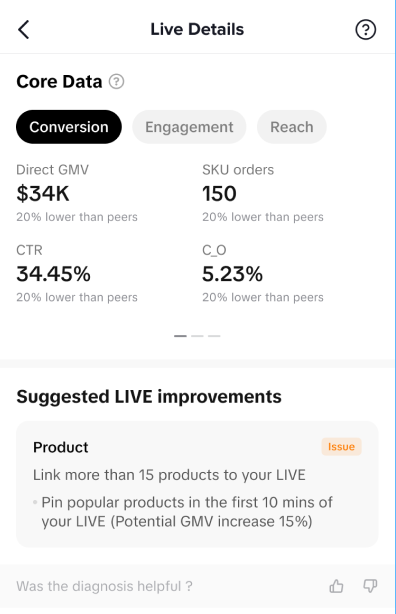 |
|
| These sections of the interface continue to remain the same and relate to nonShoppable aspects of your LIVE | ||
| LIVE Rewards | 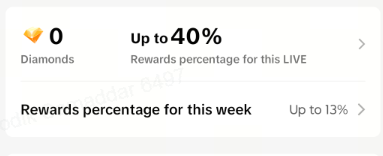 | Continue to see the rewards you earned in your LIVE and improvement trends |
| LIVE journey progress | 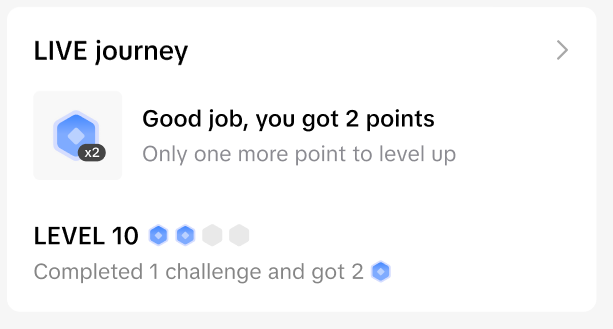 | You can also continue to keep monitoring your individual LIVE journey milestones and growth opportunities. |
| LIVE Recordings/highlights | 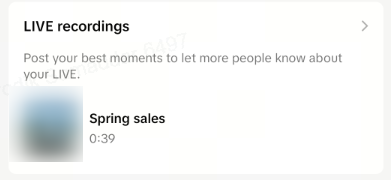 | Navigate and look at your LIVE session recordings. Inspect, download and share these LIVE recording videos to drive better awareness of your LIVE sessions. |
Frequently Asked Questions (FAQs)
Do I need any special access or permissions to access this revised LIVE end page?Any TikTok Shop Creator performing Shoppable LIVEs will be able to access this functionality without the need for any special access permissions, after they have successfully completed a Shoppable LIVE session.What interface (PC/APP) will this functionality be available on?The LIVE end page with Shoppable insights will only be available on the APP version but our team will constantly evaluate the need to introduce a PC version, based on user adoption and feedback.