

Using Product Media Center to upload images faster
07/17/2024
Summary
What is the Product Media Center and how does it benefit sellers on TikTok Shop?
- The Product Media Center provides storage for product-related pictures and videos, streamlining the process of adding media to product listings.
- It addresses issues like slow uploads, unavailable formats, and frequent image processing.
How can sellers add images and videos to the Media Center via desktop?
- Navigate to Manage Products, click Media Center, and choose either the image or video folder.
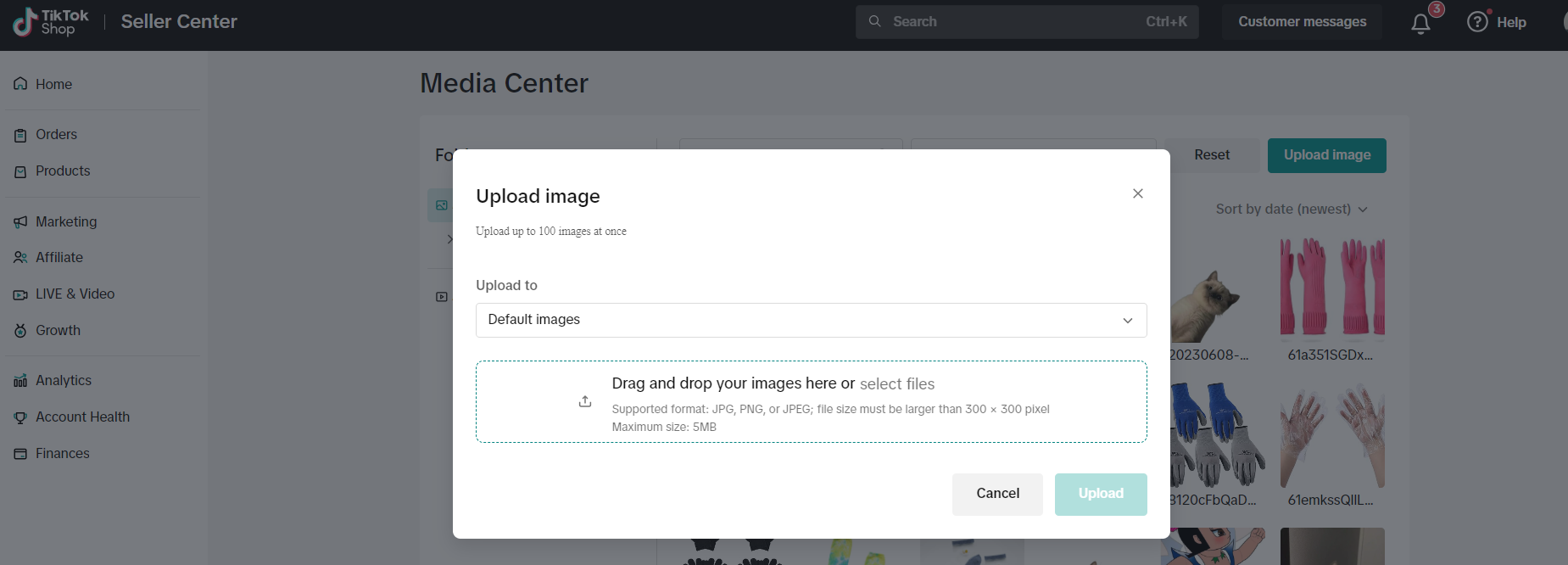
- Upload images in JPG, PNG, or JPEG formats (max 5MB, min 300x300) and videos in MP4 format (max 10MB, 9:16 to 16:9 ratio, under 60 seconds).
How do sellers use the Media Center when listing products via desktop and bulk listing?
- For desktop, add media to listings by selecting images or videos from the Media Center.
- For bulk listing, export URLs of selected images, arrange them, and paste them into product image columns.
What are the specifications and limitations for uploading media to the Media Center?
- Images: JPG, PNG, JPEG formats, max 5MB, min size 300x300.
- Videos: MP4 format, max 10MB, aspect ratio 9:16 to 16:9, under 60 seconds.
- Only one video can be uploaded at a time.
Introduction to Product Media Center
The Product Media Center provides sellers with on-platform storage space for pictures and video materials related to their products. This media center allows you to add media to your product listings, saving you time when uploading product media to your shops. The Product Media Center addresses frequent issues with:- Slow uploading of pictures
- Unavailable image formats
- Frequent processing of images

How to add images and videos to Media Center via desktop
Go to Manage Products and click Media Center
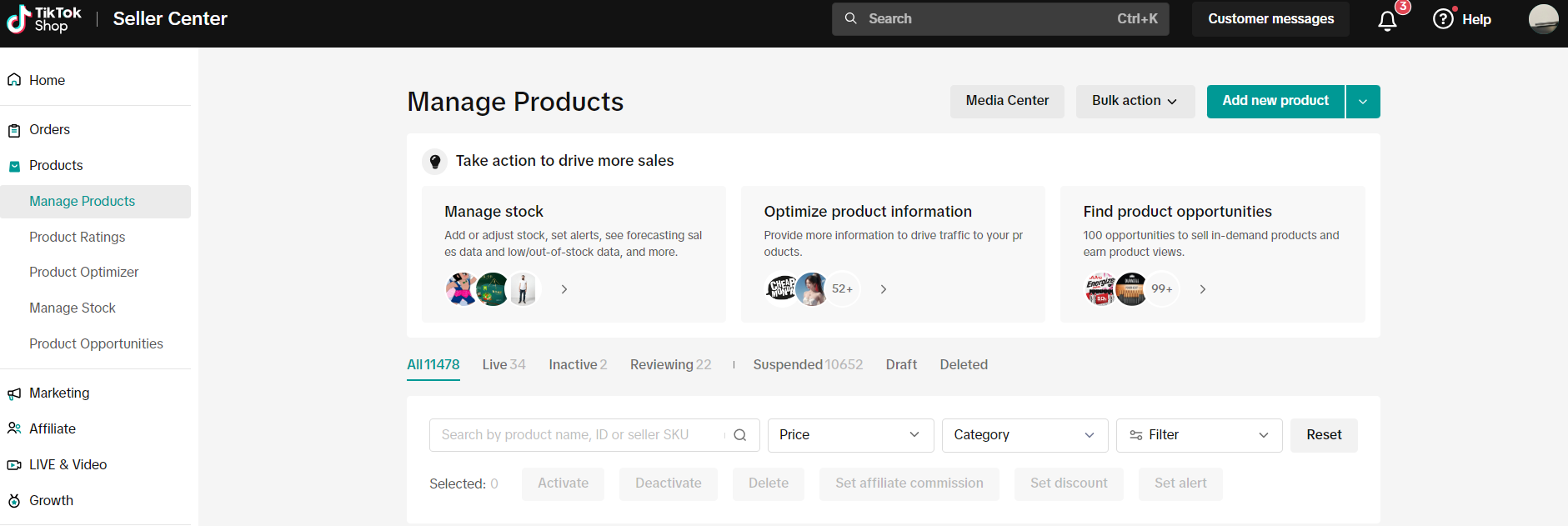
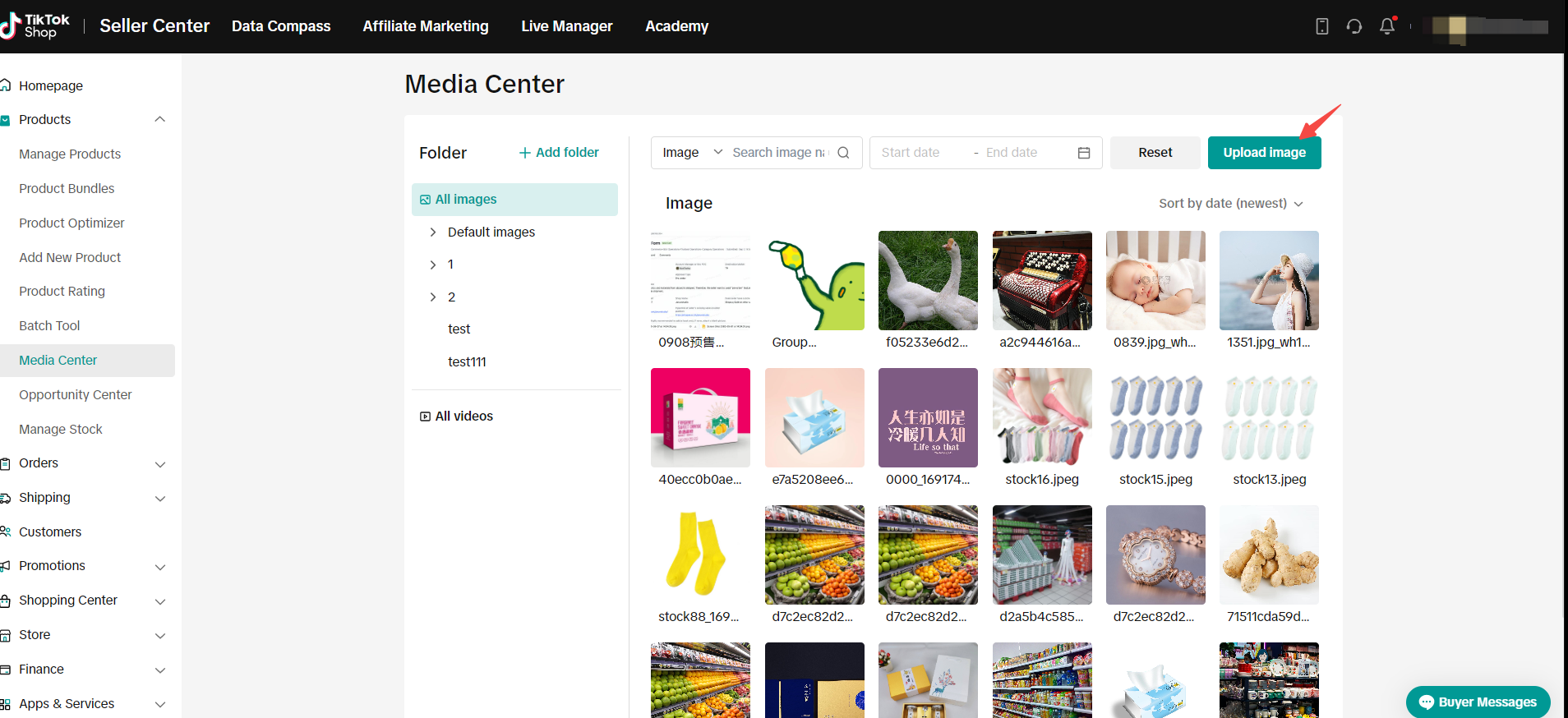
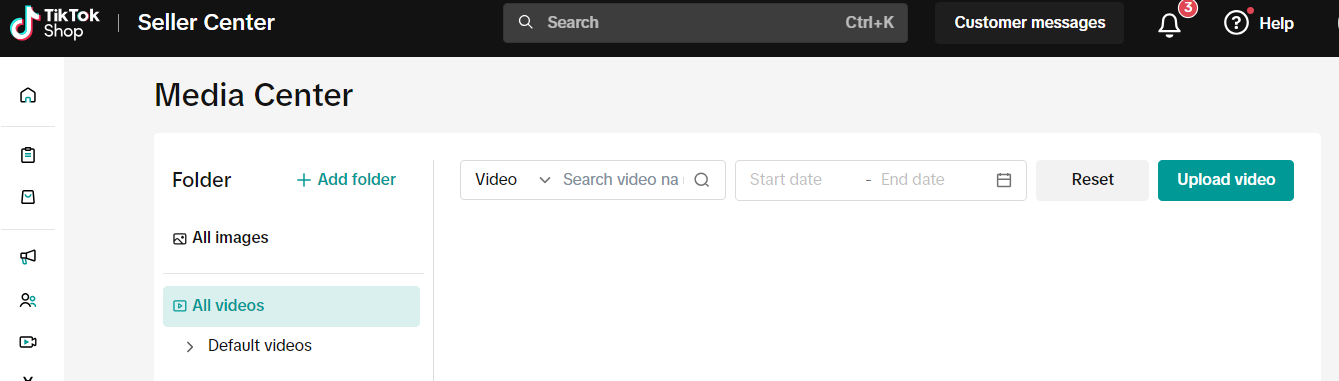
In Media Center, select either your image folder or video folder from the navigation menu.
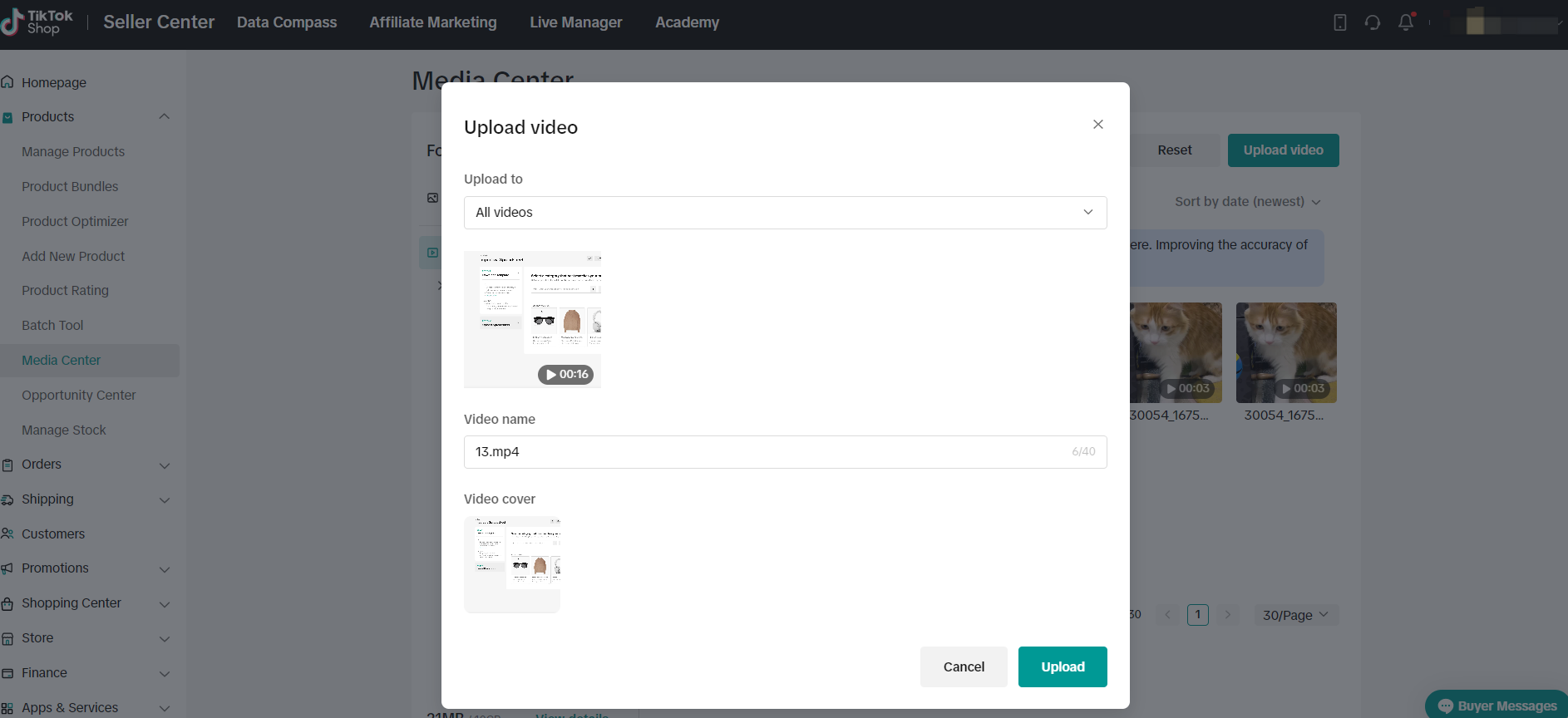
Click Upload Image to upload an image or Upload Video
button
For uploading an image
Select your image or video and click Upload
How to use the Media Center when listing products via desktop
Now that you've added media to your media center, it's time to add this content to your product listings via desktop.Navigate to Manage Products and click Add new product
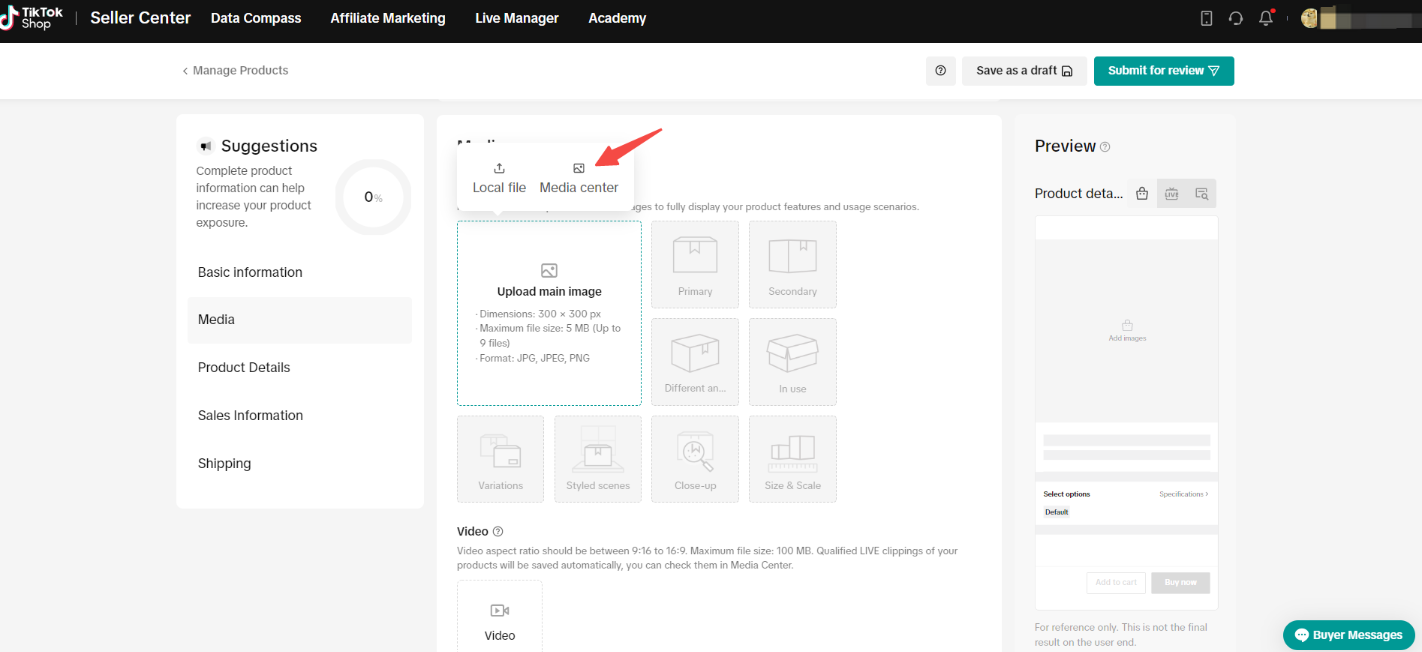
In the Product Image section, click Upload main image and then click Media Center
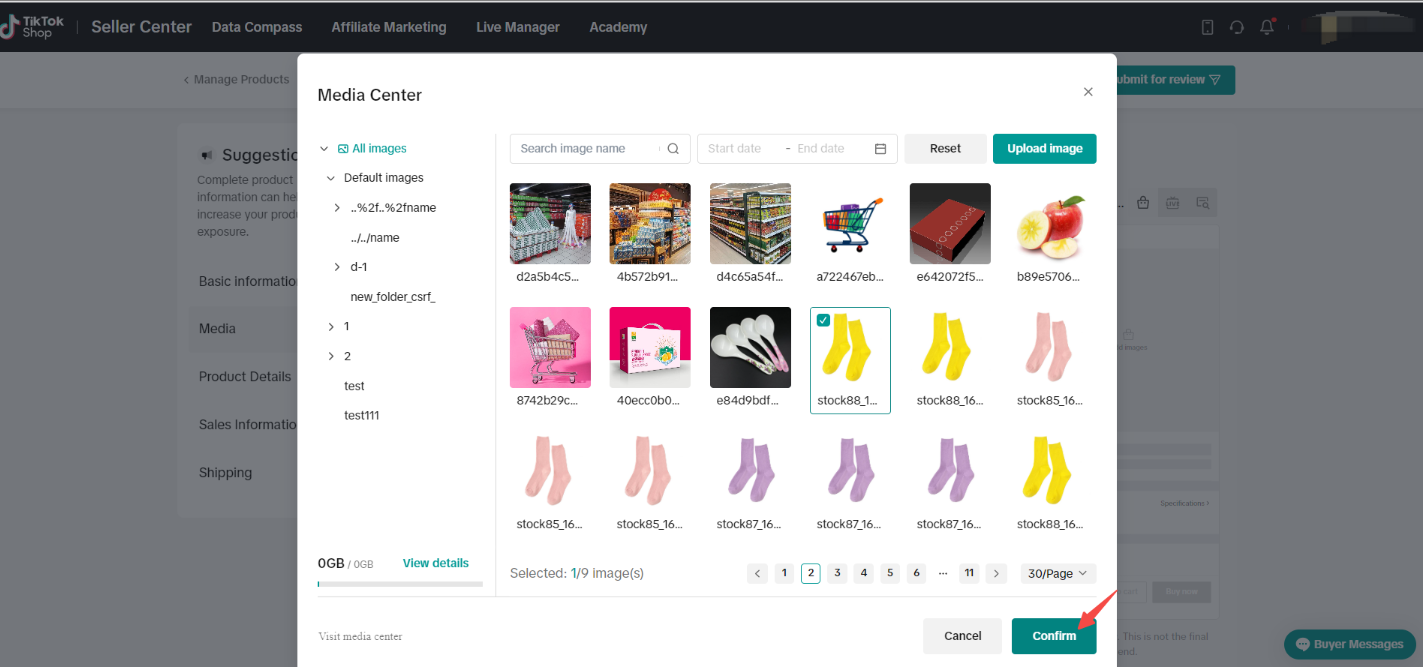
In the Media center, click on the images you'd like to upload to your listing (maximum of 9 images).
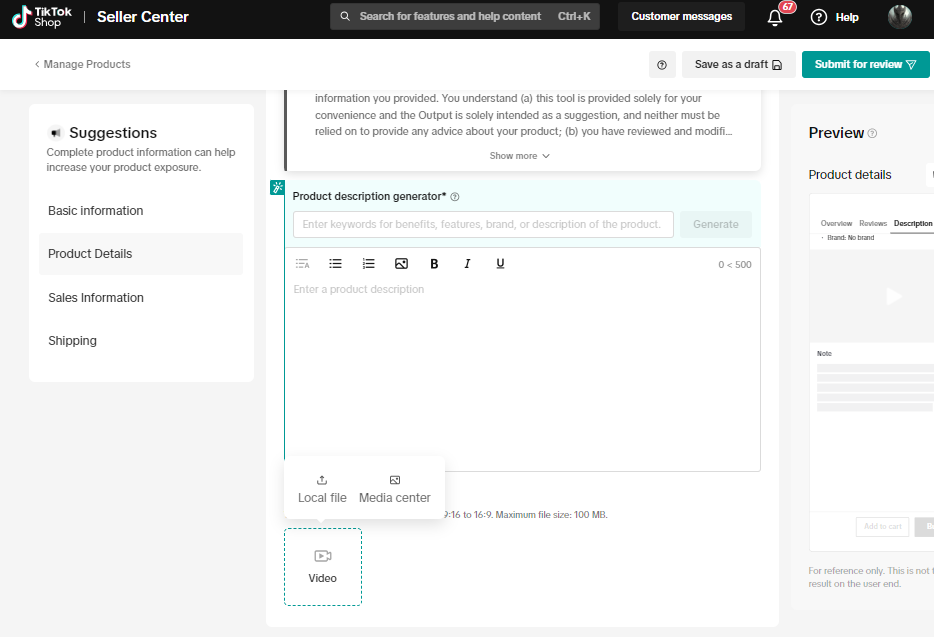
To upload video, navigate to the Video section and follow the same steps taken for image.
How to use the Media Center when listing products via Bulk Listing
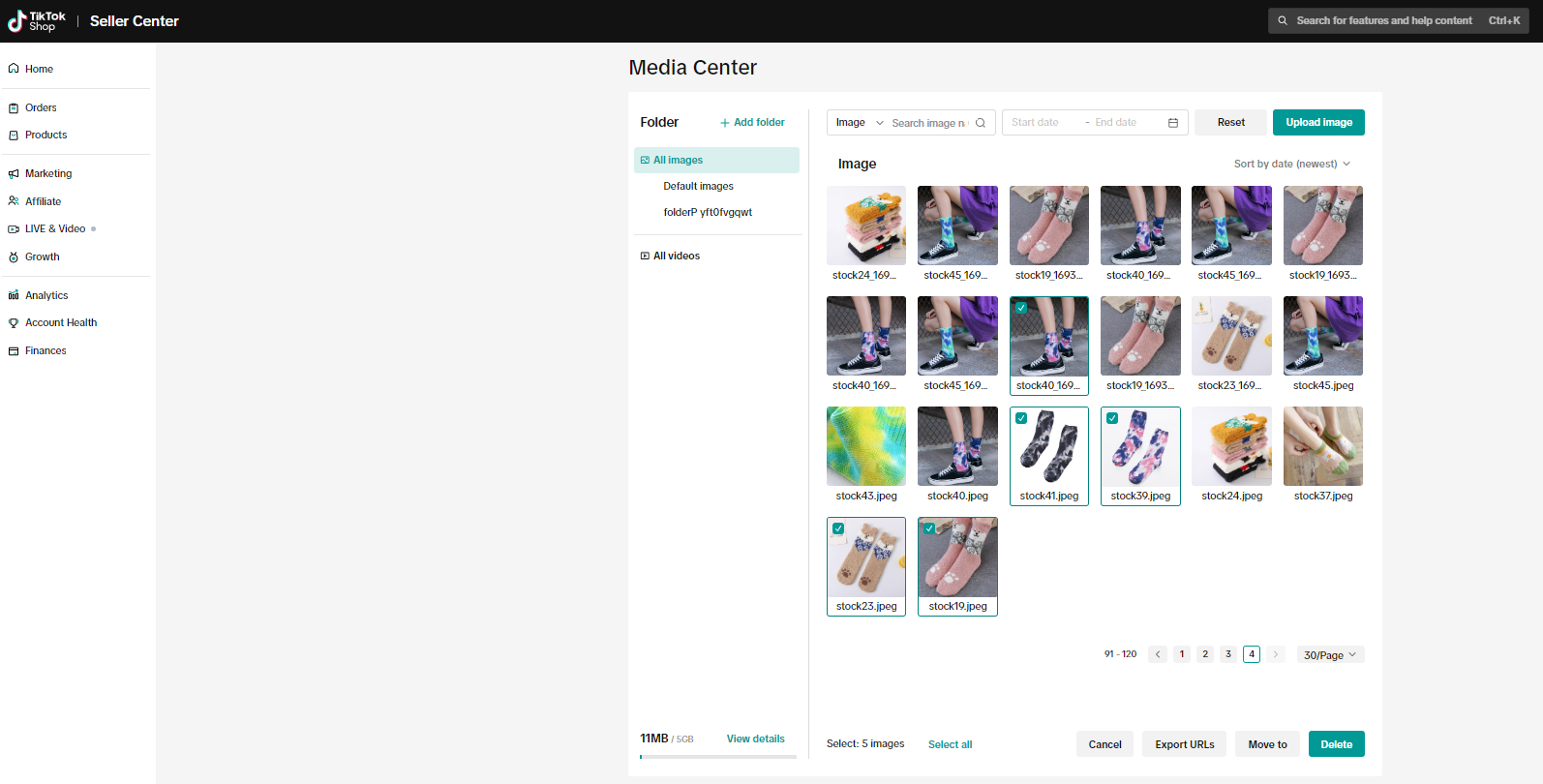
Navigate to Media Center and select the all images folder or all videos folder
For images, select the images that you want to use for your bulk listing and click Export URLs
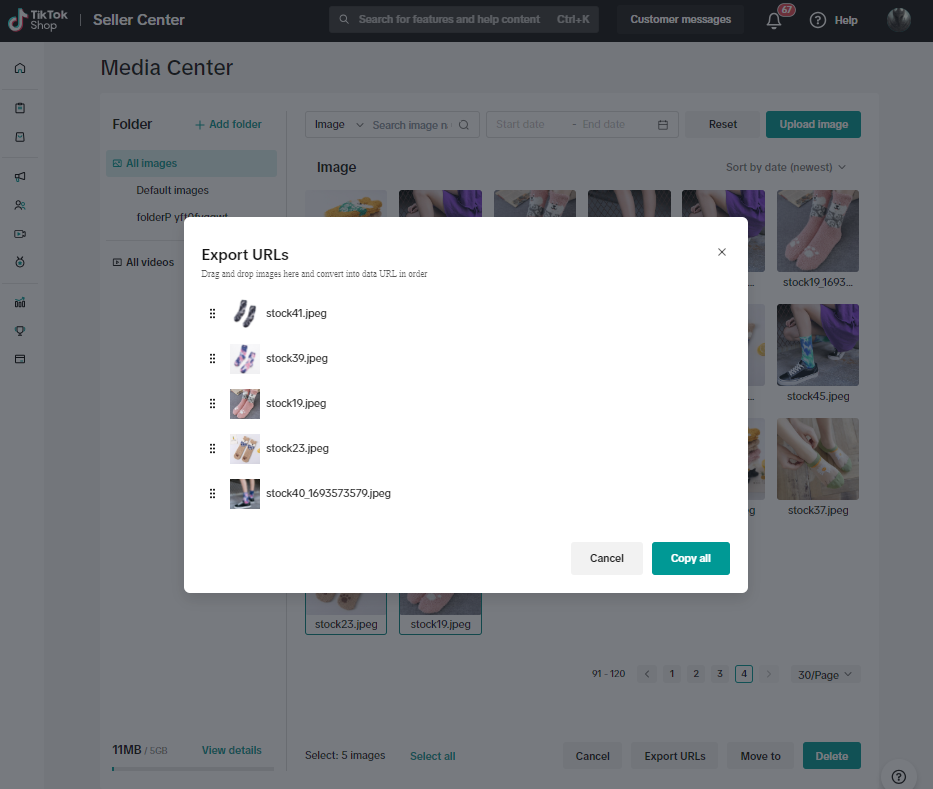
Drag and drop images in the order your URLs should appear and click copy all.
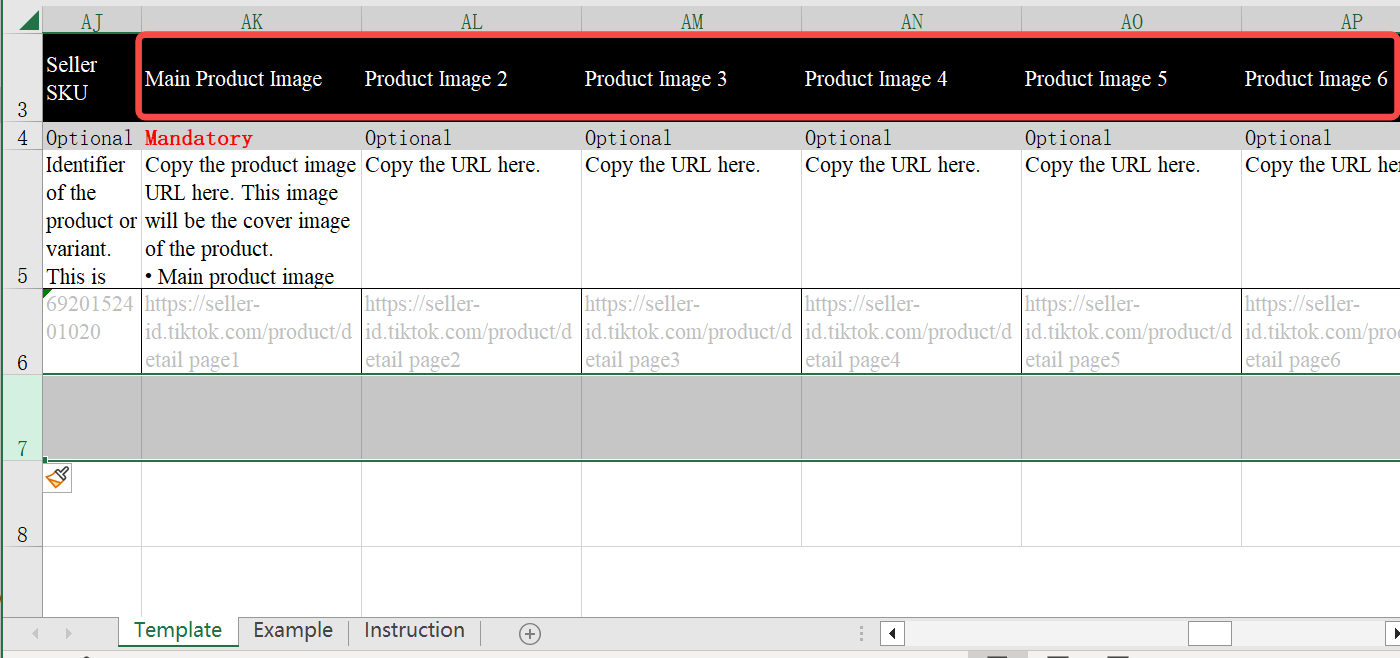
Paste the URL in the product image columns, subsequent image columns, as well as in the size chart (if applicable)

FAQs
| Questions | Answers |
| You can enter the name and the date in the search bar, and the system will automatically search for the corresponding content.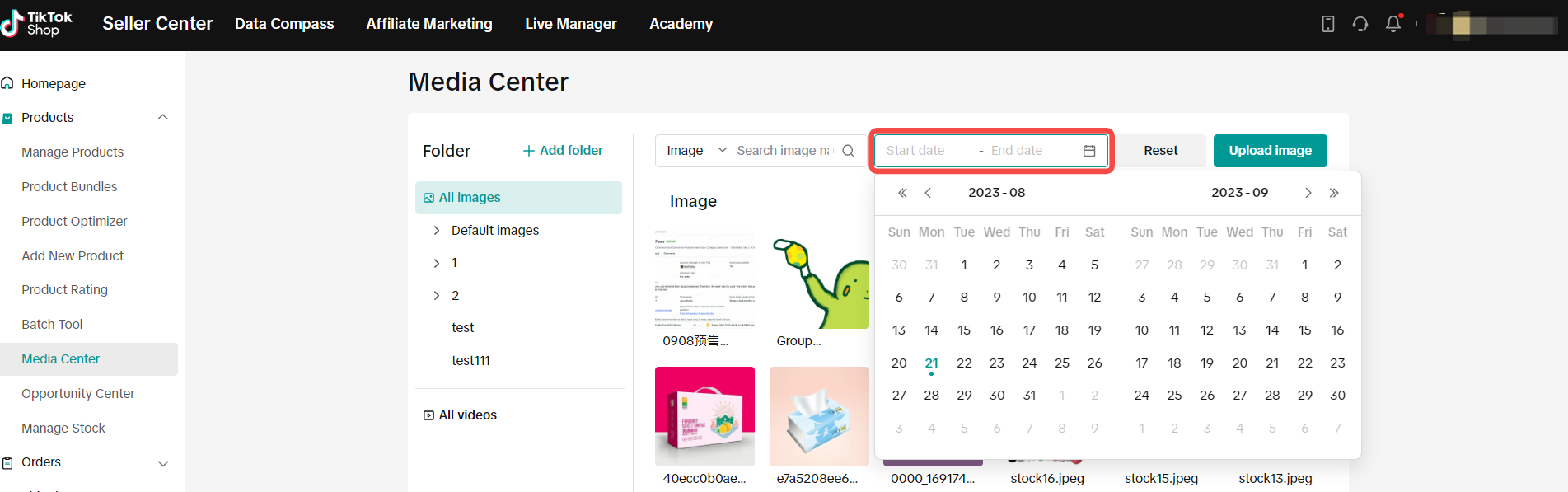 |
| No. You can use the Media center for free. |
| You can view your used capacity (and total capacity) in the lower left corner of the Media Center page. |
| For images: You can upload images in JPG, PNG, or JPEG formats, with a maximum size of 5MB. The image size should be larger than 300 × 300.For videos: You can upload videos in MP4 format, with a maximum of 10MB. The video aspect ratio needs to be between 9:16 and 16:9 and the video needs to be shorter than 60 seconds |
You may also be interested in
2025 BFCM TikTok Shop Readiness Guide
The holiday shopping rush is your single biggest opportunity to increase sales & grow your brand on…

List with a URL
Note: This feature is currently in beta to a limited set of pre-selected sellers. Introduction: Wh…

Made-to-Order (MTO)
Introduction: What is Made-to-Order (MTO)? Made-to-order is a new listing option available for eligi…

New Product Rewards
🚀 Introducing New Product Rewards to Accelerate Your Success The New Product Rewards program is Tik…

Applying for Category Permission
Introduction Some product categories on TikTok Shop are restricted and require sellers to apply for…

TikTok for Shopify - Product Listing Upgrade
Overview: With this new listing update, sellers will have the same product listing experience whethe…
How to Use Size Chart Tool & Guidance
Introduction to our Size Chart Tool With the Size Chart tool, you can now update key sizing informat…

Edit products in your shop
Introduction to editing products in your shop Maintaining accurate and appealing product listings is…

Luxury Resale Products and Uploading Certificates of Authent…
What are Luxury Resale Products? Luxury Resale products are luxury items, including pre-owned luxury…

TikTok for Shopify: Promotions Sync
Overview: Shopify sellers can sync Promotions/Discounts except Free Shipping on Shopify directly to…