

Guidelines for Listing Products Containing Batteries

Before you list your product, you need to identify the battery type and understand any safety or documentation requirements. This guide walks you through how to do that and how to prepare your listing for review.
Part 1: Determine the Battery Type
Before listing your product, confirm what type of battery it contains.Step 1: Check the Label or Manual
Look at the:- Product itself
- Packaging
- Instruction manual
- Lithium-ion
- Lithium-metal
- Alkaline
- Nickel-metal hydride (NiMH)
Step 2: Check the Battery (If Removable)
If the battery can be safely removed:- Take it out and inspect the casing
- Chemistry (Li-ion, Li-polymer, NiMH, NiCd, Alkaline, Lead-acid)
- Voltage (for example, 3.7V or 12V)
- Capacity (mAh or Wh)
Step 3: Confirm With the Supplier or Manufacturer
If the battery is built-in (non-removable):- Request a battery specification sheet from your supplier or manufacturer
- Battery chemistry
- Voltage
- Capacity
Step 4: Identify if the Battery Is Rechargeable
- Rechargeable: usually Lithium-ion (Li-ion) or Lithium-polymer (Li-Po)
- Non-rechargeable: usually Alkaline or Lithium metal
Step 5: Check for Special Risk Categories
- Lithium-ion / Lithium-metal
- Requires Safety Data Sheet (SDS) or 38.3 test summaries
- Must follow specific shipping compliance
- Lead-acid batteries (for example, car or motorcycle batteries)
- Prohibited on TikTok Shop
- Non-lithium batteries (Alkaline, Silver Oxide, NiMH)
- Lower requirements
- Must still be declared
- No documentation required
Part 2: Prepare to List on TikTok Shop
Step 1: Collect Battery Details
Have the following ready:- Battery type
- Voltage and capacity
- Rechargeable or disposable
- Built-in or removable
Step 2: Go to Seller Center

- Log in to Seller Center
- Go to Products > Add Products
- Select Add product
Step 3: Enter Product and Battery Information
- Upload images
- Fill in product name, category, and brand
- Recommended categories will auto-populate based off what you type
- Fill in attributes and any optional attributes
- In the Battery section, select Yes or No
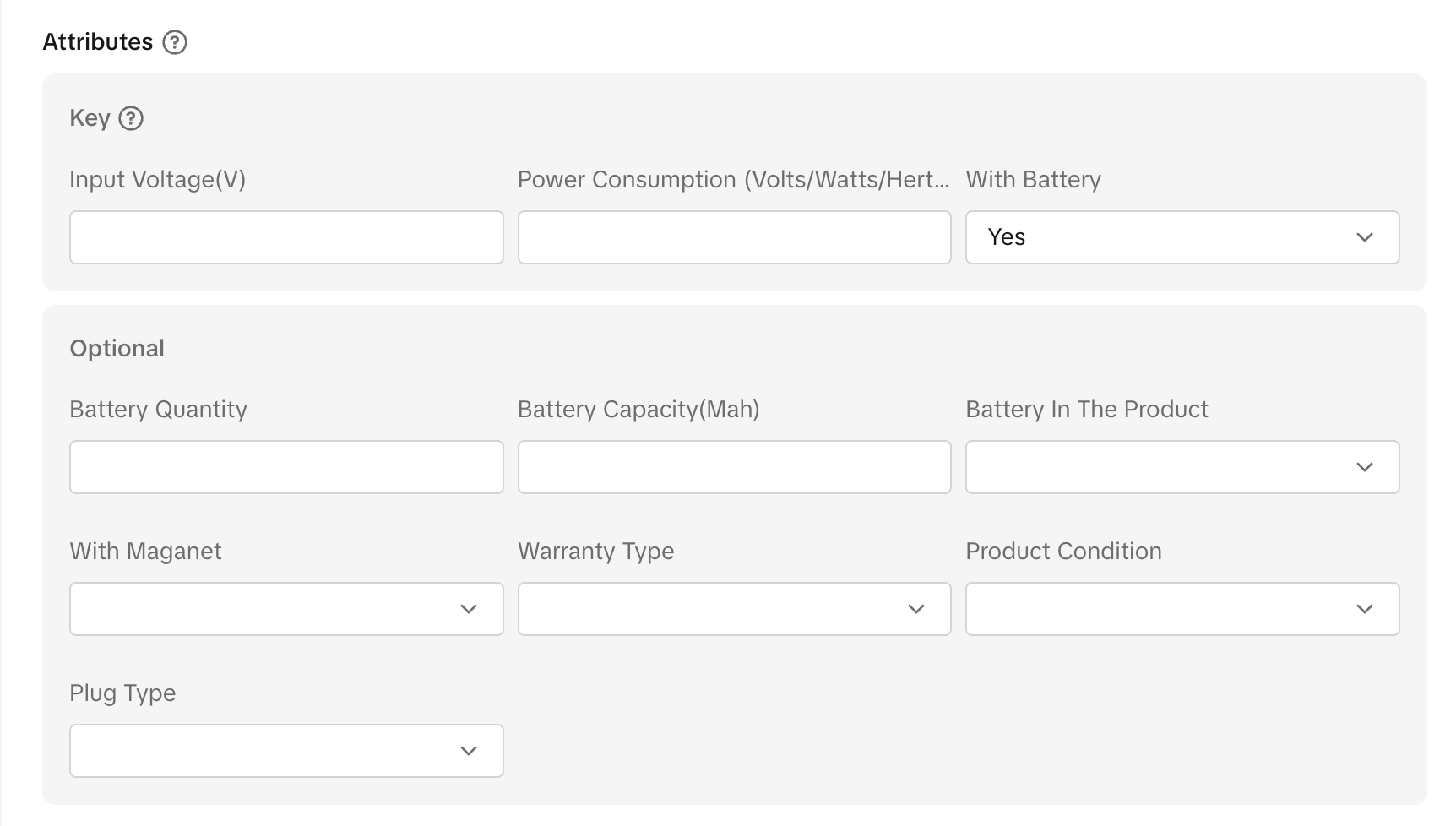
- Fill in product details and sales information
Step 4: Enter Product Compliance Information

- Declare if your product has CA Prop 65 Reproductive Chemicals or Carcinogens
- Declare if your product is a dangerous goods or hazardous material
- Provide required battery attributes:
- Battery Type
- How Batteries Are Packed (built-in, packed with, standalone)
- Number Of Batteries Or Cells
- Battery Or Cell Capacity In Wh
- Battery Or Cell Weight In Grams
- Any other additional attributes
Step 5: Upload Required Documents
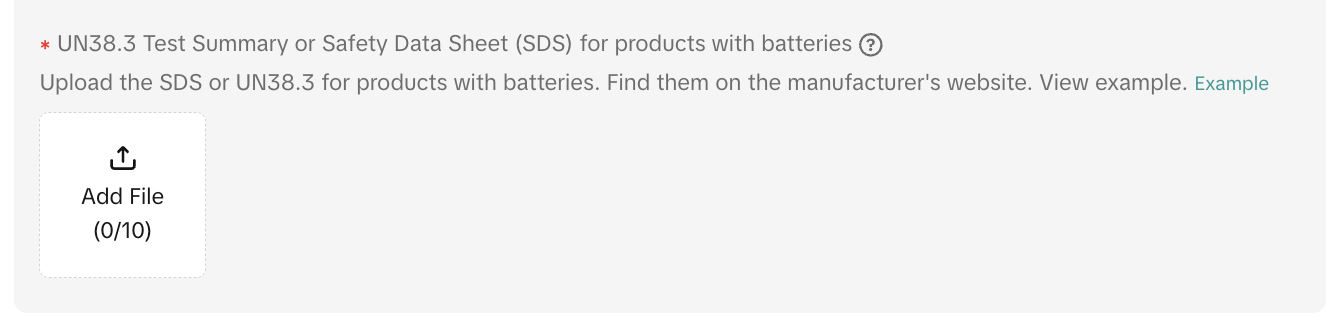
- Upload SDS or UN 38.3 test summary if required
- If exempt (for example, AA alkaline batteries), TikTok Shop may only require basic safety information
Step 6: Set Up Shipping
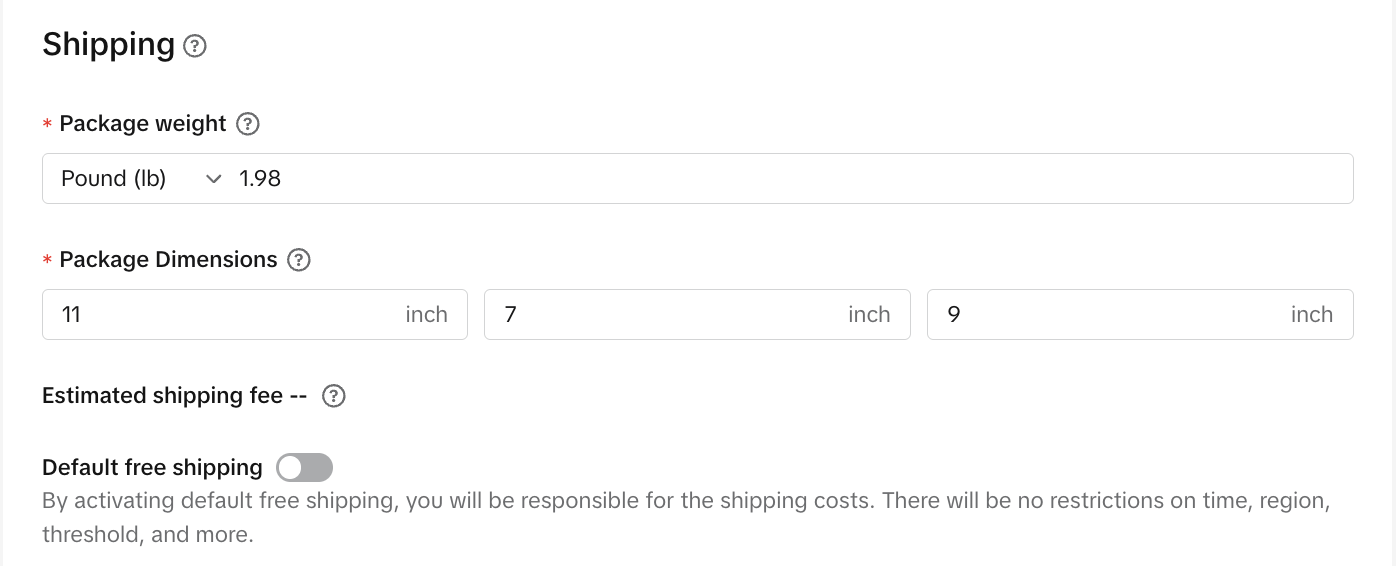
- If the product contains lithium batteries, select shipping options that comply with our logistics requirements
- This includes entering package weight and dimensions
Step 7: Submit for Review
- TikTok Shop reviews the listing and documents
- If approved, the product goes live
- If rejected, feedback is usually provided (such as missing or expired documents)
Additional Tips
- If you’re unsure about the battery type, always confirm with your supplier
- Selecting the wrong battery category can lead to rejection
- Prepare SDS and compliance documents in advance to avoid review delays
- To learn how to obtain an SDS, see Guide to Obtaining a Safety Data Sheet (SDS).
- For additional methods on listing dangerous goods, see How to List Dangerous Goods.
- Customers returning products containing lithium batteries must follow applicable regulations and any additional hazmat labeling instructions provided in the return instructions.
You may also be interested in

List with a URL
Note: This feature is currently in beta to a limited set of pre-selected sellers. Introduction: Wh…

Made-to-Order (MTO)
Introduction: What is Made-to-Order (MTO)? Made-to-order is a new listing option available for eligi…

Applying for Category Permission
Introduction Some product categories on TikTok Shop are restricted and require sellers to apply for…

TikTok for Shopify - Product Listing Upgrade
Overview: With this new listing update, sellers will have the same product listing experience whethe…

How to Use Size Chart Tool & Guidance
Introduction to our Size Chart Tool With the Size Chart tool, you can now update key sizing informat…

Edit products in your shop
Introduction to editing products in your shop Maintaining accurate and appealing product listings is…

Luxury Resale Products and Uploading Certificates of Authent…
What are Luxury Resale Products? Luxury Resale products are luxury items, including pre-owned luxury…

TikTok for Shopify: Promotions Sync
*Overview: Shopify sellers can sync Promotions/Discounts except Free Shipping on Shopify directly to…

How to List Dangerous Goods
Overview When creating a new product listing, TikTok Shop may identify your product as a potential D…

Fill in the scale weight information in the SKU level
Feature Summary Feature Name: SKU-level Dimensions & Weight (Package Size and Weight) Input Core Cha…