

How to Use Seller Coupon
09/16/2025
Seller Coupon
What is Seller coupon?
Seller coupon is a promotional tool that can be used by sellers in combination with other promotional tools. Sellers can set this up in the Seller Center where they bear the cost.The benefits of using Seller coupon?
- Encourage buyers to increase their total order value, to boost overall sales and stock clearance for seasonal products.
- By setting a minimum spend, you can offer bigger discounts for your coupons without suffering a loss.
- Notes on use:
- Seller coupons can be used in combination with Product Discounts, Flash Deal, and other Seller discounts, as well as platform subsidies.
- Multiple Seller coupons cannot be stacked, and the one with the greatest discount will be taken from the coupons that meet the conditions of use when the user settles.
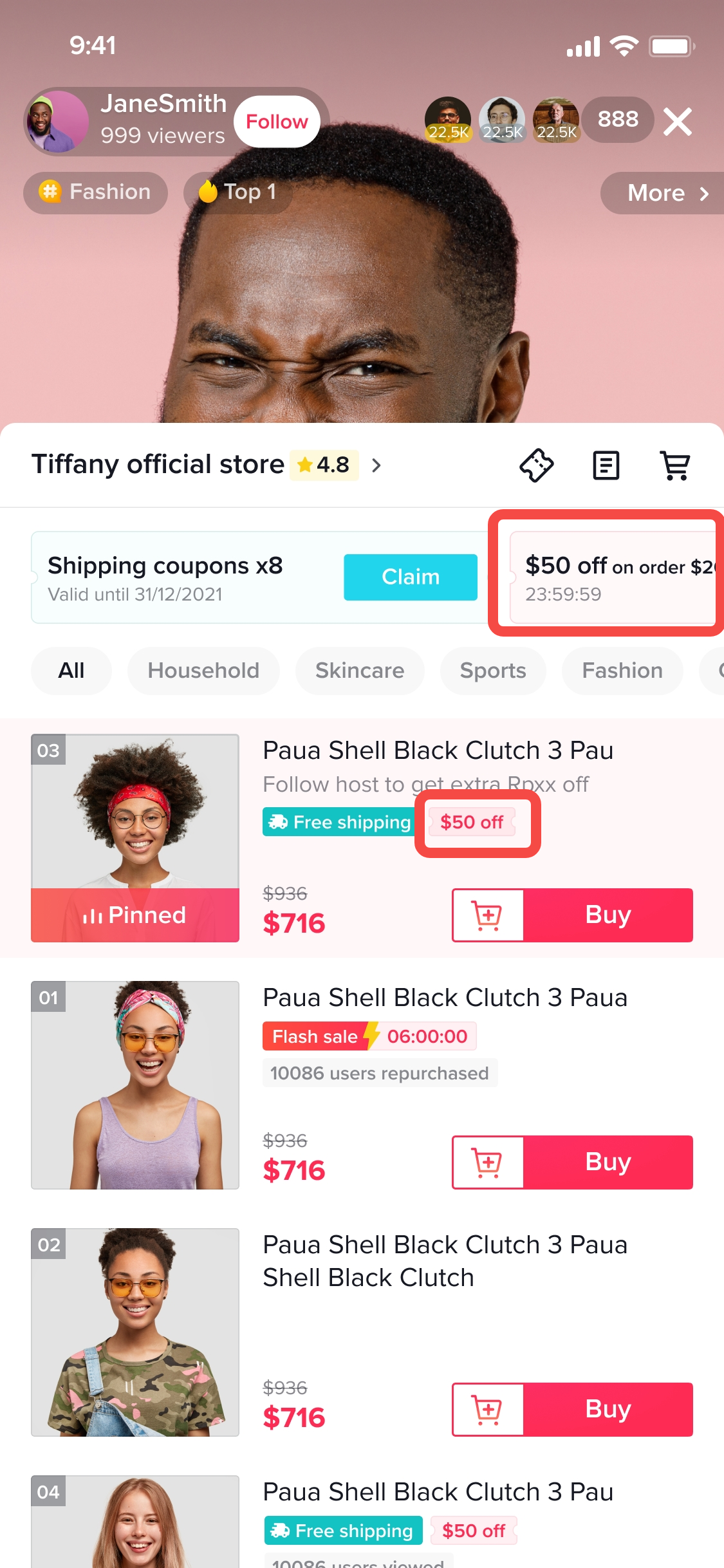
- If the Seller has set up public coupons, users can get them from public channels such as business details pages, shopping carts, and live broadcast rooms.
- Discount rate: Currently, you can set a discount rate between 1% and 30%. September 30th, the range will be adjusted to 5% to 90%.
How to Create Seller coupons
Access the coupon Tool:- Seller Center -> Promotions -> Promotional Tools -> Create a promotion -> coupon -> Create
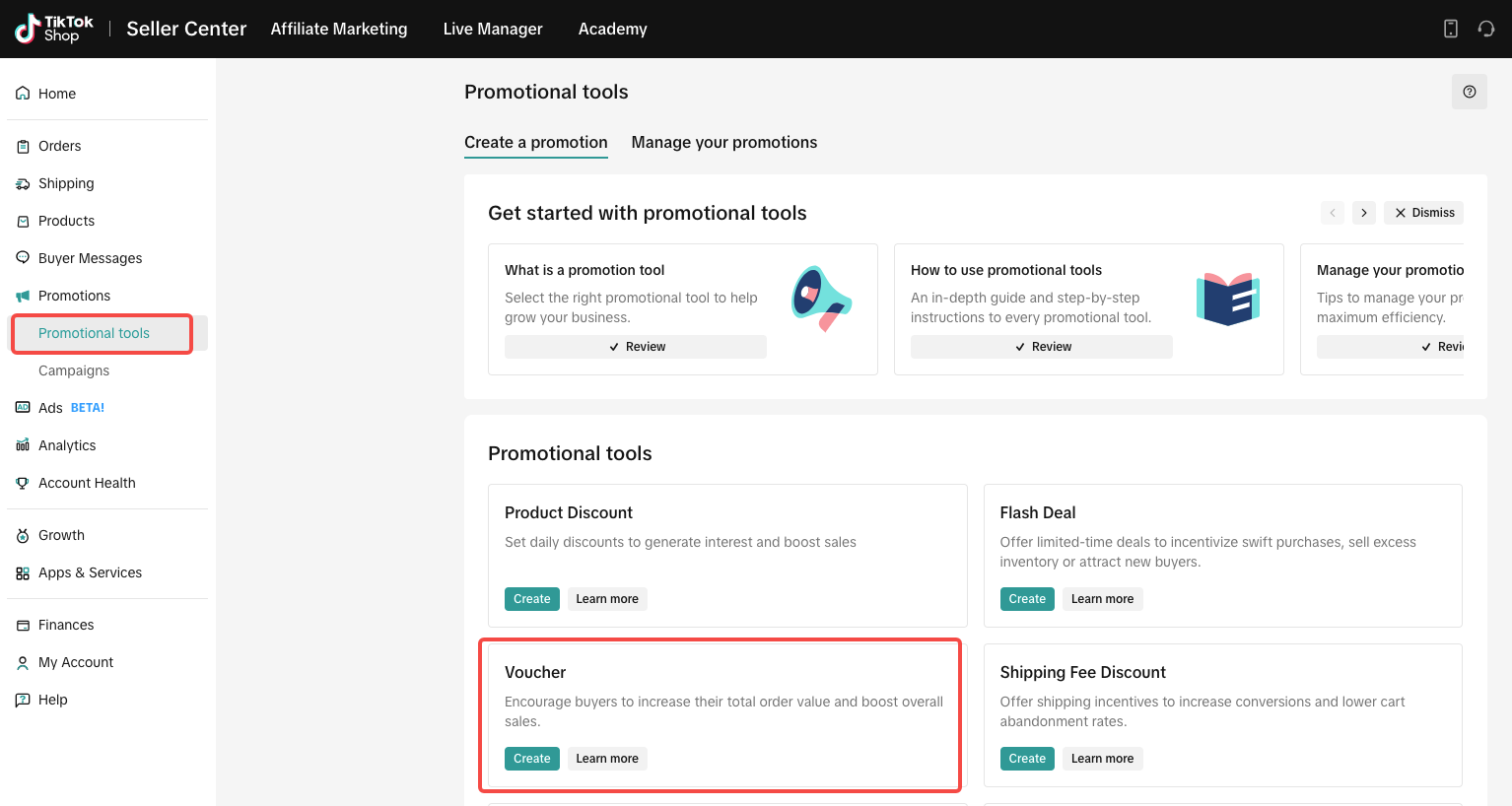
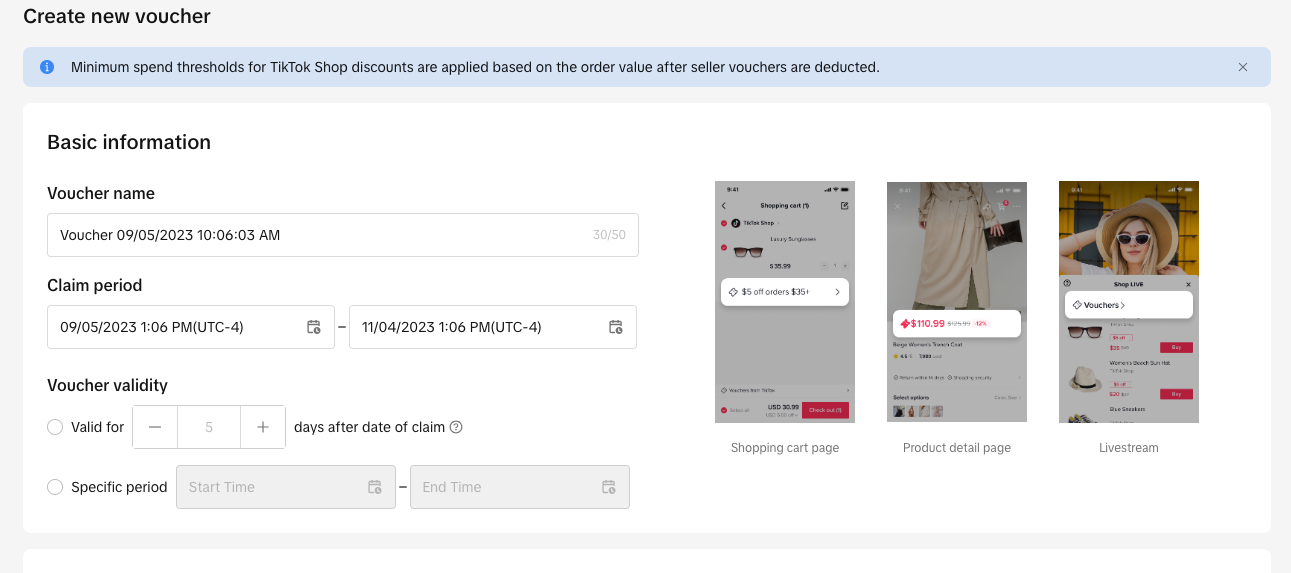
- Coupon name (Note: This is not visible to buyers)
- Claim period (local time)
- Coupon validity
- Valid for X days after the date of claim (the validity period will start as soon as the coupon is claimed)
- Amount off: Give customers a fixed amount off of their order
- Percentage off: Give customers a percentage off of their order
Amount Off coupon: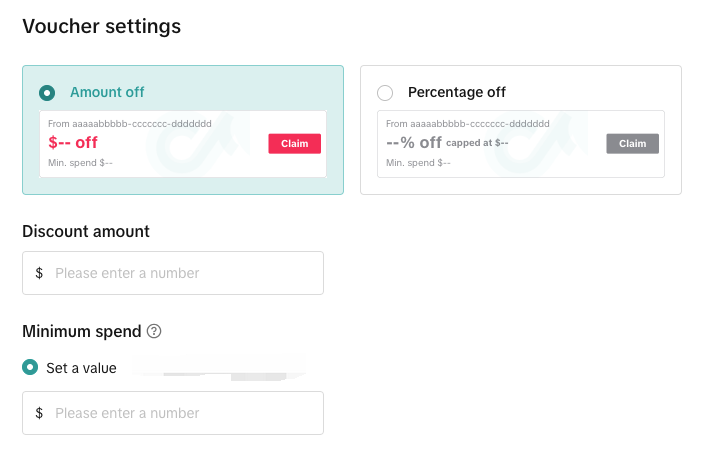
| Percentage Off coupon: 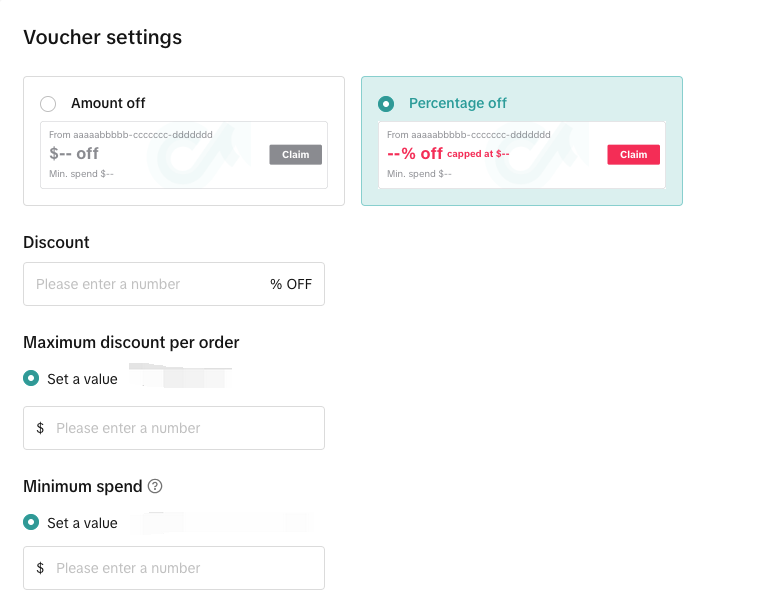
|
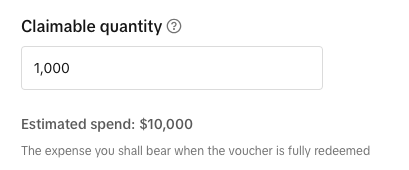
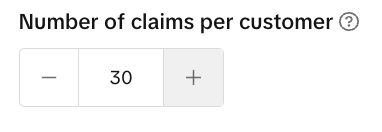
2.4: Set the Number of Claims Per Customer
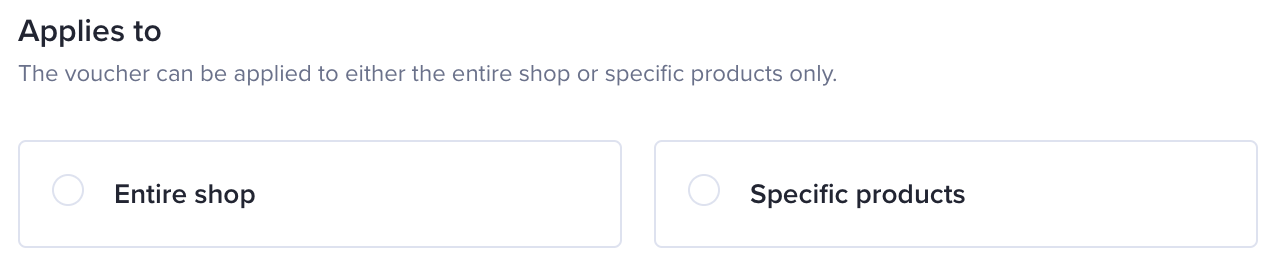
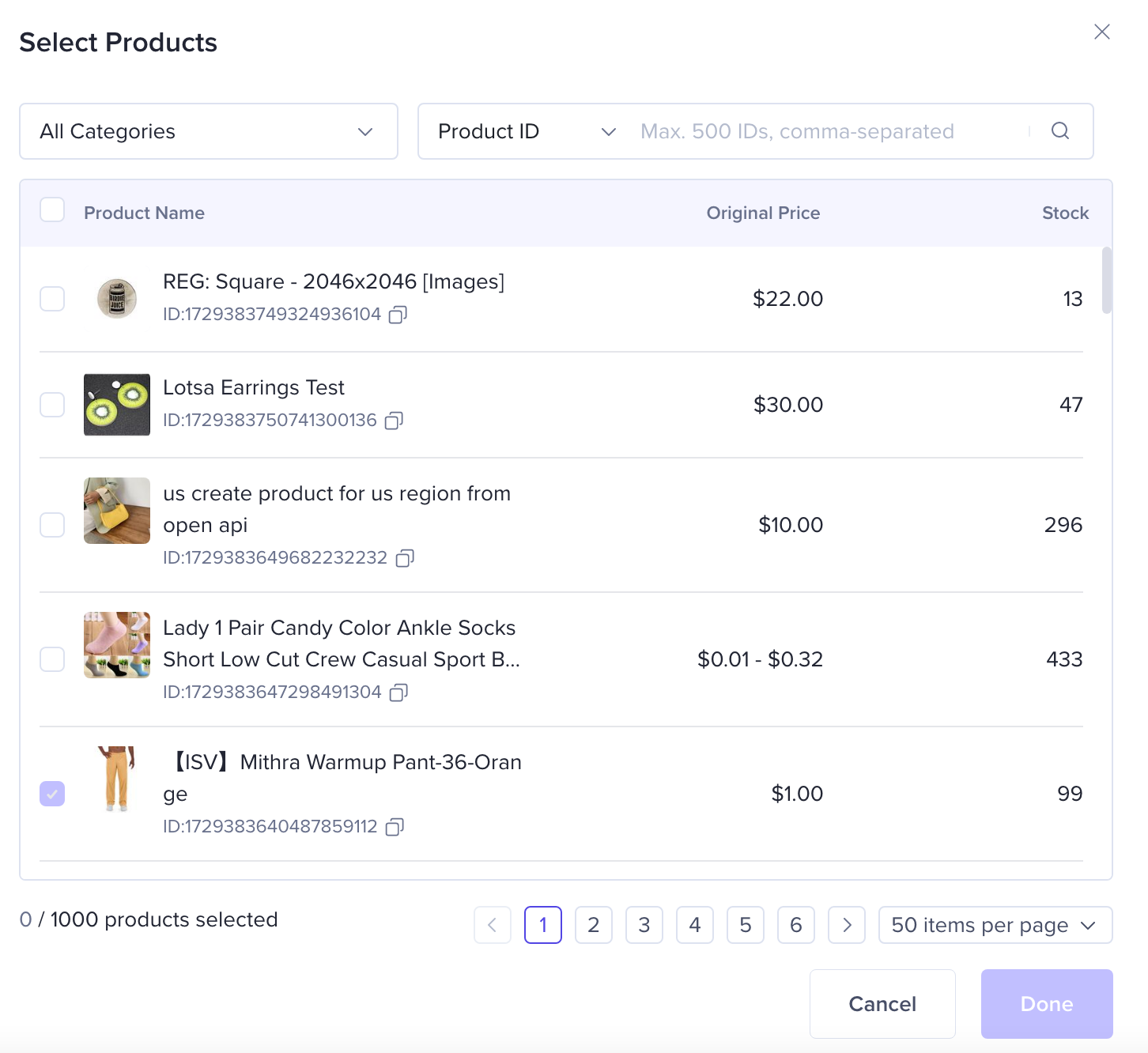
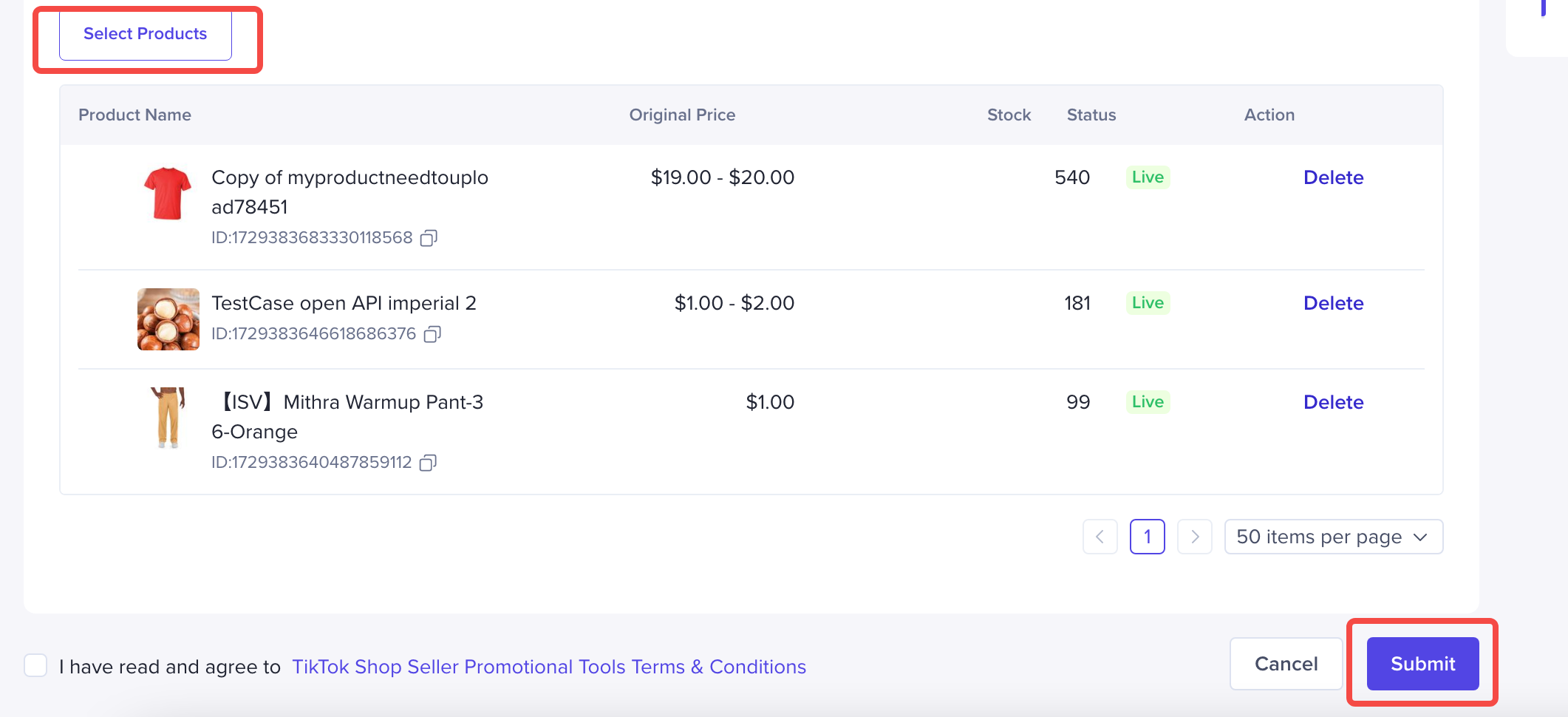
Step 4: Select Products
How to view, edit and terminate seller coupon
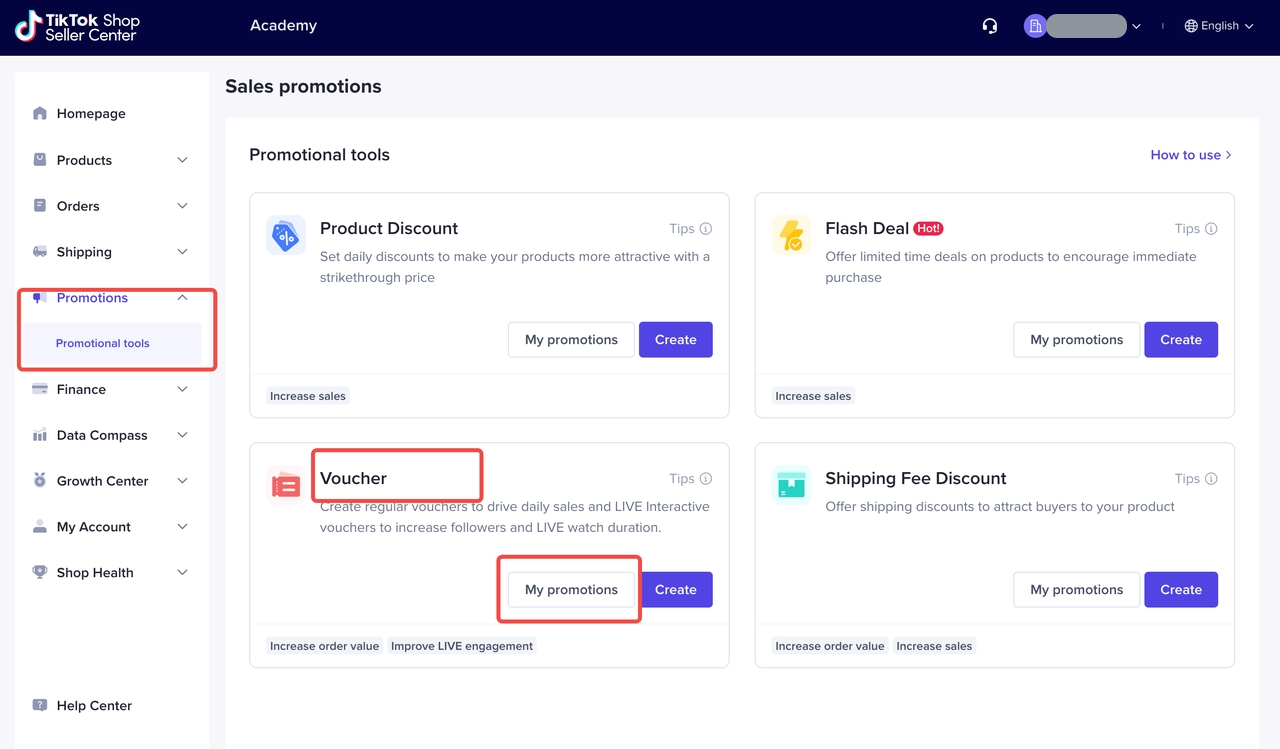
Entrance
- Seller Center -> Promotions -> Promotional Tools -> coupon -> My Promotions
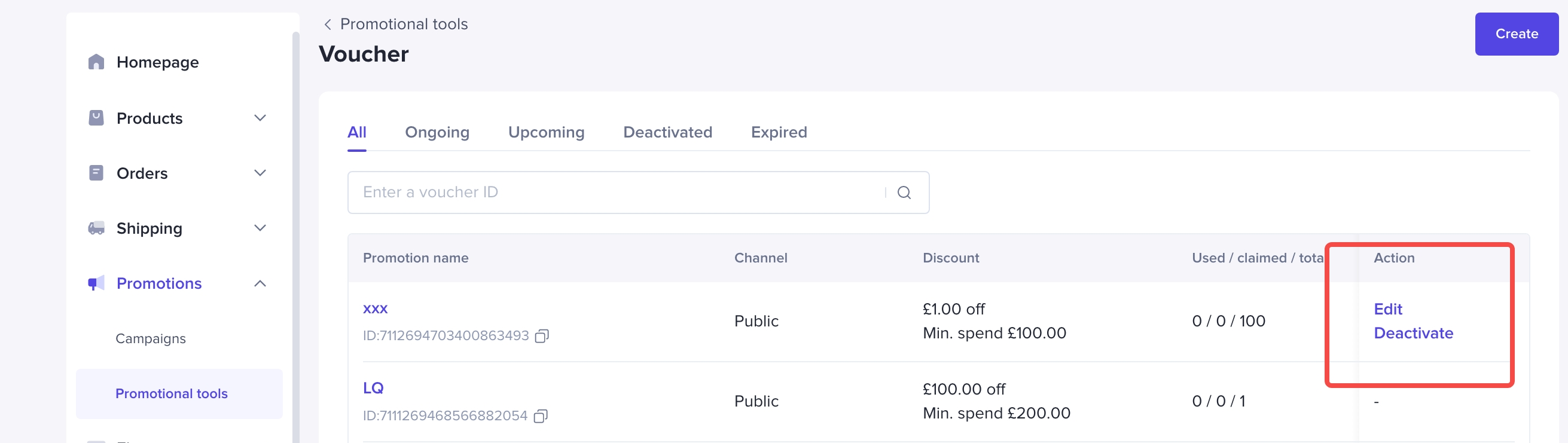
Check, Edit or Terminate the Promotion
After the Seller coupon is created:- If the event has taken effect, you can only change the name of the event, the end time of the event, and increase the number of coupons available for the event, and other information cannot be modified;
- If the activity has not yet taken effect, it can be modified except for the channel type;
How consumers interact with Seller coupons
User path1)How to claim Seller coupons?If the Seller has set up a public coupon, users can collect them from public channels such as business details pages, shopping carts, and live broadcast rooms;2)How to view your own coupons
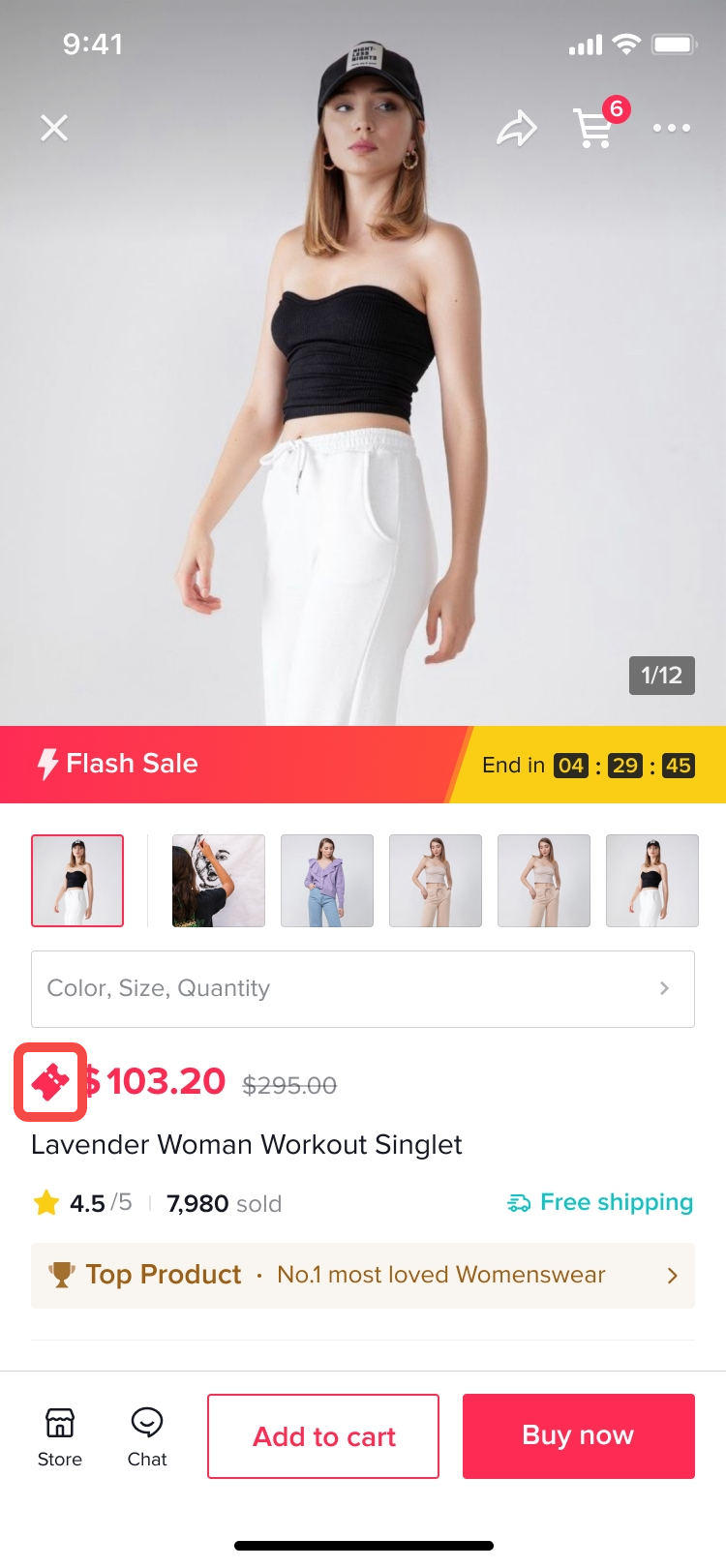
- Click on the business details page - coupon to display all available coupons for the product (including business coupon and platform coupon);
- Enter the coupon package to view all the coupons you own, the path is: TikTok Profile->Settings and privacy->Orders->coupon
3)How to use Seller coupons?
- If you have received the coupon, click "use" on the coupon to display all the products that the coupon applies to;
- When the user settles, if there is a Seller coupon that can be used but not claimed, the system will automatically claim it for the user and deduct it when placing the order;
- For each payment settlement (multiple settlements can be made through the shopping cart), only one Seller coupon can be used;
- When the user settles, he can click the relevant position of the coupon to check which coupons he has used for this settlement, or choose not to use the coupon for this settlement;
Multi-scene coupons display
Live room
PDP
You may also be interested in

Promotion stacking rules
Learn how promotions work together What you'll see and what your customers get: On TikTok Shop, you…
TikTok for Shopify: Strikethrough Pricing Integration
TikTok for Shopify - Strikethrough Pricing Integration for Shopify Overview: Strike-through pricing…

Seller LIVE Flash Deal
What is LIVE Flash Deal ? LIVE Flash Deal is a seller-funded promotion tool that allows sellers to c…
How to Use the 'Buy More Save More' Feature
Product Overview Buy More Save More is a seller-funded promotional tool designed to reward customers…

The smart pricing suite: Pricing insights and campaign price…
Product Overview TikTok Shop Pricing Suite is your complete smart pricing system built directly into…
How to Use Seller Flash Deal
What is Seller Flash Deal Seller Flash Deal is a promotion tool in the Seller Centre to create limit…
How to Use Product Discount
Introduction of product discount, how to create, view, edit, terminate it and how consumers particip…

TikTok Shop LIVE Promotions Tools
Overview Livestreaming is one of the most powerful ways to connect with your audience, deepen engage…

Seller coupons
Overview: What are coupons? Seller coupons are seller-funded discounts customers can claim and apply…

Early Access Deal
What is Early Access Deal? (currently in Beta for selected sellers) Early Access Deal is a seller-fu…