

How to Use Promo Codes
Summary
What are the key steps and requirements for creating a Promo Code on TikTok Shop Seller Center?
- Sellers must access Seller Center > Promotions > Promotion Tools > Promo Code > Create, then enter a unique 2-8 character code (letters/numbers), set a promotion name, validity (10 min–365 days), and discount rate (5%-50%) with minimum $0.50 off.
- Promo Codes can apply to entire shops or specific products (1-1,000 items), set minimum spend, max discount, total redemptions, and limit claims per customer to one if desired.
What common issues might prevent a Promo Code from being successfully created, and how can sellers resolve them?
- Codes fail if they are shorter than 2 or longer than 8 characters, violate TikTok’s Text Safety Guidelines, or are not unique among all sellers’ upcoming/ongoing Promo Codes in the country.
- Sellers should ensure compliance with these rules and uniqueness to avoid submission errors.
How can sellers manage and modify Promo Codes after creation, and what limitations exist?
- Sellers can edit upcoming Promo Codes fully except the claim code; ongoing Promo Codes can only have their promotion period extended or redemption quantity increased.
- Promo Codes can be deactivated anytime, and sellers can duplicate existing codes to quickly create new ones.
What should sellers know about Promo Code redemption by customers and related error messages?
- Customers may see errors like "Invalid Code," "Code has expired," "Already redeemed," or "Fully redeemed" indicating non-existence, expiration, repeated use, or usage limit reached.
- Once usage limits are reached, codes cannot be redeemed further; deactivated codes remain redeemable if claimed before but not after expiration or limit.
Are Promo Codes stackable with other seller coupons, and how are cancellations or returns handled?
- Promo Codes cannot be combined with other seller coupons; customers must choose either a Promo Code or a coupon per order.
- If orders using Promo Codes are canceled or returned, the usage count is adjusted to reflect actual usage, freeing up redemptions.
Creating a Promo Code
Entrance- Visit Seller Center > Promotions > Promotion Tools > Promo Code > Create
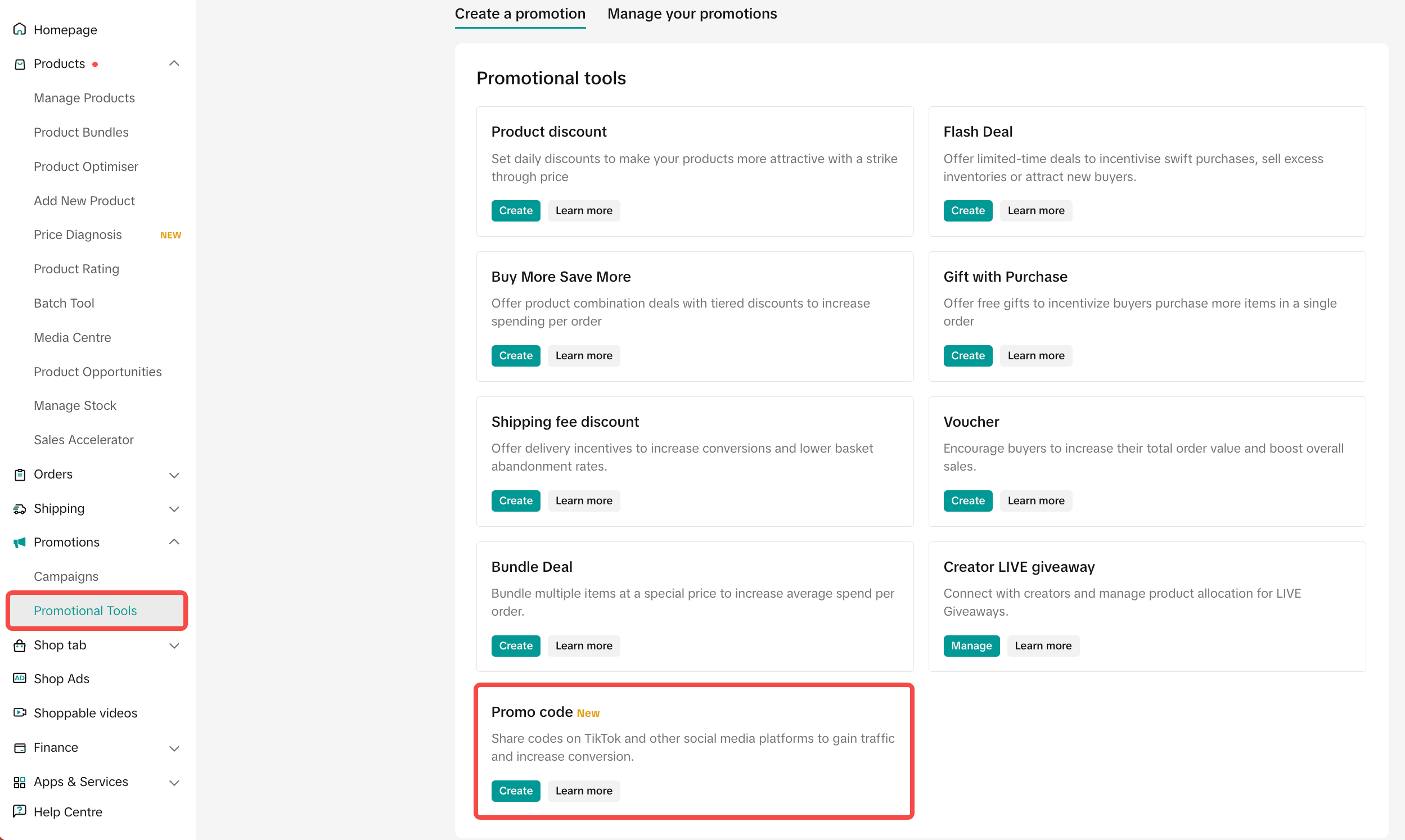
- Promotion name
- Claim code:
- Create your own code: Enter 2-8 numbers (0 to 9) or letters (A to Z). The claim code can have a maximum of 12 characters including the default prefix.
- Generate code: TikTok can also auto generate the code for you
- Promotion validity period: The promotion must be longer than 10 minutes and less than 365 days.
- Discount Rate Requirements:
- The discount rate must be set between 5% and 50%.
- The minimum discount value must be at least $0.50.
- The maximum discount must be equal to or greater than the coupon value, calculated as minimum spend × discount rate.
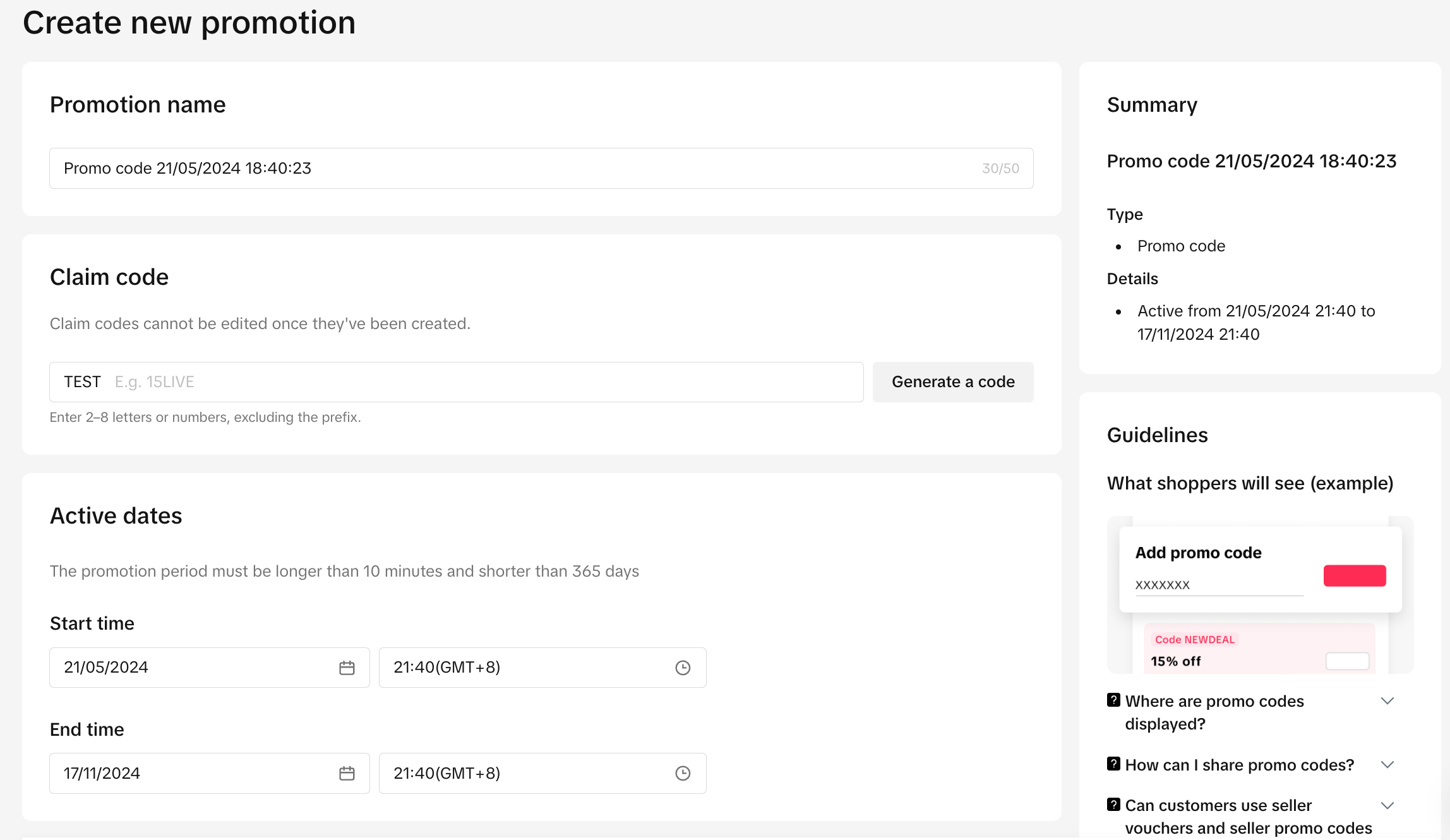
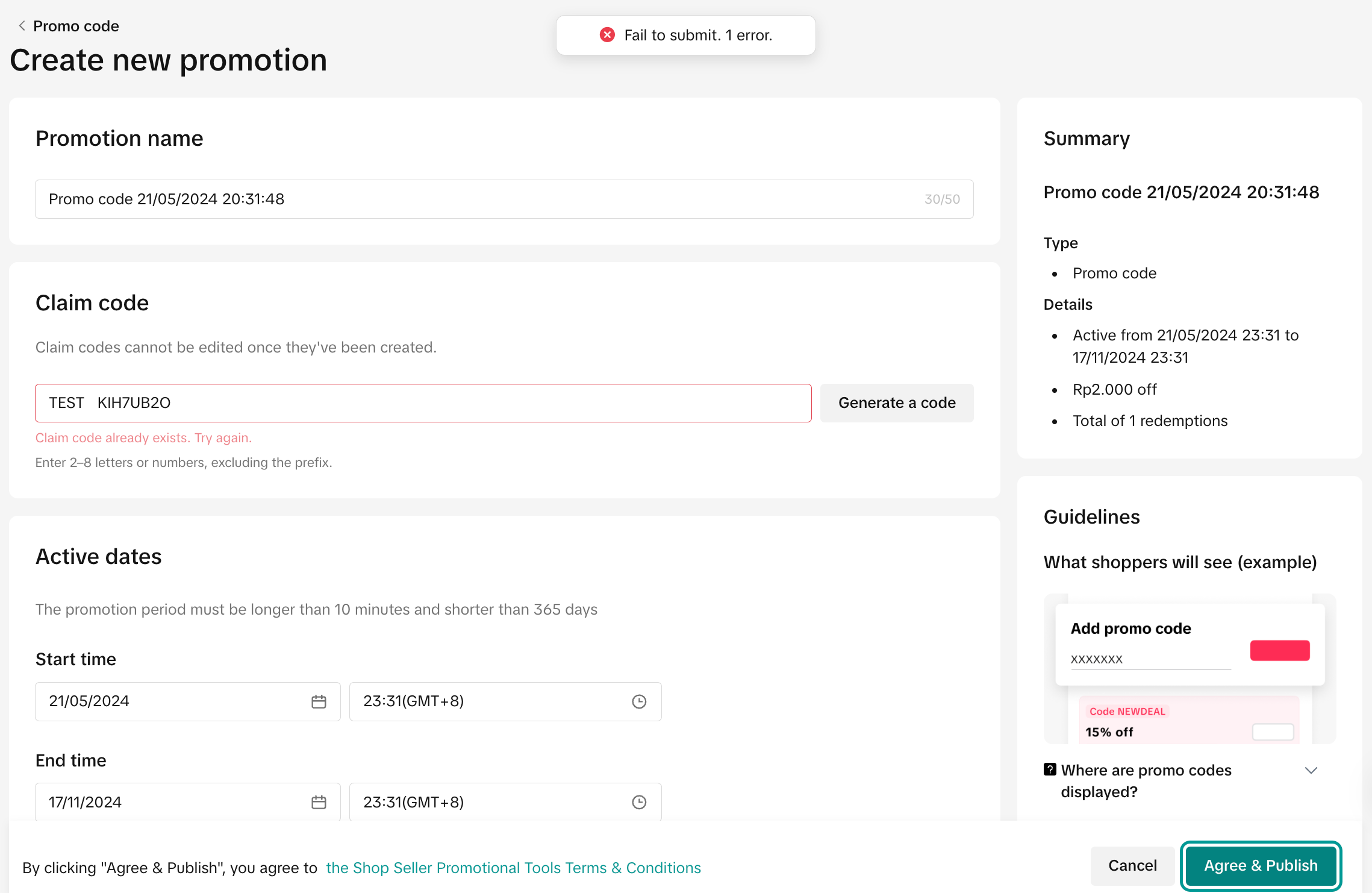
Note: You may fail to submit a promo code if:
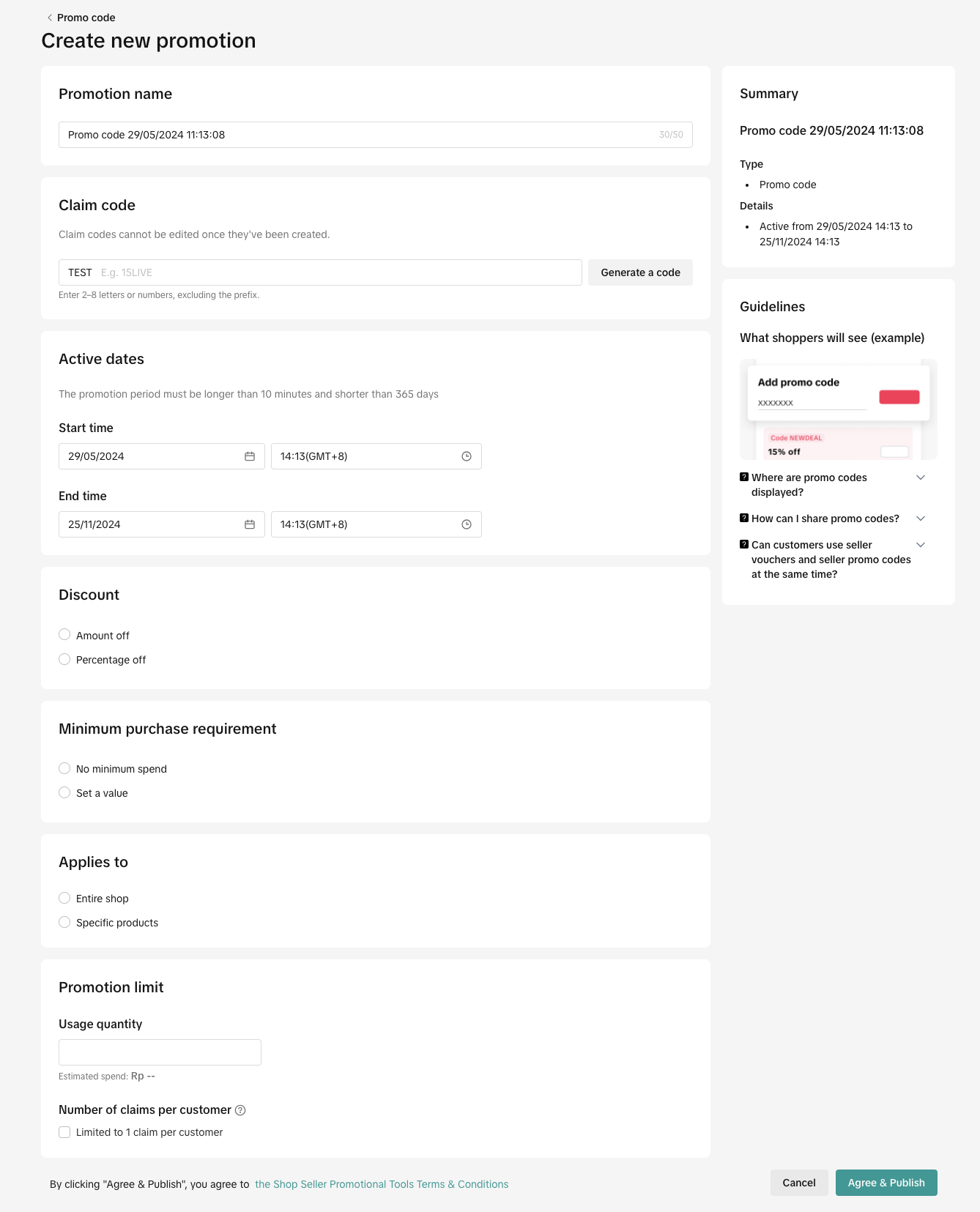
Discount Setting
- The number of characters filled is lower than 2 or exceeds 8
- The code is not compliant with GNE's Text Safety Guidelines
- The code is not unique among all upcoming and ongoing Promo Codes created by all TTS sellers in the country
- Discount type: Amount off or Percentage Off
- Minimum spend
- Maximum discount per order
- Apply to Entire Shop or Specific Products: Minimum 1 product, maximum 1,000 products
- Total Redemption: Set a limit on the maximum number of usage
- Estimated Spend: Discount amount x Total Redemption
- Number of claims per customer: Tick the box if you want each customer to enjoy the Promo Code once.
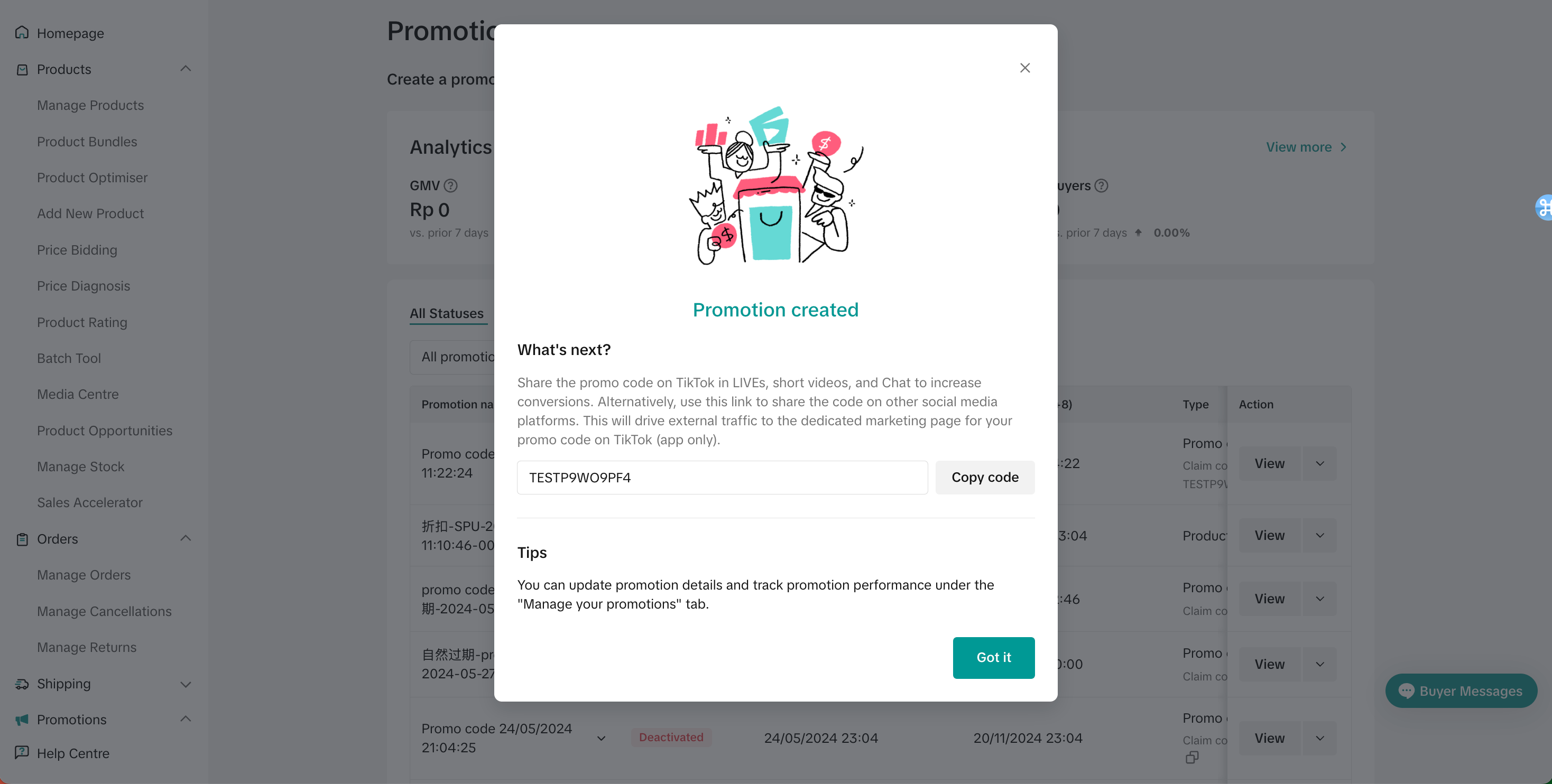
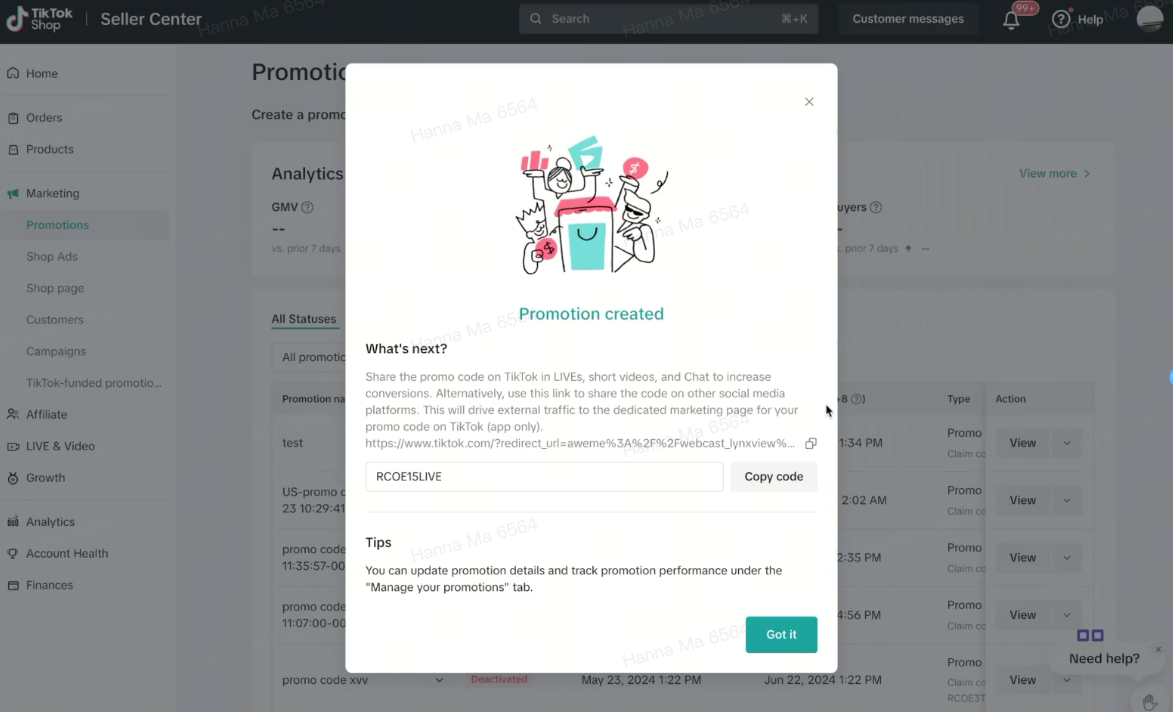
- Once the Promo Code is successfully created, sellers can share the Promo Code by using copy-and-paste.
- Share the Promo Code with your customers during the set promotion period to ensure that customers are able to redeem the Promo Code.
Manage Promo Code
Entrance- Visit Seller Center > Promotions > Promotion Tools > Manage your promotions
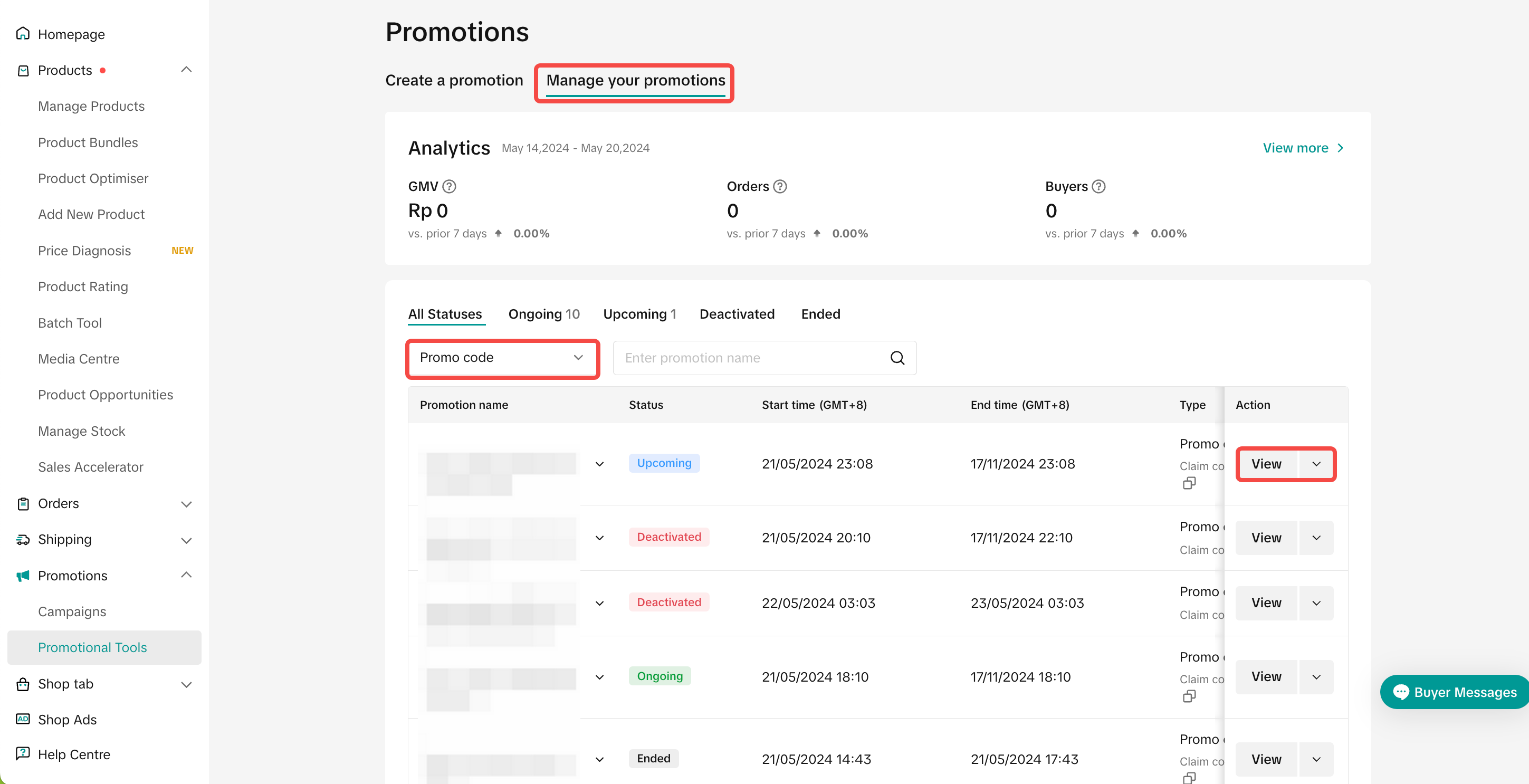
- Click Edit: To edit upcoming promotions, all promo code settings can be edited, except the claim code. To edit ongoing promotions, only the promotion period can be extended and the redemption quantity can be increased.
- Click Deactivate: To end an upcoming or ongoing promotion
- Click Duplicate: To copy and paste the Promo Code setting to help you quickly set up another one.
Customer Display & Redeem
| [Internal] | Deals Panel | Enter Promo Code | Promo Code Applied |
| This content is only supported in a Feishu Docs | 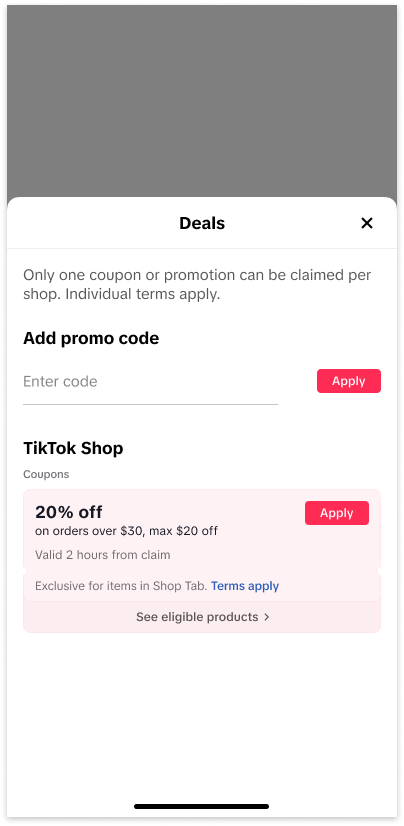 | 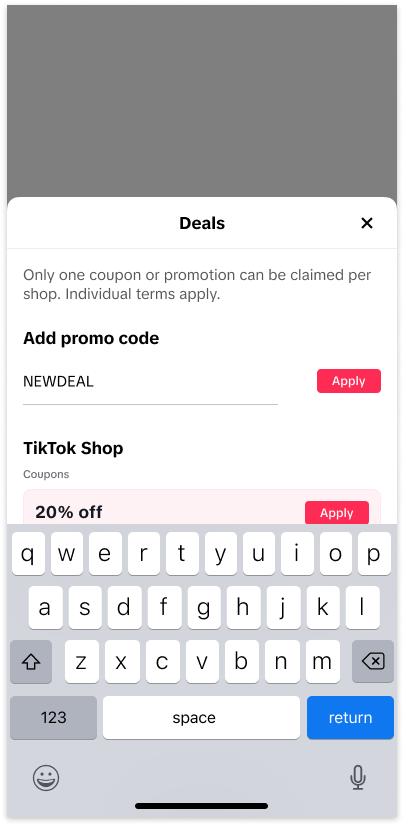 | 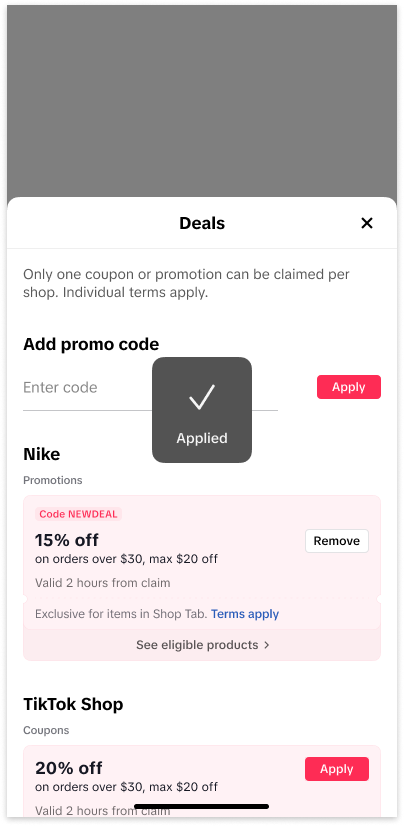 |
| Customer has claimed more than 1 deal from a seller | Customer adds multiple Promo Code |
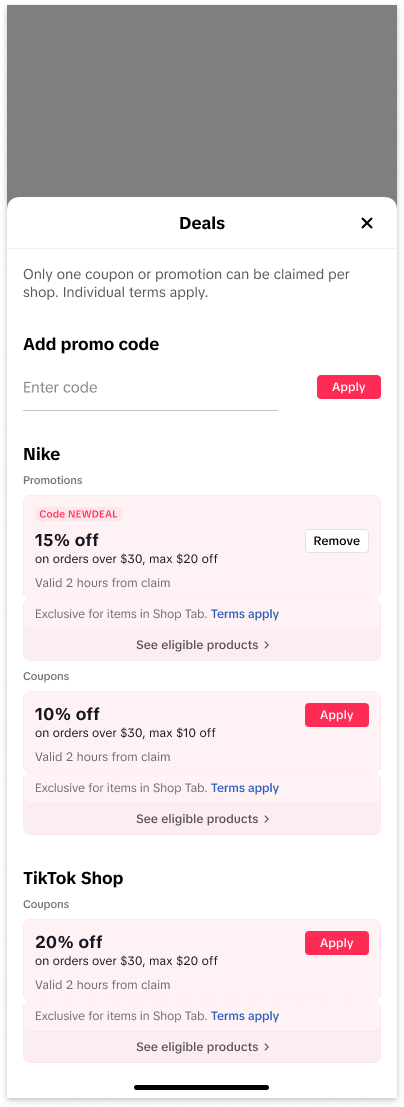 | 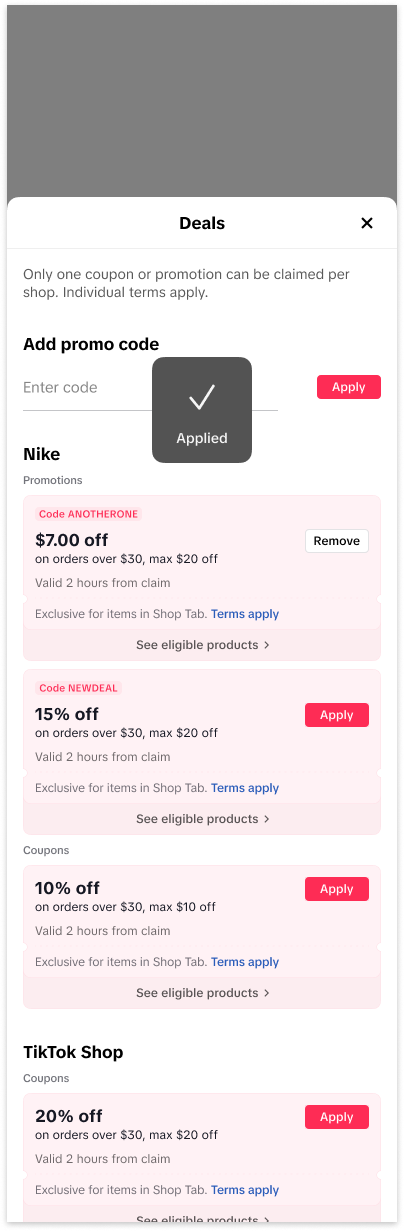 |
FAQs
- Can sellers create Promo Code on TikTok Shop Seller Center App?
- How many Promo Code can be created at the same time?
- How can I change the first 4-character prefix on my Promo Code?
- Why can't I successfully create a claim code?
- The number of characters or numbers filled is lower than 2 or exceeds 8
- The code is not compliant with TikTok's text safety guidelines
- The code is not unique among all the upcoming and ongoing Promo Codes created by all TikTok sellers in the country.
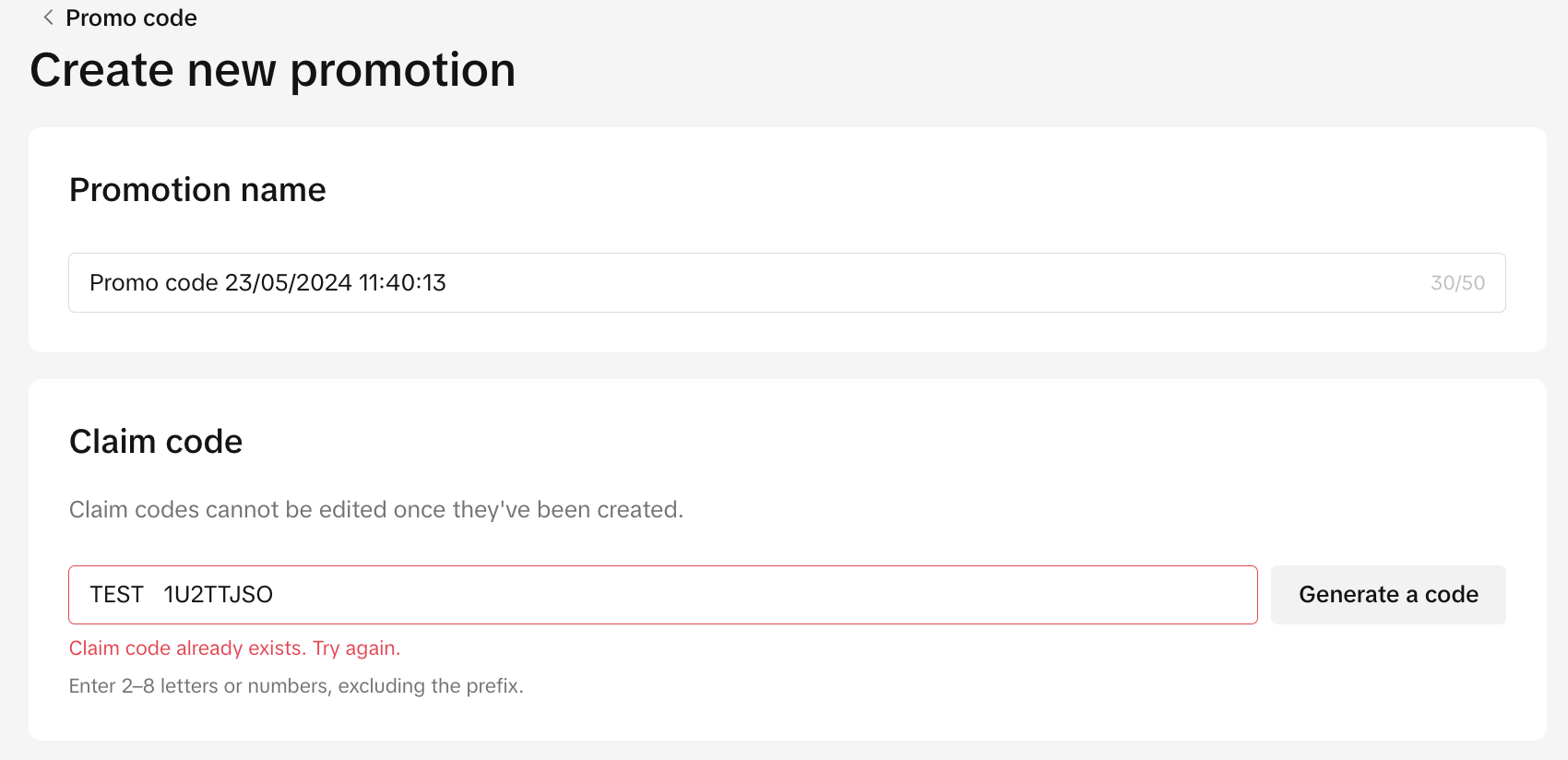
- My customers cannot redeem the Promo Code, what do the error messages mean?
- Invalid Code - The code does not exist
- Code has expired - The code has expired
- You've already redeemed this promotion - Repeated redemption
- The code has been fully redeemed - Promotion has reached the usage quantity limit
- What happens when the Promo Code usage quantity has reached the limit?
- Can customers use my Promo Code after I deactivate them?
- For orders that have applied Promo Code and resulted in cancellation or return, will the Promo Code usage quantity be updated?
- Can the Promo Code be used with other seller coupons in the same order?
You may also be interested in

Promotion stacking rules
Learn how promotions work together What you'll see and what your customers get: On TikTok Shop, you…
TikTok for Shopify: Strikethrough Pricing Integration
TikTok for Shopify - Strikethrough Pricing Integration for Shopify Overview: Strike-through pricing…

Seller LIVE Flash Sale
What is LIVE Flash Sale ? LIVE Flash Sale is a seller-funded promotion tool that allows sellers to c…

The Seller Guide to Shop Tab Success
*What is Shop Tab? Shop Tab is another way for shoppers to discover your products on TikTok Shop. As…

How to register through standard registration
What is Standard Registration? Standard Registration allows you to register products that meet speci…

How to register for flash sale campaigns
What is a TikTok Shop Flash Sale Campaign? A Flash Sale campaign is a limited-time promotion that le…

TikTok for Shopify: Promotions Sync
*Overview: Shopify sellers can sync Promotions/Discounts except Free Shipping on Shopify directly to…

Buy More Save More & BXGY
Product Overview You can configure both Buy More, Save More (BMSM) and Buy X, Get Y (BXGY) campaigns…

The smart pricing suite: Pricing insights and campaign price…
Product Overview TikTok Shop Pricing Suite is your complete smart pricing system built directly into…

How to Use Seller Coupon
Overview: What are coupons? Seller coupons are seller-funded discounts customers can claim and apply…