

Campaign Reserved Stock for Flash Sale Campaigns
11/05/2025
Summary
What is campaign reserved stock on TikTok Shop and how does it affect pricing during campaigns?
- Campaign reserved stock is inventory set aside exclusively for a campaign, immediately deducted from available stock. The campaign sales price applies only to this reserved stock during scheduled sessions; once depleted, the discounted price disappears unless more stock is added.
How can sellers replenish or increase their campaign reserved stock during a campaign?
- Sellers receive low inventory alerts and a "Replenish Low Campaign Stock" task in Seller Center to update stock quickly. Alternatively, they can manually increase reserved stock via Seller Center → Marketing → Campaigns → Manage Your Campaigns → Manage → Edit product → Update campaign quantity.
Can sellers reduce their campaign reserved stock once set, and what is the process if they need to do so?
- Sellers cannot directly reduce campaign reserved stock. To lower it, they must withdraw the Product ID (PID) from the campaign and re-register before the deadline with the desired stock amount.
How can sellers view their campaign schedule and subsidy details on TikTok Shop?
- In Seller Center, under Marketing → Campaigns → Manage Your Campaigns, sellers can select their sub-campaign and click Manage, then under the Campaign products tab, click View schedule to see scheduled sessions and subsidized prices.
What is campaign reserved stock and how do I replenish it?
Campaign reserved stock is immediately deducted from your available inventory and set aside exclusively for the campaign. During the campaign period, the campaign sales price will only apply to this reserved stock during the scheduled session. Once the reserved stock is depleted, the campaign sales price will not be shown unless you add more campaign reserved stock.Important: Currently, you can only increase your campaign reserved stock. To reduce it, you must withdraw the PID and re-register before the deadline.

Steps to add more campaign reserved stock
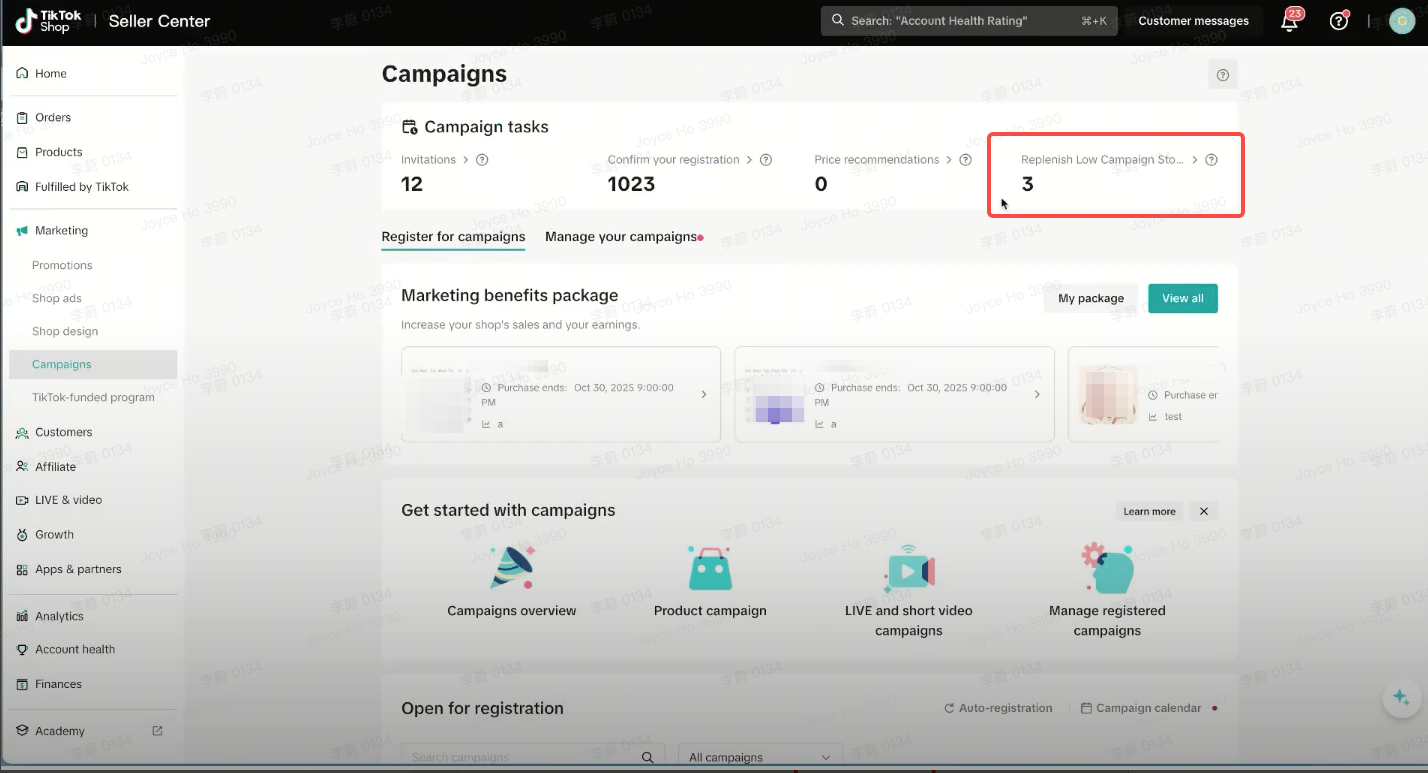
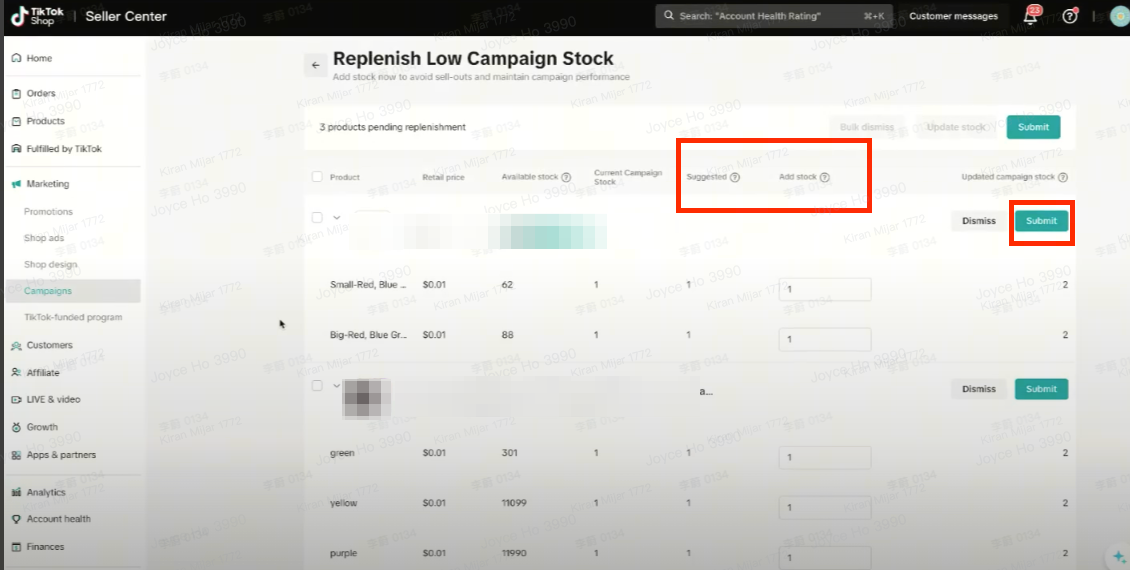
Low inventory alert- When your Flash Sale inventory is running low, a notification will alert you so you can restock promptly. You’ll also see a new task called "Replenish Low Campaign Stock" on your Seller Center → Campaigns → Campaign tasks section.
- Clicking this task will show which products are low in stock. Enter the updated stock amount and click [Submit] to proceed
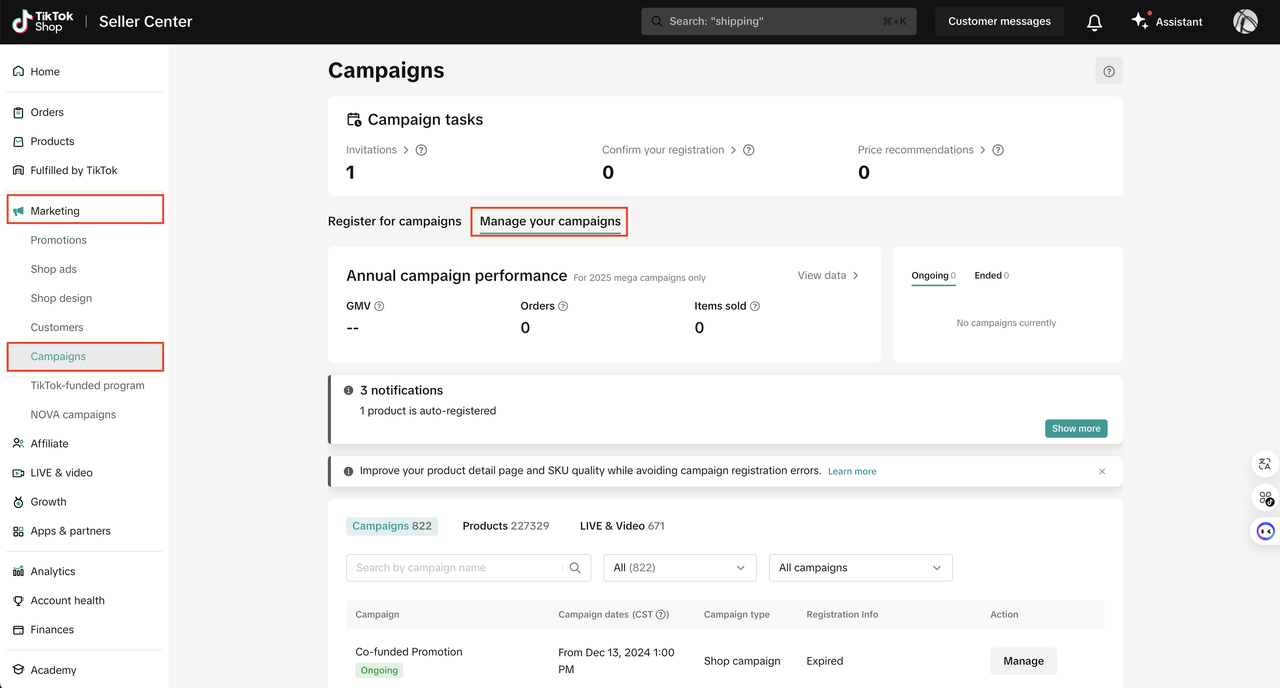
Go to Seller Center --> Marketing --> Campaigns --> Manage Your Campaigns
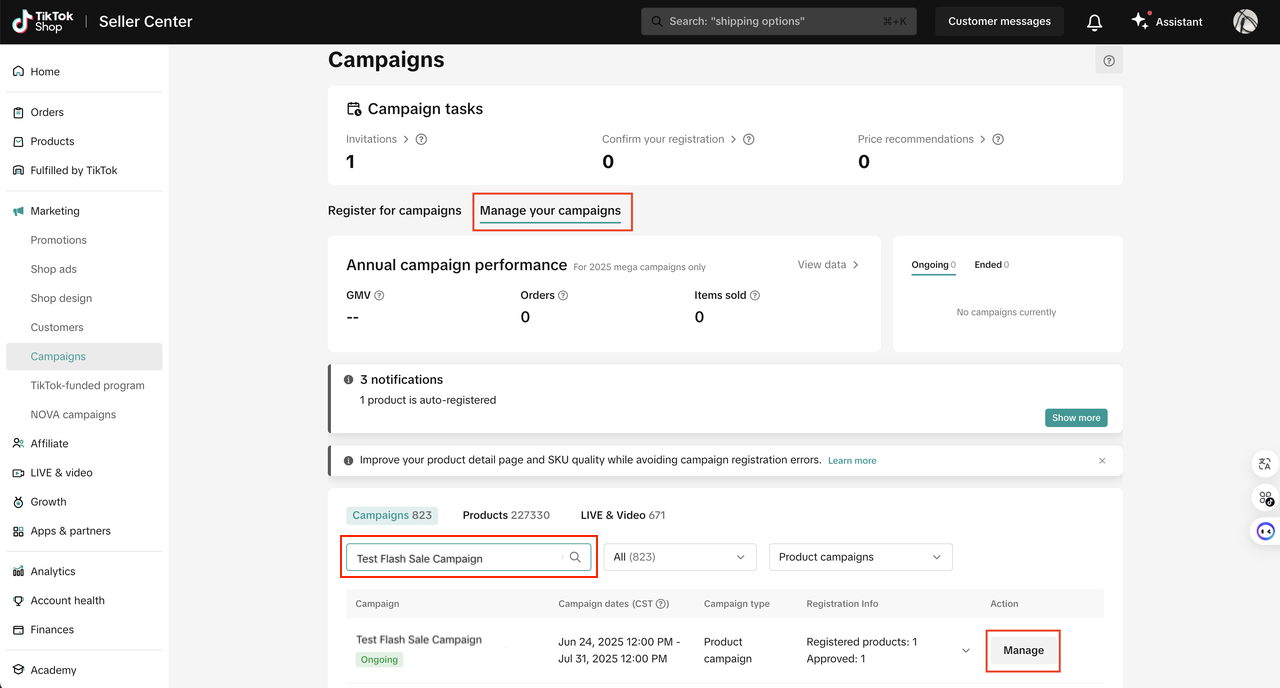
Find the sub campaign and click [Manage]
Find the product and click [Edit]
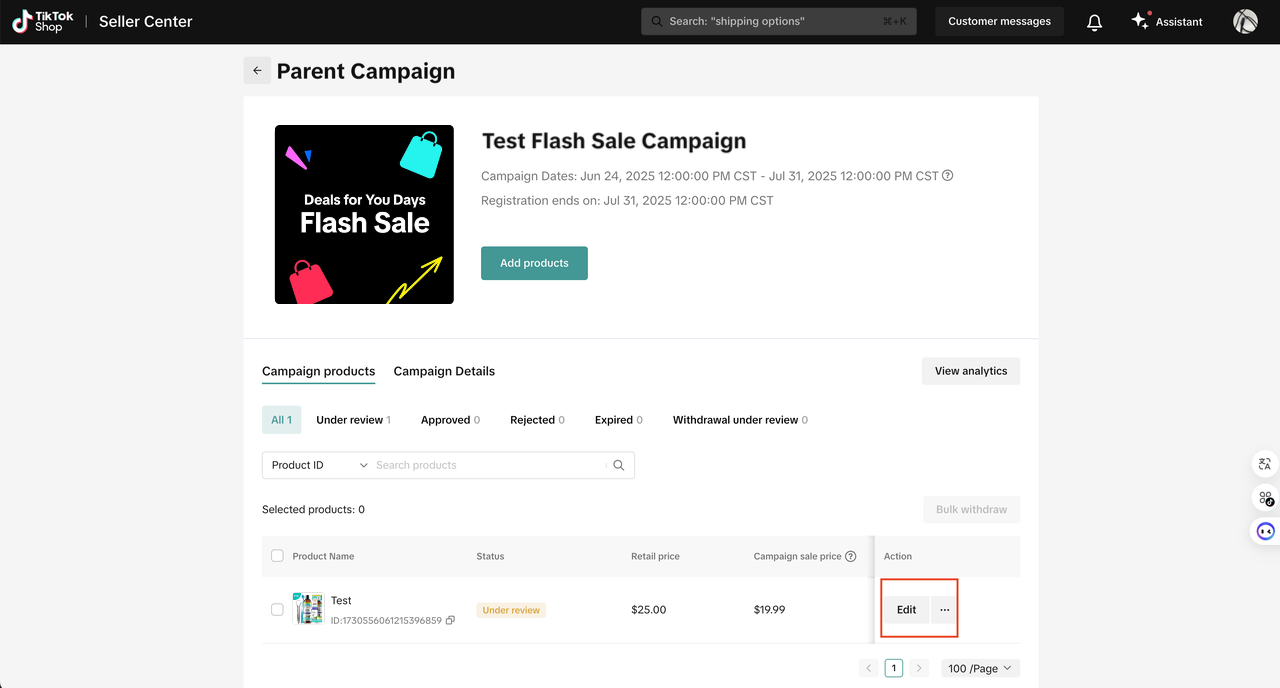
Increase the campaign quantity and click [Update]
Important: Currently, you can only increase your campaign reserved stock. To reduce it, you must withdraw the PID and re-register before the deadline.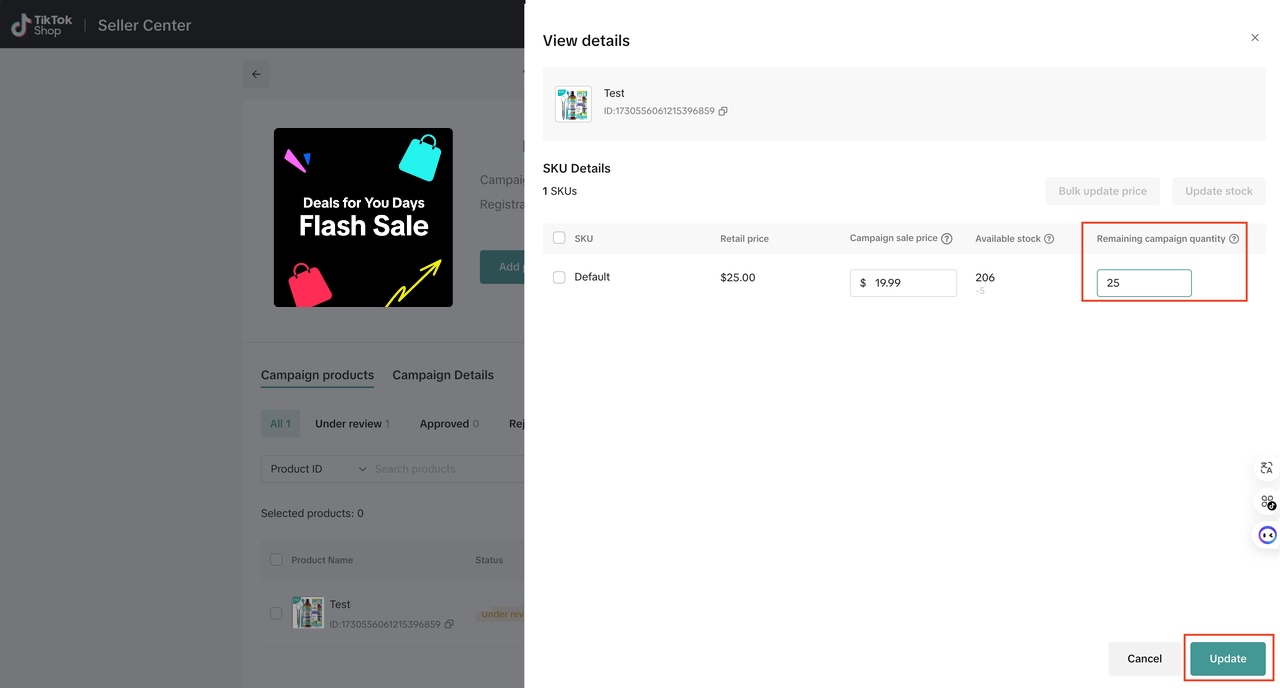
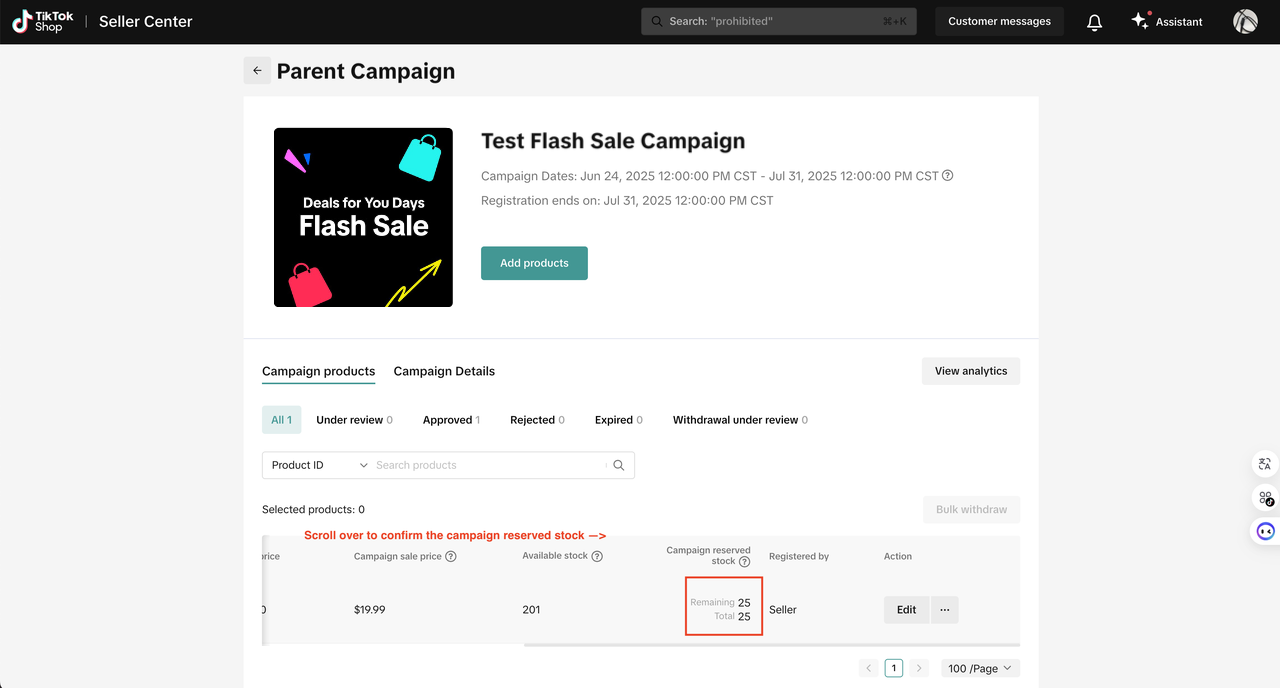
Scroll over to confirm the updated campaign reserved stock
How do I view the campaign schedule and subsidy?
In Seller Center, go to Marketing → Campaigns → Manage Your Campaigns. Find the sub-campaign you registered for, then click ManageUnder Campaign products tab, click View schedule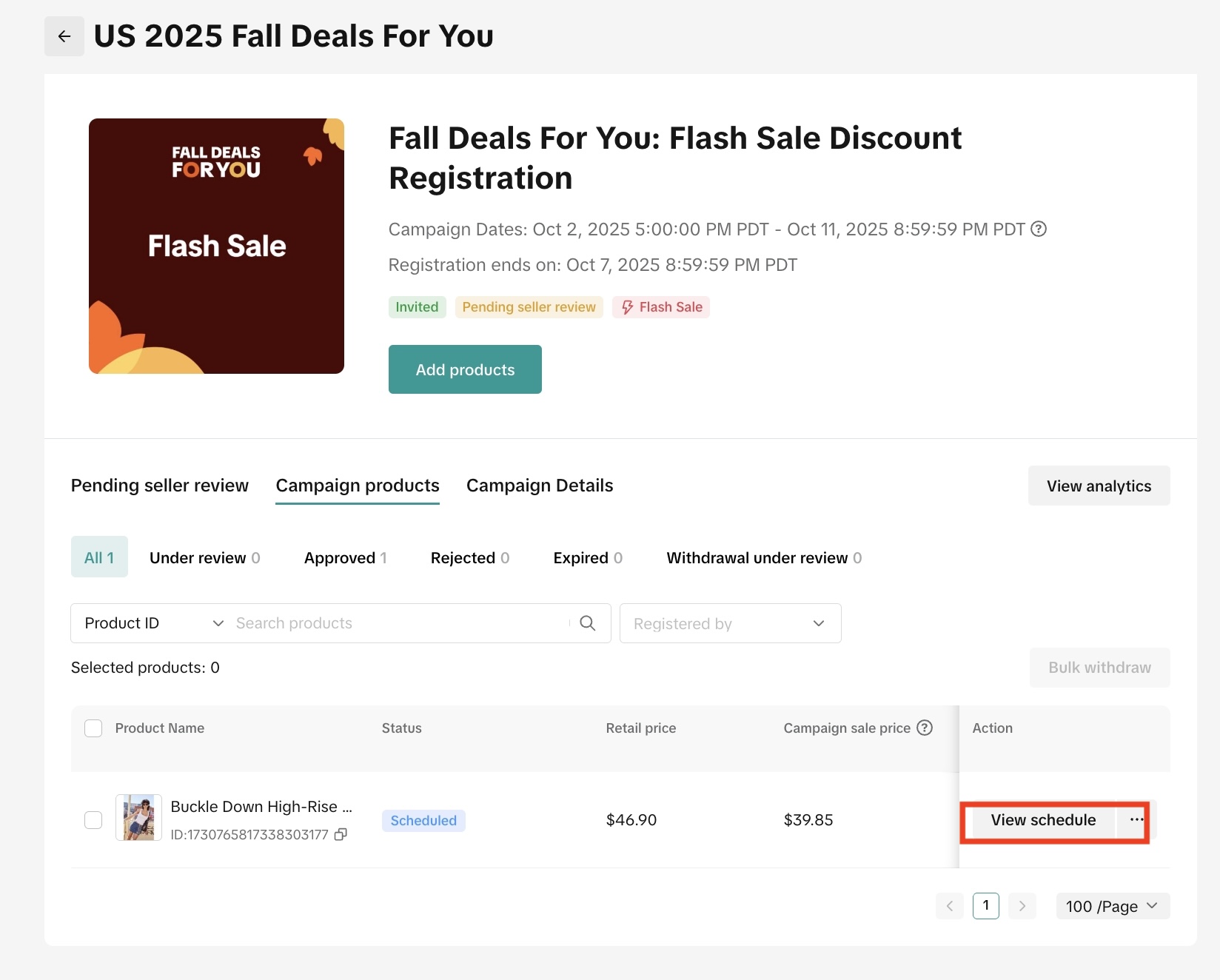
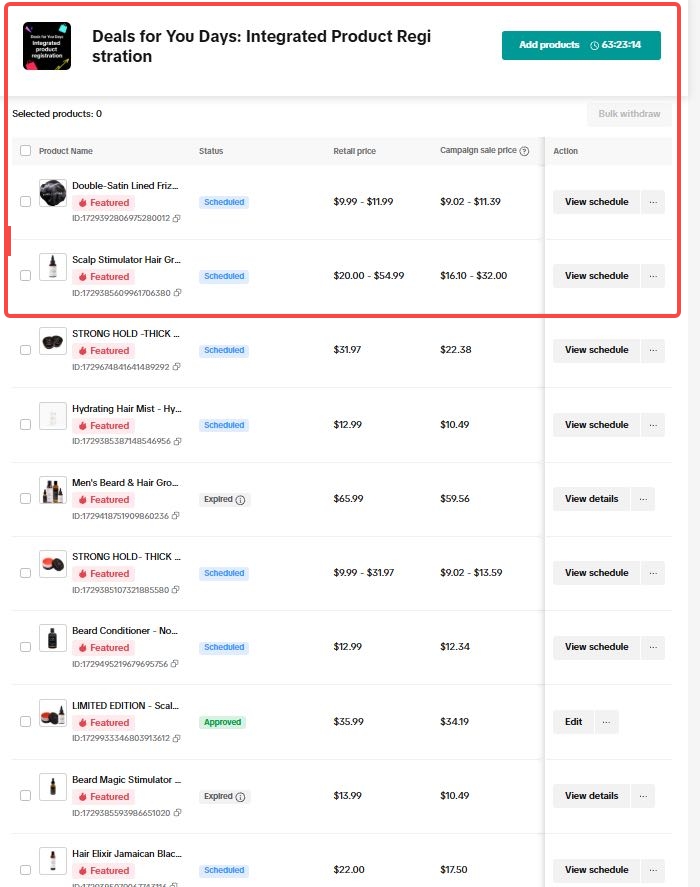 You can see the scheduled sessions along with your subsidized price.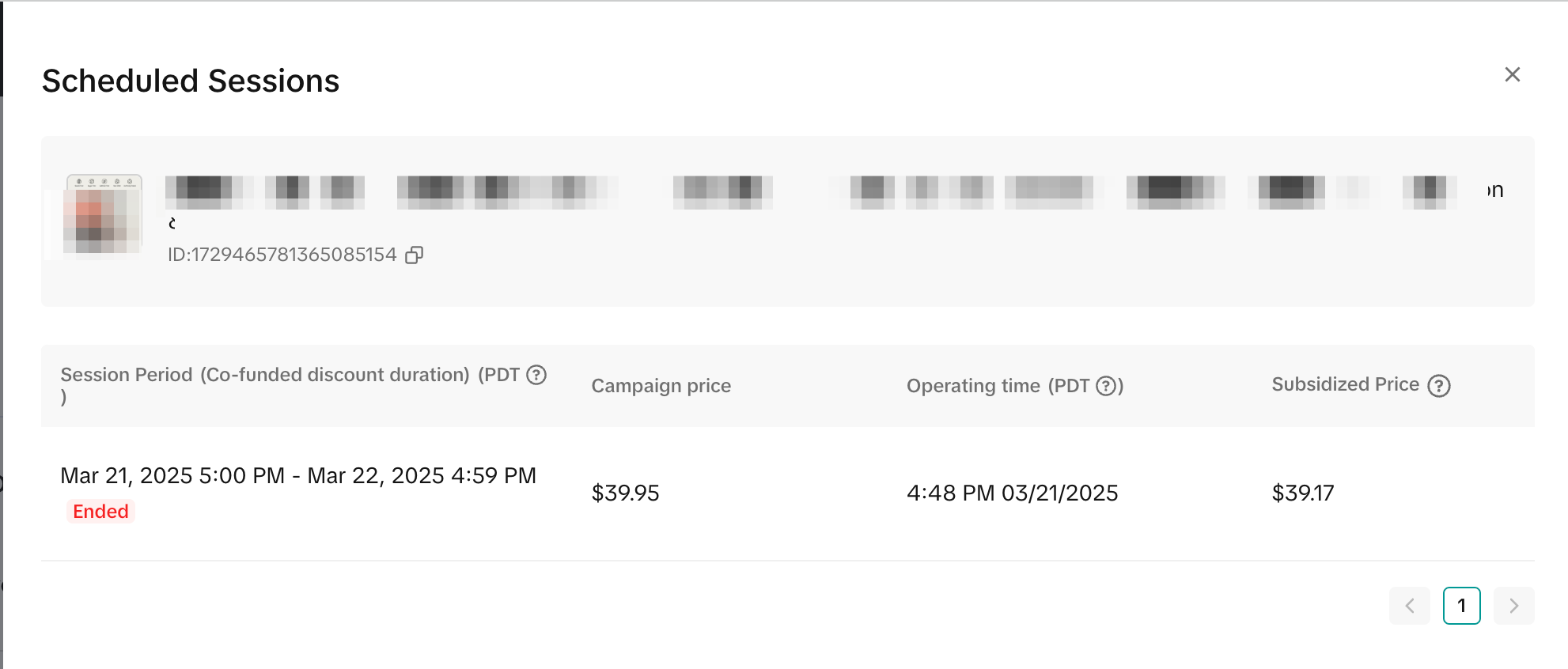
You may also be interested in

Promotion stacking rules
Learn how promotions work together What you'll see and what your customers get: On TikTok Shop, you…
TikTok for Shopify: Strikethrough Pricing Integration
TikTok for Shopify - Strikethrough Pricing Integration for Shopify Overview: Strike-through pricing…

Seller LIVE Flash Deal
What is LIVE Flash Deal ? LIVE Flash Deal is a seller-funded promotion tool that allows sellers to c…
How to Use the 'Buy More Save More' Feature
Product Overview Buy More Save More is a seller-funded promotional tool designed to reward customers…

The smart pricing suite: Pricing insights and campaign price…
Product Overview TikTok Shop Pricing Suite is your complete smart pricing system built directly into…
How to Use Seller Flash Deal
What is Seller Flash Deal Seller Flash Deal is a promotion tool in the Seller Centre to create limit…
How to Use Product Discount
Introduction of product discount, how to create, view, edit, terminate it and how consumers particip…

TikTok Shop LIVE Promotions Tools
Overview Livestreaming is one of the most powerful ways to connect with your audience, deepen engage…

Seller coupons
Overview: What are coupons? Seller coupons are seller-funded discounts customers can claim and apply…

Early Access Deal
What is Early Access Deal? (currently in Beta for selected sellers) Early Access Deal is a seller-fu…